
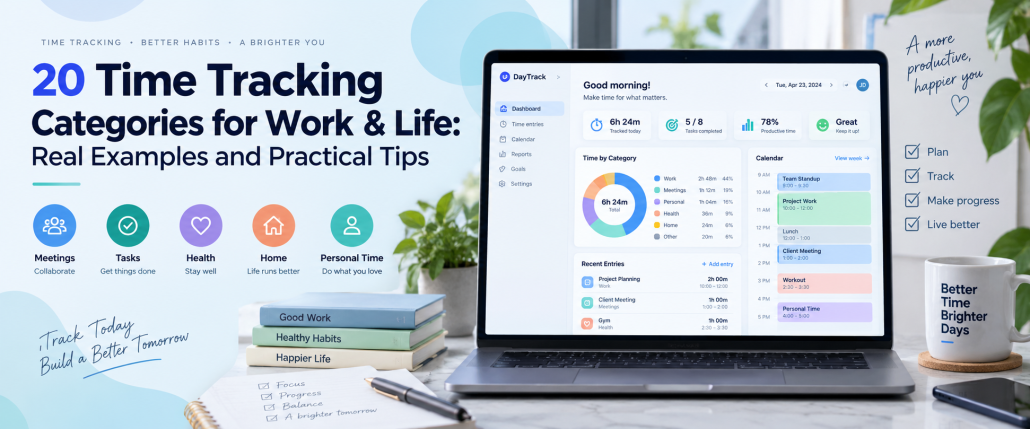
20 Time Tracking Categories for Work & Life: Real Examples and Practical Tips
Time tracking categories help individuals, freelancers, and businesses understand how they spend their working hours and personal time. Instead of recording a full day as a single block, categories divide activities into meaningful groups such as project work, meetings, administration, and personal development. This makes time records easier to understand and helps teams identify where their hours are being allocated.
However, creating too many categories or using unclear labels can make time tracking unnecessarily complicated. The right approach is to establish a simple structure that reflects your actual activities and reporting needs. This guide explains 20 practical time tracking categories, provides timesheet categories examples, and demonstrates how to organize tasks, track hours, and analyze time data using tools such as AYYES.
Time Tracking Categories at a Glance
Time tracking categories organize recorded hours into groups that reflect the type of work or personal activity being performed. Businesses typically use them to understand project costs, billable hours, and resource allocation, while individuals can use them to review their routines and plan their schedules.
The table below introduces the main category groups and their practical applications.
| Category Group | Examples | Main Purpose |
| Project Work | Execution, research | Track project activities |
| Communication | Meetings, client calls | Measure communication time |
| Administration | Scheduling, paperwork | Monitor internal operations |
| Professional Development | Training, workshops | Track learning hours |
| Personal Activities | Family, health, hobbies | Understand personal routines |
| Household Activities | Cleaning, errands | Plan everyday responsibilities |
These are broad category groups rather than a fixed structure. A freelancer may need only a few categories, while an agency managing multiple clients may require additional task-level information.
The objective is to create a structure that answers useful questions without requiring people to spend excessive time classifying every activity.
What Are Time Tracking Categories?
Time tracking categories are labels used to classify time entries according to the type of activity performed. They help organize raw working hours into meaningful information that can be reviewed through timesheets, reports, and project records.
For example, a marketing specialist working on a website project might record two hours under Research, three hours under Content Creation, and one hour under Meetings. The individual entries describe what happened, while their categories reveal how time was distributed across different types of work.
Time Tracking Categories vs. Projects, Tasks, and Tags
Although these terms are sometimes used interchangeably, they answer different questions. A clear classification system separates the assignment being completed from the type of activity, the client receiving the work, and any additional information needed for reporting.
| Element | Purpose | Example |
| Client | Identifies who receives the work | ABC Company |
| Project | Identifies the assignment | Website Redesign |
| Task | Describes the specific activity | Write Homepage |
| Category | Classifies the type of work | Content Creation |
| Tag | Adds optional information | Deep Work |
| Billing Status | Identifies chargeable time | Billable |
For instance, an employee may work on the task “Write Homepage” within the “Website Redesign” project. The activity belongs to the Content Creation category and may be marked as billable according to the client agreement.
A category describes the nature of the work, while the other fields provide additional context. Keeping these dimensions separate prevents overlapping classifications and makes reports easier to interpret.
Why Are Time Tracking Categories Important?
Recording total working hours tells you how long someone worked, but it does not explain how that time was distributed. Time tracking categories add context by showing which activities consumed those hours and how they relate to projects, clients, and operational responsibilities.
For example, a team may record 40 working hours during a week without realizing that a significant portion was spent on meetings and administrative tasks. Categorizing those entries makes the distribution visible, giving managers a starting point for investigating scheduling patterns and reviewing project estimates.
The benefits include:
- Accurate client billing: Distinguish project activities and review which recorded hours are chargeable under the agreed billing terms.
- Better project estimates: Compare the time spent on research, execution, and revisions against the original project budget.
- Clearer resource allocation: Identify how working hours are distributed among client assignments and internal responsibilities.
- Improved workload planning: Review recurring activities and determine whether schedules need to accommodate additional work.
- More informed decisions: Use historical time data to investigate process issues, plan future assignments, and review operational costs.
Categorization provides visibility, but it does not automatically improve productivity. Its value comes from reviewing the results and taking appropriate action.
20 Time Tracking Categories for Work and Personal Life
The most useful time tracking categories depend on the activities you perform and the information you want to collect. Work-related categories generally focus on projects, communication, operations, and professional development, while personal categories help individuals understand their daily routines.
Below are 20 practical examples divided into 12 work categories and eight personal categories. They are intended as options to choose from, not a requirement to create 20 separate classifications in every tracking system.
12 Work-Related Time Tracking Categories
Work-related categories help employees, freelancers, and managers distinguish different responsibilities within the same working day. Each category should have a clear purpose and enough detail to support meaningful reporting without making time entries unnecessarily complicated.
1. Project Execution
Project execution includes activities directly involved in producing the agreed deliverables. Examples include writing website content, developing an application, designing graphics, or preparing a consulting presentation.
Tracking this category helps managers identify how much time is devoted to delivering project outcomes. It can also support comparisons between estimated and actual execution hours.
2. Planning and Strategy
Planning and strategy cover the preparation required before work begins. Activities may include defining project objectives, creating timelines, setting priorities, and developing implementation plans.
Separating planning from execution helps teams understand how much preparation is required for different project types and whether future schedules should allocate more time to initial planning.
3. Research and Analysis
Research and analysis involve gathering information, examining data, and investigating problems before making decisions. Examples include keyword research, competitor analysis, market research, and technical investigations.
This category helps teams measure the time required for discovery activities and distinguish research from the production of final deliverables.
4. Meetings
Meetings include scheduled discussions held to exchange information, coordinate work, or make decisions. Examples include project kickoffs, internal team meetings, planning sessions, and client review meetings.
Recording meeting hours allows teams to understand how much working time is allocated to discussions and evaluate whether recurring meetings serve a necessary purpose.
5. Client Communication
Client communication includes correspondence and direct interactions that are not already classified as formal meetings. Examples include answering project-related emails, providing progress updates, and responding to client questions.
Keeping this category separate from general administration helps service businesses understand how much time is required to maintain client relationships.
6. Administrative Tasks
Administrative tasks involve routine responsibilities that support daily business operations. Examples include organizing documents, scheduling appointments, updating internal records, and processing paperwork.
This category provides visibility into essential operational work that may otherwise disappear inside general working-hour totals.
7. Quality Assurance and Review
Quality assurance includes activities performed to check accuracy, functionality, and compliance with project requirements. Examples include proofreading content, testing software, reviewing designs, and inspecting completed deliverables.
Tracking review time helps businesses understand the effort required to maintain quality and account for that effort in future project estimates.
8. Training and Development
Training and development cover work-related activities intended to improve professional knowledge or skills. Examples include attending workshops, completing online courses, participating in training sessions, and learning new software.
Recording these hours gives organizations visibility into their learning activities without treating professional development as unproductive time.
9. Customer Support
Customer support includes activities performed to help customers resolve problems or understand products and services. Examples include answering support tickets, investigating reported issues, and assisting customers with technical questions.
This category helps businesses understand support workloads and allocate sufficient resources to customer assistance.
10. Business Development
Business development includes activities intended to generate new opportunities or expand existing client relationships. Examples include preparing proposals, attending sales calls, researching prospective clients, and developing service offers.
Separating these hours from existing client work helps businesses understand the time invested in acquiring and developing commercial opportunities.
11. Work-Related Travel
Work-related travel includes journeys undertaken for professional activities, such as visiting client locations, attending business meetings, or traveling between job sites.
This category is particularly relevant to consultants, construction businesses, field service teams, and organizations with employees working across different locations.
12. Documentation and Reporting
Documentation and reporting include preparing records that explain completed work or communicate results. Examples include monthly performance reports, technical documentation, project summaries, and internal process guides.
Tracking this category helps organizations understand reporting workloads and ensure sufficient time is allocated to documentation.
8 Personal Time Tracking Categories
Personal categories help individuals understand how their time is distributed outside professional responsibilities. Rather than measuring every minute, the objective is to identify useful patterns that support more intentional planning.
These categories should normally be maintained separately from employer-managed time records unless there is a specific, appropriate reason to combine them.
13. Family and Relationships
This category covers time intentionally spent with family, friends, and other important relationships. Examples include family dinners, social gatherings, shared activities, and visiting relatives.
Reviewing this information can help individuals understand whether their schedules provide enough room for their personal priorities.
14. Exercise and Health
Exercise and health include activities such as workouts, walking, medical appointments, and other health-related routines.
Tracking these activities can help individuals understand how much time they allocate to health-related commitments and plan their schedules accordingly.
15. Sleep and Rest
Sleep and rest cover sleeping, planned rest periods, and downtime intended for recovery.
This category can help individuals observe broad patterns in their schedules. It should not be treated as a medical assessment or an attempt to measure the quality of every resting period.
16. Household Chores
Household chores include cleaning, laundry, cooking, gardening, and other domestic responsibilities.
Recording these activities can help households estimate how long recurring tasks require and distribute responsibilities more intentionally.
17. Personal Errands
Personal errands include shopping, visiting service providers, collecting packages, and completing everyday administrative responsibilities.
Separating errands from household chores can be useful when an individual wants to understand how much time is spent traveling to appointments or completing activities outside the home.
18. Hobbies and Recreation
Hobbies and recreation include activities pursued for enjoyment, such as painting, reading for pleasure, gaming, playing music, or attending recreational events.
This category helps individuals understand how leisure activities fit into their schedules without treating recreation as time that needs to be made productive.
19. Personal Learning and Development
Personal learning includes activities undertaken to develop knowledge or skills outside professional responsibilities. Examples include studying a language, reading educational material, and attending personal-interest courses.
Keeping personal learning separate from employer-funded training helps maintain a clearer distinction between work and personal activities.
20. Commuting and Personal Transportation
This category includes commuting to work and other transportation time that an individual chooses to track separately from errands or work-related travel.
Recording transportation time can help people understand how travel affects their available schedule and assess whether changes to commuting arrangements would be practical.
Timesheet Categories Examples for Different Work Types
Timesheet categories examples provide a practical starting point for businesses that want to create a consistent time tracking structure. The categories used by a software development team may differ significantly from those needed by a consultant, marketing agency, or customer support department.
The following examples demonstrate how different organizations can classify their activities according to the work they actually perform.
Work Type |
Timesheet Categories Examples |
| Marketing Agency | Research, SEO, Content, Reporting |
| Software Development | Planning, Coding, Testing, Documentation |
| Consulting | Discovery, Analysis, Meetings, Delivery |
| Customer Support | Support Tickets, Escalations, Training, Reporting |
| Freelancing | Client Work, Revisions, Administration, Sales |
| Design Studio | Research, Design, Review, Delivery |
| Construction | Site Preparation, Installation, Inspection, Documentation |
These examples are starting points, not universal category sets. A business should refine the labels based on its services, internal workflows, and reporting requirements.
For example, a marketing agency may divide Content into Writing, Editing, and Publishing if those distinctions are important for project estimates. A smaller agency may prefer to retain one Content category and use task descriptions for additional detail.
Daily Timesheet Categories Example
A daily timesheet demonstrates how activities can be recorded under different categories while remaining connected to specific projects or tasks.
Consider a marketing specialist who completes eight hours of work across research, content creation, meetings, reporting, and administration.
| Category | Task | Hours |
| Research | Keyword Research | 2 |
| Project Execution | Content Writing | 2 |
| Meetings | Client Meeting | 1 |
| Quality Assurance | Content Review | 1 |
| Documentation and Reporting | SEO Performance Report | 1 |
| Administration | Email and Scheduling | 1 |
| Total | 8 |
This example shows six distinct activities without creating unnecessary categories for every small task.
A complete timesheet can also include the date, employee, client, project, start time, end time, duration, billing status, and notes.
These additional fields allow businesses to analyze working hours from different perspectives while maintaining a consistent category structure.
How to Structure Time Tracking Categories and Subcategories
A category system should provide enough information to answer important questions without overwhelming employees with unnecessary choices. The structure can begin with broad project-level tracking and become more detailed when individual tasks or additional classifications are required.
The following three levels are an illustrative framework for increasing tracking detail rather than an industry-standard classification system. Organizations can select the approach that matches their reporting needs.
Level 1: Basic Time Tracking
A level 1 time tracker, as defined in this guide, records basic information such as the date, project, and total duration. It provides a simple overview of how working hours are distributed among assignments without requiring detailed activity classifications.
For example, a freelancer might record five hours against a Website Redesign project. This approach can be sufficient when the main objective is to understand total project hours or prepare simple client invoices.
Level 2: Project and Task Time Tracking
Project and task time tracking introduces a more detailed structure by dividing each assignment into specific activities. Instead of recording five hours against a website project, the employee records two hours for homepage writing and three hours for page development.
This level is useful when teams need to understand which project components require the most time, compare task estimates, and plan future workloads.
Level 3: Detailed Time Tracking With Categories and Tags
Detailed tracking adds additional dimensions to project and task records. A time entry might include the client, project, task, work category, billable status, and an optional tag such as Deep Work.
This approach supports more detailed analysis but should be used only when those additional fields answer a real business question. Requiring employees to complete excessive fields can make the tracking process difficult to maintain.
How to Create Time Tracking Categories Step by Step
Creating time tracking categories begins with defining the information you want to collect. A successful setup should be understandable, consistent, and easy enough for employees or individuals to use regularly.
Follow these seven steps to design a category structure that supports accurate time records and useful reporting.
Step 1: Define Your Time Tracking Goals
Identify the main reason for collecting time data. Your goal may be preparing invoices, monitoring project budgets, understanding employee workloads, or reviewing personal routines.
For example, a consulting firm primarily concerned with client billing may focus on project hours and billable status, while an agency reviewing operational efficiency may also need categories for meetings, administration, and reporting.
Step 2: Review Your Existing Tasks and Activities
Examine the activities that employees perform during a typical working week. Review project plans, existing timesheets, task lists, and recurring responsibilities to identify common types of work.
Group similar activities together before creating individual categories. For example, scheduling appointments and organizing internal documents may both belong under Administration.
Step 3: Choose Clear Category Names
Use descriptive names that communicate exactly which activities belong in each category. Avoid vague labels such as General Work when a more informative category would support better reporting.
Document the meaning of each category and provide examples of activities that belong within it. This helps employees classify similar work consistently across different projects.
Step 4: Organize Projects, Tasks, and Categories
Establish a clear relationship between assignments and their activities. Projects should identify the overall work being completed, while tasks describe specific deliverables or responsibilities.
Categories should classify the nature of the activity rather than duplicate project names. Additional characteristics such as billing status can be maintained in separate fields where the tracking system supports them.
Step 5: Add Categories to Your Time Tracking System
Configure the relevant organizational fields in your time tracking software or spreadsheet. Depending on the platform, you may use dedicated category fields, projects, task groups, or tags to organize activities.
For example, a marketing team could establish separate projects for clients and divide each project into research, content, design, and reporting tasks.
The exact setup will depend on the features available in the selected platform.
Step 6: Test the Categories With Real Timesheets
Ask a small group of users to record their activities using the proposed structure. Review whether they can select appropriate categories without frequently encountering confusing or overlapping options.
If employees regularly choose Other or assign similar activities to different categories, revise the definitions before introducing the system across the entire organization.
Step 7: Review and Improve Your Category Structure
Review the system after collecting enough real time data to identify recurring problems. Remove unnecessary choices, clarify confusing names, and introduce additional categories only when the existing structure cannot answer an important question.
When changing categories, preserve historical data and document changes so that reports from different periods remain understandable.
How to Use a Work Task Time Tracker With Categories
A work task time tracker records the time spent completing individual assignments and connects those records to projects or other organizational fields. When activities are structured consistently, businesses can understand not only how long an employee worked but also which tasks required that time.
For example, a freelance content writer may divide a client assignment into research, writing, editing, and revisions. The individual tasks identify the deliverables, while their categories allow the freelancer to review time spent on different work types across multiple projects.
A practical workflow involves the following activities:
- Select the relevant client and project before beginning work.
- Choose the individual task associated with the activity.
- Start a timer or enter the working duration manually.
- Assign the appropriate activity classification if supported.
- Review the recorded hours and correct inaccurate entries.
- Use timesheet reports to compare tasks and project totals.
Some platforms also support automated time tracking. However, automatically collected activity data should still be reviewed when it is used for categorization, client billing, or other decisions requiring accurate task assignments.
The objective is to create reliable time records without requiring employees to spend more time managing the tracking system than completing their actual work.
How to Analyze Time Tracking Data by Category
Once working hours have been recorded, category-based reporting helps turn individual time entries into useful information. The goal is to identify patterns, compare actual results with expectations, and understand how different activities affect project delivery.
Start by grouping recorded hours by category over a consistent reporting period, such as a week or month. Compare the results with project estimates, historical records, or planned time allocations to identify areas that require further investigation.
Example: Weekly Time Tracking Report
Consider an employee who records 40 working hours during a week.
| Category | Weekly Hours | Share of Time |
| Project Execution | 20 | 50% |
| Research | 6 | 15% |
| Meetings | 5 | 12.5% |
| Administration | 4 | 10% |
| Reporting | 3 | 7.5% |
| Training | 2 | 5% |
| Total | 40 | 100% |
This report shows that half of the recorded week was allocated to project execution, while the remaining hours were distributed across research, meetings, administration, reporting, and training.
However, these percentages do not reveal whether any category contains too much or too little time. That assessment requires additional context, such as project requirements, deadlines, employee responsibilities, and expected workloads.
Analyze Billable and Non-Billable Hours
Billable hours refer to work that can be charged to clients under the relevant agreement. Non-billable hours include activities that are not directly chargeable, such as certain internal meetings, training, or administrative responsibilities.
A useful report separates billing status from activity type. For example, a client meeting may be billable under one contract but non-billable under another.
This distinction supports more accurate invoicing and prevents businesses from assuming that every hour within a particular activity category has the same billing status.
Compare Estimated and Actual Project Hours
Compare the hours originally allocated to a project with the time recorded during execution. If research consistently requires more time than expected, investigate whether the estimates were unrealistic, the requirements were unclear, or the project scope changed.
Use these findings to improve future planning rather than assuming that longer task durations automatically indicate poor performance.
Time Tracking Best Practices for Accurate Categories
Effective time tracking best practices focus on creating reliable information while minimizing unnecessary administration. A category structure should remain simple enough for regular use and detailed enough to support its intended reporting purpose.
The following practices help businesses maintain consistent time records and make more informed decisions from the collected data.
Keep Your Categories Simple and Consistent
Use straightforward category names and maintain a consistent naming system across projects. Avoid creating multiple labels for essentially the same activity, such as Administration, Admin Work, and General Admin.
A smaller, clearly defined category set is often easier to manage than a large list of choices. Add more detail only when the existing categories cannot answer a meaningful reporting question.
Record Time Regularly
Encourage employees to record their hours while completing tasks or shortly afterward. Delaying entries until the end of the week can make it harder to remember the duration and purpose of individual activities accurately.
Where manual tracking is used, establish a consistent daily recording routine and allow corrections when employees identify mistakes.
Maintain Clear Billing Rules
Document which activities are billable, how time should be recorded, and who approves timesheets before invoicing.
A shared policy helps reduce inconsistent entries and ensures that employees understand how to classify work performed under different client agreements.
Review Category Reports Regularly
Review recorded hours at intervals appropriate to the business. Weekly reports can reveal short-term workload patterns, while monthly reviews may be more useful for comparing projects and evaluating broader trends.
Focus on identifying questions that require investigation rather than collecting reports simply because the software can generate them.
Respect Employee Privacy and Transparency
Explain what information is collected, why it is needed, who can access it, and how it will be used. Avoid collecting unnecessary personal information or using activity metrics as a substitute for evaluating actual work outcomes.
When automated monitoring features are involved, organizations should establish appropriate policies and consider applicable privacy and employment requirements.
Common Mistakes When Using Time Tracking Categories
Even a well-designed time tracking system can produce confusing data when categories are poorly defined or applied inconsistently. Problems usually arise when organizations collect more information than they need or fail to establish clear classification rules.
Understanding these mistakes helps businesses maintain useful records and reduce the administrative burden associated with tracking working hours.
Creating Too Many Categories
A large category list makes it difficult for employees to select the appropriate option. Similar labels may also produce inconsistent records, making it harder to compare working hours accurately.
Start with a manageable set of broad categories and introduce additional detail only when a specific reporting requirement justifies the change.
Using Overlapping Category Names
Categories such as General Administration and Internal Operations may be difficult to distinguish without clear definitions. As a result, employees performing identical tasks may select different classifications.
Resolve this issue by merging similar categories or documenting precise rules that explain which activities belong under each label.
Confusing Tasks With Categories
A task identifies the specific work performed, while a category describes the type of activity. Using individual task names as categories can create an unnecessarily large and inconsistent classification system.
For example, Write Homepage should be a task within a website project, while Content Creation can serve as the broader work category.
Treating Billable Status as the Only Category
Billable and non-billable classifications are useful for invoicing, but they do not explain which activities consume working hours.
Where possible, record billing status separately from the work category so that reports can distinguish between client meetings, project execution, and other activities regardless of whether they are chargeable.
Forgetting to Review Time Entries
Forgotten timers, duplicate entries, and inaccurate task assignments can distort timesheet reports. These problems become especially significant when the data is used for client billing or payroll-related workflows.
Allow users to review and correct entries before reports are finalized, and establish an appropriate approval process when greater accuracy is required.
Collecting Data Without Using It
Recording detailed time information provides limited value when nobody reviews the resulting reports. Organizations may accumulate large amounts of data without connecting the findings to business decisions.
Define the questions that each report should answer and use the results to review estimates, identify recurring workload issues, or improve internal processes.
How AYYES AI Helps You Organize Time Tracking Categories
Managing multiple projects becomes more difficult when tasks, working hours, and timesheets are maintained in separate systems. AYYES AI Time Tracking Software provides a structured workspace where businesses can organize projects by department, divide work into task groups, assign responsibilities, and track time spent on individual projects and tasks.
Instead of relying entirely on a long list of time tracking categories, businesses can organize work through project and task structures and use the recorded hours to review how work is distributed. AYYES AI also provides detailed and summarized timesheets, allowing managers to examine project hours and individual work sessions.
Organize Projects and Tasks
AYYES AI allows businesses to create projects, assign team members, establish task groups, and manage individual assignments. Projects can also be categorized by department, helping organizations structure their work according to internal responsibilities.
For example, a marketing agency can create a client project, group tasks into research, content, and reporting activities, and assign the relevant work to team members. This structure helps connect recorded hours to specific assignments without treating every project task as a separate category.
Track Time Across Different Work Activities
AYYES AI supports several time recording methods, including a web timer, automated desktop tracking, manual entries, and kiosk-based recording. Employees can use the appropriate method to capture time against projects and tasks based on their working arrangements.
For example, a freelancer can record time while completing a content assignment and add a manual entry for a client meeting when appropriate. Connecting time records to the relevant project and task helps maintain a more complete picture of the work performed.
Analyze Time With Timesheets and Reports
AYYES AI provides detailed timesheets that show individual work sessions and summarized views that consolidate recorded hours. Users can group timesheet information by team member, project, or date and apply filters to examine specific periods or assignments.
The platform also supports PDF and Excel exports, allowing businesses to share time records or perform additional analysis. These reporting options help managers review project hours, prepare billing records, and understand how working time is allocated across assignments.
Organize projects, track task hours, and simplify timesheet reporting with AYYES AI. Get started today.
Frequently Asked Questions About Time Tracking Categories
What Are the Most Common Time Tracking Categories?
Common time tracking categories include project execution, research, meetings, administration, client communication, training, and reporting. The most appropriate categories depend on the activities performed and the purpose of tracking time. Businesses should select categories that reflect their actual workflows.
How Many Time Tracking Categories Should I Create?
There is no universal number of categories that works for every organization. Start with a small set that covers your main activities and expand only when additional detail is needed. Too many similar categories can create confusion and make timesheet reporting less consistent.
What Are Examples of Timesheet Categories?
Examples include Research, Content Creation, Project Execution, Meetings, Administration, Quality Assurance, and Reporting. A marketing agency may use SEO and Content categories, while a software development team may prefer Coding and Testing. Categories should reflect actual work types.
What Is the Difference Between a Task and a Time Tracking Category?
A task describes a specific activity or deliverable, such as writing a homepage or fixing a software bug. A time tracking category classifies the broader type of work, such as Content Creation or Software Development. Multiple tasks can belong to the same category.
What Does a Level 1 Time Tracker Record?
In a simple project-level tracking framework, a level 1 time tracker records basic information such as the date, project, and total hours worked. More detailed systems can add individual tasks, work categories, and other fields. The meaning of Level 1 depends on the framework or software being discussed.
Should Billable and Non-Billable Hours Be Separate Categories?
Billable and non-billable hours should be recorded clearly, but they do not necessarily need to be activity categories. A separate billing-status field is often more useful because the same activity, such as a client meeting, may be billable under one contract and non-billable under another.
Can I Use the Same Categories Across Different Projects?
Yes. Reusing consistent categories across projects can make reporting and comparisons easier. For example, Research and Project Execution can be applied to multiple client assignments. Individual tasks and project names provide the additional information needed to distinguish the work.
How Often Should I Review My Time Tracking Categories?
Review your categories regularly and whenever your workflows change significantly. Check for unused labels, overlapping definitions, and excessive use of an Other category. Update the structure when necessary, but preserve historical information so previous timesheet reports remain understandable.
Start Organizing Your Work With Time Tracking Categories
Time tracking categories turn basic working-hour records into information that can support project planning, billing, workload management, and personal scheduling. By selecting meaningful categories, maintaining consistent definitions, and reviewing recorded hours, individuals and businesses can better understand how their time is distributed.
Start with a simple category structure, test it against real activities, and add more detail only when necessary. For businesses managing multiple assignments, AYYES AI provides project and task organization alongside time tracking and timesheet reporting, helping teams maintain structured records and review their work from one platform.
Ready to organize your work and track project hours? Get started with AYYES AI today.

