
TIMEKEEPING
REPORTING
MANAGEMENT
Project Management
Track time on projects, and manage progress, teams and budgets.
1
2
3
4
5
6
7
8
9
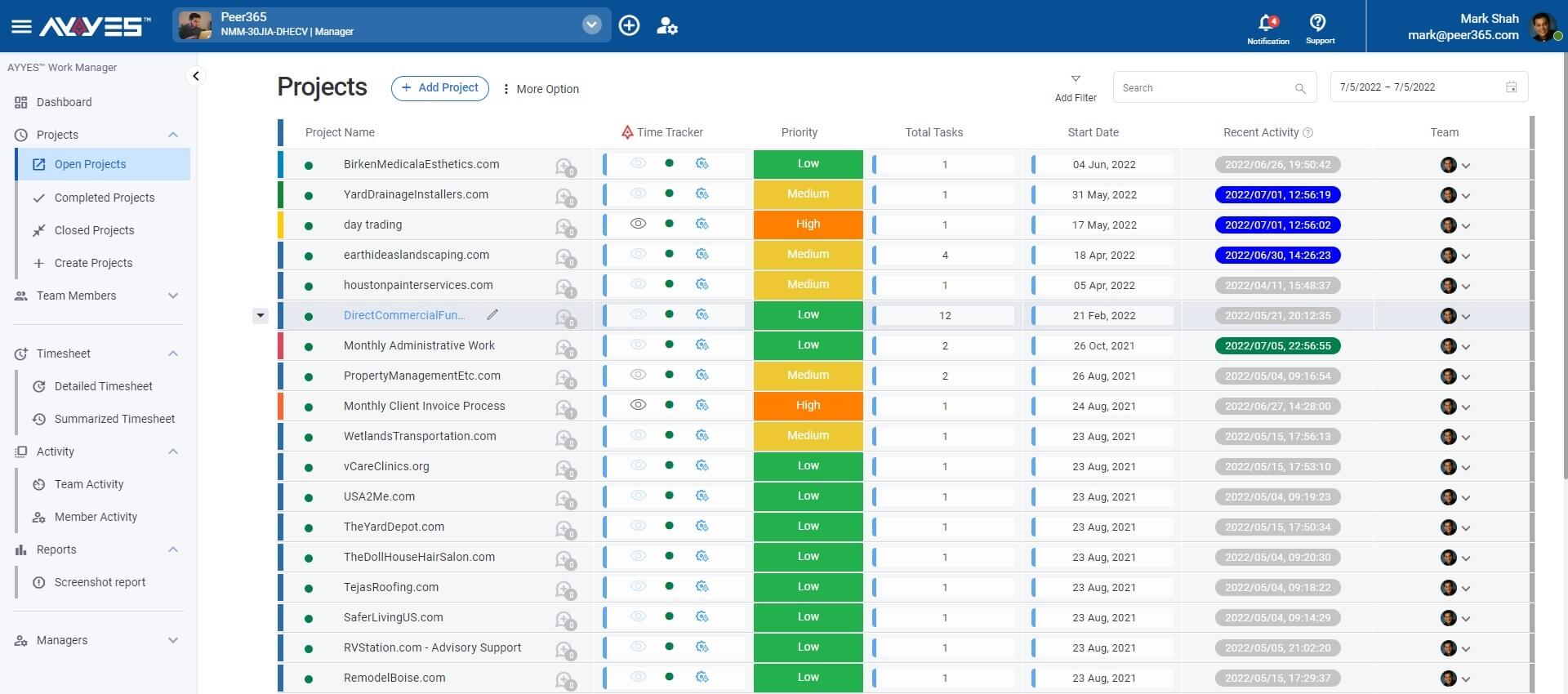
Projects
Track multiple projects.
Time Tracker
Configure time tracking per project.
Activities
See team activities.
Team
Review team working on each project.
Task Management
Manage unlimited tasks and assign work to team members.
1
2
3
4
5
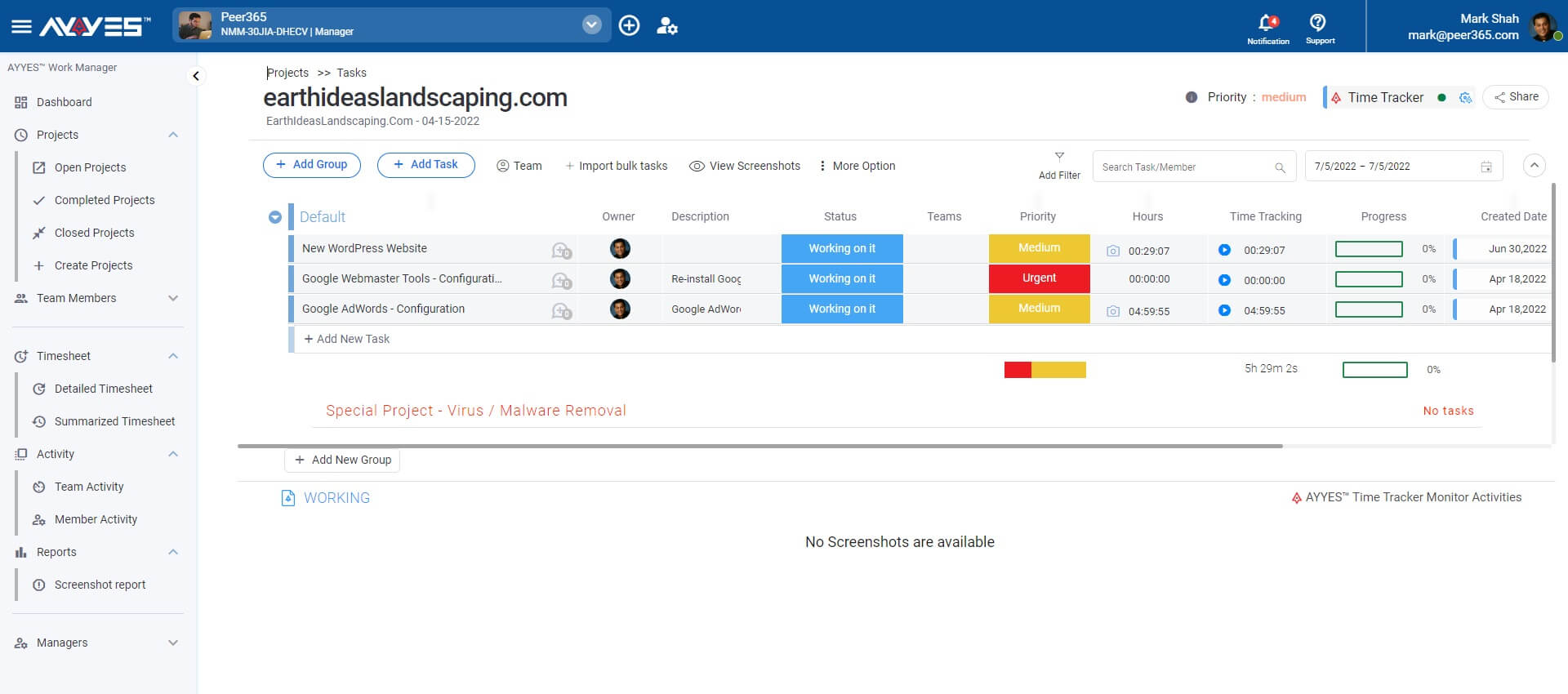
Tasks
Assign tasks to team members.
Timer
Track time using a stopwatch.
Progress
Monitor and manage work progress.
Collaborate
Communicate via notes and tasks.
Task Notes
Collaborate with teams tasks and assignments of work.
1
2
3
4
5
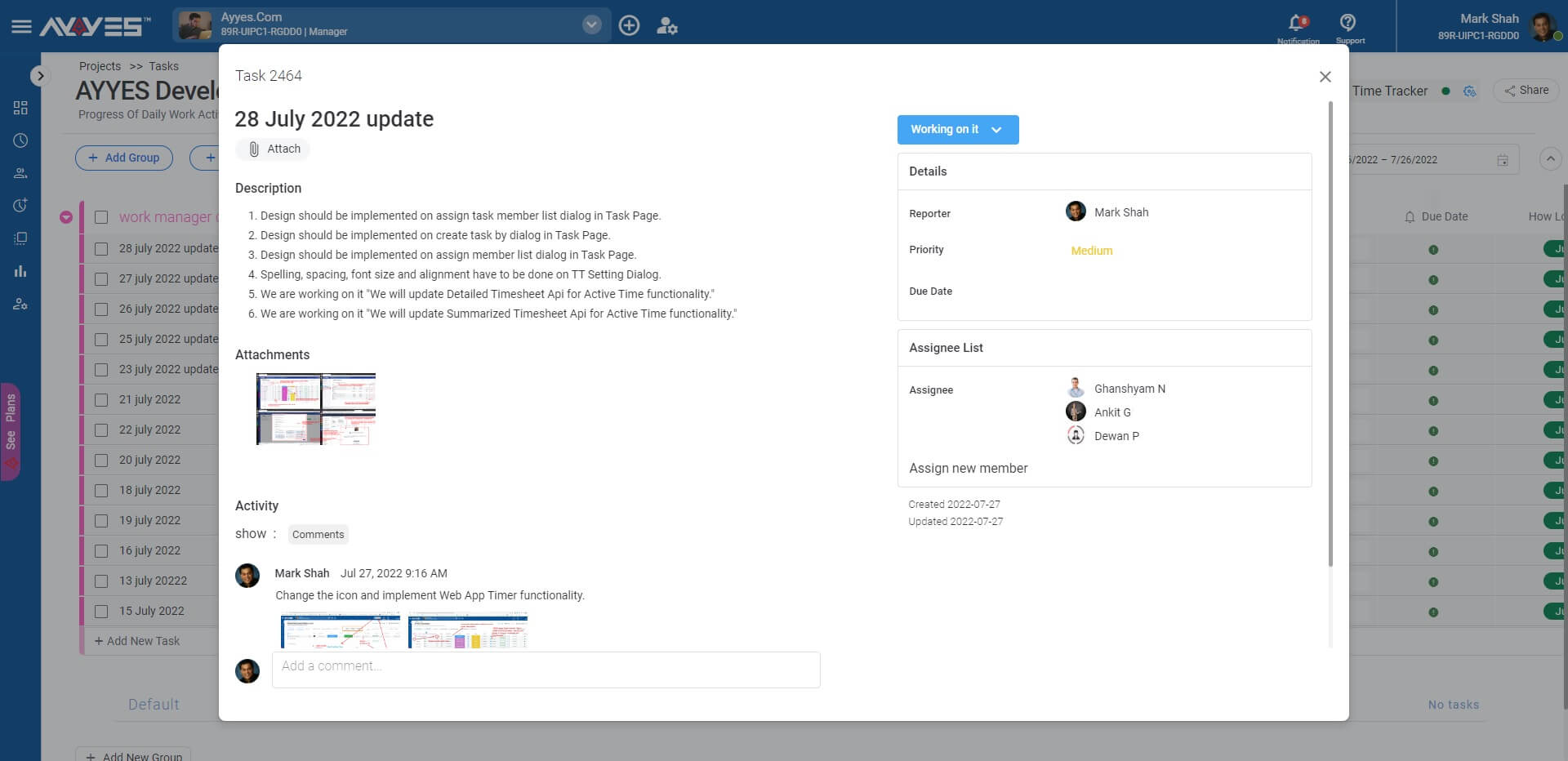
Detail
Task detail notes and attachments.
Assigned by
Report assigning the task with notes.
Assigned to
Team or individual assignment of work.
Collaborate
Follow-up comments & attachments.
Time Tracker App Configuration
Configure Automated Time Tracking App – Project Policy Settings
1
2
3
4
5
6
7
8
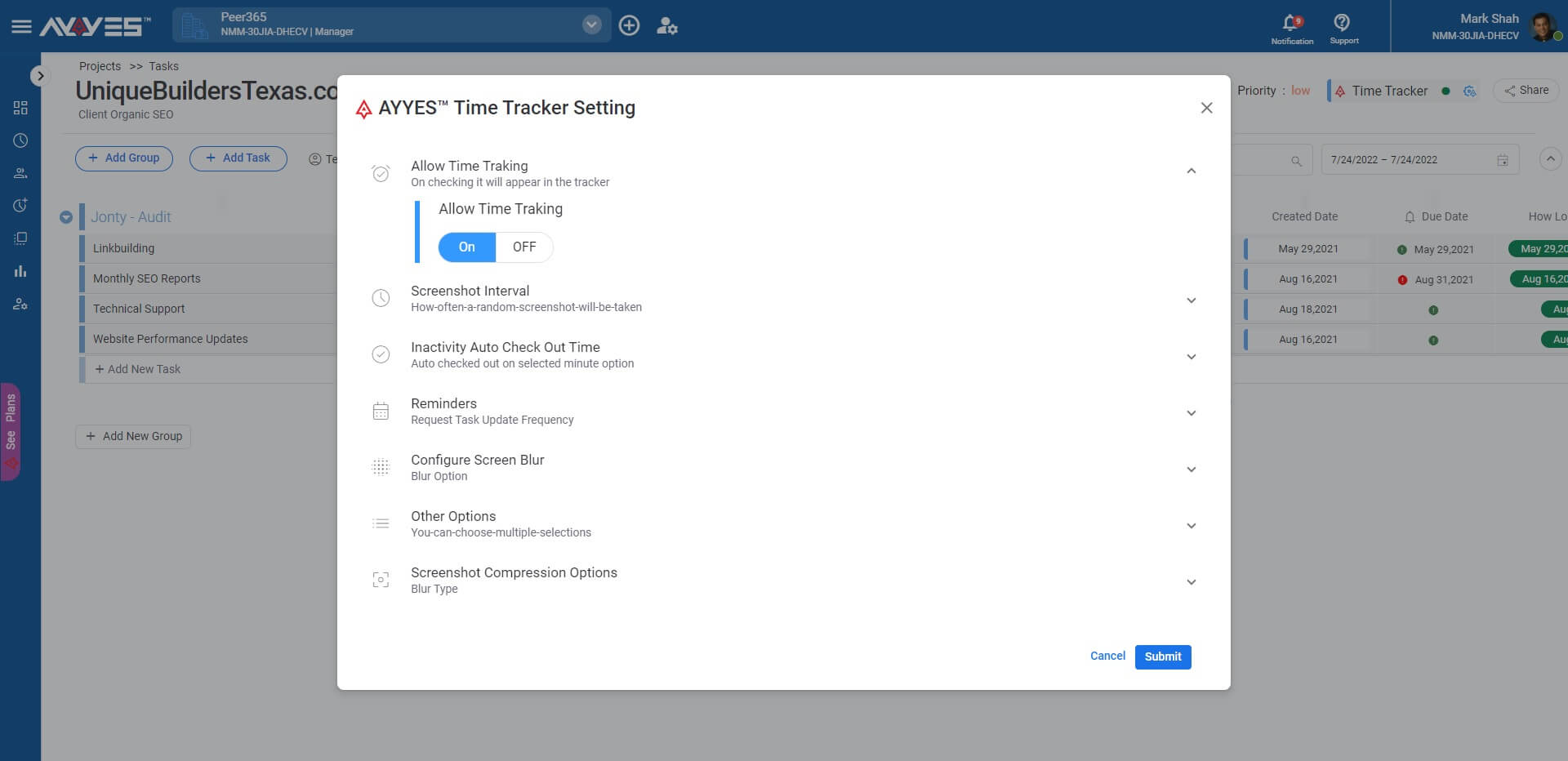
Auto Time Tracker
Track via client software work activities.
Screenshots
Audit work activities via screenshots.
Blur
Screenshot blur for sensitive projects.
Idle Time
Auto-check-out due to in-activity.
Screenshots Report
Automated Time Tracking and Web Time Tracking Report
1
2
3
4
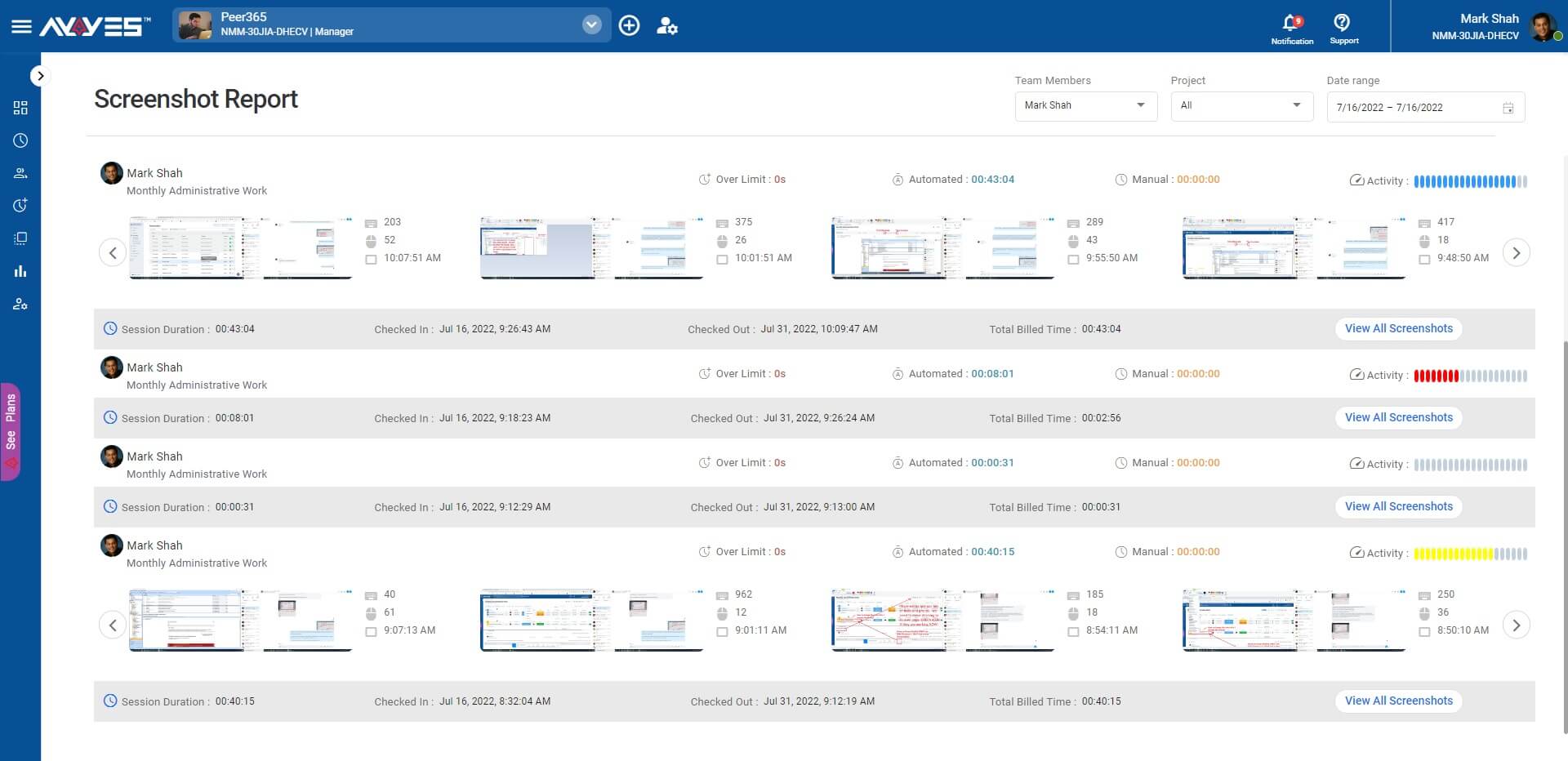
Screenshot Report
Inspect work activity screenshots.
Productivity
Productivity rate calculated.
Assign Tasks
Create new tasks & assign them.
Billable
Mark hours as billable.
Timesheet Report
Review timesheet reports before weekly payroll.
1
2
3
4
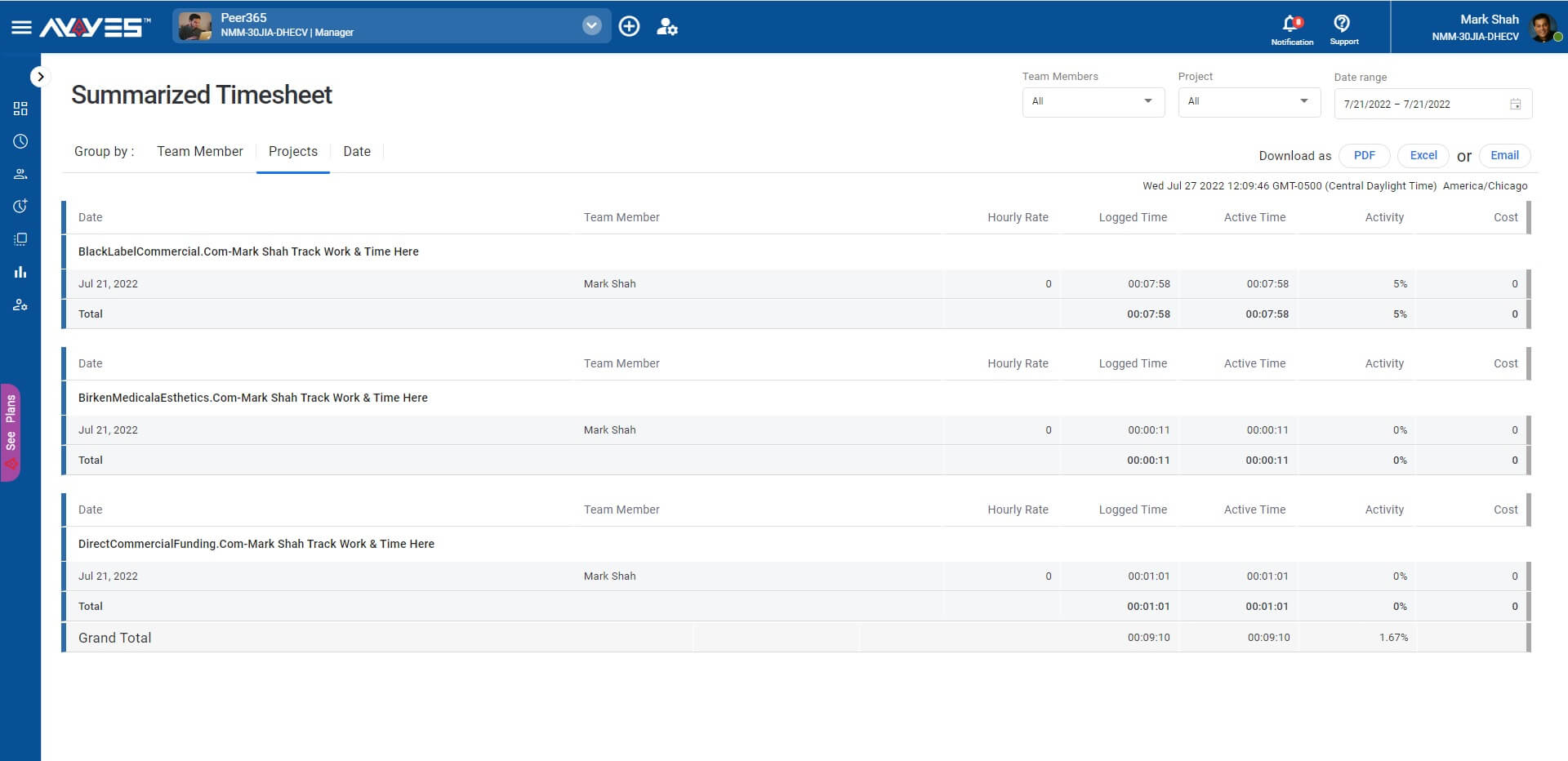
Flexible Reports
Timesheet summary and detail reports.
Productivity
Productivity rating calculated.
Export Data
Export data for weekly payroll.
Labor Cost
Setup hourly rate for labor cost.
Dashboard
Upcoming task, recent activities and calendar.
1
2
3
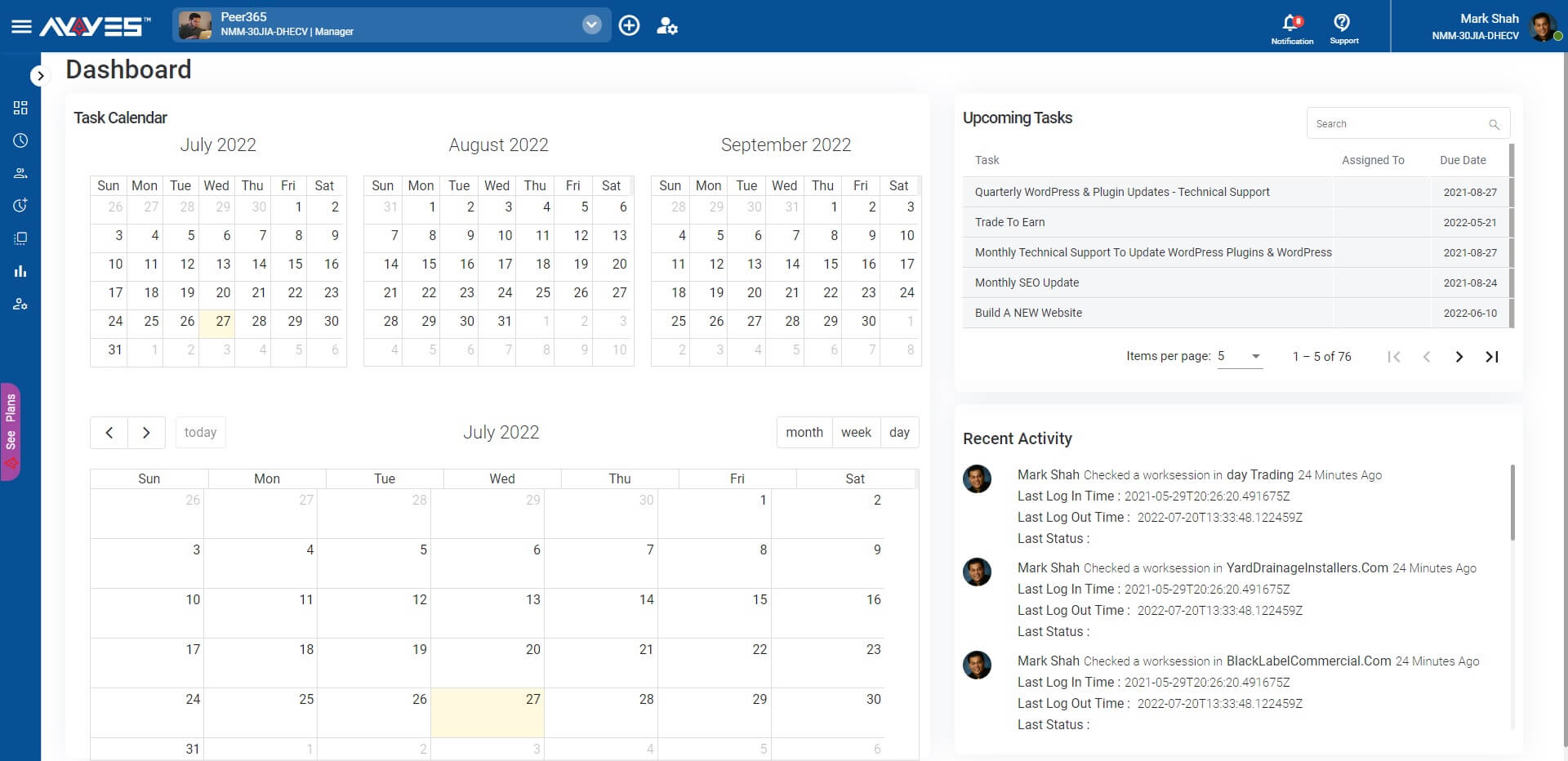
Plan Work
See upcoming tasks & plan work.
Activities
See what the team worked on.
Calendar
Plan for work 3 months in advance.
Team Calendar
Shared calendar option for teams.
Time Tracker App
Track time using desktop and server app.
Windows • Mac • Linux
1
2
3
4
5
6
7
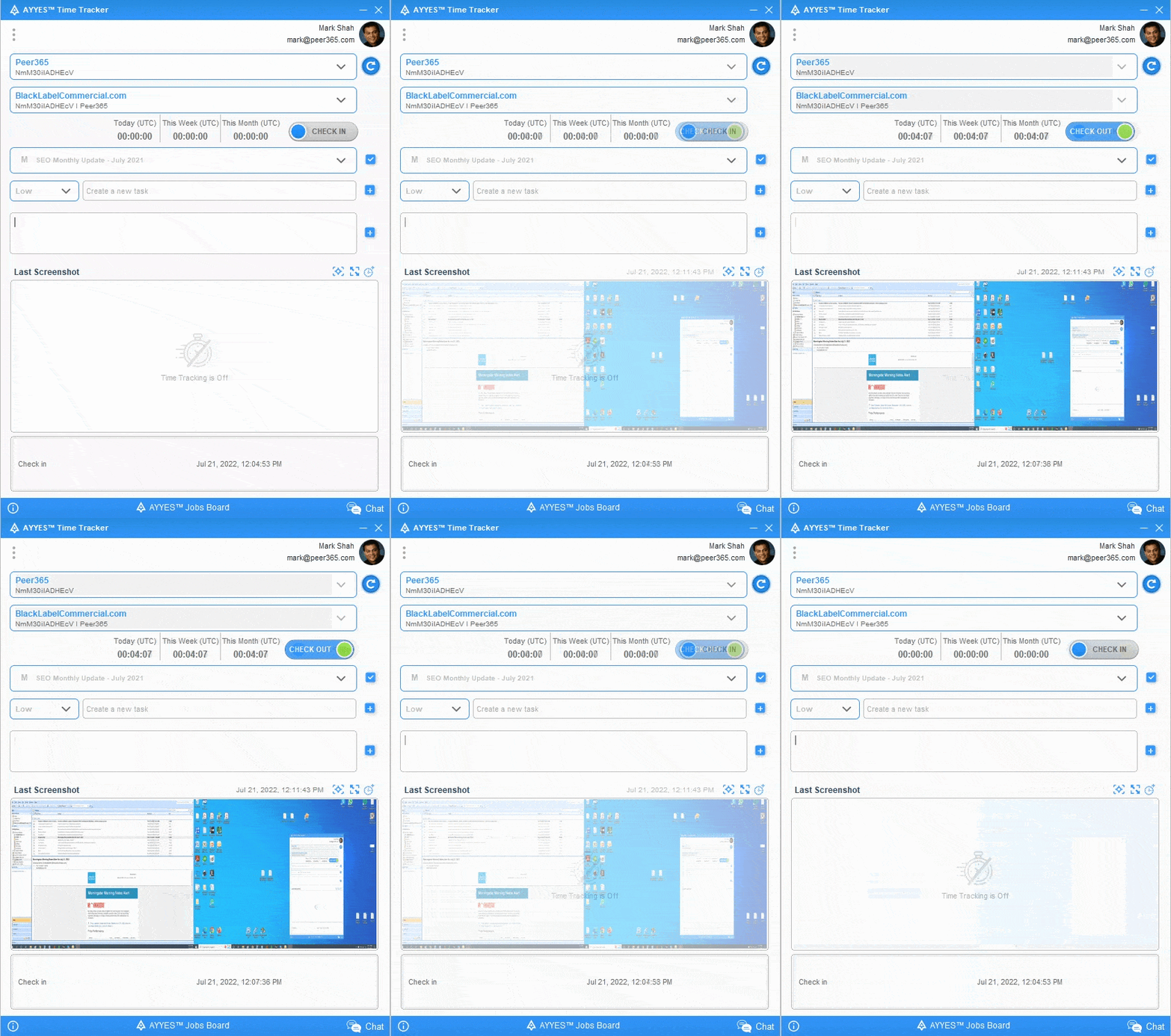
DESKTOP APP
FREE
FOREVER!
✓ For up to 12 users
✓ Unlimited time tracking
✓ Unlimited projects
✓ Time clock Kiosk
Start using Time-Tracking App today. It’s Free!
Track Time, Projects, Tasks, Teams
Unlimited users • Cancel anytime • Free forever
Frequently Asked Questions
What features does AYYES offer?
AYYES is a work and time management platform that combines time tracking, project management, task management, employee activity tracking, timesheets, reports, dashboards, team management, productivity analysis all in one platform.
What is AYYES used for?
AYYES helps businesses track working hours, manage projects and tasks, monitor team activity, review productivity, manage timesheets, calculate labor costs, track billable hours, and generate reports.
Does AYYES provide employee time tracking?
Yes. AYYES provides multiple time tracking options, including a web timer, desktop application, manual time entry, and kiosk. Teams can choose the tracking method that best fits their work environment.
Does AYYES offer automatic time tracking?
Yes. AYYES provides an automated time tracker that can run on a desktop and record work activity, applications, activity levels, screenshots, and time spent on projects and tasks.
Does AYYES offer a desktop time tracking app?
Yes. AYYES provides desktop time tracking applications for Windows, Mac, and Linux. The desktop app supports automatic tracking, idle detection, reminders, automatic checkout, and offline tracking.
Does AYYES support a time clock kiosk?
Yes. AYYES Kiosk can turn a shared device into a time clock. Employees can check in and out using QR codes or PINs, making it suitable for offices, field teams, and on-site workplaces.


| Product Features | Solutions Timekeeping Productivity Analysis Reporting Project Management Team Management Industries |
| Competitor Comparison | Company Pricing About us Resources Download |