Projects
Project Time Tracking & Employee Monitoring in One Place

Project Time Tracking & Employee Monitoring in One Place
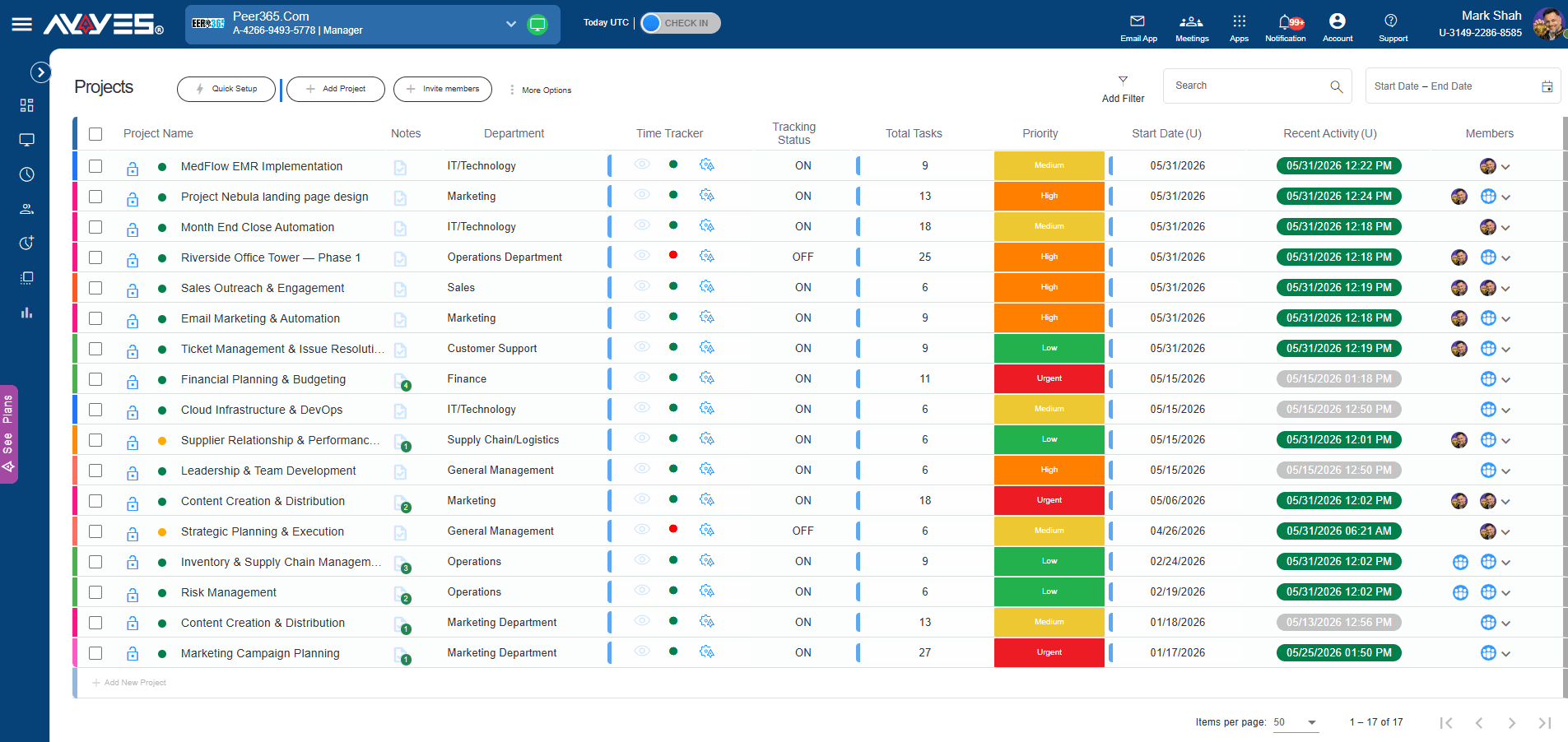
Your all-in-one hub to manage tasks, track time, and deliver projects seamlessly
Get a bird’s-eye view of your operations. All active projects live in a clean, scannable list, making high-level project time tracking effortless for managers.
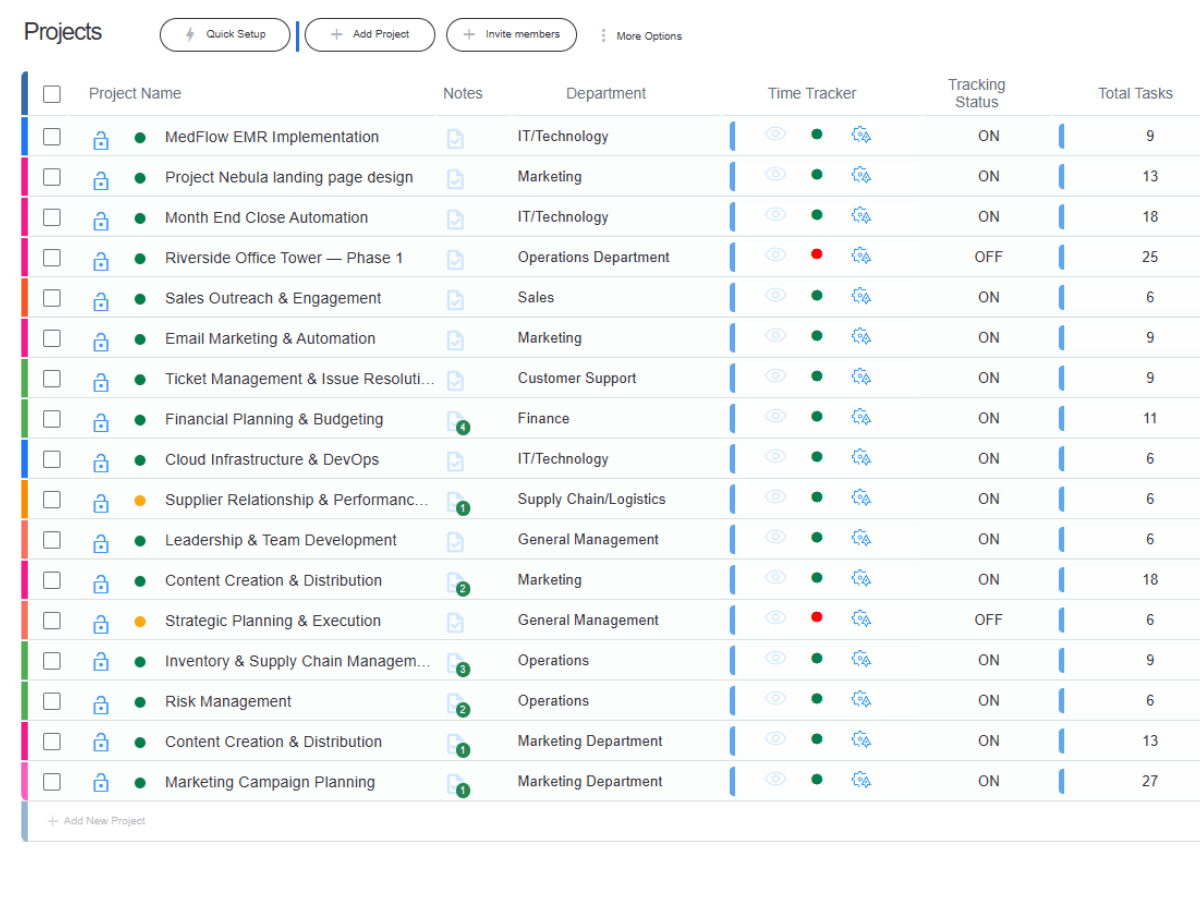
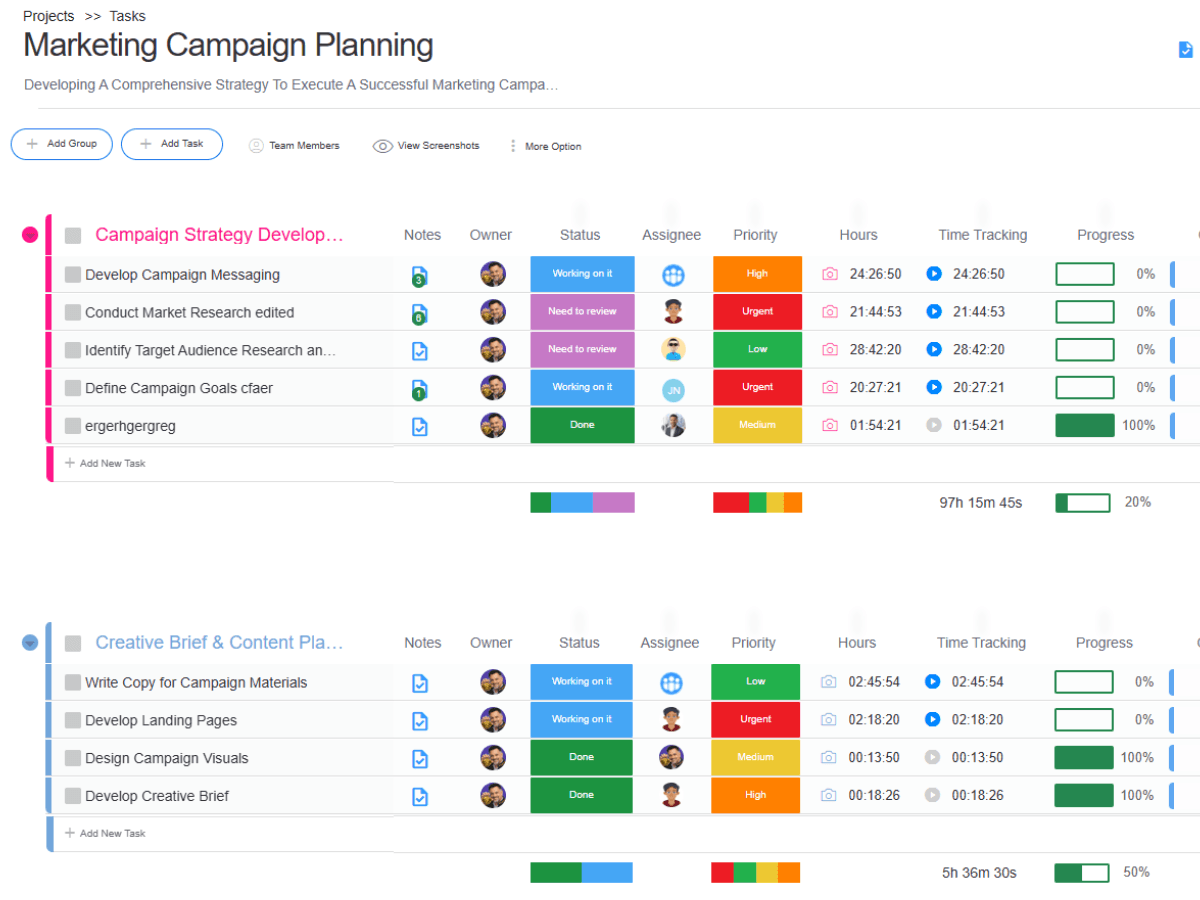
Click into any project to reveal a powerful task table. As a comprehensive task time tracking software, it allows you to group tasks, assignees, and statuses seamlessly.
Keep your team aligned without switching apps. Attach project briefs, guidelines, and links directly to the project header to support your project time tracking workflow.
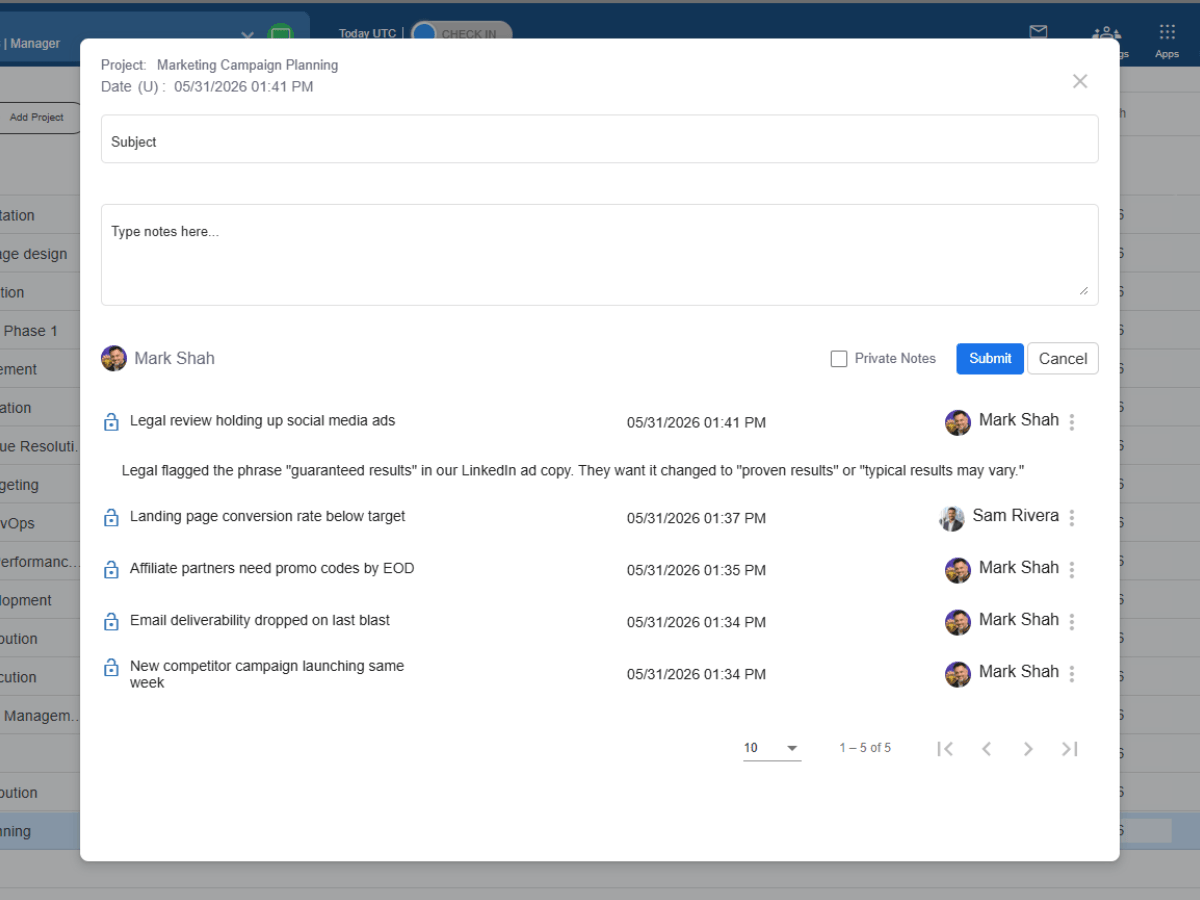
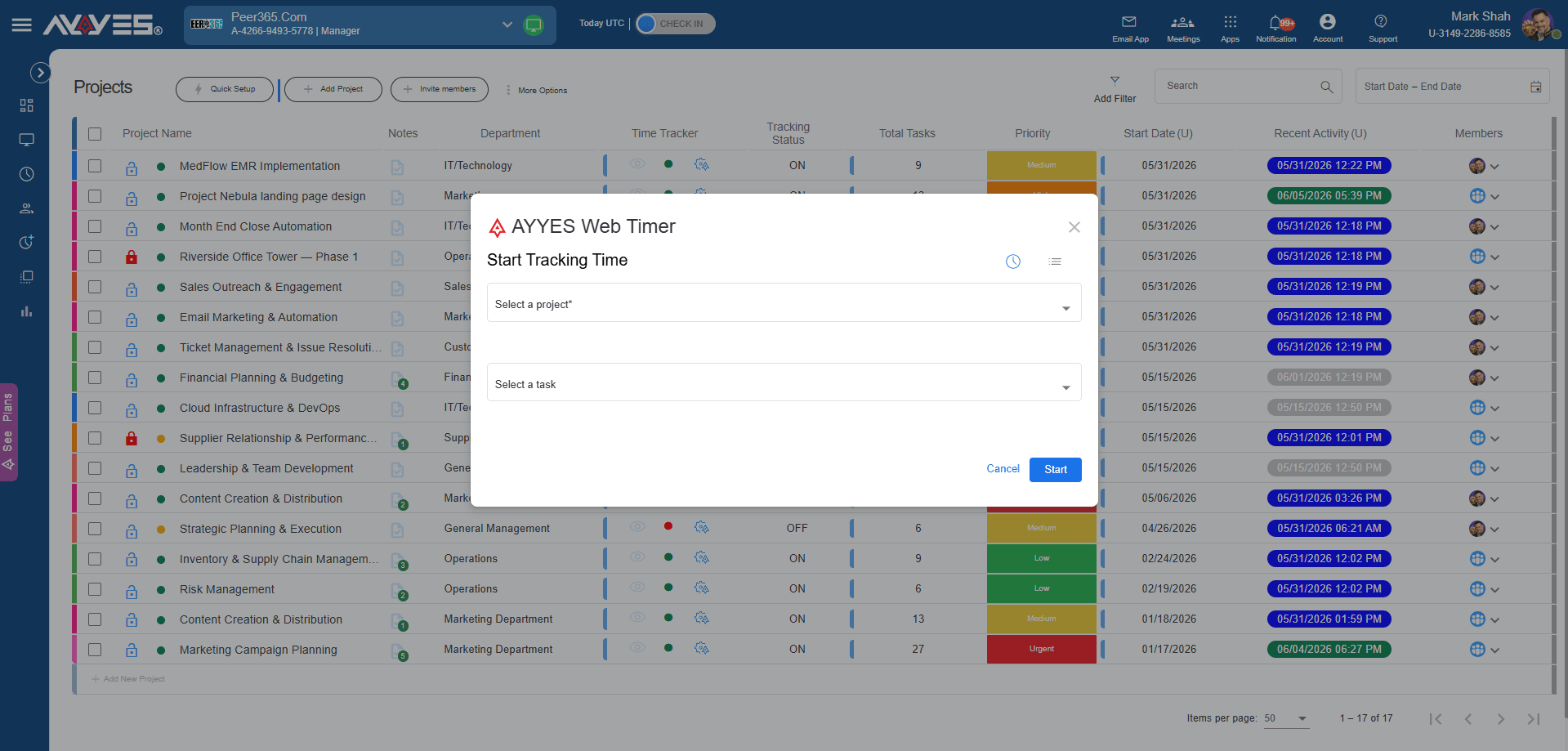
Manage access, secure data, and organize workflows directly from the project interface.
Organize time tracking effortlessly—tag projects by department, assign priorities, and update statuses.
 Tag projects by departmentSet priority levels Change statuses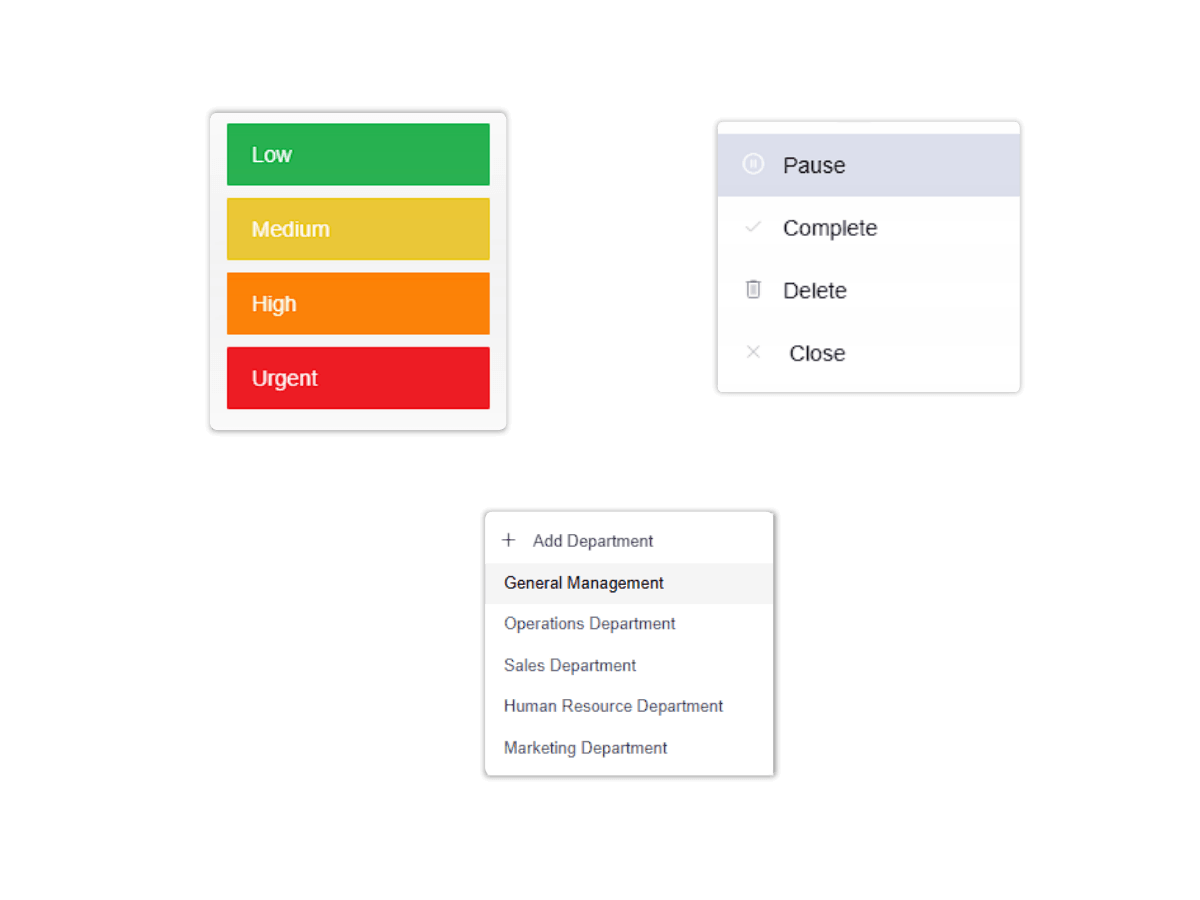
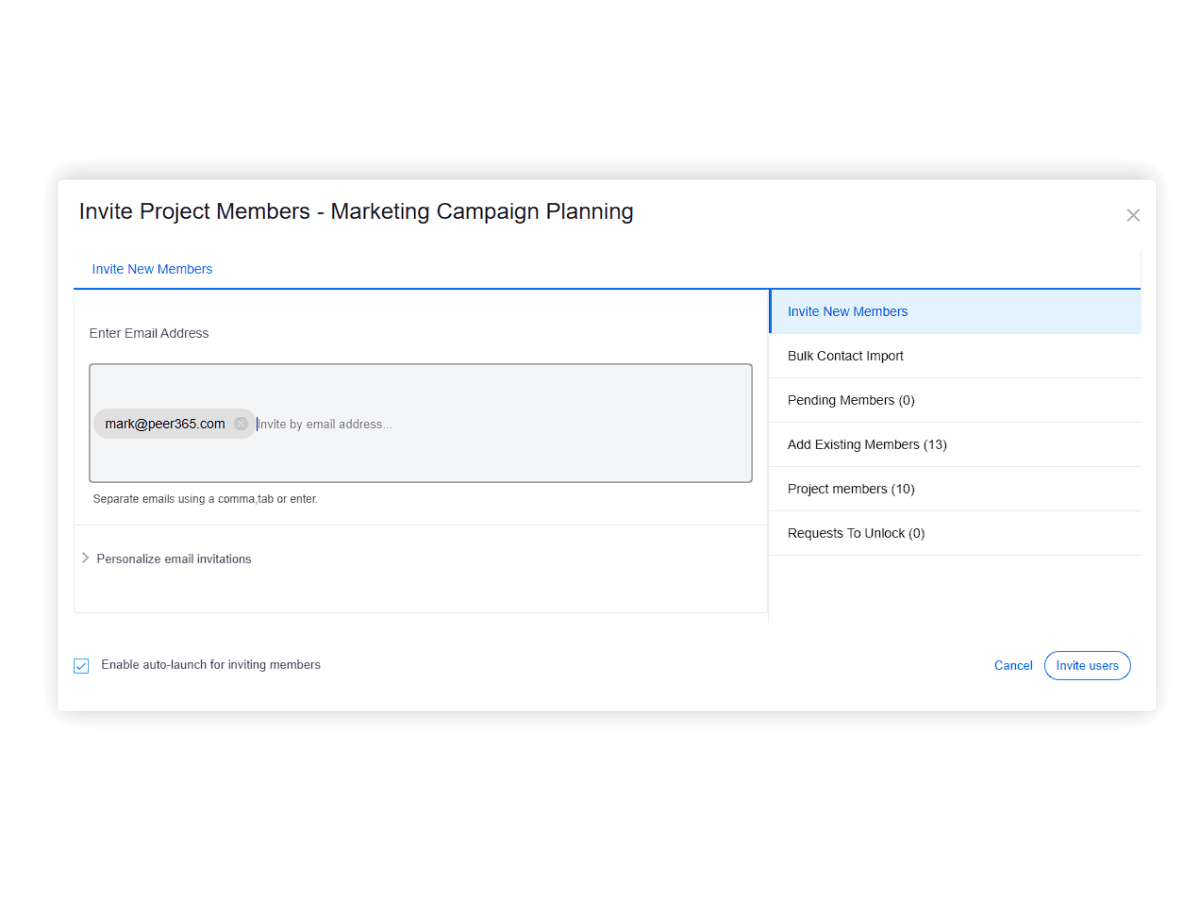
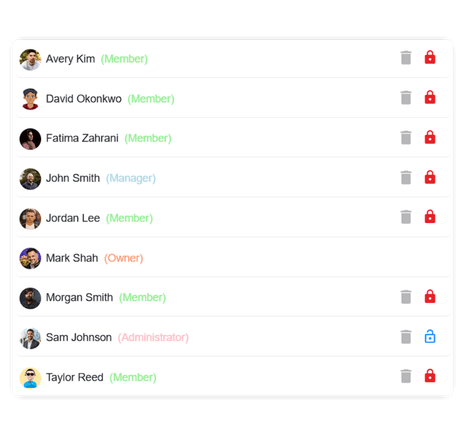
Full control over team access. Update members instantly, assign roles, and restrict screenshot visibility per project.
Add or remove team members instantly Assign specific roles (Admin, Manager, Member) Assign task to project membersControl who can view time tracking with screenshots.Not all clients require the same oversight. Configure specific tracking rules per project, such as screenshot intervals or idle timeouts, to customize how your employee monitoring software behaves.
Choose screenshot intervals Tracking behavior to match your needs.Customize employee monitoring per projectIdle timeouts project by project.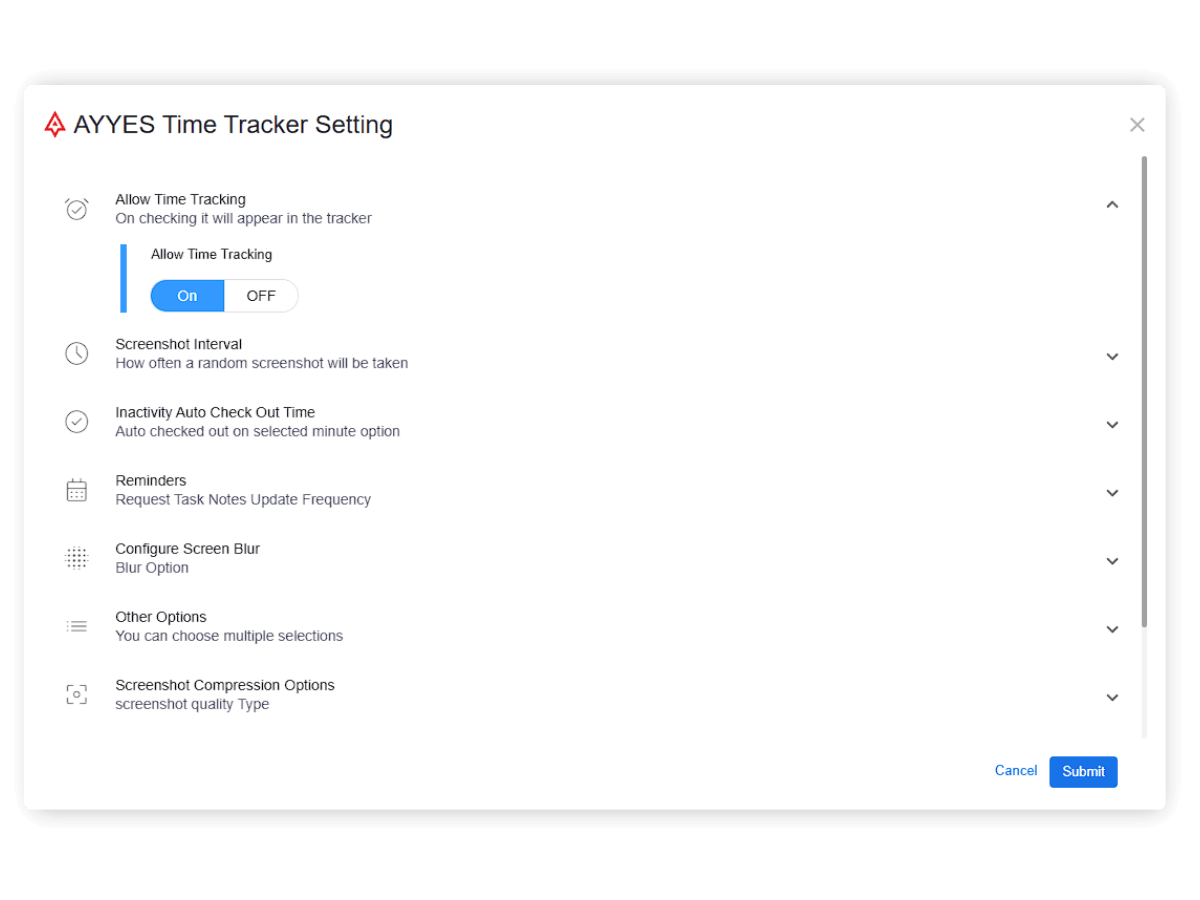
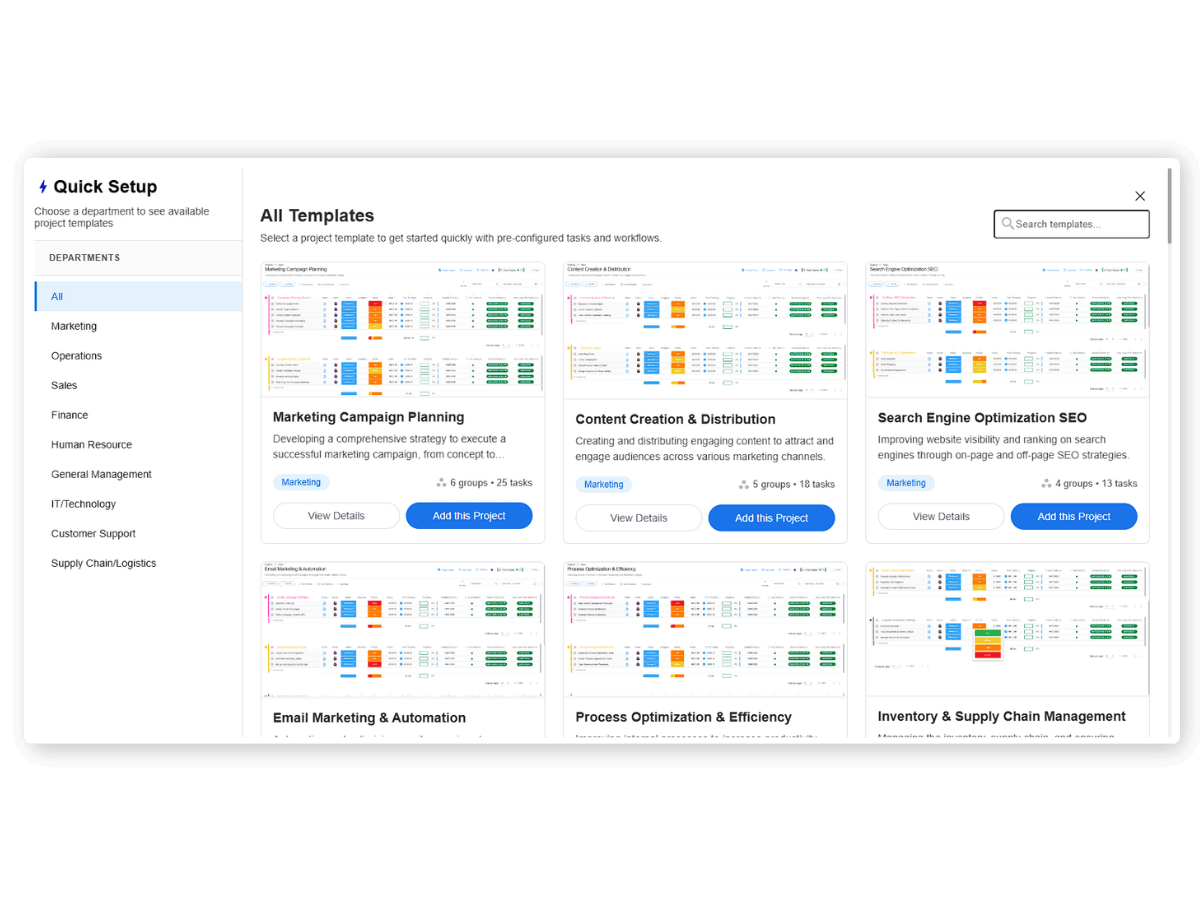
Speed up your workflow. Launch new client projects in seconds using the quick project templates
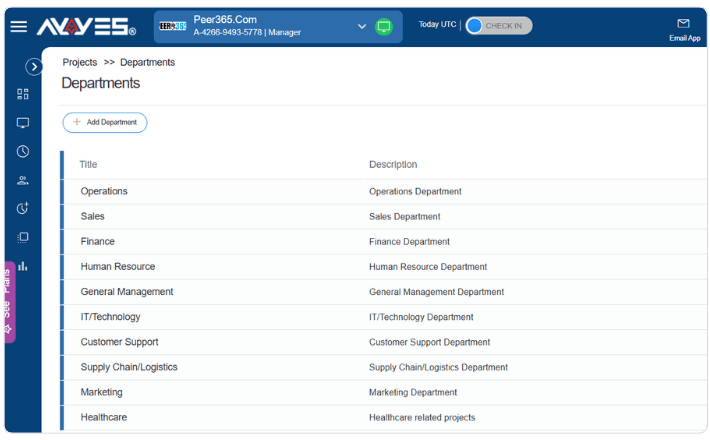
Project from multiple departmentsGroups & Task breakdownCategorize projects by departments, making cross-departmental reporting much cleaner.
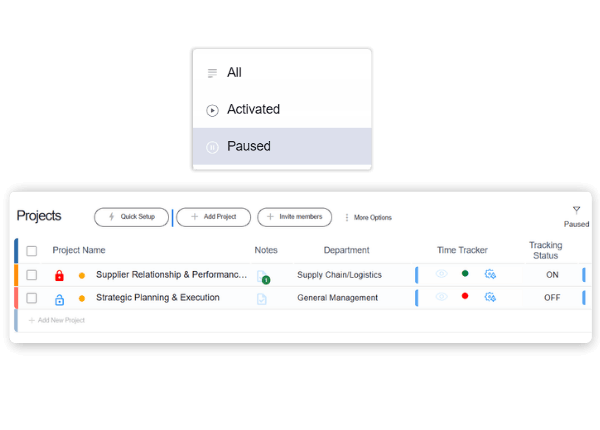
Prevent accidental edits or unauthorized logging. Lock completed projects to secure your timesheet data and freeze the project state permanently.
Filter your project list by status, priority, department, or date range to instantly surface the exact data you need without endless scrolling.
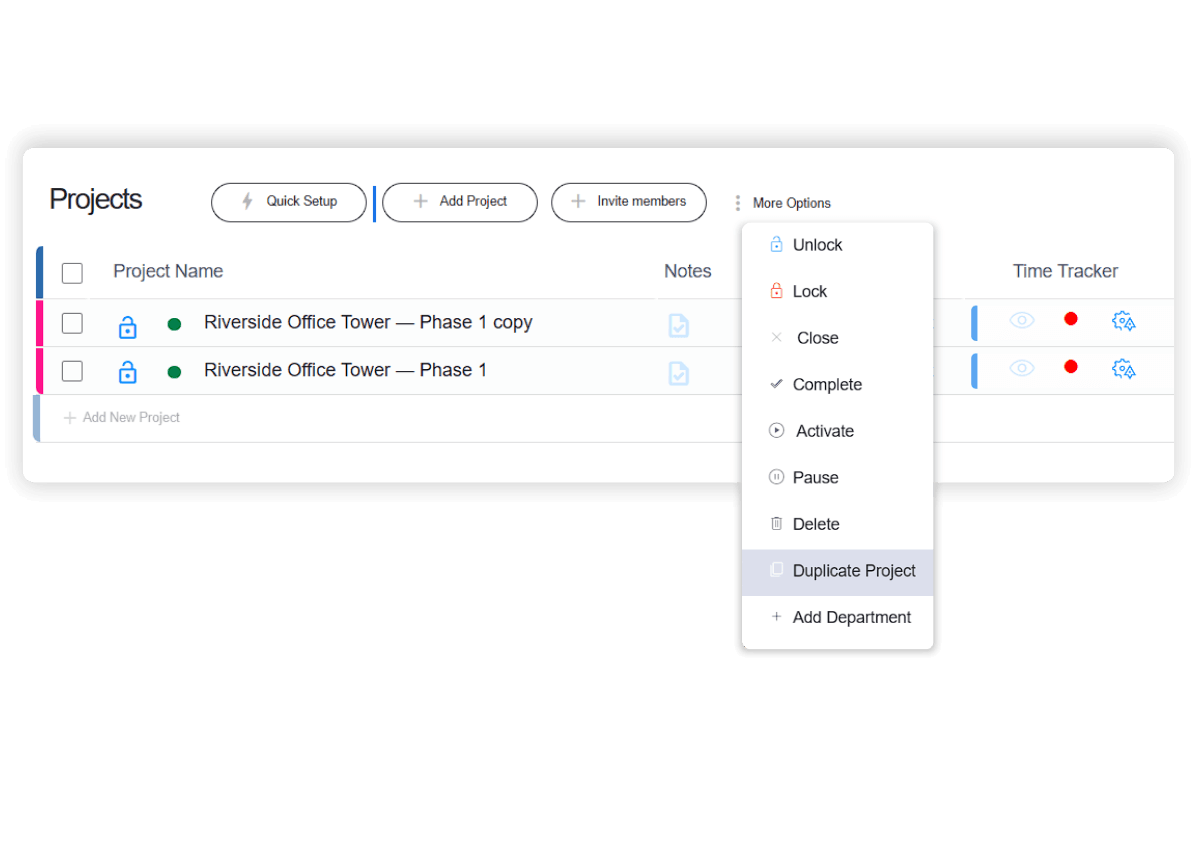
Save time. Duplicate an existing project instead of starting from scratch. Progress history and time logs will not be copied.
Whether you are using our time tracking software for the first time or onboarding a new client, just follow these three simple steps to build your workspace.
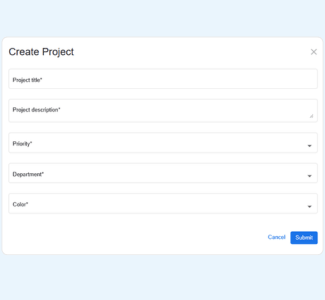
Step 01
Click the “Add Project” button on your projects page. You can choose to start from a blank slate or save time by selecting a pre-built templates.
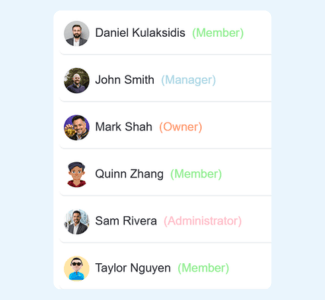
Step 02
Add contextual project notes, set the priority and department, and invite your team members.
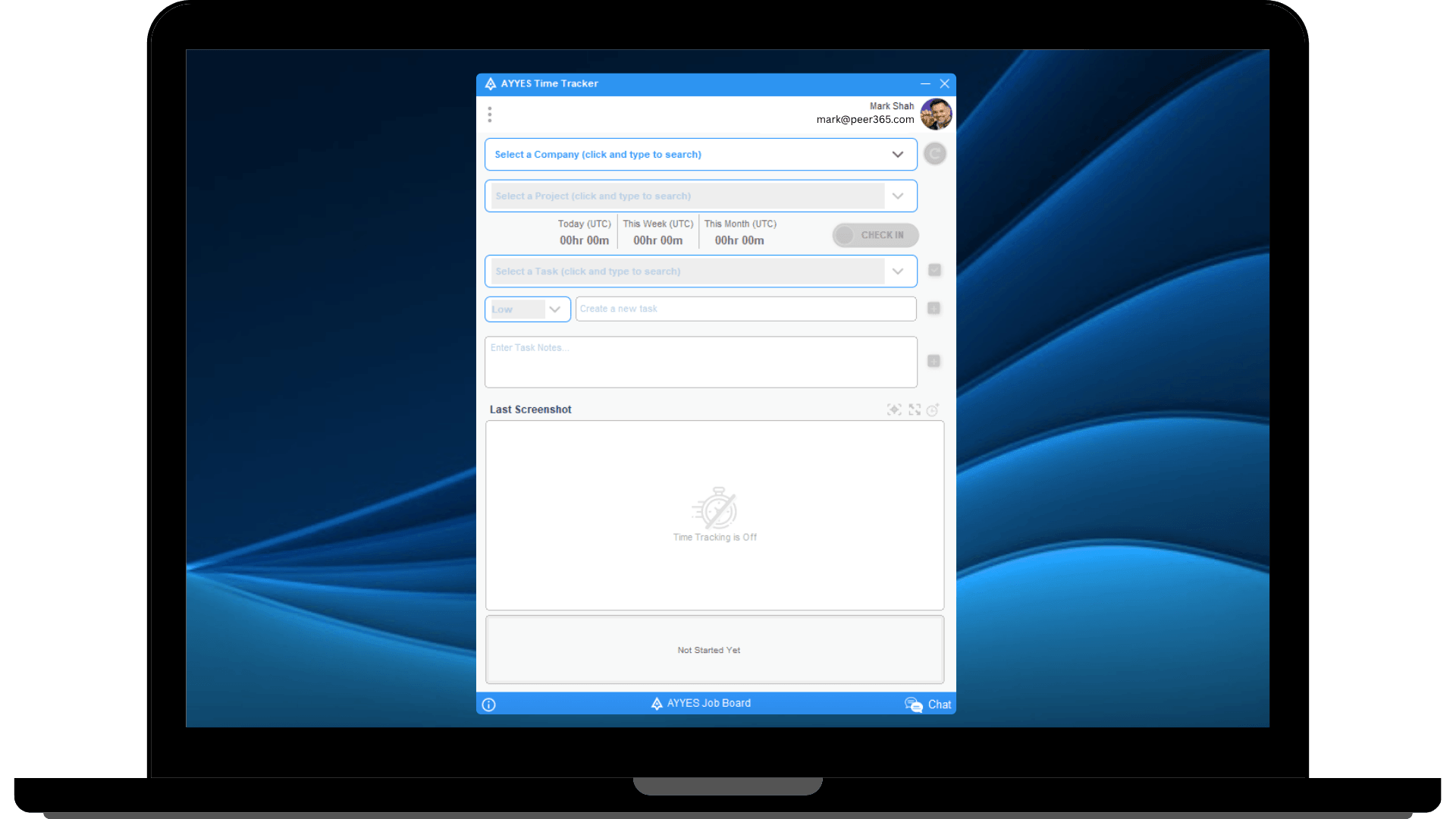
Step 03
Break the project down into manageable tasks, configure your automated time tracker rules specific to this project’s needs.
Organize tasks into groups for easier management.
See who did what and when on every task in multiple views.
Mark projects as done and lock further time entries.
View tracked time screenshots of active team members.
See which apps and websites team members use during work hours.
See timesheet report, export time data in one click.
What is AYYES project management software?
AYYES is a project management and time tracking platform that helps teams create projects, organize tasks, assign team members, monitor progress, track working hours, and manage project activity from one workspace.
How does project management work in AYYES?
With AYYES, you can create a project, add project details and notes, assign team members, organize tasks into groups, set priorities and statuses, and configure project-specific time tracking rules. Teams can then track work and monitor project progress from the same platform.
Can I track time for individual projects in AYYES?
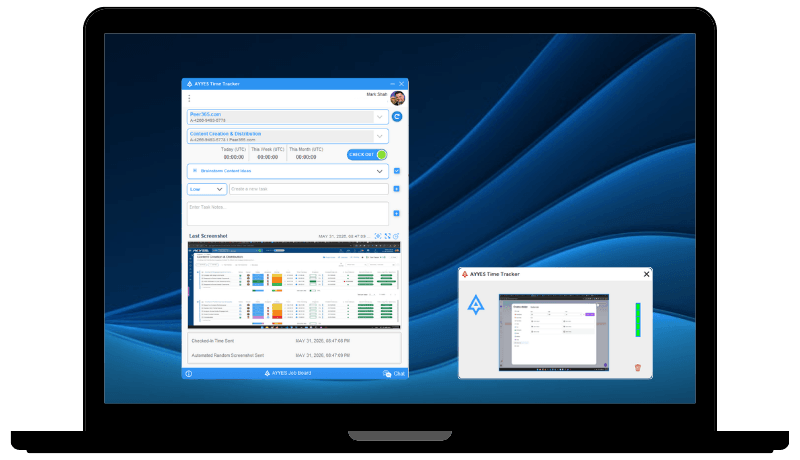
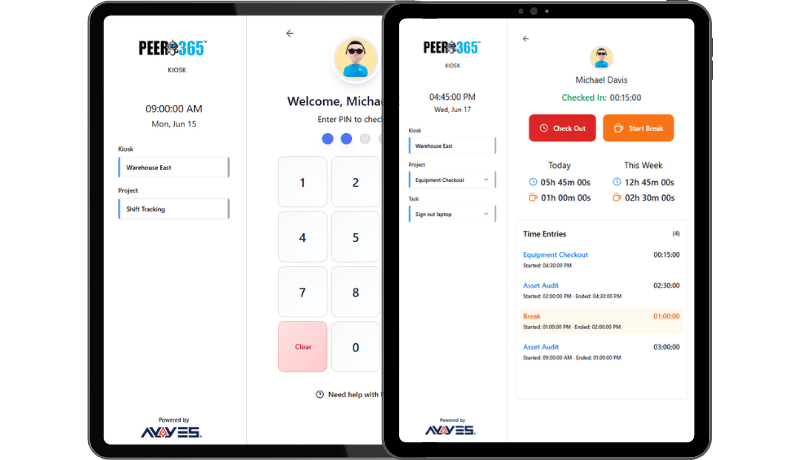
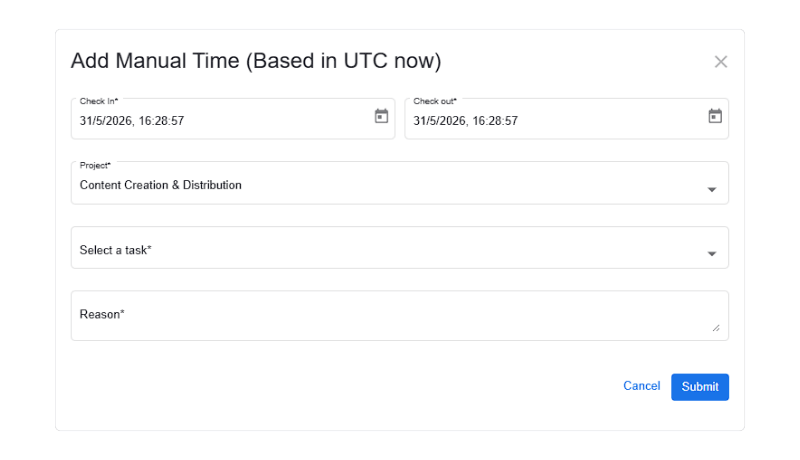
Yes. AYYES allows employees to track time directly against projects and tasks. You can use the web timer, desktop time tracker, manual time entry, or kiosk to record project hours.
Can I create tasks within a project?
Yes. Projects can contain individual tasks and task groups. You can organize tasks, assign them to team members, set statuses and priorities, and track the time spent completing each task.
Can I assign tasks to specific team members?
Yes. AYYES allows project managers to assign tasks to project members. Team members can then track their work and time against the tasks assigned to them.
Can I set project priorities and statuses?
Yes. AYYES allows you to assign priorities and update project statuses. Projects can also be categorized by department, helping managers organize and filter project information more efficiently.
30 days free trial • No credit card required • Flexible plans
| Product Features | Solutions Timekeeping Productivity Analysis Reporting Project Management Team Management Industries |
| Competitor Comparison | Company Pricing About us Resources Download |