Free Time Tracking App for Mac

AYYES is the Mac time tracker built for teams. It captures screenshots, app usage, and activity levels in the background – giving your whole team verifiable proof of work. Build trust, spot bottlenecks, and keep projects on track, all from your Mac.

Download for Mac - It’s free
AYYES Projects Dashboard

Step by step

How to track time with windows desktop app

Step 1

Set Up Your Free Account

Create your AYYES workspace in under a minute. The free plan includes unlimited time tracking and project management for 2 team members, ideal for freelancers and small teams getting started.

Sign Up for free

Step 2

Download & install AYYES for macOS

Download the AYYES desktop tracker for Mac. Compatible with macOS 12.0 (Monterey) and later.

Download for macOS

Step 3

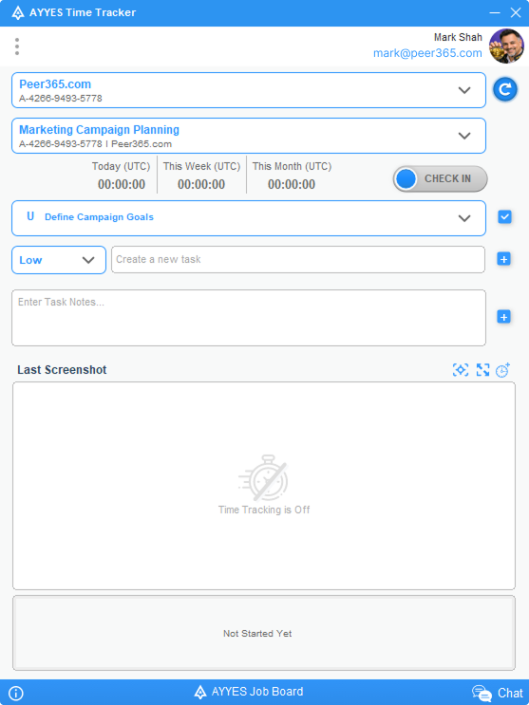
Choose Your Project & Task

Select the project and task you’re working on before starting the timer. Every minute gets attributed to the right client or project automatically. Switching between tasks mid-day? No problem, change your selection without interrupting the timer.

Project and task selection in desktop app

Step 4

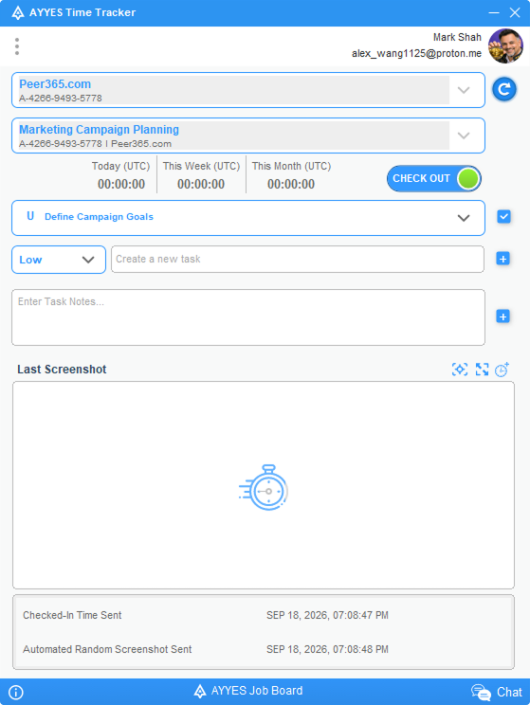
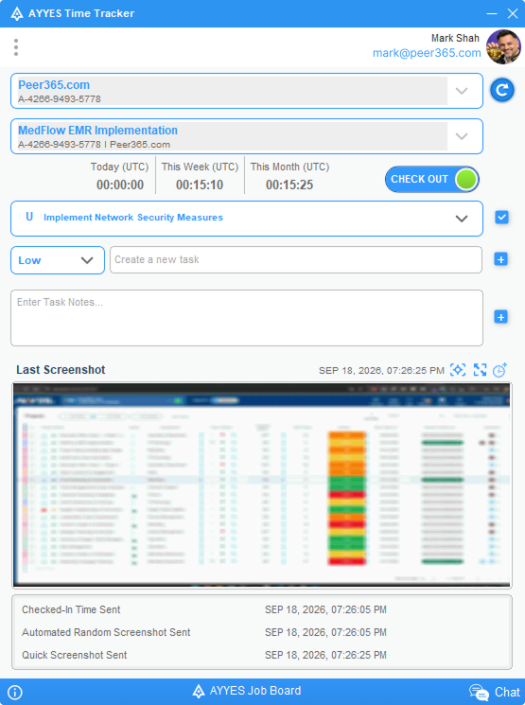
Start Tracking Projects & Tasks

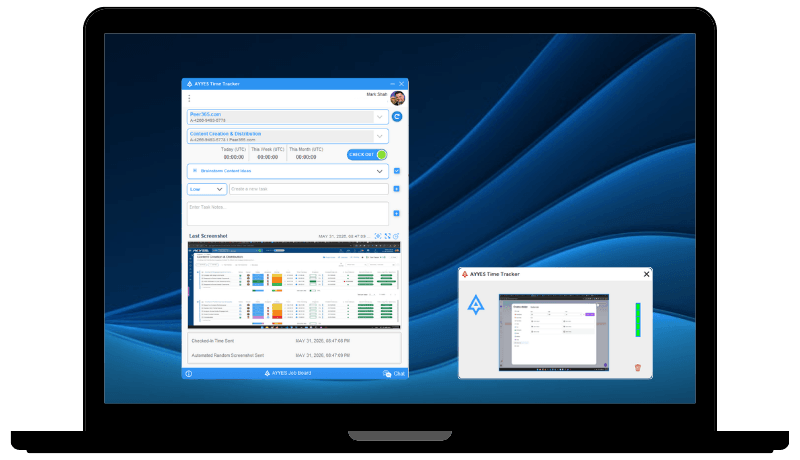
Click Check In and get to work. The timer runs quietly in your menu bar and can be stopped instantly. Your project and task selections are saved with each time entry.

Project & task tracking started

Step 5

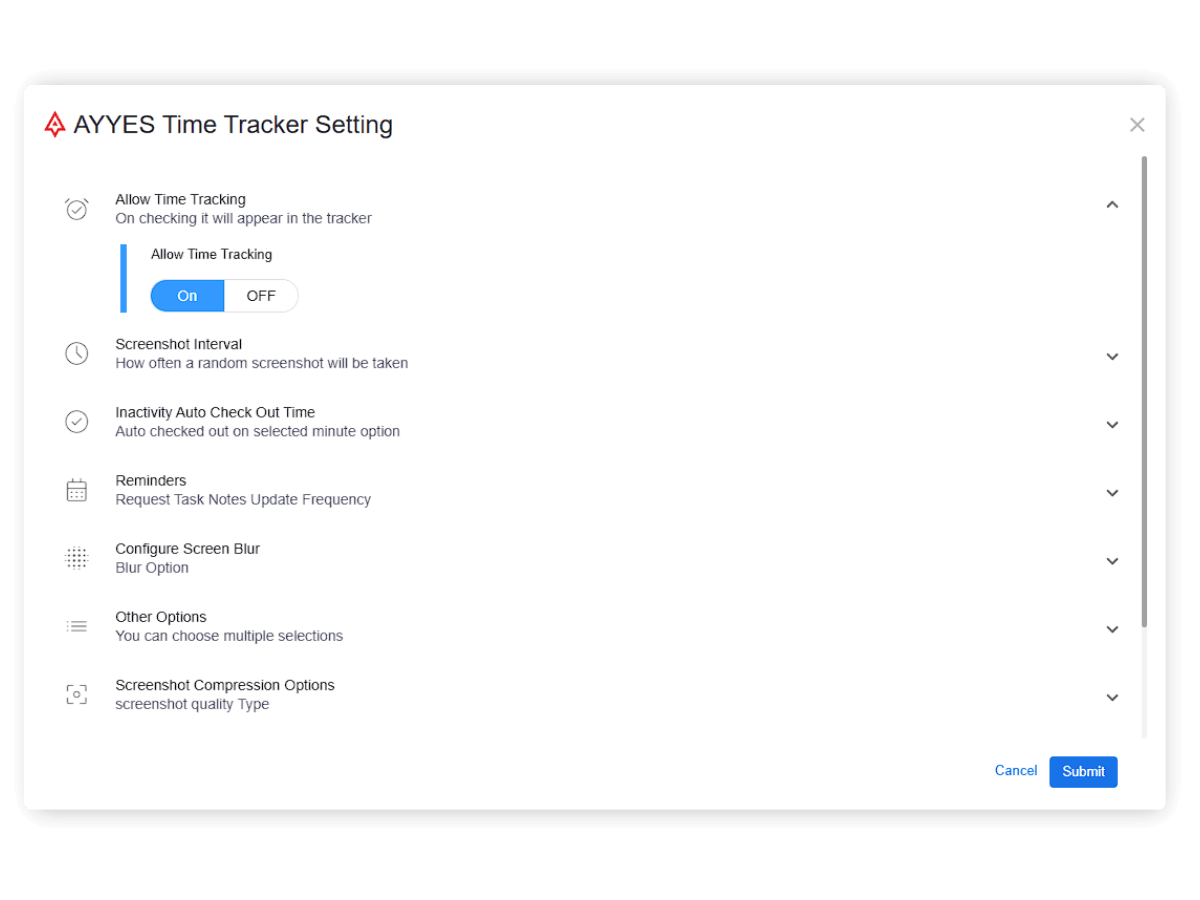
Set Up Automatic Tracking

Enable auto time tracking in project settings. AYYES will capture activity without manual start/stop – including periodic screenshots, application usage, website visits, and keyboard/mouse activity levels.

ayyes project time tracker settings

Step 6

Let Idle Detection Handle Forgotten Timers

AYYES detects inactivity and can auto-check-out after a set idle period. No more inflated timesheets or manual corrections.

Step 7

Turn On Screenshot Blur

Working with sensitive client data? Enable screenshot blur to automatically obscure confidential information in captured screenshots. Adjust blur intensity to match your privacy requirements while maintaining proof of work.

Step 8

Review & Export Timesheets

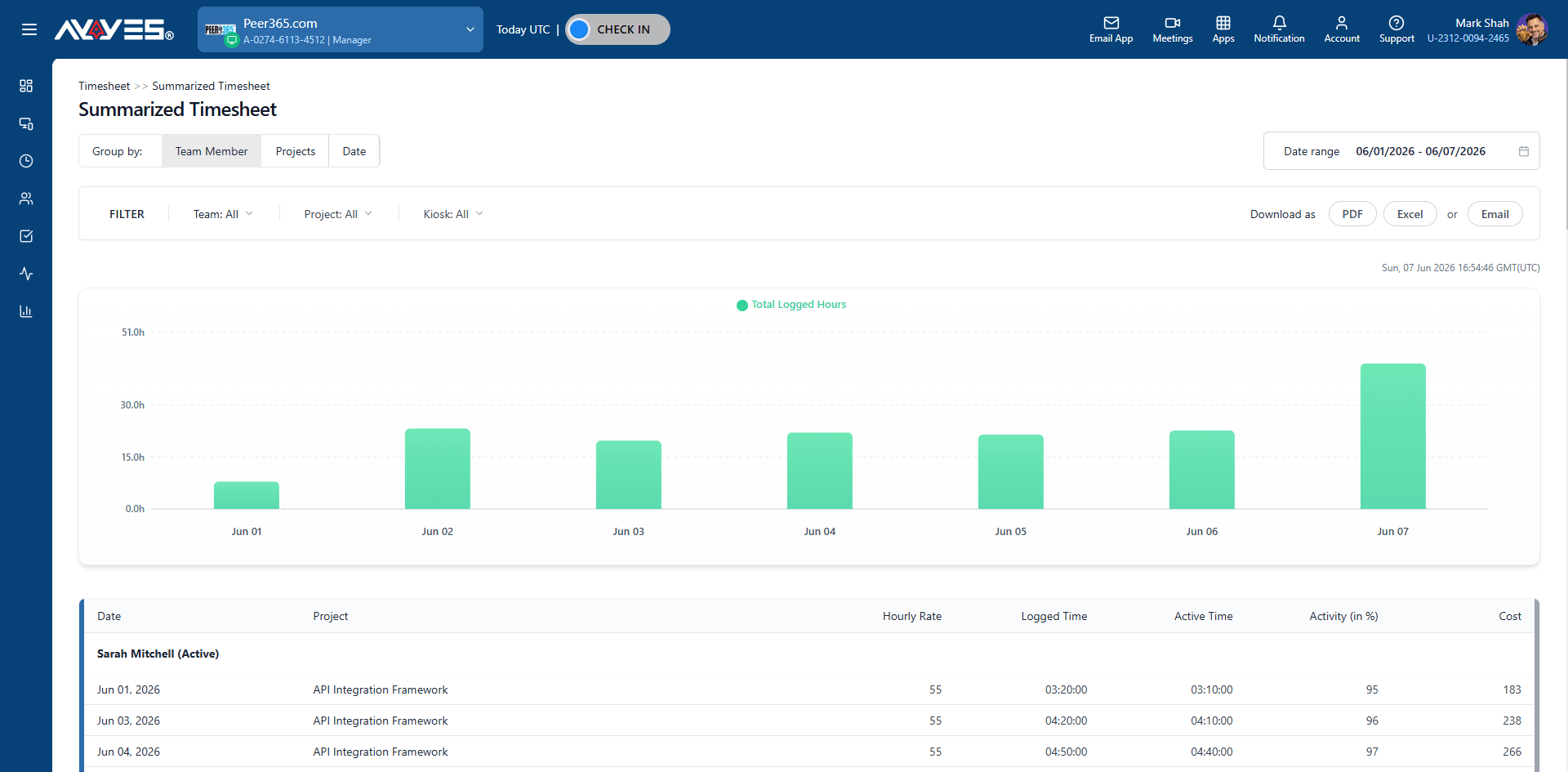
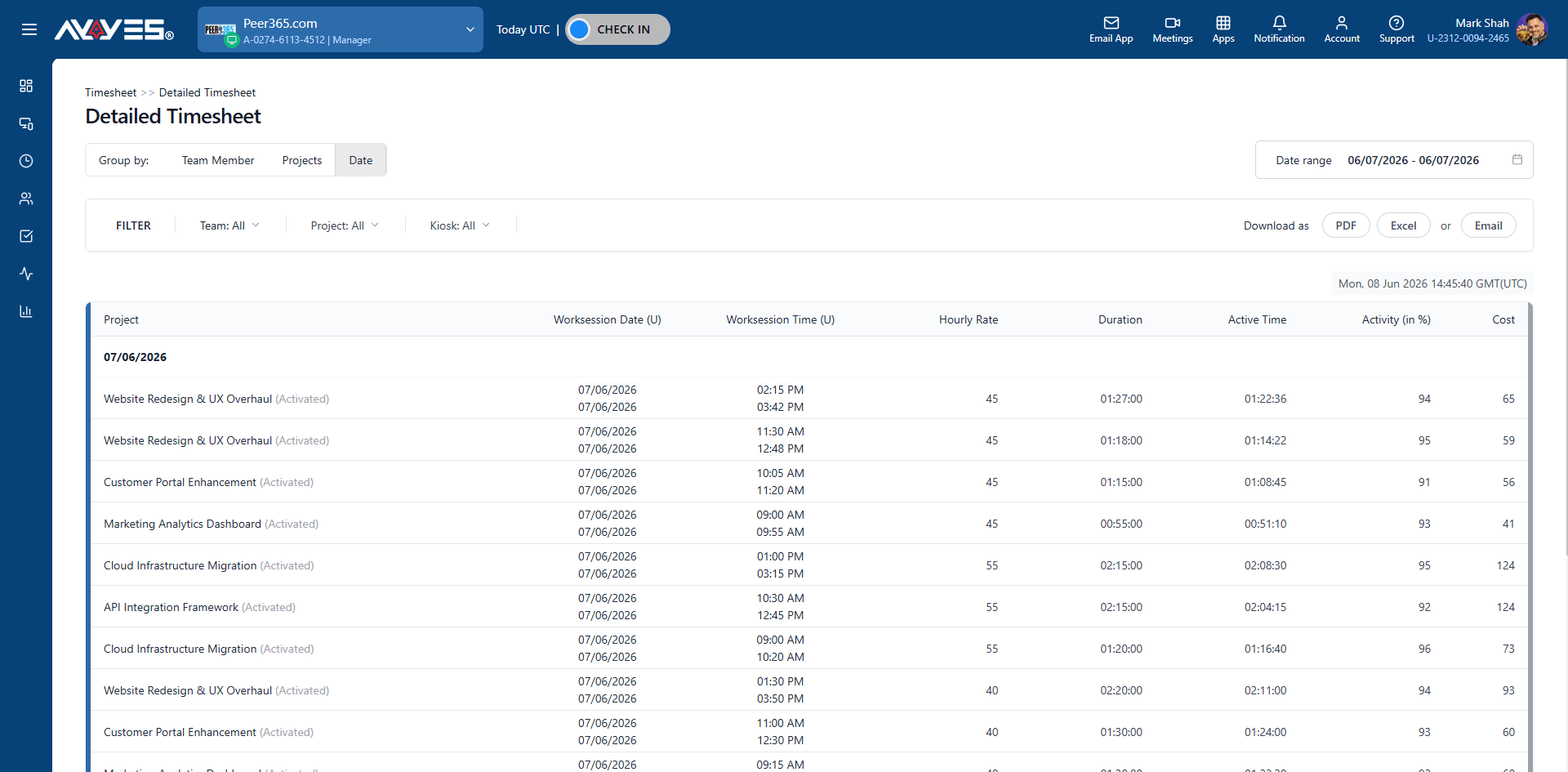
Open the AYYES web dashboard to review detailed and summarized timesheets. Export reports as PDF or image for payroll, client billing, or internal review.

summarized timesheet reports
AYYES timesheet reports

Features

Key Features of the AYYES Windows Time Tracker

Automatic Time Tracking

Records work activity in the background and work without distraction.

Screenshots

Captures automated screenshots at random or fixed intervals for verifiable proof of work.

App & Website Tracking

Tracks which applications and websites are used during work hours, categorized by productivity level.

Idle Detection & Auto-Checkout

Detects inactivity and automatically checks out after a configurable idle period.

Screenshot Blur

Blurs sensitive information while preserving proof of work, a privacy-friendly monitoring.

Tracking Notes & Reminders

Prompts users to add context to time entries – ensuring every hour tells a complete story.

Activity Levels

Calculates activity percentage based on keyboard and mouse input – no keystroke logging.

Offline Tracking

Tracks time without internet and syncs automatically when connectivity is restored.

Windows, Mac & Linux

Available across all major desktop platforms.

FAQ

Frequently asked questions

Yes. AYYES offers a free plan forever for up to 2 team members with unlimited time tracking, unlimited projects, and unlimited tasks. No credit card required.

The AYYES desktop app is available for Windows, Mac, and Linux. It runs on modern versions of Windows 10 and Windows 11.

Yes. The Windows desktop tracker captures automated screenshots at configurable intervals. You can enable screenshot blur for sensitive projects, and screenshots are stored securely for audit and proof-of-work purposes.

The Windows app monitors keyboard and mouse activity. When no activity is detected for a configurable period, the timer pauses and can auto-check-out. When you return, the timer resumes – no manual corrections needed.

Yes. The AYYES Windows app supports offline tracking. Your time data is stored locally and syncs automatically when your internet connection is restored.

No. AYYES is designed as a proof-of-work platform, not a surveillance tool. The desktop app tracks activity levels — not keystrokes, not specific content. Screenshot blur protects sensitive information. The goal is transparency and trust, not surveillance.

Yes. The free plan supports up to 2 team members. Paid plans start at $3.88/user/month (billed annually) and include unlimited team members, advanced monitoring, kiosk system, and priority support.

Looking for team time tracker on Mac?

30 days free trial • No credit card required • Windows, Mac & Linux

PRODUCT

Features
Download
Integrations
Pricing
API

INDUSTRY

Employee Monitoring
Freelance Time Tracking
Consultant Time Tracking
Construction Time Tracking
Office Team Timesheet
Developer Time Tracking
Accounting Time Tracking
Team Time Management
Agency Time Tracking

TIME KEEPING

Time clock
Timesheet Software
Automatic Time Tracking
Kiosk App
Work Hours Tracker
Task Timer
Timer
Job Tracking
Task Tracking App
Time Blocking App
Timekeeping App
Time Entry System
Time Recording App
REPORTING

Time Reporting
Leave & Vacation Tracker
GPS Time Clock
Attendance Tracker
Productivity Tracker
Activity Log
Time Tracking Invoicing
Time Billing App
Payroll Hours Tracker
Time & Expense Tracking

MANAGEMENT

Employee Scheduling
Project Scheduling
Project Time Tracker
Goal Tracker
Time Management App
Overtime Tracker
Workforce Management
Grant Management Software
Work Management System
Industry
Calculators


CALCULATORS

Time Card Calculator
Hourly Rate Calculator
Overtime Pay Calculators
Labor‑Based Pricing Calculator
Billable Hours Calculator
Time Management Calculator

COMPANY

About us
Customers
Affiliate
Marketplace

SUPPORT

Help
Tutorials
Resources
Blog
Contact

PRODUCT

Features
Download
Integrations
Pricing
API

SOLUTION

Time clock
Timesheet
Reporting
Scheduling
Billing
COMPANY

About us
Customers
Affiliate
Marketplace
COMPANY

About us
Customers
Affiliate
Marketplace

SUPPORT

Help
Tutorials
Resources
Blog
Contact

Time Tracking Software | Time Tracker AYYES™ Work Manager | Work Management Software Platform with Worker Time Tracking Software

Time Tracking Software for Teams

Sign Up Free