Office work,
finally on the clock.

Your team already works under one roof. AYYES gives that roof a time clock – clock-ins by PIN or QR at the kiosk, screenshots, app usage and activity levels on each person’s own computer, everything rolled into one timesheet.

  • Free for 12 seats
  • Kiosk included
  • 30-day trial
  • No credit card
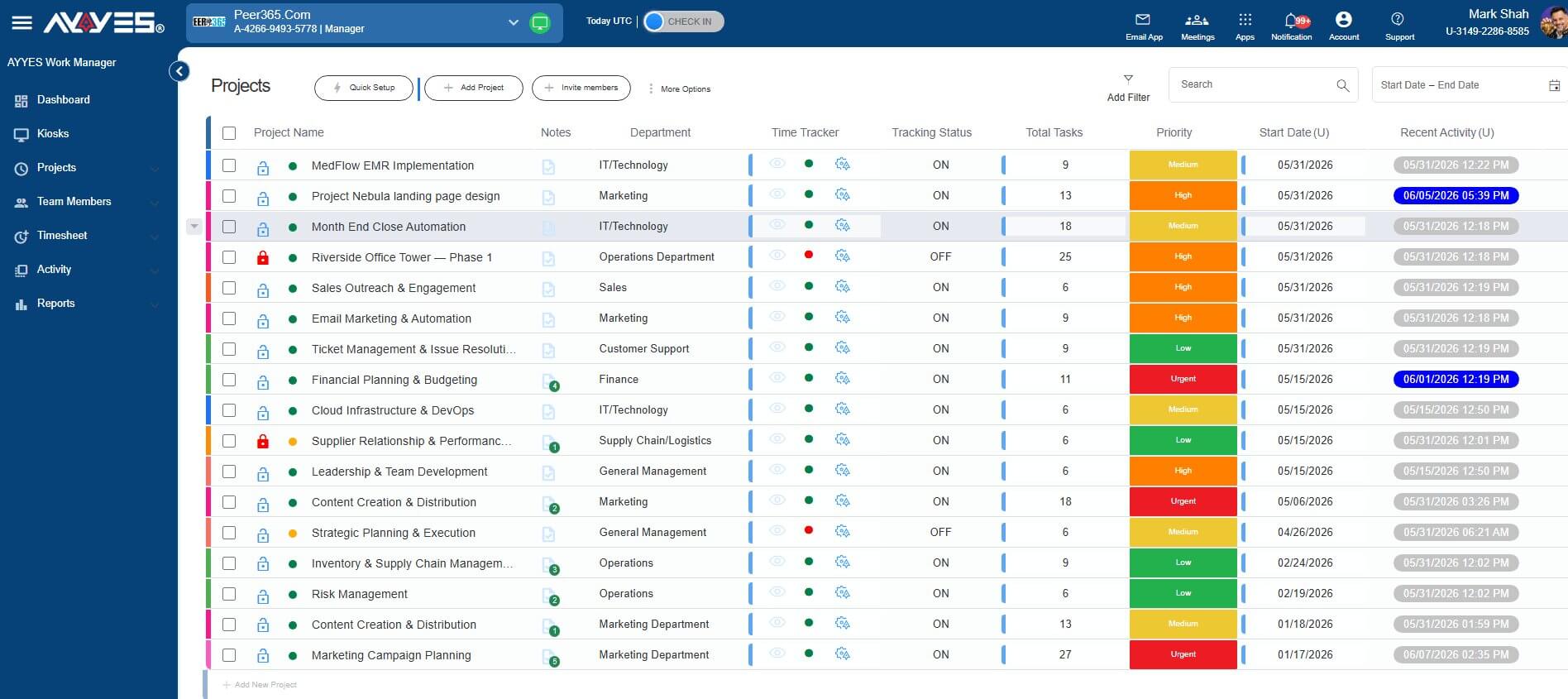
AYYES Work Manager dashboard for an in-office team

The office record

Everyone is visible. Their hours aren’t.

In one building, the work is easy to see – but not to prove. Hours get pinned into spreadsheets, shared desk time goes uncounted, and “who was on which project” becomes a Monday guessing game.

AYYES puts the whole office on the record: a kiosk at the clock-in point checks the team in by PIN or QR, each person’s own computer logs screenshots, app usage and activity levels, and idle detection knows when a workstation is empty. Payroll stops being guesswork.

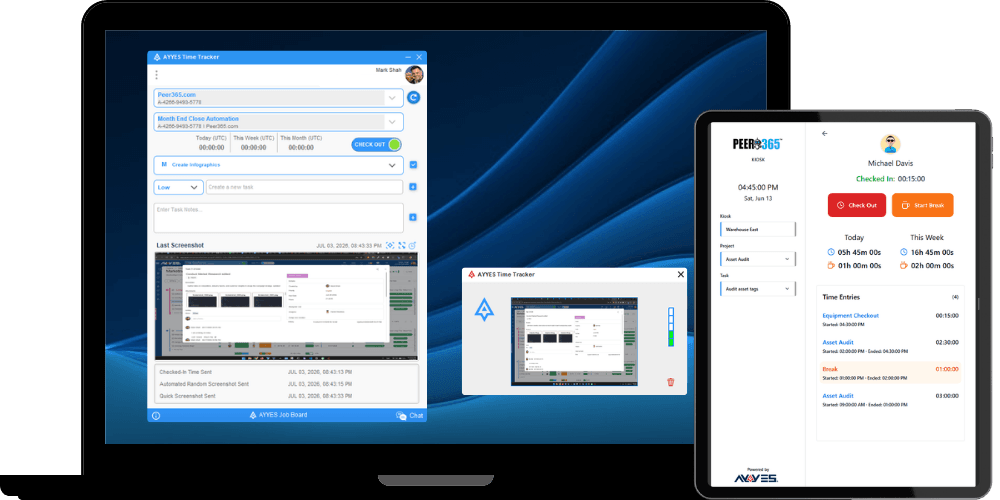
AYYES kiosk time clock for the office floor

On every desk

Proof of work for every seat in the building.

The kiosk covers the clock-in points; the desktop tracker covers the computers people work at – neither pretends to do the other’s job.

At the shared kioskTIME ONLY


  • PIN & QR clock-ins

    Members pick their name and check in with a personal PIN or QR scan – clock-out closes the shift with the exact duration. Personal PINs stop buddy punching; managers hold a common PIN.

    • Personal PIN
    • QR scan
    • Common PIN
    • Buddy-punch proof

  • Breaks, done right

    Break start and end are logged right at the kiosk, and AYYES calculates the paid break time automatically on the timesheet.

    • Log start & end
    • Exact paid-break math

  • Managed & branded

    Unlimited kiosks across floors and sites, each with its own assigned project, controlled from one dashboard – and the screen carries your logo and colors.

    • Unlimited stations
    • Remote on/off
    • Per-kiosk project
    • Your branding

On their own computersFULL TRACKING


  • Screenshots, blurred

    Captured at random intervals while the timer runs, with optional blur – proof that work happened without exposing anyone’s content.

    • Random intervals
    • Optional blur
    • Desktop tracker

  • Apps and sites, logged

    App & URL usage shows where the hours actually went – client work vs. everything else – without a single follow-up question.

    • Apps logged
    • URLs logged
    • Grouped by date

  • Activity levels, honest

    Keyboard and mouse activity as levels – never a keystroke log – and idle detection pauses when the seat is empty.

    • Levels only
    • No keystroke logs
    • Idle auto-pause

Timesheets & reporting

Payroll is already closed by the 1st.

Detailed and summarized timesheets, grouped by team member, project or date. Kiosk check-ins, desktop tracking and manual entries (with notes) all write to the same ledger, so nothing waits on end-of-month reconciliation.

Export any report as PDF or CSV – or email it straight from AYYES to whoever asked for it.

Timesheet · Week 27THIS WEEK
MemberOfficeOtherTotal
SJSarah J.2 projects6h 40m1h 05m7h 45m
DMDiego M.2 projects7h 30m0m7h 30m
AKAmira K.2 projects8h 10m2h 15m10h 25m
  • PDF
  • CSV
  • Email

Privacy by design

Watch the work, not the person.

The shared kiosk only ever logs time. As for the computers people actually work at – where the desktop tracker runs – AYYES keeps the same respect:

  • On those computers, screenshot blur keeps the proof of work while hiding the content – personal messages and banking tabs never land in anyone’s inbox.
  • The shared kiosk station is time-only – it logs clock-ins, never screenshots or activity.
  • On those computers, keyboard and mouse activity shows as levels, never a keystroke log.
  • On those computers, idle detection pauses when the seat is empty – no phantom hours.
  • Activity history is kept for 1 month up to 1 year – you choose, then it’s deleted.
FROM THEIR OWN COMPUTERS

Activity levels – desktop tracker

PNPriya72%
SKSam88%
EVElena60%
MTMarcus81%

Levels only – never a keystroke log.

Who it’s for

Any office where work is shared across desks.

  • Coworking floorsA kiosk by the door – members clock in on your branded screen with a PIN tap or QR scan, and every hour lands on one dashboard.
  • Hot-desk agenciesDesks rotate, people don’t. Hours stay attached to the person and the project, whichever seat they sat in.
  • Multi-site & multi-floor HQsRun kiosks on every floor and site, then manage them all from one page – toggle any station on or off remotely.
  • Back-office & warehouse floorsLarge crews clock in quickly at shift change – a QR scan takes seconds, so nobody queues at the door.

How it works

From sign-up to payroll in one week.

  • 01

    Create the account

    Free for 12 seats. Set up projects in under a minute.

  • 02

    Set up the kiosk

    Name it, assign its project, open the URL on a tablet — no app install.

  • 03

    Team starts clocking in

    PIN or QR starts real work sessions; screenshots and activity roll in from their own computers.

  • 04

    Export the week

    Timesheets leave as PDF or CSV — or straight by email.

Honest pricing

One building, one plan.

  • Free

    Up to 12 seats, forever — kiosk included.

  • $0.88

    per seat, billed annually.

  • $0.99

    per seat, billed monthly.

Single paid plan — every feature included · 30-day free trial · no credit card.

Start free — 30-day trial

Frequently Asked Questions

In the way that fits your office: at a shared time clock kiosk with a PIN or QR code, with the web timer in a browser, or with the desktop tracker on their own computer. All methods record into the same timesheet.

Yes. Check-ins and tracked time are recorded digitally at the moment they happen and combined into one timesheet. There is no paper to collect and no weekly typing-up – and the record is far more accurate.

On paid plans, the desktop tracker records activity levels and which apps and websites are used during work sessions, with idle detection. It measures activity levels – it does not record keystrokes – and screenshots can be blurred to protect sensitive information.

All hours are combined in one timesheet that you can review by team member, project or date. Export the approved hours as a PDF or Excel file and give payroll clean, accurate numbers every week.

Yes. The Free plan is free forever for up to 12 users and includes time tracking, unlimited projects and tasks, and kiosk access. Paid plans start at $0.88 per user/month billed annually.

Yes. AYYES uses roles – Admin, Manager and Member – to control who can view timesheets, manage projects and change account settings.

Make every office day easy to see

Free for up to 12 users • 30-day free trial • No credit card required