AYYES for Construction
Construction Time Tracking
Get total visibility into crew hours, labor costs, and project timelines. Track onsite time with kiosk check-in, automated proof of work, and detailed construction timesheets.

Get total visibility into crew hours, labor costs, and project timelines. Track onsite time with kiosk check-in, automated proof of work, and detailed construction timesheets.
Core capabilities
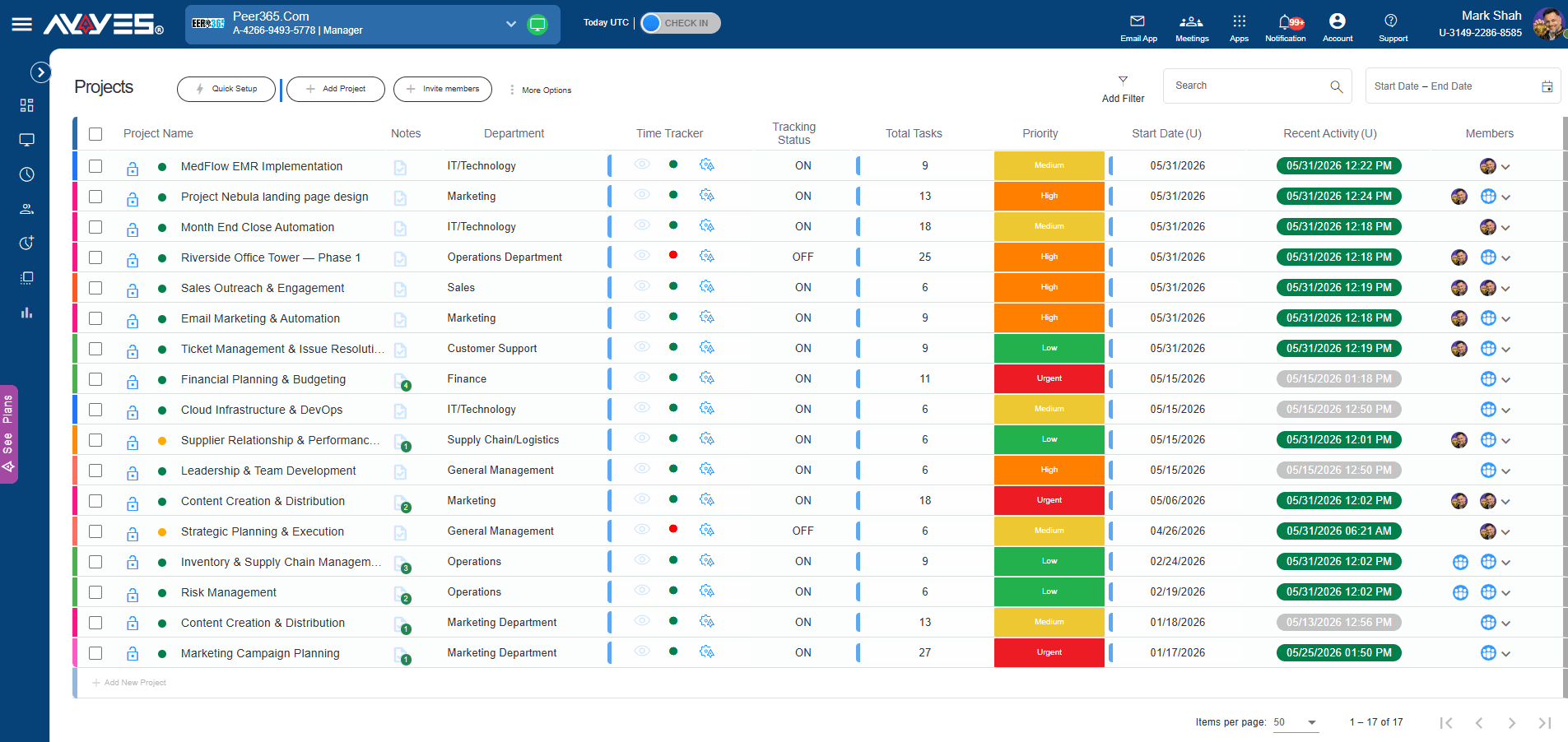
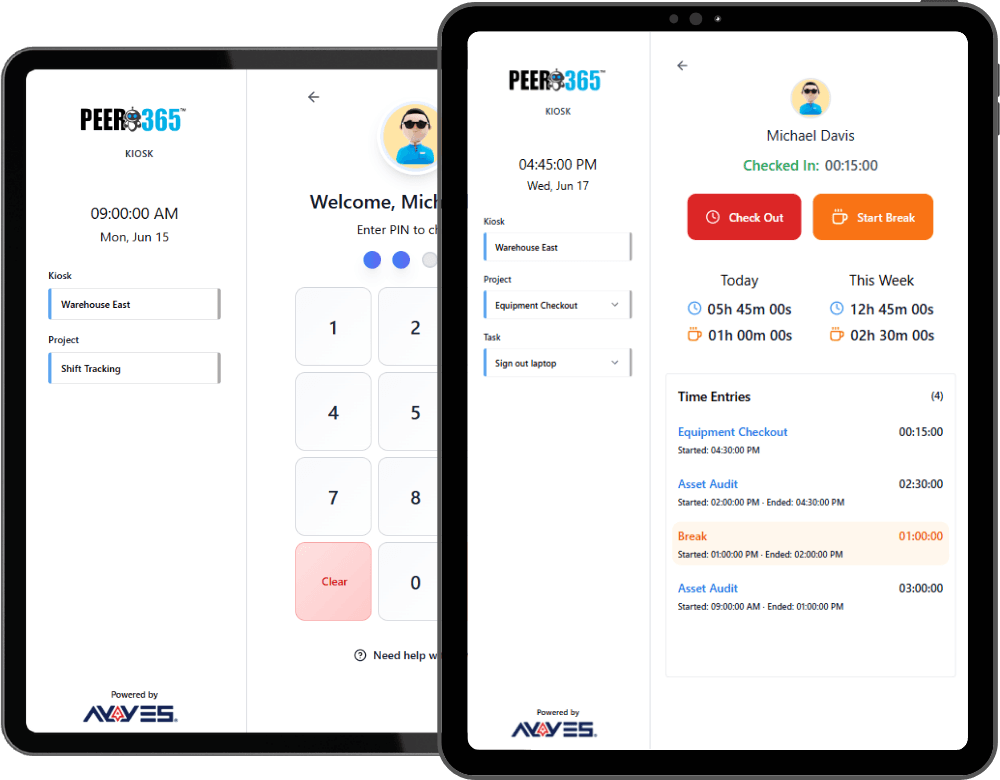
Set up QR code and PIN-based kiosk stations at job sites so crews clock in and out with a single tap. Eliminate buddy punching and capture accurate attendance without paperwork.
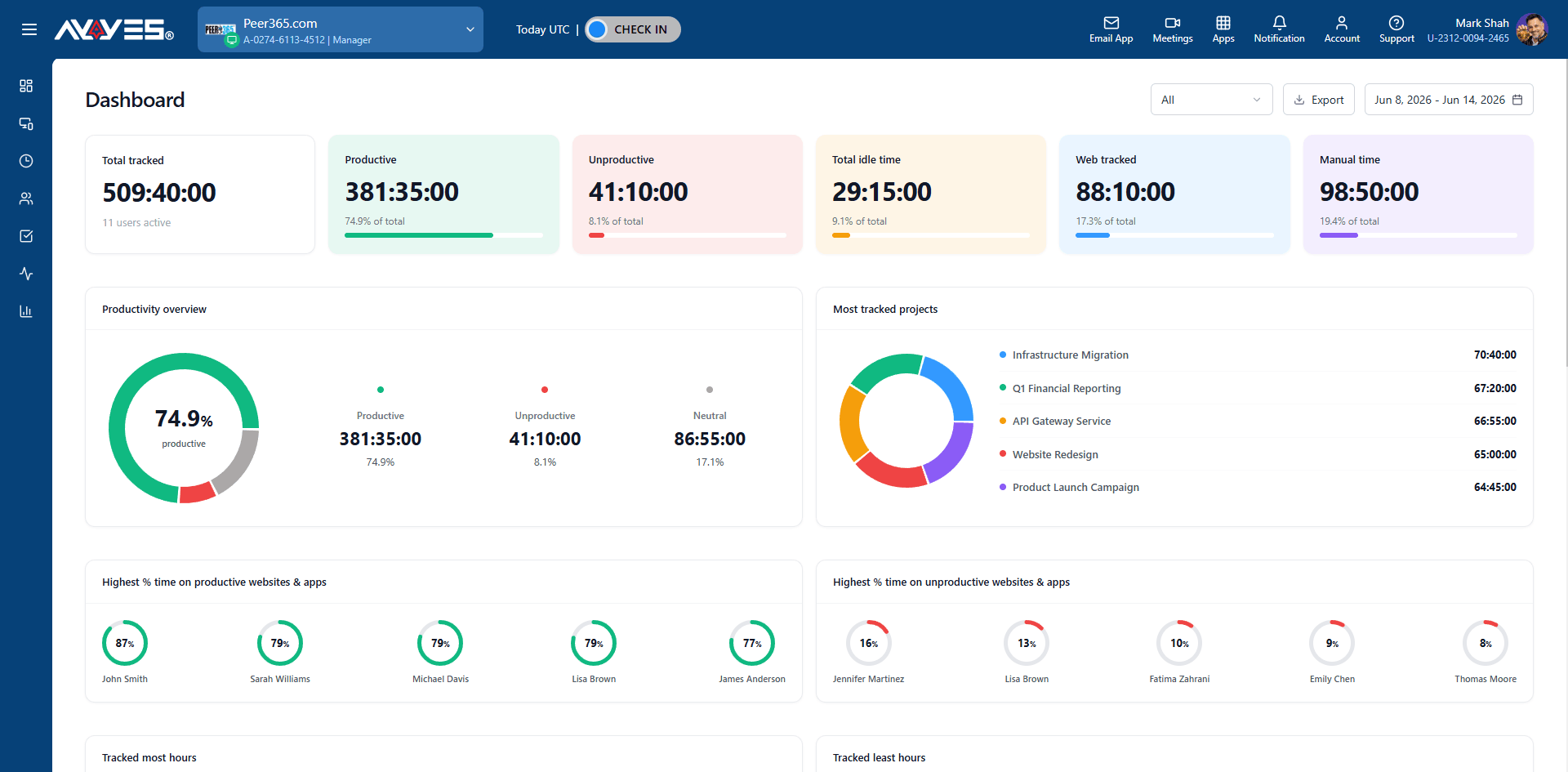
Track hours per worker, per project, and per job site with real-time dashboards. See exactly where your labor costs go and identify overtime before it kills your margins.
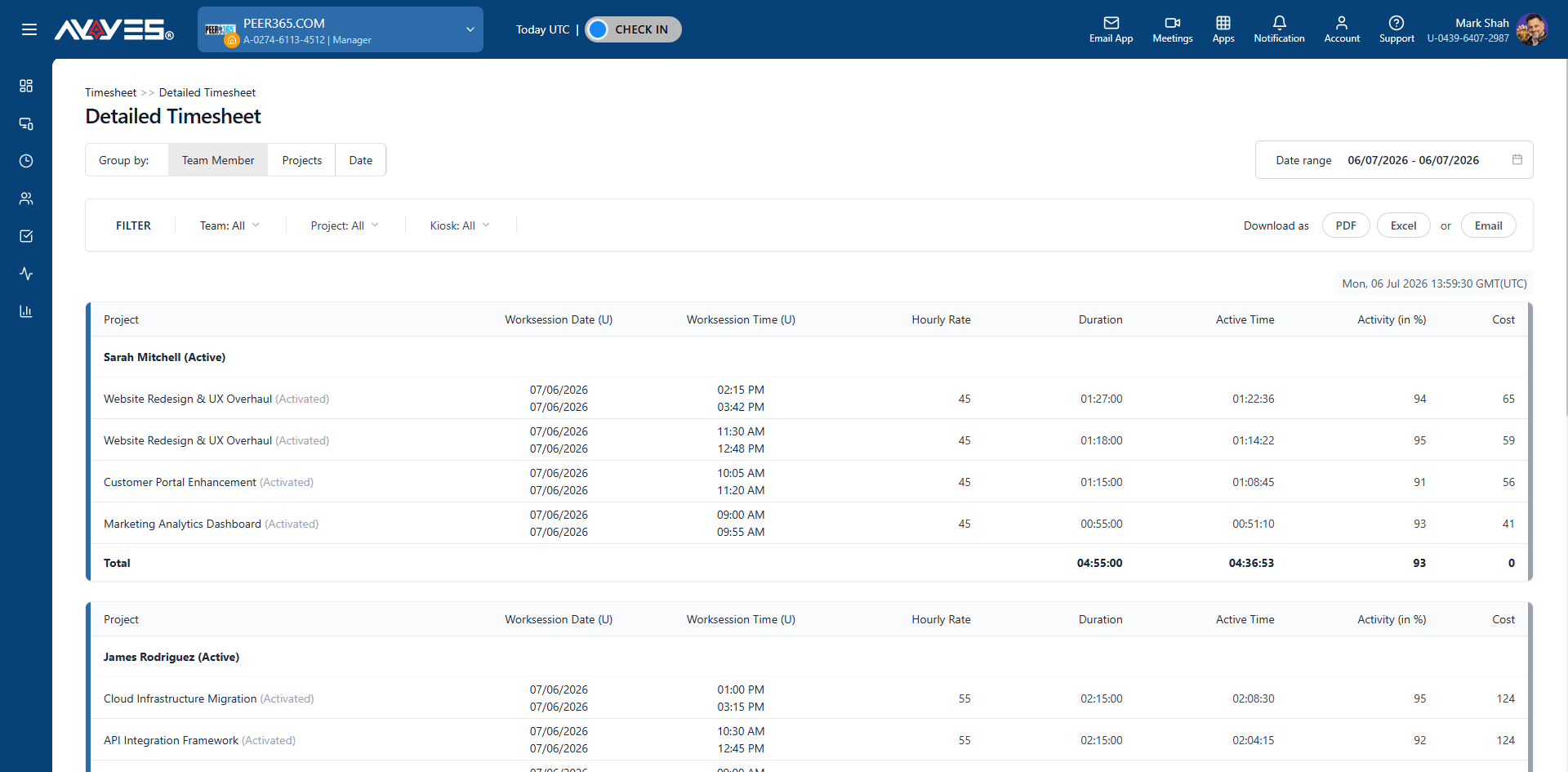
Generate detailed timesheets showing time logged per worker, project, and cost code. Export for payroll processing or share with clients for transparent billing.
Flexible for any team
AYYES adapts to how your company operates – whether you’re tracking field crews, managing multiple job sites, or processing payroll for hundreds of workers.
Track crew hours across framing, plumbing, electrical, and finishing phases per home build.
Monitor labor costs across large-scale commercial projects with phase-based tracking.
Manage subcontractor hours, track job site attendance, and control labor budgets.
Log trade-specific hours per project and track billable time for GC invoicing.
Track earthwork, road construction, and infrastructure project hours with kiosk check-in.
Monitor roofing, painting, or HVAC crew hours across multiple job sites daily.
Track service calls, installation time, and project phases with manual entry and kiosk.
Log job site hours, material runs, and project completion time per electrician.
Track crew deployment across multiple properties with daily timesheet summaries.
Step by step
Sign up for free and set up your workspace account in minutes.
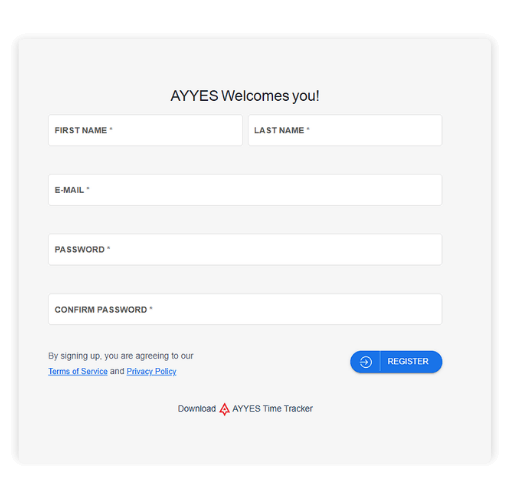
Use pre-built templates for marketing, operations, or custom project structures organized by client.
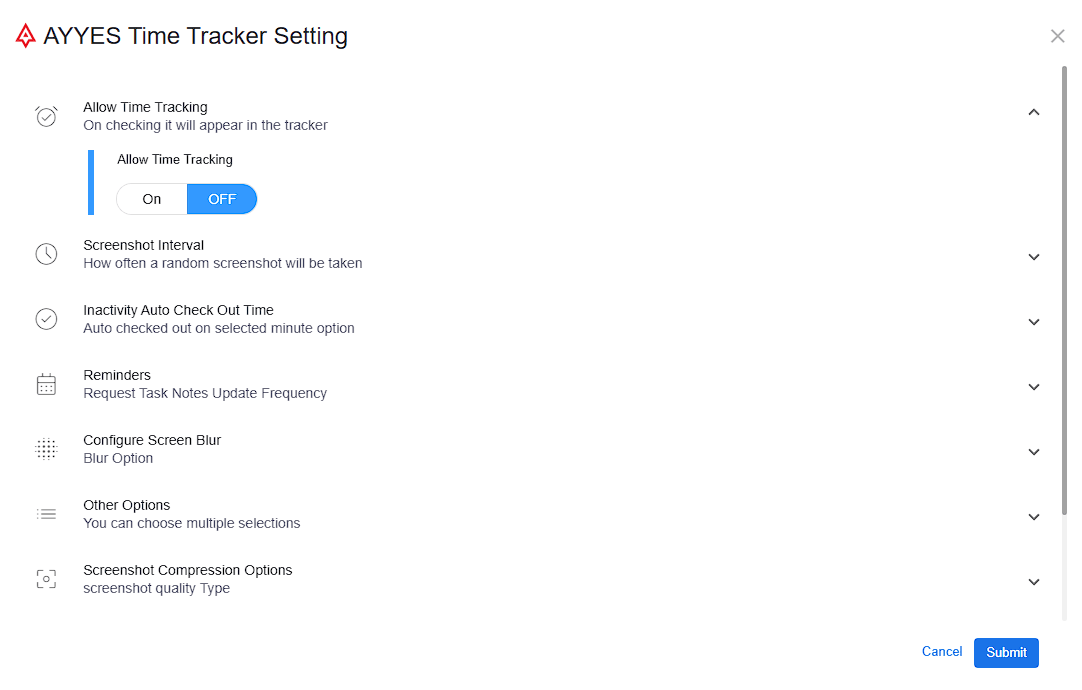
Choose how your team tracks time – automated desktop app, web timer, manual entry, or kiosk check-in for on-site teams.
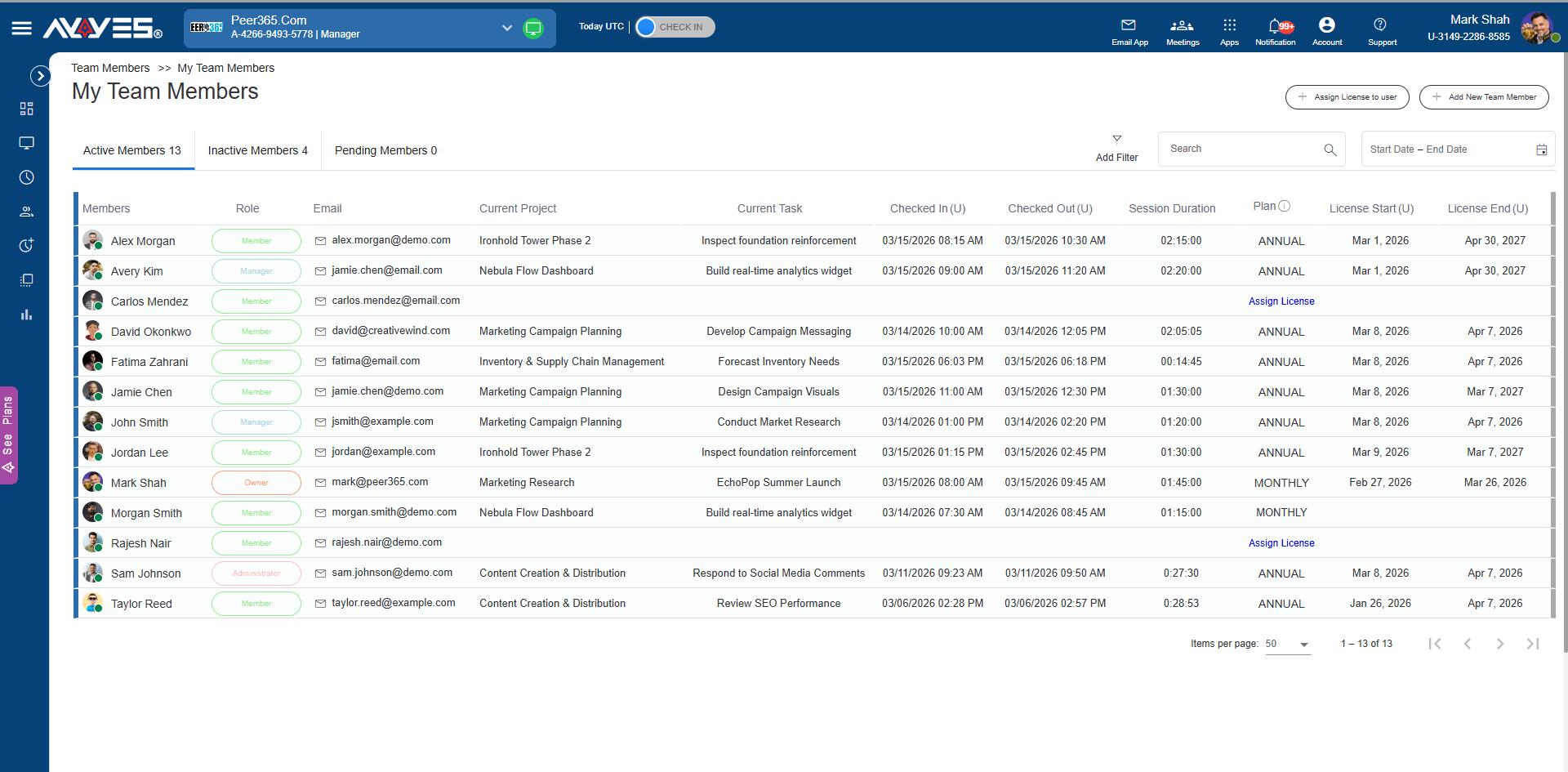
Invite employees, assign roles, manage licenses, and keep active, inactive, and pending members organized.
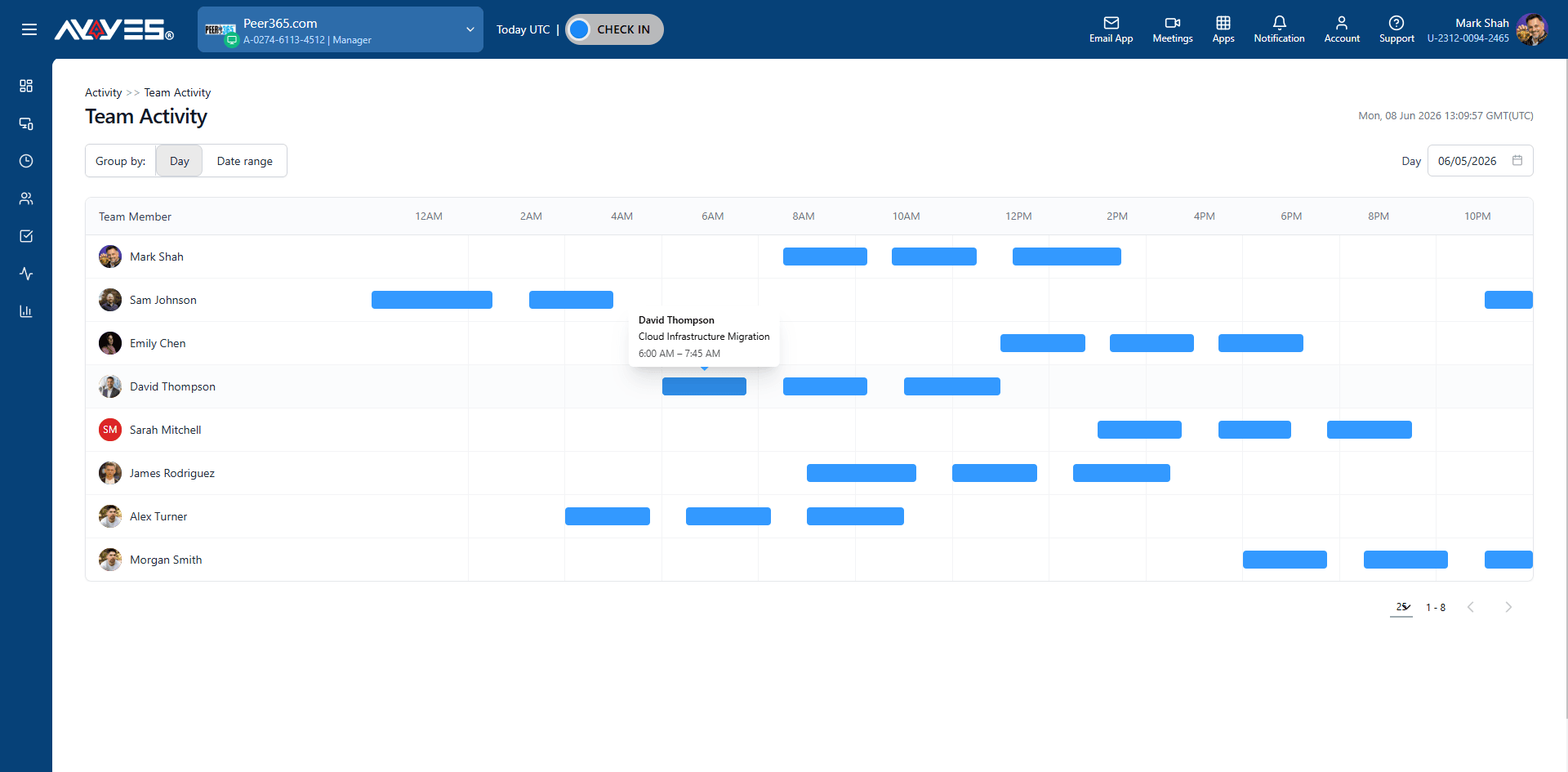
Watch projects move forward with visual progress indicators and review team activity to ensure work is on track.
Pull detailed timesheets and summary reports filtered by client, project, or team member for transparent billing.
Features
Create client projects, organize tasks, set priorities, and track progress.
Web timer, desktop app, manual entry, or kiosk — track time however your team works.
Automated screenshots, app tracking, and activity levels for undisputable client proof.
KPI cards, pie charts, and ranked lists showing team productivity and project distribution.
Detailed and summarized views with cost calculation, filtering, and PDF export.
Automated email reports, export options, and real-time productivity metrics.
View active members, manage roles, assign matters, and track session history.
See which applications your attorneys use – legal research, document drafting, and more.
Jump-start matters with pre-built project templates for common legal workflows.
30 days free trial • No credit card required • Flexible plans
What is construction time tracking software?
Construction time tracking software helps contractors and construction companies record employee and crew hours across job sites, projects, and tasks. AYYES combines construction time tracking with time clocks, timesheets, project management, attendance tracking, labor cost monitoring, and reporting.
How does AYYES construction time tracking work?
AYYES provides several ways for construction workers to record their hours, including a web timer, desktop app, manual time entry, and kiosk check-in. Managers can then review crew hours, attendance, labor costs, project progress, and timesheets from the AYYES dashboard.
Can AYYES track construction workers at job sites?
Yes. AYYES can be used at construction job sites to track crew attendance, working hours, breaks, and project time. A kiosk can be placed at a job site entrance, trailer, or other convenient location for workers to clock in and out.
Does AYYES offer a construction time clock?
Yes. AYYES can turn an internet-connected tablet, phone, or computer into a construction time clock. Workers can check in and check out using a personal PIN or QR code without requiring dedicated time-clock hardware.
Can construction workers clock in with a PIN or QR code?
Yes. AYYES supports PIN- and QR-code-based kiosk check-in. Each worker can use their assigned credentials to clock in and out, helping reduce inaccurate time entries and unauthorized clock-ins.
Can I track construction crew hours by job site?
Yes. Construction companies can create projects for individual job sites and track employee hours against those projects. This makes it easier to understand how much labor time is being spent at each location.
| Product Features | Solutions Timekeeping Productivity Analysis Reporting Project Management Team Management Industries |
| Competitor Comparison | Company Pricing About us Resources Download |

