AYYES vs Clockify · 2026

The Best Clockify Alternative

AYYES is a simple Clockify alternative for teams that need time tracking, projects, kiosks, timesheets, screenshots, App Activity Tracking, activity logs, and clear reports in one work manager.

Start Tracking Time See the comparison

The short answer

Choose AYYES if you want one work manager at one published price – free for 12 seats, then $0.88/seat annually, with screenshots, kiosk, timesheets and reports included.
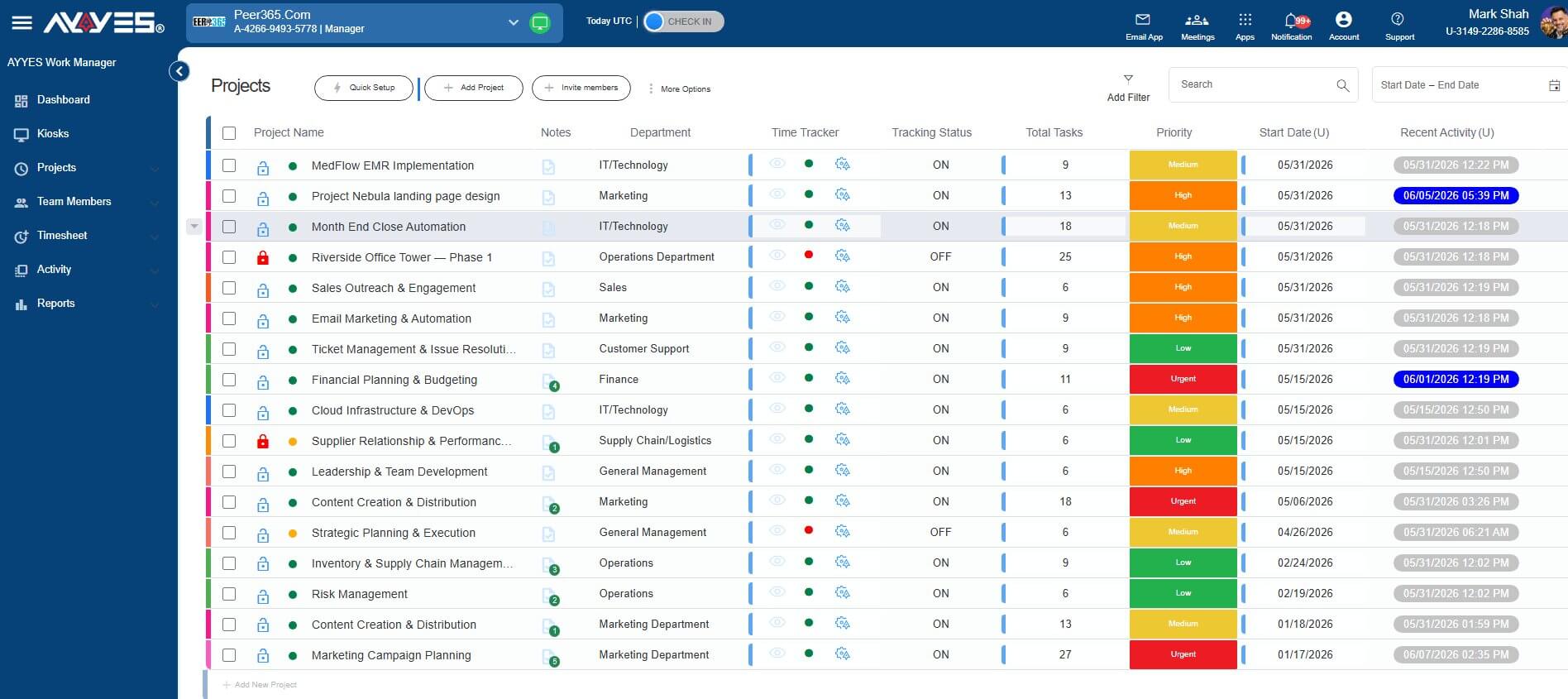
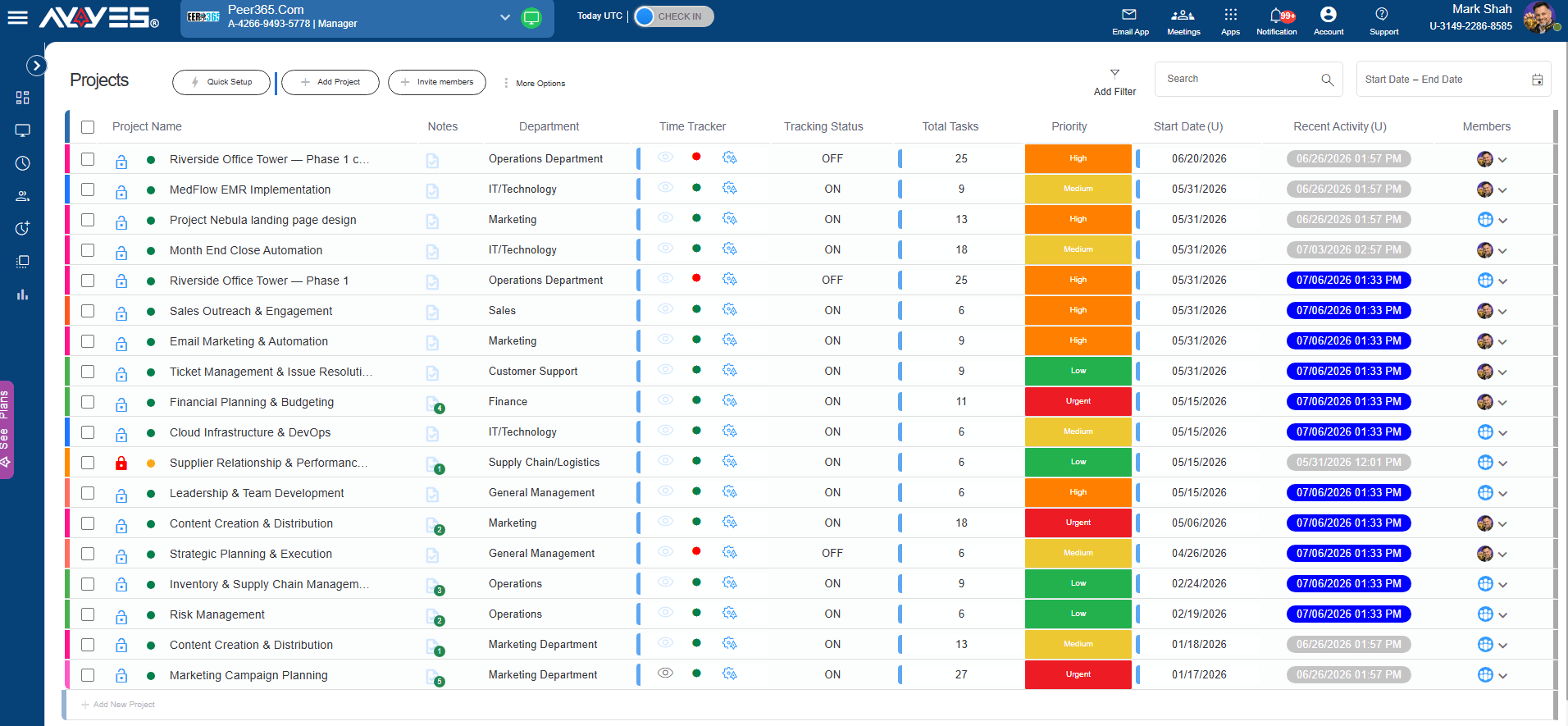
AYYES projects dashboard showing tasks, members and tracked time

Why switch Comparison table Compare AYYES with How it works Features FAQ

Why teams switch

Why look for a Clockify alternative?

Most teams don’t leave a time tracker over one feature — they leave over the shape of it: where the free plan ends, how many paid tiers the features they need are spread across, and whether proof of work lives next to the timesheet. Here is the case for AYYES, stated plainly so you can argue with it.

01

12 seats free, not 5

AYYES is free for up to 12 team members with kiosk included. Clockify’s free plan stops at 5 users – the sixth seat starts a paid subscription.

02

One plan instead of five tiers

Screenshots, kiosk, timesheets, reports and AI agents sit in the same $0.88 plan. On Clockify, kiosk needs Basic, time off and invoicing need Standard, and screenshots with activity levels need Pro.

03

Kiosk on the free plan

Shared-device clock-ins with PIN and QR codes work from day one on AYYES free. Clockify gates its kiosk behind a paid plan, with cheaper seats only for kiosk-limited users.

04

Proof of work at $0.88, not $7.99

Random-interval screenshots with blur, apps and URL usage plus keyboard and mouse activity are in the single AYYES paid plan. Clockify’s equivalent visibility comes from the Pro-tier Agent app.
Feature by feature

AYYES vs Clockify comparison

Twenty-four checks grouped by pricing, tracking and proof of work — pulled from both vendors’ own feature pages, not from a review site. No scores, no invented ratings.

FeatureClockify
Pricing
Free plan12 seats, free forever5 seats free
Entry price (annual)$0.88 / seat / month$3.99 / seat / month
Entry price (monthly billing)$0.99 / seat / month$4.99 / seat / month
Paid tiers to compareOne plan, everything in itFree + 4 paid tiers
Kiosk on the free plan✓Paid (Basic and up)
Time tracking
Timer on web & desktop (Win / Mac / Linux)✓✓
Mobile apps (iOS / Android)✕✓
Timesheets✓✓
Manual time entry✓✓
Offline tracking✓✓
Pomodoro timer✕Yes · on free plan
Bulk import (CSV)Paid planBasic and up
Proof of work
Screenshot trackingPaid planPro plan ($7.99)
Screenshot blur✓✓
App & URL usage✓Personal on free · team on Pro
Activity levels (keyboard / mouse)✓Pro (Agent app)
Idle detection✓✓
Management & reporting
Time off & leave tracking✕Standard and up
Invoicing from tracked time✕Standard and up
GPS & location tracking✕Pro
Report exportPDF & CSVCSV, Excel & PDF
Roles & access control✓✓
Audit / activity log included1 month – 1 yearEnterprise only
AI coworker agentsPaid plans (in development)✕

Getting started

How AYYES works

Set up your team, assign work, track time, and review proof of work section by section — eight steps, one afternoon.

01 Step 1 of 8

Create Account

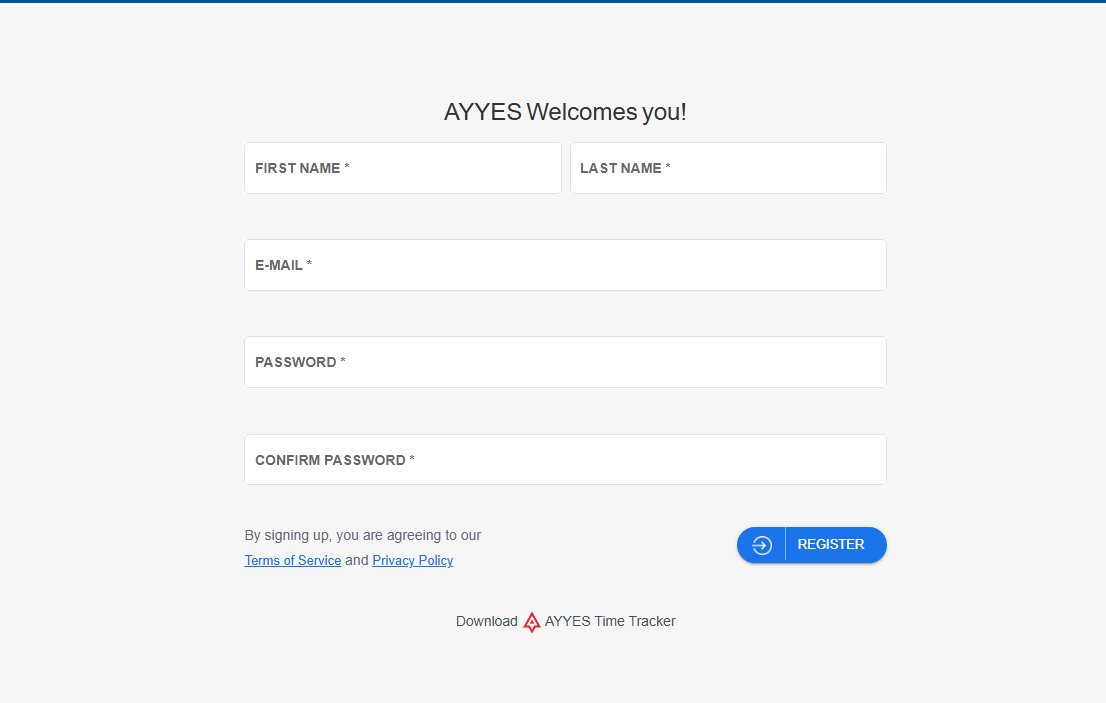
Sign up for free and name your workspace in under a minute.

Sign up for free

AYYES Signup Registration Screen

02 Step 2 of 8

Add Team Members

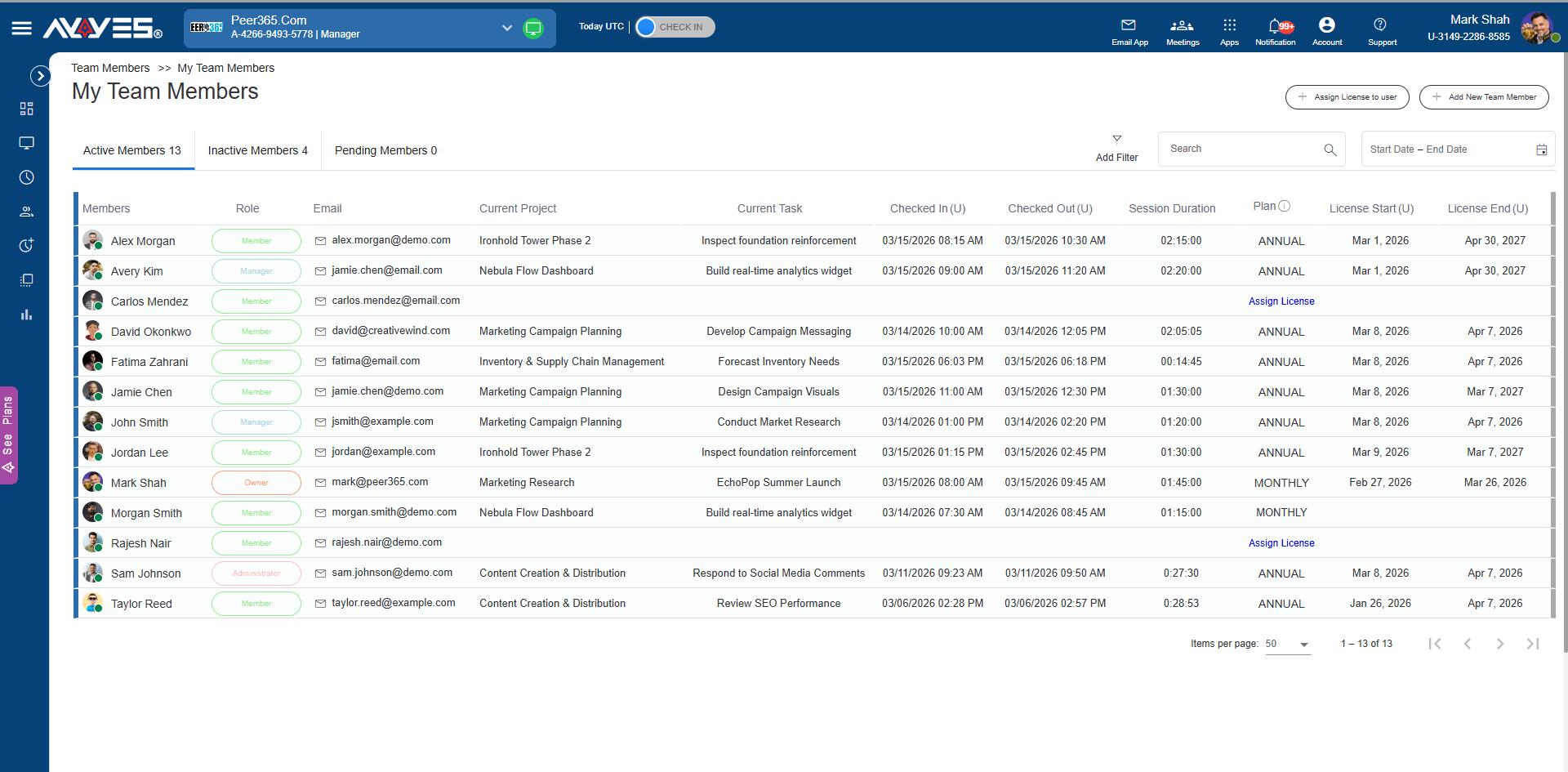
Invite employees, assign roles, manage licenses, and keep active, inactive, and pending members organized.

AYYES Team Members Dashboard

03 Step 3 of 8

Create Projects And Tasks

Create projects, add tasks, set priorities, choose departments, and keep every work item easy to review.

04 Step 4 of 8

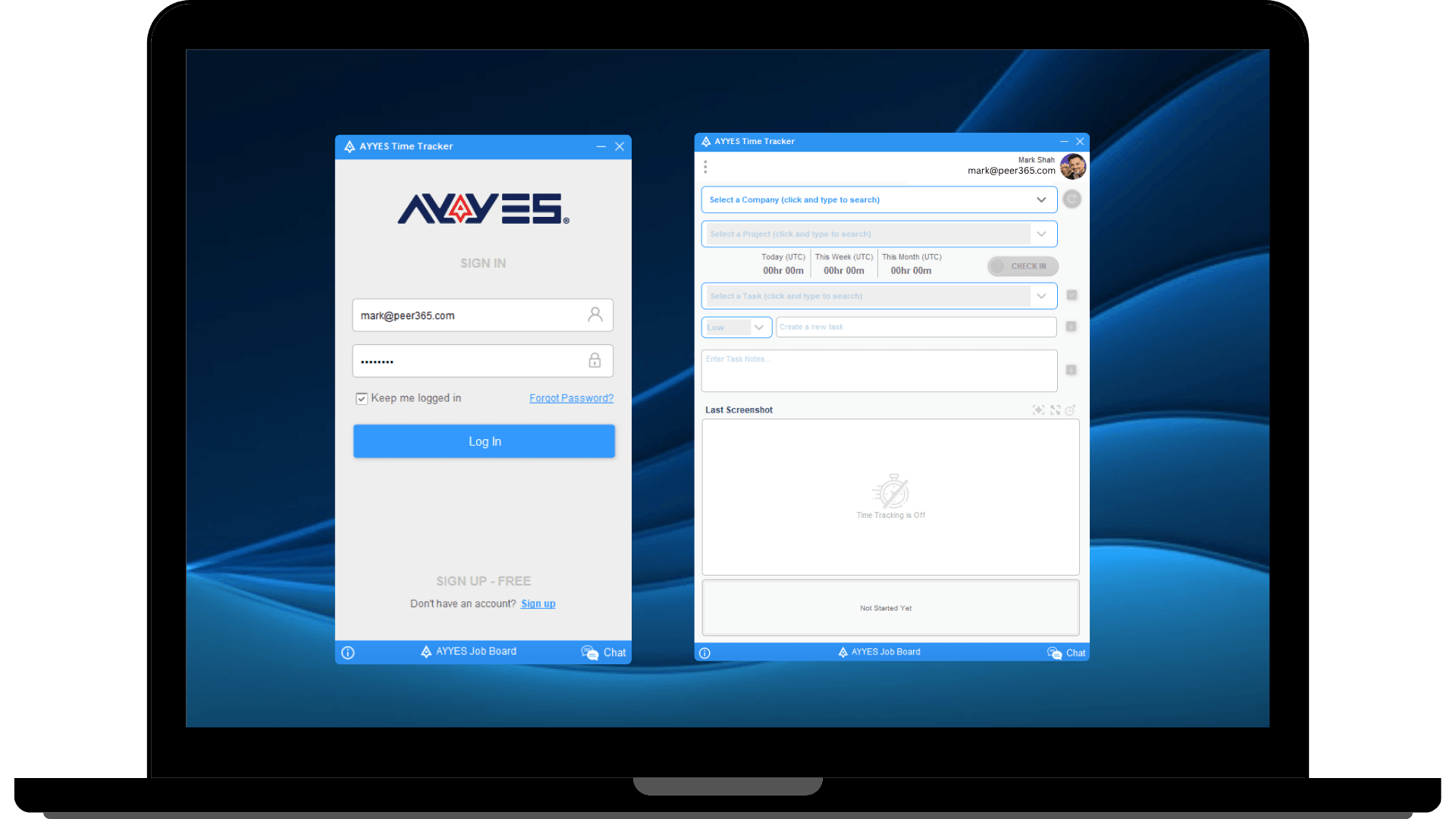
Track Time From Web, Desktop, And Kiosk

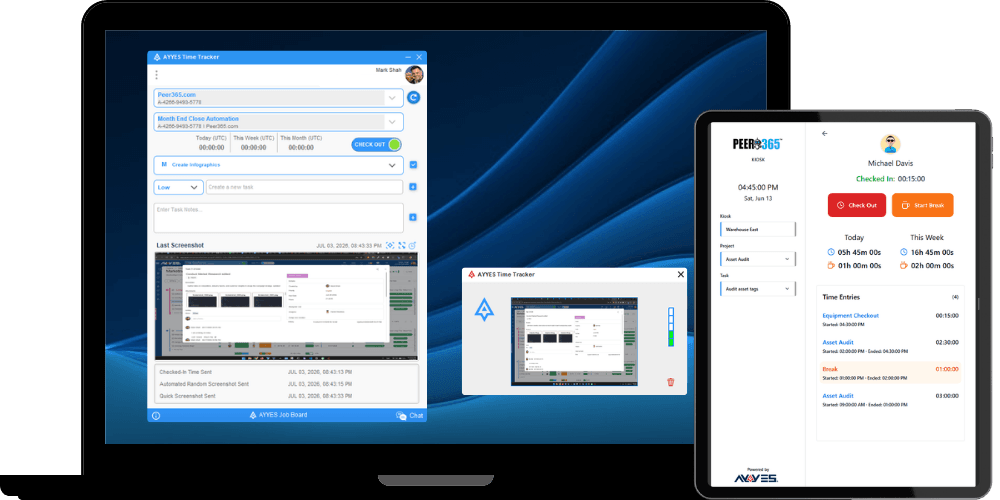
Let users check in, start timers, use kiosk mode, add notes, and record work sessions with clear session history.

AYYES Kiosk And Desktop Time Tracker

05 Step 5 of 8

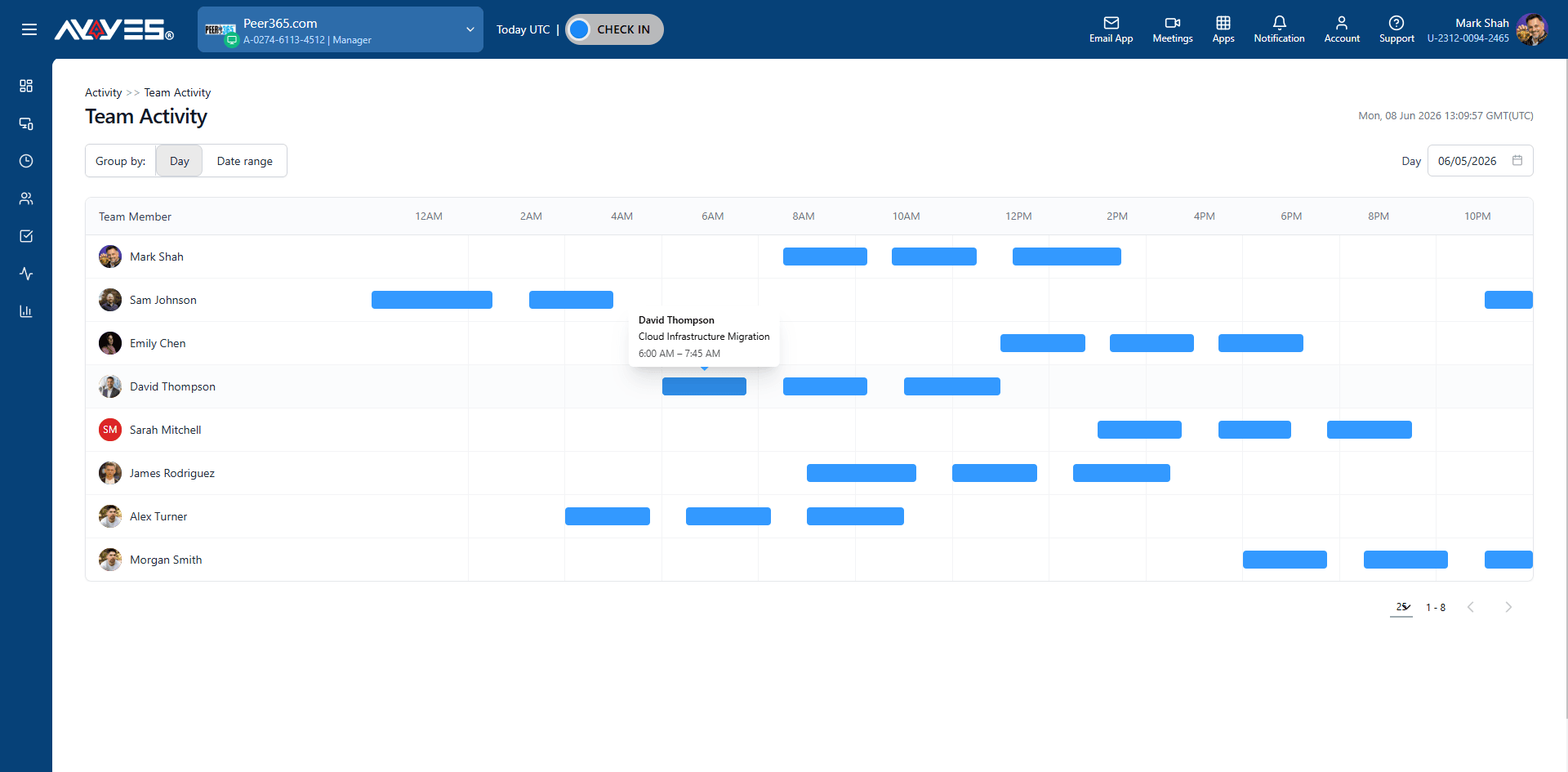
Review Team Activity

See daily activity, member activity, manual time, work status, and proof of work from one place.

AYYES Timeline Reports

06 Step 6 of 8

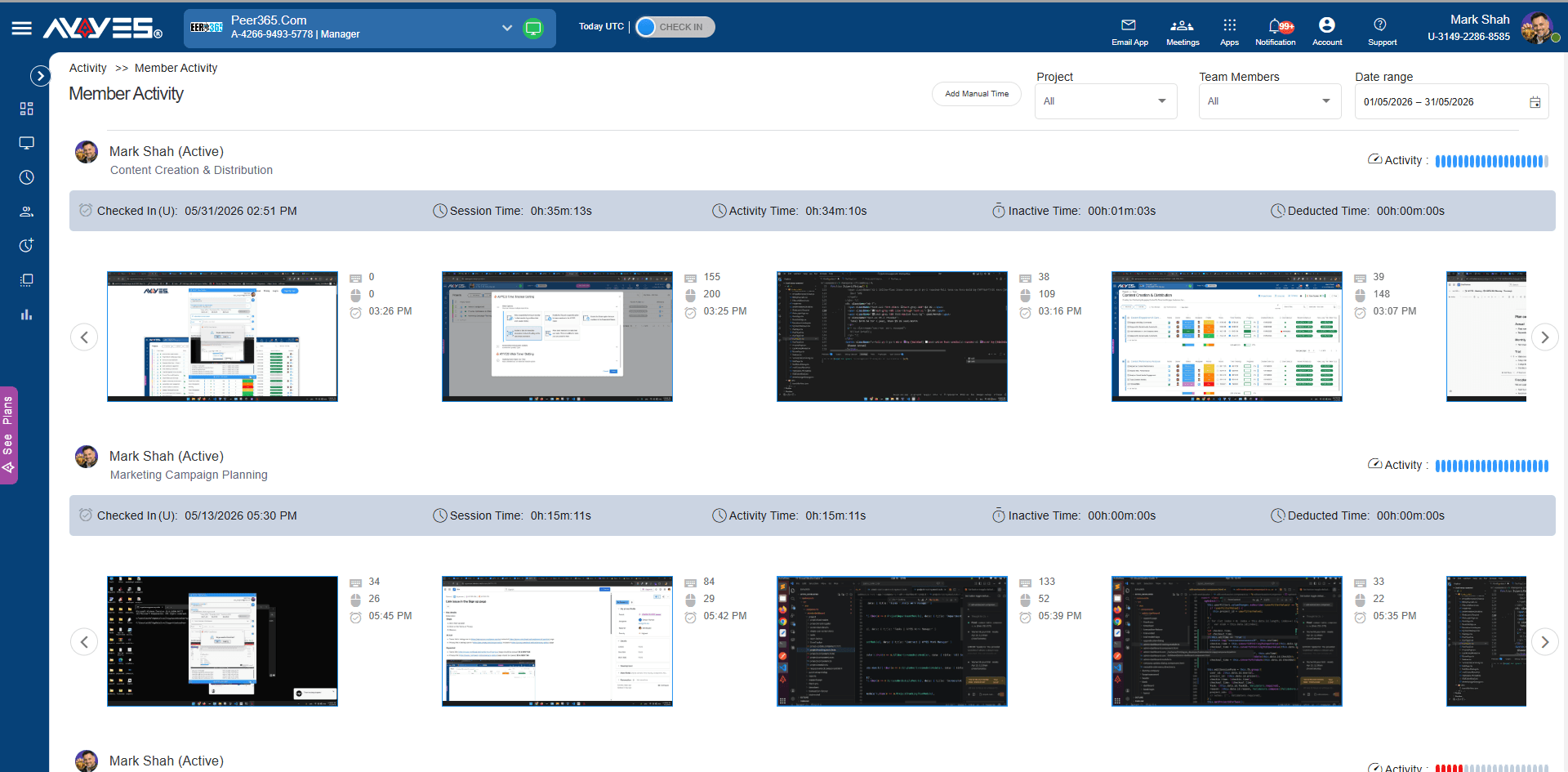
Monitor Screenshots And Apps

Use screenshot tracking, App Activity Tracking, keyboard and mouse activity, and idle detection to understand tracked work.

AYYES Member Activity Report

07 Step 7 of 8

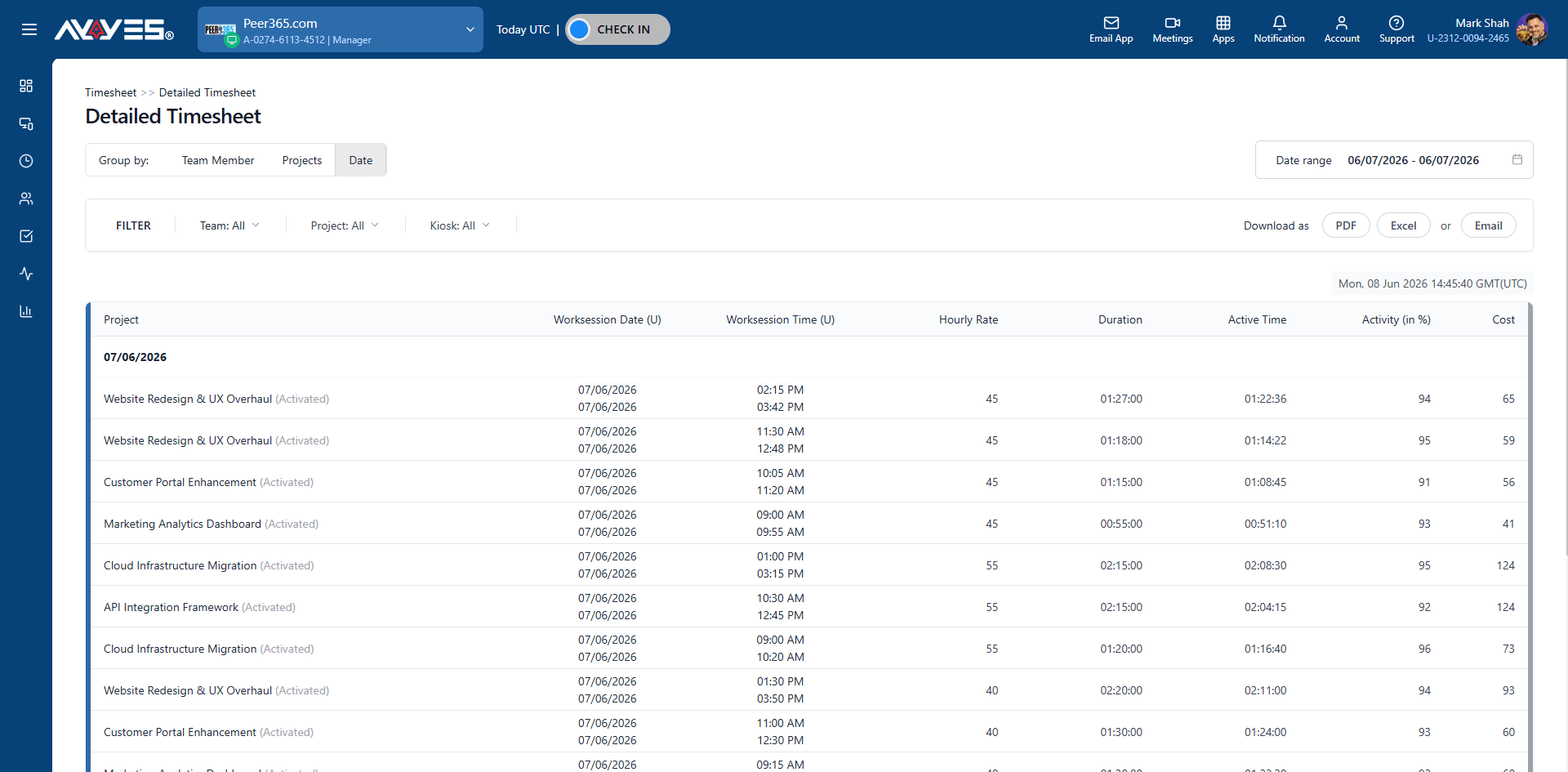
Use Timesheets

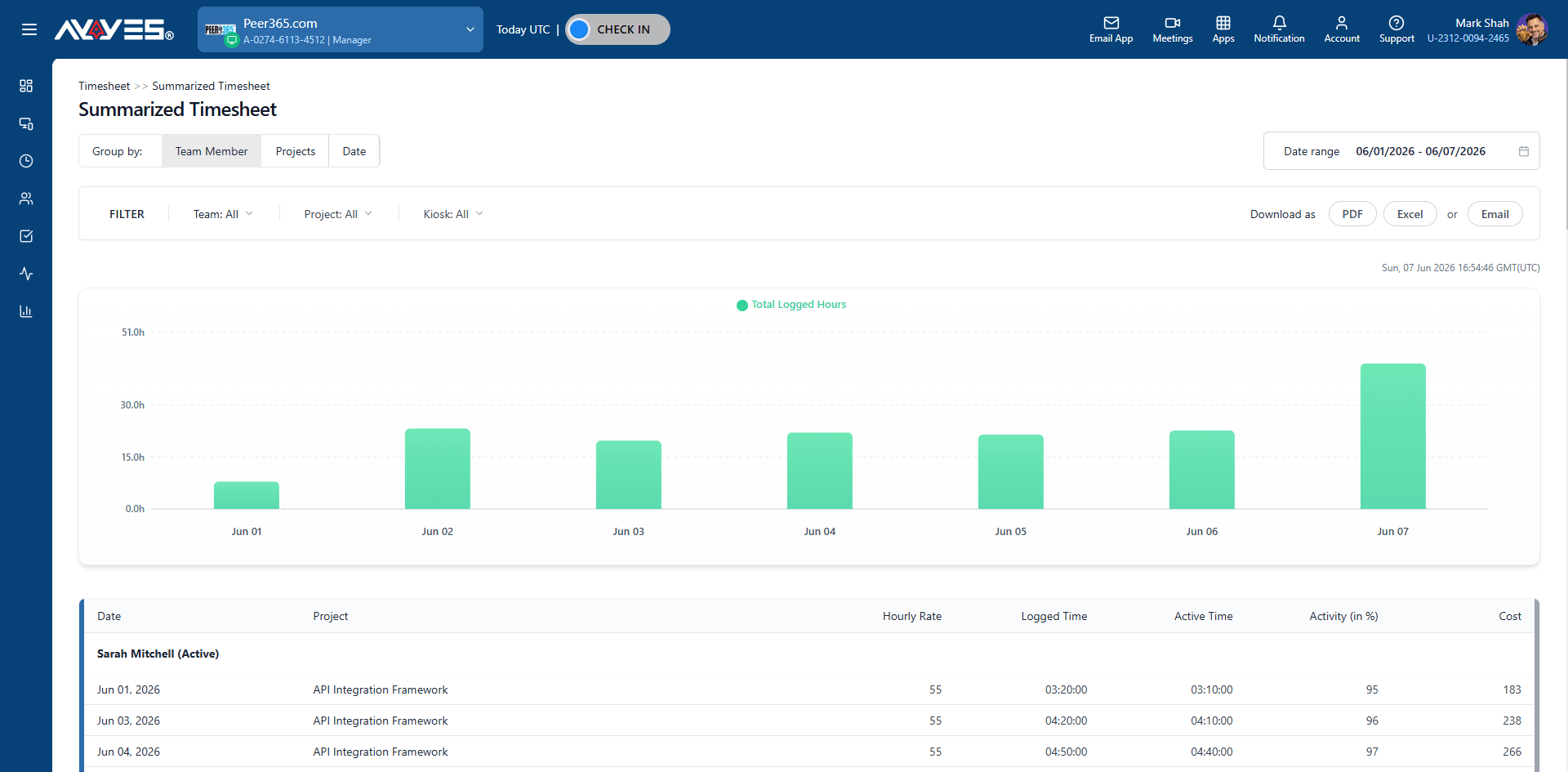
Review detailed and summarized timesheets grouped by team member, project, or date.

AYYES Detailed Timesheet

08 Step 8 of 8

Export Reports

Download timesheets as PDF or CSV, or send reports by email when payroll or client updates are due.

AYYES Reports Dashboard

What you get

AYYES features

Use AYYES to track time, manage projects, review proof of work, and export reports from one simple work manager.

Simple Time Tracking

Track work time from the web app, desktop tracker, or kiosk mode. Team members can check in, add notes, use manual time entry, and keep daily work records clear.

AYYES Desktop Time Tracker

Projects And Tasks

Create projects, add tasks, set priorities, assign departments, track billable rates, and review work status from one dashboard.

AYYES Projects Dashboard

Screenshot Tracking And App Activity

Use screenshot tracking, App Activity Tracking, keyboard and mouse activity, idle detection, and activity logs to understand what was done during tracked time.

AYYES Team Activity Timeline

Timesheets And Reports

Review detailed and summarized timesheets by team member, project, or date. Export PDF and CSV reports for payroll, billing, and client updates.

AYYES Timesheet

Team And Kiosk Management

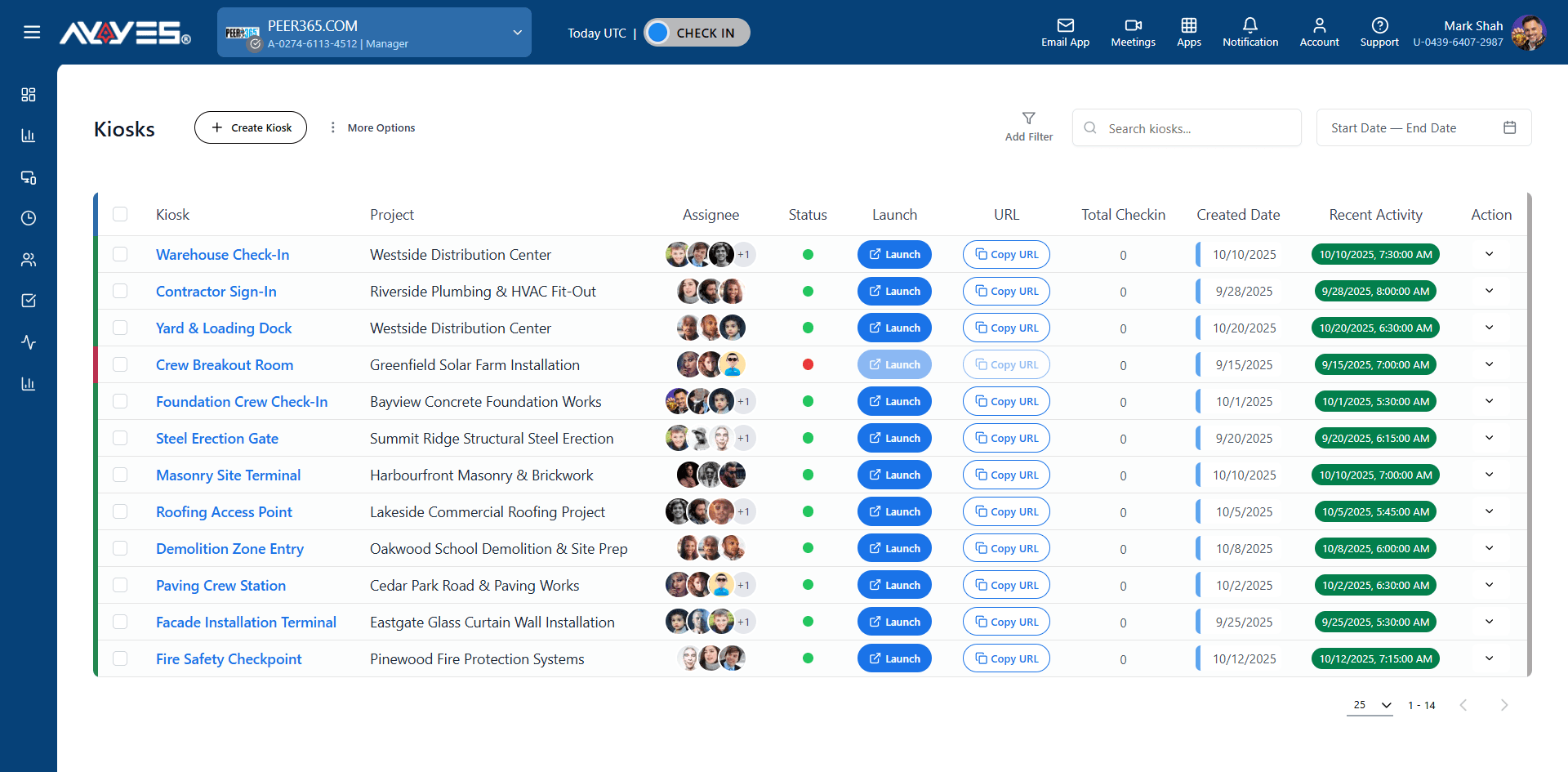
Add team members, manage active and inactive users, assign licenses, and use kiosk check-ins for shared workstations or front desk teams.

AYYES Time clock Kiosk app management

AYYES Team Management Dashboard

Questions

Clockify alternative FAQ

Is AYYES a good Clockify alternative?

It depends on what you price in. AYYES publishes one price – free for 12 seats, then $0.88/seat annually with screenshots, kiosk, a 1-year log and AI agents included. Compare that line by line against Clockify’s five tiers before deciding.

Is Clockify really free?

For up to 5 users, yes – timer, timesheet, calendar and basic reports are free. Kiosk needs Basic ($3.99/seat), time off and invoicing need Standard ($5.49/seat), and screenshots with activity monitoring need Pro ($7.99/seat), per clockify.me/pricing.

What does AYYES cost?

Free for up to 12 seats. Paid plans are $0.99/seat monthly or $0.88/seat annually, with a 30-day free trial and no credit card required – per ayyes.com/pricing.

Does AYYES take screenshots like Clockify?

Yes: screenshots at random intervals with optional blur, apps and URL usage, keyboard and mouse activity levels and idle detection. Clockify captures screenshots optionally through its Pro-tier Agent app rather than the base tracker.

Can we migrate our data from Clockify to AYYES?

Yes. Bulk-import tasks via CSV, rebuild projects from templates, and invite unlimited members on paid plans. Most teams are running the same day they switch.

Try the Clockify alternative free

Free for 12 seats · 30-Day Free Trial · No Credit Card Required

Get Started for FREE Compare AYYES with others