App & Websites Tracking
See exactly which apps and websites your team uses, with automatic time tracking for every billed minute.

See exactly which apps and websites your team uses, with automatic time tracking for every billed minute.
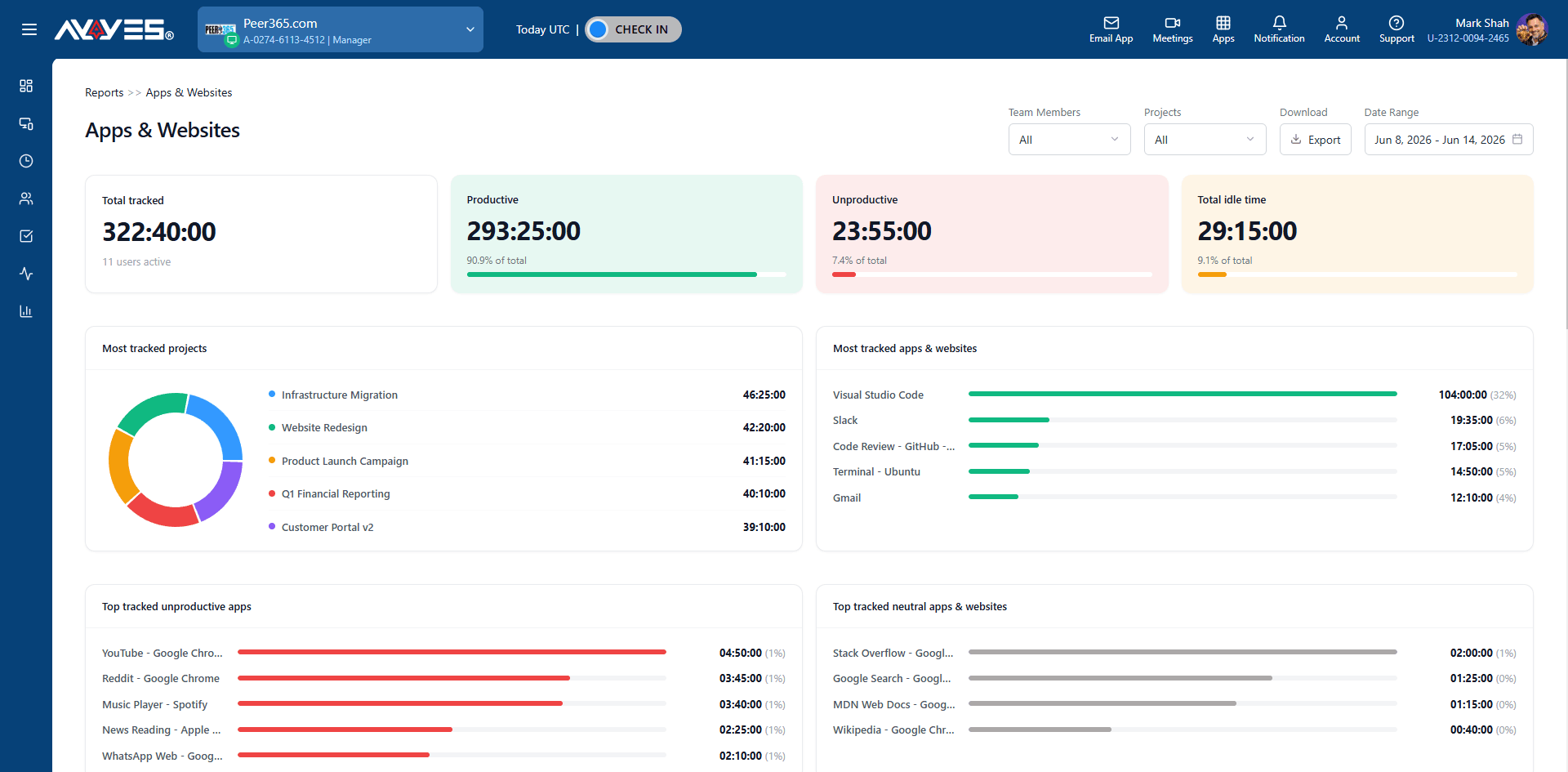
 Exact percentage of time spent in each application.Instantly spot work tool vs. distraction time.Automatic time tracking captures everything.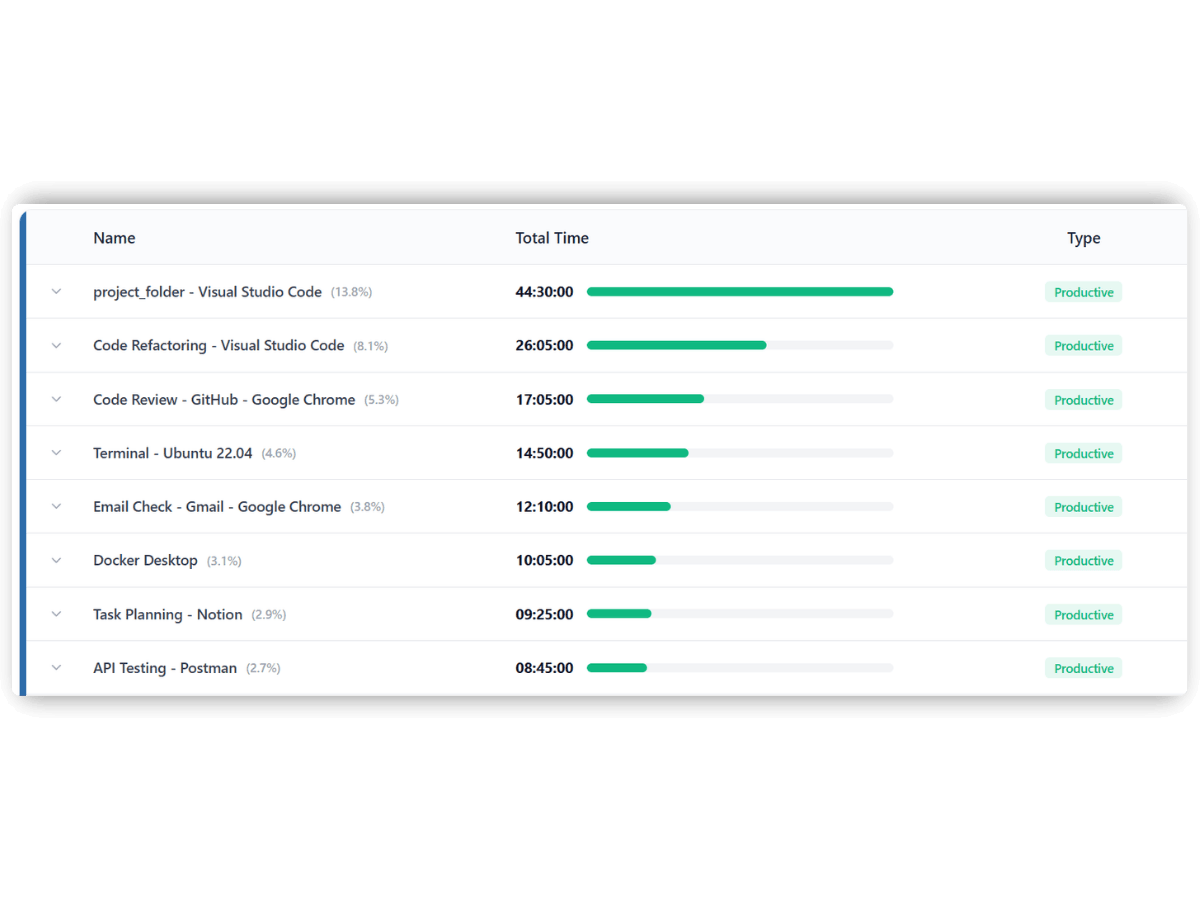
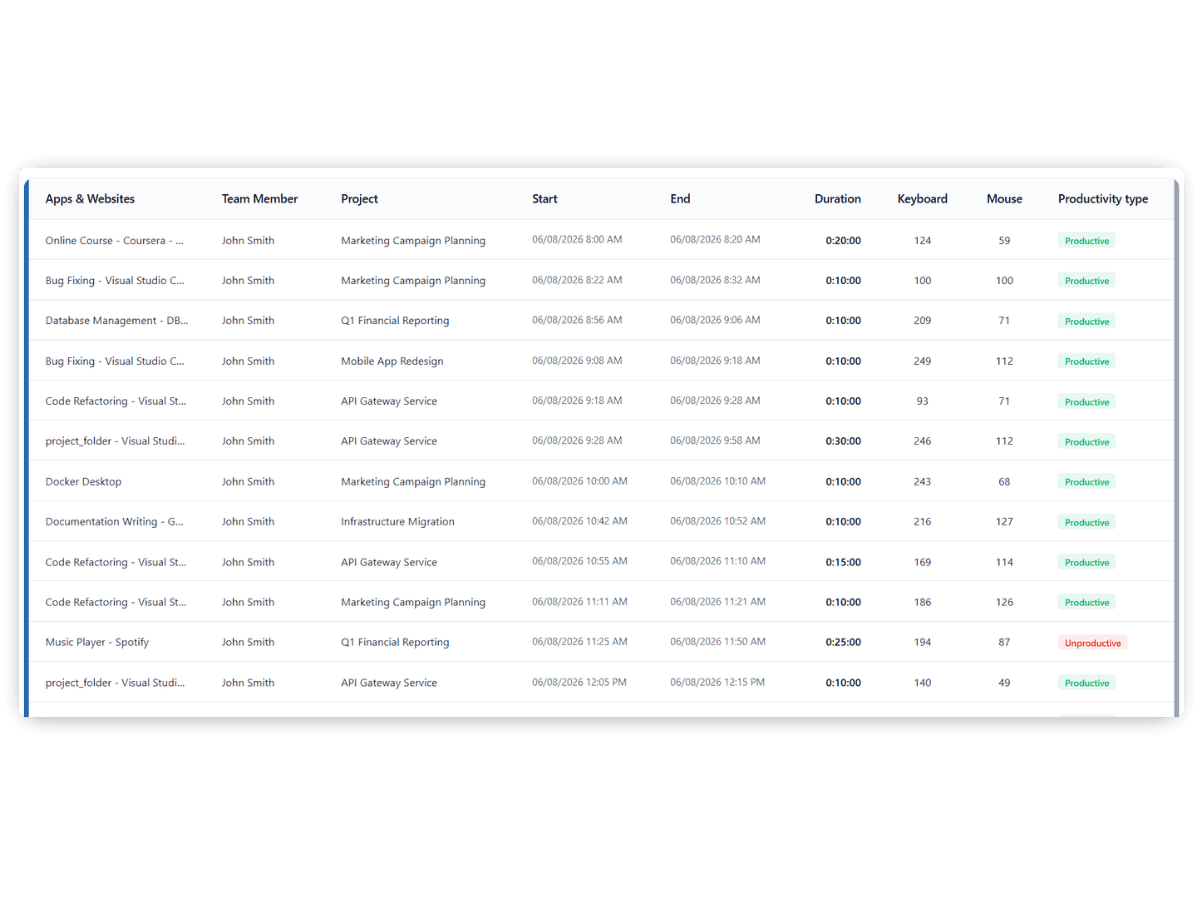 View a chronological timeline of app focus. See which app was active and exactly when.Perfect for reconstructing user workflow.
Whether you are managing freelancers across the globe or an in-house department, AYYES scales to your needs.
Filter app usage tracking by specific projects or teamAutomatic time tracking organized by project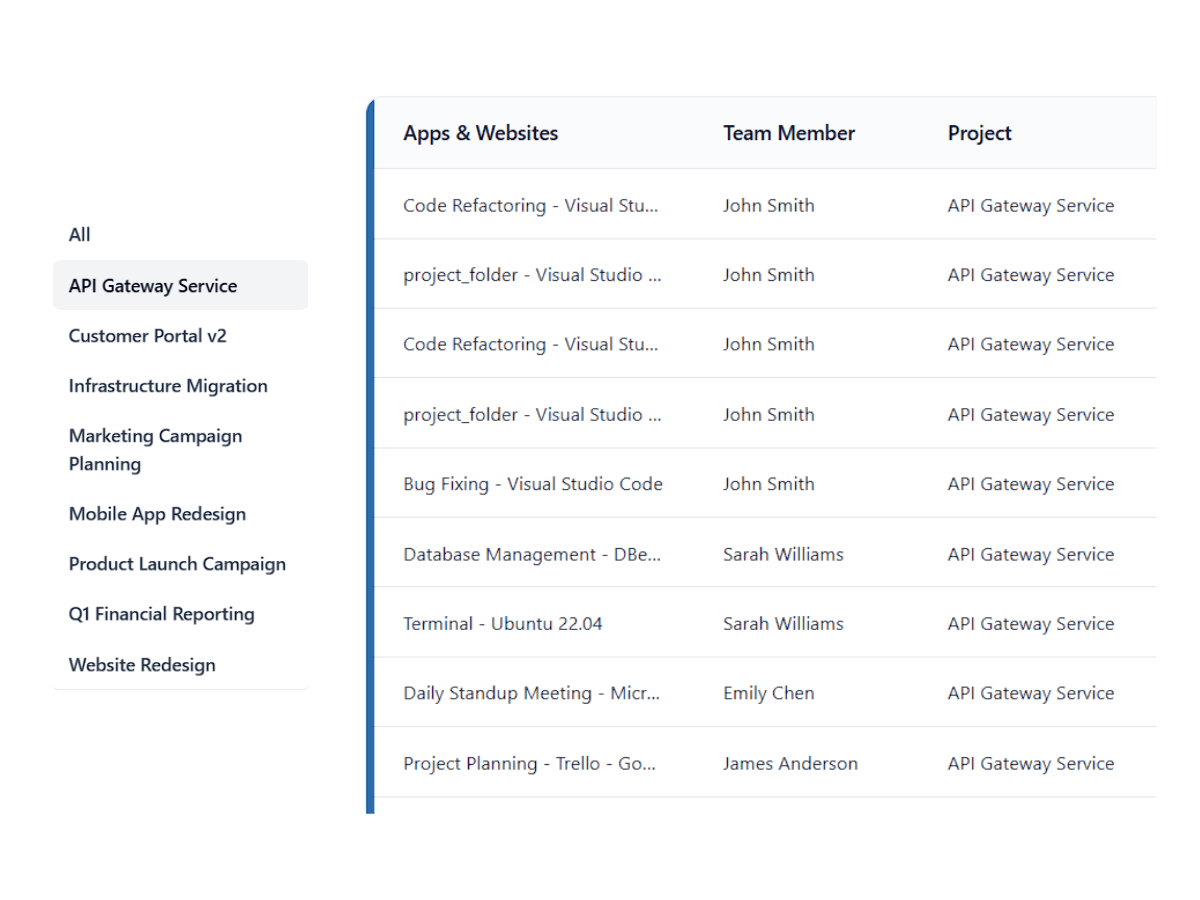
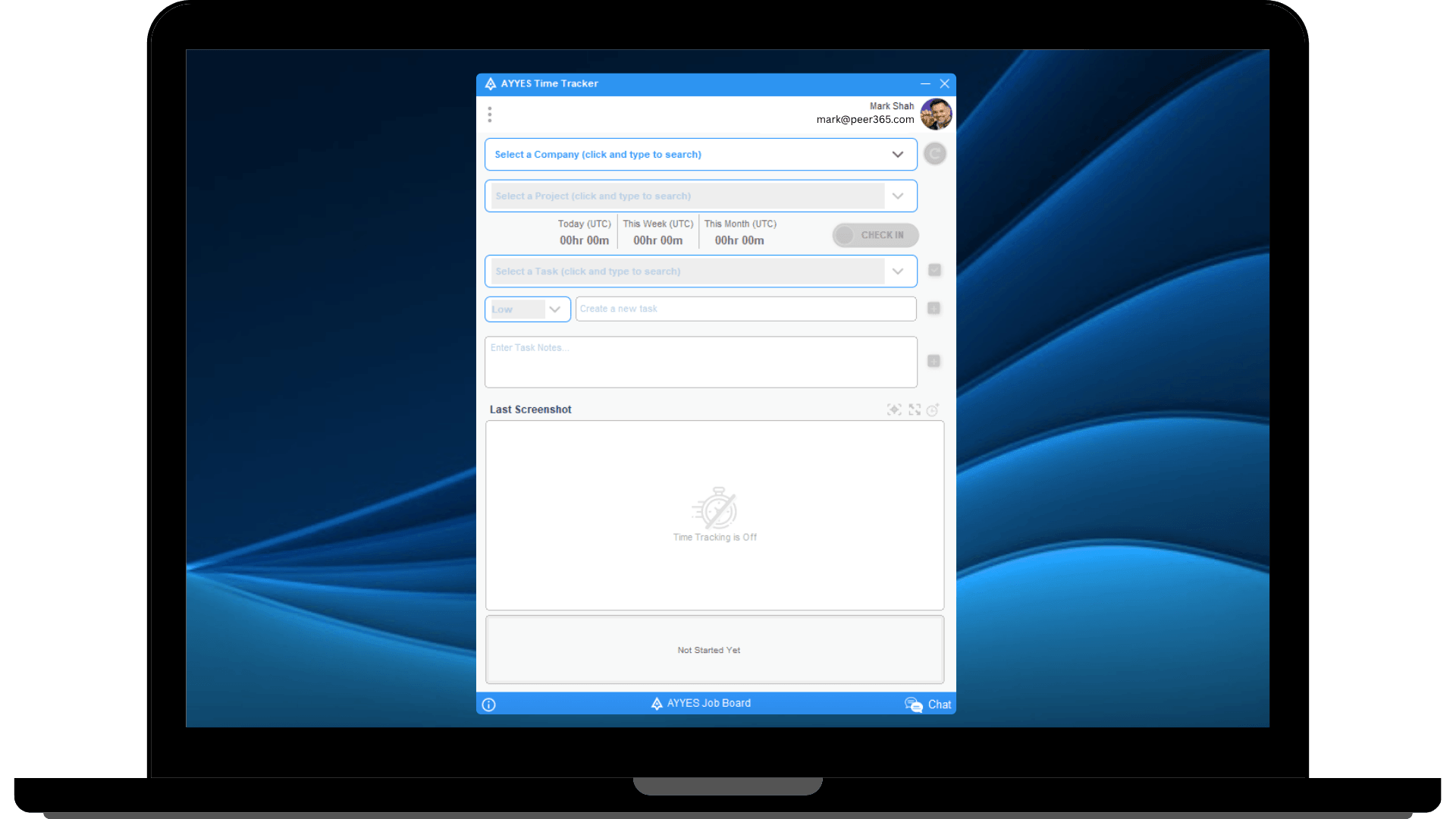
Install the desktop app to start tracking time automatically.
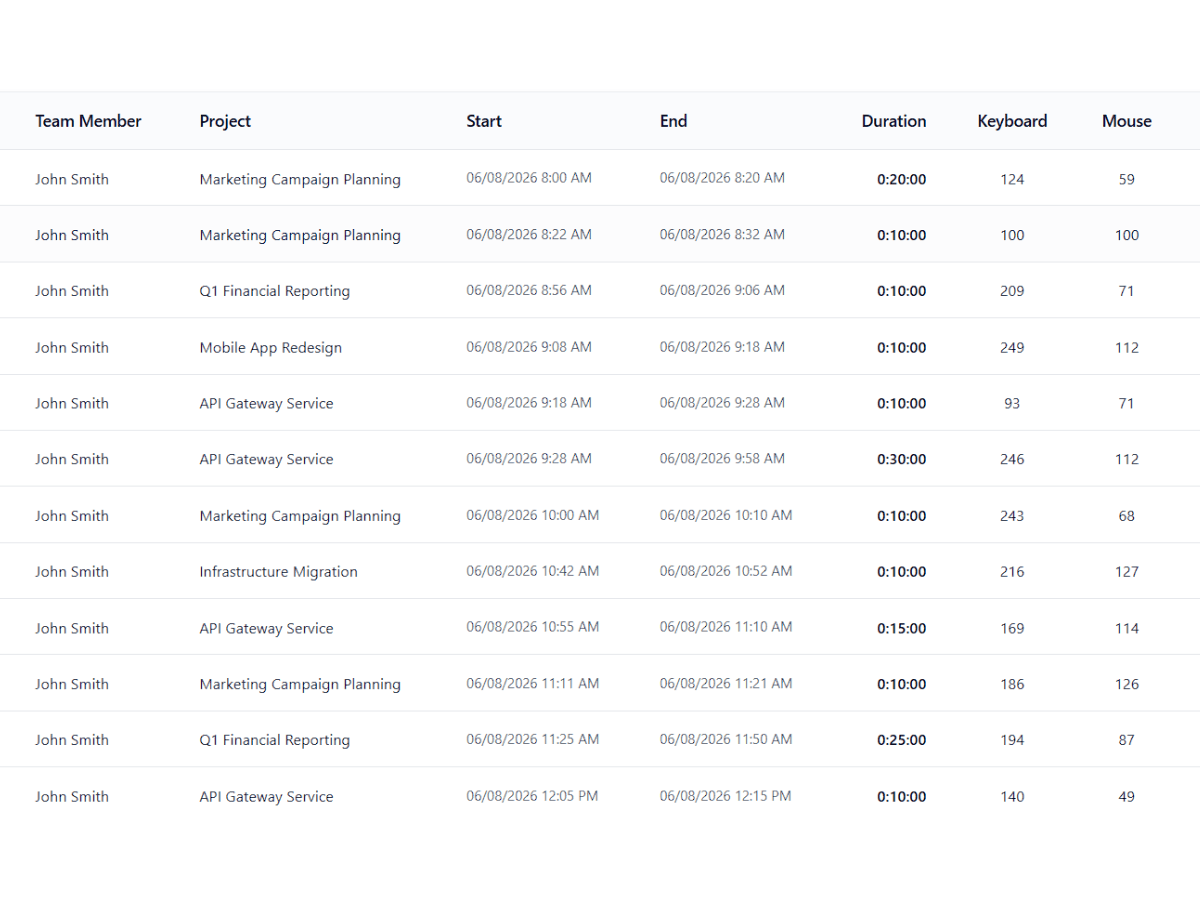
Go beyond just hours logged. AYYES employee activity tracker measures the frequency of keystrokes and mouse clicks to determine true engagement levels.
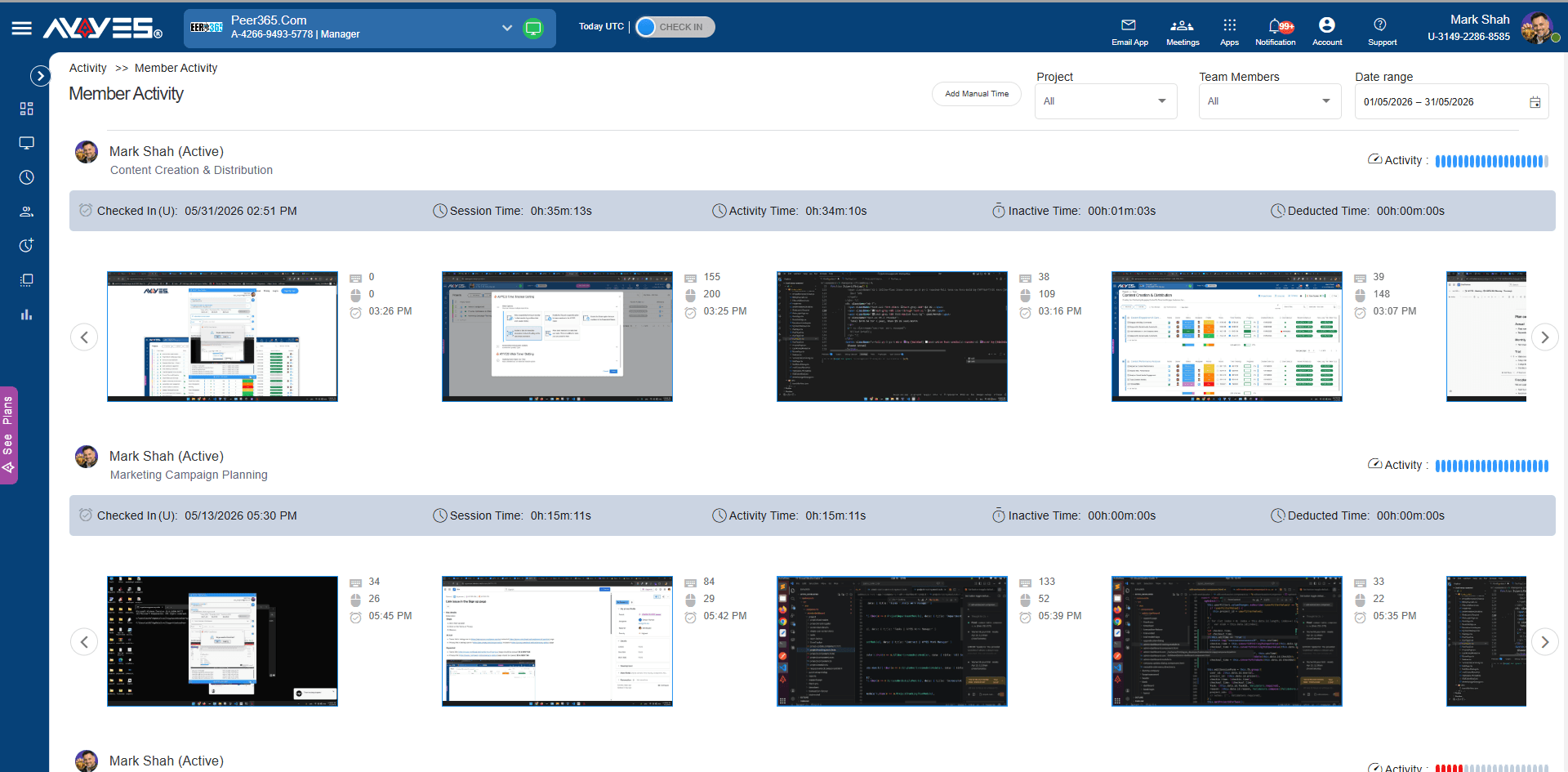
Provides the visual evidence of the actual work being produced.
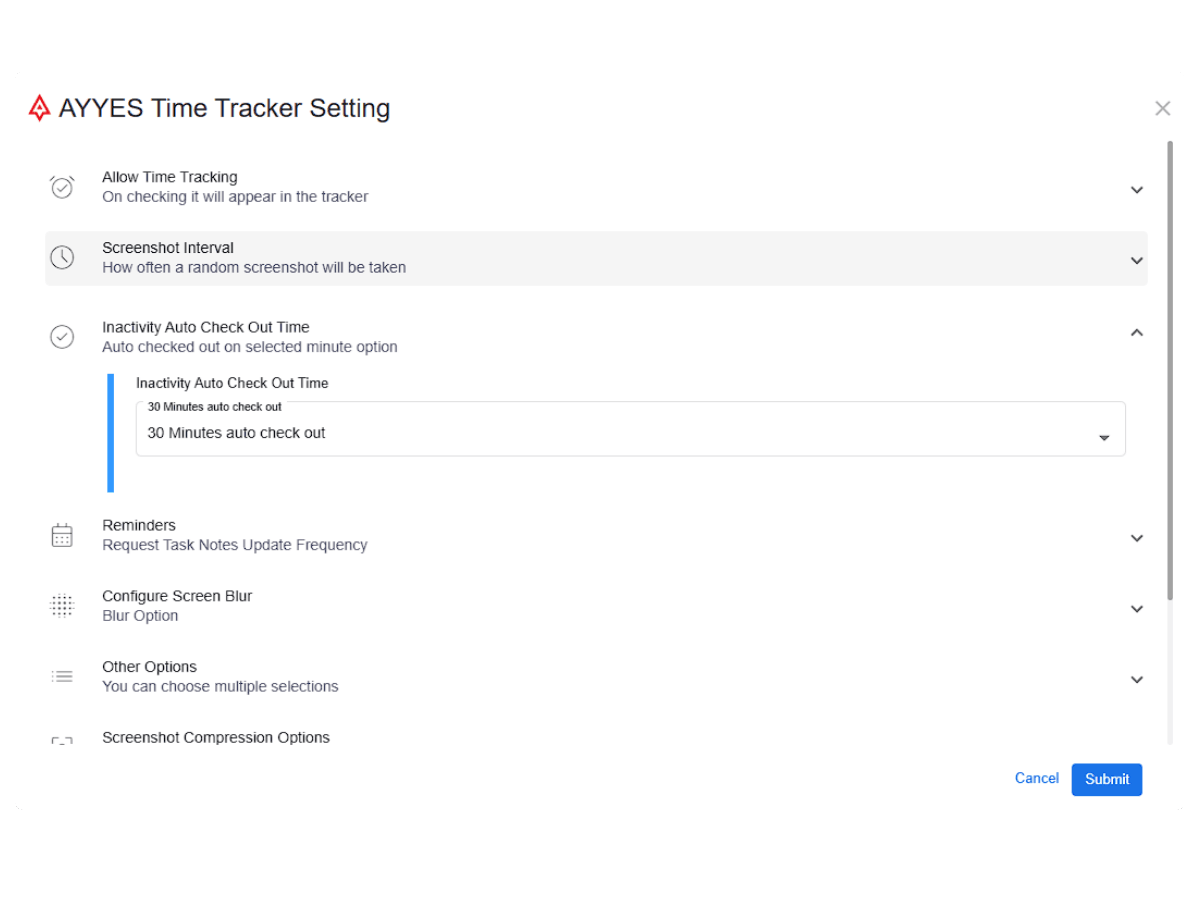
No more paying for idle time. If there is no keyboard or mouse activity, AYYES automatically stops the timer.
AYYES compiles your remote employee monitoring data into easy-to-read, shareable reports.
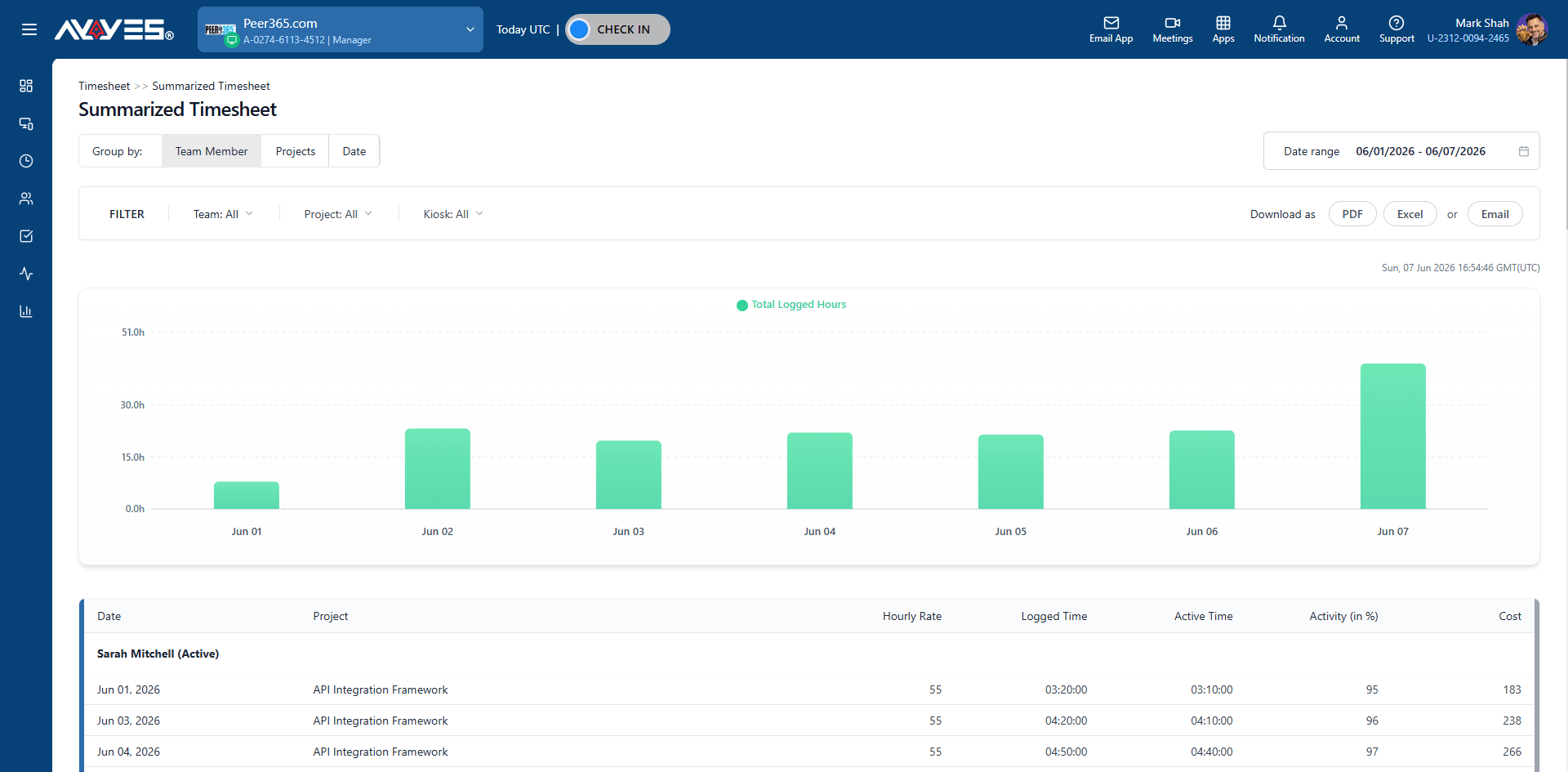
Track apps transparently without compromising employee privacy.
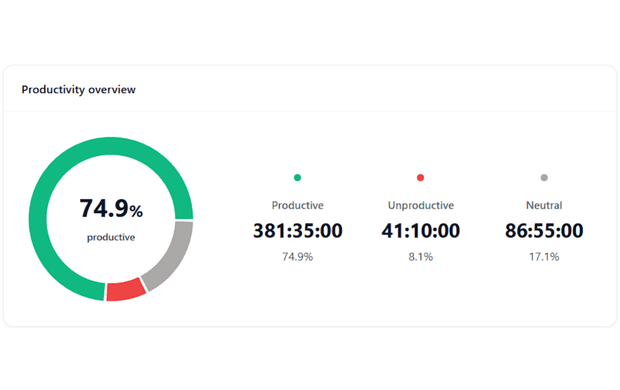
App tracking is designed to measure productivity, not spy on personal browsing.
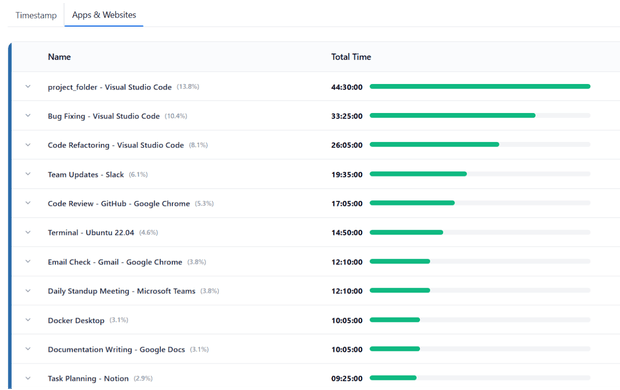
We do not record the text typed inside the app or the specific URLs visited.
Combines web and desktop sessions into one visual timeline.
Turn any device into a secure time clock. Team members check in with QR codes or PINs.
The central hub for all tracked hours from web, desktop, or kiosk. Easy review and approval.
What does AYYES app tracking show?
Exactly which applications and websites your team uses – the percentage of time spent in each app, plus timestamped chronological logs showing which app was in focus and when.
Can I filter app usage by project or team?
Yes. Filter app and website tracking by specific projects or teams, with automatic time tracking organized per project.
Does AYYES record keystrokes or the URLs people visit?
No. There is no keylogging – AYYES does not record text typed inside apps or the specific URLs visited. App tracking is designed to measure productivity, not to spy on personal browsing.
How is app tracking different from screen monitoring?
App tracking logs which applications were used and for how long; screen monitoring captures what was on the screen. Used together they give the complete picture of a work session.
Is app and website tracking included in the free plan?
Yes, App and website tracking is part of AYYES’s activity monitoring on both free and paid plans.
30 days free trial • No credit card required • Flexible plans
| Product Features | Solutions Timekeeping Productivity Analysis Reporting Project Management Team Management Industries |
| Competitor Comparison | Company Pricing About us Resources Download |

