AYYES for Freelancers
Time tracking app for freelancers
Get total visibility into client work, billable hours, and freelance earnings. Track every minute, prove work to clients, and maximize your freelance income with accurate timesheets.

Get total visibility into client work, billable hours, and freelance earnings. Track every minute, prove work to clients, and maximize your freelance income with accurate timesheets.
Core capabilities
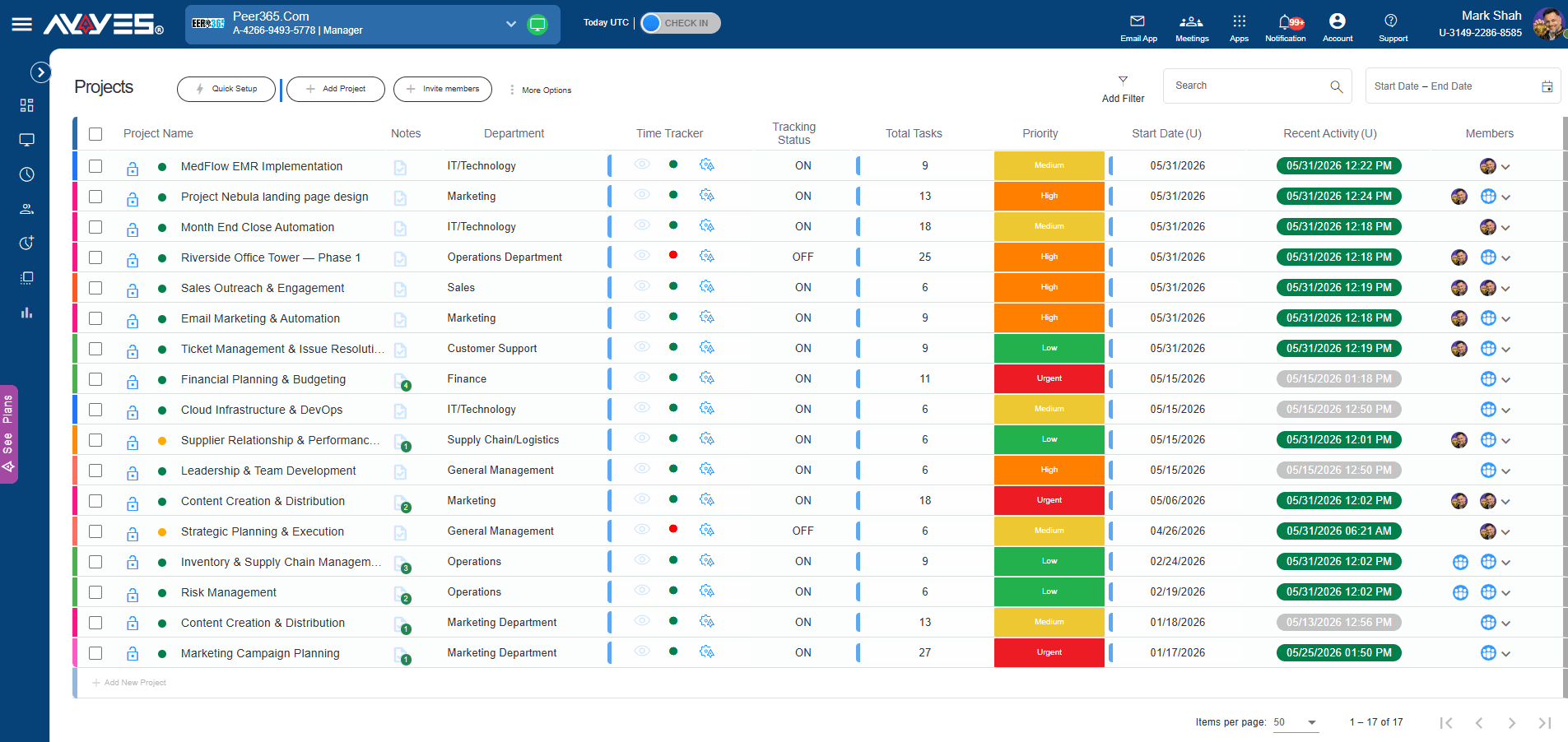
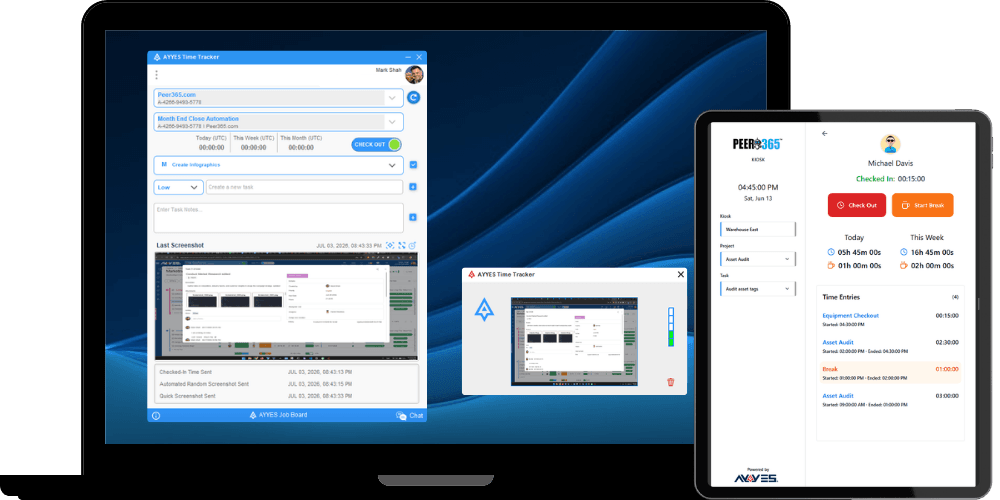
Track time automatically with the desktop app, use the web timer for quick start/stop, or add manual entries for client meetings and off-site work.
Freelancers juggle multiple clients and projects – not tasks. AYYES lets you track time by client and project with different billable rates per engagement. See exactly where your time goes and which clients are most profitable
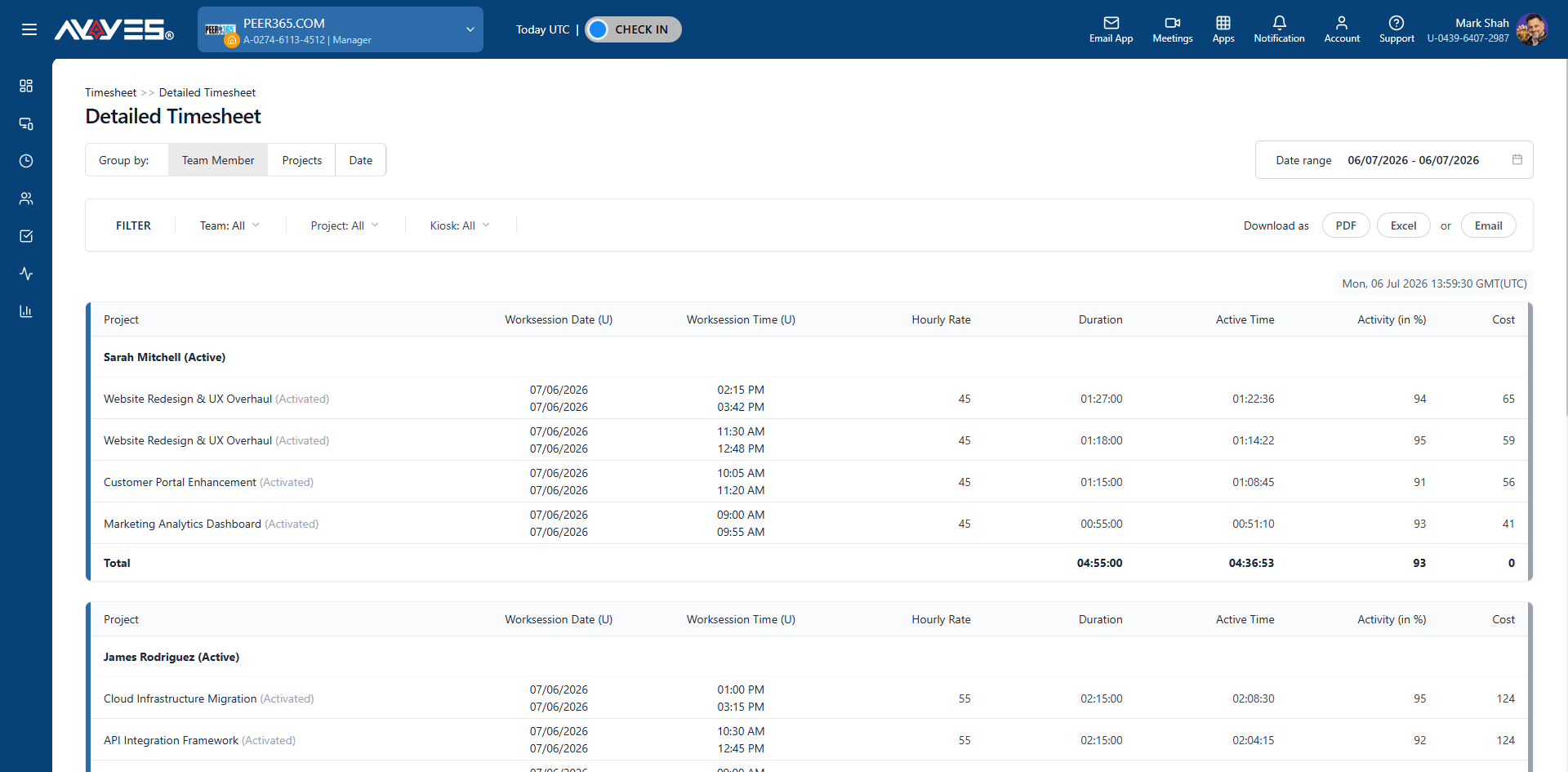
Tracked hours flow directly into automated timesheets and invoicing. No retyping. No reconciliation.
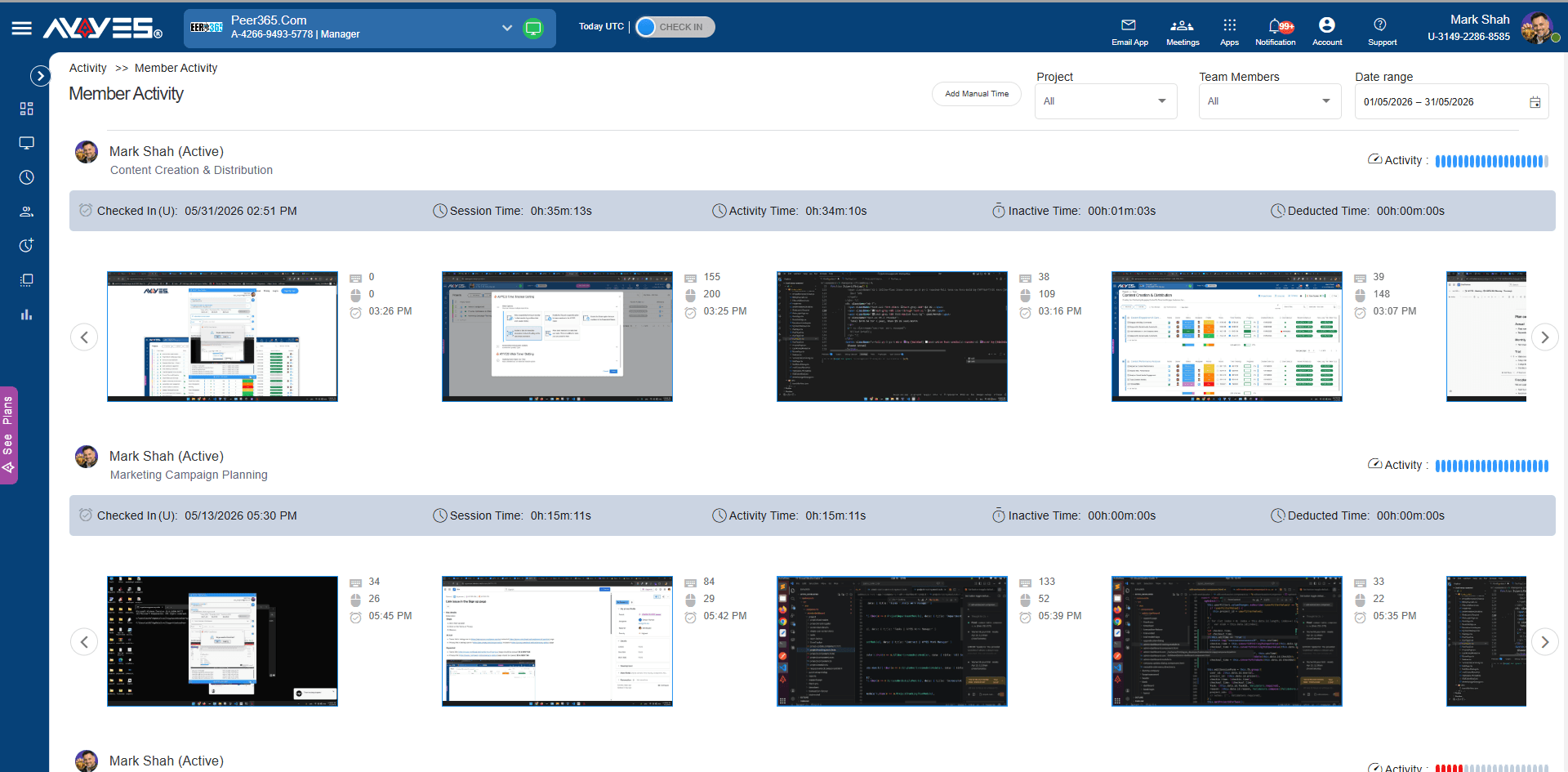
Automated screenshots, app and website tracking, and activity monitoring give you verifiable proof of work. Share transparent reports with clients to build trust and justify your billing – no invasive surveillance required.
Flexible for any team
AYYES adapts to how you work — whether you’re tracking client hours, managing projects, or planning your freelance business.
Track writing hours, research time, and revision cycles per client project.
Log coding sessions, bug fixes, and feature development across multiple clients.
Monitor design sprints, client revisions, and creative production time.
Track client engagements, research time, and advisory work with proof of work.
Log shooting time, editing sessions, and client delivery across projects.
Track admin tasks, email management, and client support hours per client.
Monitor campaign work, content creation, and client reporting time.
Track translation projects, revision time, and terminology research per client.
Log coaching sessions, prep time, and client communication hours.
Step by step
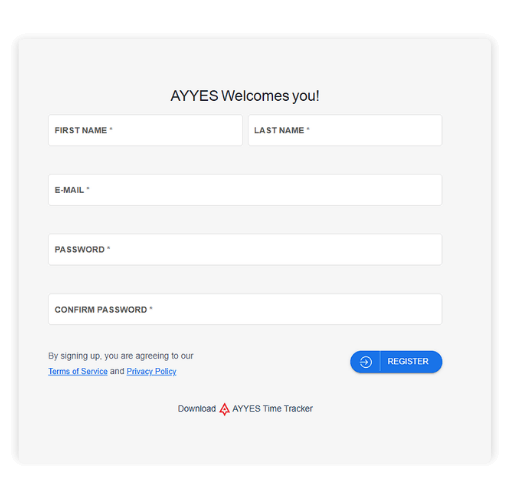
Sign up for free and set up your workspace account in minutes.
Use pre-built templates for common freelance workflows, or build custom project structures organized by client.
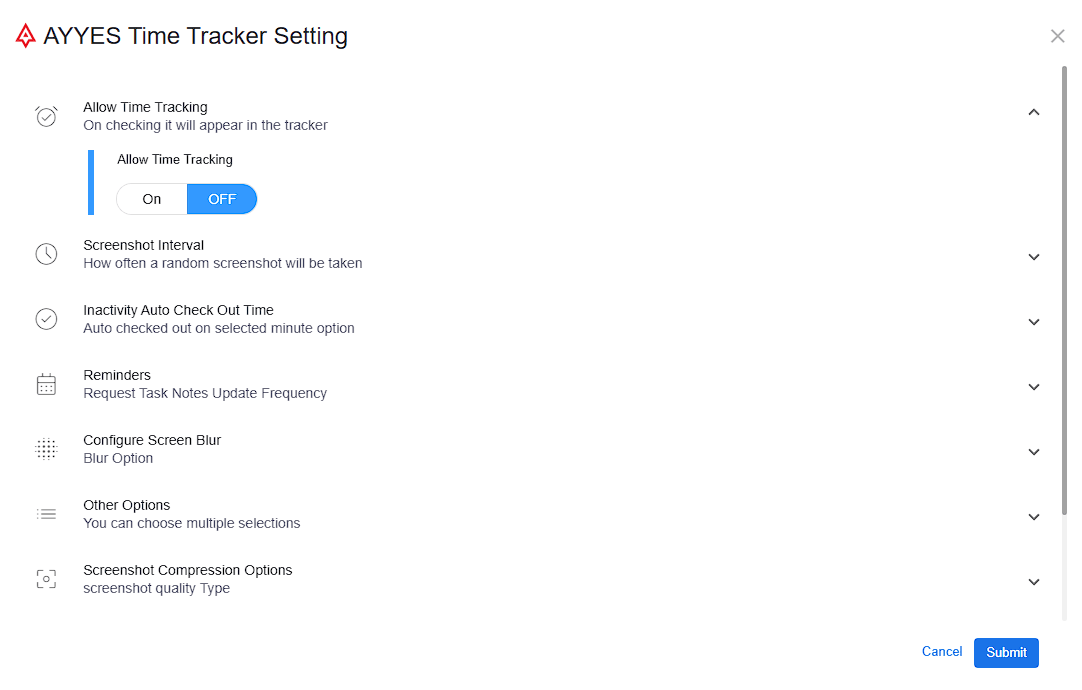
Choose how you track time – the desktop app, the web timer, or manual entries for meetings and off-site work.
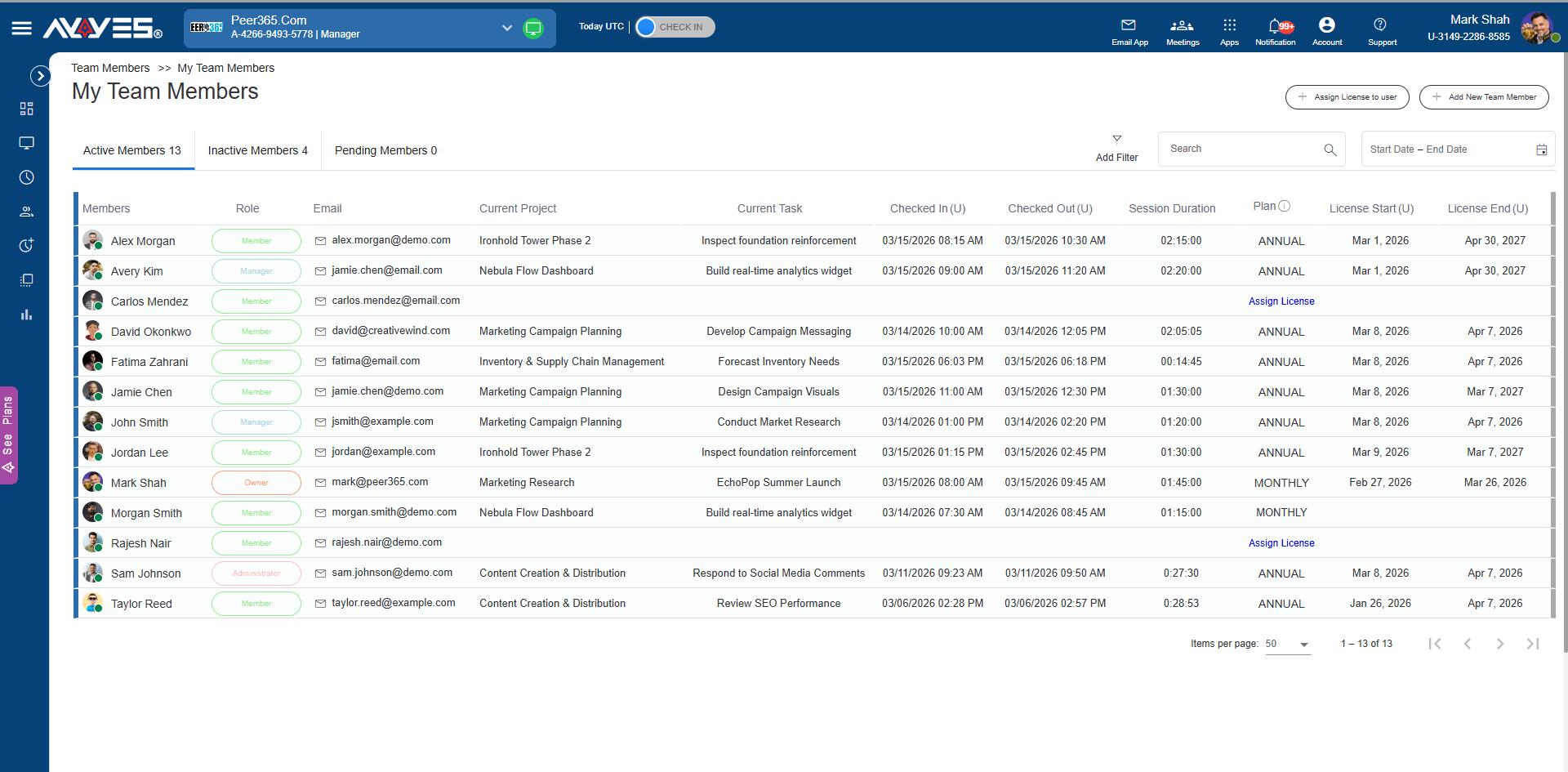
Invite a subcontractor or virtual assistant and keep everyone on the same client projects. The free plan covers up to 12 seats.
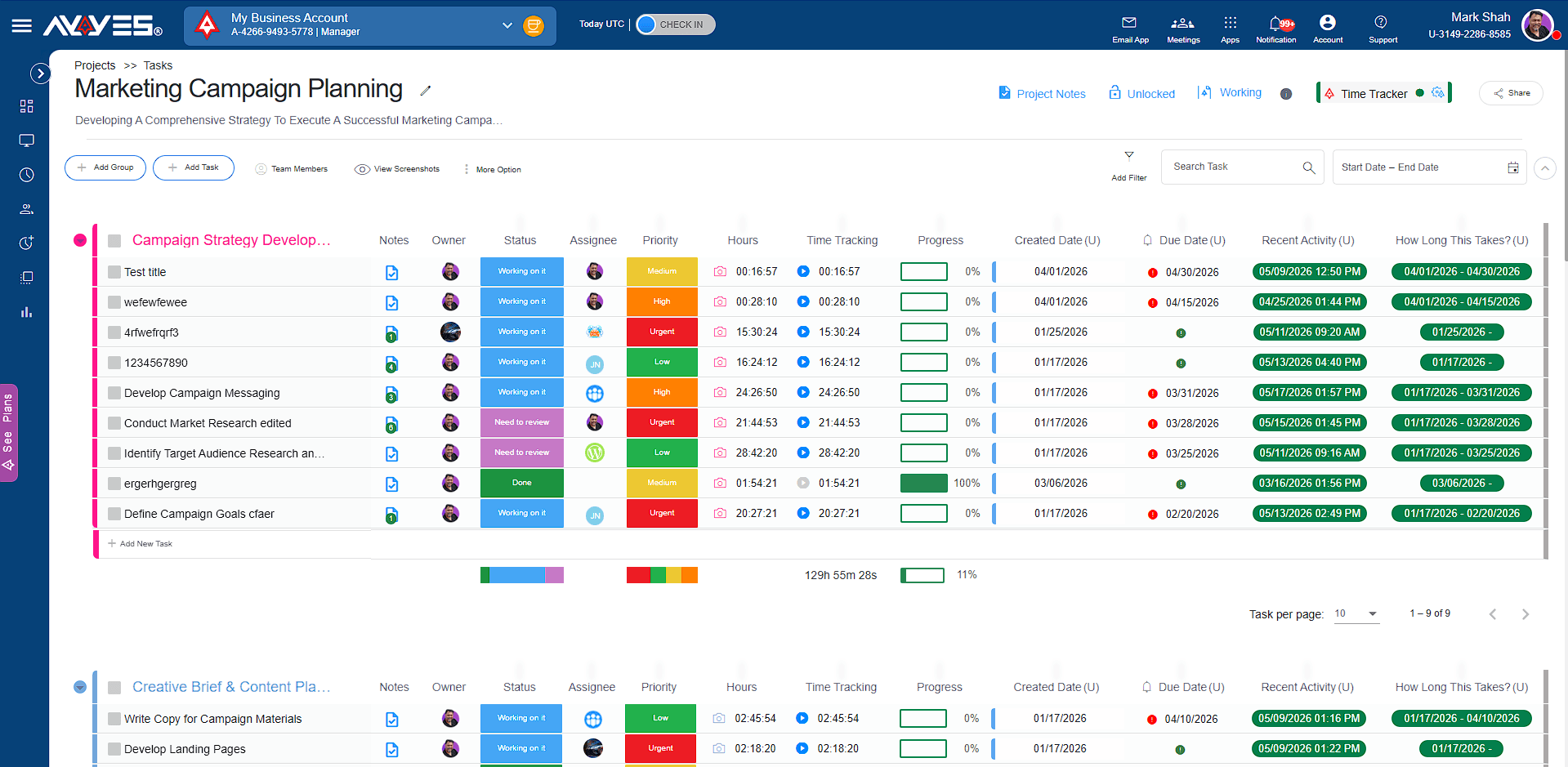
Watch each client project move forward with visual progress indicators, and keep your billable hours on track.
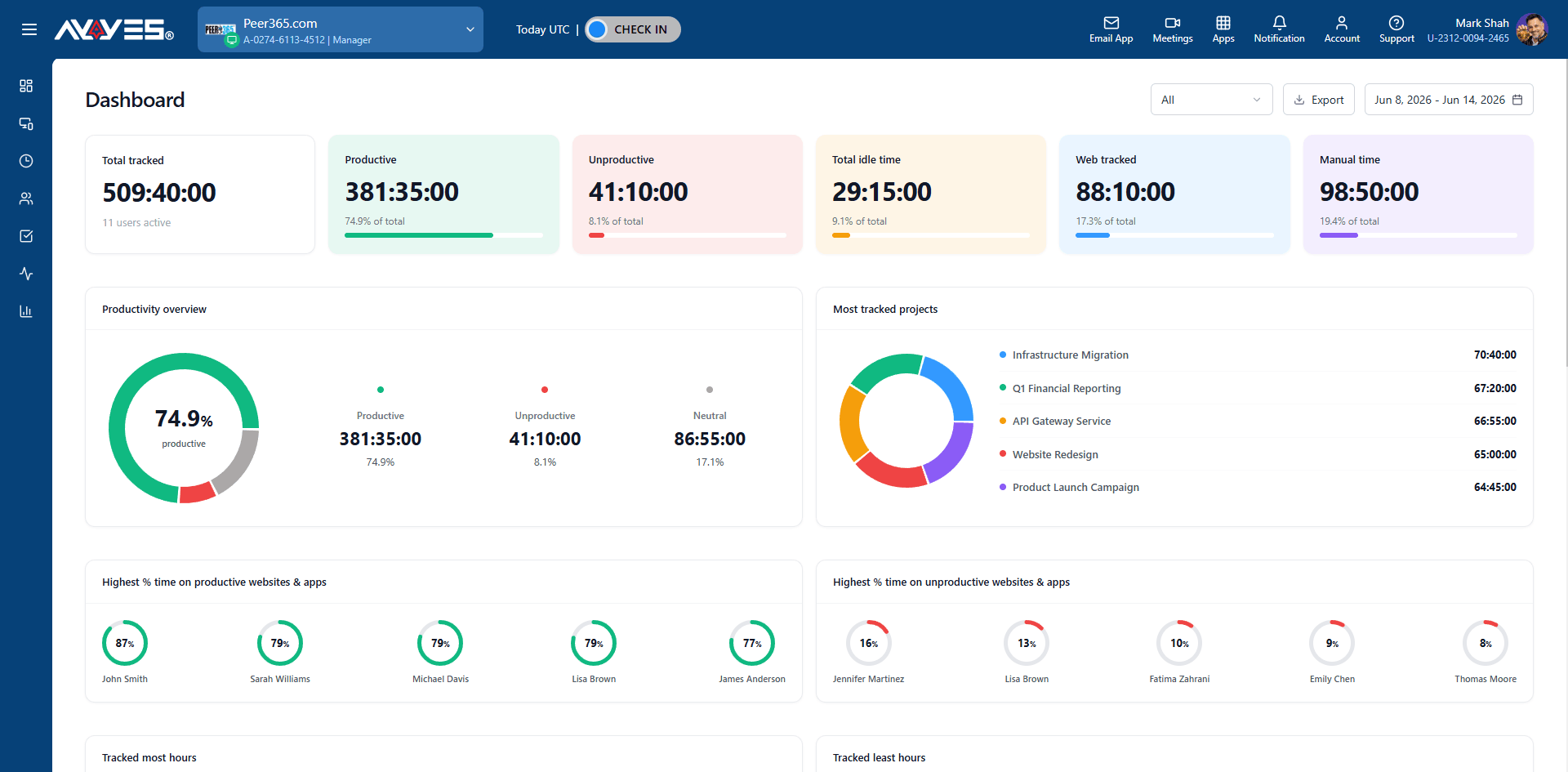
Pull detailed timesheets and summary reports filtered by client or project for transparent billing.
Features
Create client projects, organize tasks, set priorities, and track progress.
Desktop app, web timer, or manual entry – track time however you work.
Automated screenshots, app tracking, and activity levels for undisputable client proof.
KPI cards, pie charts, and ranked lists showing your productivity and where your hours go.
Detailed and summarized views with cost calculation, filtering, and PDF export.
Automated email reports, export options, and real-time productivity metrics.
Invite subcontractors, manage roles, and track session history per client project.
See which apps and websites you use during billable time – design tools, IDEs, research, docs, and more.
Jump-start projects with pre-built templates for common freelance workflows – design sprints, dev cycles, consulting engagements.
30 days free trial • No credit card required • Flexible plans
What is freelancer time tracking software?
Freelancer time tracking software helps independent professionals record the time they spend working on clients, projects, and tasks. AYYES helps freelancers track billable hours, manage client projects, create timesheets, monitor work activity, and use tracked time for transparent billing.
How does AYYES time tracking work for freelancers?
AYYES gives freelancers several ways to record their work time, including a desktop time tracking app, web timer, and manual time entries. Tracked hours can be organized by client and project and automatically reflected in timesheets.
Can freelancers track time by client?
Yes. AYYES allows freelancers to organize and track working hours by client and project. This makes it easier to see exactly how much time is being spent on each client engagement and determine which projects are most profitable.
Can I track billable hours with AYYES?
Yes. AYYES is designed to help freelancers capture billable hours accurately. You can track time against specific client projects and use the resulting timesheets and reports to support transparent billing.
Can I use AYYES to track multiple clients?
Yes. AYYES allows freelancers to create and manage multiple client projects and track time separately for each engagement. This is useful for freelancers who work with several clients simultaneously.
Can I track time for different projects for the same client?
Yes. You can organize work by client and project, allowing you to keep separate time records for different engagements, assignments, or ongoing projects.
| Product Features | Solutions Timekeeping Productivity Analysis Reporting Project Management Team Management Industries |
| Competitor Comparison | Company Pricing About us Resources Download |

