Time Tracking
Track hours, manage projects, and monitor team activity – seamlessly integrated into one platform.

Track hours, manage projects, and monitor team activity – seamlessly integrated into one platform.
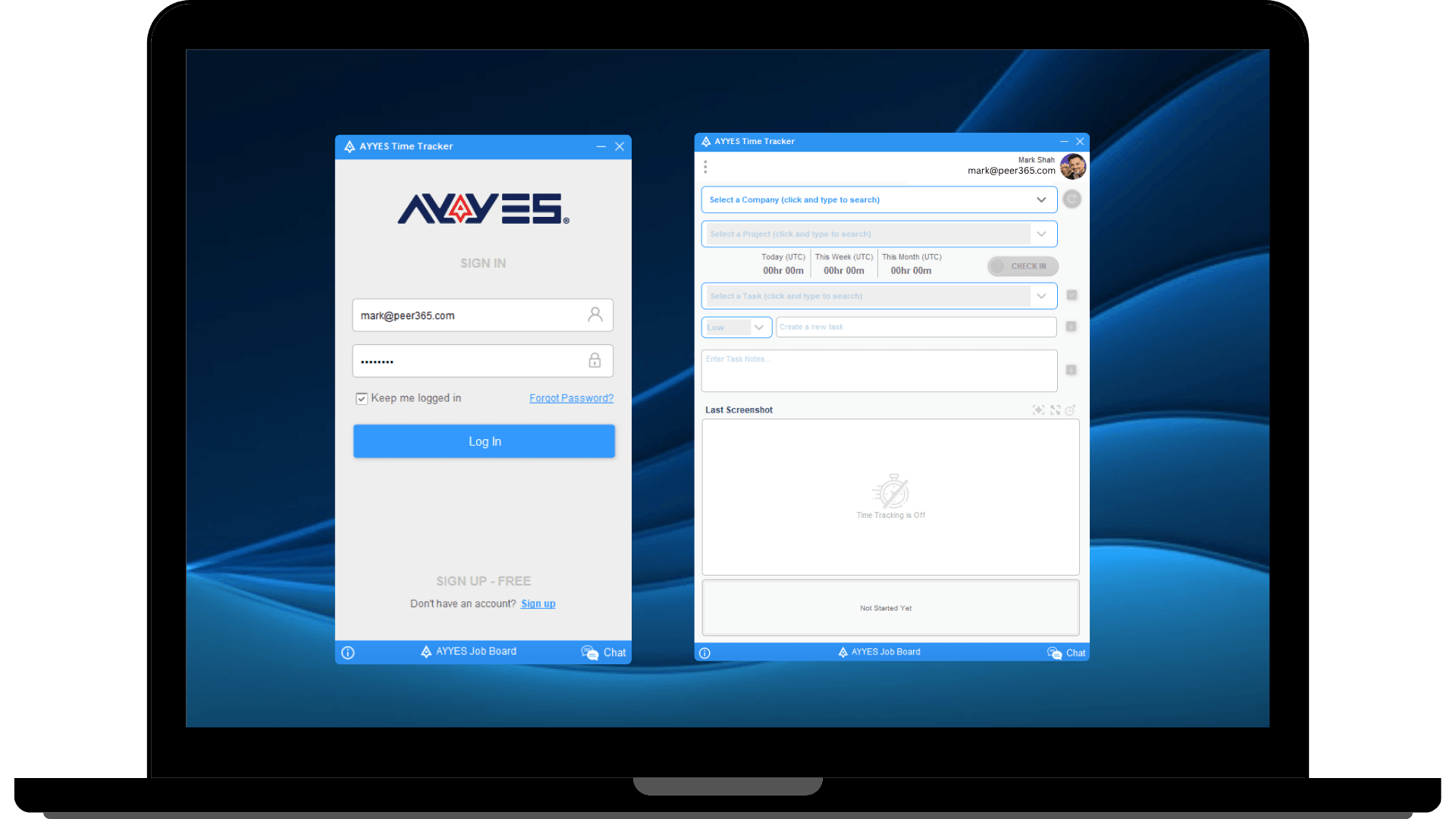
 Access directly from your browser.Perfect for quick time entry. No installation required – just click and start.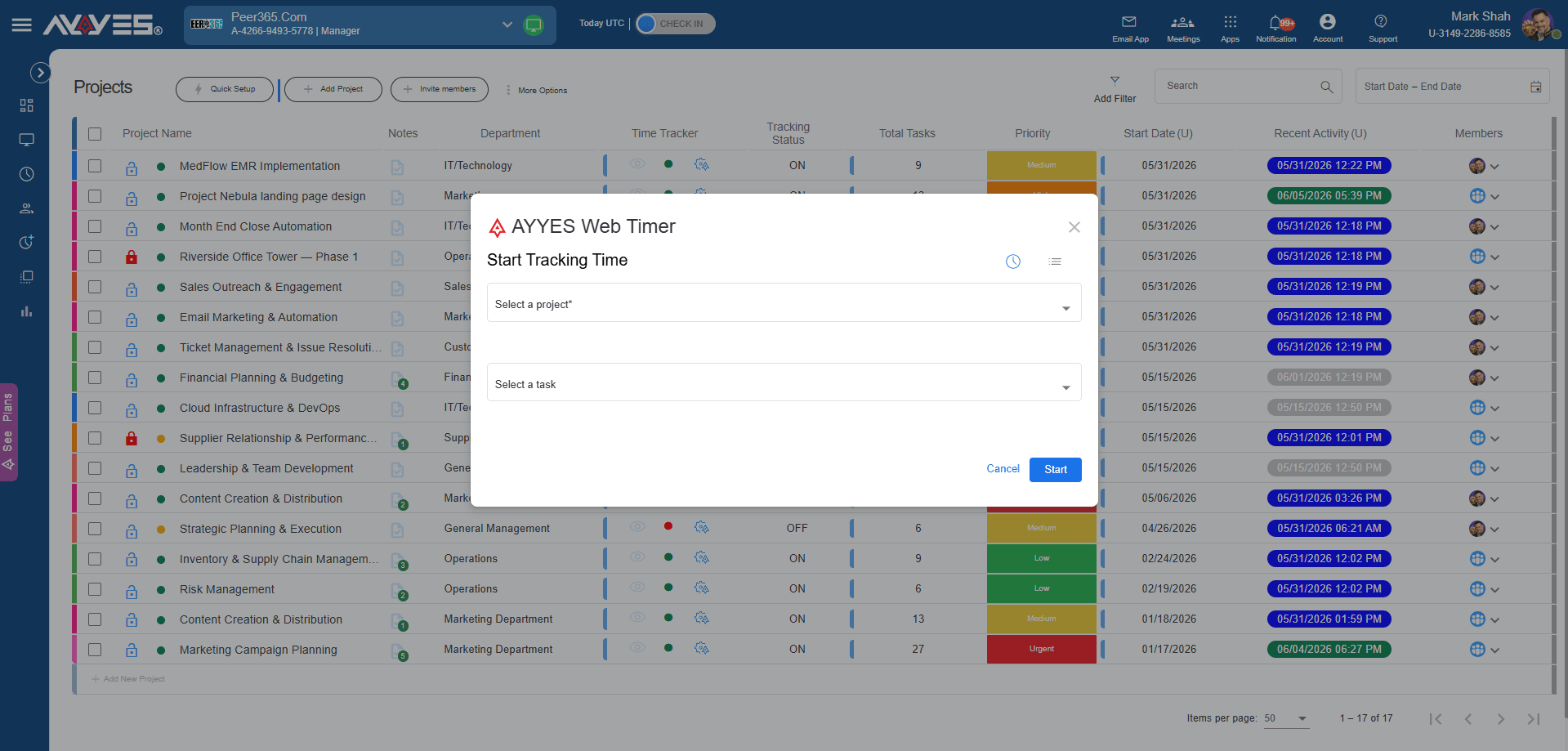
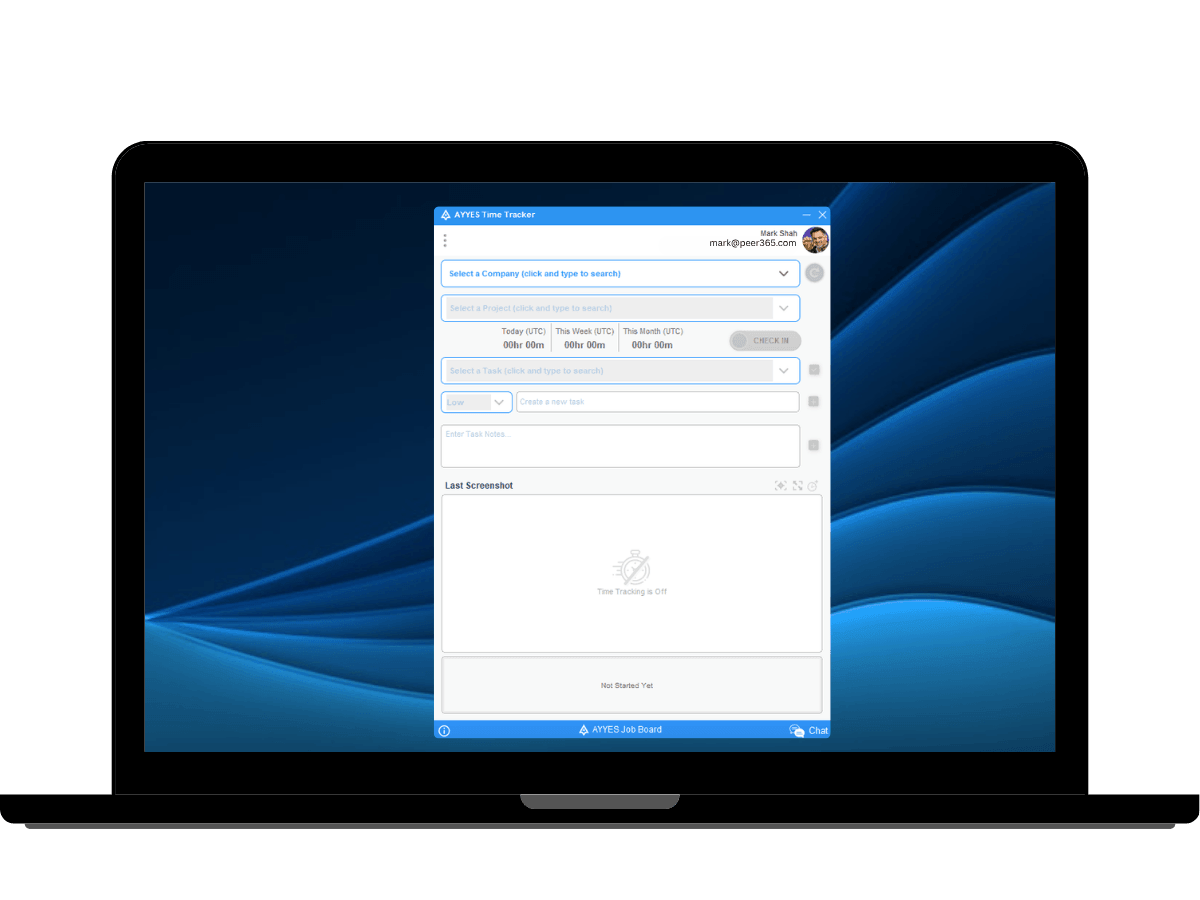 Runs in the background while your team works.automated screenshots, app usage tracking.Task notes, reminder, idle detection. Turn any device into a physical time clock kiosk for on-site teams.Employees clock in securely using QR codes or PINs.Break time logging.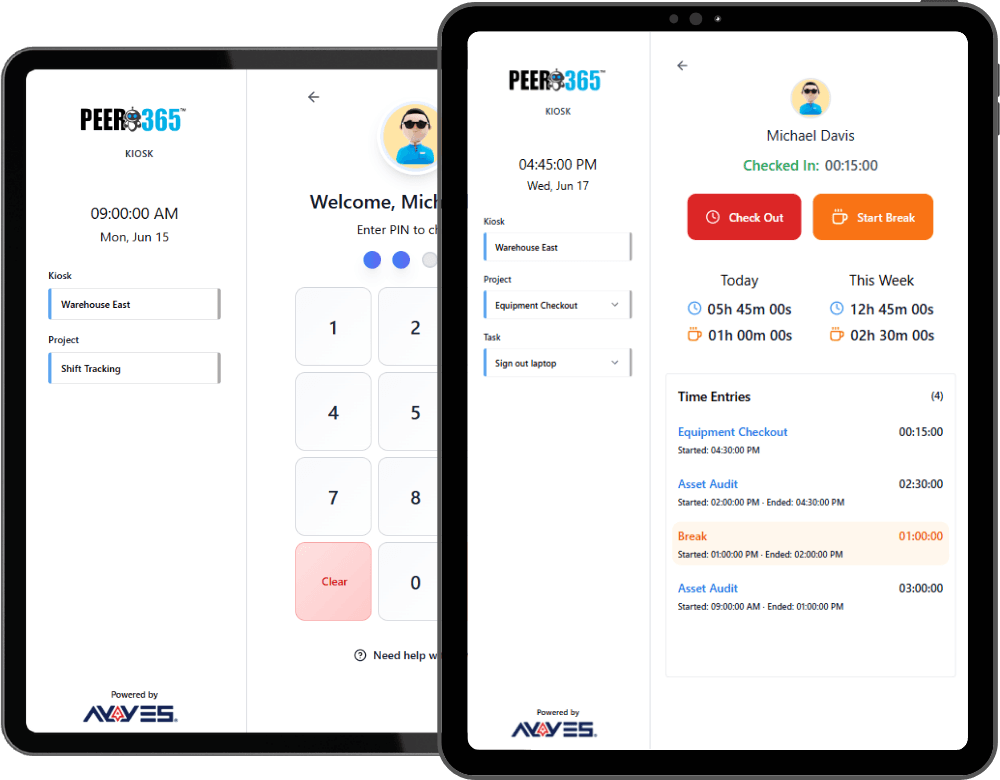
We combine time tracking software with powerful project management tools so you can keep your work and your time logs in one place.
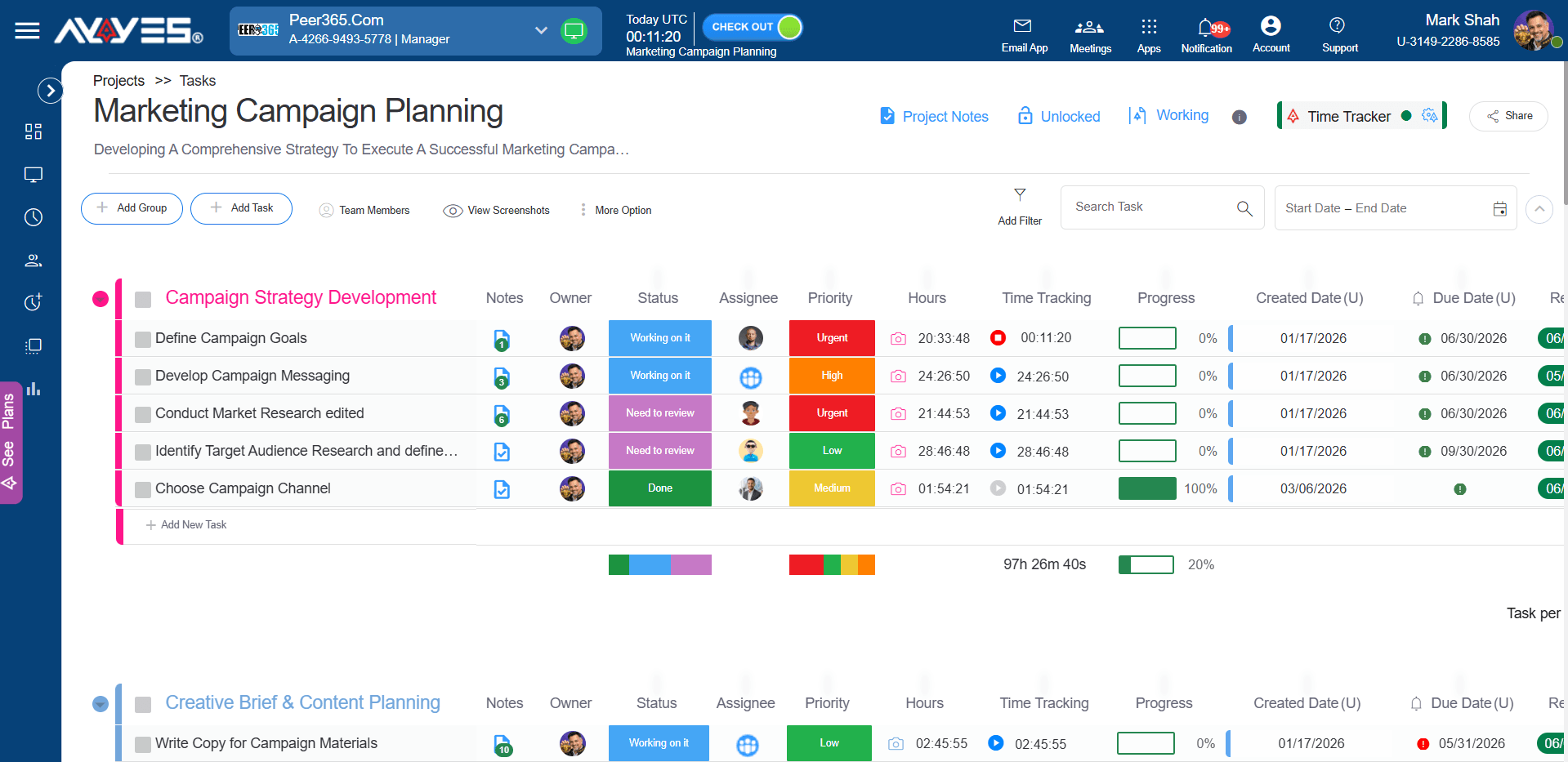
Assign precise roles ( Admin, Manager) to control who can view timesheets, manage projects, or change billing settings.
Keep client data separate. Create up to 3 free workspaces per email, or upgrade for unlimited workspaces.
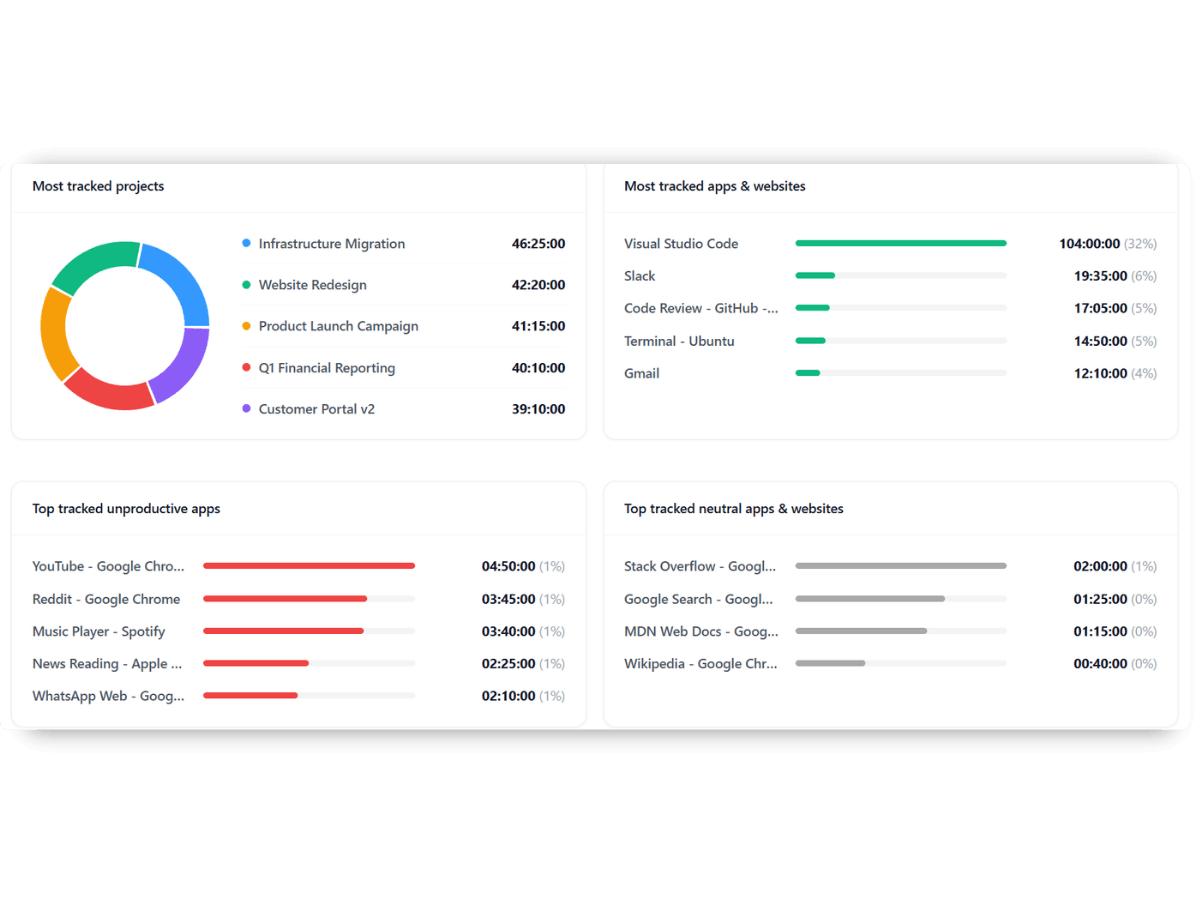
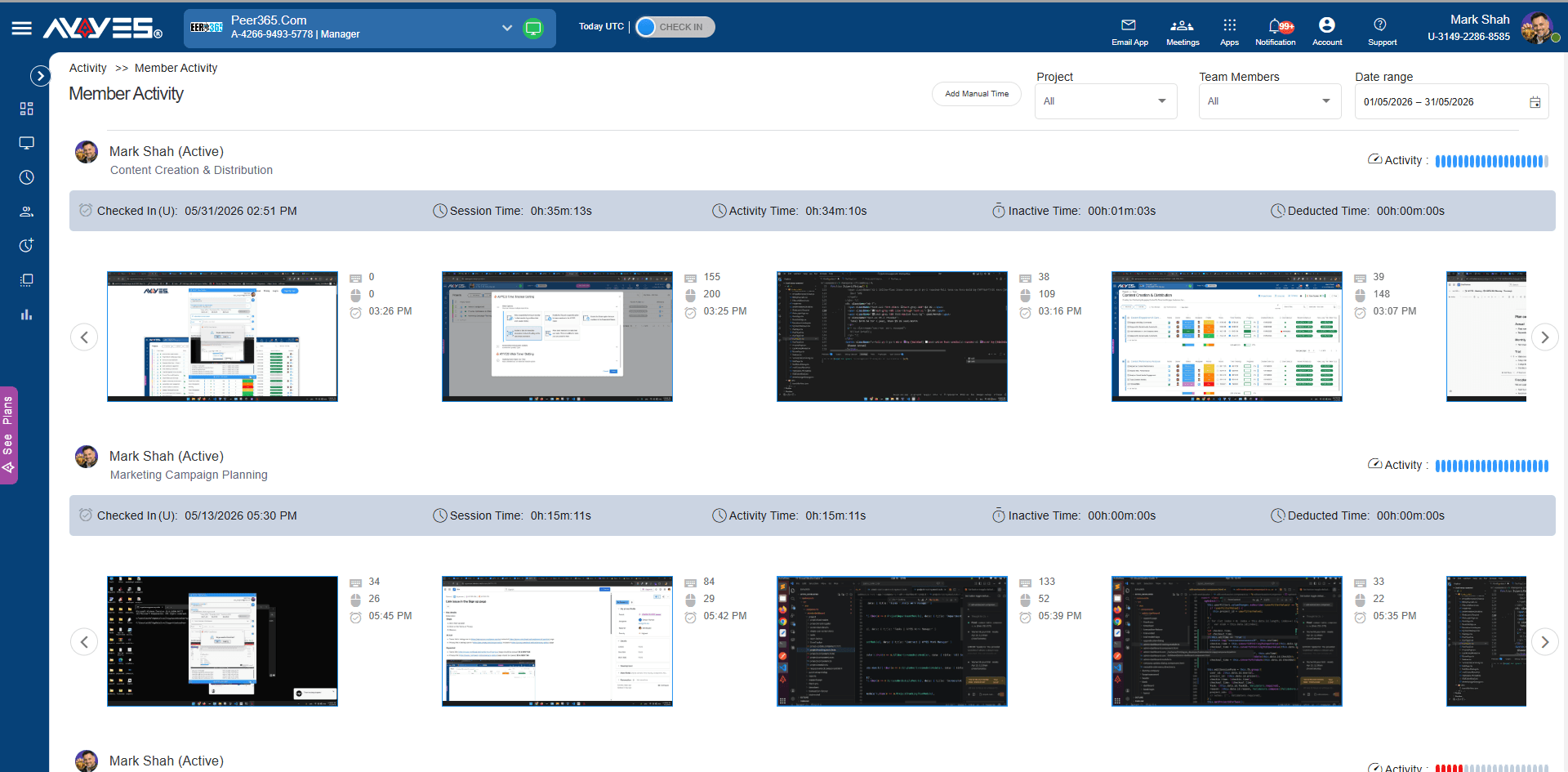
See exactly how time was spent with breakdowns of active apps, keyboard activity, and mouse movement.
Keep stakeholders in the loop with automated timesheet and activity reports sent directly to their inbox daily or weekly.
AYYES time tracking software automatically compiles every second tracked into beautiful, shareable team timesheets.
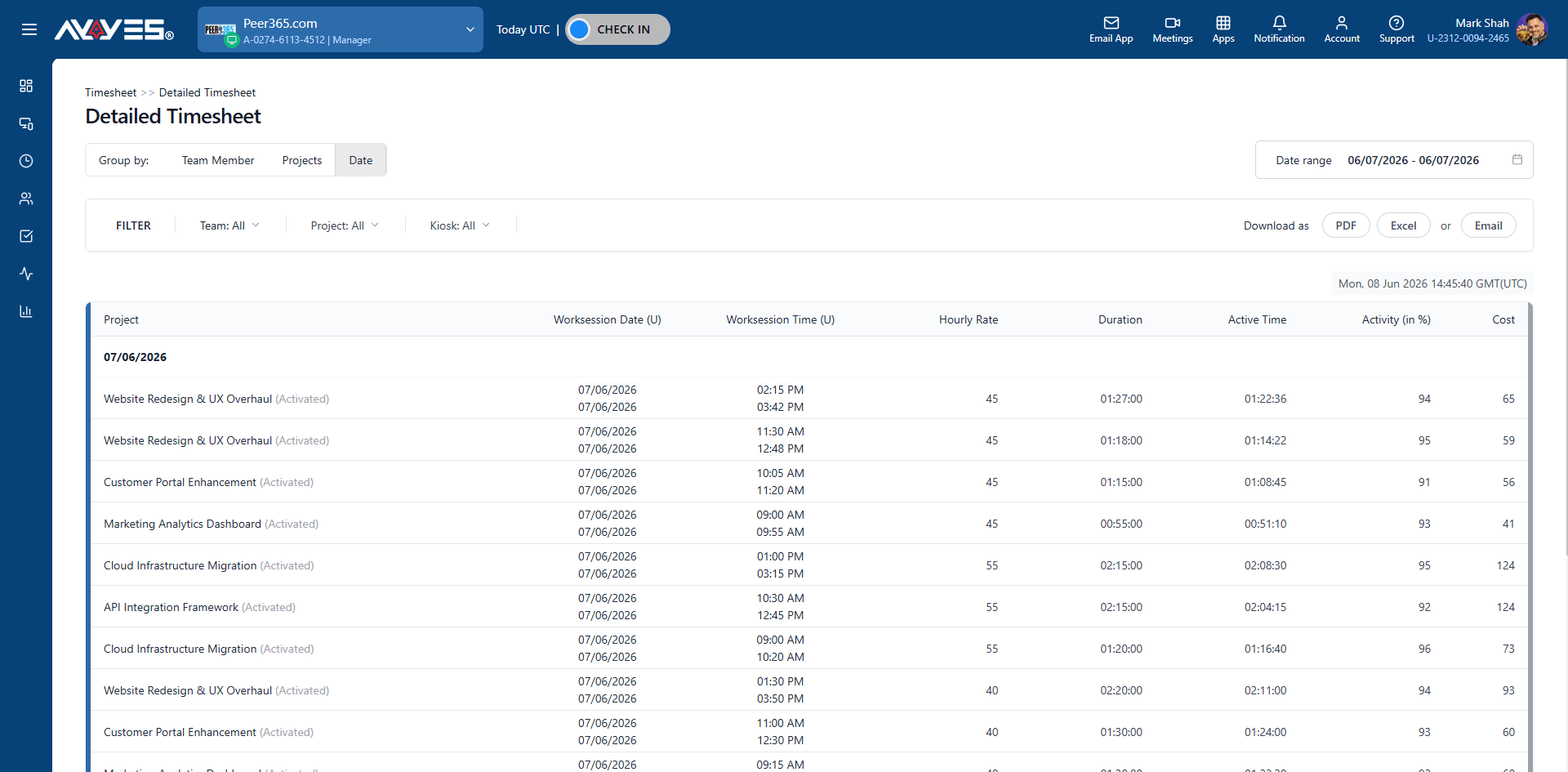
AYYES time tracking software makes onboarding your team frictionless.
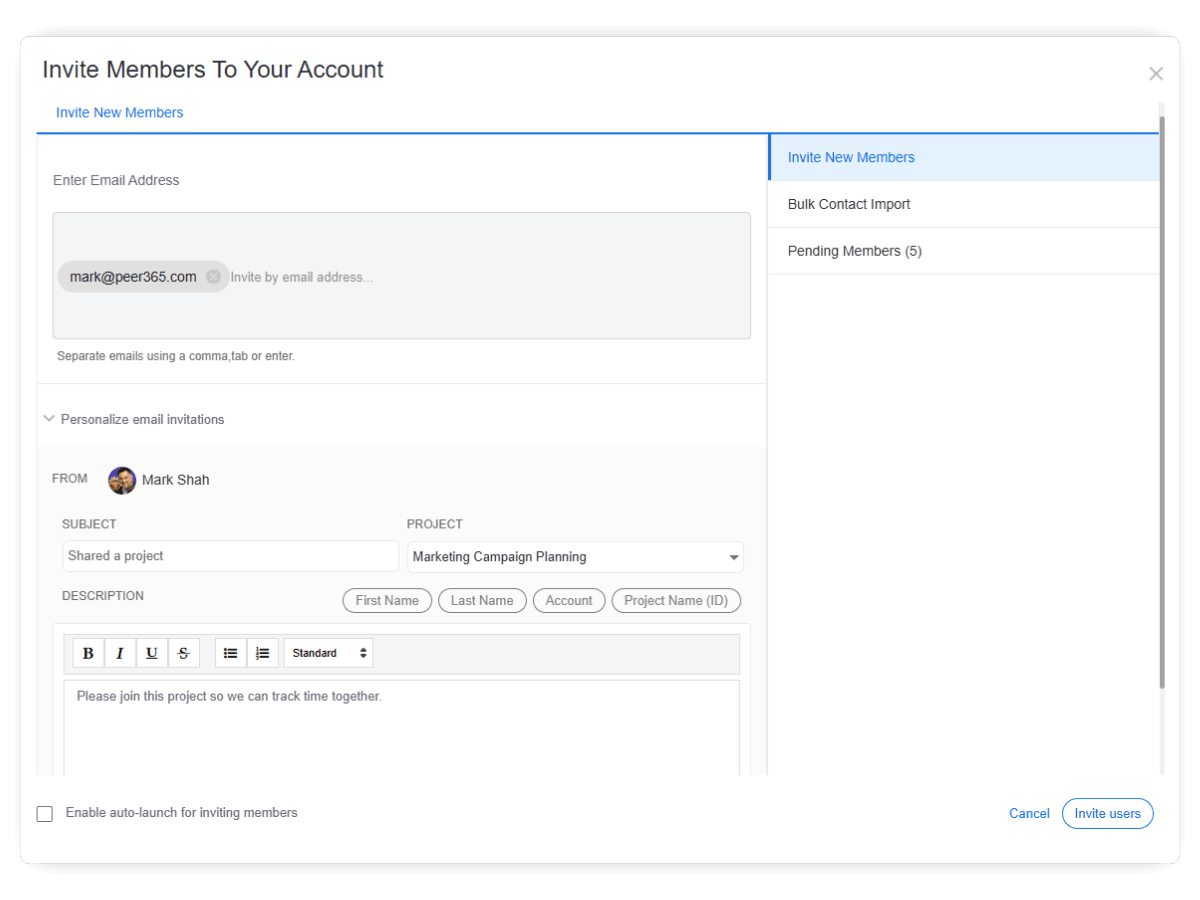
Manual hour logs mean typos and guesswork. Switch to AYYES time tracking software with audit-ready reports in seconds.
View the screenshots and session logs for web-tracked time along with your desktop-tracked time.
Turn any device into a secure time clock. Team members check in with QR codes or PINs.
The central hub for all tracked hours from web, desktop, or kiosk. Easy review and approval.
Shows exactly which applications your team uses during working sessions.
Captures proof of work for your employee monitoring software.
Combines web and desktop sessions into one visual timeline.
Automatically stops your session when no mouse or keyboard activity is detected.
What is time tracking software?
Time tracking software helps businesses and teams record the time employees spend working on projects, tasks, and activities. AYYES combines time tracking with timesheets, project management, task management, team activity monitoring, reporting, and billing tools in one platform.
How does AYYES time tracking software work?
AYYES provides multiple ways to track working hours. Employees can use the online web timer, desktop time tracker, or time clock kiosk. Tracked sessions are automatically organized into timesheets, allowing managers to review hours, monitor project progress, and generate reports.
Can I track employee work hours with AYYES?
Yes. AYYES allows businesses to track employee work hours, attendance, breaks, and time spent on projects and tasks. Managers can review timesheets and activity information to better understand workloads and team performance.
Does AYYES offer an online time tracker?
Yes. The AYYES online time tracker works directly in a web browser, so users can start and stop a timer without installing software. Time tracking sessions are synchronized online and can be viewed through the AYYES Work Manager platform.
Does AYYES have a desktop time tracking app?
Yes. AYYES offers a desktop time tracker that can run in the background while employees work. Depending on the configuration, it can track applications, websites, activity levels, screenshots, and idle time.
Can employees manually enter their working hours?
Yes. AYYES supports manual time entries for situations where an employee forgets to start the timer or needs to add previously completed work hours. Manual entries can be associated with specific projects and tasks.
30 days free trial • No credit card required • Flexible plans
| Product Features | Solutions Timekeeping Productivity Analysis Reporting Project Management Team Management Industries |
| Competitor Comparison | Company Pricing About us Resources Download |

