Employee Activity Reports
AYYES activity reports automatically categorize time into productive, unproductive, or idle to track work output.

AYYES activity reports automatically categorize time into productive, unproductive, or idle to track work output.
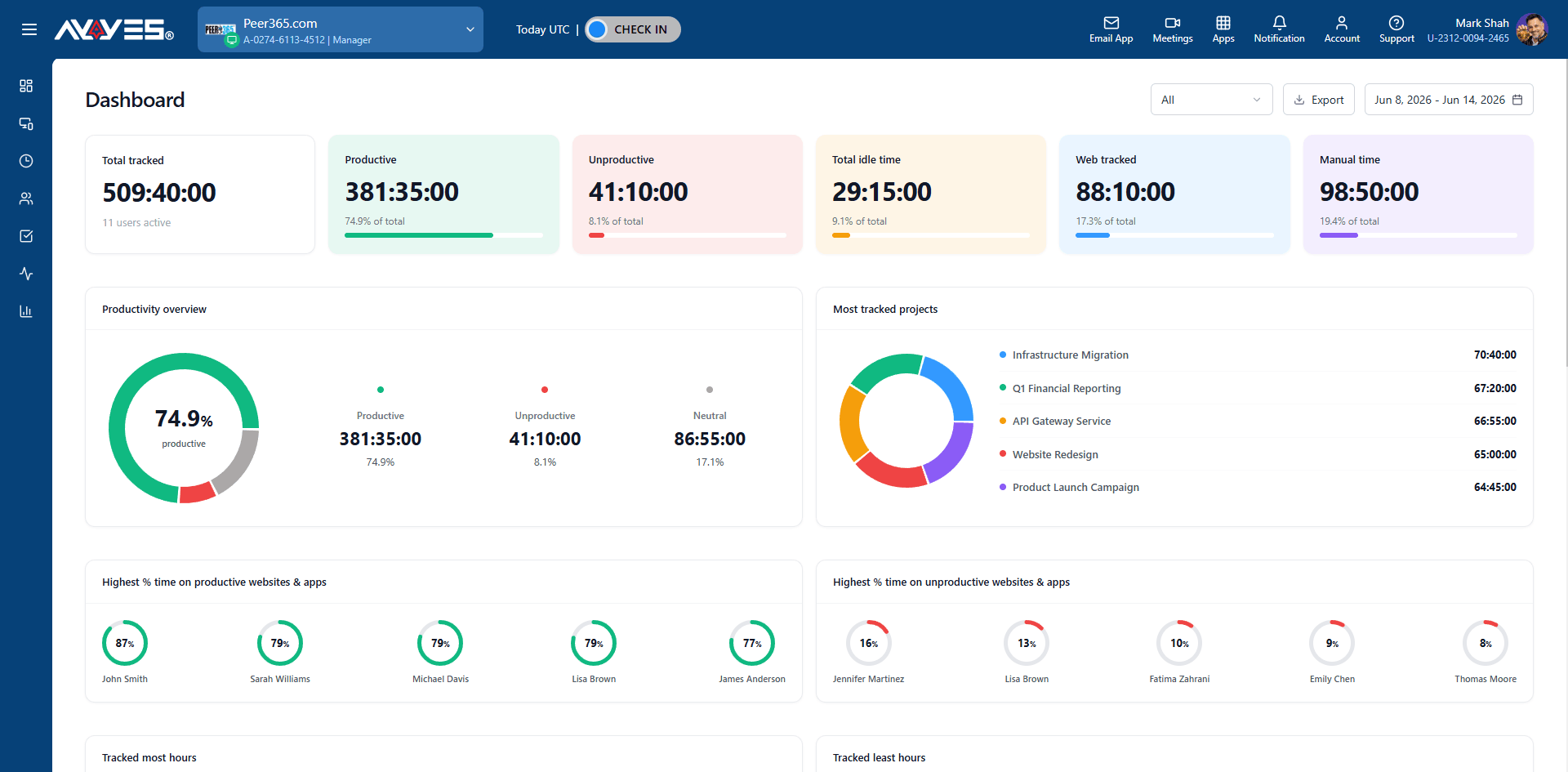
 Automatically sorts tracked app usage into Productive, Unproductive, or Idle time.See exact percentages of where focus is actually being spent.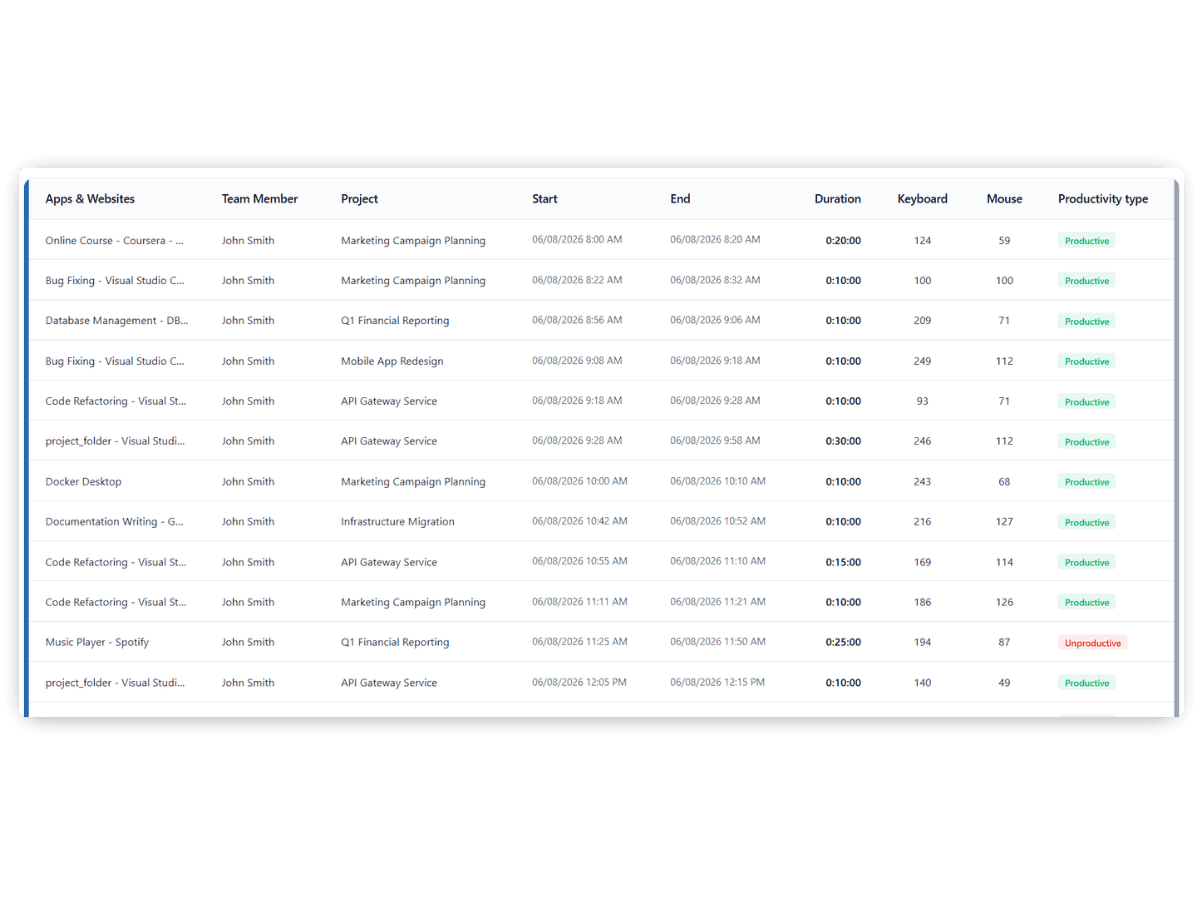
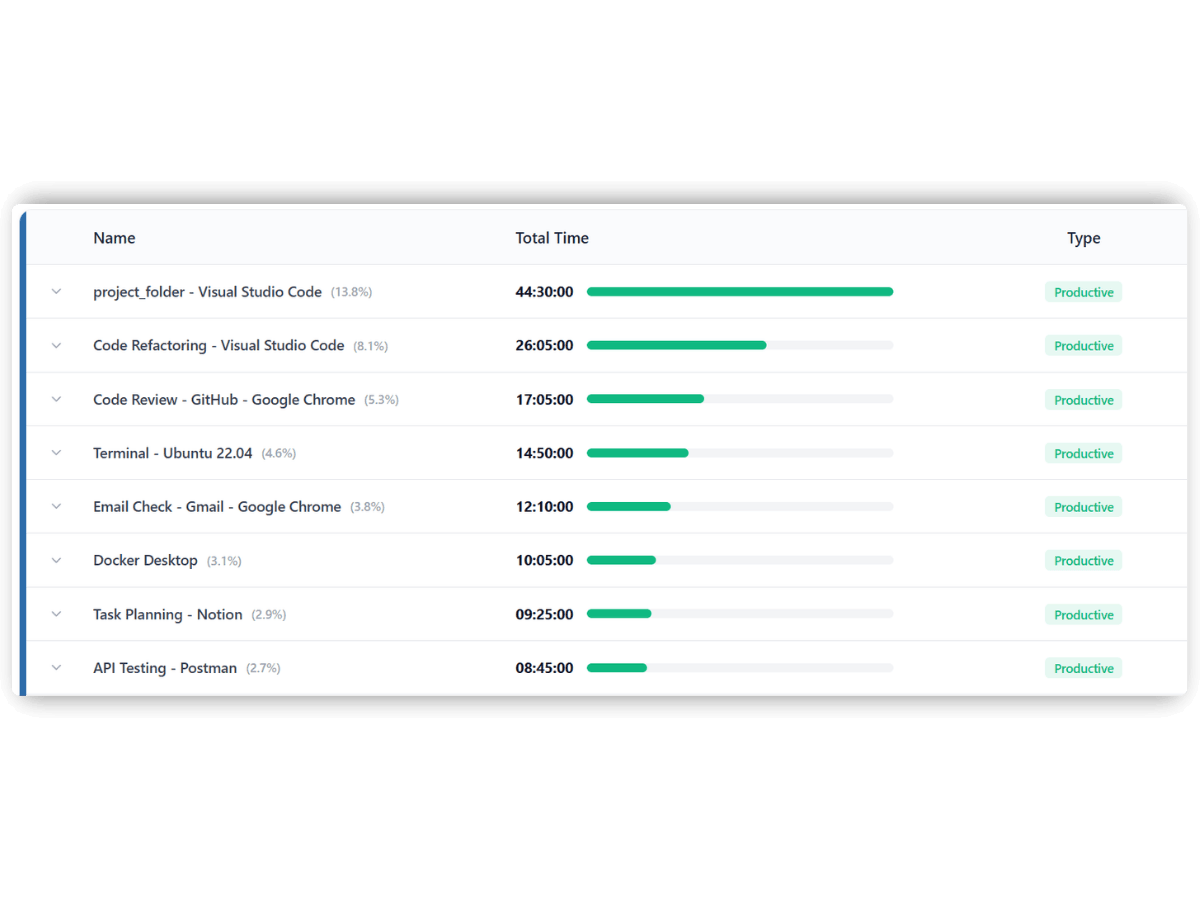 View detailed logs of every application and website accessed during a session. Know exactly which tools are driving results and which are distractions.
AYYES groups screenshots by work session, giving managers a chronological, verifiable log of exactly how time was spent on every task.
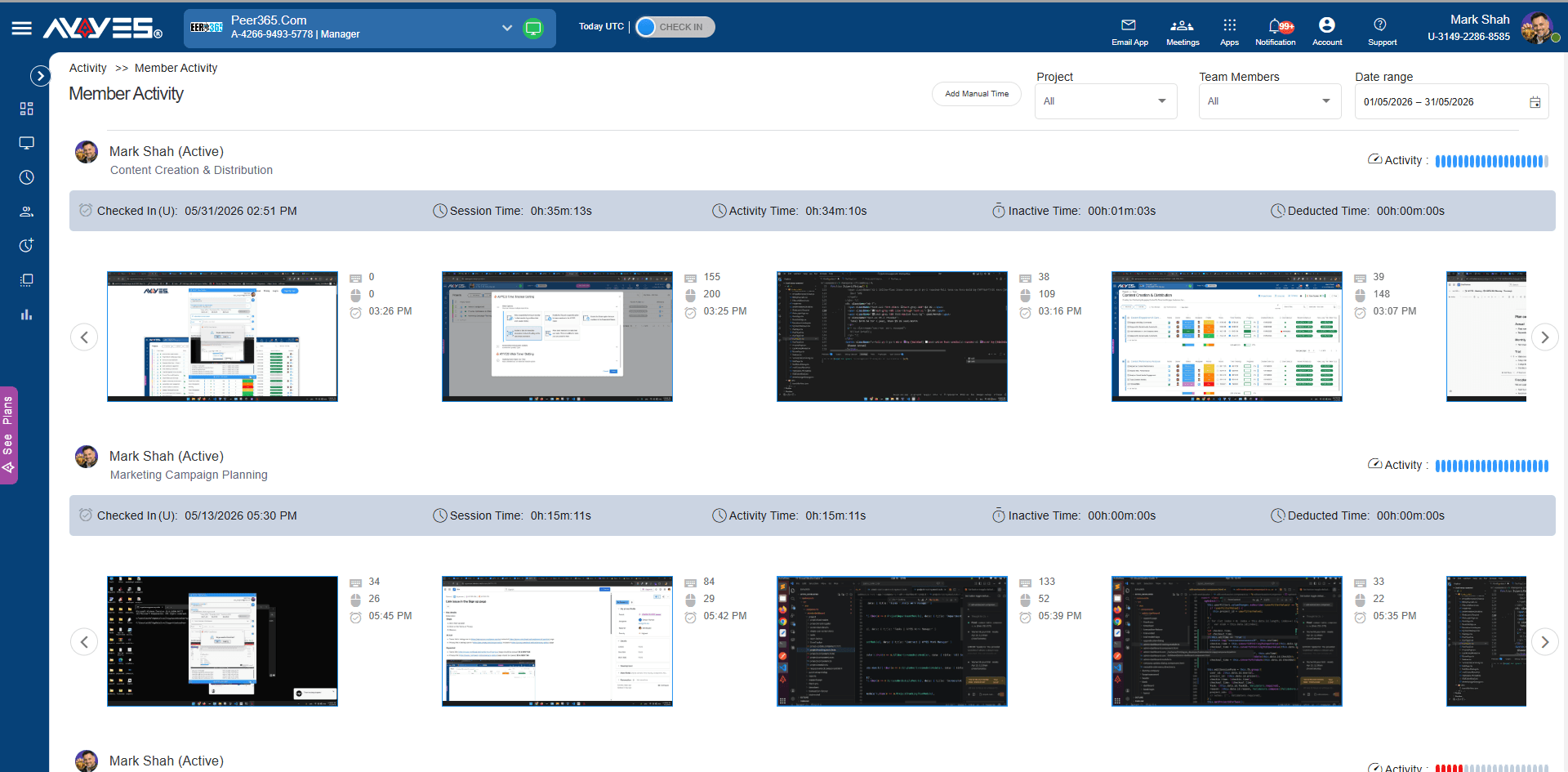
Team Activity provides a chronological timeline of a team member’s sessions, combining employee monitoring software data with session metrics to cultivate a highly effective, accountable team.
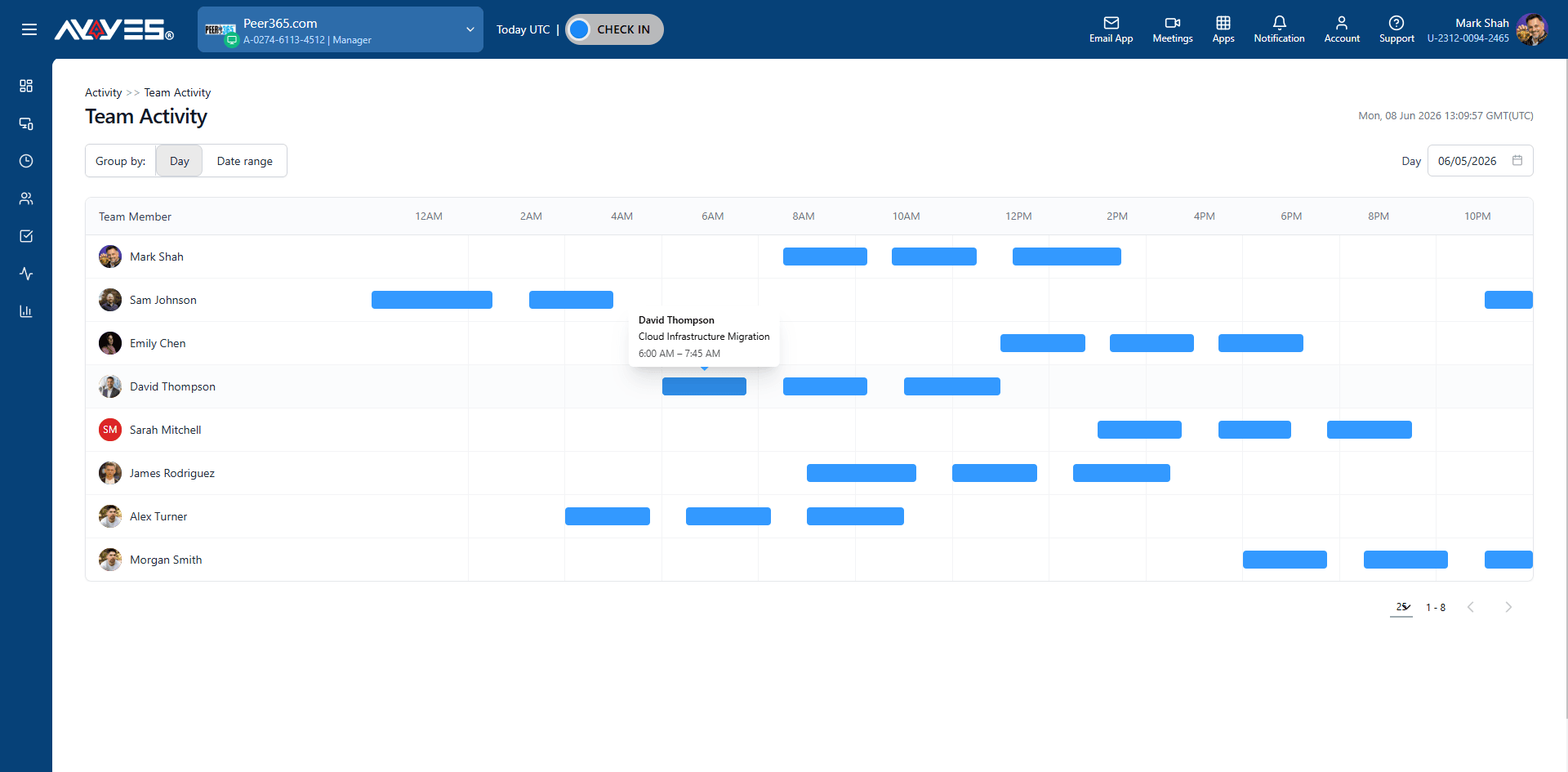
Get a high-level percentage breakdown of Total Time, Productive Time, Unproductive Time, and Idle Time. Instantly spot if a team member is having a highly focused day or a distracted one.
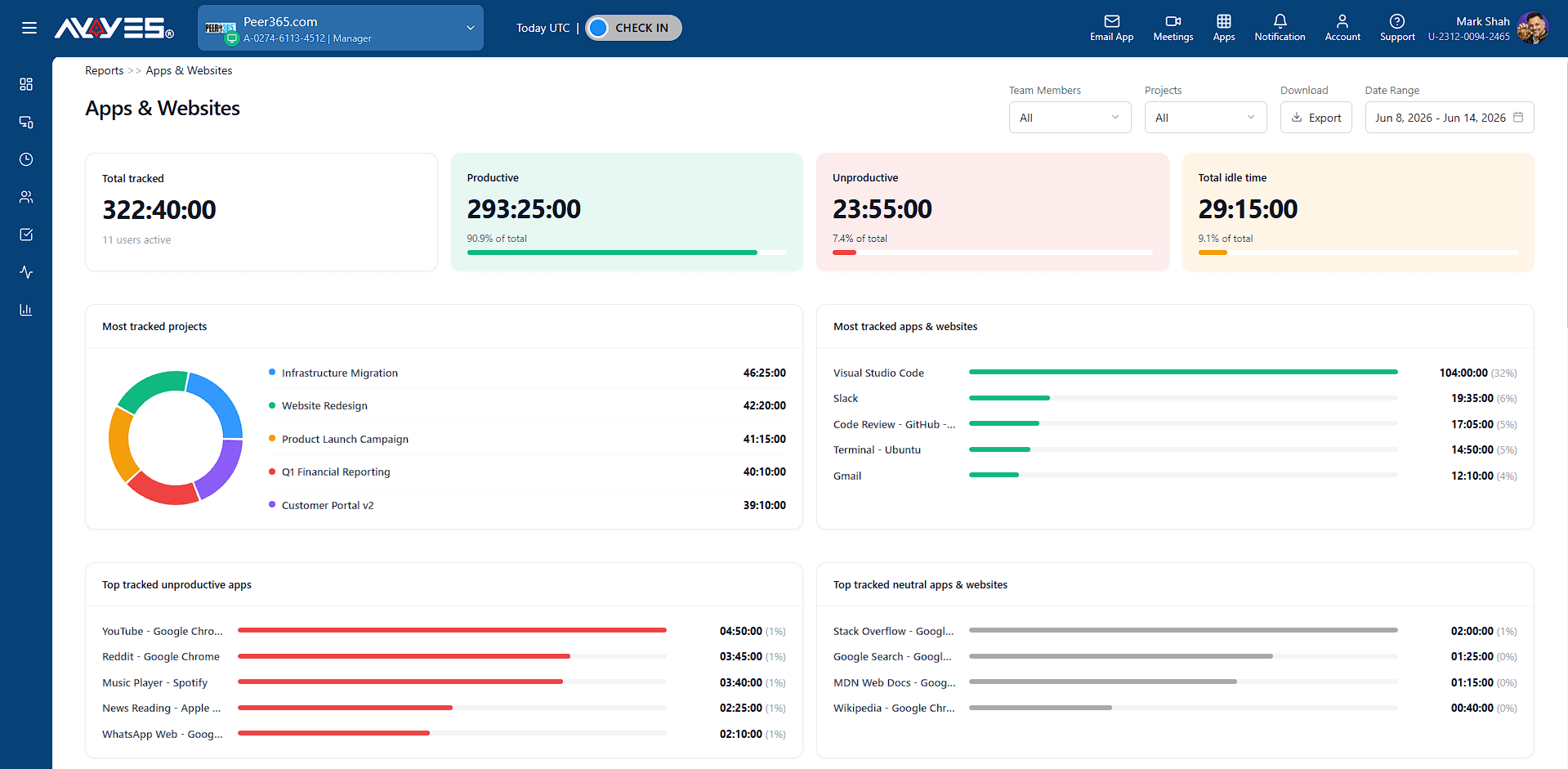
View detailed session analytics including duration, active time, and activity percentage for every work session.
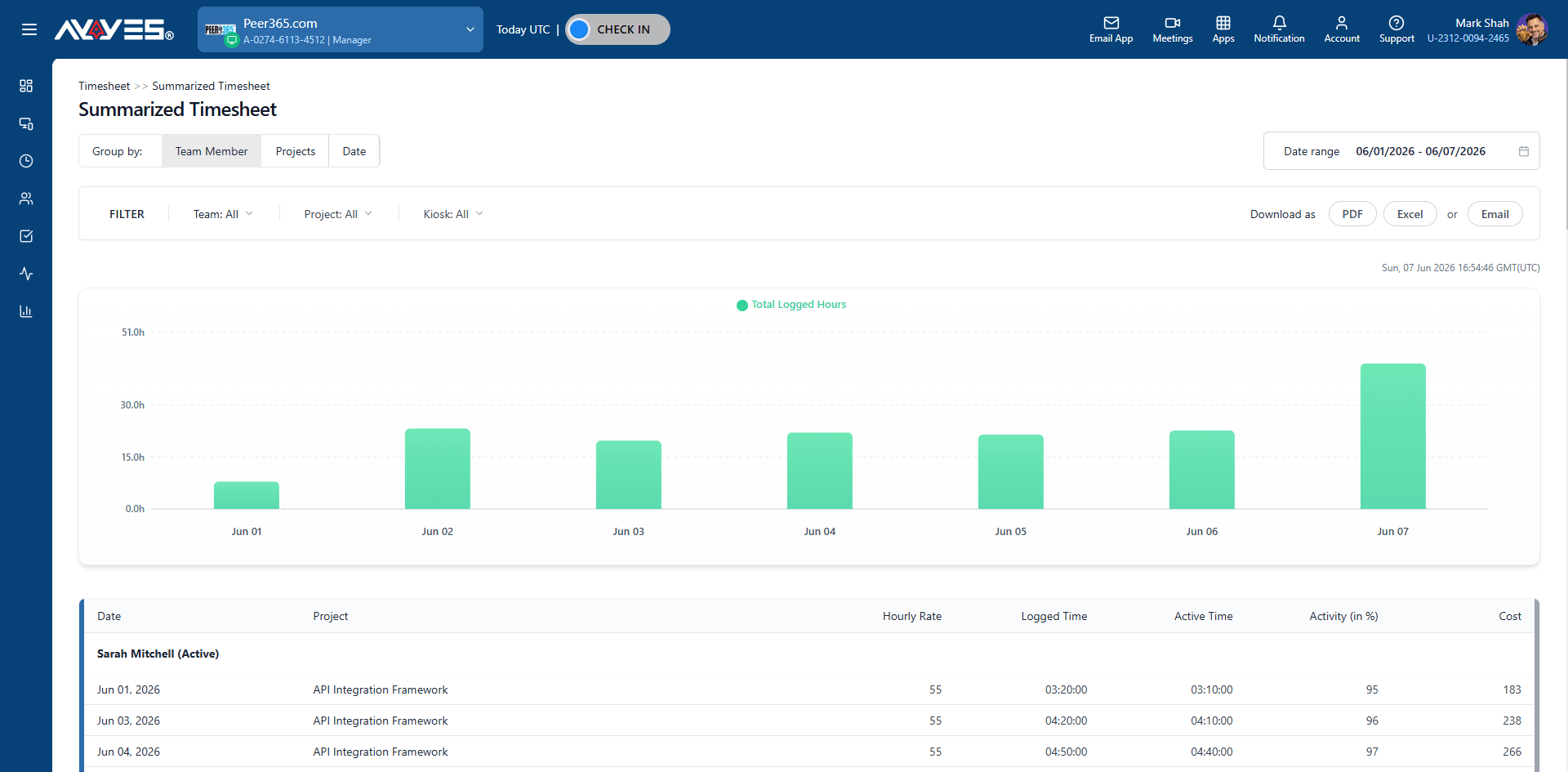
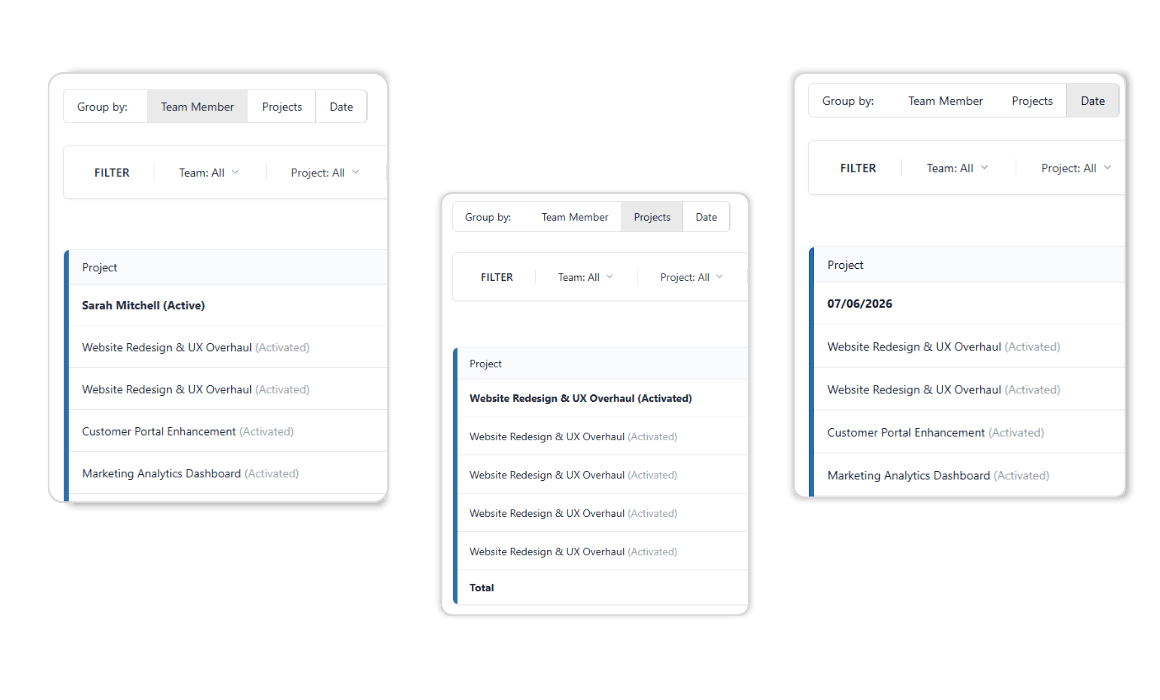
Group your data. Filter the results.
Essential tool for managers using employee time tracking apps to monitor individual contributions.
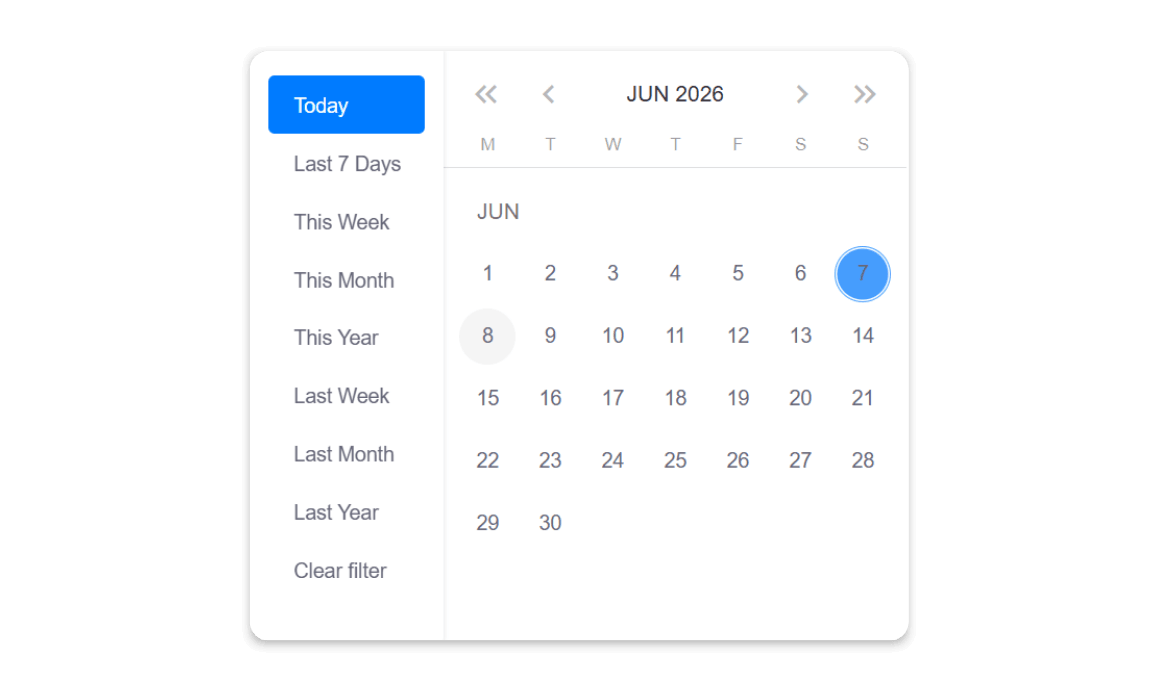
Use the date picker to define the timeframe and uncover productivity trends in your project time tracking.
Turn any device into a secure time clock. Team members check in with QR codes or PINs.
The central hub for all tracked hours from web, desktop, or kiosk. Easy review and approval.
Combines web and desktop sessions into one visual timeline.
What are employee activity reports?
Employee activity reports provide detailed insights into how employees spend their tracked work time. AYYES activity reports show productivity classifications, application and website usage, work sessions, activity levels, screenshots, and other time-based metrics.
What information does an AYYES activity report include?
AYYES activity reports can include total tracked time, productive time, unproductive time, idle time, session duration, active time, activity percentage, applications used, websites accessed, and screenshots associated with work sessions.
How does AYYES measure employee productivity?
AYYES categorizes tracked application and website activity into productive, unproductive, or idle time. Managers can review the percentage breakdown to understand how working time is being distributed across different activities.
Can AYYES show productive and unproductive time?
Yes. AYYES provides a productivity breakdown showing total time, productive time, unproductive time, and idle time. This helps managers identify work patterns and understand how employees are spending their tracked hours.
Can I see employee activity percentages?
Yes. AYYES displays activity percentages for work sessions, allowing managers to compare active time with overall session duration and identify differences in work activity.
Can AYYES track applications used by employees?
Yes. AYYES activity reports provide detailed logs of applications accessed during tracked work sessions. This allows managers to understand which tools employees are using while working.
30 days free trial • No credit card required • Flexible plans
| Product Features | Solutions Timekeeping Productivity Analysis Reporting Project Management Team Management Industries |
| Competitor Comparison | Company Pricing About us Resources Download |

