Remote Teams

Remote work,
finally visible.

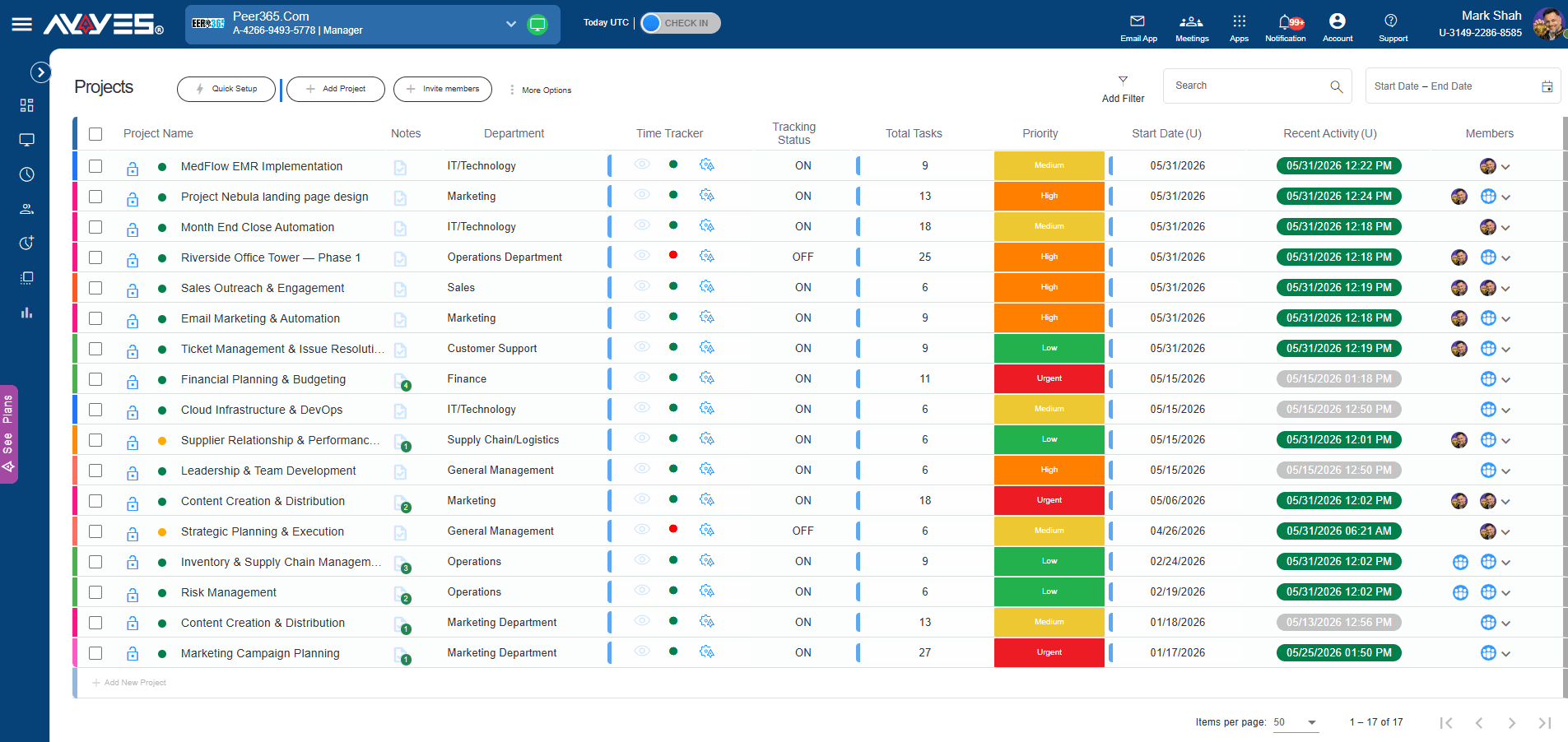
Your team works from everywhere. AYYES collects the hours, screenshots, apps used and activity while they work — so you see progress without check-in calls, and they prove output without over-explaining.

  • Free for 12 seats
  • 30-day trial
  • No credit card
AYYES remote team dashboard showing hours, activity and screenshots

The remote problem

Remote teams don’t lose productivity.
They lose visibility.

When everyone works in different places, you replace the hallway view with standups, status pings and “quick syncs” – and your team spends the day explaining itself instead of working. AYYES flips it around: proof is collected while people work, and reviews happen when you’re ready.

Team Activity · Today

Live

SJ

Sarah J. · 4 projects6h 20m

DM

Diego M. · 2 projects7h 45m

AK

Amira K. · 3 projects5h 10m

Screenshot blur is on for all members

What you get

One plan, everything your remote team needs

Track from anywhere

The office is gone. The timer isn’t.

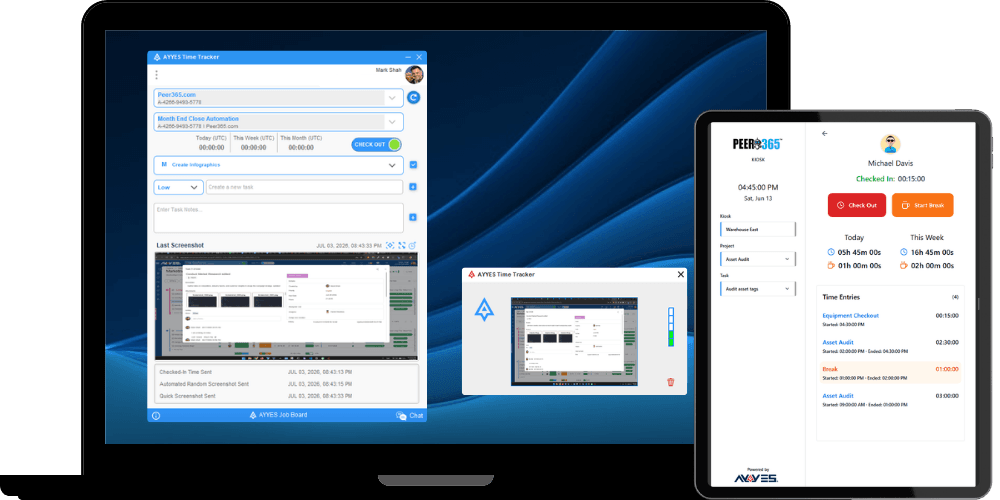
Your team starts the timer from the web app or the desktop tracker — over any internet connection, on their own schedule. Notes explain what each session covered, and manual time entries cover the moments when someone forgot to press start.

AYYES Desktop Time Tracker

Proof of work

See the work, without hovering over shoulders.

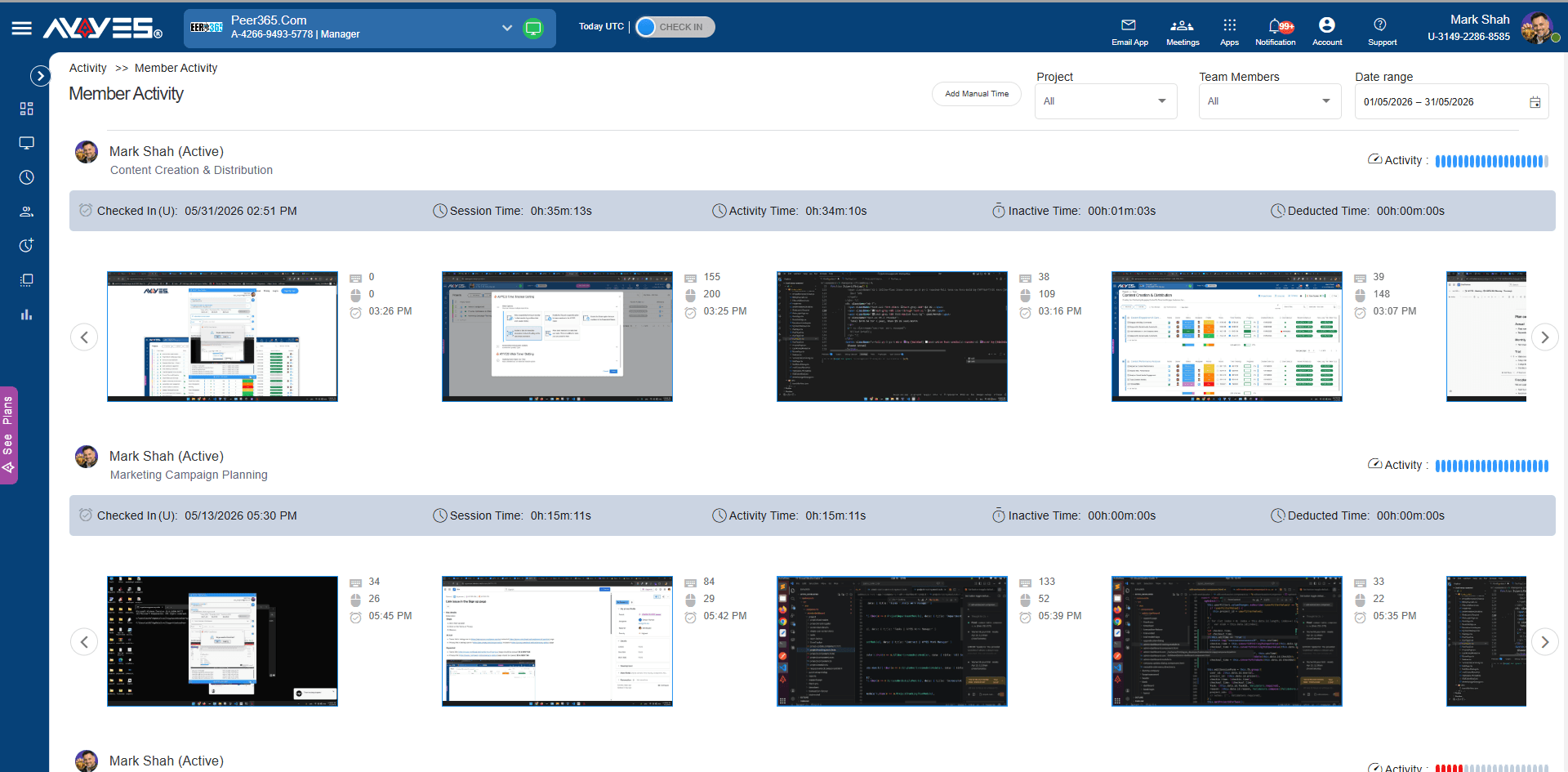
While the timer runs, AYYES captures screenshots at random intervals, records the apps and websites used, and tracks keyboard and mouse activity levels. Idle detection pauses when the computer isn’t being used — so an open laptop doesn’t count as work.

AYYES Member Activity Report

Timesheets

Payroll day, minus the scramble.

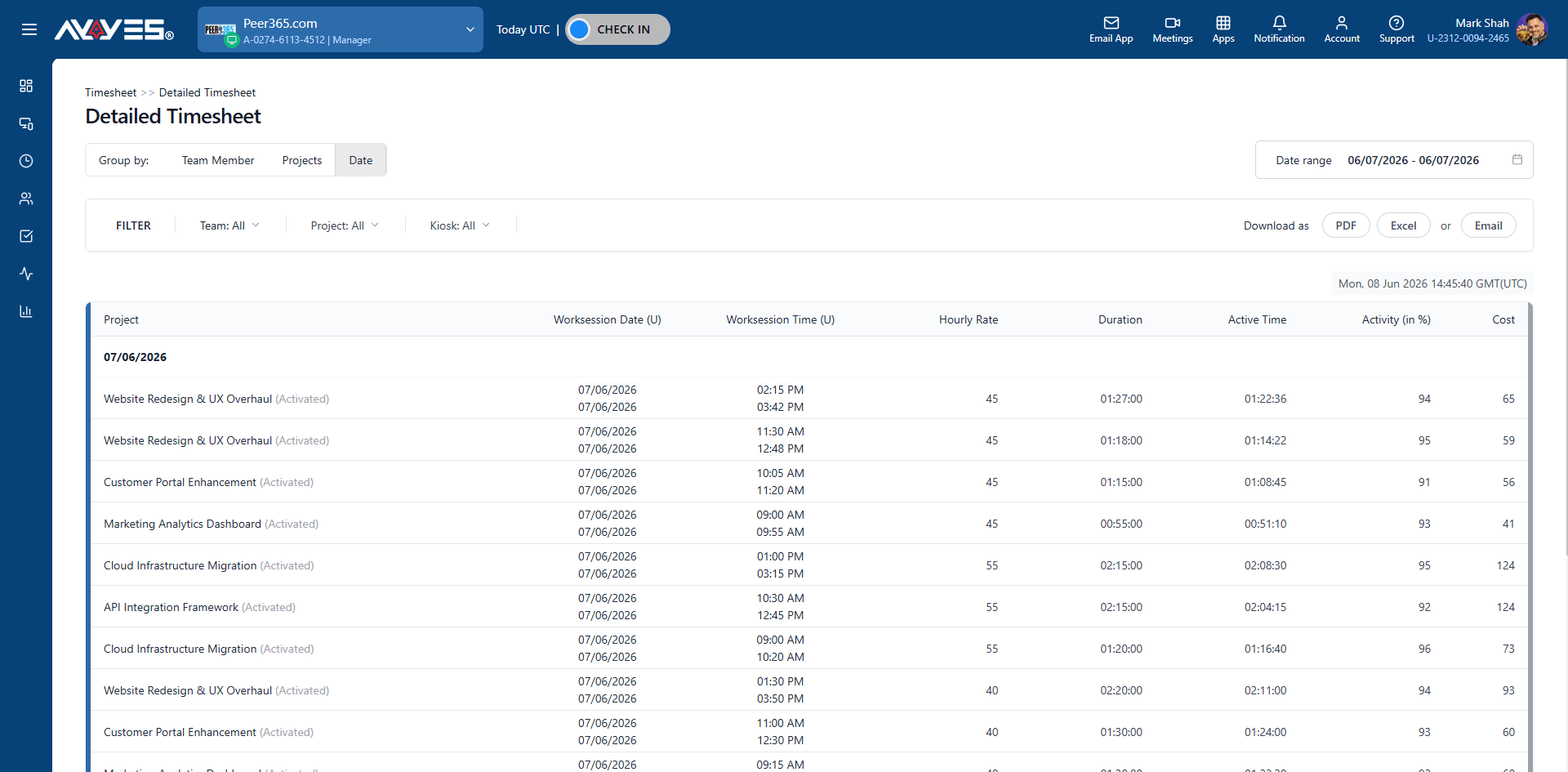
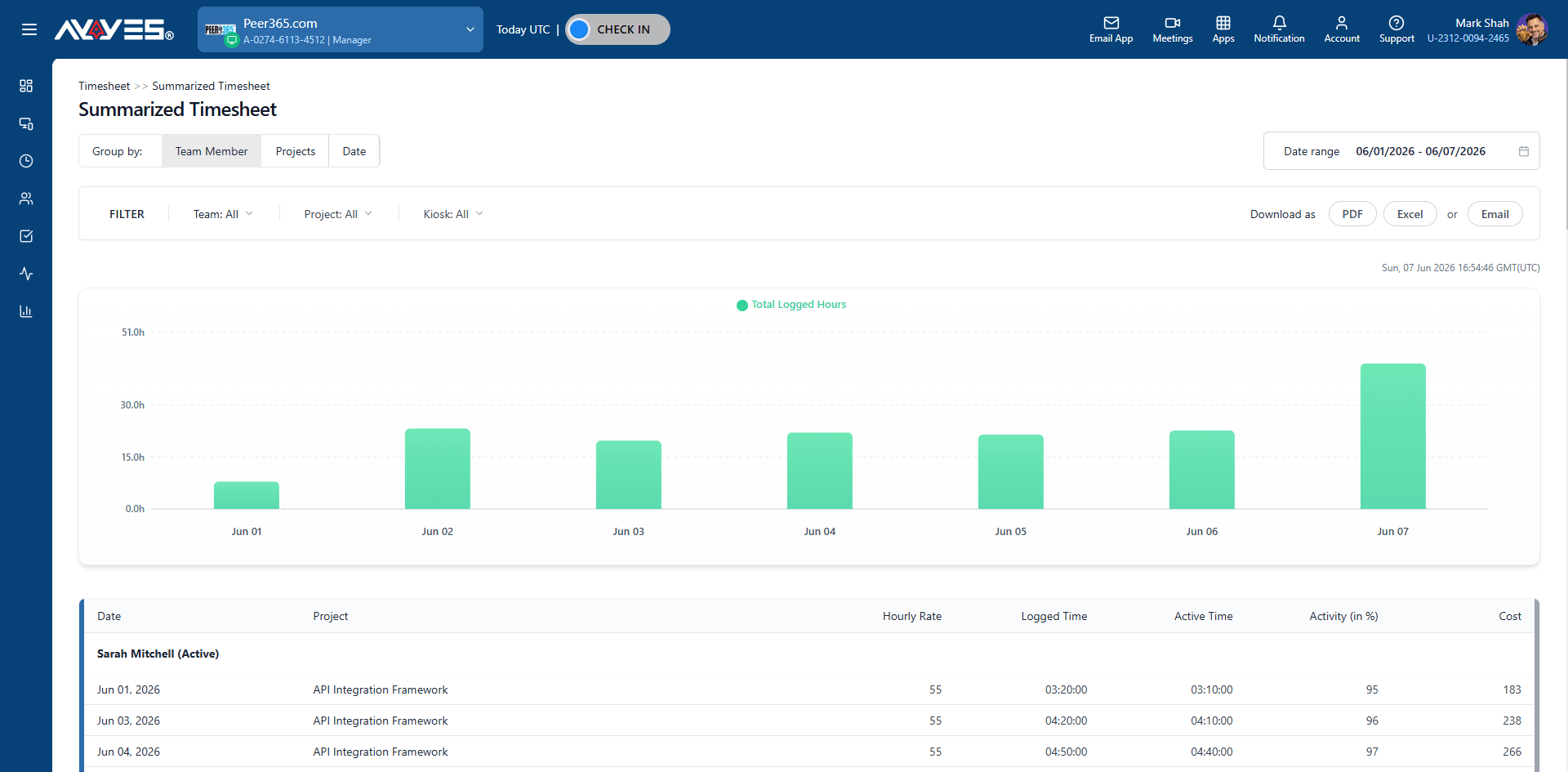
Every tracked hour rolls up into detailed and summarized timesheets, grouped by team member, project or date. Hourly, weekly or by project — the timesheet is already closed and ready before anyone asks for it.

AYYES Detailed Timesheet

Reports

Numbers for every meeting, already organized.

Export any report as PDF or CSV, or email it straight from AYYES. Client updates, investor questions and board reviews stop being a data hunt — the day’s work is collected, sorted and one click away.

AYYES Reports Dashboard

Privacy by default

Monitoring your remote team, minus the micromanagement

Remote employee monitoring only works when the team trusts it. AYYES collects proof of work while leaving people room to breathe – the balance is built in, not something you configure after an unhappy email:

  • Screenshot blur shows that work happened – not what’s on the screen.
  • Keyboard and mouse activity shows as levels – never a log of what was typed.
  • Idle detection flags when a computer isn’t being used, so breaks aren’t billed as work.
  • Activity history is kept from 1 month up to 1 year – you choose how long, then it’s gone.

Two views, one source of truth

Team member sees

  • Their own timer and notes
  • Their screenshots, blurred
  • Their timesheet

Manager sees

  • Tracked hours per project
  • Activity level bars
  • Apps and websites used
Screenshot blur is on for all members

Who it’s for

Time tracking that fits every distributed team

Different remote teams track time for different reasons. AYYES adapts to each — same plan, same dashboard, different answers.

Agencies & client work

Bill every hour to the right project and client. Timesheets group billable work per project, so end-of-month invoices are already written — and client reports are one export away.

SaaS & product teams

Track hours across sprints, departments and parallel projects. Activity reports sit next to the work items they explain, giving engineering leads context without another standup.

Support & operations shifts

When your team spans time zones, the dashboard is the day’s single record. Every shift’s hours, activity and screenshots are logged and waiting — reviewed whenever your morning starts.

Contractors & freelancers

Freelancer timesheets live alongside employee timesheets, payable from one export. No separate tool, no spreadsheet stitching, no arguments about logged hours.

Small things that matter

Every answer, already in the plan

Free forever

12

seats free – always

No card, no trial timer. When you grow past 12, it’s $0.88 per seat annually — one plan, everything in it.

Start free

Screenshot blur

Proof that work happened – and nothing else.


Apps & websites used

See where signed-in hours actually go.

Visual Studio Code2h 05m
Figma1h 30m
Chrome · client docs48m

One paid plan. No feature tiers to compare.

  • Screenshots at random intervals
  • Screenshot blur for privacy
  • App & URL usage
  • Keyboard & mouse activity
  • Idle detection
  • Timesheets & reports
  • Kiosk for shared workstations
  • PDF & CSV exports
01

Create account

Free signup in under a minute.

02

Invite your team

Email invites, roles and licenses.

03

Track from home

Web or desktop – anywhere they are.

04

Review async

Activity and reports, when you like.

Frequently Asked Questions

You manage the work, not the people in the room. AYYES gives you one shared record – check-ins, time on projects and tasks, activity levels and timesheets — so you can see progress and spot problems early, without constant messages or status meetings.

Yes. Each team member checks in and tracks time in their own location, and all sessions flow into one timesheet. Managers can review hours by team member, project or date, no matter where in the world the work happened.

No. AYYES tracks activity levels based on keyboard and mouse use – not the actual keys pressed or content typed. Screenshots on paid plans can be blurred, so sensitive information stays private while proof of work stays intact.

The desktop tracker keeps working offline and syncs all recorded time as soon as the connection returns. No hours are lost because of a bad connection.

Yes. The Free plan is free forever for up to 12 users, with unlimited projects and tasks and time tracking included. Paid plans start at $0.88 per user/month billed annually when you need screenshots and advanced activity tracking.

Yes. Add contractors as team members, assign them to projects and tasks, and review their tracked hours in the same timesheet as your full-time team. This makes client billing and contractor payments simple and accurate.

Start managing your remote team the simple way

Free for up to 12 users • 30-day free trial • No credit card required