
Field Teams
Field workforce management software for teams that never sit at a desk.
Your field teams start early, move between sites, and finish the day far from any office. Paper timesheets and end-of-week phone calls cannot keep up. AYYES gives every crew a fast way to record time on the job — and gives you accurate hours for every site, every project, every day.
- Free forever for up to 12 users
- No credit card required
- 30-day free trial of paid features

Quick answer
What is field workforce management software?
Field workforce management software helps a company run employees who work outside the office — on job sites, at client locations, or on the road. It records when each person starts and finishes work, which job or site the time belongs to, and builds accurate timesheets for payroll and client billing without paper forms.
On the clock at the site
A shared device becomes the crew’s time clock.
Open the kiosk URL on any tablet or shared device at the site — no app install. Crew members sign in with a personal PIN or QR code so nobody clocks in for somebody else, and breaks are logged with a start and a finish — the paid-break math is done for you.
-

Personal PIN — the day starts with the right person
-

QR scan — faster than typing, no screen contact
-

Breaks logged to the minute — paid-break math included
Field work will always be physical. Recording it does not have to be.
The fix
How AYYES helps field teams
Fast check-in at the site — no computer needed
Turn any tablet or shared device at the site into a time clock kiosk. Each worker checks in and out in seconds with their own PIN code or QR code. No personal computer, no complicated login, no queue at a paper sheet. Breaks are recorded too, so the day’s record is complete.
Every hour is recorded against a job
In AYYES, time is tracked against projects and tasks. Set up each client job or site as a project, and crew time is recorded against the right job automatically. At the end of the job, you can see exactly how many hours it took — per site, per crew member, per day.
Manual entry for the work between sites
Travel between jobs, a delivery run, a meeting at a client’s office — not all field work happens at a kiosk. Team members (or their supervisor) can add manual time entries against the right project, so the full day is recorded, not just the hours at one site.
One timesheet for the whole crew
All check-ins and entries flow into one timesheet system. Review the week by crew member, by project (job site), or by date. Disagreements about hours end quickly, because the record was made at the time — not reconstructed later.
Reports ready for payroll and client billing
Export clean PDF or Excel reports for payroll, or to show a client exactly how many hours their job took. Clear records mean fewer disputes, faster payment conversations, and honest numbers for your next quote.
Works for mixed teams, too
Many businesses have office staff and field crews in the same company. AYYES handles both in one system: office staff use the desktop tracker or web timer, field crews use the kiosk — and management sees everyone in one place.
How it works
From cab of the truck to clean hours.
-
01
Create projects & crew
Create a project for each job or site. Add your crew as team members and assign them to their jobs.
-
02
Place the kiosk device
Any tablet or shared device works. Workers check in with a PIN or QR code.
-
03
Time logs itself
Time is recorded against the job automatically. Breaks and manual entries for travel are added to the same record.
-
04
Review once, export
Review one timesheet and export it. Payroll and client billing use the same accurate hours.
Privacy by design
Proof for the timesheet — not footage of the site.
Field days happen in shared offices, workshops and client spaces. AYYES is built so the record stays alive without turning into surveillance:
- Screenshot blur keeps the proof of work — not personal life, on site or at head office.
- Keyboard and mouse activity shows as levels, never a keystroke log.
- Idle detection pauses the session when the computer sits unattended.
- Activity history is kept for 1 month up to 1 year — you choose how long, then it’s deleted.
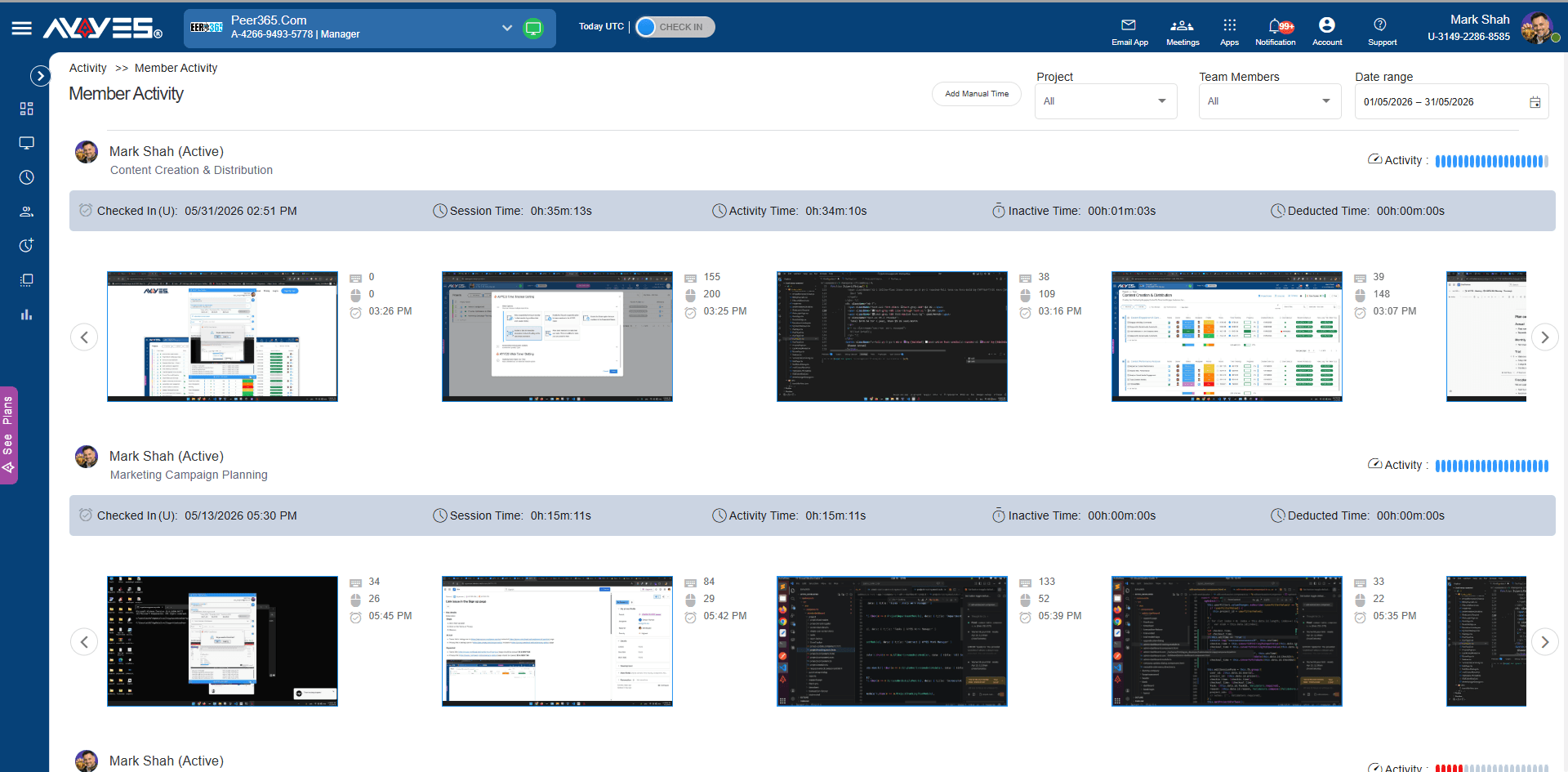
Levels for keyboard & mouse — never a keystroke log
Who it’s for
Built for teams that bill by the site.
-
Construction & install crewsA kiosk on the crew tablet at every site — personal PINs or QR keep clock-ins individual, and per-kiosk projects keep client hours separated for payroll and billing. -
Consultants & client visitsConsultants clock in from the client HQ on the web tracker in their phone’s browser — with a note on the session for the monthly report. -
On-site sprintsDev and rollout work from the client’s office for a week? Kiosk clock-ins plus the mobile web tracker — then a clean PDF to hand over. -
Mixed field + home weeksTwo days on the road, three at home — or the reverse. The record follows the person, so the week reads the same either way.
No add-ons
Every feature rides along.
- Kiosk time clock on any device
- Personal PIN & QR clock-ins
- Screenshots at random intervals
- Screenshot blur for privacy
- App & URL usage
- Keyboard & mouse activity
- Idle detection
- Timesheets & reports
- PDF & CSV exports
- Manual entries with notes
Included in the single paid plan — and already live on the free 12-user starter.
Honest pricing
One plan for the crew, wherever it works.
-
Free
Up to 12 users, forever — kiosk included.
-
$0.88
per seat, billed annually.
-
$0.99
per seat, billed monthly.
Single paid plan — no per-feature pricing · 30-day free trial of paid features · no credit card.