
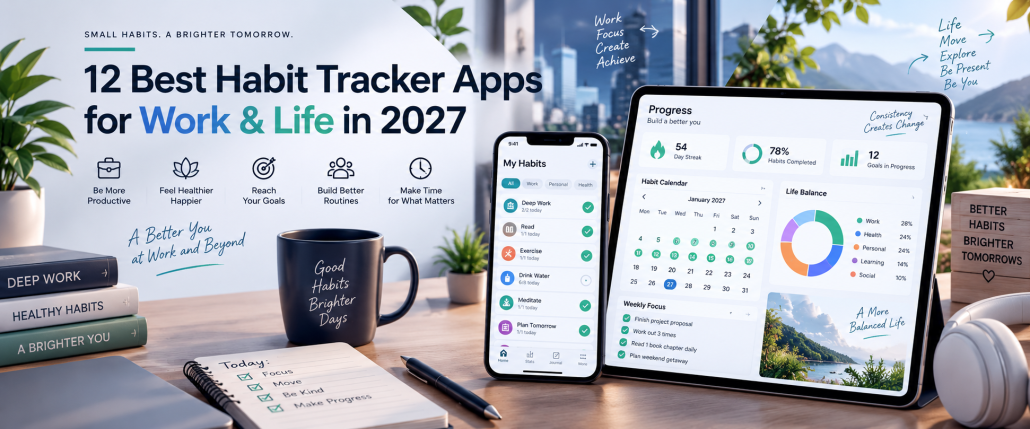
12 Best Habit Tracker Apps for Your Daily Work Routine in 2027
Building better habits requires consistency, realistic goals, and a reliable way to measure progress. Whether you want to exercise regularly, improve your focus, develop a reading routine, or manage daily responsibilities, the best habit tracker apps help you turn intentions into measurable actions. These tools offer features such as daily reminders, habit streaks, progress reports, personalized schedules, and visual calendars.
However, not every habit tracking app works the same way. Some focus on simple daily checklists, while others combine habit tracking with gamification, productivity management, or time tracking. This guide compares 12 apps for habit tracking in 2027, covering their features, advantages, limitations, pricing, and compatibility. You’ll also discover free options, practical selection tips, and how tools such as AYYES AI can help measure time spent on productive work routines.
Best Habit Tracker Apps at a Glance
This comparison includes dedicated habit trackers, a customizable workspace, and AYYES AI as a work-time tracking alternative. Pricing is based on published information available in September 2027 and may vary by region or billing method.
App |
Main use case |
Free version |
Platforms |
| AYYES AI | Work routines and time tracking | Yes, up to 2 members | Web, Windows, Mac |
| HabitNow | Daily habits and planning | Limited free app | Android |
| Streaks | Apple habit tracking | No, one-time purchase | Apple devices |
| Loop Habit Tracker | Free daily tracking | Completely free | Android |
| Habitify | Cross-platform habit tracking | 3 active habits | iOS, Android, Mac, web |
| Habitica | Gamified habit tracking | Yes | iOS, Android, web |
| Finch | Self-care routines | Yes | iOS, Android |
| Way of Life | Habit journaling | Limited free version | iOS, Android |
| TickTick | Habits and task management | 5 habits | Multiple platforms |
| Productive | Personalized daily routines | Limited free version | iOS, Android |
| Everyday | Visual streak tracking | 3 habits | iOS, Android, web Pricing |
| Notion | Custom habit tracking templates | Yes, for individuals | Web, desktop, mobile |
What Is a Habit Tracking App and How Does It Work?
A habit tracking app is a digital tool that helps users record repeated activities, monitor consistency, and evaluate progress toward personal or professional goals. Instead of relying on memory, users create specific habits, establish schedules, and record whether they complete each activity.
For example, someone trying to develop a daily reading habit can create a goal to read for 20 minutes every evening. The app provides reminders, records completed sessions, and displays progress through calendars, charts, or streak counters. This makes it easier to identify missed activities and adjust routines.
Most habit trackers work through a similar process: users create a habit, set its frequency, record progress, and review their results. However, the level of detail differs between applications.
Dedicated habit trackers primarily measure completion and consistency. Time-tracking applications record how long users spend on activities, making them useful when duration matters as much as completion.
For example, checking off “study today” confirms that an activity happened. Recording 45 minutes of study reveals how much time was invested.
How We Selected the Best Habit Tracker Apps
Selecting the right software requires more than comparing download numbers or subscription prices. An application should suit the user’s goals, preferred devices, daily schedule, and tracking requirements.
This guide uses published product information, official pricing pages, app-store listings, and documented features to compare 12 applications. It is a research-based comparison, not a claim that every application was installed or personally tested.
The following factors guided the selection:
- Ease of use: How easily can users create habits, record activities, and check daily progress without navigating complicated menus?
- Habit customization: Can users establish daily, weekly, or flexible schedules that match their routines rather than following a rigid daily checklist?
- Progress analytics: Does the application provide useful information through completion rates, streaks, calendars, statistics, or time reports?
- Free-plan availability: Can users maintain habits without paying, and which features or habit limits require an upgrade?
- Device compatibility: Does the software support the user’s operating system, and can tracking information be accessed across different devices?
- Motivation and reminders: Are notifications, visual progress indicators, challenges, or other motivational features available?
- Practical limitations: Does the product have restrictions involving habit counts, data export, device synchronization, reporting, or subscriptions?
The applications also represent different tracking approaches, including simple checklists, gamification, self-care, planning, customizable dashboards, and work-time measurement.
12 Best Apps for Habit Tracking in 2027
The best apps for habit tracking serve different needs. Some help users build personal routines through reminders and daily checklists, while others provide detailed analytics, motivational rewards, task management, or time-based activity measurement.
The following 12 applications cover these different approaches, with an explanation of what each offers, where it fits, and what users should consider before choosing it.
1. AYYES AI – For Work Habit and Time Tracking
AYYES AI is an AI-powered time-tracking and work-management platform designed for professionals, freelancers, and businesses that want greater visibility into how working hours are spent. Unlike dedicated habit tracker apps, AYYES AI focuses on recording work duration, organizing projects and tasks, and analyzing work activities.
For example, a content writer who wants to develop a consistent writing routine can create a project, organize writing assignments into tasks, and track time spent completing them. Reviewing the recorded hours helps the writer understand how much time is being devoted to the routine.
Pros: Combines time tracking with project and task management, supports individual professionals and teams, and offers a free plan.
Cons: It is not a dedicated personal habit tracker, and native habit streaks or daily completion checklists are not established features.
Pricing: Free for up to two members, with unlimited tracking, projects, and tasks. Paid monthly and annual plans are available, and the website advertises introductory discounts.
Best suited for: Freelancers, remote teams, and professionals who want to measure time spent on recurring work activities.
2. HabitNow – For Daily Habit Planning
HabitNow combines habit tracking, task management, reminders, and calendar planning within an Android application. It allows users to organize their responsibilities while monitoring progress on personal and professional routines.
Users can establish daily, weekly, or monthly habits, customize reminders, and review achievements using calendars and statistics. The application also provides timer functionality, making it useful for activities that need both scheduling and duration measurement.
Pros: Combines habit tracking with a to-do list, offers flexible scheduling, and includes timer functionality.
Cons: Focused on Android users, and some functionality requires a premium purchase.
Pricing: Free to download with in-app purchases, including a premium upgrade. Check the current Google Play listing for regional pricing.
Best suited for: Android users who want to manage habits, appointments, reminders, and everyday tasks in one application.
3. Streaks – For iPhone Habit Tracking
Streaks is a habit-forming to-do list designed for Apple users who want to monitor consistency without maintaining a complicated productivity system. Its central approach is simple: users create recurring activities, complete them, and extend their streaks.
The app supports up to 24 tasks and allows users to configure habits that occur on specific days rather than every day. It also integrates with Apple Health, allowing compatible health-related activities to be recorded automatically after the necessary permissions are granted.
Pros: Supports multiple Apple devices, requires a one-time purchase, and reduces manual logging for compatible Health activities.
Cons: Not available as a native Android application, and its streak-focused approach may not suit users who prefer flexible progress measurements.
Pricing: $5.99 as a one-time purchase in the US App Store. Regional prices vary.
Best suited for: iPhone and Apple Watch users who prefer a streamlined habit tracker with health integrations.
4. Loop Habit Tracker – For Free Android Habit Tracking
Loop Habit Tracker is a free, open-source application designed to help Android users build consistent habits through reminders, statistics, and progress visualization. It focuses on essential tracking functionality without requiring a paid subscription.
Users can establish recurring activities, mark completed habits, and examine their progress over time. Loop also provides a habit-strength metric, offering an alternative perspective to tracking consecutive completion days alone.
Pros: Completely free, open source, and useful for users who want straightforward habit monitoring.
Cons: Android-focused, with no equivalent official iOS application. It also lacks the broader project-management capabilities of productivity platforms.
Pricing: Completely free and open source.
Best suited for: Android users searching for one of the best free habit tracking apps without subscription fees.
5. Habitify – For Detailed Habit Analytics
Habitify is a data-oriented habit tracking app that helps users establish routines, monitor completion, and understand their consistency through progress information. Its cross-platform availability makes it relevant to people who use multiple devices throughout the day.
Habitify supports regular check-ins, streak tracking, reminders, and notes. Its paid tiers expand habit capacity and introduce additional customization, while higher-tier functionality includes integrations with calendars, health services, and automation tools.
Pros: Cross-platform availability, a permanent free tier, and multiple paid options for more sophisticated tracking.
Cons: The free plan allows only three active habits, and advanced integrations require a higher subscription tier.
Pricing: The free plan supports three active habits. The published pricing page lists paid options, including an annual subscription advertised at $29.99 and a lifetime option at $59.99; check the checkout page for the current tier and included features.
Best suited for: Users who want structured habit tracking across devices and are interested in more detailed tracking functionality.
6. Habitica – For Gamified Habit Tracking
Habitica transforms habit building into a role-playing game. Instead of presenting a conventional checklist alone, the application connects daily activities and goals with a virtual character, rewards, achievements, and quests.
Users can organize positive or negative habits, create recurring daily responsibilities, and maintain a separate to-do list. Completing activities supports character progression, while social features allow users to participate in challenges and shared adventures.
Pros: Offers an engaging alternative to conventional trackers, provides core functionality for free, and supports multiple platforms.
Cons: The gaming interface may feel unnecessary for users seeking a simple checklist. Its analytics are also less central than those in data-focused habit trackers.
Pricing: Core functionality is available for free, with optional purchases and subscriptions. Published subscription options include $4.99 monthly and $47.99 annually, subject to regional differences.
Best suited for: Users who enjoy games, achievements, and shared challenges as motivation for completing everyday activities.
7. Finch – For Self-Care Habit Tracking
Finch combines everyday goal tracking with a virtual self-care companion. Users care for a small digital bird by completing personal goals, writing reflections, and participating in self-care activities.
Unlike applications that emphasize long streaks, Finch uses encouragement and virtual-pet progression to make routine tracking feel more approachable. Users can create simple goals such as drinking water, taking a short walk, or completing a daily reflection.
Pros: Core self-care functionality is free, supports simple daily routines, and offers motivational features without requiring a complex tracking setup.
Cons: The virtual-pet experience may not appeal to everyone, and its focus is less suited to detailed productivity or project reporting.
Pricing: Core features are free. Finch Plus is an optional subscription that adds more content and customization. The published US help-center prices are $9.99 monthly or $69.99 annually; individual offers may differ.
Best suited for: People who prefer gentle encouragement and self-care activities alongside routine tracking.
8. Way of Life – For Habit Journaling
Way of Life combines a color-coded tracking system with journaling and visual statistics. Users record whether they completed a positive habit or avoided a negative behavior, making it easier to recognize patterns over time.
The application supports reminders, notes, charts, and trend analysis. Someone tracking their exercise routine, for example, can record completed days and add notes explaining interruptions or changes in motivation. Over time, those records provide context beyond a basic completion count.
Pros: Combines quick daily logging with journaling and trend analysis, supports both positive and negative habits, and offers downloadable data.
Cons: Some functionality requires premium access. The developer also states that Android and iOS data formats are not directly interchangeable.
Pricing: Free to download with in-app purchases. Premium pricing depends on the platform and region.
Best suited for: Users who want to record habits alongside notes and understand changes in their behavior over time.
9. TickTick – For Habits and Task Management
TickTick is a task-management application that includes habit tracking, reminders, calendar functionality, and focus tools. It helps users manage one-time responsibilities while maintaining recurring routines within the same productivity environment.
Someone managing a weekly work schedule can use TickTick to organize meetings and assignments while maintaining habits such as reading, exercising, or completing a daily planning session. Its habit tracking functionality includes statistics and feedback, while its focus tools help users allocate attention to scheduled work.
Pros: Combines habits and tasks in one application, supports multiple platforms, and provides focus tools alongside regular planning functionality.
Cons: The free plan limits the number of habits, and premium functionality requires an annual subscription.
Pricing: The free plan supports five habits. TickTick Premium is advertised at $49.99 per year on its official pricing page.
Best suited for: Professionals and students who want to organize daily tasks and personal habits without using separate applications.
10. Productive – For Custom Habit Routines
Productive is a dedicated habit tracker that helps users establish personal goals, organize daily routines, and monitor their achievements. Its interface is built around creating recurring activities and developing a manageable schedule.
Users can create custom habits or choose from predefined suggestions. Scheduling options accommodate daily, weekly, and monthly routines, while the app’s progress statistics help users examine their completion history. Notes can also provide additional context about individual habit entries.
Pros: Offers flexible habit scheduling, customizable routines, and progress information for evaluating consistency.
Cons: Premium features and subscription offers vary, so users should examine the current in-app purchase options before committing.
Pricing: Free to download with optional in-app purchases and subscriptions. Confirm the current price in your regional app store.
Best suited for: Individuals who want to create structured daily routines and customize how frequently they complete different activities.
11. Everyday – For Visual Habit Tracking
Everyday is a minimalist habit tracker that displays progress through a visual board. Its approach emphasizes consistency by allowing users to see completed activities and the chains they have built over time.
Instead of opening multiple screens to review each routine, users can view several habits together. The application is available through web and mobile platforms, with browser extensions providing additional accessibility.
Pros: Provides an easy-to-understand visual system, offers a permanent free tier, and supports multiple devices.
Cons: The free version limits users to three habits. Premium access is needed for unlimited habits and additional insights.
Pricing: Free for up to three habits. Premium is advertised at $29.99 annually, $7.49 with monthly billing, or $99 for a lifetime license, subject to current availability.
Best suited for: Users who prefer a visual overview of their routines and want to monitor consistency without complicated dashboards.
12. Notion – For Custom Habit Tracking Templates
Notion is a customizable workspace that can be adapted for habit tracking through templates, databases, and checklists. Unlike dedicated habit trackers, Notion allows users to design their own system based on the information they want to record.
For example, a user can create a database containing habits, dates, completion status, and personal notes. Different views can organize this information into daily or weekly tracking dashboards. Notion also offers a marketplace containing free habit-tracking templates, reducing the need to build everything from scratch.
Pros: Highly customizable, offers free templates, and can combine habit tracking with a broader personal productivity system.
Cons: Requires more initial configuration than a dedicated habit tracker. Streaks, specialized reminders, and advanced habit analytics may require additional template setup or integrations.
Pricing: Free for individual use. Paid workspace plans are available for additional functionality and collaboration.
Best suited for: Users who want to create their own habit tracking system within a customizable productivity workspace.
Best Free Habit Tracking Apps: Features and Limitations
The best free habit tracking apps allow users to build routines without committing to recurring subscription fees. However, free does not always mean unrestricted. Some applications offer unlimited basic tracking, while others restrict the number of habits, reminders, analytics features, or synchronization capabilities.
Before choosing a free application, determine whether you can create enough habits for your routine, access your tracking history, and maintain your data without upgrading.
Free Habit Tracking Apps Comparison
| Application | Free-plan offering | Main limitation |
| Loop Habit Tracker | Free, open-source tracking | Android only |
| Habitica | Core habit tracking and gamification | Optional paid extras |
| Finch | Core self-care and goal tracking | Additional content requires Plus |
| Habitify | Three active habits | Limited reminders and integrations |
| TickTick | Five habits | Paid tier expands limits |
| Everyday | Three habits | Unlimited habits require Premium |
| Notion | Free personal workspace and templates | Requires manual setup |
| AYYES AI | Free time tracking for up to two members | Not a dedicated habit tracker |
The distinctions above are based on published product and pricing information.
Loop and Habitica provide different approaches to free tracking. Loop focuses on charts and routine consistency, whereas Habitica emphasizes rewards and game mechanics.
Finch is another option for users who prefer self-care activities and encouragement. For people who already manage projects or notes in Notion, a free habit template can offer a customizable alternative.
AYYES AI serves a different purpose: its free plan can help individuals or small teams record the time spent on work routines, rather than checking off personal habits.
What should you check before upgrading?
Compare the number of habits permitted, notification options, reporting capabilities, device synchronization, and access to historical data. An inexpensive subscription may be unnecessary if a free tool already meets your requirements.
Essential Features in Apps for Tracking Habits
The most useful apps for tracking habits should make recording progress straightforward while providing enough flexibility to accommodate different routines. An application with dozens of functions is not automatically a better fit if users only need a daily checklist.
Consider the following features when evaluating habit tracking software.
Daily Habit Reminders and Notifications
Reminders help users remember scheduled activities without constantly checking the application. Look for customizable notifications that can be aligned with morning, afternoon, or evening routines.
The ability to disable or adjust reminders is equally important. Excessive notifications may make the application distracting rather than useful.
Habit Streaks and Completion Tracking
Streaks display consecutive periods in which a habit is completed. They provide a visible record of consistency, while completion logs make it easier to identify missed activities.
However, streaks should not be the only measure of progress. Weekly completion rates may be more appropriate for habits that do not need to happen every day.
Flexible Goals and Recurring Schedules
Different habits require different schedules. Reading might be a daily activity, while exercise could be planned for three days each week.
Choose an application that supports flexible frequencies, recurring goals, and rest days. A rigid daily schedule can make progress appear worse than it actually is when an activity is not intended to occur every day.
Progress Reports and Habit Analytics
Analytics help users understand how consistently they complete their routines. Useful reporting features include completion rates, calendars, historical trends, and comparisons across different periods.
Time-based goals may also benefit from duration measurements. For example, recording the number of hours spent learning a new skill provides additional information beyond a simple completion checkmark.
Cross-Device Syncing and Integrations
People who switch between smartphones, tablets, and computers may need synchronization to keep their records accessible.
Check supported operating systems, cloud backup options, and integrations before subscribing. Device compatibility does not necessarily mean that information can be transferred between different operating systems.
Privacy, Data Export, and Free-Plan Limitations
Habit records can contain personal information about daily routines, activities, and lifestyle patterns. Review the application’s privacy information and understand where data is stored.
If you want to change applications later, look for export options such as CSV files or compatible backups. Also confirm whether your records remain accessible after cancelling a subscription.
How to Choose the Right Habit Tracking App
Choosing a habit tracking app should start with understanding what you want to measure and how much effort you are willing to spend maintaining your records. The software should fit your existing routine rather than requiring you to redesign your entire day.
Consider these questions before making a decision:
- What habits will you track? Basic activities may require only a checklist, while complex goals may need notes, flexible scheduling, or detailed statistics.
- How do you measure success? Decide whether completion, frequency, time spent, or progress toward a larger goal matters most.
- Which devices do you use? Confirm compatibility with your smartphone and any other devices you regularly use.
- Do you need reminders? Choose configurable notifications if remembering activities is difficult.
- What is your budget? Compare free plans, subscriptions, and one-time purchases against your actual requirements.
- How important is customization? Some users prefer simple interfaces, while others want configurable goals, dashboards, and advanced reporting.
For example, someone tracking a daily walking habit might prefer a straightforward mobile application. A freelancer who wants to measure daily writing hours may benefit from time tracking and project reports instead.
The right choice depends on the activity being measured, the information required, and whether the app remains easy to use over time.
Best Habit Tracker Apps for iPhone and Android
Device compatibility is an important consideration when selecting a habit tracker. Some applications are designed for a specific operating system, while others support multiple devices.
Beyond download availability, consider whether an application supports widgets, notifications, health integrations, backups, and synchronization.
Best Habit Tracker Apps for iPhone
iPhone users can choose from several applications with different approaches to tracking habits.
Streaks is designed for Apple devices and offers task completion tracking, Apple Health integration, and Apple Watch functionality. Habitify provides another option for people who want to access their routines across different platforms.
Finch focuses on self-care goals, while Productive offers personalized schedules and progress statistics.
Users who prefer customized databases can also create habit trackers in Notion. The appropriate option depends on whether they need a dedicated checklist, a motivational experience, or a broader planning system.
Best Habit Tracker Apps for Android
Android users have access to applications designed specifically for habit management, alongside cross-platform alternatives.
HabitNow combines habits with reminders, timers, and calendar planning. Loop Habit Tracker provides a completely free, open-source approach to tracking routines.
Habitica is available for users who enjoy gamified progress, while Habitify supports habit tracking across multiple devices. Finch provides a self-care-oriented alternative with daily goals and reflection activities.
Before downloading, verify that the application supports your device’s operating-system version and that your preferred features are available on that platform.
How to Start Tracking Habits: A Step-by-Step Guide
Using a tracking habits app becomes easier when users follow a simple process rather than creating a complicated system immediately. The objective is to develop a routine that can be maintained consistently and adjusted when circumstances change.
Step 1: Identify a Specific Habit
Start by choosing one activity you want to repeat. Avoid broad objectives such as “be more productive” or “live healthier” because they are difficult to measure.
Instead, establish a clear action such as reading for 15 minutes, exercising three times a week, or spending 30 minutes learning a new skill.
Step 2: Set a Realistic Frequency
Determine how often the activity should happen. Some routines require daily attention, while others may be more practical on selected days.
For example, schedule exercise three times a week rather than setting a daily target you cannot realistically maintain.
Step 3: Choose a Suitable Habit Tracking App
Select an application based on your goal and preferred tracking method.
Use a checklist-based tracker for activities that require completion records. Choose a time-tracking application when the number of minutes or hours spent on an activity is important.
Step 4: Configure Reminders and Goals
Add the habit to your application and establish a schedule. Enable reminders if notifications would help you remember the activity.
Try linking the reminder to an existing routine. For example, schedule a reading reminder shortly after your usual dinner time.
Step 5: Record Your Progress Consistently
Mark completed activities or record the actual time spent. Avoid entering inaccurate information simply to maintain a streak.
If you miss a scheduled activity, record the result and continue tracking. One missed session does not eliminate your previous progress.
Step 6: Review and Adjust Your Routine
Review your results at the end of each week. Look for patterns involving missed activities, unrealistic schedules, or consistently successful routines.
If a goal is too demanding, reduce its frequency or duration. Once a habit becomes manageable, consider increasing the target or introducing another activity.
Daily Habit Tracking Examples for Work and Personal Life
Daily habit tracking becomes more meaningful when users establish measurable goals and choose the appropriate way to record them.
Personal routines often involve recording whether an activity happened. Professional habits may require additional information about duration, frequency, or progress toward a larger objective.
The following examples illustrate how different habits can be monitored.
| Habit | Example goal | Tracking method |
| Reading | Read for 20 minutes daily | Completion or duration |
| Exercise | Exercise three times a week | Weekly completion |
| Hydration | Meet a personal daily goal | Quantity or completion |
| Meditation | Meditate for 10 minutes | Duration |
| Focused work | Complete two focused work sessions | Time tracking |
| Skill development | Study for 30 minutes daily | Duration and completion |
| Daily planning | Review priorities each morning | Checklist |
| Project review | Review progress every Friday | Weekly completion |
For example, someone developing a reading habit can use a dedicated habit tracker to record whether the activity was completed. The same person may use a timer if they want to measure the exact duration of each session.
A professional establishing a focused-work routine may need more information. Recording the time spent on specific assignments can reveal whether the planned working hours match actual activity.
Combining clear goals with appropriate measurements makes habit records more useful for reviewing progress.
Habit Tracking Apps vs. Time Tracking Apps: Key Differences
Habit tracking and time tracking are related, but they measure different aspects of an activity. A habit tracker primarily records consistency and completion, while a time tracker measures the duration of work or other activities.
Understanding this distinction helps users avoid selecting software that does not provide the information they need.
Feature |
Habit tracking apps |
Time tracking apps |
| Main purpose | Build and monitor routines | Measure time spent |
| Primary measurement | Completion and frequency | Minutes and hours |
| Daily checklists | Common | Not always available |
| Streak tracking | Common | Not a standard feature |
| Time measurement | Depends on the app | Core functionality |
| Project tracking | Limited or optional | Often available |
| Reports | Habit statistics | Time and activity reports |
| Typical users | Individuals building routines | Freelancers, teams, professionals |
Consider two people who want to develop a consistent writing habit.
The first person simply wants to write every day. A habit tracking app can record completed sessions and display consistency.
The second person wants to write for two hours each day and understand how much time is spent on specific assignments. A time-tracking application provides a more relevant measurement.
Some products combine aspects of both categories. HabitNow, for example, includes timers alongside habit tracking, while TickTick combines habits with task-management and focus tools. AYYES AI focuses on professional time tracking, projects, and tasks.
The appropriate system depends on whether the objective is to record an action, measure its duration, or do both.
Common Habit Tracking Mistakes and How to Avoid Them
Even the best habit tracker apps cannot compensate for unrealistic goals or inconsistent use. A tracking system should simplify behavior management rather than create another responsibility that becomes difficult to maintain.
Understanding common mistakes can help users create routines that remain practical over time.
Tracking Too Many Habits at Once
Adding several new routines simultaneously can make a tracking dashboard overwhelming.
Start with one or two activities that are manageable. Expand the list gradually after establishing a consistent routine.
Setting Unrealistic Daily Goals
A demanding schedule can create unnecessary pressure when users cannot meet every target.
Choose realistic frequencies and durations based on your available time. Use flexible scheduling for activities that only need to happen several times a week.
Focusing Only on Habit Streaks
Streaks provide a visible record of consistency, but they do not necessarily measure the quality or results of an activity.
Review completion rates, actual progress, and the purpose of each habit instead of focusing exclusively on maintaining an uninterrupted chain.
Ignoring Progress Reports
Recording habits without reviewing the results limits the usefulness of collected data.
Examine your records weekly or monthly to identify patterns. Use the findings to adjust reminders, change schedules, or redefine goals.
Overcomplicating the Tracking System
Too many categories, reminders, dashboards, and custom fields can make daily logging unnecessarily difficult.
Begin with a basic checklist or timer. Introduce additional features only when they solve a specific problem.
Stopping After One Missed Day
Missing an activity can be discouraging, especially when an application emphasizes consecutive-day streaks.
Treat missed sessions as information rather than a reason to abandon the goal. Review what interrupted the routine and resume at the next scheduled opportunity.
Why Choose AYYES AI for Work Habit and Time Tracking?
Developing consistent professional habits involves more than remembering to complete daily activities. Freelancers, business owners, and teams may also want to understand how much time they spend on recurring assignments and whether their work routines align with project requirements.
AYYES AI Time Tracking Software provides a workspace for organizing projects, managing tasks, recording working time, and reviewing time-related information.
Unlike a dedicated habit tracker, AYYES AI does not position its core functionality around personal habit streaks. Its relevant role in this comparison is helping users measure the time they devote to recurring work activities.
Disclosure: This article is intended for publication on AYYES’s website and includes AYYES AI as a work-time tracking alternative.
Track Daily Work Habits With Projects and Tasks
AYYES AI allows users to create projects, organize tasks, and record time against individual assignments.
For example, a marketing professional can create a content marketing project and organize recurring activities such as keyword research, article writing, content optimization, and performance reviews.
Tracking time against these tasks helps establish a record of how working hours are distributed across the project.
Measure Time Spent on Productive Activities
Some professional habits are better measured by duration than completion.
A freelancer might want to dedicate two hours each morning to client work. Recording actual working time helps determine whether the planned routine was followed.
AYYES AI provides time-tracking capabilities that support this type of measurement. Users can record working hours and associate them with relevant projects or tasks.
Review Work Habits With Timesheets and Reports
Timesheets organize recorded working hours into a format that can be reviewed over time.
For example, a professional can examine time entries from the previous week to understand how much time was allocated to different assignments.
Reporting and activity-monitoring functionality varies by subscription tier, so users should review the available features before selecting a plan.
Get Started With AYYES AI
AYYES AI offers a free plan for up to two members, including unlimited tracking, projects, tasks, and timesheets. Paid options provide additional team-management and reporting functionality.
If your goal is to measure recurring work activities rather than maintain personal habit streaks, AYYES AI provides a way to connect time records with professional assignments.
Start tracking your work, projects, and tasks with AYYES AI .
Final Thoughts: Build Habits You Can Maintain
The best habit tracker apps help users establish realistic routines, record progress, and understand their consistency over time. Whether you prefer simple checklists, visual streaks, gamified challenges, or customizable dashboards, the most suitable application is one that supports your goals without making daily tracking unnecessarily complicated.
Begin with a manageable habit, establish a realistic schedule, and review your results regularly. If your objectives involve professional productivity, consider measuring the time spent on recurring work activities alongside completion. AYYES AI offers time tracking, project management, and timesheets for individuals and teams who want to understand how their working hours are allocated.
Choose a tracking system that fits your routine, use the information to make practical adjustments, and focus on sustainable progress rather than perfect streaks.
Frequently Asked Questions About Habit Tracker Apps
What are the best habit tracker apps in 2027?
Popular options include HabitNow, Streaks, Loop Habit Tracker, Habitify, Habitica, Finch, and Productive. Each serves different requirements, ranging from simple daily checklists to gamification and progress analytics. The appropriate choice depends on your operating system, budget, preferred tracking method, and personal goals.
What are the best free habit tracking apps?
Loop Habit Tracker provides completely free, open-source tracking for Android. Habitica offers free core habit tracking with optional purchases, while Finch includes free self-care goals. Habitify, TickTick, and Everyday also have free plans, although they limit the number of habits or certain features.
Which habit tracking app works on iPhone and Android?
Habitify, Habitica, Finch, Everyday, and several other applications support both iOS and Android. However, synchronization capabilities and individual features can differ between platforms. Review the official app listings before subscribing, particularly if you regularly switch devices or need to transfer historical tracking data.
Can I track multiple habits in one app?
Yes. Most habit tracking applications allow users to create several habits, although free plans may restrict how many can be active simultaneously. For example, Habitify and Everyday each advertise three habits on their free plans, while TickTick allows five. Paid plans may expand these limits.
Do habit tracker apps actually help build habits?
Habit tracker apps can support habit development by providing reminders, recording activities, and making progress visible. However, installing an application does not automatically create consistent behavior. Users still need realistic goals, manageable schedules, and regular reviews. Select a tracking method that makes maintaining the routine easier rather than more complicated.
What features should a habit tracking app have?
Useful features include flexible scheduling, easy completion tracking, reminders, progress statistics, and accessible historical data. Depending on your needs, you may also want device synchronization, widgets, goal customization, and data exports. Prioritize functionality that supports your routine instead of paying for features you are unlikely to use.
Can I use a time tracking app to track work habits?
Yes, when the goal is to measure time spent on recurring activities. For example, a professional can record hours dedicated to focused work, research, or skill development. However, a time tracker does not necessarily provide dedicated habit streaks, completion checklists, or reminder systems found in specialized habit tracking applications.
Are free habit trackers better than paid apps?
Free habit trackers can be sufficient for users who need basic reminders, checklists, and progress records. Paid plans may offer more habits, advanced statistics, integrations, or customization. Compare the free-plan limits with your actual requirements before upgrading, and consider whether the additional functionality justifies the recurring cost.

