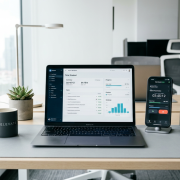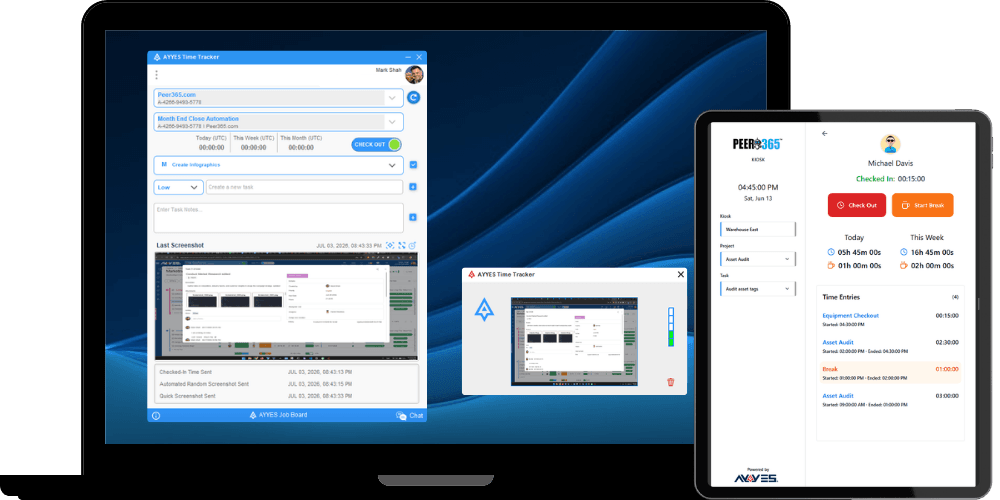
Best Time Tracking Software for Productive Teams
Every team hits a ceiling where gut feelings about productivity stop being enough. Whether your people are spread across three continents or sitting in the same office, the difference between teams that scale and teams that stall often comes down to one thing: knowing exactly where their hours go. The right time tracking software turns vague assumptions into hard data, and that data becomes the foundation for smarter decisions about staffing, pricing, and project scoping.
But the market is crowded. Dozens of tools promise to solve your productivity problems, and most of them overlap in confusing ways. Some are built for solo freelancers, others for enterprise operations with hundreds of moving parts. Picking the wrong one doesn’t just waste your subscription fee: it creates friction that makes your team less productive than they were before you started tracking anything. The goal here is to cut through the noise, identify what actually matters in a tracking tool, and help you match the right solution to your specific situation. Because a tool that works brilliantly for a 5-person agency might be a nightmare for a 200-person engineering department.
Why Modern Teams Prioritize Time Tracking for Productivity
The shift toward data-driven team management has been accelerating since the remote work explosion of the early 2020s. By 2026, most high-performing teams treat time data the same way sales teams treat CRM data: as a non-negotiable source of truth. The reason is simple. You can’t improve what you don’t measure, and time is the single most finite resource any team has.
Teams that track their hours consistently report 15-25% improvements in project estimation accuracy within the first quarter. That accuracy compounds over time, leading to better client relationships, fewer blown deadlines, and more realistic workload distribution.
The Shift from Manual Logs to Automated Tracking
Manual timesheets are still shockingly common, and they’re almost always inaccurate. Studies on self-reported time consistently show that people overestimate focused work by 20-30%. Automated tracking eliminates this problem by capturing actual application usage, website visits, and task switches in the background.
The best modern tools use passive tracking that runs silently, then let employees review and approve their logs before submission. This approach respects privacy while still producing reliable data. If your team is still filling out spreadsheets at the end of each week, you’re working with fiction, not data.
Identifying Bottlenecks in the Workflow
Raw time data becomes powerful when you can see patterns. If your design team consistently spends 40% of their week on revision cycles, that’s a process problem, not a talent problem. Time tracking surfaces these bottlenecks in ways that subjective reporting never can.
Look for tools that let you tag time entries by project phase, client, or task type. This granularity is what separates useful tracking from busywork. Without it, you’ll know how many hours were logged but have no idea where the inefficiencies actually live.
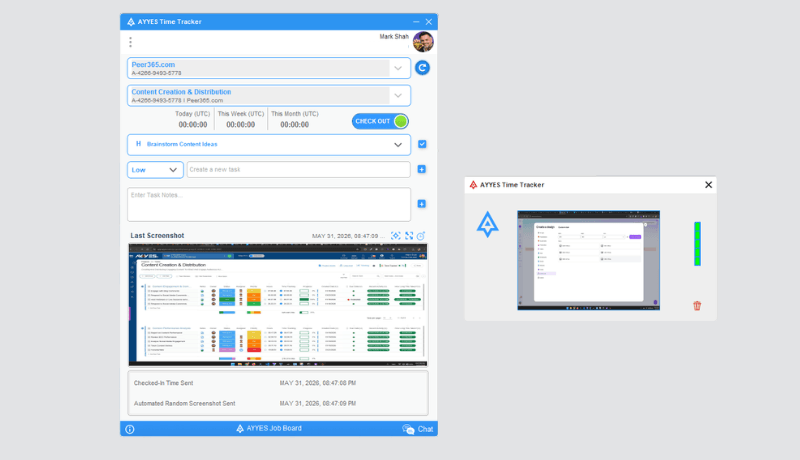
Top Time Tracking Software for Different Business Needs
Not every tool fits every team. The best choice depends on your team size, work style, and what you plan to do with the data once you have it.
Best for Remote and Distributed Teams
Remote teams need tools that work asynchronously and don’t require managers to hover. Toggl Track remains a top choice in 2026 for its simplicity and strong reporting. Hubstaff is better suited for teams that need activity-level monitoring, though it walks a fine line with employee trust. Clockify offers a generous free tier that makes it practical for distributed teams still testing the waters.
The critical feature for remote setups is timezone-aware reporting. If your team spans New York to Tokyo, you need dashboards that normalize data across time zones without requiring manual adjustments. Any tool that doesn’t handle this natively will create more confusion than clarity.
Best for Freelancers and Agencies
Freelancers and agencies have a different priority: connecting tracked hours directly to invoices and client billing. Harvest has owned this space for years, and its invoicing integration is still among the best. FreshBooks combines tracking with full accounting, which saves solo operators from juggling multiple platforms.
For agencies managing multiple clients simultaneously, Teamwork stands out because it ties time entries to specific project milestones. This makes client reporting straightforward: you can show exactly how hours were allocated across deliverables without assembling data from three different sources.
Project Management Software with Integrated Timers
Running your timer inside your project management tool instead of alongside it eliminates an entire category of friction. When tracking is built into the same interface where tasks are assigned and updated, adoption rates jump dramatically.
Benefits of Native Timers over Third-Party Add-ons
Third-party integrations break. APIs change, sync delays create data discrepancies, and your team ends up toggling between two apps instead of one. Native timers inside project management software with integrated timers avoid all of this. Tools like ClickUp, Monday.com, and Asana (which added native tracking in late 2025) let team members start a timer directly from a task card.
The practical benefit is higher compliance. When starting a timer requires opening a separate app, logging in, and finding the right project, people skip it. When it’s a single click on the task they’re already working on, they actually use it.
Syncing Task Progress with Real-Time Data
The real power of integrated tracking shows up in project health dashboards. When time data flows directly into task completion metrics, project managers can spot trouble early. If a task estimated at 4 hours already has 6 hours logged and is only 50% complete, that’s a flag worth investigating before it derails the sprint.
This kind of real-time visibility is impossible when time data lives in one system and project status lives in another. The sync lag alone can hide problems until they become crises.
How to Improve Team Accountability with Data
Accountability doesn’t mean surveillance. The teams that get this right use time data as a coaching tool, not a punishment mechanism. The question isn’t “why did you only log 6 hours yesterday?” It’s “what blocked you from making progress on this task?”
Using Reporting Dashboards for Transparent Performance
The most effective approach to improving team accountability with data is making dashboards visible to everyone, not just managers. When the whole team can see aggregate time breakdowns by project, it creates natural peer accountability without anyone feeling singled out.
Weekly team reviews that include time allocation data tend to surface misalignments quickly. If one person spent 15 hours on a task the team estimated at 5, that’s a conversation about estimation accuracy or scope creep: not a performance review. Transparency makes these conversations productive instead of adversarial.
Setting Clear Expectations through Historical Benchmarks
After three to six months of consistent tracking, you’ll have enough historical data to set realistic benchmarks. These benchmarks replace arbitrary deadlines with evidence-based estimates. “This type of project typically takes our team 120 hours” is a fundamentally different statement than “I think we can do it in two weeks.”
Historical benchmarks also protect your team from scope creep. When a client asks for “just one more feature,” you can show exactly how similar additions impacted timelines on past projects. Data makes that conversation objective rather than confrontational.
Essential Features to Look for in a Tracking Tool
Feature lists on vendor websites all blur together after a while. Here’s what actually matters in practice, based on what separates tools teams stick with from tools they abandon within 90 days.
Cross-Platform Compatibility and Mobile Access
Your tracking tool is useless if it only works on desktop. Field teams, sales reps, and anyone who splits time between meetings and desk work needs reliable mobile apps. Test the mobile experience before committing: many tools treat their mobile apps as afterthoughts with limited functionality.
Look for these non-negotiable capabilities:
- Offline tracking that syncs when connectivity returns
- One-tap timer start from recent projects
- GPS-based tracking for field service teams (if applicable)
- Push notifications for idle time reminders
Browser extensions also matter. A Chrome or Firefox extension that lets someone start tracking without leaving their current tab reduces friction significantly.
Advanced Billing and Invoicing Integrations
If you bill clients by the hour, your time tracking tool needs to connect directly to your invoicing workflow. The best setups let you convert approved time entries into invoice line items with a few clicks. Manual data transfer between tracking and billing systems introduces errors and wastes the very time you’re trying to save.
Key billing features worth prioritizing include multiple billing rates per project or team member, automatic currency conversion for international clients, and the ability to set budget caps that trigger alerts before overages happen. Tools like Harvest and Toggl Track handle most of these natively. If your tool doesn’t, make sure it integrates cleanly with QuickBooks, Xero, or whatever accounting platform you use.
Implementing Time Tracking Without Hurting Morale
This is where most rollouts fail. The tool works fine: the problem is how it’s introduced. If your team perceives tracking as micromanagement, adoption will be grudging at best and actively sabotaged at worst.
Start by explaining the “why” before the “how.” Frame tracking around project accuracy and workload balance, not individual performance monitoring. Share the data you collect in aggregate, not as individual scorecards. Let team members review and edit their own entries before managers see them.
The most successful implementations I’ve seen follow a simple pattern: leadership tracks their own time first, shares their data openly with the team, and only then asks everyone else to participate. When people see their manager’s time breakdown on a dashboard, the message shifts from “we’re watching you” to “we’re all doing this together.”
Give the rollout at least 30 days before evaluating. Early resistance is normal. What matters is whether the data starts producing visible improvements: better estimates, fairer workload distribution, or more accurate client billing. Once the team sees those results, the tool stops feeling like oversight and starts feeling like a competitive advantage.
Choosing the right time tracking software is less about finding the “best” tool and more about finding the right fit for how your team actually works. Start with the problem you’re trying to solve: whether that’s billing accuracy, workload visibility, or project estimation: and pick the simplest tool that addresses it. You can always upgrade later, but you can’t recover the momentum lost from a botched rollout of an overcomplicated system. Track your time like it matters, because it does.