

DCAA Compliant Time Tracking: What Auditors Expect
DCAA compliant time tracking means every employee enters time daily against a specific cost objective, a supervisor certifies it, and the system preserves a tamper-evident audit trail of any edit. That is the whole standard in one sentence. Everything else in this guide explains how to prove it.
If you’re building or fixing a timekeeping system right now, three actions cut your audit risk faster than anything else:
- Lock daily entry. Stop weekly or biweekly reconstruction immediately. Auditors treat batch entry as a red flag before they read a single timesheet.
- Document every correction with employee sign-off. An edit without a visible trail and the employee’s concurrence looks like falsification, even when it isn’t.
- Map every charge code to a real cost objective. Contract, task order, or CLIN. No generic buckets.
Auditors pull from three primary sources: the DCAA Accounting System Guidance.pdf?ver=SF0e_mIXhMUEEJB0laNUDQ%3D%3D), DFARS 252.242-7006, and FAR 31.201-2. Software like Ayyes can enforce most of these controls automatically, which matters more than most contractors realize until an auditor asks for a system walk-through.
Key Takeaways
DCAA compliant time tracking requires daily employee-entered time tied to specific cost objectives, documented supervisor approval, and a tamper-evident audit trail that survives an unannounced floor check.
| Point | Details |
|---|---|
| Lock daily entry | Block time entry more than a day or two after the work date to prevent weekly reconstruction. |
| Map codes to cost objectives | Require contract, task, or CLIN level charge codes tied to the actual work performed. |
| Document every correction | Require a reason, timestamp, and employee concurrence for any edit made after certification. |
| Run internal floor checks | Interview employees quarterly and compare answers to timesheets, mirroring the auditor’s own method. |
| Automate enforcement | Ayyes enforces entry locks, charge-code mapping, and audit trails so controls don’t depend on manual discipline. |
Table of Contents
- Quick Checklist Managers Can Use This Week
- What Are the Nine DCAA Timesheet Controls?
- What Fields and Logs Do Auditors Actually Accept?
- How Do DCAA Floor Checks Actually Work?
- Building an Audit-Proof Timekeeping System
- How Ayyes Maps to DCAA Timekeeping Controls
- Why Direct and Indirect Labor Need Separate Tracking
- How Should Timesheet Corrections Be Documented?
- What Happens When an Employee Misses an Entry During a Floor Check?
- Why Payroll and Billing Integration Matters for Compliance
- What Are the Most Common DCAA Timekeeping Findings?
- Electronic vs. Manual Timekeeping: Which Meets DCAA Standards?
- What Contractors Get Wrong About Audit Readiness
- Where Ayyes Fits Into Your Compliance Program
- Sources
Quick Checklist Managers Can Use This Week
Before you touch policy language or vendor contracts, run this checklist against your current system. It follows the order auditors typically test.
- Daily entry enforcement. Confirm the system blocks entry past a defined lock window, usually the following business day.
- Charge code accuracy. Verify every code maps to an active contract, task, or CLIN, and that employees select codes based on the work actually performed, not what’s convenient.
- Certification and cosignature. Employees certify their own time; supervisors cosign within a set window, typically 24 to 48 hours.
- Audit trail integrity. Every correction should show who changed what, when, and why, with the employee’s documented concurrence.
- Monthly reconciliation. Labor distribution reports should tie back to payroll and billing without unexplained variances.
- Retention readiness. Confirm you can retrieve timesheets and edit logs going back at least the required retention period without IT intervention.
Run through these six points monthly, not just before an audit notice arrives. Contractors who treat this as a standing process, rather than a fire drill, consistently produce cleaner floor-check results.
What Are the Nine DCAA Timesheet Controls?
DCAA guidance built around DCAA Manual 7641.90 organizes timekeeping expectations into a set of nine specific controls. Auditors test against these nine, not the six-to-ten-item checklists you’ll find on generic advisory blogs, so it pays to map your policy to the actual list.
- Daily time recording. Time is entered the day it’s worked, not reconstructed from memory at week’s end.
- Work determines the charge. The task performed dictates the code used, never the contract with remaining budget.
- Employee-entered time. Employees, not administrators or supervisors, make the original entry.
- Employee certification. Each timesheet carries an affirmative certification that the entries are accurate.
- Supervisor approval. A supervisor with direct knowledge of the work reviews and cosigns.
- Documented corrections. Any change after certification is logged with a reason and the employee’s concurrence.
- Restricted access. Only the employee and authorized approvers can modify that employee’s entries.
- Audit trail retention. The system preserves original entries alongside every subsequent edit.
- Training on procedures. Employees and supervisors receive documented instruction on timekeeping policy before they touch the system.
Statistic to know: DCAA’s own guidance frames labor as the largest and most heavily scrutinized cost category on most government contracts, which is exactly why timesheet controls draw more audit attention than almost any other accounting function.
These nine controls trace back to two regulatory anchors. FAR 31.201-2 requires that costs claimed against a contract be backed by adequate records, retained for audit. DFARS 252.242-7006©(9) and (10) go further, requiring a timekeeping system that identifies labor by cost objective and a labor distribution system that routes direct and indirect hours correctly. Miss either clause’s intent, and even a technically functional timesheet system can generate an audit finding.
Retention and reconciliation sit underneath all nine controls. Auditors expect monthly labor distribution reports that tie cleanly to payroll runs, and they expect you to produce historical timesheets and their full edit history on request, not just the current pay period.
What Fields and Logs Do Auditors Actually Accept?
Field-level precision is where most homegrown spreadsheets fail. Auditors want to see specific data points captured on every entry, not just a total hours figure.
- Employee name and ID, tied to a unique system login.
- Date of work performed, entered on that date.
- Cost objective, meaning contract number, task order, and CLIN where applicable.
- Hours worked, broken out by direct and indirect categories.
- Brief task description, enough to link the hours to actual work product.
The audit trail behind those fields needs its own data elements: original entry timestamp, editor identity, edit timestamp, reason for the change, and the employee’s documented concurrence. A correction without that last element, even a minor one like fixing a typo in a task description, can read as an unsupported alteration during a review.
Remote and offsite teams create a real constraint here. Field technicians without daily system access need a documented exception process, such as a same-day paper log reconciled into the system within 24 hours, with the delay itself documented.
Pro Tip: Build your correction workflow so the employee has to actively click “approve” on any change to their own timesheet, even one initiated by a supervisor. A passive notification isn’t the same as documented concurrence, and auditors know the difference.
How Do DCAA Floor Checks Actually Work?
Floor checks are unannounced. An auditor shows up, pulls a sample of employees, and asks each one what they’re working on right now, then compares the answer to what the timesheet says for that period. It’s a blunt test, and it catches more contractors off guard than any document review.
- Employee interviews. Auditors ask what contract or task the employee is currently charging and cross-check against the timesheet.
- Document pull. They typically request the timekeeping policy, a sample of certified timesheets, the audit trail for those samples, and supervisor training records, usually in that order.
- Labor distribution comparison. They reconcile sampled timesheets against payroll registers and billing invoices to confirm the numbers match end to end.
What generates findings almost every time: evidence of weekly reconstruction (entries all created on the same day for a five-day period), edit logs showing changes with no documented reason, and supervisors approving timesheets for work they have no visibility into.
- Keep a rolling log of your own internal floor checks so you can show remediation history, not just current-state compliance.
- If a past audit flagged reconstruction, keep the corrective training records and the revised policy language on hand. Auditors specifically look for whether a prior finding recurred.
- Respond to document requests within the timeline the auditor sets. Slow responses read as poor system control even when the underlying data is fine.
Building an Audit-Proof Timekeeping System
A written timekeeping policy is the foundation, and it needs to do more than restate the nine controls in prose. It should assign ownership: who approves new charge codes, who audits corrections monthly, and who retrains an employee after a first policy violation.
Training has to happen before system access, not after. New hires should complete timekeeping training and sign an acknowledgment before their first login, and supervisors need a separate module covering their certification responsibilities. Advisory guidance from accounting firms consistently points to documented training evidence, not just policy existence, as the differentiator auditors respond to.
Technical controls do the enforcement work policy alone can’t:
- Entry-lock windows that block time entry more than a day or two after the work date.
- Role-based permissions so only the employee and their designated approver can touch that timesheet.
- Immutable audit logs that preserve the original entry even after a correction is applied.
- Automated reconciliation reports comparing labor distribution to payroll on a monthly cycle.
Run your own floor checks quarterly, using the same interview-and-compare method DCAA uses. It’s the single best rehearsal for the real thing.
Pro Tip: Set your entry-lock window tighter than you think you need. A 24-hour lock forces daily habits; a five-day lock quietly becomes weekly reconstruction with extra steps.
Retention periods should match your contract requirements, typically several years past final payment, and records need to be retrievable without IT help within a day or two of a request.
How Ayyes Maps to DCAA Timekeeping Controls
Software doesn’t replace policy, but it enforces what policy alone can’t guarantee: consistency. Ayyes builds several of the nine DCAA controls directly into the platform rather than leaving them to manual discipline.
- Daily entry enforcement through configurable lock windows that prevent late batch entry.
- Charge-code governance with contract, task, and CLIN-level mapping so employees select cost objectives, not free-text descriptions.
- Tamper-evident audit trails that preserve original entries alongside every correction and its documented reason.
- Supervisor approval workflows with timestamped cosignatures separate from the employee’s own certification.
- Reporting exports built for reconciliation against payroll and billing without manual reformatting.
The gap between a compliant policy on paper and a compliant system in practice is almost always enforcement, not intent. Contractors rarely fail because they didn’t know the rules. They fail because nothing in the system stopped an employee from entering last Friday’s hours the following Wednesday.
Match each feature to the specific control it satisfies before you roll it out. A tool that captures data but doesn’t enforce the lock window still leaves you exposed at the next floor check.
Why Direct and Indirect Labor Need Separate Tracking
Labor distribution is where a lot of otherwise solid timekeeping systems fall apart during an audit. Direct labor charges to a specific contract or task; indirect labor covers overhead, general administration, or bid-and-proposal work that benefits the business broadly rather than one contract.

The distinction matters because DFARS 252.242-7006© requires a labor distribution system that routes hours to the correct cost pool, and misclassified labor distorts both your indirect rates and your billed direct costs. An employee who splits time between a contract task and internal training needs to record both categories accurately on the same day, not lump everything under one convenient code.
Segregation breaks down most often when employees default to whatever code was used last, rather than the code matching the actual task. That’s a “work determines the charge” violation, and it’s one of the more common findings auditors cite. The fix isn’t more employee reminders. It’s a system that requires a task description alongside the code selection, so the employee has to actively connect the hours to the work.
Labor distribution reports should let you reconcile, contract by contract, exactly how direct and indirect hours flowed through a given month. If a report can’t answer “show me every indirect hour charged by this employee in March,” the segregation isn’t functioning at the level auditors expect, regardless of what the policy document says.
How Should Timesheet Corrections Be Documented?
Every correction needs three things: a reason, a timestamp, and the employee’s concurrence. Skip any one of those, and the correction itself becomes the audit finding, even if the underlying hours were accurate all along.

Employee concurrence means the employee actively acknowledges the change, not a passive notification buried in an email. If a supervisor notices an employee charged the wrong task order, the correct workflow has the supervisor flag it, the employee review the proposed fix, and the employee approve it before the record updates. A supervisor who edits an employee’s timesheet unilaterally, even to fix an obvious error, creates exactly the kind of unsupported alteration DCAA guidance warns against.
The original entry has to remain visible after correction. A system that overwrites the initial value and shows only the corrected number has destroyed the audit trail, regardless of how accurate the final number is. Auditors want to see both states side by side, along with who made the change and when.
Build a standing log of corrections separate from the individual timesheets themselves. A monthly summary showing how many corrections occurred, which employees and supervisors were involved, and whether any pattern suggests a training gap gives you something concrete to show during a review, and it gives your own compliance team an early warning system for recurring problems.
What Happens When an Employee Misses an Entry During a Floor Check?
Missed entries during a floor check aren’t automatically a finding, but how you handle them determines whether they become one. The auditor’s interview will surface the gap; your documentation determines whether it reads as an isolated exception or a systemic control failure.
Document the exception the same day it’s identified. Note the employee, the date in question, the reason for the missed entry, and the corrective action, whether that’s a same-day retroactive entry with a documented explanation or a supervisor confirmation of the actual hours worked. Speed matters here. An exception documented weeks after the floor check looks reconstructed, which undermines the very point you’re trying to prove.
A few practical steps make this manageable:
- Maintain a standing exception log separate from routine corrections, since floor-check gaps carry more audit weight than a typo fix.
- Require supervisor sign-off on any exception tied to a floor check, not just employee self-certification.
- Track exception frequency by team or individual. Repeated gaps in the same department usually point to a training or access problem, not bad luck.
If missed entries cluster around remote or field employees, that’s a signal your daily-entry mitigation approach, whether it’s mobile access or a same-day paper log, isn’t working as designed. Fix the access gap before the next floor check, not after.
Why Payroll and Billing Integration Matters for Compliance
A timekeeping system that produces perfect audit trails but doesn’t talk to payroll and billing still leaves a compliance gap. Auditors reconcile labor distribution reports against payroll registers and client invoices, and any mismatch between what the timesheet says and what got paid or billed becomes a finding regardless of how clean the timesheet itself looks.
Manual re-entry between systems is where most mismatches originate. An employee’s certified hours get transcribed into a payroll system by someone else, and a transposition error or rounding difference creates a discrepancy that has nothing to do with the original timekeeping accuracy but shows up as one during reconciliation. Direct integration, where certified time flows into payroll and billing without manual re-keying, removes that failure point entirely.
Billing integration carries its own stakes. Invoices to the government need to trace directly back to certified, approved timesheets. If your billing system pulls from a different data source than your certified timekeeping records, even a well-run timekeeping program can’t protect you when an auditor asks to trace an invoiced hour back to its source document.
Monthly reconciliation between all three systems, timekeeping, payroll, and billing, should be a standing process, not a pre-audit scramble. Software like Ayyes exports reporting formatted for that reconciliation, which cuts the manual translation work that introduces most of these errors.
What Are the Most Common DCAA Timekeeping Findings?
A handful of deficiencies show up in audit after audit, and nearly all of them trace back to habits rather than missing policy documents.
- Weekly reconstruction disguised as daily entry. Timestamps show every entry for a five-day period created within the same hour.
- Charge codes that don’t match the work. Employees default to whichever code has budget remaining rather than the code matching the actual task.
- Supervisor approval without oversight. A cosignature from someone with no direct knowledge of the employee’s actual work.
- Corrections without documented reasons or employee concurrence. Edits that appear in the system with no explanation attached.
- Inconsistent access controls. Multiple people able to edit the same timesheet, with no clear record of who made which change.
The pattern across all five is the same: policy existed, but nothing in daily practice or the system itself enforced it. That gap between written policy and actual behavior is exactly what floor checks are designed to expose, and it’s why routine internal floor checks and monthly reconciliations that mirror the auditor’s own procedures catch these issues before an official review does.
Avoiding these findings comes down to closing the enforcement gap, not writing a better policy document. A system with a hard entry-lock window prevents reconstruction. A system that requires a task description alongside the charge code prevents miscoding. Fix the mechanism, and the policy takes care of itself.
Electronic vs. Manual Timekeeping: Which Meets DCAA Standards?
Neither format is explicitly mandated. DCAA guidance doesn’t require electronic systems, but electronic timekeeping is preferred because it produces more reliable, tamper-evident audit trails and enforces controls that manual systems depend on human discipline to maintain.
Paper or spreadsheet-based timekeeping can technically satisfy the nine controls, but every one of them depends on someone remembering to follow the rule correctly, every day, without exception. An entry-lock window on paper means trusting that nobody backdates a sheet. An audit trail on a shared spreadsheet means trusting that nobody overwrites a cell without noting why. Small contractor programs sometimes run compliant manual systems, but the margin for error is thin, and a single missed control during a floor check sample can trigger a broader review.
Electronic systems shift that burden from human memory to system architecture. A lock window becomes a setting, not a policy reminder. An audit trail becomes automatic, not dependent on someone remembering to log a reason. Role-based permissions prevent unauthorized edits by default rather than by trust.
The tradeoff is implementation effort and cost, which matters for smaller contractors weighing a first-time system against continuing a manual process. For any contractor managing more than a handful of employees across multiple contracts, the practical reliability gain from an electronic system tends to outweigh that setup cost, particularly once you factor in how much staff time a manual reconciliation process consumes every month.
What Contractors Get Wrong About Audit Readiness
The conventional advice on this topic treats DCAA compliance as a documentation exercise: write the policy, file it, move on. That’s backwards. Auditors don’t fail contractors for missing a policy document. They fail contractors for a gap between what the policy says and what the system actually enforces day to day.
The nine controls in DCAA Manual 7641.90 are more specific than most secondary guides suggest, and contractors who map their policy to a generic six-point checklist instead of the actual nine often discover the mismatch only during a real audit. That’s the wrong time to learn it.
Prioritize enforcement mechanisms before you prioritize policy language. A tight entry-lock window, role-based edit permissions, and an automatic audit trail will catch problems a written policy simply can’t. Run your own floor checks quarterly using the auditor’s own method: interview employees, compare answers to timesheets, document the gap. If your internal check doesn’t surprise anyone, your system is probably in decent shape. If it does, you just found the finding before DCAA did.
Where Ayyes Fits Into Your Compliance Program
Government contracts don’t leave room for a timekeeping system that depends on good intentions. Ayyes gives contracting teams the enforcement layer that written policy alone can’t provide: daily entry locks that prevent weekly reconstruction, charge-code mapping tied to contracts and task orders, and an audit trail that preserves every original entry alongside its correction history.
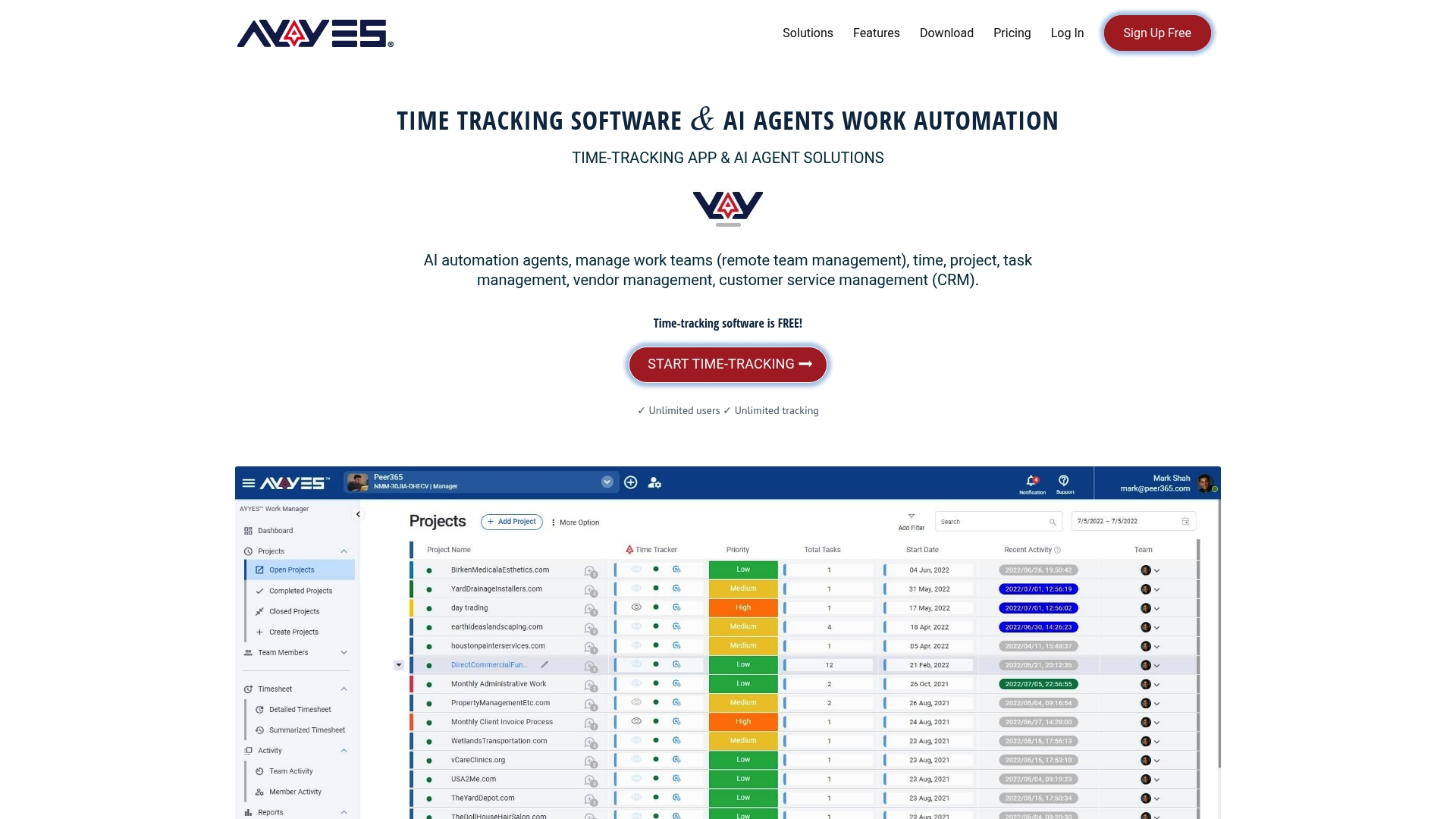
For compliance officers managing multiple contracts, the reporting side matters just as much as the entry side. Ayyes exports labor distribution data formatted for reconciliation against payroll and billing, which removes the manual re-keying that generates most audit discrepancies in the first place. Supervisor cosignature workflows run on a set approval window, so certification timestamps line up with what an auditor expects to see during a document pull.
If you’re evaluating whether your current system would survive an unannounced floor check, that’s the right test to run before an auditor runs it for you. Visit Ayyes to see how the platform enforces daily entry, charge-code governance, and audit-trail integrity in one system, and start a trial with your own team’s timesheets this week.
Sources
Auditors and contractors alike work from a small set of primary sources rather than secondary summaries.

