Team Members
Invite team members to time tracking and manage their capabilities.

Invite team members to time tracking and manage their capabilities.
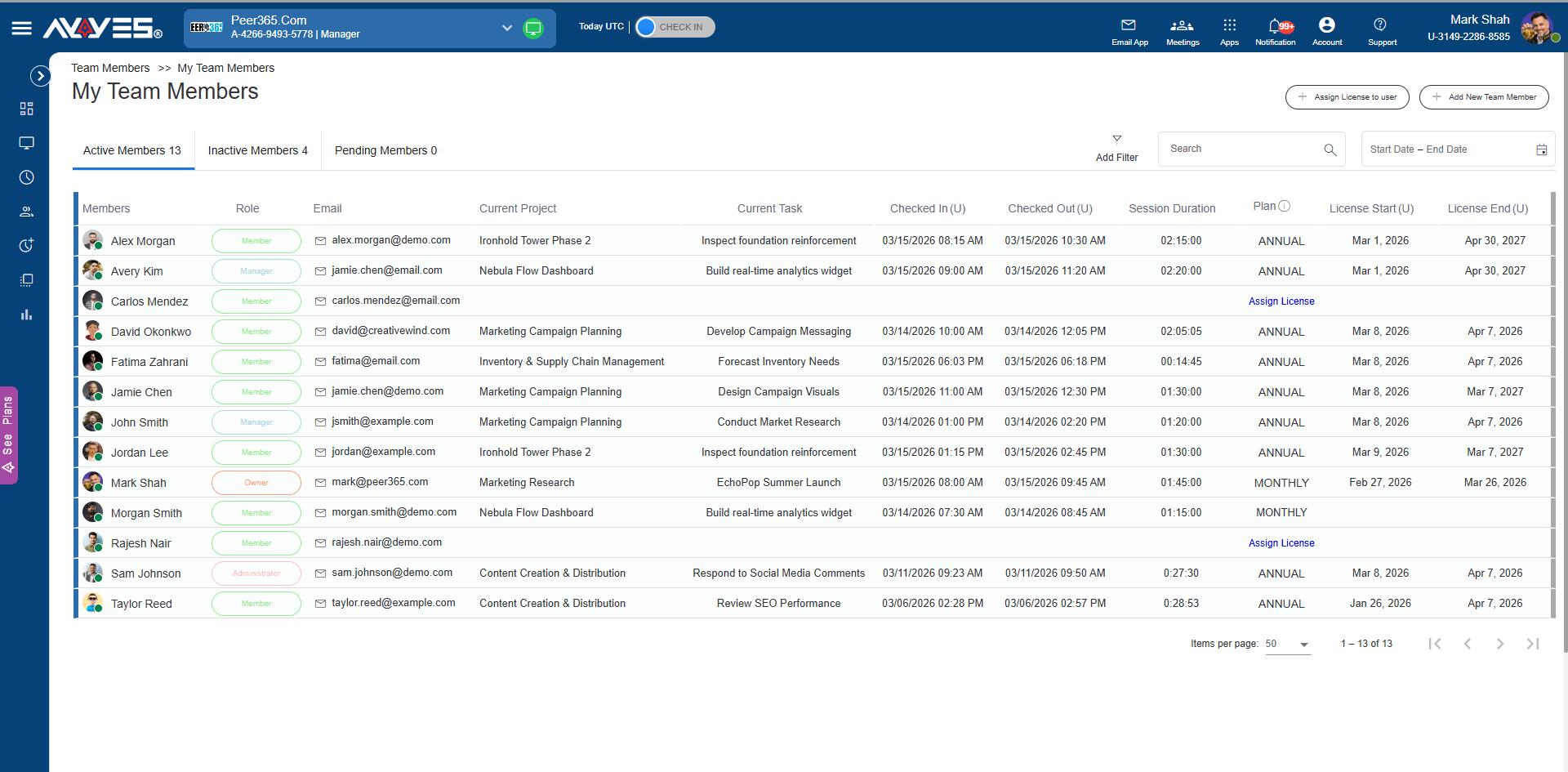
Multiple Ways to Grow Your Team in AYYES
Enter an email and hit send – the simplest way to grow your employee time tracking app.
 Optional personalized email messageProject assignment during inviteUser gets full workspace access on acceptance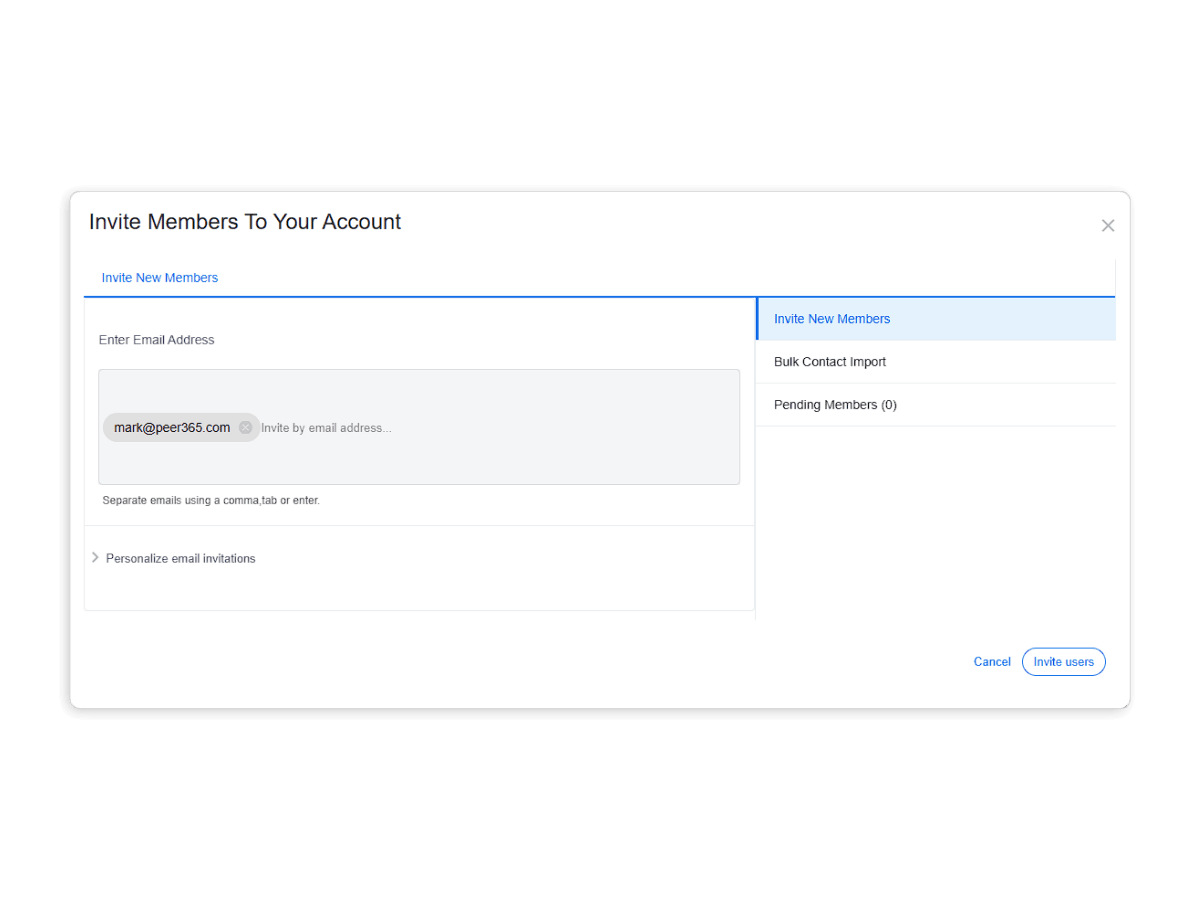
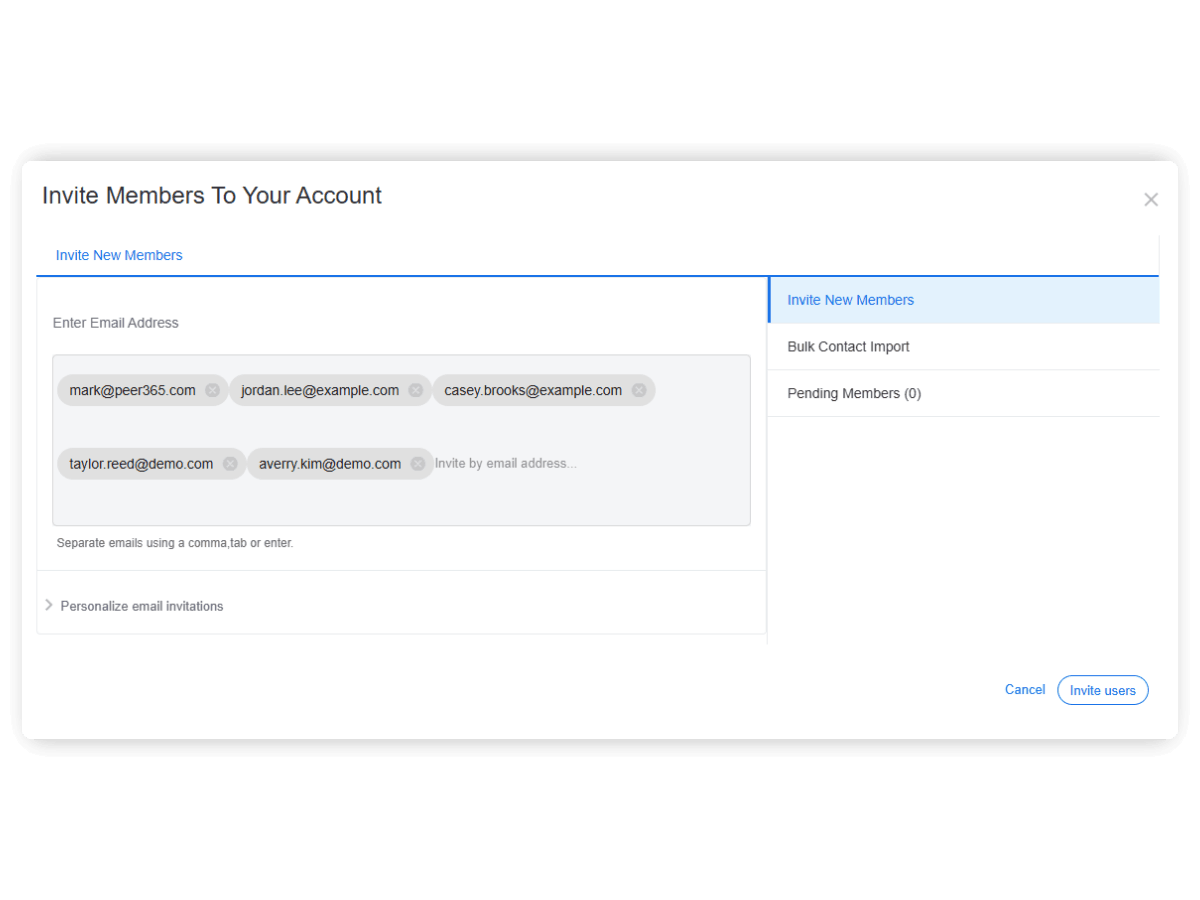
Add unlimited emails separated by commas – perfect for small business time tracking software onboarding entire teams at once.
No limit on number of invites All emails processed in a single sendScale your team management app from any spreadsheet.
Sample CSV available for download Ideal for migrating from HR systems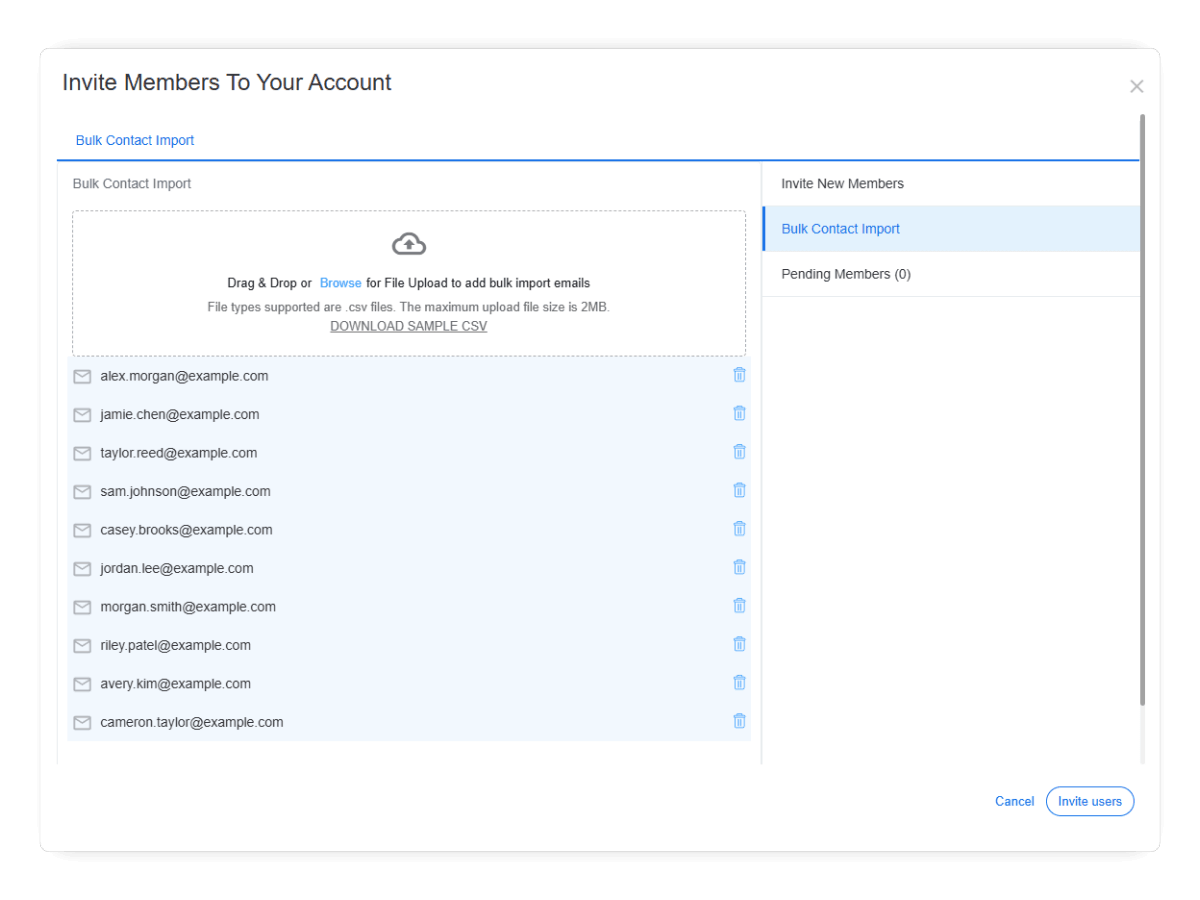
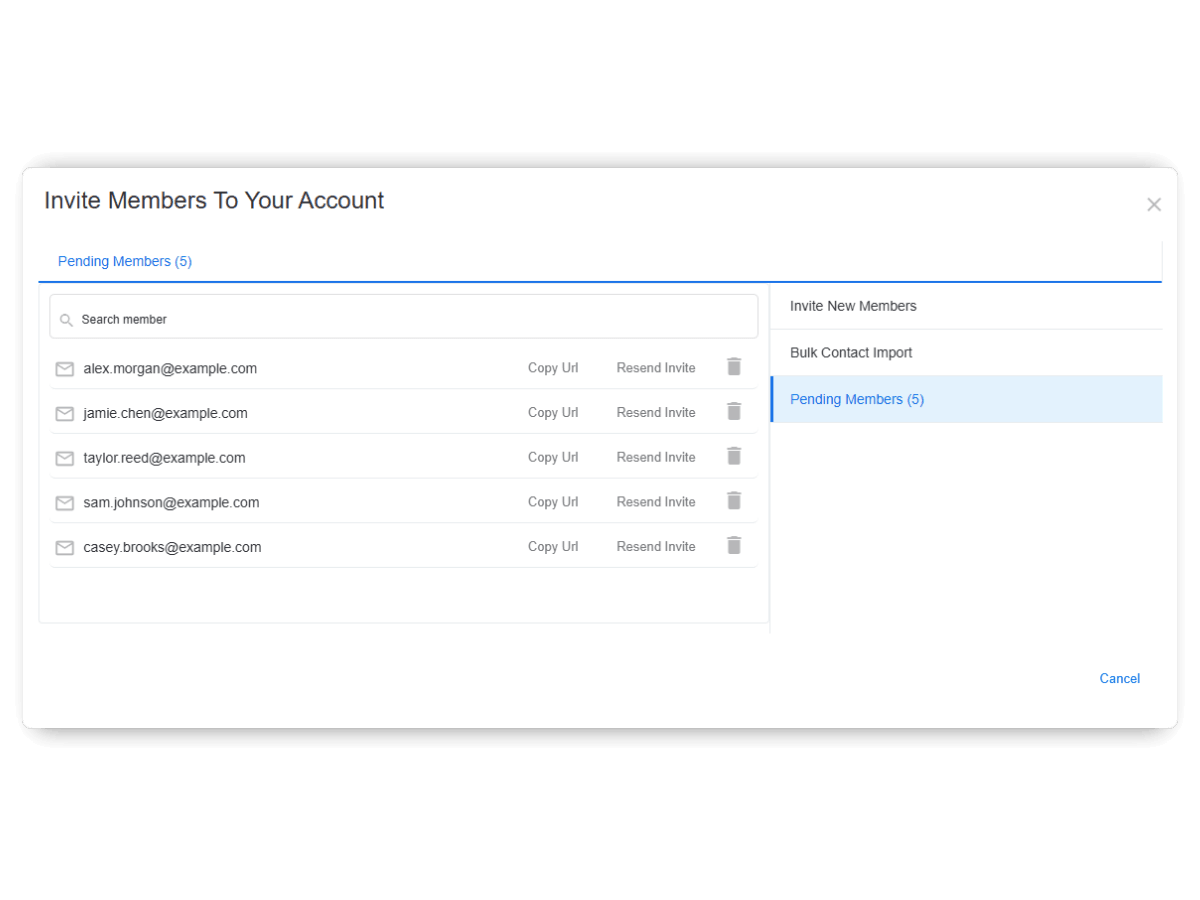
Copy a shareable link and send it via any channel – flexible remote employee monitoring tools communication.
Works when email fails or gets lostShare through any platformInvite your team members to specific project right away if you want
Members added to project upon invitation acceptPersonalized invitation message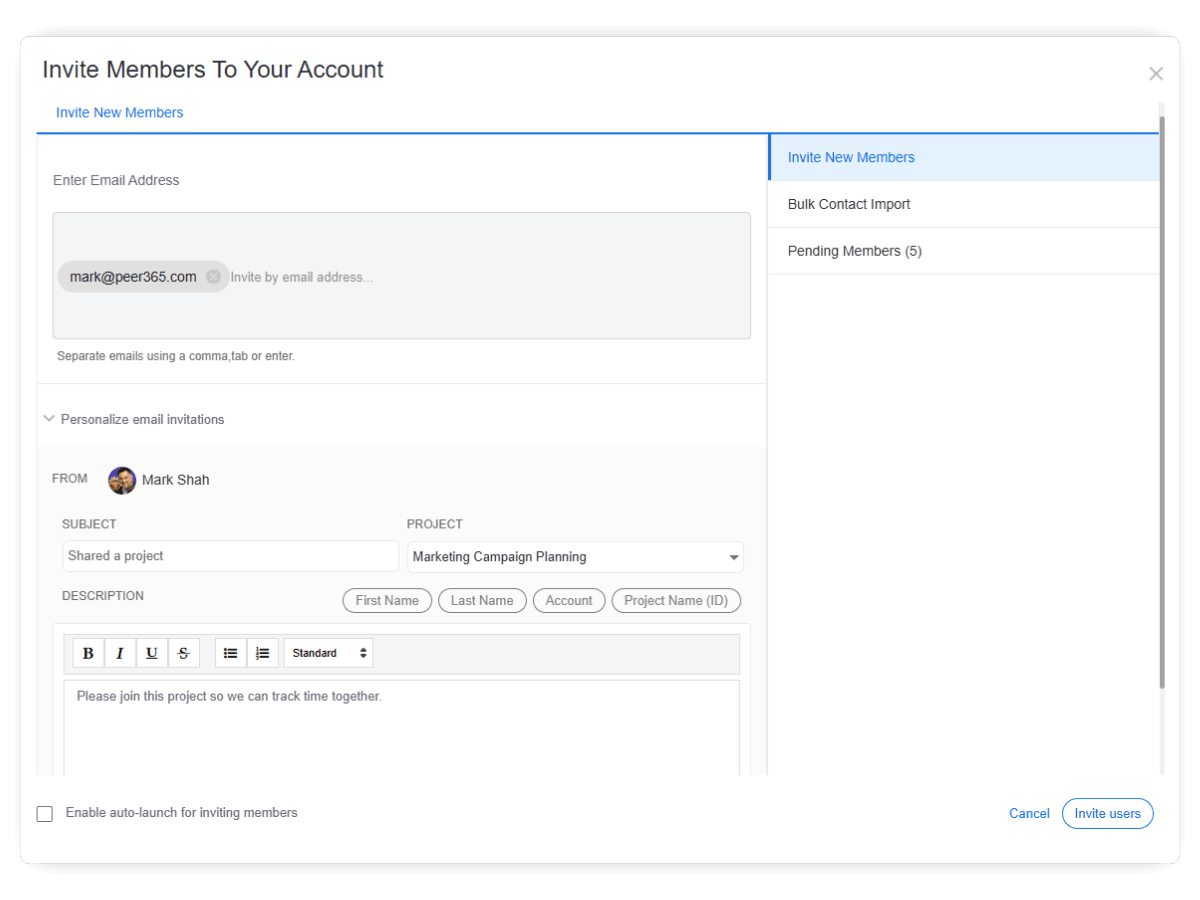
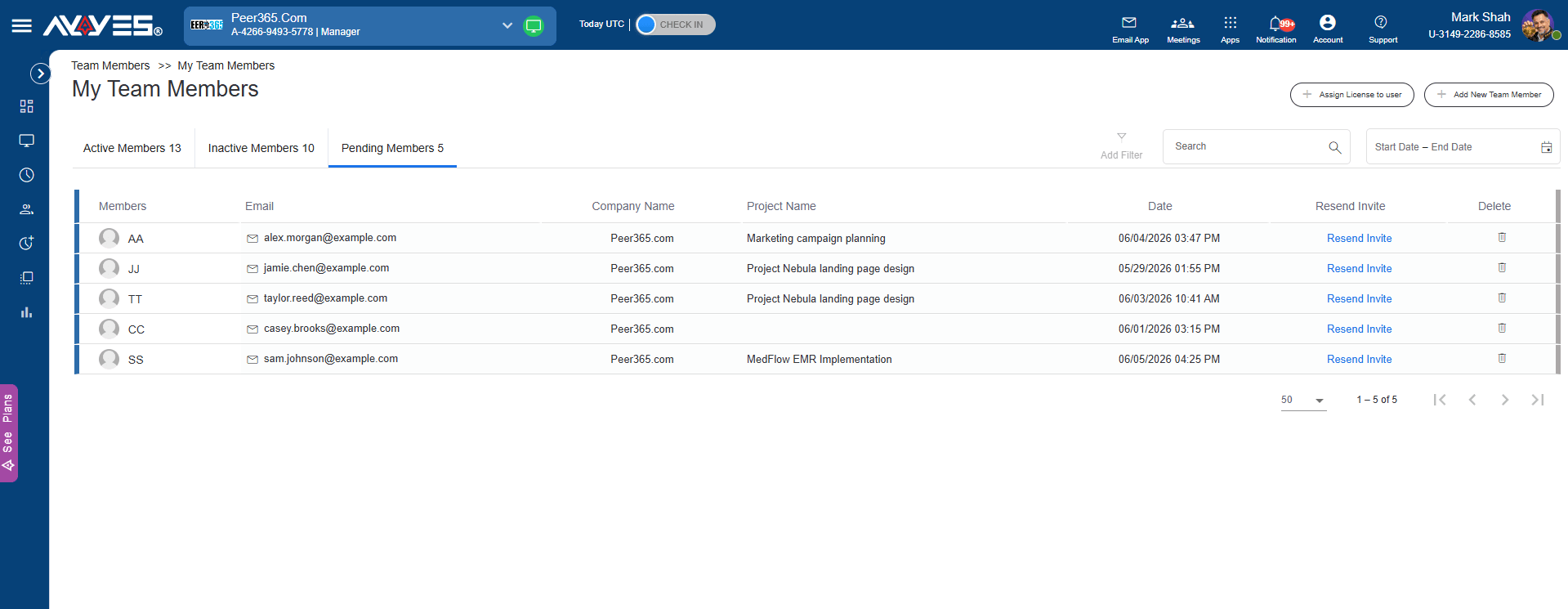
Your Team’s Pulse at a Glance. See every active member’s go-to view for real time team managing and tracking.
Inactive Members data lives on for timesheet reconciliation and project handoffs.
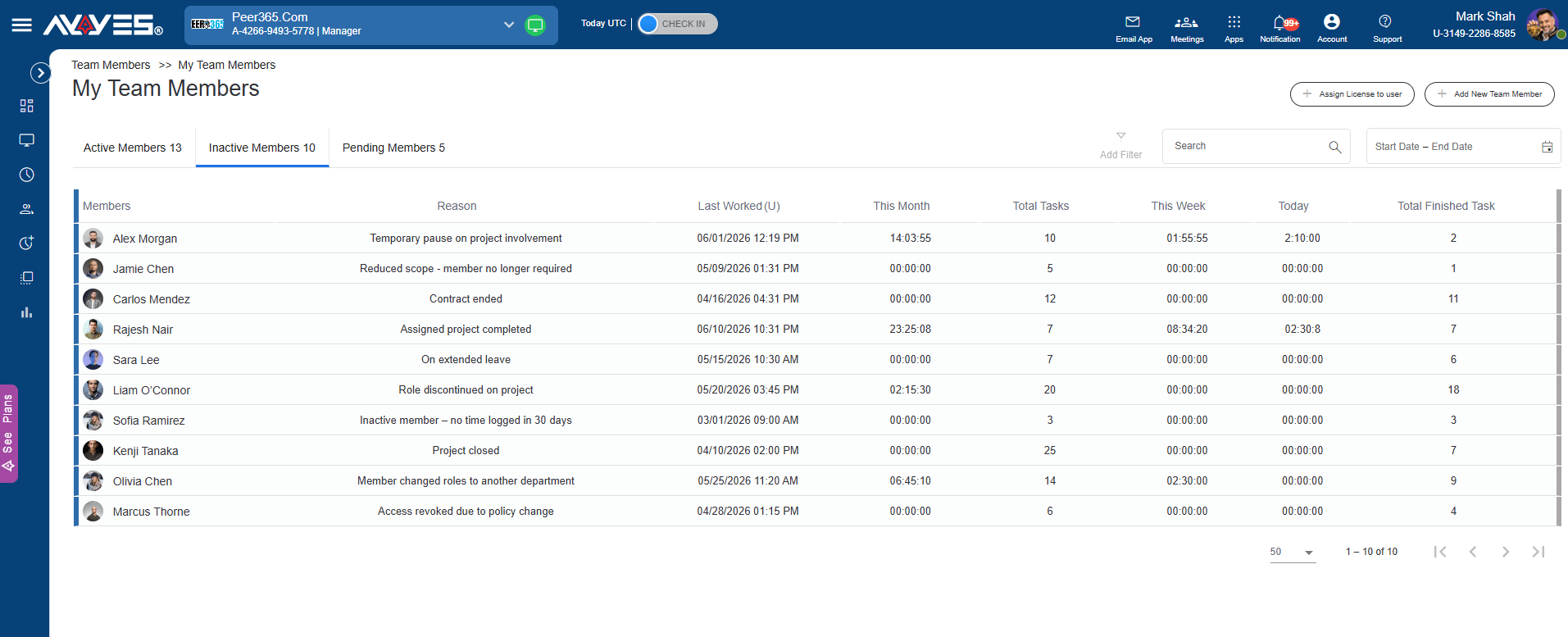
Invitation haven’t accepted yet – manage them here to keep your remote employee time tracking onboarding pipeline moving.
Control who has access and what they can do.
Available on all plans – free or paid – these roles make AYYES the best team management software for teams that need hierarchy without complexity.
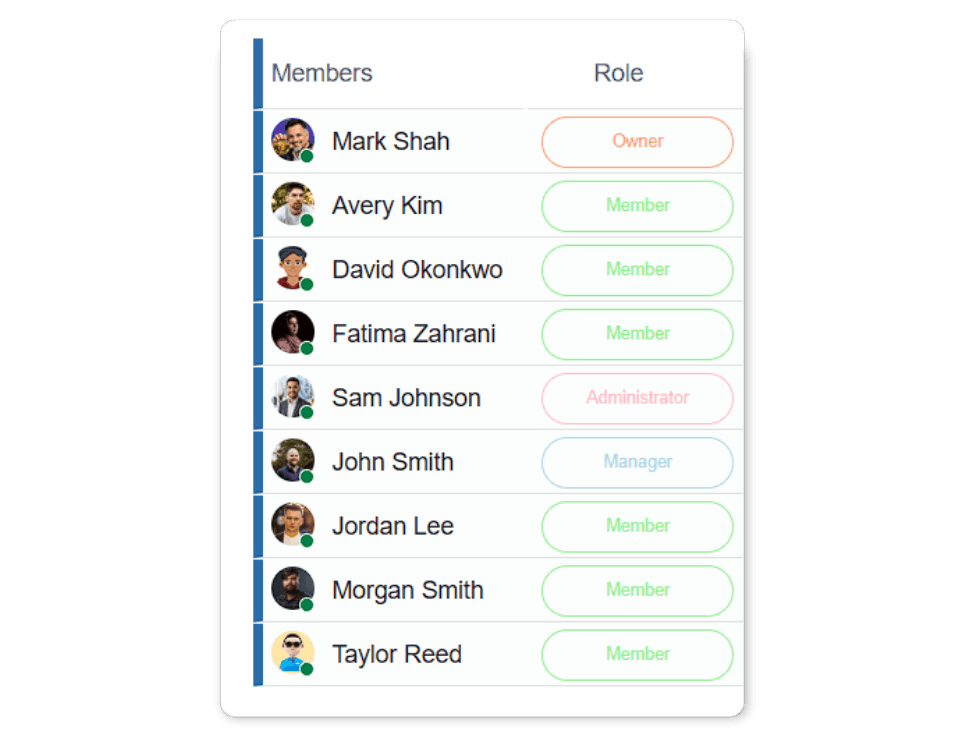
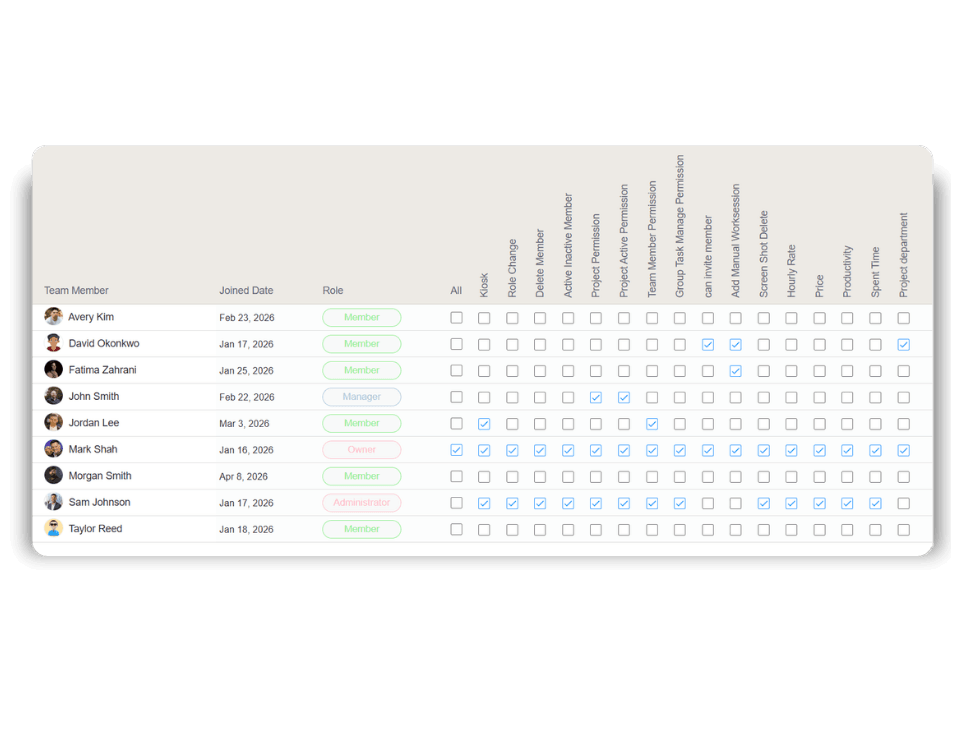
Keep your data secure – assign the right access to the right people.
Let team members clock in via shared device using their PIN or QR code.
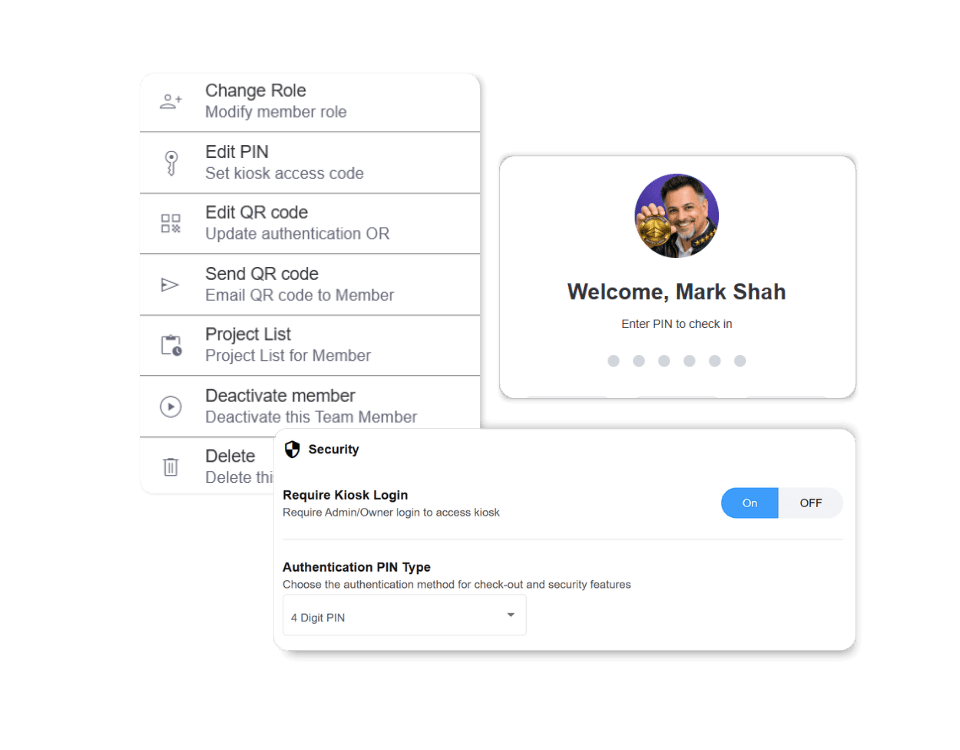
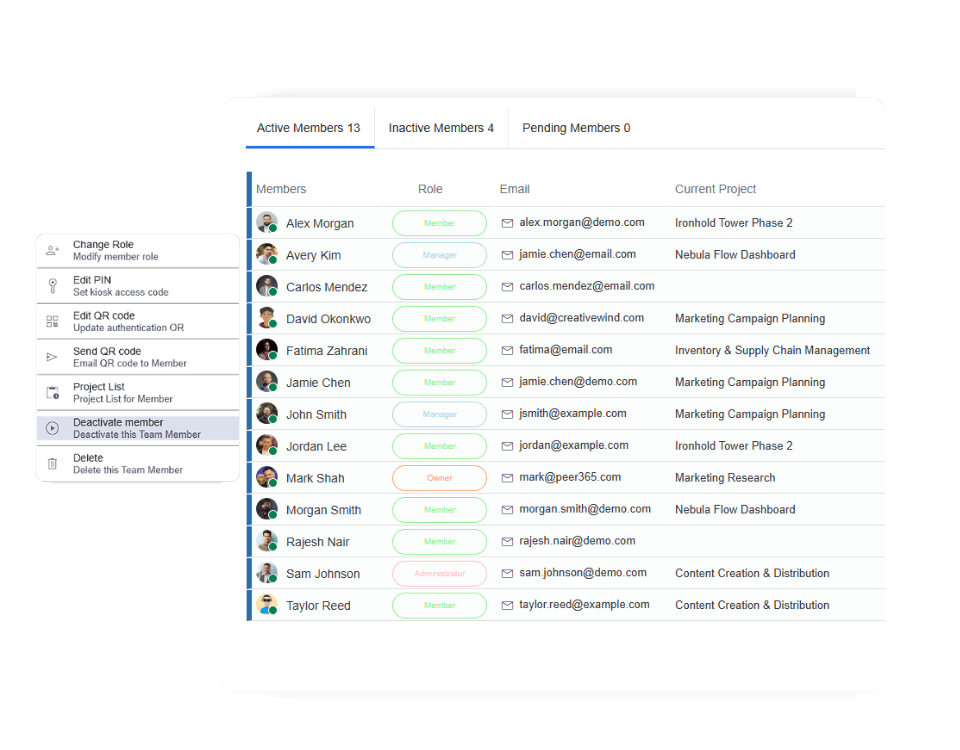
Revoke access while keeping all time entries, tasks, and notes intact
No more scrolling through long lists
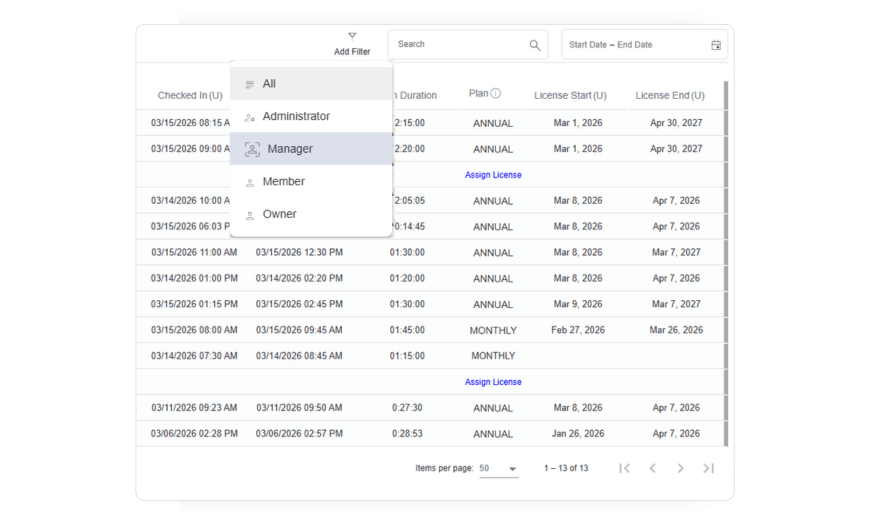
One click to show only Managers, Admins, or any role
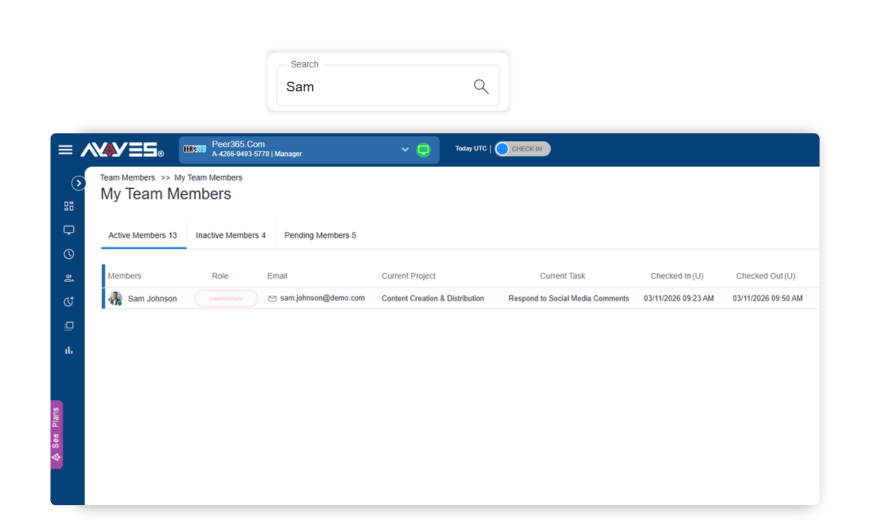
Search and find matching members instantly across every visible column.
View, add, or archive tasks within a project.
View, add, or archive projects for time tracking.
Clock in/out from a shared device using PIN or QR code.
Central hub for all tracked hours from web, desktop, or kiosk.
Make smarter decisions with clear time tracking reports.
Capture every minute accurately, in real time.
30 days free trial • No credit card required • Flexible plans
| Product Features | Solutions Timekeeping Productivity Analysis Reporting Project Management Team Management Industries |
| Competitor Comparison | Company Pricing About us Resources Download |

