
Deputy Alternatives That Avoid Payroll Disruption: AYYES
The strongest all-around replacement for Deputy is AYYES, which pairs scheduling and time tracking with AI automations and screenshot-based reporting for teams that want one integrated system. For very small or single-location teams on a tight budget, Homebase or Jibble cover the basics free. For restaurants specifically, 7shifts handles tip pooling and POS integrations that generic tools miss.
TL;DR:
- AYYES offers an integrated platform with a free plan for up to 12 team members. Paid plans are $0.99 per seat per month, or $0.88 per seat per month billed annually. Screenshot reporting and AI automations are paid features and are not included on the free plan. It suits teams that want scheduling and time tracking in one system.
- Free options like Homebase and Jibble suit small or single-location teams mainly prioritizing basic scheduling and time tracking, often with payroll paid separately.
- Industry-specific solutions like 7shifts excel in restaurant environments with features such as tip pooling and POS integrations, which general tools lack.
- Migration involves exporting employee data, testing imports, running parallel payroll, and carefully mapping pay rules to avoid compliance issues.
- Larger enterprises should consider tools like Rippling or Shifton that incorporate HR, payroll, and multi-language support within broader organizational ecosystems.
Table of Contents
- Which Deputy Alternatives Should You Consider First?
- How Do the Top Deputy Alternatives Compare?
- What Does Each Deputy Alternative Actually Offer?
- How We Evaluated These Deputy Alternatives
- How Should You Choose the Right Deputy Replacement?
- How Do You Migrate From Deputy Without Disrupting Payroll?
- Consolidation or Best-of-Breed: What’s the Right Call?
- Get Started With AYYES as Your Deputy Replacement
- Sources
- FAQ
Which Deputy Alternatives Should You Consider First?
Deputy built its reputation on shift scheduling and time tracking for hourly teams, but the market has moved fast since then. The workforce management software category is now valued at $9.76 billion globally in 2026, and that growth has produced real specialization: some tools chase restaurants, some chase enterprise payroll, and some chase teams that just want a clean, free time clock.
Here’s the fast version, before the deeper comparison below.
- AYYES is the strongest general-purpose pick for managers who want scheduling, time tracking, payroll integrations, and AI-driven reporting under one roof, with a free plan that scales into paid tiers as the team grows.
- Homebase and Jibble both offer permanent free tiers built for single-location shops or teams under a dozen people, though payroll and advanced compliance features typically sit behind a paywall.
- 7shifts is purpose-built for restaurants and foodservice, with tip management and POS-aware forecasting that horizontal scheduling tools don’t attempt.
- Rippling fits mid-market and enterprise teams that need scheduling folded into a much larger HR and payroll system.
Each of these solves a different version of the same problem: Deputy’s pricing, missing features, or clunky mobile experience pushed the team to look elsewhere. The right pick depends less on brand reputation and more on what your payroll setup, industry, and team size actually demand.
How Do the Top Deputy Alternatives Compare?
The differences between these platforms show up fastest in a side-by-side view. Pricing structures, payroll depth, and migration support vary enough that a tool that’s perfect for a 15-person retail shop can be a poor fit for a 200-employee restaurant group.
| Product | Best For | Pricing / Free Tier | Core Features | Payroll Integration | Mobile & Deskless | Industry Focus | Deputy Import |
|---|---|---|---|---|---|---|---|
| AYYES | Teams wanting integrated tracking, AI automations, and reporting | Free plan; Monthly $0.99/seat, Annual $0.88/seat | Scheduling, time tracking, screenshot reporting, AI automations | Payroll integrations included | Full mobile app, kiosk clock-in | General workforce, remote and in-house | Manual data import supported |
| Jibble | Very small teams needing a free clock-in tool | Free tier for unlimited users (vendor-claimed) | Basic scheduling, device clock-in | Limited | Mobile app with geofencing | General small business | Manual CSV import |
| Connecteam | Deskless teams needing scheduling plus training | Free tier; paid tiers scale by feature | Scheduling, communication, training modules | Third-party via integration | Strong mobile-first design | Frontline and field teams | Manual import |
| Buddy Punch | Managers focused on time theft prevention | Paid plans only | Time clock, PTO tracking, GPS tracking | Payroll export | Mobile app | General small to mid-size business | CSV import |
| 7shifts | Restaurants needing tip and labor tools | Free tier for single location; paid tiers add features | Scheduling, tip pooling, labor forecasting | POS and payroll integrations | Mobile app built for shift workers | Restaurants and foodservice | Direct migration tools |
| When I Work | Small teams on a budget | Low-cost starter plans | Scheduling, mobile clock-in | Limited native payroll | Mobile clock-in | General small business | Manual import |
| OnTheClock | Small businesses wanting simple timesheets | Free trial; paid tiers | Timesheets, basic scheduling | Payroll export | Mobile app | General small business | Manual import |
| Homebase | Single-location shops wanting free scheduling | Free basic plan; payroll as paid add-on | Scheduling, time tracking, hiring tools | Payroll add-on | Mobile app | General small business, retail | Manual import |
| Clockify | Project teams billing hourly | Free for basic use; paid tiers for advanced reporting | Time tracking, project tracking, billable hours | Limited native payroll | Mobile and desktop apps | Freelancers, project-based teams | CSV import |
| Sling | Teams needing visual shift planning | Free tier; paid tiers add features | Visual scheduling, team messaging | Limited | Mobile app | General small to mid-size business | Manual import |
| Rippling | Mid-market/enterprise needing unified HR | Paid plans, quote-based | Scheduling, HR, deep payroll | Native enterprise payroll | Mobile app | Mid-market and enterprise | Data migration services |
| Shifton | Multi-location, multilingual organizations | Paid plans | Multi-site scheduling, multilingual support | Third-party | Mobile app | Multi-location retail and hospitality | Manual import |
| Timesheet 365 | Teams using Microsoft 365 for time tracking | Paid plans | Timesheet tracking within Microsoft ecosystem | Limited | Web-based, limited mobile | Office-based teams | Manual import |
| Hubstaff | Remote teams needing activity tracking | Free trial; paid tiers by feature | Time tracking, activity levels, project budgeting | Payroll integrations available | Mobile and desktop apps | Remote and distributed teams | Manual import |
A few notes worth flagging before you shortlist anything. Free tiers across this category almost universally exclude payroll processing and advanced compliance reporting, a pattern confirmed across multiple alternatives coverage. If your team currently relies on Deputy for break compliance tracking or labor-cost forecasting, moving to a stripped-down free tool can quietly raise your compliance risk even while it lowers your subscription bill.
Mobile and deskless capability also isn’t uniform. Tools built for hourly, multi-location operations tend to invest heavily in geo-fenced clock-ins and mobile-first design, while tools built for office or project-based work often treat mobile as an afterthought. If most of your workforce clocks in from a job site, restaurant floor, or retail counter, weight that column heavily.
What Does Each Deputy Alternative Actually Offer?
AYYES positions itself as a direct, integrated replacement for Deputy rather than a point solution. It combines scheduling and time tracking with AI automation agents that reduce manual oversight, plus screenshot capture with adjustable privacy settings so managers get visibility without hovering over every keystroke.
- Free plan available for small teams, with paid tiers as headcount and feature needs grow.
- Screenshot-based reporting gives a documented record of work activity without requiring constant manual check-ins.
- Kiosk clock-in and flexible device support work for both remote and on-site teams.
Best for: teams that want scheduling, time tracking, and productivity reporting in one platform instead of stitching together three tools. Migration is handled through manual data import, and because AYYES covers both remote and in-house use cases, it doesn’t force a trade-off between office and field teams.
Jibble keeps things simple: a free time clock with device-based clock-in and light scheduling.
- No-cost tier claims unlimited users, though feature depth is limited compared to paid platforms.
- Geofencing helps confirm employees are clocking in from the right location.
- Best for teams that just need a reliable, no-frills time clock.
Connecteam goes wide rather than deep, layering scheduling on top of internal communications and training modules.
- Strong choice for frontline teams that need more than a clock, like onboarding checklists or safety training.
- Scheduling is solid but not restaurant- or forecast-specific.
- Best for deskless teams where engagement and training matter as much as shift coverage.
Buddy Punch is built around stopping time theft.
- GPS tracking and facial recognition options cut down on buddy punching.
- PTO tracking is straightforward and well documented.
- Best for managers whose biggest Deputy frustration was attendance accuracy, not scheduling complexity.
7shifts earns its restaurant reputation through specificity.
- Tip pooling and labor cost forecasting are tuned to restaurant margins.
- POS integrations sync sales data directly into scheduling decisions.
- Best for restaurant and foodservice operators who need menu-aware forecasting Deputy doesn’t offer natively.
When I Work and OnTheClock both target small businesses that outgrew spreadsheets but don’t need enterprise features. When I Work leans into affordability with basic scheduling; OnTheClock leans into simple timesheets with straightforward payroll export.
Homebase stands out for its permanent free plan covering scheduling and time tracking at a single location, with payroll available as a paid add-on rather than bundled in.
Clockify and Hubstaff both suit project-based and remote teams billing hourly, with Clockify emphasizing free reporting depth and Hubstaff adding activity-level tracking for distributed teams.
Sling offers visual shift planning with built-in team messaging, useful for managers who think in calendar grids rather than spreadsheets.
Rippling is the enterprise play, folding scheduling into a much larger HR and payroll infrastructure. Shifton targets multi-location, multilingual organizations. Timesheet 365 fits teams already living inside Microsoft 365 who want timesheets without adopting a separate ecosystem.
How We Evaluated These Deputy Alternatives
Every product on this list was assessed against the same checklist:
- Core scheduling and time-tracking functionality, including auto-scheduling where offered.
- Pricing transparency and the real limits of any free tier.
- Payroll and integration depth, including whether the connection is two-way.
- Mobile app quality for deskless and field-based teams.
- Industry-specific features, particularly for restaurant and multi-location operators.
- Migration support, including Deputy data import and common integration gotchas.
- Public reputation and review patterns across independent listings.
This comparison draws on vendor documentation, market analysis, and competitor-landscape research, current as of 2026. Pricing and features change often in this category, so verify current numbers directly with each vendor before signing a contract. Tools with minimal public documentation or inactive support channels were excluded from deeper profiling.
How Should You Choose the Right Deputy Replacement?
Start with team size and payroll complexity, not brand familiarity. A five-person coffee shop and a 300-employee restaurant group need fundamentally different tools, even if both are technically “leaving Deputy.”
- Map your current payroll provider and confirm whether the new tool integrates natively or needs manual export.
- Check compliance requirements: break laws, overtime rules, and multi-state tax handling vary, and cheaper tools sometimes skip these features entirely.
- Involve payroll and HR stakeholders early. Scheduling is a manager’s problem, but payroll integration is everyone’s problem.
- Ask vendors directly: is the payroll integration two-way? What happens to historical data during migration? What’s the real cost once you add seats and payroll?
- Watch for red flags in demos: pricing that’s only available after a sales call, no mention of Deputy-specific import tools, or a mobile app that feels like an afterthought.
Analysts recommend clarifying upfront whether your switch is driven by cost or by missing capability. Those two motivations lead to very different shortlists.
Pro Tip: If your team relies on auto-scheduling, budget four to twelve weeks after launch for the algorithm to learn your labor patterns before trusting it fully. Run manual review alongside automated suggestions during that window.
How Do You Migrate From Deputy Without Disrupting Payroll?
Switching platforms mid-quarter is riskier than switching between pay periods. A clean migration follows five steps:
- Audit your current data. Export employee records, pay rates, and historical schedules from Deputy before doing anything else.
- Export schedules and timesheets. Pull at least two full pay cycles of historical timesheet data for testing.
- Test the import on the new platform. Run a sample import first and check for duplicate employee IDs or mismatched pay rates, common gotchas during migration.
- Run parallel payroll for one full cycle. Process payroll in both systems simultaneously and compare totals before trusting the new platform alone.
- Complete the full cutover. Once numbers match for a full cycle, retire Deputy access and finalize the switch.
Overtime rounding and pay-rule mismatches cause most migration headaches. Map your pay rules explicitly and test them in parallel rather than assuming default settings match.
Pro Tip: Pick a small pilot group, ideally one location or one shift, and run them on the new system for two weeks before rolling out company-wide. It surfaces training gaps before they become payroll errors.
Consolidation or Best-of-Breed: What’s the Right Call?
The honest answer depends on how much tool sprawl is actually costing you. If your team runs Deputy plus a separate payroll system plus a separate reporting tool, the licensing fees and integration friction add up fast, and an integrated platform often wins on total cost of ownership.
Best-of-breed still makes sense in narrow cases. A restaurant chain that needs deep POS integration might reasonably keep a specialist tool for scheduling while consolidating everything else. The mistake is assuming automation delivers value on day one. AI-driven scheduling needs weeks of historical data before its suggestions are trustworthy, and treating it as instant is where most rollouts stumble.
AYYES was built around the consolidation argument: one system for tracking, reporting, and automation instead of three vendors and three invoices.
— Mark
Get Started With AYYES as Your Deputy Replacement
A software replaces the core jobs Deputy handled, scheduling, time tracking, and attendance, and adds AI automations plus screenshot-based reporting that many Deputy alternatives don’t offer natively. Managers get payroll integrations, mobile clock-in options including kiosk mode, and productivity reporting that doesn’t require constant manual oversight.
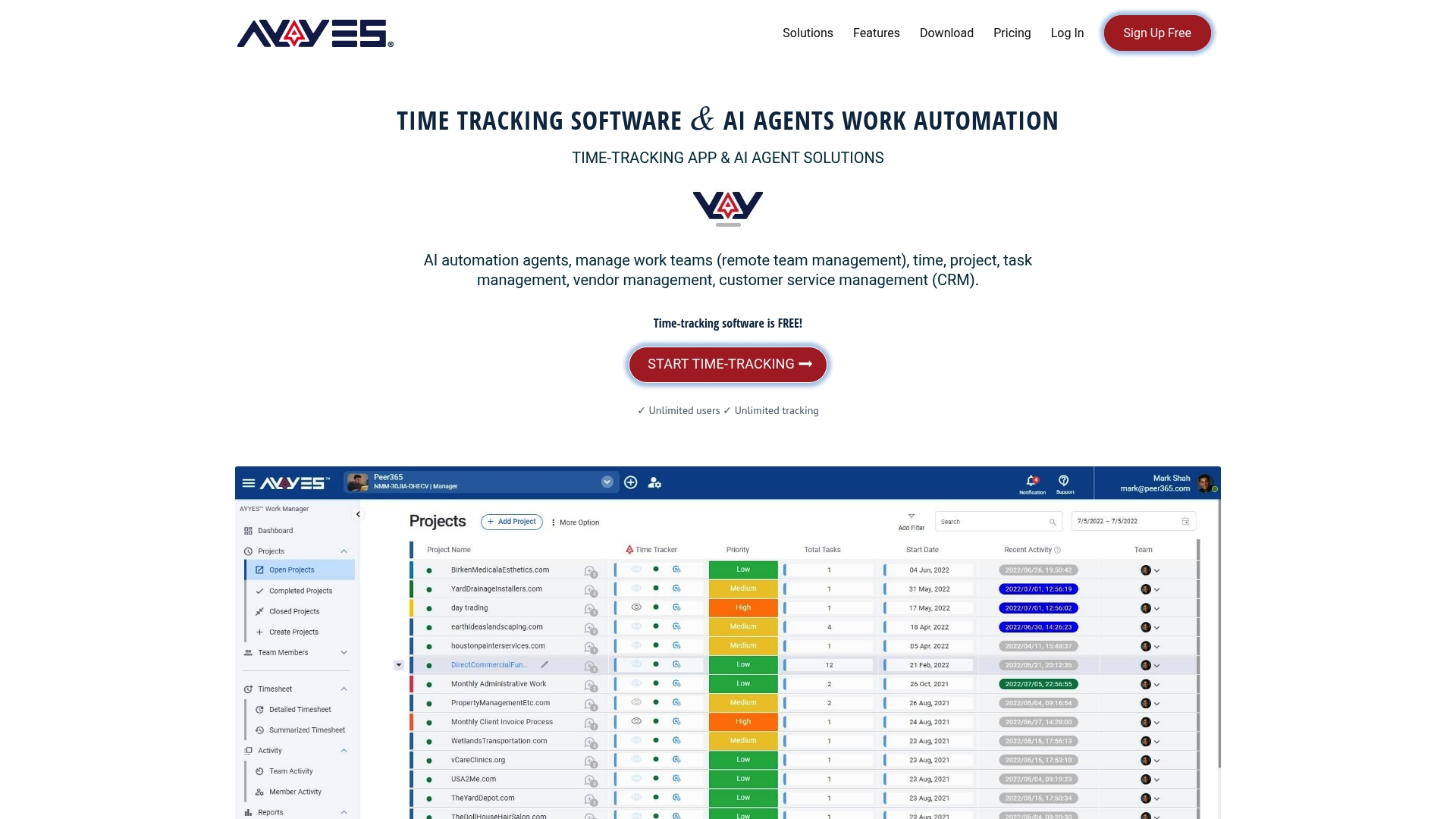
Every organization can start on the Free plan with no cost, then move to Monthly at $0.99 per seat or Annual at $0.88 per seat once the team needs more advanced automation and reporting. If you’re comparing tools before a switch, the fastest way to know if AYYES fits is to open an account and run it alongside your current Deputy setup for one pay cycle. Check AYYES pricing and start the free plan today.
Sources
- Workforce Management Software Market – Industry Trends (Mordor Intelligence)
- Workforce Management Software Market — ResearchAndMarkets report
- Deputy alternatives and competitors (CB Insights)
- Workforce Management Software Market (Straits Research)
FAQ
Is There a Free Version of Deputy?
Deputy offers a limited trial rather than a permanent free plan for most use cases. If a free tier matters to your decision, alternatives like AYYES, Homebase, and Jibble all offer permanent free plans, with AYYES’s Free plan covering core time tracking and scheduling at no cost.
What Are the Best Employee Scheduling Tools in 2026?
The strongest scheduling tools depend on your industry: AYYES fits general workforce management with AI automations and reporting, 7shifts fits restaurants with tip and labor forecasting, and Rippling fits enterprise teams needing scheduling folded into full HR and payroll. Team size and payroll complexity matter more than any single “best” label.
Does Deputy Track Employee Activity Beyond Clock-Ins?
Deputy primarily tracks scheduling, time clocks, and attendance rather than granular activity like screen usage. Tools like AYYES go further, offering optional screenshot capture and app usage tracking with adjustable privacy settings for teams that need deeper visibility into work activity.
What Is the Best Employee Scheduling Tool for Small Teams?
For small teams on a budget, Homebase and Jibble both offer free scheduling tools with basic time tracking. For teams that also want reporting and automation without paying immediately, AYYES’s free plan covers scheduling and time tracking before any upgrade is needed.
How Do I Know if I Need a Restaurant-Specific Tool Instead of a General Platform?
If tip pooling, POS integration, or menu-linked labor forecasting are daily pain points, a restaurant-specific tool like 7shifts will outperform a general scheduling platform. General platforms like AYYES work well when your primary needs are time tracking, reporting, and payroll integration without restaurant-specific complexity.
How much does AYYES cost?
AYYES offers a free plan for up to 12 team members at $0. Paid plans are $0.99 per seat per month, or $0.88 per seat per month billed annually. Screenshot tracking, app and website monitoring, and AI Agents are not included on the free plan. See current rates at https://ayyes.com/pricing/.



