
Top 10 Best Trial Versions of Leading Time Tracking Software in 2027
Finding the right time tracking tool can help businesses record working hours, manage projects, monitor timesheets, and understand how teams spend their time. However, choosing software without testing its features can lead to unnecessary costs or a poor fit for daily workflows.
Free trial time tracking software gives businesses an opportunity to explore tracking features, reporting tools, project management capabilities, and employee workflows before committing to a paid subscription. Some platforms also provide free plans, allowing smaller teams to continue using essential features after a trial ends.
In this guide, we compare ten time tracking tools, explain the features worth testing, and share practical tips for choosing software that suits your team’s requirements and budget.
Best Free Trial Time Tracking Software at a Glance
Software |
Best for |
Free trial or free option |
Key features to evaluate |
| AYYES | Team time and work management | 30-day free trial and free plan for up to 12 users | Time tracking, tasks, projects, reports, kiosk |
| Clockify | General time tracking | Free plan and 7-day PRO trial | Timers, timesheets, project reports |
| Toggl Track | Freelancers and small teams | Free plan and 30-day paid-plan trial | Timers, project tracking, planning |
| TMetric | Project-based teams | Free plan and 14-day trial | Time entries, project reports, budgets |
| Harvest | Consultants and agencies | Free option with restrictions; verify current trial terms | Billable hours, budgets, invoicing |
| TimeCamp | Automated time tracking | Free plan and paid-feature trials | Automatic tracking, reports, projects |
| DeskTime | Employee time and productivity tracking | Free option and paid-plan trial; verify current terms | Automatic tracking, activity reports |
| Timely | Automatic time capture | 14-day trial | Automatic time capture, project reporting |
| Jibble | Attendance and timesheets | Free plan; verify paid-trial availability | Attendance, clock-in, timesheets |
| Connecteam | Employee scheduling and attendance | Free-plan eligibility and trial terms vary | Time clock, shifts, employee management |
Trial periods and free-plan restrictions can change. Confirm the current terms on each provider’s official website before signing up. AYYES advertises a 30-day trial and a free plan for up to 12 users; Clockify advertises a seven-day PRO trial, Toggl Track a 30-day trial for paid plans, and TMetric a 14-day trial
Also Suggest this : Time Tracking Software for Remote Teams
What to Look for in Free Trial Time Tracking Software
Before selecting a platform, identify the features your team needs to manage working hours, projects, employees, and reports. A useful trial should let you test everyday workflows rather than simply explore a dashboard.
1. Time Tracking and Timesheets
Look for timers, manual time entries, automatic tracking, and timesheets that help employees record working hours accurately. Test whether team members can correct entries and whether managers can review and approve submitted timesheets.
2. Project Management and Reporting
Choose software that connects recorded hours with projects, tasks, clients, and deadlines. Project-level reports can help managers compare estimated and actual hours, understand costs, and identify work that requires additional resources.
3. Employee Attendance and Scheduling
Businesses with hourly or shift-based employees may need clock-in and clock-out functionality, attendance records, breaks, and scheduling. Test these features with a realistic team workflow before choosing a subscription.
4. Integrations, Privacy, and Data Security
Check whether the software integrates with the tools your team already uses. Review permissions, data exports, privacy settings, and employee monitoring controls, especially if the platform captures screenshots or application activity.
10 Best Free Trial Versions of Leading Time Tracking Software
The following ten platforms offer different approaches to time tracking, project management, attendance, and reporting. Compare each option against your team’s actual requirements instead of choosing solely by its popularity or trial duration.
1. AYYES
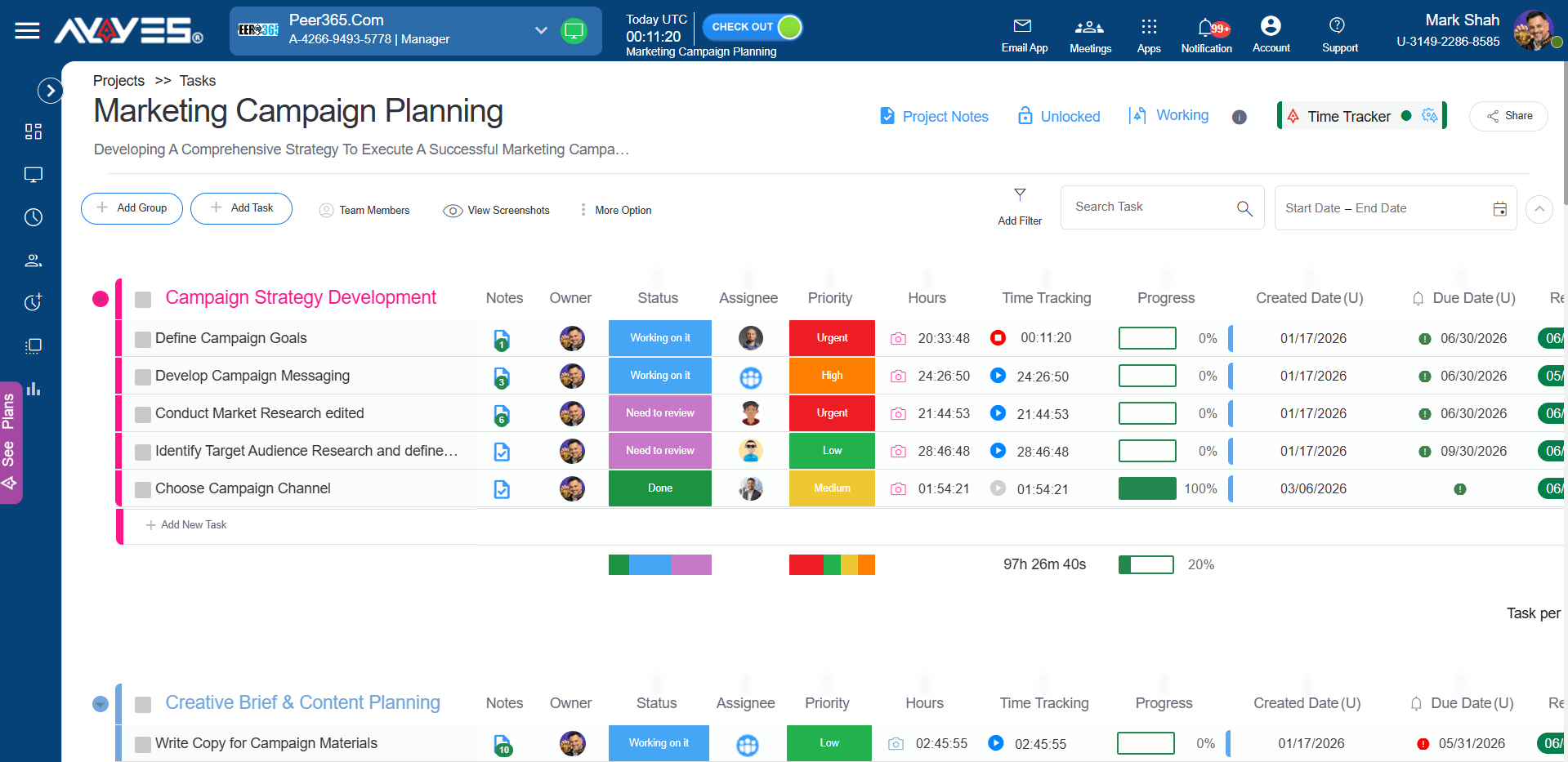
Best for: Businesses that need time tracking, project management, and employee work management in one platform.
AYYES combines time tracking with projects, tasks, timesheets, reporting, and employee management. Its features can help businesses organise work across office-based, remote, and hybrid teams.
The platform offers a 30-day free trial with access to PRO features and a free plan for up to 12 team members. The trial allows businesses to explore advanced reports, employee monitoring, and kiosk clock-in options before deciding whether to upgrade.
Features to evaluate:
- Time tracking and manual time entries
- Project and task management
- Timesheets and reports
- Kiosk access using PIN or QR codes
- Advanced reporting and employee monitoring during the trial
Why consider it? AYYES may suit businesses that want to evaluate time tracking alongside broader work management features without immediately committing to a paid subscription.
2. Clockify
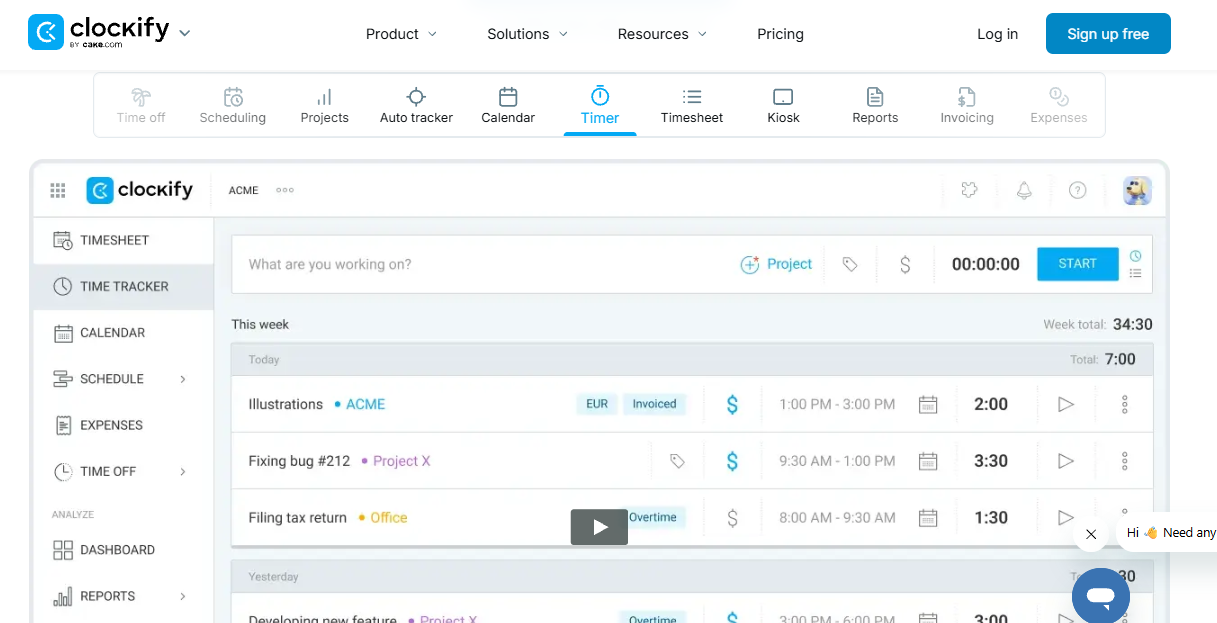
Best for: Freelancers, small teams, and businesses looking for a straightforward time tracking solution.
Clockify lets users record working hours, organise time entries by project, and review reports. Its timer and timesheet functionality can help teams understand how much time different activities require.
Clockify provides a free plan and a seven-day trial of its PRO features. During the trial, evaluate the advanced functions that your team may need before upgrading.
Features to evaluate:
- Timer and manual time entry
- Project and client tracking
- Timesheets and reports
- Scheduling and additional paid features
Why consider it? Clockify is worth evaluating if you want to begin with basic time tracking and determine whether your team needs more advanced reporting or management tools.
3. Toggl Track
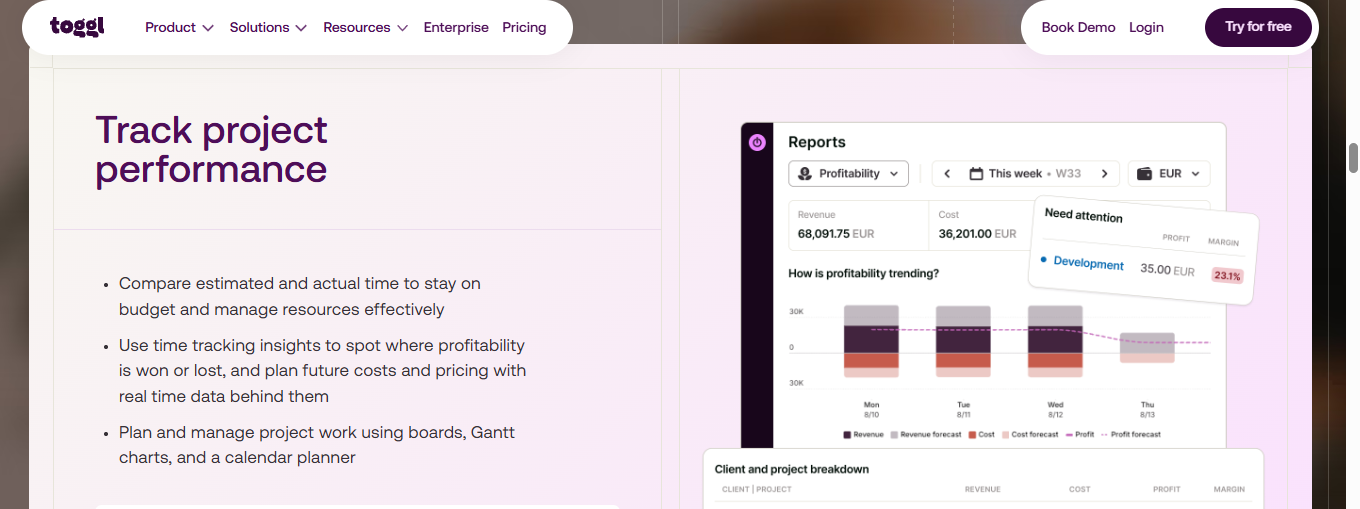
Best for: Freelancers, agencies, and teams that track time across multiple projects.
Toggl Track focuses on time tracking, project planning, and reporting. Users can record time through real-time timers or manual entries and organise work around tasks and projects.
Its free plan supports basic tracking, while paid plans provide additional team reporting and planning features. Toggl advertises a 30-day trial for paid plans, making it possible to evaluate eligible premium features before upgrading.
Features to evaluate:
- Real-time and manual timers
- Project and task planning
- Calendar integrations
- Team reports and billable rates on eligible plans
Why consider it? Toggl Track is a useful candidate for teams that value straightforward time entry and want to explore more advanced planning and reporting capabilities.
4. TMetric
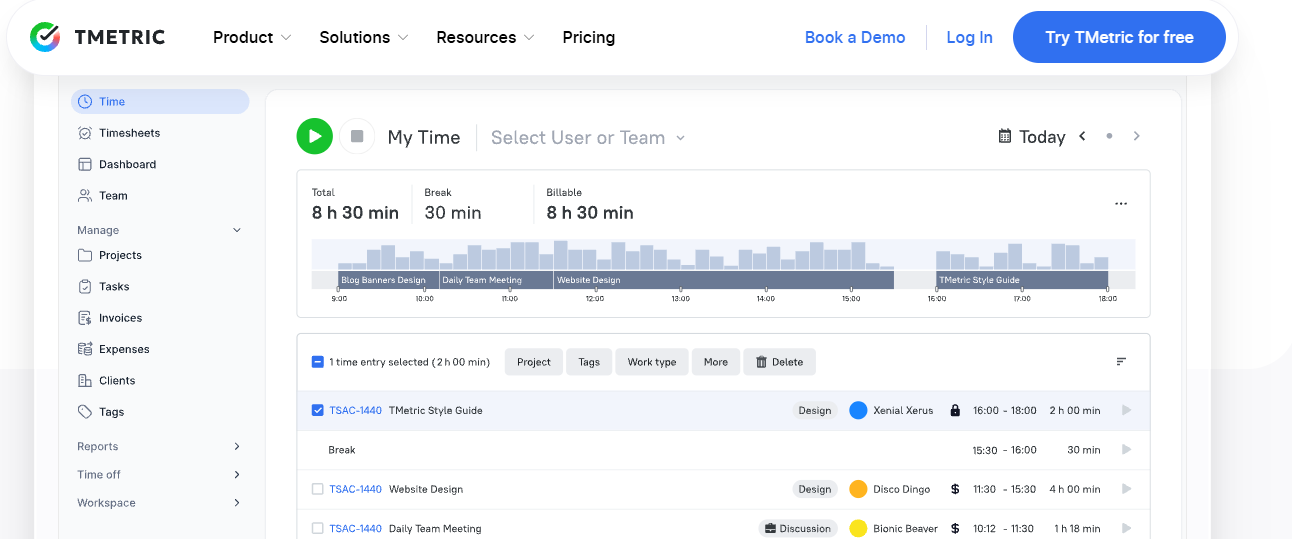
Best for: Agencies, consultants, and businesses managing client projects and budgets.
TMetric combines time tracking with project reporting and tools for managing billable work. Teams can record hours against projects and examine how time is distributed across clients and tasks.
TMetric advertises a 14-day free trial and a free plan with limited seats. Paid plans offer additional functionality for teams that need budgeting, expense tracking, and invoicing.
Features to evaluate:
- Timer and manual time entries
- Project and client reports
- Billable rates and expenses
- Project budgets and alerts
- Invoicing features on eligible plans
Why consider it? TMetric may be a good fit when accurate project hours and client billing are important parts of your workflow.
5. Harvest
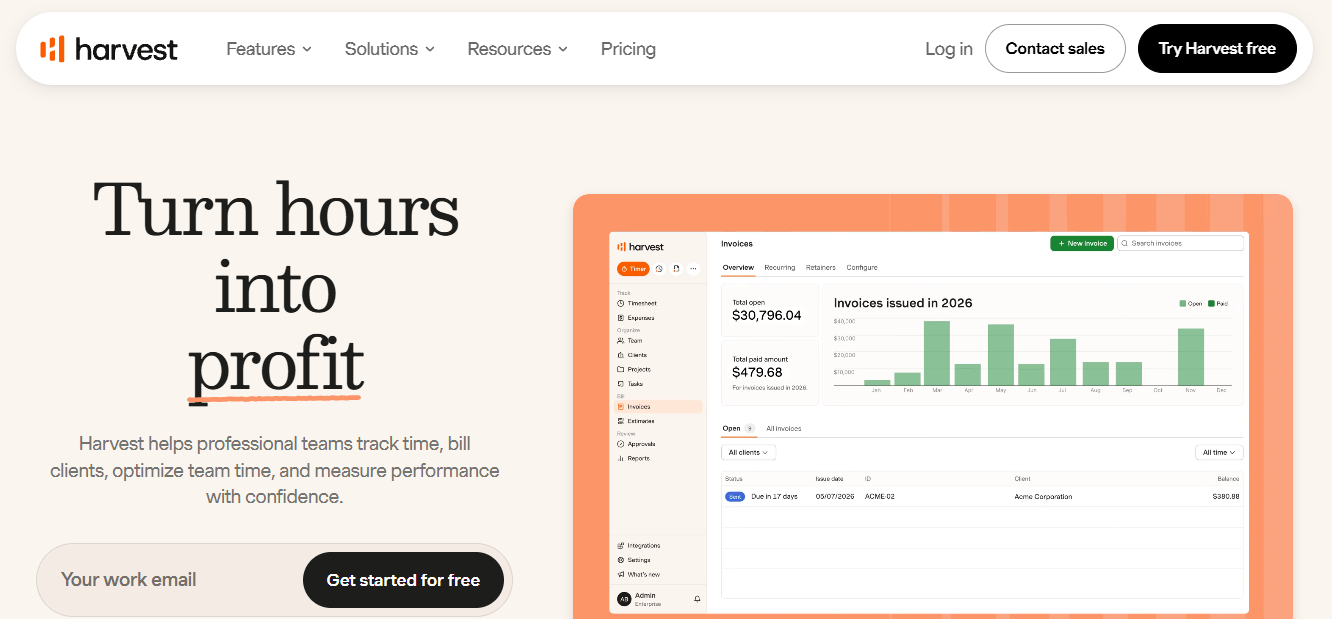
Best for: Consultants, agencies, and client-service businesses.
Harvest connects time tracking with project budgets, expenses, and invoicing. This approach can help service businesses understand how much time is spent on client work and whether projects are remaining within budget.
When evaluating Harvest, check the restrictions of its free option and the availability of any paid-feature trial for your account.
Features to evaluate:
- Time tracking against projects
- Billable hours and expenses
- Project budgets
- Invoicing and financial reports
Why consider it? Harvest is worth comparing if your team needs time records to support billing and project profitability analysis.
6. TimeCamp
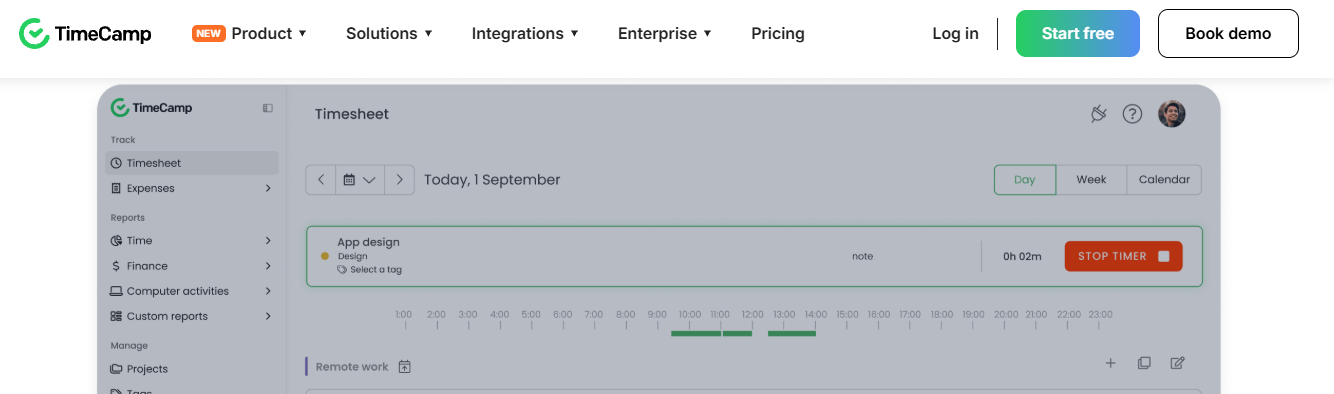
Best for: Teams that want automatic time tracking alongside project reporting.
TimeCamp offers time tracking, project organisation, timesheets, and reporting. Its automatic tracking capabilities may help users understand how their working time is distributed without relying entirely on manual entries.
A free plan is available, while paid plans add features for billing, productivity analysis, and more advanced reporting.
Features to evaluate:
- Automatic and manual tracking
- Timesheets and project reports
- Browser, desktop, and mobile access
- Budgeting and billing features on eligible plans
Why consider it? TimeCamp is a useful option for businesses looking to reduce manual time entry and improve visibility into project hours.
7. DeskTime
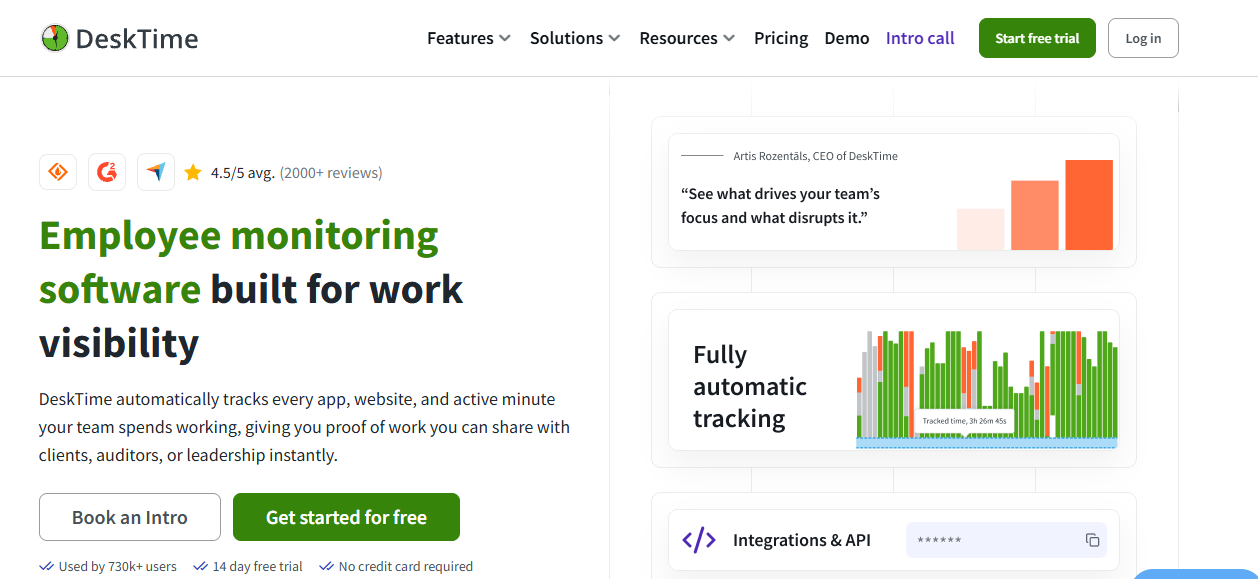
Best for: Businesses that want automatic time tracking and employee activity insights.
DeskTime focuses on automatic time recording and productivity reporting. Depending on the selected plan, businesses can explore activity data and tools that help managers understand working patterns.
During a trial, review exactly what is recorded, how reports are generated, and which monitoring features are enabled.
Features to evaluate:
- Automatic time tracking
- Activity and productivity reports
- Project time tracking
- Employee privacy and monitoring settings
Why consider it? DeskTime may suit teams that need automated records and want to evaluate employee activity reporting.
8. Timely
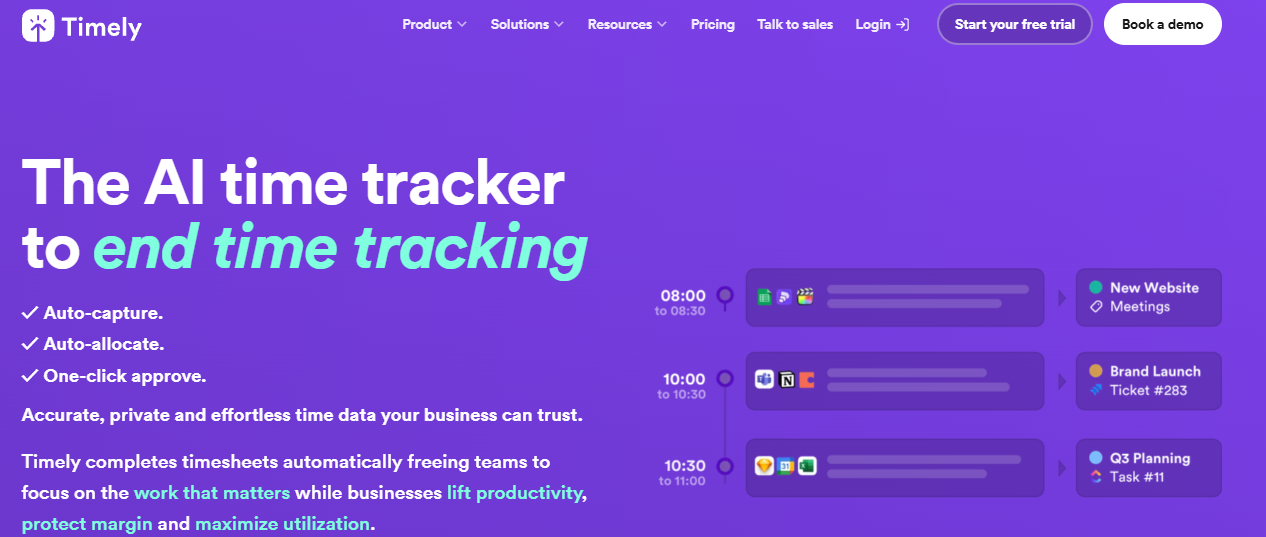
Best for: Professionals and teams that want automatic time capture.
Timely uses automatic time capture to help users reconstruct how their time is spent across different activities. Its project reporting features can help teams organise recorded time and review how much effort different projects require.
Timely advertises a 14-day trial. Use the trial to evaluate how accurately it captures work and how easily users can assign recorded time to projects.
Features to evaluate:
- Automatic time capture
- Project and task allocation
- Timesheets and reporting
- Team visibility and planning
Why consider it? Timely is worth testing if manual timers are frequently forgotten or if your team needs help reconstructing its working day.
9. Jibble
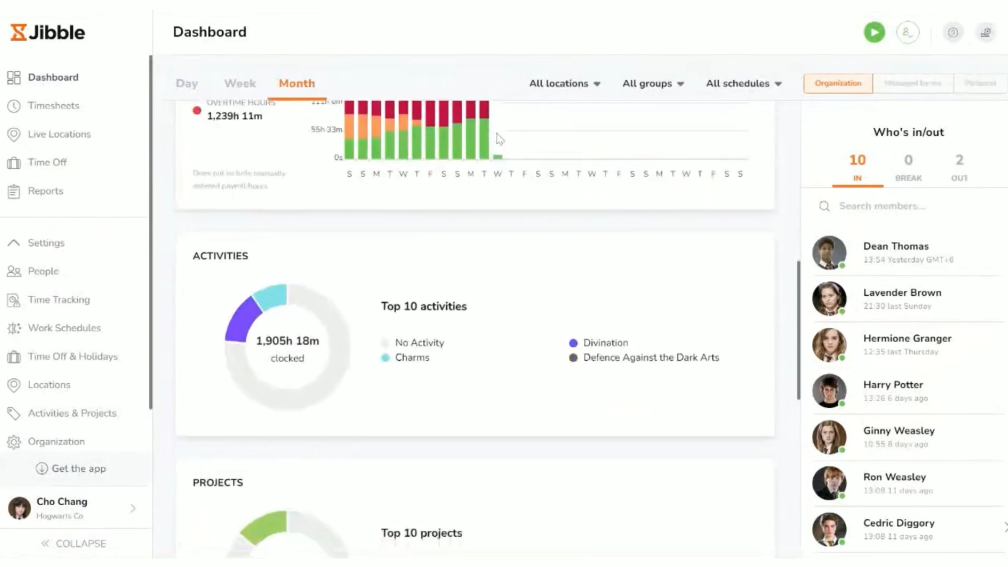
Best for: Businesses that prioritise employee attendance and timesheets.
Jibble provides time tracking and attendance functionality for teams that need records of employee working hours. Its features may be particularly relevant for businesses managing office staff, shift workers, or distributed teams.
Jibble offers a free plan. Check the current plan comparison to determine which advanced features and trial options are available.
Features to evaluate:
- Clock-in and clock-out records
- Timesheets and attendance reports
- Mobile time tracking
- Team and employee management
Why consider it? Jibble is a candidate for businesses that need attendance records as well as general time tracking.
10. Connecteam
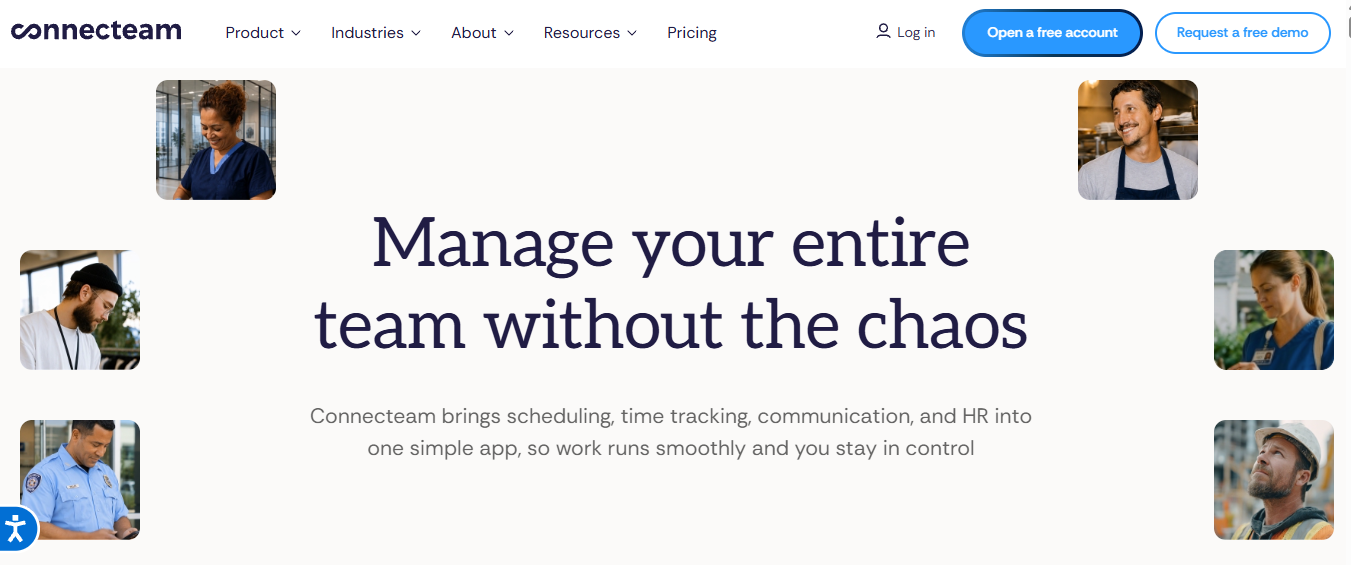
Best for: Businesses managing shift-based and deskless employees.
Connecteam combines workforce management features with employee scheduling and time clock functionality. It may be relevant for businesses with field teams, retail employees, or workers who need to clock in from different locations.
During evaluation, check the current plan eligibility, user limits, and availability of trial features for your business.
Features to evaluate:
- Employee time clock
- Shift scheduling
- Attendance management
- Workforce communication and administration
Why consider it? Connecteam is worth comparing when employee scheduling and attendance are just as important as recording project hours.
Key Features to Look for in Free Trial Time Tracking Software
A trial is most useful when you evaluate the features your team will use every day. Rather than testing every setting, create a small example workflow and measure how well the software supports it.
1. Automatic and Manual Time Tracking
Test both timer-based tracking and manual entries. Check whether employees can record meetings, offline work, and activities that were not tracked in real time.
2. Employee Attendance and Timesheet Management
Review clock-in and clock-out workflows, timesheet corrections, approval processes, and reporting periods. Confirm that managers can access the information they need without unnecessary administrative work.
3. Project Budgets and Billable Hours
Create a sample project with an estimated number of hours and, where applicable, a budget. Record time against tasks and review whether the reports help you understand project progress and costs.
4. Productivity Reports and Analytics
Check whether reports can be filtered by employee, project, client, and date range. Look for clear summaries that help managers identify delays, workload imbalances, or projects that require attention.
5. Mobile Access and Integrations
Test the software on the devices employees actually use. Confirm whether integrations work with your existing calendar, project management, communication, or accounting systems.
How Can Free Trials Help You Manage Project-Based Work?
A project-based team needs more than a record of hours worked. It also needs to understand how those hours relate to deliverables, deadlines, client commitments, and project budgets.
A Project management tool free trial can help you assess whether time tracking and project planning work together effectively. For example, you can create a sample project, assign tasks, record time, and review the resulting reports.
During the evaluation, consider these questions:
- Can employees record time against individual projects and tasks?
- Can managers compare estimated hours with actual time spent?
- Can the tool identify projects that are exceeding their budgets?
- Can teams review deadlines, workloads, and progress in one place?
- Can reports support client billing and internal planning?
Testing these workflows before purchasing can help you determine whether a platform supports your team’s working style or whether you need separate tools for tracking and project management.
How to Choose the Right Free Trial Time Tracking Software
The best option depends on your team size, working arrangements, reporting requirements, and budget. Use the following steps to compare tools consistently.
1. Define Your Team’s Requirements
Identify the problems you want the software to solve. A freelancer may need simple timers and client reports, while a growing business may require attendance tracking, project budgets, timesheet approvals, and employee management.
2. Compare Trial Durations and Feature Restrictions
Check how long the trial lasts and whether it includes all the features you need. Some providers offer full access to premium features temporarily, while others restrict users, projects, integrations, or reports.
3. Check Pricing After the Trial Ends
Calculate the ongoing cost based on your expected number of users. Also review billing frequency, cancellation terms, user limits, and the features available on lower-cost plans.
4. Evaluate Ease of Use
Ask a small group of employees to test the tool. Observe whether they can record hours, choose the correct project, submit timesheets, and find relevant reports without extensive training.
5. Review Privacy and Data Access
If a platform includes employee monitoring, review its screenshot settings, activity records, permissions, retention policies, and privacy controls. Choose an approach that is appropriate for your workplace and explain monitoring practices clearly to employees.
6. Run a Short Real-World Test
Use the software for a representative task or project. Compare the time required to complete routine actions, the accuracy of reports, and the quality of information available to managers.
Common Mistakes to Avoid When Testing Free Trial Software
A free trial can help you make a better decision, but only if you evaluate the software carefully.
1. Choosing Software Based Only on Price
A free plan may be enough for a small team but may lack important features for a growing business. Compare functionality and usability alongside subscription costs.
2. Ignoring Paid-Plan Limitations
Do not assume that every feature available during a trial will remain accessible afterward. Check which features require an upgrade and whether your team can continue using essential tools on the free plan.
3. Failing to Test Real Team Workflows
Exploring the dashboard alone will not show whether the software fits your business. Create projects, enter working hours, submit timesheets, and generate reports to identify practical limitations.
4. Overlooking Data Export and Cancellation Policies
Check how you can export time records, preserve project information, and cancel a subscription. If payment details are required, understand the billing terms before activating the trial.
5. Forgetting to Involve Employees
Managers may find a tool useful while employees find it difficult to operate. Gather feedback from the people who will use the system every day before making a final decision.
Free Trial vs Free Plan: What’s the Difference?
A free trial and a free plan serve different purposes. Understanding the distinction can help you avoid unexpected costs and select the right option for your team.
| Factor | Free trial | Free plan |
| Duration | Usually limited to a set period | Generally available without a time limit |
| Features | May include premium features temporarily | Usually includes a defined set of features |
| User limits | Depends on the provider and trial terms | May restrict the number of users |
| Payment | May or may not require payment details | Often available without a paid subscription |
| After access ends | Upgrade, downgrade, or lose trial features depending on the provider | Continue using included features while eligible |
If you need to evaluate advanced reporting, monitoring, or project management, a trial can help you test those capabilities. If you need a long-term solution without ongoing costs, compare the restrictions of free plans carefully.
Why Choose AYYES Free Trial Time Tracking Software?
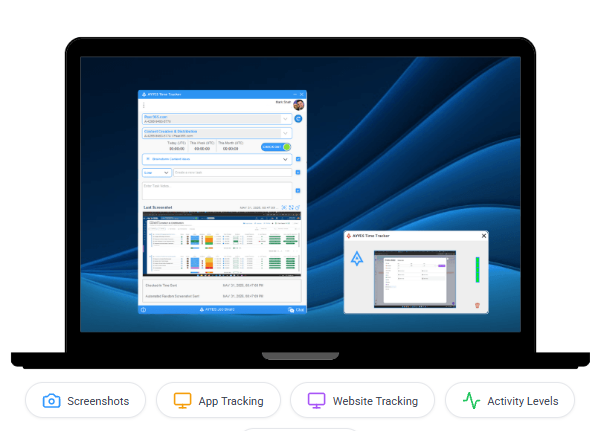
AYYES combines time tracking with project and task management, timesheets, reporting, and employee work management. This can help businesses evaluate time recording alongside the processes they use to organise and review work.
The platform offers a 30-day free trial with access to PRO features and a free plan for up to 12 team members. The trial includes advanced capabilities that are not all available on the free plan, so businesses can evaluate the wider feature set before deciding whether to upgrade.
With AYYES, teams can explore:
- Time tracking through timers and manual entries
- Project and task organisation
- Timesheets and reporting
- Kiosk clock-in using PIN or QR codes
- Advanced reports and employee monitoring during the trial
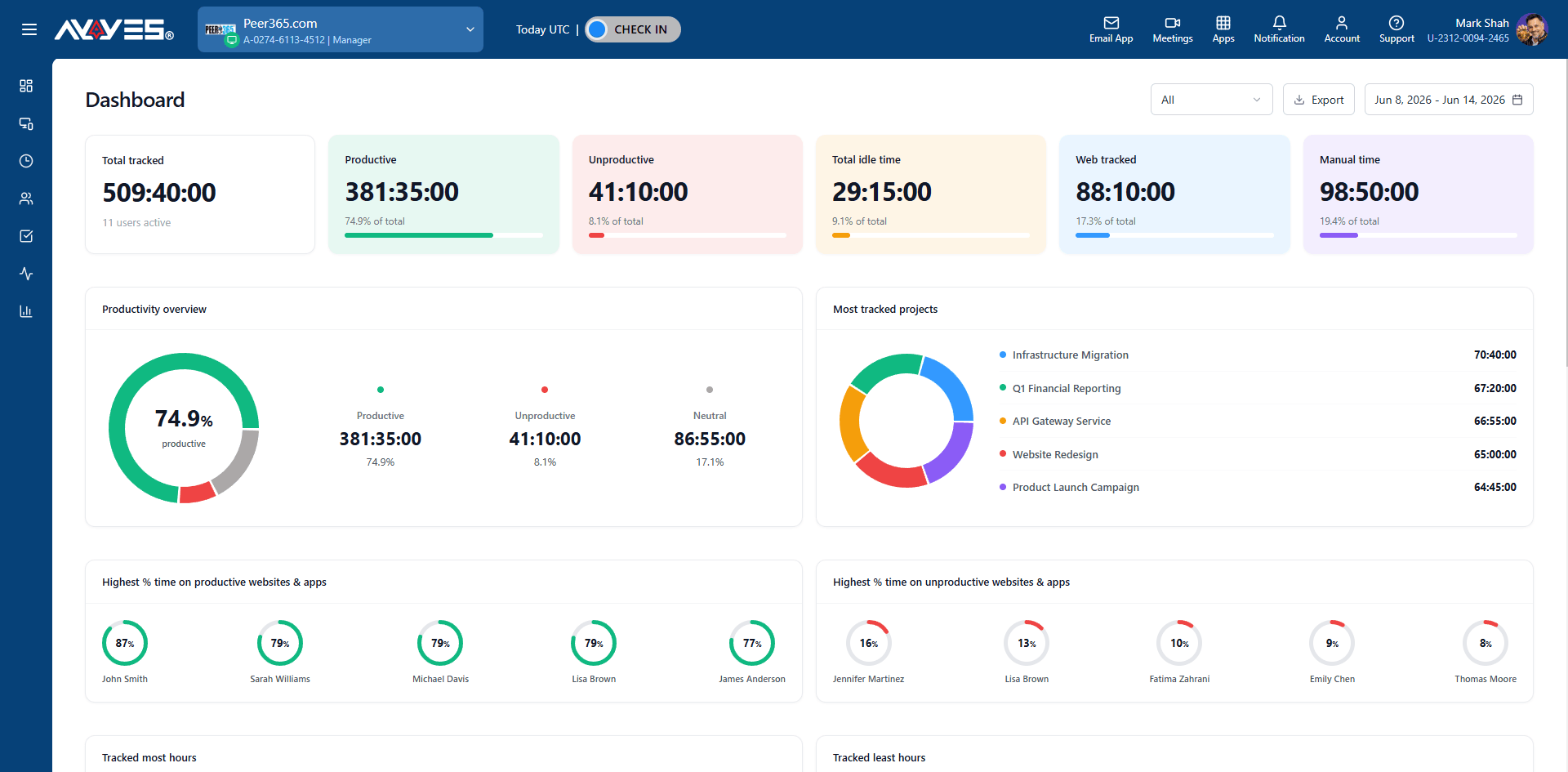
Key features of AYYES include:
-
Time Tracking: Record working hours using timers and manual time entries.
-
Project and Task Management: Organise assignments and track time spent on projects.
-
Timesheet Management: Review recorded hours and simplify time reporting.
-
Kiosk Clock-In: Allow employees to clock in using PIN or QR codes.
-
Advanced Reporting: Review time records and project data to support planning.
-
Employee Monitoring: Evaluate available monitoring features during the trial.
-
Flexible Pricing: Choose a free plan or upgrade based on your team’s requirements.
AYYES Pricing Plans at a Glance
| Plan | Price | Details |
|---|---|---|
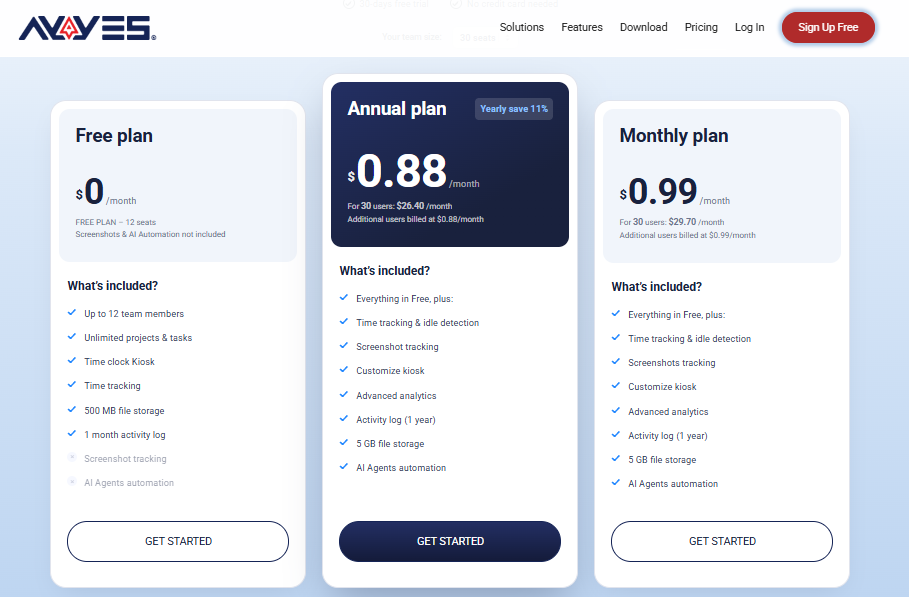
| Free Plan | $0 | Up to 12 team members |
| Annual Plan | $0.88/seat/month | $26.40/month for 30 seats, billed annually |
| Monthly Plan | $0.99/seat/month | $29.70/month for 30 seats, billed monthly |
| Free Trial | 30 days | Access to PRO features |
AYYES lists paid pricing at $0.88 per seat per month on annual billing or $0.99 per seat per month on monthly billing. Check the current AYYES pricing and free trial pages for plan conditions and feature availability.
Ready to evaluate your team’s workflow? Start with AYYES’s 30-day free trial and test the features that matter to your business before choosing a paid plan.
Frequently Asked Questions
1. What Is the Best Free Trial Time Tracking Software?
The best option depends on your requirements. AYYES offers time tracking alongside project and employee work management, while Clockify, Toggl Track, and TMetric offer different approaches to timers, reporting, and project tracking. Compare trial features and ongoing costs before deciding.
2. How Long Do Free Trials Usually Last?
Trial periods vary by provider and plan. For example, AYYES advertises a 30-day trial, Clockify offers a seven-day PRO trial, and TMetric offers a 14-day trial. Confirm current terms before signing up.
3. Can I Track Employee Working Hours During a Free Trial?
Yes, many platforms let businesses test employee time tracking, timesheets, and attendance features during a trial. The exact functionality depends on the provider and plan.
4. Which Tools Include Project Management Features?
AYYES, Toggl Track, TMetric, and other tools offer project-related features, but the depth varies. Check whether each platform supports task allocation, project budgets, deadlines, and reporting at the level your team requires.
5.What Happens When a Free Trial Expires?
Depending on the provider, you may need to upgrade, move to a free plan, or lose access to premium features. Review the trial’s terms, billing arrangements, and cancellation policy before starting.
Start Your 30-Day Free Trial with AYYES
Ready to simplify time tracking and project management? Try AYYES free for 30 days to explore time tracking, task management, timesheets, and reporting features. Test how the platform fits your team’s workflow before choosing a paid plan.
AYYES also helps teams bring work hours, project updates, and timesheet records together in one place. During the 30-day trial, you can explore its PRO features, assess how they support your team’s daily workflow, and decide whether the platform meets your business needs before committing to a paid plan.
Start your free trial today and discover how AYYES can help your team organise work and manage time more effectively.


