
Top 8 Best Time Tracking Software for Remote Teams in 2027
Remote teams often work across different locations, time zones, and schedules. Keeping accurate records of working hours, managing daily assignments, and maintaining timesheets can become challenging, especially when team members handle multiple projects, meetings, and deadlines.
Time tracking software for remote teams helps businesses record working hours, manage attendance, organise tasks, and review timesheets. These tools can simplify reporting, support payroll preparation, improve workload planning, and help team members understand how they spend their working time.
In this guide, we compare eight leading time tracking tools for 2027, including their features, pros and cons, pricing, and ideal use cases. Whether you manage a distributed team, run a remote agency, or lead a growing business, you’ll learn how to choose the right solution for your requirements.
Why Do Remote Teams Need Time Tracking Software?
Remote teams often manage flexible schedules and work independently without the structure of a traditional office. Without a consistent tracking process, recording working hours, maintaining attendance records, and reporting completed assignments can become difficult.
Time tracking software for remote teams helps businesses maintain accurate work records while giving team members a straightforward way to manage their time.
Key benefits include:
- Accurate working-hour records: Record working hours and maintain reliable timesheets across the team.
- Simplified attendance management: Track clock-in times, clock-out times, and scheduled hours where supported.
- Better task visibility: Understand how much time individual assignments require.
- Improved workload planning: Identify scheduling issues and distribute responsibilities more effectively.
- Simplified payroll preparation: Maintain organised records to support payroll and attendance processes.
- Clearer client billing: Record billable hours for teams working on client assignments.
- Better time management: Help team members understand how they allocate their working hours.
- Flexible remote work management: Support teams working across different schedules and locations.
Also suggest: Time Tracking Tools for Developers
8 Best Time Tracking Software for Remote Teams at a Glance
The following comparison highlights eight time tracking platforms that businesses can evaluate based on team time recording, attendance requirements, reporting capabilities, monitoring preferences, and budget.
| Software | Best For | Key Features | Pricing Approach |
|---|---|---|---|
| AYYES | Teams combining time tracking and work management | Time tracking, tasks, projects, timesheets, reports, attendance | Free and paid plans |
| Toggl Track | Freelancers and teams wanting simple time tracking | Timers, project reports, billable rates | Free and paid plans |
| Clockify | Teams seeking budget-friendly tracking | Timers, timesheets, project reporting | Free and paid plans |
| Hubstaff | Teams requiring workforce activity and attendance features | Time tracking, activity monitoring, attendance, selected GPS features | Paid plans; verify current entry-level options |
| Time Doctor | Teams requiring detailed activity insights | Time tracking, activity reports, productivity analytics | Paid plans |
| Harvest | Agencies and teams managing client billing | Billable hours, expenses, invoices, project budgets | Free and paid plans |
| TimeCamp | Teams needing automatic tracking and reporting | Automatic tracking, timesheets, reports | Free and paid plans |
| Connecteam | Distributed frontline and operational teams | Time clocks, scheduling, attendance, workforce management | Plans vary by eligibility and features |
Features, integrations, prices, and subscription limits can change. Check each provider’s official website before making a purchasing decision.
1. AYYES
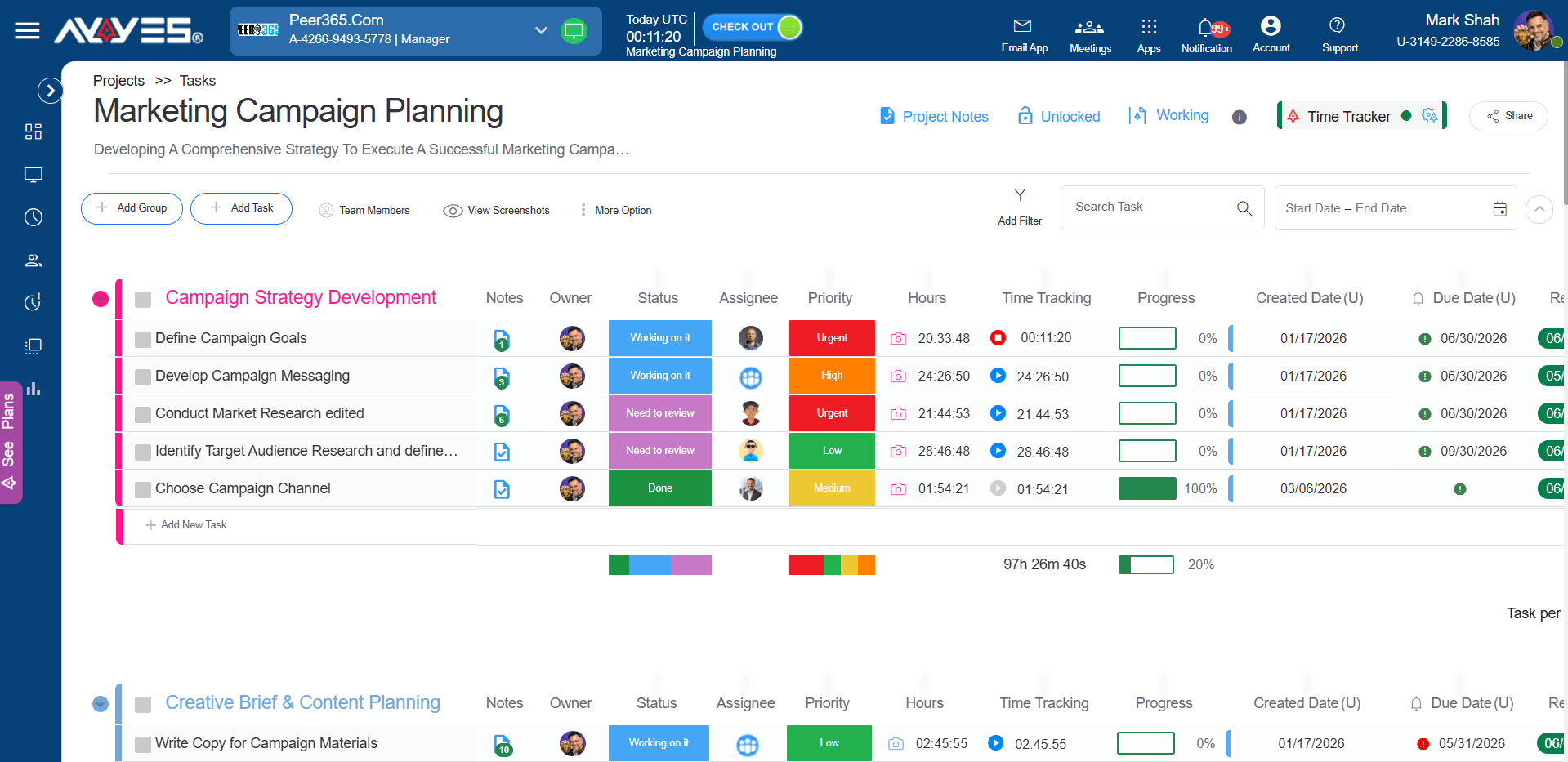
Best for: Businesses that want team time tracking, task management, timesheets, and project visibility in one platform.
AYYES provides time tracking and work management capabilities that help businesses organise assignments and understand how working hours are distributed across projects. Team members can record their time against relevant activities, while managers can use available reports to review project progress and working-hour records.
For remote teams, this approach can reduce reliance on spreadsheets and separate records. Team members can organise their assignments, maintain timesheets, and review recorded hours through a central platform.
AYYES also offers attendance and optional activity monitoring capabilities, depending on the selected plan and configuration. These features can be useful for organisations that need a combination of time records and workforce management functionality.
Key Features
- Project Management: Create projects and manage open, completed, and closed projects.
- Team Member Management: Organise team members and manage team-related information.
- Timesheet Management: Track working hours and maintain detailed timesheet records.
- Detailed Timesheets: Review individual time entries and recorded work hours.
- Summarised Timesheets: View consolidated timesheet information for an overview of working hours.
- Activity Monitoring: Access available activity information to review work-related updates.
- Reports: Generate and review reports to analyse project and timesheet information.
- Attendance Management: Evaluate available attendance and kiosk features according to the selected plan.
How Remote Teams Can Use AYYES
Consider a remote marketing team that manages content creation, campaign updates, client meetings, and performance reporting. Team members can organise assignments into projects, record time against relevant tasks, and review their entries to understand how working hours are distributed.
Similarly, a software development team can separate development, testing, code reviews, meetings, and maintenance activities. These records can help team members understand the effort required for recurring assignments and support more realistic planning.
Managers can also review available reports to identify workload imbalances and discuss project requirements with the team.
Pros
- Combines time tracking with project and task organisation.
- Provides timesheets and reporting capabilities.
- Supports different work management requirements.
- Offers attendance and optional monitoring features where available.
- Can suit businesses managing multiple projects and distributed teams.
Cons
- Businesses should verify compatibility with existing project management applications.
- Some monitoring and reporting features depend on the selected plan.
- Specialist billing or accounting workflows may require additional software.
- Teams should evaluate whether available integrations match their requirements.
Pricing: AYYES offers a free plan for up to 12 team members, including time tracking, unlimited projects and tasks, and basic kiosk access. Paid plans start at $0.88 per seat per month with annual billing or $0.99 per seat per month with monthly billing. A 30-day free trial is also available, with no credit card required.
Suitable for: Small businesses, remote teams, distributed agencies, consultants, and organisations looking to combine time tracking with work management.
2. Toggl Track
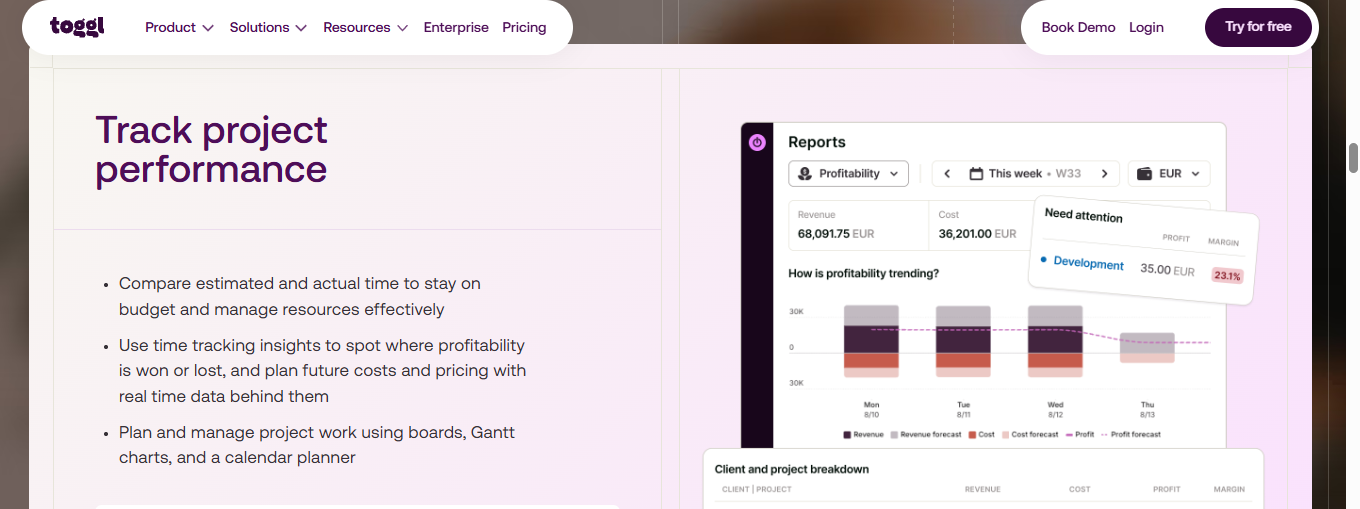
Best for: Freelancers and remote teams that prefer straightforward time tracking.
Toggl Track helps individuals and teams record working hours across projects and tasks. Its timer-based workflow is suitable for teams that want to track time without navigating a complicated management system.
Team members can organise time entries by client, project, and task. This helps distinguish internal meetings from client work, administrative activities, and project delivery.
Toggl Track also offers reporting capabilities that allow users to review recorded hours. Depending on the selected plan, additional reporting, management, and project planning features may be available.
Key Features
- One-click timers and manual time entries.
- Project, client, and task tracking.
- Billable rates on supported plans.
- Project and time reporting.
- Time estimates and project tracking.
- Integrations with supported productivity applications.
- Desktop and mobile tracking options.
How Remote Teams Can Use Toggl Track
A remote consulting team can create separate projects for different clients and record time spent on meetings, research, implementation, and reporting.
At the end of the week, team members can review time entries to understand how much effort each assignment required. Teams can also compare recorded hours with estimates to improve future scheduling.
However, businesses requiring advanced attendance management or detailed workforce monitoring should evaluate whether Toggl Track meets those specific requirements.
Pros
- Straightforward time recording.
- Suitable for individuals and distributed teams.
- Supports project reporting and billable-hour tracking.
- Provides several ways to record working hours.
- Useful for reviewing historical time estimates.
Cons
- Advanced reporting and management features may require paid plans.
- Detailed workforce monitoring is not its primary focus.
- Accurate reporting depends on consistent time entry practices.
Pricing: Toggl Track offers a free plan and paid subscriptions, with features varying by tier. Check its official pricing page for current rates and limits.
Suitable for: Freelancers, consultants, remote professionals, and teams that need simple time records.
3. Clockify
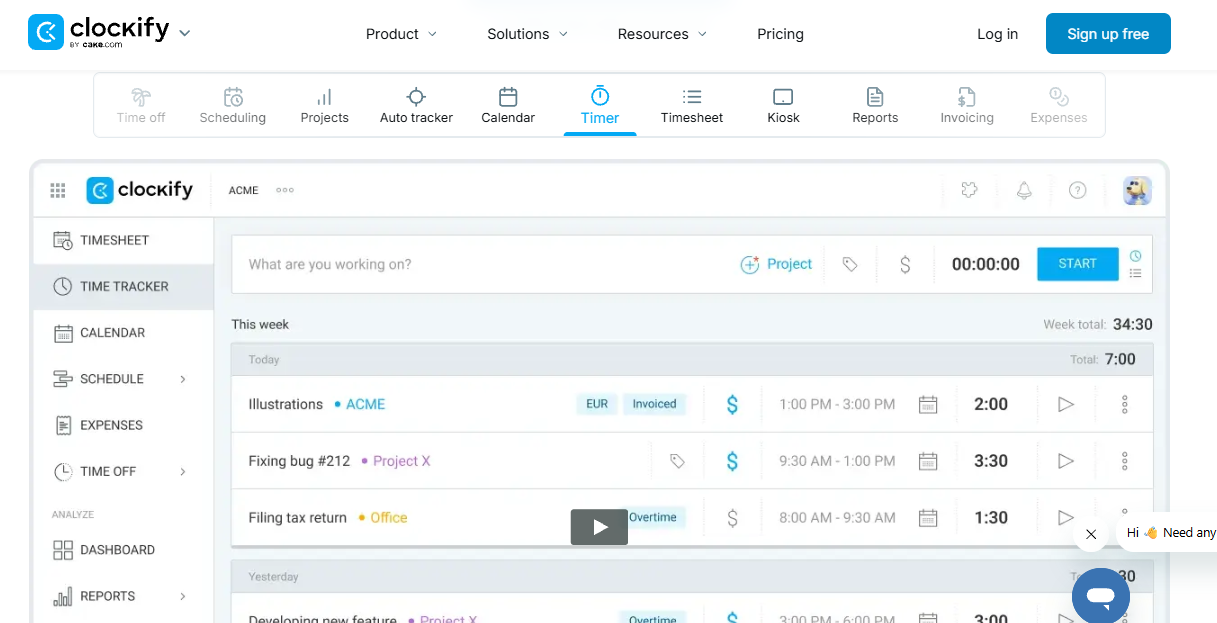
Best for: Budget-conscious businesses and remote teams that need timers, timesheets, and project reports.
Clockify allows team members to record working hours against projects and tasks using timers or manual entries. This makes it useful for businesses that want to introduce time tracking without immediately adopting a complex workforce management platform.
Team members can organise work by project, review recorded hours, and generate reports to understand how time is distributed. The platform also offers additional management and attendance-related capabilities on supported plans.
For teams that need to maintain reliable work records, Clockify can provide a practical starting point.
Key Features
- Timer-based and manual time entries.
- Project and task tracking.
- Timesheets and reports.
- Billable-hour tracking.
- Team dashboards and project records.
- Additional management features on supported plans.
- Export options where available.
How Remote Teams Can Use Clockify
A remote team member can select the relevant client project and record hours against individual assignments. For example, a marketing specialist might track content writing, research, campaign management, and reporting separately.
At the end of the reporting period, team members can review their timesheets for missing entries or incorrectly assigned hours. Managers can use the resulting records to support project planning and workload discussions.
Consistent task names and accurate time entries are important for producing useful reports.
Pros
- Offers a free plan.
- Supports timers and manual entries.
- Provides project-level reporting.
- Suitable for individuals and businesses.
- Offers additional functionality through paid plans.
Cons
- Some advanced features are restricted to paid tiers.
- Extensive configuration may be unnecessary for teams that only need a simple timer.
- Inconsistent task labels can make reports difficult to interpret.
Pricing: Clockify offers a free plan and paid subscriptions. Verify current user limits and feature availability on its official website.
Suitable for: Startups, freelancers, contractors, and remote teams that need straightforward timesheets and project tracking.
4. Hubstaff
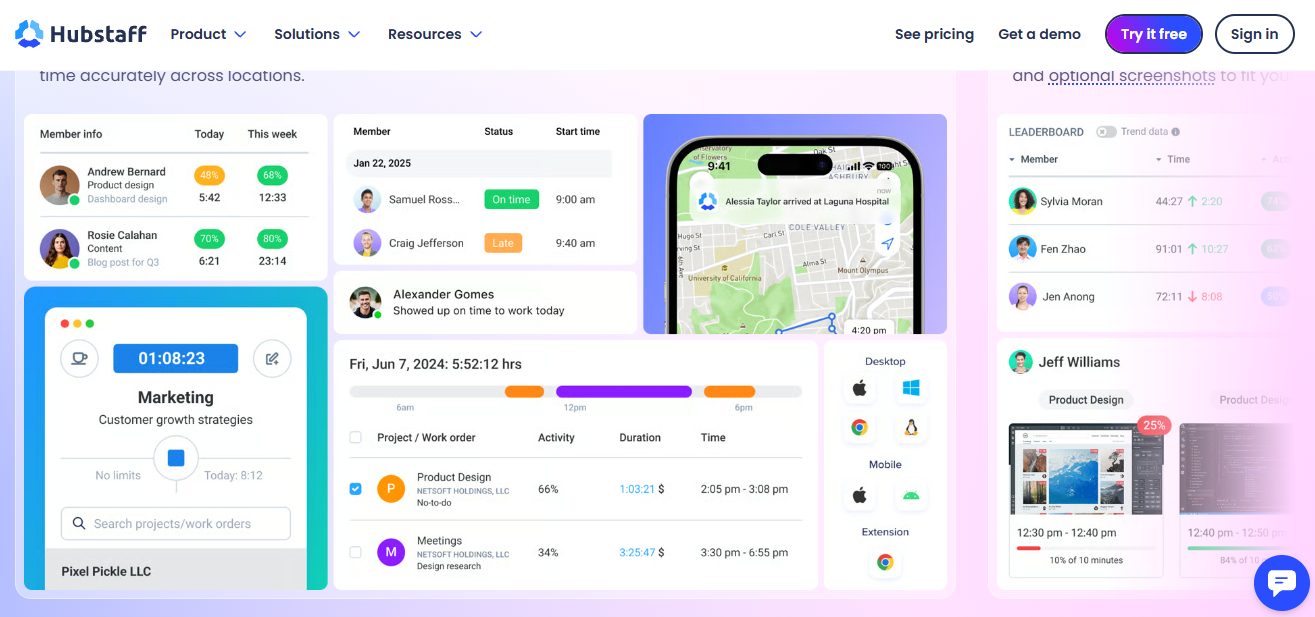
Best for: Businesses that require time tracking alongside workforce activity and attendance features.
Hubstaff combines time tracking with workforce management capabilities. Depending on the plan and configuration, businesses can use it to record working hours, review activity information, manage attendance, and access location-related features for supported use cases.
For remote teams, these capabilities may help maintain operational visibility. They can be especially relevant when teams coordinate desk-based and field-based staff or work across multiple sites.
However, organisations should determine which monitoring features are genuinely necessary before implementation. Clear policies help team members understand what information is collected and how it will be used.
Key Features
- Time tracking and timesheets.
- Activity monitoring features.
- Attendance and scheduling capabilities.
- Project and task records.
- Reporting and workforce insights.
- GPS-related features for supported workflows.
- Integrations with selected business applications.
How Remote Teams Can Use Hubstaff
A business with remote support teams and field staff can evaluate Hubstaff for recording working hours and managing different work arrangements.
Team members can use supported tracking methods to maintain time records, while managers can review available reports and relevant attendance information.
For fully remote desk-based teams, the most important considerations may be timers, project records, reporting, and transparent monitoring settings rather than GPS functionality.
Pros
- Combines time tracking with workforce management.
- Provides activity-related reporting on supported plans.
- Supports selected attendance and location workflows.
- Offers integrations with compatible applications.
- Can suit businesses with different workforce arrangements.
Cons
- Monitoring features may raise privacy concerns if poorly communicated.
- Advanced functionality may require a paid subscription.
- Location tracking is unnecessary for many fully remote desk-based teams.
- Businesses should assess the total cost against their actual requirements.
Pricing: Hubstaff’s pricing and feature availability vary by plan. Review its official pricing page before purchasing.
Suitable for: Distributed operations, field teams, businesses with attendance requirements, and organisations that need additional workforce visibility.
5. Time Doctor
Best for: Businesses that need detailed time records and team activity insights.
Time Doctor provides time tracking and productivity-related reporting for businesses managing teams across locations. Its features can help organisations record hours, examine work patterns, and review activity information where monitoring is enabled.
For remote teams, these capabilities may provide additional context about how recorded time is distributed. However, activity metrics should not be treated as a complete measure of professional performance. Different roles and assignments require different levels of concentration, collaboration, and technical problem-solving.
Key Features
- Time tracking and timesheets.
- Activity-related reporting.
- Productivity insights.
- Project and task tracking.
- Team reporting and management.
- Integrations with supported tools.
- Additional monitoring options on applicable plans.
How Remote Teams Can Use Time Doctor
A remote customer support team may use time records to review working hours and understand how time is distributed across assigned activities.
A software development team may use project-level records to distinguish development, testing, meetings, and support work. Team members and managers should interpret these records alongside project outcomes and work quality rather than relying solely on activity measurements.
Pros
- Offers time tracking and activity-related reporting.
- Provides visibility into recorded working hours.
- Supports project and task-based records.
- Can suit organisations with structured monitoring requirements.
- Offers integrations with compatible applications.
Cons
- Detailed monitoring may not suit every workplace culture.
- Some capabilities depend on the selected plan.
- Activity metrics can be misleading without role-specific context.
- Teams should carefully review privacy and access controls.
Pricing: Time Doctor offers paid subscriptions with different features and limits. Check its official website for current pricing.
Suitable for: Businesses that need detailed time records, structured workforce reporting, and optional activity monitoring.
6. Harvest
Best for: Freelancers, consultants, and remote teams managing billable hours and client assignments.
Harvest combines time tracking with expense management, project reporting, and invoicing capabilities. It is particularly relevant for businesses that bill clients according to the hours spent on assignments.
Instead of maintaining separate records for project work and billing, teams can organise time entries around clients and projects. Available reports can help businesses compare recorded effort with project budgets.
For remote teams working on client-facing assignments, this can simplify time recording and the preparation of billing information.
Key Features
- Project and task timers.
- Manual time entries.
- Billable and non-billable time records.
- Expense tracking.
- Invoicing and client billing.
- Project budgets and reporting.
- Integrations with supported business tools.
How Remote Teams Can Use Harvest
A remote consulting team working with several clients can create a project for each engagement and record time against individual tasks.
Before preparing an invoice, the team can review billable hours and check whether recorded effort aligns with the agreed scope. Project reports can also help identify assignments approaching their budget limits.
Pros
- Combines time tracking with billing workflows.
- Useful for hourly client contracts.
- Supports project budget reporting.
- Provides billable-hour records.
- Helps organise client-facing administrative work.
Cons
- Billing functionality may be unnecessary for internal teams.
- Free-plan capacity and paid features should be checked.
- Detailed employee monitoring is not its primary purpose.
- Some businesses may need a separate project management platform.
Pricing: Harvest offers free and paid options, with capacity and features varying by plan. Confirm current terms on its official website.
Suitable for: Freelancers, consulting businesses, software agencies, and remote teams handling client work.
7. TimeCamp
Best for: Remote teams that want automatic time tracking, timesheets, and reporting.
TimeCamp supports automatic and manual time tracking alongside project records and reporting features. It can help teams maintain time records across multiple assignments and understand how working hours are distributed.
Automatic tracking may reduce the need to start and stop timers for every activity. However, resulting records may require review, particularly when team members switch between several projects or work with sensitive applications.
Key Features
- Automatic and manual time tracking.
- Project and task records.
- Timesheets and reports.
- Billable-hour tracking.
- Attendance-related features on supported plans.
- Productivity and activity-related reporting.
- Integrations with supported applications.
How Remote Teams Can Use TimeCamp
Team members can record time across projects and review weekly reports to understand where effort is being spent. Teams can compare actual hours with estimates and identify recurring delays or unexpected workload changes.
For client-facing work, billable-hour records can support reporting. For internal assignments, historical data may help teams plan future work more realistically.
Pros
- Supports automatic and manual tracking.
- Provides project and task reporting.
- Offers free and paid options.
- Includes additional management features on supported plans.
- Can suit teams with varied reporting requirements.
Cons
- Advanced features may require paid plans.
- Automatic categorisation may need correction.
- Monitoring settings should be configured transparently.
- Businesses should verify compatibility with existing tools.
Pricing: TimeCamp offers free and paid plans. Review its official pricing page for current limits and subscription details.
Suitable for: Freelancers, project managers, distributed businesses, and remote teams needing time records and reporting.
8. Connecteam
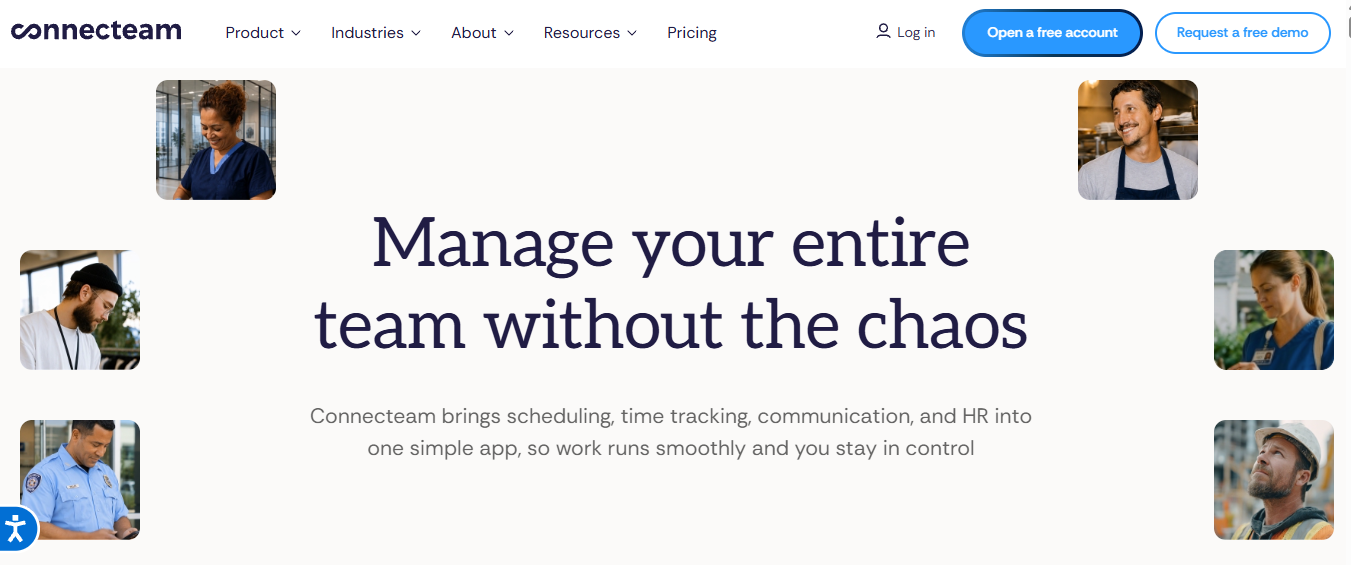
Best for: Distributed frontline teams and businesses managing staff across different locations.
Connecteam focuses on workforce management and offers capabilities such as time clocks, scheduling, attendance, and employee communication. These features can be useful for teams whose members work shifts or move between operational locations.
Although not every remote team needs a workforce management platform, businesses with distributed support staff, service teams, or frontline workers may benefit from having scheduling and time records together.
Key Features
- Team time clocks.
- Scheduling and shift management.
- Attendance records.
- Timesheets and payroll-related workflows.
- Team communication tools.
- Location-related features where supported.
- Workforce management capabilities.
How Remote Teams Can Use Connecteam
A distributed service business can use Connecteam to coordinate team members working different shifts and maintain attendance records.
Team members can use supported time clock and scheduling features to record working hours, while managers can review timesheets and organise staffing requirements.
For teams that primarily complete project-based computer work, a dedicated project timer may be a better fit. Businesses should evaluate the platform against their actual work arrangements.
Pros
- Combines workforce management with time clocks.
- Supports scheduling and attendance workflows.
- Can suit distributed frontline operations.
- Offers team communication capabilities.
- Provides additional workforce tools depending on the plan.
Cons
- May offer more functionality than a project-based remote team needs.
- Feature availability can vary by subscription and eligibility.
- Businesses should verify integrations with their existing systems.
- Project-level billing may require additional functionality.
Pricing: Connecteam offers different plans and may provide free options for eligible users or teams. Verify current eligibility, limits, and pricing on its official website.
Suitable for: Frontline operations, distributed service businesses, shift-based teams, and organisations managing staff across locations.
Essential Features of Time Tracking Software for Remote Teams
Different teams need different tracking capabilities. A freelancer may primarily need a timer and client reports, while a full-time remote team may need attendance records, timesheets, and project-level reporting.
Before choosing a platform, evaluate the following features.
1. Accurate Time Tracking
A useful time tracking system should make it easy to record working hours and assign them to the correct projects or tasks. Team members may use automatic timers, manual entries, or a combination of both, depending on their responsibilities.
Consistent records help teams understand how much effort assignments require and allow managers to review working-hour information.
2. Project and Task Management
Project-based records help teams separate client work, internal assignments, meetings, administration, and other activities.
Look for tools that support clear project structures and task categories. If your organisation already uses a project management application, check whether the time tracker integrates with it before changing your workflow.
3. Detailed and Summarised Timesheets
Timesheets help remote teams maintain working-hour records and allow businesses to review recorded time.
AYYES provides Detailed Timesheet and Summarised Timesheet options. Detailed timesheets help users examine individual time entries, while summarised timesheets provide a consolidated overview of recorded hours.
These features can support timesheet reviews, reporting, and a better understanding of how working hours are distributed across a team.
4. Team Member Management
Managing team members is important when people work remotely across different locations and schedules. Team management features help businesses organise accounts and maintain visibility into their workforce.
AYYES provides team member management options, including My Team Members, Online Team Members, and Members & Licensing. These options help administrators manage member information, review online team members, and oversee member and licensing arrangements.
5. Team Activity and Member Activity
Activity tracking can provide additional visibility into work-related activity, depending on the available features and configuration.
AYYES includes Team Activity and Member Activity options. These views help users review activity information at the team or individual member level, supporting a clearer overview of recorded work activity.
Businesses should use activity information alongside task outcomes and work quality rather than treating it as the only measure of team productivity.
6. Time Tracker User Activity and Reports
Time tracker activity and reporting features help businesses review recorded information and understand working patterns.
AYYES provides a Time Tracker User Activity option and a dedicated Reports section. These features can help users review available time-tracking activity and analyse recorded information for reporting and work management.
Regularly reviewing relevant reports can help businesses identify missing time entries, understand how hours are allocated, and make more informed decisions about workload planning.
How Remote Teams Can Use Time Tracking Software: A Practical Example
Consider a remote team working for a digital agency. Its responsibilities include preparing marketing reports, updating client campaigns, attending meetings, and completing administrative tasks.
Time tracking software can help the team maintain accurate records without relying on memory at the end of the day.
Step 1: Organise Work Activities
Create or select the relevant projects and tasks, such as campaign management, research, reporting, meetings, and administration.
Consistent task names make timesheets easier to understand and compare.
Step 2: Record Working Hours
Use a timer or manual time entry to record time spent on each assignment. Select the correct project or task to keep records organised.
Step 3: Review Daily Timesheets
Check entries for missing hours, incorrect task assignments, and timers that were left running. Correct errors before submitting timesheets.
Step 4: Review Attendance and Workload
Where the software supports these features, review attendance records and scheduled working hours. Managers can use this information to identify scheduling issues and discuss workload concerns.
Step 5: Improve Time Management
Review historical records to understand how long recurring tasks take. Use these insights to organise schedules, improve estimates, and identify opportunities to reduce unnecessary administrative work.
The goal is to make time recording more accurate and useful while allowing teams to focus on completing their responsibilities.
Time Tracking Software for Different Types of Remote Teams
1. Time Tracking for Freelancers and Consulting Teams
Freelancers and consultants often work with several clients and manage independent schedules. They may need timers, billable-hour records, and reports that help them prepare invoices and document completed work.
Simple tracking and reliable exports may be more important than extensive employee monitoring.
2. Time Tracking for Remote Software Development Teams
Software development teams divide their working hours across coding, debugging, testing, code reviews, documentation, and meetings.
Task-level tracking can help developers understand how time is allocated and improve future project estimates. Recorded hours should be considered alongside code quality, technical complexity, and delivery outcomes.
3. Time Tracking for Remote Customer Support Teams
Remote customer support teams may work scheduled shifts and handle different types of assignments throughout the day.
Attendance records, timesheets, shift schedules, and team reporting may be more useful than project billing features. Businesses should select tools that fit their operating hours and staffing arrangements.
4. Time Tracking for Remote Marketing Teams
Remote marketing teams may manage campaigns, create content, conduct research, analyse performance, and prepare client reports.
Project-level records can help them understand how much time is spent on individual assignments, client revisions, and internal meetings. Billable-hour reports may also support client billing and project budgeting.
5. Time Tracking for Remote Field and Service Teams
Some teams work away from a central office and need to record attendance across different locations.
Time clocks, scheduling, and location-related features may be useful where they match job requirements and organisational policies. Businesses should evaluate whether a workforce management platform is more appropriate than a basic project timer.
How to Choose the Best Time Tracking Software for Remote Teams
Choosing a platform starts with understanding your workflow. A feature-rich system is not automatically the right choice if your team only needs simple timers and reliable timesheets.
1. Define Your Main Requirement
Decide whether you primarily need team time tracking, attendance management, project reporting, client billing, or activity records.
Prioritising the main requirement helps narrow the available options.
2. Check the Tracking Methods
Some team members prefer starting and stopping timers, while others prefer manual entries or automatic activity records.
Choose a method that fits your team’s routines and minimises unnecessary interruptions.
3. Evaluate Reporting Capabilities
Determine whether the reports answer your main business questions. Freelancers may need billable hours by client, while managers may need project budgets and workload information.
4. Confirm Integrations
Check whether the platform supports your existing task management, collaboration, and business applications.
A suitable integration can reduce duplicate entry, but verify which features and subscription tiers are supported.
5. Compare Pricing and Plan Limits
Review the number of users included, reporting capabilities, project limits, integrations, and minimum seat requirements.
Consider the total cost as your team grows rather than focusing only on the entry-level price.
6. Review Privacy and Security
Understand which records are collected and who can access them. If a platform supports screenshots or application monitoring, check that the configuration matches your organisation’s requirements.
7. Test the Workflow Before Committing
Use a trial or free plan where available. Ask a small group of team members to record a normal working day, review their timesheets, and generate a project report.
Their feedback can reveal whether the platform fits actual working practices.
Benefits of Time Tracking for Remote Teams
A consistent tracking process can provide useful information for planning and coordination when businesses use the data responsibly.
1. More Realistic Work Estimates
Historical time records can help teams understand how long similar assignments have taken. This information can improve estimates and account for meetings, reviews, testing, and administrative work.
2. Improved Workload Visibility
Project reports can show how effort is distributed across assignments. Managers can use this information to identify overloaded schedules and allocate work more carefully.
3. Clearer Client Reporting
Freelancers and client-facing teams can use organised time records to explain how hours were spent on client work. Reliable records make project reviews and billing discussions easier to support.
4. Better Project Budget Management
Comparing recorded hours with estimates can reveal when a project is approaching its budget limit. Teams can investigate the cause and discuss scope or scheduling changes before the problem grows.
5. Less Manual Administration
Timers, reusable project structures, and supported integrations can reduce the need to reconstruct working hours from memory or maintain multiple spreadsheets.
6. More Informed Workflow Improvements
Time data can help identify recurring delays, repeated rework, or tasks that regularly exceed estimates. Teams can investigate these patterns and improve processes where appropriate.
Time tracking is most valuable when information supports practical decisions. Hours recorded should not be treated as the only measure of team productivity or professional performance.
How Much Does Time Tracking Software for Remote Teams Cost?
The cost of a time tracking platform depends on its provider, team size, billing cycle, and included features. Some tools offer free plans, while paid subscriptions may provide advanced reporting, attendance, integrations, and management capabilities.
When comparing plans, review the following factors:
- User limits: Check how many team members can use the plan.
- Project limits: Confirm whether it supports your active projects.
- Reporting: Determine whether the reports you need are included.
- Automatic tracking: Check whether automatic recording or categorisation requires a paid plan.
- Attendance: Verify that the required clock-in and timesheet workflows are available.
- Integrations: Confirm that the applications your team uses are supported.
- Minimum seats: Some subscriptions may require a minimum number of users.
- Billing cycle: Compare monthly pricing with any annual discounts.
A free plan may be sufficient for a freelancer or a small team with basic requirements. A growing organisation may need more advanced reporting, attendance management, or integration capabilities.
The most cost-effective option is the one that meets your actual requirements without adding features your team will not use. Always confirm current prices and subscription limits on the provider’s official website.
Common Time Tracking Mistakes Remote Teams Should Avoid
1. Tracking Time Without a Clear Purpose
Before introducing tracking, explain what information the business needs and how it will be used. Collecting records without a practical objective can create unnecessary administration.
2. Using Inconsistent Project Names
If team members record similar assignments under different labels, reports become harder to interpret. Agree on a practical naming convention for projects and recurring tasks.
3. Forgetting to Stop Timers
Timers that continue running after a task ends can create inaccurate records. Team members should review entries regularly and correct mistakes before submitting timesheets.
4. Ignoring Historical Reports
Recording time without reviewing the results limits its value. Periodically compare actual hours with estimates and identify recurring issues that may improve future planning.
5. Treating Hours as the Only Productivity Measure
Different assignments require different levels of effort. Evaluate project outcomes, quality, complexity, and deadlines alongside recorded hours.
6. Overusing Activity Monitoring
Screenshots and application monitoring can raise privacy concerns if their purpose and scope are unclear. Explain the tracking policy, collect only necessary information, and configure access appropriately.
7. Choosing Software Without Testing It
A tool may appear suitable but create friction during everyday work. Test time entry, timesheet correction, reporting, and data exports before rolling it out across the team.
How to Implement Time Tracking Software for Remote Teams
Implementing a time tracking system requires clear policies, suitable software, and consistent communication. Follow these steps to introduce time tracking without disrupting your team’s workflow.
1. Define Your Time Tracking Goals
Determine what your business needs to track, such as working hours, project time, billable tasks, attendance, or productivity-related information. Clear goals help you choose a solution that addresses actual requirements.
2. Choose the Right Time Tracking Software
Compare tools based on ease of use, project tracking, timesheet reports, integrations, pricing, and compatibility with team members’ devices.
Choose software that fits existing workflows and provides the features your team needs.
3. Establish Clear Time Tracking Policies
Explain when team members should start and stop timers, how to record breaks, how to handle forgotten entries, and when timesheets must be submitted.
Make sure everyone understands how their time data will be used and who can access it.
4. Set Up Projects, Tasks, and Team Accounts
Organise the software around your business structure. Create projects, assign tasks, configure user permissions, and establish reporting categories so team members can record time consistently.
5. Train Team Members and Test the System
Provide a short demonstration or written instructions showing team members how to record time, edit entries, and submit timesheets.
Start with a small group or pilot project to identify issues before introducing the system across the organisation.
6. Review Reports and Improve the Process
Regularly review timesheets, project reports, and workload data to identify missing entries, inaccurate estimates, and inefficient processes.
Gather feedback from team members and adjust policies as needed.
Tip: Introduce time tracking as a tool for better planning, fair workload distribution, and accurate billing, not simply as a way to monitor people. Be transparent about activity monitoring and respect team members’ privacy.
Why Consider AYYES for Remote Team Time Tracking?
AYYES combines time tracking, project and task organisation, timesheets, and reporting to help businesses maintain accurate records of remote teams’ working hours.
Team members can organise assignments, record time against relevant tasks, and review their time entries. Managers can use available reports to understand how work hours are distributed and support project planning.
Depending on the selected plan, businesses can also evaluate attendance management and activity monitoring features. These capabilities may help organisations manage working-hour records while accommodating different job responsibilities and reporting requirements.
AYYES may suit businesses looking for a central platform for team time tracking and work management. Before choosing a plan, review its available features, integrations, reporting capabilities, and privacy settings.
What to Evaluate in AYYES
- Free plan: Review the included features and the limit of up to 12 team members.
- Paid plans: Compare annual and monthly subscription rates.
- Per-user costs: Calculate the total subscription cost as your team grows.
- Feature availability: Confirm whether project tracking, timesheets, reporting, and attendance management are included in your selected plan.
- Trial availability: Use the 30-day free trial to evaluate the platform before committing.
AYYES Pricing
AYYES offers a free plan for up to 12 team members, along with paid plans for growing businesses. The free plan includes time tracking, unlimited projects and tasks, and basic kiosk access. Paid plans add features such as screenshot tracking, idle detection, and advanced analytics.
| Plan | Price | Best For |
|---|---|---|
| Free | $0/month | Small teams with up to 12 members |
| Annual | $0.88/seat/month, billed annually | Businesses looking to save with annual billing |
| Monthly | $0.99/seat/month | Businesses preferring monthly billing |
AYYES also offers a 30-day free trial with no credit card required. Visit the official AYYES website to review current features, plan limits, and billing details before choosing a plan.
Frequently Asked Questions About Remote Team Time Tracking
1. What is the best time tracking software for remote teams?
The best option depends on team responsibilities and business requirements. AYYES combines time tracking and work management, Toggl Track focuses on straightforward time recording, Clockify offers a free entry-level option, and Harvest supports client billing. Hubstaff, Time Doctor, TimeCamp, and Connecteam address other workforce needs.
2. How do businesses track working hours for remote teams?
Businesses can use desktop or mobile timers, manual time entries, online timesheets, or supported attendance tools. The appropriate method depends on the work being performed and the level of reporting required.
3. What is the best free time tracking software for remote teams?
AYYES, Clockify, and Toggl Track are options to evaluate for free entry-level tracking, while TimeCamp may also suit some requirements. Compare current user limits, available reports, integrations, and feature restrictions before selecting a plan.
4. Can remote teams track their own working hours?
Yes. Many platforms allow team members to start timers, enter hours manually, and review their timesheets. Businesses can establish clear rules for project labels, approvals, and corrections to maintain consistent records.
5. What is the difference between time tracking and employee monitoring?
Time tracking records working hours and may associate them with projects or tasks. Employee monitoring may additionally record application activity, screenshots, or other work-related information. The two serve different purposes and should be configured according to business needs and applicable privacy requirements.
6. Is a remote team time clock app useful?
Yes. A time clock can help team members register attendance and working hours. It may be particularly useful for shift-based teams, shared-device environments, and businesses with field staff.
7. Can time tracking software integrate with project management tools?
Some platforms integrate with supported project management and collaboration applications. Check each provider’s current integration list to confirm compatibility with the specific tools your business already uses.
8. Is automatic time tracking accurate?
Automatic tracking can help record work activity, but it may not always identify the correct project or explain the purpose of an activity. Team members should review and correct records before submitting timesheets or invoices.
9. How can time tracking help remote teams manage working hours?
Time tracking helps teams understand how working hours are distributed across tasks, meetings, and projects. Reviewing these records can support better scheduling, more realistic estimates, and improved workload management.
10. Should businesses use activity monitoring for remote teams?
Not every business needs it. Activity monitoring may be relevant for specific operational requirements, but businesses should explain its purpose, limit data collection, establish access controls, and avoid treating activity metrics as a complete measure of performance.
Final Thoughts on Time Tracking Software for Remote Teams
Time tracking software can help remote teams record working hours, maintain accurate timesheets, manage attendance, and organise daily responsibilities. For employers, these records can support payroll preparation, workload planning, project reporting, and client billing.
AYYES, Toggl Track, Clockify, Hubstaff, Time Doctor, Harvest, TimeCamp, and Connecteam offer different combinations of tracking, reporting, attendance, billing, and workforce management capabilities. The best choice depends on team responsibilities, business requirements, budget, and reporting needs.
Compare tracking methods, integrations, pricing, privacy controls, and reporting capabilities before making a decision. Start with the features your business genuinely needs, test the workflow with your team, and choose a solution that makes recordkeeping easier without disrupting productive work.



