
4 Teramind Alternatives IT Managers Should Compare, Pick by Need
For IT managers who need combined time tracking, privacy-aware screenshots, and AI-driven automation, AYYES is the strongest direct replacement for Teramind. If your priority sits elsewhere, three category alternatives cover the rest of the field: enterprise DLP/ITM platforms for insider-threat forensics, workforce analytics tools for lighter-touch productivity insight, and time-tracking or GPS software for billing and field teams. The right pick depends on whether you’re optimizing for control, privacy, or speed of rollout.
TL;DR:
- AYYES offers a balanced solution with integrated time tracking, AI automation, and privacy-aware screenshots, suitable for teams prioritizing control and privacy.
- Enterprise DLP and ITM platforms focus on insider-threat detection and regulatory compliance, requiring significant operational support and full endpoint coverage.
- Workforce analytics tools emphasize aggregate productivity insights with minimal invasiveness, ideal for coaching and trust-building rather than detailed investigations.
- Time-tracking and GPS solutions serve billing and field operations, offering quick deployment but lacking advanced incident and insider-risk controls.
- Conducting a thorough pilot with defined success metrics and verifying vendor compliance documentation is essential before choosing any alternative.
Table of Contents
- Teramind Alternatives Compared at a Glance
- What Each Category of Teramind Competitor Actually Solves
- How to Choose Between Teramind Substitutes: A Decision Framework
- How We Evaluated These Teramind Competitors
- Why AYYES Takes a Different Approach to Employee Monitoring
- Ready to Pilot AYYES as Your Teramind Alternative
- Where to Verify Compliance and Vendor Claims
- Sources
- FAQ
Teramind Alternatives Compared at a Glance
Every Teramind alternative on the market falls into one of four buckets: an integrated time-tracking and automation platform, an enterprise data-loss-prevention (DLP) and insider-threat-management (ITM) suite, a workforce analytics tool, or a lightweight time-and-billing tracker. Matching your buyer job to the right bucket matters more than comparing feature checklists line by line. A distinction G2’s own category breakdown of employee monitoring software reinforces when it separates analytics tools from time-tracking and DLP/insider-risk platforms.
| Solution | Best for | Deployment/platforms | Key features | Privacy & compliance controls | Pricing shape | Trial/pilot available |
|---|---|---|---|---|---|---|
| AYYES | Teams needing integrated time tracking, AI automation, and privacy-aware screenshots | Windows, macOS, browser, cloud | AI automations, screenshot capture, timesheets, kiosk clock-in, invoicing | Screenshot blur, adjustable capture settings | Free plan; paid tiers from $0.88/seat/month (annual) | Free forever plan; no forced trial expiration |
| Enterprise DLP/ITM (e.g., Proofpoint, Forcepoint DLP, DTEX, Fortra DLP) | Insider-risk investigations, regulated data protection | Agent-based, Windows/macOS/Linux, often on-prem or hybrid cloud | File transfer blocking, data exfiltration alerts, session recording, forensic logs | Formal audit trails, role-based access, SOC/ISO documentation typical | Enterprise quote, per-endpoint licensing | Vendor-led proof-of-concept, usually multi-week |
| Workforce analytics (e.g., ActivTrak, Insightful, WorkTime) | Non-invasive productivity coaching and aggregate reporting | Windows, macOS, browser dashboards | Activity scoring, app/website usage trends, coaching dashboards | Aggregate-only options, configurable data scope | Per-seat monthly, often with free tiers | Self-serve trials common |
| Time-tracking & field/GPS (e.g., Hubstaff, Time Doctor, Toggl Track, DeskTime, Clockify, Apploye, Monitask) | Billing, payroll, and remote or field-based teams | Mobile apps, browser extensions, desktop clients | GPS location, timesheets, invoicing, project budgeting | Varies widely; some offer minimal screenshot capture | Per-user monthly, several with free tiers | Free tiers and short trials standard |
This platform leads the table as an option designed to combine time tracking, repetitive reporting automation, and screenshot capture with adjustable privacy settings, aiming to provide a middle ground between forensic depth and lighter-touch tools. The enterprise DLP row covers names like CurrentWare, Veriato, SoftActivity, Mimecast Incydr, Safetica, Cisco Umbrella, Trellix DLP, Symantec DLP, CrowdStrike Falcon Data Protection, Adaptive Email DLP, and GTB Technologies DLP, all of which specialize in insider-risk containment rather than day-to-day time management.
Notice what the table does not show: a single “best overall” column. That’s deliberate. A DLP platform that stops data exfiltration has almost nothing in common with a time-tracking tool that generates client invoices, even though both get labeled “employee monitoring software” in casual conversation. Treating them as interchangeable is the single biggest procurement mistake IT managers make when they start searching for Teramind competitors.
What Each Category of Teramind Competitor Actually Solves
Teramind built its reputation on forensic-grade monitoring, session recording, and insider-threat detection. That’s a specific job. Most organizations evaluating Teramind alternatives are not actually trying to replicate that exact capability. They’re trying to solve an adjacent problem: time accountability, productivity visibility, or lighter compliance reporting. Sorting alternatives by category, rather than by brand name, gets you to the right shortlist faster.
Enterprise DLP and insider threat management
This category exists for one reason: stopping data from leaving the organization through the wrong channel, whether that’s a departing employee copying a client list or a compromised account exfiltrating source code. Proofpoint’s combined DLP and ITM suite, Forcepoint DLP, DTEX, Fortra DLP, Mimecast Incydr, Safetica, Cisco Umbrella, Trellix DLP, Symantec DLP, CrowdStrike Falcon Data Protection, Adaptive Email DLP, and GTB Technologies DLP all compete in this space, each with slightly different strengths in file classification, network-layer inspection, or endpoint agent behavior.
These platforms tend to share a few traits. They record more granular activity than a typical time tracker, sometimes including full session playback. They enforce policies automatically, blocking a USB transfer or flagging an email with a credit card number before it leaves the network. And they carry a heavier operational footprint: dedicated security staff to tune alert rules, agent deployment across every endpoint, and often a six-figure annual contract once you scale past a few hundred seats. Gartner’s own alternatives listing for Teramind shows that buyers who start out comparing Teramind frequently end up shortlisting these DLP vendors specifically because their primary concern is insider risk, not general productivity visibility.
When to pick this category:
- You handle regulated data (financial records, health information, source code) where a leak carries legal or contractual liability.
- Your compliance team needs forensic-grade evidence for investigations, not just productivity trends.
- You have security staff who can manage agent policies, tune false-positive rates, and review flagged incidents on an ongoing basis.
- Your industry (finance, healthcare, defense contracting) already mandates DLP tooling under contract or regulation.
Practical constraints to check before you commit: most enterprise DLP suites assume full-time, company-managed endpoints. Bring-your-own-device (BYOD) environments and offline field devices tend to break the agent model, since policy enforcement depends on continuous connectivity or at least periodic sync. Linux coverage also varies significantly between vendors, so confirm OS support against your actual endpoint mix rather than assuming parity with Windows.
Pro Tip: Ask any DLP vendor for a sample incident report before you sign. If the output is a wall of raw logs rather than a readable narrative your legal team can act on, your investigators will spend more time interpreting the tool than using it.
Workforce analytics and privacy-first platforms
Tools like ActivTrak, Insightful, and WorkTime take a different approach: aggregate metrics over raw surveillance. Instead of recording every keystroke, they measure patterns, active time versus idle time, application usage trends, focus-time blocks, and roll that into dashboards managers can use for coaching conversations rather than disciplinary ones.
This category earns its “privacy-first” label because most vendors here default to less invasive data capture, and several let administrators disable or heavily restrict screenshot capture entirely. That makes them a faster sell to employees and easier to justify under a proportionality test, since WP29’s Opinion 2/2017 specifically flags data minimization as a core requirement when monitoring at work touches personal data. A workforce analytics tool that only reports aggregate activity scores, without raw screen captures or keystroke logs, sits much closer to that minimization standard than a forensic recorder does.
When to pick this category:
- Your primary goal is productivity coaching and identifying process bottlenecks, not investigating specific incidents.
- You want a rollout that doesn’t require heavy legal review or employee representative consultation before launch.
- Your organization is trying to build trust around monitoring, not just enforce compliance.
- You need fast time-to-value: most workforce analytics tools offer self-serve trials with dashboards live within a day.
Practical constraints: these tools generally lag behind DLP suites on file-transfer blocking, network inspection, and formal audit trail generation. If an incident does occur, you may not have the granular evidence a forensic investigation requires. Coverage across mobile and Linux endpoints also varies, so confirm platform support matches your actual device fleet before rolling out broadly.
Time-tracking and field/GPS tools
Hubstaff, Time Doctor, Toggl Track, DeskTime, Clockify, Apploye, and Monitask solve a narrower, more transactional problem: converting hours worked into billable invoices, payroll entries, and project budgets. Several add GPS tracking for field teams, geofenced clock-in for service technicians, and timesheet exports that plug directly into payroll systems.

This is the category most freelancers, agencies, and distributed teams actually need when they think they need “employee monitoring.” The core question isn’t “did this person do something risky with data,” it’s “did this person work the hours we’re paying for, and on which project.” G2’s category framing draws this same line, positioning Hubstaff specifically around time tracking and field/GPS workflows rather than security or forensics.
When to pick this category:
- You bill clients by the hour and need defensible, exportable timesheets.
- You manage field technicians, delivery drivers, or other roles where location verification matters.
- Payroll accuracy, not security investigation, is your main pain point.
- You want a tool your team can start using the same day, without a security review cycle.
Practical constraints: most tools in this bucket offer minimal or optional screenshot capture, and almost none include DLP-grade file transfer controls. If your organization later needs insider-risk protection, you’ll likely need a second, dedicated tool rather than expecting the time tracker to grow into that role.
Lightweight and freemium trackers
Clockify and similar freemium tools deserve a separate mention because they solve a real but narrow problem: a small team that needs basic time logging without any budget for a monitoring program. They deploy in minutes, require no IT involvement, and skip almost every advanced control, including screenshot capture, GPS, and detailed compliance reporting. That trade-off is fine for a five-person startup. It becomes a liability the moment you need audit trails, role-based permissions, or defensible records for a client dispute.
How to Choose Between Teramind Substitutes: A Decision Framework
Comparing feature lists is where most procurement processes stall out. A structured scorecard moves things faster and produces a decision you can actually defend to leadership or legal.
- Define the buyer job first. Are you solving for insider-threat containment, productivity coaching, or billing accuracy? Write this down before you look at a single vendor page. Mixing jobs, like expecting a time tracker to also serve as your DLP layer, is the fastest way to end up mid-contract with the wrong tool.
- Score security needs against actual risk exposure. Regulated industries with sensitive data need forensic capability; most other organizations don’t, no matter how compelling a vendor’s security demo looks.
- Weigh privacy risk against operational benefit. Every additional data point you collect, screen recordings, keystroke logs, browsing history, raises your compliance burden. ICO-style guidance on workplace monitoring is explicit that monitoring must be proportionate to the risk it addresses, not simply the most thorough option available.
- Map scale and endpoint diversity. How many seats, what mix of Windows, macOS, Linux, and mobile, and how many offline or BYOD devices will the tool need to cover?
- Check integration depth. Does the tool connect to your payroll system, project management platform, or SIEM without custom middleware?
- Estimate admin overhead honestly. Enterprise DLP tools often require a dedicated administrator to tune policies and review alerts; workforce analytics and time trackers rarely do.
- Factor in switching costs beyond subscription price. Historical data continuity, endpoint rollout complexity, and policy redesign work usually cost more than the license fee itself, a point procurement analysis of employer monitoring tools makes explicit when it flags migration friction as the hidden cost buyers underestimate.
Before signing anything, run a real pilot rather than trusting a sales demo:
- Select representative roles for the pilot, not just your most cooperative team. Include a contractor, a remote worker on a shared device, and someone who works offline part of the week.
- Define success metrics in writing before you start: reduction in timesheet disputes, adoption rate, or number of flagged incidents reviewed, whatever matches your original buyer job.
- Set retention and access rules for the pilot itself. Decide who can view screenshots or activity logs, and for how long, before data starts accumulating.
- Run the pilot for at least two to three weeks. Anything shorter won’t surface edge cases like offline sync failures or BYOD policy conflicts.
Vendor questions worth asking every finalist:
- How does the agent behave on a laptop that goes offline for several days?
- Is data encrypted both in transit and at rest, and what’s the default retention window?
- Can access to screenshots or session recordings be restricted by role?
- Are audit logs available for who accessed what data, and when?
- Can historical data be exported cleanly if we switch vendors later?
- What does the SLA guarantee for support response time and uptime?
Red flags that should end a vendor conversation quickly: no redaction or blur option on screenshots, a retention policy the sales team can’t explain in plain language, no ability to limit collection to work hours or specific applications, and contract terms that stay vague about data ownership or deletion timelines after cancellation.
How We Evaluated These Teramind Competitors
Selecting categories over individual brand rankings meant applying a consistent filter: does this class of tool align with a real, distinct buyer job, does it show up consistently across independent review platforms, and does its feature set match a genuine use case rather than overlapping vaguely with three other categories.
Star ratings and vendor marketing pages tell you almost nothing about proportionality, retention practices, or how a tool behaves under an actual compliance audit. That’s why this comparison leans on primary sources instead: regulatory guidance from bodies like the UK Information Commissioner and the Article 29 Working Party, plus practical procurement analysis from legal and industry sources, rather than treating a five-star aggregate score as proof of compliance readiness.
Before finalizing any Teramind alternative, request these trust signals directly from the vendor:
- A written privacy policy specific to the monitoring product, not the vendor’s general corporate policy.
- SOC 2 or ISO 27001 documentation, or a clear explanation of why it’s not available.
- A sample Data Protection Impact Assessment (DPIA) template or completed example.
- At least one case study from an organization of comparable size and industry.
- Access to a hands-on pilot environment, not just a scripted sales demo.
Why AYYES Takes a Different Approach to Employee Monitoring
Most of the alternatives covered here force a trade-off: either you get forensic depth and accept a heavier compliance burden, or you get a lighter-touch analytics tool and give up granular evidence. Some platforms aim to combine time tracking, AI-driven automation, and privacy-aware screenshot capture in one platform without forcing a trade-off between depth and privacy.
Screenshot blur and adjustable capture settings help managers track project progress without recording extensive keystrokes or personal browsing sessions, aligning more closely with data minimization principles favored by regulators. This combination can benefit remote-first agencies, distributed operations teams, and growing companies needing scalable solutions.
None of that replaces your own legal review. Run a pilot, read the privacy documentation, and confirm the tool fits your specific compliance obligations before rolling it out company-wide.
— Mark
Ready to Pilot AYYES as Your Teramind Alternative
This platform offers integrated time tracking and privacy-aware screenshot evidence in one subscription, aiming to simplify procurement compared to separate tools or enterprise DLP suites.
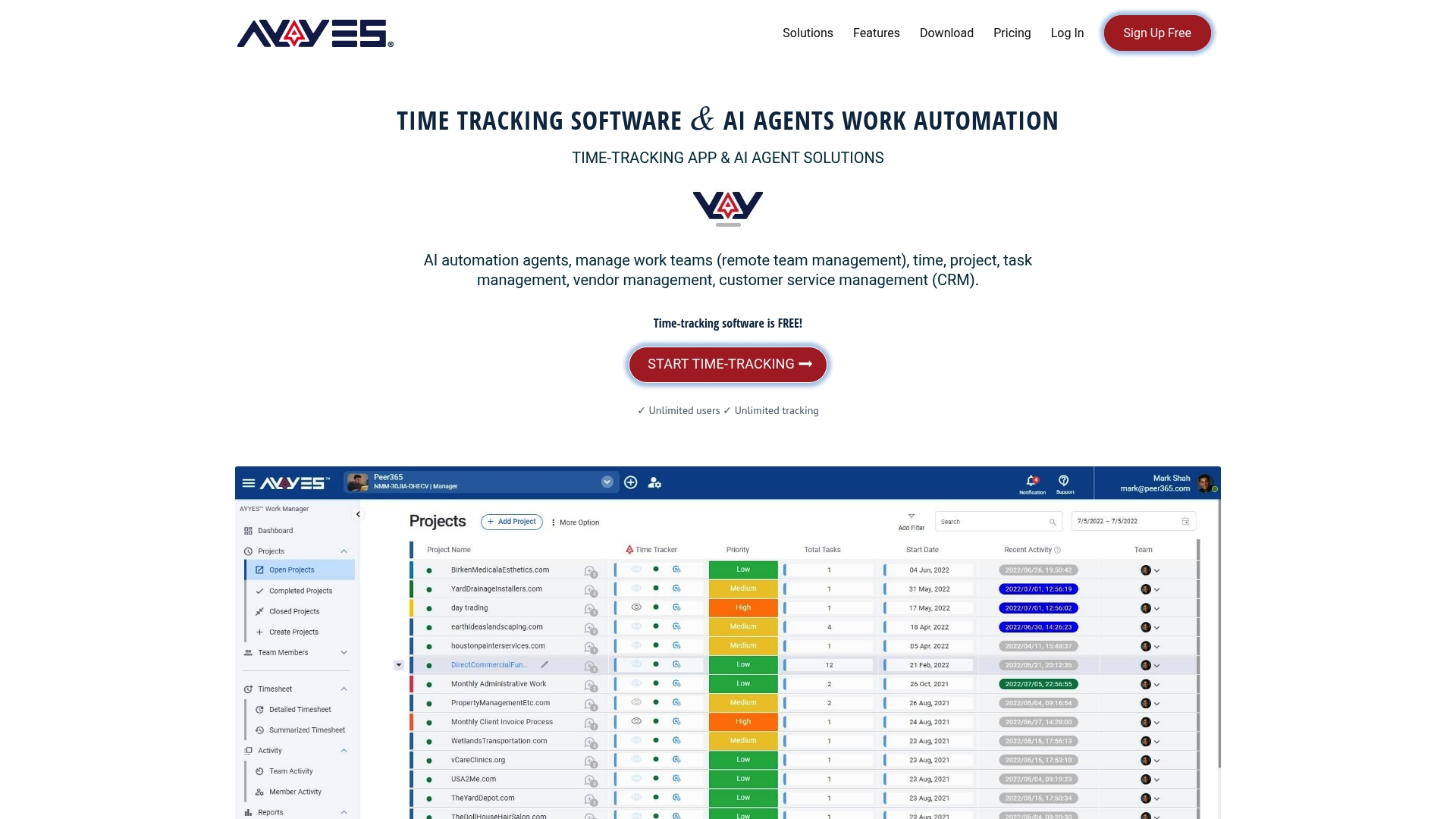
A useful pilot starts with a short checklist: define your success metrics up front (fewer timesheet disputes, faster invoicing, adoption rate among a representative group), pick a handful of roles that include at least one remote or contract worker, and set your screenshot and retention settings before anyone logs their first hour. Give it two to three weeks, long enough to surface real usage patterns rather than first-day impressions. AYYES offers a Free plan for up to 12 team members with no forced expiration for core time tracking, projects, tasks, and kiosk use. Screenshot tracking requires a paid plan, while AI Agents automation is still in active development and is planned for paid plans when released. Paid pricing starts at $0.88 per seat/month with annual billing or $0.99 per seat/month with monthly billing. Visit the AYYES pricing page to compare current plans and features before starting your pilot.
Where to Verify Compliance and Vendor Claims
Don’t take any vendor’s compliance claims at face value, including ours. Cross-check them against primary sources before rollout:
- The Article 29 Working Party’s Opinion 2/2017 on data processing at work covers proportionality, retention limits, and employee representative involvement.
- The UK Information Commissioner’s guidance on workplace monitoring details transparency requirements and DPIA triggers.
- G2’s employee monitoring software category page offers independent feature comparisons and user-reported concerns across vendors.
- Request each finalist vendor’s own privacy policy and DPIA template directly rather than relying on marketing summaries.
Sources
- I Tested 8 Best Employee Monitoring Software for 2026: See My Review
- UK Information Commissioner publishes new guidance on employee monitoring
- Opinion 2/2017 on data processing at work (WP249)
FAQ
Is Teramind a Legit Company?
Yes, Teramind is an established employee monitoring and insider-threat vendor with a long-standing presence in enterprise security and compliance markets. It’s widely reviewed on platforms like G2 and Gartner, and organizations evaluating alternatives typically do so for fit or pricing reasons, not legitimacy concerns.
How Much Does Teramind Cost?
Teramind’s pricing varies by plan tier and endpoint count, and current rates are best confirmed directly on its website rather than quoted secondhand. If you’re comparing costs, AYYES publishes its pricing directly: a Free plan at $0 per month for up to 12 team members, a Monthly plan at $0.99 per seat, and an Annual plan at $0.88 per seat per month (billed yearly) on the AYYES pricing page.
What Are the Top Employee Monitoring Software Options?
The field splits into four categories rather than one ranked list: integrated platforms like AYYES for combined tracking and automation, enterprise DLP/ITM suites like Proofpoint and Forcepoint for insider-risk containment, workforce analytics tools like ActivTrak for coaching-focused insight, and time-tracking or GPS tools like Hubstaff and Toggl Track for billing and field work. The right “top” option depends entirely on which buyer job you’re solving.
Does Teramind Record My Screen?
Teramind offers screen recording and session playback as part of its forensic monitoring feature set, which is one reason organizations with lighter compliance needs often look at alternatives instead. Tools like AYYES take a different approach, using screenshot capture with adjustable blur and privacy settings rather than continuous session recording.
What Are the Best Teramind Substitutes for Small Teams?
Small teams without dedicated security staff generally fit better with an integrated platform like AYYES or a lightweight time tracker like Clockify or Toggl Track, both of which avoid the heavier agent deployment and compliance overhead that enterprise DLP suites require. The deciding factor is usually whether you need billing accuracy and light productivity visibility, or forensic-grade insider-threat protection.



