
Set Rate Cards First: Time Tracking and Invoicing for Solos and Teams
Integrated time tracking and invoicing platforms convert billable hours into accurate invoices with minimal reconciliation, provided rate cards and billing logic are set up before anyone starts a timer. Tools like AYYES build this on a track, review, approve, invoice workflow, applying rate cards automatically so tracked hours flow straight into a billable line item instead of a spreadsheet someone has to rebuild by hand.
TL;DR:
- Supporting rate cards and billing logic must be configured before tracking hours to ensure seamless, accurate invoice generation.
- Approving and locking timesheets after review prevents disputes caused by retroactive edits and manual reconciliations.
- Using multi-rate billing support and one-click invoice creation significantly improves billing accuracy and reduces time-to-invoice.
- Integrated platforms that combine tracking, review, and invoicing are more effective for managing multiple rate tiers and approval workflows than disconnected tools.
- Pilot testing with one client cycle can help measure improvements in invoice speed and accuracy before scaling the setup.
Table of Contents
- How the End-to-End Workflow Works: Track, Review, Invoice
- Key Features to Prioritize When Choosing Time Tracking and Invoicing Software
- How to Convert Tracked Time Into an Invoice
- Pricing and Plan Shapes: How to Estimate What It Will Cost You
- How AYYES Delivers on This Checklist
- Integrated Platform or Disconnected Tools: Which Fits Your Workflow?
- Try AYYES for Integrated Time Tracking and Invoicing
- Sources
- FAQ
How the End-to-End Workflow Works: Track, Review, Invoice
Most billing disputes trace back to one root cause: the tracking step and the invoicing step were never designed to talk to each other. A workflow that actually holds together runs in three connected stages. Tracking. Teams capture hours through real-time timers, manual entry, or bulk import from a calendar or project tool. Every entry needs three tags to be billing-ready: the client, the project, and a billable/non-billable flag. Skip the tagging step and you’re stuck manually sorting hours later. Review and approval. Before anything hits an invoice, a manager or the freelancer reviews the timesheet, applies rounding rules (nearest six minutes is common), and resolves disputes while memories are fresh. Locking the period after approval stops the retroactive edits that cause billing arguments weeks later. Invoice generation. Approved entries map to invoice lines automatically, rates get applied by project or client, and tax and expense lines get added before the document goes out. Configuring billing logic and rate cards before tracking begins is what makes this chain work. Finance-first setups shorten reconciliation time and cut errors because the software already knows what each hour is worth the moment it’s logged, rather than forcing someone to figure it out at invoice time. 
Key Features to Prioritize When Choosing Time Tracking and Invoicing Software
Not every feature on a pricing page matters equally. Some determine whether your invoices go out on time; others are nice extras. Here’s what actually moves the needle on billing accuracy and speed:
- Multi-rate billing support — different rates by role, project, or client, plus retainer and project-based billing options, not just a single hourly rate applied everywhere.
- One-click invoice creation from approved timesheets, with recurring invoice templates and embedded payment links for repeat clients.
- Budget-versus-actual reporting, work-in-progress (WIP) tracking, and utilization reports that export cleanly to accounting software.
- Integrations with accounting platforms, payment gateways, and project management tools, since connected systems cut administrative overhead and shrink time-to-invoice.
- Mobile and desktop apps with offline capture, so a missed timer doesn’t turn into a guessed timesheet entry.
- Audit trails and privacy controls, especially if the platform includes screenshot capture or activity monitoring alongside time data.
Pro Tip: Set up your rate cards and client billing rules before you track a single hour on a new project. Retrofitting rates onto three months of untagged time entries is one of the most common, and most avoidable, sources of invoice delay. Rate cards and billing logic are often the most underused lever in a billing operation. They shift margin visibility from “after the invoice went out” to “while the work is happening”, which matters far more than any single automation feature on its own.
How to Convert Tracked Time Into an Invoice
Turning a week of logged hours into a sent invoice follows a predictable sequence. Skip a step and you’ll spend more time fixing the invoice than you saved by automating it.
- Set up clients, projects, and rate cards first. Every project needs an assigned rate before tracking starts, not after.
- Track consistently. Use timers for real-time accuracy or structured manual entries at day’s end, and mark every entry billable or non-billable as you go.
- Close and approve the timesheet. Lock the period once approved to prevent edits that cause disputes later.
- Generate the invoice. Select approved billable items, apply rates and taxes, add expense lines, and preview before sending. This is where preconfigured billing and GL mapping pays off, turning what used to be a manual reconciliation task into a near one-click step.
- Send with a payment link and reconcile. Attach a PDF line-item breakdown and a payment link, and set an automated reminder for unpaid invoices.
A useful way to validate any new setup: run one active client in parallel for a full billing cycle and measure time-to-invoice and invoice accuracy before migrating everything else over. The most common pitfalls are small and avoidable: unassigned time entries with no client tag, duplicated hours from overlapping timers, and missing notes that make a line item look unjustified to a client. Catching these during the review step, rather than after the invoice ships, is the difference between a clean billing cycle and a client email asking for an explanation.
Pricing and Plan Shapes: How to Estimate What It Will Cost You
Time tracking and invoicing software tends to price around three models: per seat (a flat fee per user), per feature (a base plan plus paid add-ons like advanced reporting), and usage-based (tied to invoice volume or client count). Freelancers usually do best on a free tier or a single-seat paid plan; small teams and agencies typically land on per-seat pricing once they need approval workflows across multiple people. Certain features are common upgrade triggers:
- Advanced budget and profitability reporting
- Multi-step approval workflows
- Accounting and payment gateway integrations
- Single sign-on (SSO) for larger teams
- Higher invoice or client volume limits
To estimate annual cost, multiply expected seats by the per-seat rate, then add any integration or SSO fees that apply at your tier. Free tiers are worth starting on, but check migration costs before you outgrow them. Moving years of historical time data and client rate cards into a new system is rarely instant, and it’s easier to plan for early than to untangle later.
How AYYES Delivers on This Checklist
AYYES builds the finance-first workflow described above directly into its platform rather than treating invoicing as an afterthought bolted onto a timer app. It combines time tracking with AI automations, rate-card billing logic, and screenshot capture, so tracked hours arrive at invoice time already tagged, rated, and ready for review. Here’s how the core checklist maps to what’s available:
- Rate cards and billing logic applied automatically as time is tracked, not reconstructed afterward.
- One-click invoice generation from approved timesheets.
- Reporting that shows budget versus actual and utilization without a separate export step.
- Screenshot capture and activity logs for accountability without micromanaging every task.
Time-tracking data is financial data. Setting billing rules up front, before hours are logged, lets tracked time flow into accounting with predictable, audit-ready mapping instead of a month-end scramble.
Integrated Platform or Disconnected Tools: Which Fits Your Workflow?
Freelancers billing a handful of clients on flat rates can often get by with a simple timer and a separate invoicing app. The moment you’re managing multiple rate tiers, a team that needs approval steps, or clients who dispute hours, disconnected tools start costing you more in reconciliation time than they save in setup simplicity. The tradeoff is upfront configuration versus ongoing friction. An integrated platform takes longer to set up correctly, since rate cards and billing rules need defining before you track a single hour. But it pays that time back every billing cycle afterward. Before committing fully, pilot one client for a full cycle and track two numbers: time-to-invoice and invoice accuracy. Those two metrics will tell you more than any feature list.
— Mark
Try AYYES for Integrated Time Tracking and Invoicing
If the workflow above sounds like more structure than your current spreadsheet-and-separate-invoicing-app setup can offer, that’s the gap AYYES was built to close. It pairs time tracking with AI automations, configurable rate cards, and screenshot-backed reporting, so tracked hours convert into invoices without a manual reconciliation pass at month-end. 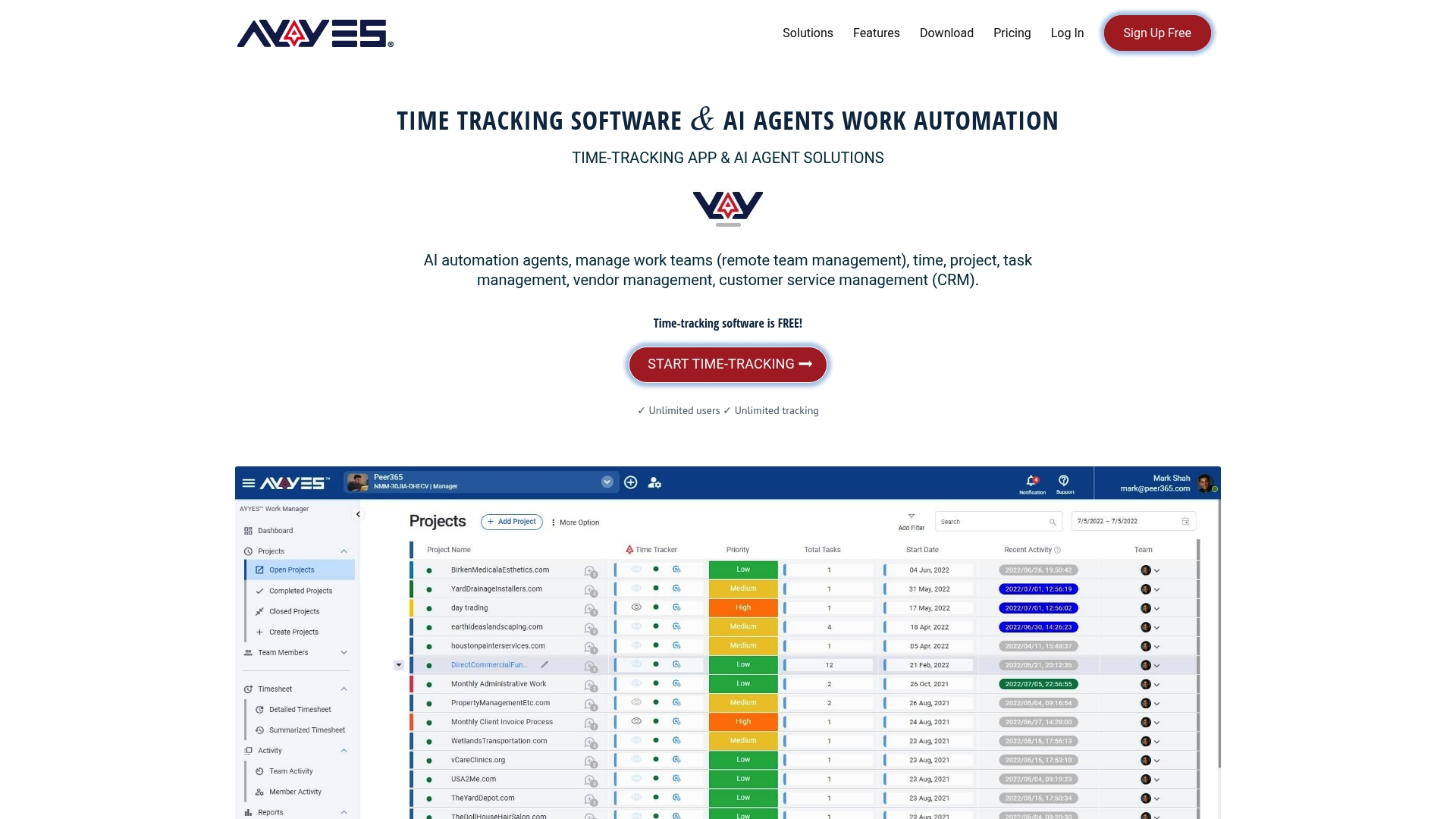 Whether you’re a freelancer billing three clients or an agency managing a dozen project rates, the setup work happens once, and every invoice after that gets faster. You can start on AYYES’s free plan for up to 12 team members to track one active project through a full billing cycle, or schedule a demo to see how rate cards and one-click invoicing work together before rolling it out across your team. AYYES offers a free plan for up to 12 team members. Screenshot tracking and activity/app monitoring are paid features and are not included on the Free plan.
FAQ
1. What is the best time tracking app for invoicing?
The best option depends on your billing complexity, but platforms that combine time tracking with built-in rate cards and one-click invoicing, like AYYES, cut out the manual step of moving hours into a separate billing tool.
2. How do I convert tracked time into an invoice?
Set up rate cards before tracking, approve and lock the timesheet at period end, then generate the invoice by mapping approved billable entries to invoice lines with taxes and expenses applied.
3. What is a timesheet invoice?
A timesheet invoice is a bill generated directly from logged hours, where each tracked entry becomes a line item priced according to the client’s or project’s rate card.
4. What is the best way to track invoices after sending them?
Attach a payment link and a PDF line-item breakdown to each invoice, then use automated reminders for unpaid balances so you’re not manually chasing payment status.
5. Do I need separate software for time tracking and invoicing?
Not if your billing involves multiple rates, approvals, or client disputes. An integrated platform that handles tracking, review, and invoicing in one workflow typically reduces reconciliation errors compared to switching between separate tools.



