
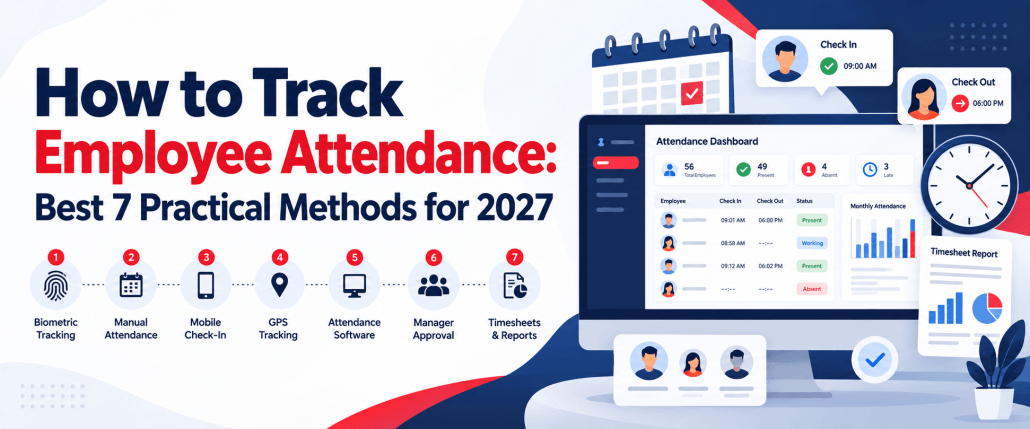
How to Track Employee Attendance: 7 Best Practical Methods for 2027
Knowing How To Track Employee Attendance accurately is essential for maintaining reliable payroll, managing schedules, controlling overtime, and understanding workforce availability. For small teams, a spreadsheet may be enough. As a business grows, however, manual records can quickly become difficult to maintain.
Modern businesses can use an attendance tracker, shared time clock, mobile application, kiosk, time tracking software, or automated attendance tracking software to record when employees start and finish work. These tools can also help organize timesheets, breaks, overtime, and other attendance data in one place.
The right method depends on team size, workplace structure, reporting requirements, and whether employees work remotely, on-site, or across several locations. This guide explains How To Track Employee Attendance, what information businesses should record, the different tracking methods available, how to implement a reliable process, and what to look for when selecting the right time tracking software.
Why Is Tracking Employee Attendance Important?
Learning How To Track Employee Attendance correctly gives managers more reliable workforce data and helps employees receive accurate records of their working hours.
- Improve Payroll Accuracy: Incorrect clock-in times, forgotten breaks, and missing timesheets can result in payroll errors. Accurate attendance information gives payroll teams clearer records to review before payments are processed.
- Identify Attendance Patterns: Regular attendance reports may reveal repeated late arrivals, missed shifts, unexpected overtime, or scheduling problems.
- These patterns can then be investigated instead of managers relying on assumptions.
- Improve Workforce Planning: Knowing when employees are available helps managers plan staffing levels more effectively. It can also reveal periods where a department regularly has too many or too few employees scheduled.
- Manage Overtime More Effectively: Accurate working-hour records make it easier to identify unnecessary overtime and understand where additional staffing may be required.
- Maintain Better Records: A structured attendance management system gives businesses a central place to review historical attendance information instead of searching through individual spreadsheets or paper timesheets.
What Employee Attendance Information Should You Track?
The exact information required depends on your workforce and company policies. However, useful attendance records for employees generally include:
| Information | What It Shows |
| Employee name or ID | Who the record belongs to |
| Scheduled start | Expected beginning of the shift |
| Actual start | When the employee began |
| Scheduled finish | Expected shift ending |
| Actual finish | When work ended |
| Break duration | Time taken for scheduled breaks |
| Total worked hours | Actual working time |
| Overtime | Hours beyond the regular schedule |
| Late arrival | Difference between scheduled and actual start |
| Early departure | Whether a shift ended early |
| Leave type | Sick, paid, unpaid, vacation, etc. |
| Work location | Office, remote, field, or another site |
| Attendance status | Present, absent, late, leave, etc. |
Only information that serves a legitimate attendance, payroll, scheduling, operational, or compliance purpose should be collected.
Also Suggest this : Best Time Tracking Software
How to Choose the Right Employee Attendance Platform
Choosing the right attendance platform requires more than comparing feature lists. Businesses should consider how employees work, how managers review time, and how attendance data connects with scheduling, payroll, and reporting.
The right time attendance software should simplify attendance management rather than add unnecessary complexity.
- Tracking Methods: Check how employees can record their working time. Depending on your workforce, you may need web, desktop, mobile, kiosk, PIN, QR, or manual entry options.
- Employee Limits: Some platforms limit the number of users available on certain plans. Compare current team size with expected growth so you do not need to switch systems too quickly.
- Timesheet Management: Look for software that automatically organizes employee hours into clear timesheets. Managers should be able to review, edit, approve, and export records without rebuilding them manually.
- Kiosk Support: A kiosk is useful for warehouses, retail stores, restaurants, and other shared workplaces. Check whether employees can clock in securely from one shared device.
- Attendance Reports: Good software should provide clear reports for worked hours, overtime, absences, missed entries, and attendance trends. Reports should also be easy to filter by employee, team, or date.
- Scheduling Features: Scheduling allows managers to compare expected hours with actual attendance. Look for shift planning, recurring schedules, schedule changes, and scheduled-versus-worked comparisons.
- Break Management: The system should make it easy to record paid and unpaid breaks. Businesses should also be able to identify missed breaks or unusually long break periods.
- Monitoring Controls: If the platform includes activity monitoring, screenshots, idle detection, or app usage, check whether these features can be configured according to company policies and employee roles.
- Privacy Options: Attendance platforms should provide clear privacy controls, role-based permissions, and secure employee access. Businesses should also understand what data is collected and how long it is stored.
- Export Capabilities: Attendance data may need to be transferred into payroll, accounting, HR, or reporting systems. Check whether the platform supports useful formats such as CSV, Excel, or other structured exports.
- Ease of Use: Software should be easy for both employees and managers to understand. Complicated clock-in processes can lead to missed entries, while confusing dashboards can create additional administrative work.
- Pricing: Compare pricing based on your actual team size rather than the advertised starting price alone. Check user limits, included features, monthly versus annual billing, and additional charges.
- Scalability: The system should continue working as your business adds employees, departments, locations, or new attendance requirements. Switching platforms repeatedly can create unnecessary disruption.
Final Selection Checklist
Before choosing an attendance management system, confirm that it can:
- Support your preferred clock-in methods
- Handle your current and future team size
- Provide accurate timesheets
- Manage breaks and overtime
- Support scheduling
- Generate useful reports
- Control user permissions
- Protect employee data
- Export payroll information
- Work across multiple locations
- Remain simple for employees to use
The best time attendance software is not necessarily the platform with the most features. It is the one that fits your workforce, reduces manual work, and gives managers reliable attendance information without making the process difficult for employees.
How To Track Employee Attendance: 7 Practical Methods
There is no single tracking method that works for every business. Understanding How To Track Employee Attendance across different workplace environments helps you select a method that fits your workforce.
1. Use Automated Attendance Tracking Software
Modern attendance tracking software records working hours digitally and can reduce the administrative work involved in collecting timesheets.
Depending on the platform, employees may clock in through a browser, desktop application, mobile device, or shared kiosk.
Managers can then review information such as:
- Employee working hours
- Clock-in and clock-out records
- Breaks
- Overtime
- Missing entries
- Timesheets
- Attendance history
This approach is particularly useful for growing businesses because information remains centralized as more employees are added.
2. Use a Digital Attendance Tracker
A digital attendance tracker provides a simpler alternative to paper records.
Employees record when they begin and finish work, while managers can review information from a central dashboard.
This method works particularly well for businesses that need accurate attendance information but do not require a complicated HR platform.
3. Use Time and Attendance Software
Time and attendance tracking software combines attendance information with employee working-hour records.
The typical workflow is:
Employee → Clock in → Work → Break → Clock out → Timesheet → Manager review → Payroll
Good time attendance software can therefore provide more useful information than a simple present-or-absent register.
It can be particularly useful for companies managing hourly workers, shifts, overtime, or multiple teams.
4. Track Attendance With Spreadsheets
Google Sheets and Microsoft Excel remain practical options for very small teams.
A basic spreadsheet might include:
- Employee
- Date
- Scheduled hours
- Clock-in
- Clock-out
- Breaks
- Total hours
- Attendance status
The primary benefit is cost.
The disadvantages are more significant as the team grows. Records must be entered or corrected manually, formulas may be changed accidentally, and managers have limited real-time visibility.
5. Use Mobile or Online Attendance Tracking
Businesses with remote employees, technicians, sales teams, consultants, or field workers may require attendance tracking online.
Employees can record their working time through a browser or supported device without being physically present in an office.
This allows businesses to maintain a consistent attendance process across distributed teams.
6. Use a Shared Time Clock or Kiosk
A shared kiosk can work well for:
- Restaurants
- Warehouses
- Retail businesses
- Manufacturing facilities
- Construction teams
- Healthcare workplaces
- Other shift-based teams
Employees check in and out through a shared device rather than needing individual workstations.
Modern kiosks may use PINs, QR codes, employee IDs, or other authentication methods.
7. Use Biometric Attendance Systems
Some organizations use fingerprint, facial recognition, or similar biometric systems.
These systems can reduce practices such as one employee clocking in for another, but businesses should carefully consider privacy, employee consent, security, and applicable regulations before collecting biometric information.
Which Method Is the Best Way to Track Employee Attendance?
The best way to track employee attendance depends on how and where your employees work.
| Method | Best For | Automation | Remote Use | Main Limitation |
| Paper records | Very small teams | Low | No | Manual errors |
| Spreadsheet | Small teams | Low | Yes | Difficult to scale |
| Digital tracker | Small to medium teams | Medium | Yes | Features vary |
| Software platform | Growing businesses | High | Yes | Initial setup |
| Mobile tracking | Field and remote teams | High | Yes | Device dependent |
| Kiosk | Shift and on-site workers | High | Limited | Requires shared device |
| Biometric system | Fixed workplaces | High | No | Privacy considerations |
For most growing businesses, digital tracking provides greater consistency because information can be centralized and reviewed without manually combining multiple records.
How to Set Up an Attendance Management System
A successful attendance management system requires more than simply purchasing software. Businesses need clear policies, consistent tracking rules, employee training, and a reliable process for reviewing attendance data.
The goal is to create a system that accurately records working hours while reducing manual administration and confusion for both employees and managers.
Step 1: Decide What You Need to Track
Start by identifying the attendance information your business actually needs.
For example, you may need to record:
- Arrival time
- Finish time
- Breaks
- Overtime
- Leave
- Scheduled hours
- Worked hours
- Late arrivals
- Early departures
- Missed shifts
The information you collect should support a clear business purpose, such as payroll preparation, workforce planning, scheduling, or attendance reporting.
Avoid tracking unnecessary data simply because your software allows it. A simpler system is often easier for employees to follow and managers to maintain.
Step 2: Establish an Attendance Policy
Before introducing new software, create a clear attendance policy.
Employees should understand what is expected of them and how attendance records are handled.
Your policy should explain:
- Expected working hours
- Clock-in and clock-out rules
- Break requirements
- Overtime procedures
- Absence reporting
- Late-arrival procedures
- Leave requests
- Missed clock-in procedures
- How incorrect entries are corrected
- Who approves attendance changes
For example, if an employee forgets to clock out, the policy should explain whether they should contact their manager, submit a correction request, or update the entry themselves.
Clear rules help reduce inconsistent attendance records and prevent disagreements later.
Step 3: Select Your Tracking Method
Next, choose the attendance tracking method that fits your workforce.
Evaluate factors such as:
- Number of employees
- Number of locations
- Remote-work requirements
- Payroll process
- Budget
- Reporting requirements
- Scheduling structure
- Employee device access
A small office with ten employees may only need a browser-based attendance tracker, while a warehouse operating several shifts may benefit from a shared kiosk.
A remote team may require attendance tracking software that works through desktop or web applications, while field employees may need mobile-friendly attendance tracking.
The best system should fit the way employees already work rather than forcing unnecessary steps into their daily routine.
Step 4: Add Employees and Work Schedules
Once the system has been selected, add employees, departments, teams, locations, and work schedules.
This information creates the baseline used to compare scheduled hours against actual working hours.
For example, if an employee is scheduled from 9:00 AM to 5:00 PM, the system can help identify:
- Late clock-ins
- Early departures
- Overtime
- Missed shifts
- Schedule deviations
Businesses with multiple locations should also organize employees by workplace or department so managers can review relevant attendance information more easily.
Role-based permissions can also be useful. Employees may only need access to their own records, while managers may need access to their team’s attendance data.
Step 5: Define Clock-In and Clock-Out Rules
Employees should know exactly when, where, and how they are expected to record working time.
For example:
- Office employees may use a browser timer.
- Warehouse employees may use a shared kiosk.
- Remote employees may use desktop or web tracking.
- Field workers may use a mobile-friendly system.
You should also define rules around:
- Early clock-ins
- Late clock-outs
- Break recording
- Overtime
- Multiple shifts
- Forgotten entries
- Manual time adjustments
Consistent clock-in rules make attendance data easier to review and reduce confusion across departments.
Step 6: Train Employees
Even the best attendance management software will produce inaccurate records if employees do not understand how to use it.
Training should cover the full attendance workflow.
Employees should know:
- How to clock in
- How to clock out
- How to record breaks
- How to request leave
- What to do if they forget an entry
- How to correct a mistake
- Who approves corrections
- What information is collected
- Why the information is being tracked
Training does not need to be complicated.
A short onboarding guide, demonstration, or checklist can often be enough to prevent common mistakes.
Transparency is especially important if the system includes additional monitoring features. Employees should clearly understand what data is collected and how it is used.
Step 7: Review Exceptions Instead of Every Entry
Managers do not necessarily need to inspect every attendance record manually.
A more efficient approach is to focus on exceptions.
Examples include:
- Missing entries
- Unexpected overtime
- Late arrivals
- Early departures
- Unusually long shifts
- Missed breaks
- Incomplete timesheets
- Hours outside the scheduled shift
This exception-based approach can save managers significant time.
Instead of reviewing hundreds of normal records, they can focus on entries that may need correction or explanation.
Good time attendance management software can make this process easier by highlighting unusual records automatically.
Step 8: Approve Attendance Records
Before attendance information is used for payroll, managers should review and approve the records.
This provides an opportunity to correct:
- Forgotten clock-outs
- Incorrect break times
- Duplicate entries
- Missing overtime
- Wrong schedules
- Incorrect manual entries
Employees should also have a clear process for requesting corrections before final approval.
A consistent approval workflow improves the accuracy of both attendance reports and payroll calculations.
Step 9: Prepare Approved Data for Payroll
Once attendance records have been reviewed, approved working-hour data can be exported or transferred into the organization’s payroll workflow.
Depending on the software, this may involve:
- Exporting CSV files
- Downloading timesheets
- Sending approved hours to payroll software
- Reviewing overtime totals
- Checking paid and unpaid leave
- Confirming scheduled versus worked hours
Using approved attendance records helps reduce manual payroll corrections and ensures that payroll teams are working with consistent information.
Step 10: Review and Improve the System Regularly
An attendance process should not remain unchanged forever.
As your workforce grows, you may need to adjust:
- Attendance policies
- Clock-in methods
- Employee permissions
- Overtime rules
- Break requirements
- Reporting processes
- Payroll integrations
- Location settings
Review the system periodically and ask whether it is still easy for employees to use and useful for managers.
If attendance corrections, missing entries, or administrative work continue to increase, it may be time to improve the process or move to more capable attendance tracking software.
A well-designed system should make attendance easier to manage over time, not more complicated.
Employee Attendance Management Checklist for Accurate Tracking
Before introducing time track attendance software or changing your current attendance process, it is important to review how employee time will be recorded, managed, corrected, and reported.
A good attendance process should be simple for employees to follow and easy for managers to review. Use the checklist below to make sure the system is set up correctly from the beginning.
1. Define Your Attendance Requirements
Start by deciding exactly what your business needs to record.
☐ Define the attendance information you need
☐ Identify which employees or teams require tracking
☐ Document standard working schedules
☐ Establish break and meal-period rules
☐ Define overtime requirements
☐ Determine leave and absence categories
☐ Decide how late arrivals and early departures will be handled
☐ Identify any location-specific tracking requirements
Clear requirements prevent businesses from collecting unnecessary data and help ensure the system supports payroll, scheduling, and workforce planning.
2. Configure Your Attendance Tracking Process
Once the requirements are clear, set up a consistent process for employees and managers.
☐ Choose an appropriate clock-in and clock-out method
☐ Add employees, teams, and departments
☐ Configure work schedules and shifts
☐ Assign manager and administrator permissions
☐ Establish a process for correcting incorrect entries
☐ Configure break and overtime settings
☐ Test employee time entries
☐ Check whether reports display the correct information
Businesses using attendance tracking software should test the complete workflow before rolling it out to the entire workforce.
For example, test:
Clock in → Break → Resume work → Clock out → Timesheet → Manager approval
This helps identify configuration problems before they affect payroll records.
3. Prepare Employees to Use the System
Employee training is one of the most important parts of accurate attendance management.
☐ Explain the company’s attendance policy
☐ Explain when employees should clock in and out
☐ Show employees how to record breaks
☐ Explain what attendance information is collected
☐ Provide instructions for missed clock-ins
☐ Explain how incorrect entries can be corrected
☐ Tell employees who approves attendance changes
☐ Provide access to relevant attendance records where appropriate
Employees should understand both how the attendance tracker works and why the information is being collected.
Clear instructions can reduce missing entries, incorrect timesheets, and unnecessary correction requests.
4. Establish Manager Review Procedures
Managers should have a consistent process for checking attendance information.
☐ Review missing time entries
☐ Identify repeated late arrivals
☐ Check unexpected or excessive overtime
☐ Review unusually long shifts
☐ Check missed or incorrect breaks
☐ Review incomplete timesheets
☐ Approve corrections promptly
☐ Approve timesheets before payroll deadlines
Rather than manually reviewing every normal record, managers can focus on exceptions that require attention.
This approach makes an attendance management system more efficient and reduces unnecessary administrative work.
5. Check Payroll and Reporting Accuracy
Attendance information often becomes part of payroll, scheduling, or workforce reporting, so records should be verified before they are finalized.
☐ Compare scheduled hours with actual hours worked
☐ Confirm approved overtime
☐ Verify leave and absence information
☐ Review employee corrections
☐ Approve final timesheets
☐ Export required payroll information
☐ Check reports for missing or duplicate records
☐ Confirm that payroll receives the correct data
Regular checks can reduce payroll errors and help maintain more reliable attendance records for employees.
6. Review Privacy and Access Controls
Attendance systems may contain sensitive employee information, so access should be controlled carefully.
☐ Decide which managers can view attendance records
☐ Limit access based on job responsibilities
☐ Explain what employee information is collected
☐ Review how long attendance records are retained
☐ Protect exported reports and timesheets
☐ Review privacy settings regularly
If your employee attendance monitoring system includes additional activity or location tracking, employees should clearly understand what is monitored and why.
7. Audit the Attendance Process Regularly
An attendance system should be reviewed as the business changes.
Check the process when:
- New employees are added
- Teams move to remote or hybrid work
- New locations open
- Shift patterns change
- Payroll procedures change
- Attendance policies are updated
- Managers report frequent errors
- Employees regularly request corrections
A periodic review helps ensure your attendance process remains accurate, practical, and suitable for the way your team actually works.
8. Final Checklist Review
Before considering the system fully implemented, confirm that:
☐ Employees understand how to record attendance
☐ Managers know how to review and approve records
☐ Corrections follow a documented process
☐ Overtime and breaks are recorded consistently
☐ Timesheets can be prepared accurately
☐ Payroll data can be exported correctly
☐ Employee information is appropriately protected
☐ The system can support future workforce growth
A well-planned attendance process should reduce administrative work rather than create more of it. Combining clear policies with suitable time and attendance tracking software can help businesses maintain reliable records while making attendance management easier for both employees and managers.
Key Features of Accurate Employee Attendance Software
Understanding the key features of accurate employee attendance software helps businesses choose a system that does more than record basic clock-in and clock-out times. The right platform should improve accuracy, simplify management, reduce manual work, and provide reliable attendance data.
When comparing attendance management software, look for the following essential features.
1. Multiple Clock-In Options
Employees work in different environments, so attendance software should provide flexible ways to record working hours. Multiple clock-in options make the system easier to use for office, remote, field, and shift-based teams.
Look for options such as:
- Web timer
- Desktop application
- Mobile access
- Shared kiosk
- Manual time entries
- PIN or QR-based check-in
2. Accurate Timesheets
Accurate timesheets give managers a clear record of employee working hours without manually combining data from multiple sources. They should display clock-ins, clock-outs, breaks, total hours, and corrections in one place.
Useful timesheet information includes:
- Total hours worked
- Daily and weekly hours
- Clock-in and clock-out times
- Break duration
- Manual entries
- Overtime
- Attendance corrections
3. Break Tracking
Break tracking separates productive working time from scheduled or unpaid breaks. This helps businesses maintain clearer attendance records while giving managers a more accurate view of employees’ actual working hours.
A good system should allow businesses to:
- Record break start and end times
- Create different break types
- Track paid and unpaid breaks
- Identify missed breaks
- Review unusually long breaks
4. Overtime Visibility
Managers need to identify when employees work beyond their normal schedules. Clear overtime visibility helps businesses monitor additional hours, understand staffing requirements, and review overtime before payroll is processed.
The software should make it easy to:
- View overtime hours
- Compare scheduled and actual hours
- Identify unexpected overtime
- Review overtime by employee
- Monitor overtime trends
5. Timesheet Approval
A structured approval process allows managers to check employee time records before they are finalized. This helps catch missing entries, incorrect hours, or unexpected overtime before the information reaches payroll.
An effective approval workflow should support:
- Manager review
- Employee corrections
- Rejected timesheets
- Approved timesheets
- Approval status
- Final payroll preparation
6. Employee Self-Service
Employees should be able to view their own attendance information rather than relying on managers for every update. Self-service access can reduce administrative requests while making attendance records more transparent.
Employees may need access to:
- Working-hour records
- Timesheets
- Clock-in history
- Break information
- Leave records
- Correction requests
7. Employee Scheduling
Scheduling helps managers compare when employees were expected to work with when they actually worked. This makes it easier to identify missed shifts, late arrivals, early departures, and unexpected overtime.
Useful scheduling capabilities may include:
- Individual schedules
- Team schedules
- Shift planning
- Recurring schedules
- Schedule changes
- Scheduled vs. actual hours
8. Attendance Reporting and Analytics
Good attendance management software should turn raw attendance records into useful reports. Managers can use these insights to understand working hours, absence patterns, overtime, and staffing requirements.
Useful reports can include:
- Employee attendance summaries
- Total working hours
- Overtime reports
- Absence records
- Late-arrival patterns
- Timesheet summaries
- Scheduled vs. worked hours
9. Data Export Options
Attendance data should be easy to move into other business processes when required. Flexible exports reduce manual data entry and make it easier to prepare information for payroll, accounting, or further analysis.
Common export options include:
- CSV
- Excel
- Timesheet exports
- Payroll-ready reports
- Custom date-range reports
10. Role-Based Permissions
Not every user should have access to the same attendance information. Role-based permissions allow businesses to control what employees, supervisors, managers, payroll teams, and administrators can view or change.
Permissions can be configured for:
- Employees
- Team leaders
- Managers
- HR teams
- Payroll administrators
- System administrators
11. Attendance Alerts and Notifications
Automatic alerts can help managers respond to attendance issues without constantly checking the dashboard. Notifications can highlight missing entries, overtime, late clock-ins, or timesheets awaiting approval.
Useful notifications may cover:
- Missed clock-ins
- Missing clock-outs
- Overtime limits
- Timesheet approvals
- Schedule changes
- Incomplete records
12. Audit History
Attendance records may occasionally need to be corrected. An audit history keeps those changes traceable by showing what was modified, when it was changed, and which authorized user made the update.
A useful audit trail can record:
- Original time entries
- Edited time entries
- Date of modification
- Person making the change
- Approval history
- Correction notes
13. Payroll and Integration Support
Attendance information becomes more valuable when it can connect smoothly with payroll and other workforce systems. Integrations reduce duplicate data entry and help maintain consistent employee records.
Look for support for:
- Payroll workflows
- Accounting platforms
- HR systems
- Scheduling tools
- Project management tools
- Data exports or integrations
14. Privacy and Security Controls
Employee attendance information should be protected with appropriate security and access controls. Businesses should also clearly explain what information is collected, why it is needed, and who can access it.
Important controls include:
- Secure employee accounts
- Role-based access
- Data protection
- Controlled administrator access
- Privacy settings
- Record-retention controls
The best attendance tracking software should combine accurate time records with flexible tracking, reporting, approvals, scheduling, security, and employee access. Businesses should prioritize features that match their actual workforce needs rather than choosing software simply because it offers the longest feature list.
Manual Tracking vs Attendance Management Software
Manual systems can work when an organization is small and attendance requirements are simple.
As the number of employees increases, attendance management software becomes more valuable.
Manual vs Automated Attendance Tracking Comparison
| Area | Manual Tracking | Automated Software |
| Data entry | Employees or managers enter records manually | Time data is captured digitally |
| Accuracy | Depends heavily on manual entry | More consistent and standardized |
| Real-time visibility | Usually limited | Managers can view current records |
| Reporting | Reports must be prepared manually | Reports can be generated automatically |
| Scaling | Becomes harder as teams grow | Easier to manage larger teams |
| Corrections | Changes may be difficult to track | Corrections can be centralized |
| Multiple locations | Separate records may be required | Locations can be managed together |
| Overtime tracking | Often requires manual calculation | Overtime can be identified automatically |
| Scheduling | Usually managed separately | Can be connected with attendance data |
| Payroll preparation | Requires more manual work | Approved hours are easier to prepare |
| Historical records | May be spread across different files | Stored in one central system |
| Manager approvals | Often handled through email or spreadsheets | Can follow a defined approval workflow |
When Manual Attendance Tracking Works Best
Manual tracking can still be practical when the business has a small number of employees and straightforward working hours.
It may be suitable when:
- The team is very small
- Employees work from one location
- Schedules rarely change
- Overtime is uncommon
- Payroll requirements are simple
- Detailed attendance reports are not required
For example, a small office with five employees working the same schedule may be able to manage attendance effectively with a well-maintained spreadsheet.
The main limitation is that manual systems rely heavily on people entering and checking information correctly.
When Attendance Management Software Becomes More Useful
An attendance management system becomes more valuable when attendance processes start taking too much administrative time or when managers need more accurate and timely information.
Businesses may benefit from software when:
- Employee numbers are increasing
- Teams work across several locations
- Remote or hybrid employees need tracking
- Shift patterns frequently change
- Overtime needs regular monitoring
- Timesheets require manager approval
- Payroll preparation takes too long
- Attendance corrections are common
- Managers need real-time reports
- Historical attendance records need to be reviewed frequently
Automated tools can collect information in a standardized format and reduce the need to combine separate spreadsheets or paper records.
1. Accuracy and Record Management
Manual attendance systems can be accurate, but they depend on consistent data entry.
Common problems may include:
- Forgotten clock-in times
- Incorrect formulas
- Duplicate entries
- Missing timesheets
- Accidental spreadsheet changes
- Inconsistent record formats
With attendance management software, time records are stored centrally, making it easier to identify incomplete information and maintain a consistent format across employees.
However, automated software still requires clear attendance policies and proper configuration.
2. Reporting and Manager Visibility
Manual systems usually require managers to calculate totals or create reports themselves.
For example, identifying monthly overtime across 50 employees may require reviewing several spreadsheets and combining the results manually.
Automated software can make this process faster by providing reports for:
- Total worked hours
- Overtime
- Attendance summaries
- Late arrivals
- Absences
- Timesheet status
- Scheduled vs. actual hours
This allows managers to spend more time reviewing important exceptions rather than preparing basic reports.
3. Payroll Preparation
Payroll is another area where manual tracking can create additional work.
Managers may need to collect timesheets, check missing entries, calculate hours, confirm overtime, and transfer totals into another system.
With automated attendance tracking software, approved working-hour data can be organized in one place and exported for payroll processing.
This does not remove the need for final checks, but it can reduce repetitive data entry.
Which Option Should You Choose?
Manual tracking is not automatically a poor choice, and software is not necessary for every business.
The right option depends on:
- Team size
- Work locations
- Schedule complexity
- Reporting requirements
- Payroll process
- Budget
- Administrative workload
If your current manual process remains accurate, easy to manage, and inexpensive, there may be no immediate reason to replace it.
However, if managers are spending increasing amounts of time correcting records, preparing reports, calculating overtime, or combining data from different locations, attendance management software may provide a more scalable solution.
The best system is the one that keeps attendance records accurate while making the process simple for both employees and managers.
How to Track Attendance for Remote and Hybrid Employees
Remote work changes attendance tracking because physical presence can no longer act as the primary indicator that an employee has started working.
Employee attendance tracking software can give distributed teams a consistent system for recording working hours regardless of location.
A good remote attendance process should define:
- Expected availability
- Flexible versus fixed schedules
- How employees start and stop time
- Break expectations
- Time-zone differences
- Correction procedures
- Overtime approval
- What monitoring information is collected
Managers should also avoid treating attendance as identical to productivity.
An employee can be logged in for eight hours without necessarily producing eight productive hours. Likewise, good performance should not be reduced to activity measurements alone.
Attendance and performance should therefore be evaluated as related but separate concepts.
How to Track Attendance Without Micromanaging Employees
An employee attendance monitoring system should help businesses manage working hours, schedules, and attendance without making employees feel constantly watched. The goal is accurate records, not unnecessary surveillance.
1. Explain Why Tracking Is Used
Tell employees why attendance data is collected, whether for payroll, scheduling, client billing, compliance, or workforce planning. Clear communication reduces confusion and improves trust.
2. Collect Only Relevant Information
Track only the information needed for legitimate business purposes. Avoid collecting excessive activity, location, or behavioral data simply because the software offers those features.
3. Give Employees Visibility
Allow employees to review their own attendance records, working hours, breaks, and corrections where possible. Transparency makes the process easier to understand and helps identify errors quickly.
4. Create a Simple Correction Process
Employees should have a clear way to fix missed clock-ins, incorrect breaks, or wrong time entries. A structured correction process keeps records accurate without unnecessary manager intervention.
5. Focus on Exceptions
Managers can review unusual patterns such as missing entries, unexpected overtime, or repeated lateness instead of monitoring every employee continuously throughout the working day.
This approach helps businesses maintain accurate attendance records while making the tracking process more transparent, practical, and respectful for employees.
How to Measure Employee Attendance and Attendance Rates
Attendance data becomes more useful when businesses turn raw clock-in and absence records into measurable workforce metrics. These calculations can help managers identify attendance trends, compare scheduled and actual work, and improve workforce planning.
However, attendance metrics should always be reviewed in context. Approved leave, illness, flexible schedules, and authorized absences should not automatically be treated as performance problems.
1. Employee Attendance Rate
The employee attendance rate shows the percentage of scheduled workdays an employee was present.
Use this formula:
Days Present ÷ Scheduled Workdays × 100
For example, if an employee was scheduled to work 22 days and attended 21 days:
21 ÷ 22 × 100 = 95.45% attendance rate
This metric can help managers understand overall attendance consistency over a week, month, quarter, or other reporting period.
2. Employee Absence Rate
The absence rate measures the percentage of scheduled workdays an employee did not attend.
Use this formula:
Absent Workdays ÷ Scheduled Workdays × 100
For example, if an employee was scheduled for 22 workdays and was absent for 2 days:
2 ÷ 22 × 100 = 9.09% absence rate
When reviewing absence rates, businesses should distinguish between approved leave, unexpected absence, sick leave, and other absence categories.
3. Schedule Adherence Rate
Schedule adherence compares the hours an employee actually worked with the hours they were scheduled to work.
Use this formula:
Actual Hours Worked ÷ Scheduled Hours × 100
For example, if an employee was scheduled for 40 hours but worked 38 hours:
38 ÷ 40 × 100 = 95% schedule adherence
This metric can help identify missed hours, incomplete shifts, or differences between planned and actual staffing levels.
4. Overtime Rate
Businesses can also measure how much of an employee’s total working time was overtime.
Use:
Overtime Hours ÷ Total Hours Worked × 100
For example, if an employee worked 45 hours and 5 of those hours were overtime:
5 ÷ 45 × 100 = 11.11% overtime rate
Monitoring overtime can help managers identify workload problems, understaffing, or inefficient scheduling.
5. Late Arrival Frequency
Late-arrival frequency shows how often an employee started work after their scheduled start time.
A simple calculation is:
Late Arrivals ÷ Scheduled Workdays × 100
For example, if an employee was late 3 times across 20 scheduled workdays:
3 ÷ 20 × 100 = 15% late-arrival frequency
This metric is most useful when combined with company policies and the reasons behind individual late arrivals.
6. Use Attendance Metrics Together
No single attendance metric provides the complete picture. Managers should compare attendance rate, absence rate, schedule adherence, overtime, and lateness together before drawing conclusions.
An attendance management system can make these calculations easier by organizing attendance records, scheduled hours, overtime, and timesheet data in one place. The goal is to identify meaningful workforce patterns and improve planning, rather than judge employees based on one isolated number.
How to Identify Attendance Problems From Your Data
Good time attendance management software can make trends easier to identify, but managers still need to interpret the information carefully.
Patterns worth reviewing may include:
- Repeated unexplained late arrivals
- Regular early departures
- High overtime
- Missed breaks
- Incomplete entries
- Frequent schedule changes
- Repeated understaffing
- Very long shifts
- Recurring absence patterns
These signals should trigger investigation rather than automatic conclusions.
For example, repeated overtime could indicate poor attendance, but it could also mean the team is understaffed or workloads are unrealistic.
Common Employee Attendance Tracking Mistakes
Even businesses using advanced time attendance software can end up with inaccurate or incomplete records if the tracking process is poorly designed. Avoiding the following mistakes can improve data quality, employee trust, and payroll accuracy.
1. Tracking Too Much Information
Collecting more data than the business actually needs can create unnecessary administrative work and raise privacy concerns. Focus on information that supports attendance, scheduling, payroll, or workforce planning.
2. Using Different Rules for Similar Employees
Employees performing similar roles should generally follow the same clock-in, break, overtime, and correction rules. Inconsistent policies can create confusion and make attendance records harder to compare.
3. Relying on Manual Records for Too Long
Spreadsheets may work for small teams, but they become harder to manage as employee numbers, schedules, and locations increase. Growing businesses should review whether automation would reduce errors and repetitive work.
4. Ignoring Employee Privacy
Businesses should clearly explain what attendance information is collected, why it is required, and who can access it. Lack of transparency can reduce trust and create unnecessary concerns around monitoring.
5. Forgetting Remote and Hybrid Employees
Attendance policies designed only for office teams may not work for remote or hybrid staff. Tracking methods should account for flexible schedules, different time zones, and employees working from multiple locations.
6. Not Providing a Correction Process
Employees may forget to clock in, miss a break entry, or record the wrong time. A clear correction process allows errors to be fixed quickly while keeping attendance records accurate and traceable.
7. Keeping Attendance and Payroll Completely Separate
Disconnected systems can increase duplicate data entry and make payroll preparation more difficult. Attendance records should be reviewed and organized in a way that supports accurate payroll processing.
8. Ignoring Excessive Overtime
Unusually high overtime should not be accepted without review. It may indicate understaffing, scheduling problems, workload issues, or incorrect time entries that need attention before payroll is finalized.
9. Treating Attendance as the Same as Productivity
Attendance data shows when employees worked, but it does not fully measure the quality or value of their work. Managers should avoid using clocked hours alone as a complete performance indicator.
10. Failing to Review the Attendance System
Attendance processes should change as the business grows. Review policies, permissions, schedules, reporting, and tracking methods regularly to make sure the system still supports current workforce needs.
Avoiding these mistakes can help businesses get more value from attendance tracking software while keeping records accurate, consistent, and easier for both employees and managers to use.
How to Maintain Accurate Employee Attendance Records
Accuracy requires a consistent process rather than occasional record checking.
Useful practices include:
- Establish one standard recording method
- Review incomplete entries regularly
- Let authorized managers approve changes
- Keep a record of important corrections
- Reconcile approved hours before payroll
- Review overtime periodically
- Protect employee data
- Apply retention policies consistently
- Audit attendance procedures
- Train new employees on the process
The goal is to create records managers and employees can both understand.
Why Choose AYYES for Employee Attendance Tracking?
AYYES combines time tracking with timesheets, kiosk-based clock-ins, reporting, project management, and workforce visibility.
Employees can track time through different workflows depending on how they work. AYYES supports desktop and web-based timers, while its Kiosk feature allows workers to check in from a shared device using PIN or QR access.
This makes the platform suitable for teams that have different attendance requirements across remote, office, and on-site work.
1. Flexible Ways to Record Working Time
Not every employee needs to use the same clock-in method.
AYYES can support web and desktop time tracking as well as kiosk-based attendance. Its industry-specific kiosk pages also describe manual entries and shared-device workflows.
This flexibility makes it easier to establish one employee attendance tracking software workflow across different types of employees.
2. Shared Kiosk Clock-In
For workers who do not need individual computers, AYYES can turn an internet-connected device into a shared time clock.
Employees can use PIN or QR-based access, while recorded time feeds into timesheets. The platform also supports break tracking through its kiosk workflow.
3. Timesheets and Payroll Preparation
AYYES provides summary and detailed timesheet reporting and supports exporting data for payroll. Managers can also configure labor-cost information and review recorded hours.
This can reduce the work involved in converting separate attendance records into payroll-ready information.
4. Idle Detection and Work-Time Visibility
Paid AYYES plans include idle detection, while the desktop tracker can identify inactivity and automatically stop or check out tracked time according to configuration.
For organizations that need greater work visibility, AYYES also offers screenshot and application activity features.
5. Privacy Controls for Employee Monitoring
AYYES provides screenshot blurring and states that its activity tracking measures keyboard and mouse activity levels rather than recording the text employees type. Its app-tracking page also states that specific typed content is not keylogged.
These controls can help businesses create a more transparent monitoring policy when advanced activity features are required.
6. A Free Option for Small Teams
AYYES currently offers a free plan for up to 12 team members. The free tier includes time tracking, unlimited projects and tasks, a time clock kiosk, 500 MB of file storage, and one month of activity logs. Screenshot tracking and AI automation are not included in the free tier.
For businesses that need more capabilities, the current annual plan is listed at $0.88 per seat per month, while the monthly plan is listed at $0.99 per seat per month.
AYYES therefore gives smaller teams a way to start with basic time and attendance workflows and move to more advanced reporting, monitoring, and management functionality as requirements increase.
Frequently Asked Questions on Employee Attendance Tracking
1. What Is Employee Attendance Tracking?
Employee attendance tracking is the process of recording when employees are present, absent, late, on leave, or completing scheduled working hours.
Businesses may use paper records, spreadsheets, digital clocks, kiosks, or automated systems.
2. How To Track Employee Attendance Accurately?
The most reliable approach is to establish consistent attendance rules, choose a recording method appropriate for your workforce, train employees, allow corrections, review exceptions, and verify records before payroll.
Automation can reduce repetitive work, but clear policies are equally important.
3. What Is an Attendance Tracker?
It is a tool or system used to record employee attendance information such as clock-in time, clock-out time, worked hours, absences, and other attendance events.
It can range from a simple spreadsheet to a cloud-based workforce platform.
4. What Is Attendance Management Software?
It is a digital platform designed to record, organize, review, and report employee attendance information.
More advanced systems may also include timesheets, scheduling, overtime reporting, leave management, payroll exports, and workforce analytics.
What Is the Difference Between Attendance and Time Tracking?
Attendance generally focuses on whether an employee was present and when their scheduled work period began and ended.
Time tracking can go further by recording how working hours were distributed between projects, clients, activities, or tasks.
5. Can Remote Employees Use Attendance Software?
Yes. Cloud-based systems allow employees to record their working time from remote locations.
Businesses should create clear policies around working hours, time zones, breaks, corrections, and the type of information that is collected.
6. Can Small Businesses Track Attendance Without Expensive Software?
Yes. Small teams can begin with spreadsheets or free software tiers. As employee numbers and reporting requirements increase, automated tools can reduce administrative effort.
7. How Often Should Attendance Data Be Reviewed?
This depends on the organization.
Managers may review exceptions daily while approving complete timesheets weekly, biweekly, or according to the organization’s payroll cycle.
Regular review is more effective than waiting until payroll day to correct several weeks of missing information.
Final Thoughts
Understanding How To Track Employee Attendance is not simply about knowing when employees enter and leave the workplace. A well-designed process gives businesses accurate working-hour information, simplifies payroll preparation, highlights scheduling problems, and creates clearer records for both employees and managers.
Start by defining exactly what information your organization needs. Then choose a tracking method that fits the size and structure of your workforce.
Small teams may be able to begin manually, while growing, multi-location, remote, or shift-based businesses are more likely to benefit from centralized attendance tracking software.
The goal should always be the same: make attendance information accurate, transparent, easy to review, and useful for better workforce decisions.


