
AYYES $0 Plan: DeskTime Alternatives Procurement Teams Can Trust
For most teams weighing a switch, a time-tracking tool that pairs AI automation with privacy-aware screenshot controls and flexible pricing that scales from solo freelancers to full organizations. Teams that need a stripped-down, privacy-first option should look at Memtime, those wanting a generous free timesheet should try Clockify, and organizations that need heavier enterprise monitoring should evaluate Time Doctor or ActivTrak. The right choice depends on how much monitoring your team actually needs and what your budget can absorb.
TL;DR:
- Most teams should consider AI-powered tools like AYYES for a balance of automation and privacy controls, especially with a free trial option starting at $0.
- Manual timers like Clockify and Toggl Track work well for simple billing tasks but may cause gaps in data if employees forget to start or stop timers.
- Tools offering extensive monitoring, such as Time Doctor or ActivTrak, include features like screenshots and behavioral analytics but require careful policy enforcement to maintain trust.
- Running a two-week pilot with representative teams helps verify how well a tool classifies meeting and idle time, minimizing false productivity flags.
- Matching a tool’s tracking style and privacy settings with your team’s actual work habits remains more critical than feature lists when choosing a replacement.
Table of Contents
- A shortlist of DeskTime alternatives worth trialing
- How these tools differ on tracking, monitoring, and reporting
- How to evaluate and pilot a DeskTime replacement
- How these alternatives were evaluated
- Balancing oversight with trust in monitoring software
- Try AYYES for your next time-tracking pilot
- Sources for further research
- FAQ
A shortlist of DeskTime alternatives worth trialing
Choosing a replacement for DeskTime starts with matching a tool’s monitoring philosophy to your team’s actual working style, not just its feature list. Some products lean toward light-touch automatic tracking, while others focus more heavily on detailed activity analytics. The right fit depends on whether your priority is operational accountability, billing accuracy, project visibility, or simple time awareness. AYYES combines time tracking with project and task management, reporting, screenshots, app and website activity, and privacy-focused controls such as screenshot blurring. It can suit organizations that want clearer visibility into project progress and employee activity without relying only on manual timesheets. Pricing: AYYES is free for teams of up to 12 members. Paid plans start at $0.88 per seat/month with annual billing or $0.99 per seat/month with monthly billing. Paid plans add advanced monitoring and reporting features. This makes AYYES a practical option for small businesses, agencies, remote teams, and growing organizations that want time tracking, projects, reports, and workforce visibility in one platform. Beyond AYYES, the market includes several well-established categories of alternatives, each solving a slightly different problem: AYYES offers a free plan for up to 12 team members.
- Toggl Track keeps things simple with a one-click timer and fast reporting, making it suitable for freelancers and small teams that bill by the hour without needing screenshots or activity scores.
- Clockify provides project tracking, timesheets, and a strong free offering, making it useful for small teams that want to keep software costs low.
- Hubstaff extends time tracking into workforce management with GPS tracking and kiosk clock-in features that can suit field teams and distributed crews.
- Time Doctor focuses on deeper productivity monitoring through screenshots, activity signals, app usage, and workforce reporting.
- RescueTime runs in the background and analyzes app and website usage, making it more suitable for personal productivity and time-awareness use cases.
- Timely emphasizes automatic time capture, helping teams reduce their dependence on manually starting and stopping timers.
- Memtime takes a privacy-focused approach to automatic time tracking, which may appeal to teams that want less intrusive monitoring.
- TimeCamp combines time tracking with billing and invoicing functionality, making it useful for service businesses that need to turn recorded hours into client billing.
- ActivTrak focuses on workforce analytics and productivity patterns, making it more relevant to larger teams and organizations that want deeper operational insights.
- Insightful provides employee monitoring, productivity reporting, screenshots, and activity analytics for businesses that need detailed workforce visibility.
Other names worth considering include Kimai, ClickTime, Teramind, We360.ai, Apploye, Everhour, Harvest, and QuickBooks Time. Each platform serves a slightly different use case, so teams should compare monitoring depth, automation, billing features, project management, privacy controls, and pricing before deciding which DeskTime alternative fits best.
How these tools differ on tracking, monitoring, and reporting
The real differences between these alternatives show up in three places: how they capture time, how much they monitor, and how they report on it. Getting this right matters more than comparing feature counts, since a tool built for surveillance-heavy oversight will frustrate a team that only wants lightweight time awareness. Tracking style splits into manual and automatic approaches. Manual timers, the model used by Toggl Track and Clockify, ask employees to start and stop a clock, which works well for project-based billing but depends on consistent habits. Automatic capture, used by Timely and RescueTime, records activity in the background and reconstructs a timeline later, reducing missed entries but requiring more trust in how that data gets handled. Monitoring features are where privacy trade-offs become concrete. Screenshot capture, activity-level scoring, and idle detection all generate useful signals, but they also raise legitimate concerns about surveillance if deployed without guardrails. Tools that offer blur settings, adjustable capture frequency, and retention limits give managers a way to keep oversight proportionate. Idle detection in particular tends to misfire around meetings, reading, or planning work, which is why pairing automated signals with human review matters more than trusting the software outright. Reporting and analytics separate the tools built for compliance from those built for insight. Timesheet-style reports support payroll and invoicing, while project-level reports help agencies track budget burn. Integration depth, including API access and single sign-on, determines how well a tool fits into an existing stack rather than becoming a standalone system employees have to check separately.
| Dimension | Typical automatic-capture behavior | Typical manual-timer behavior |
|---|---|---|
| Data completeness | Captures activity continuously, reducing missed hours | Depends on employees remembering to start and stop |
| Employee friction | Lower daily effort, higher perceived monitoring | Higher daily effort, lower perceived monitoring |
| Reporting accuracy | Strong for retroactive project allocation | Strong for real-time billing accuracy |
| Common failure mode | Misclassifying idle time during meetings or reading | Forgotten timers leading to gaps in records |
Pro Tip: Run a two-week pilot before rolling out any monitoring tool company-wide, and specifically check how it classifies meeting time and idle periods, since those two scenarios cause most of the false “unproductive” flags teams report later. G2’s comparison pages show that tools can lead on different operational dimensions: one product might win on ease of timesheet completion while another wins on automation depth. No single tool dominates every category, which is exactly why matching features to your actual process matters more than chasing the highest aggregate score.
How to evaluate and pilot a DeskTime replacement
Replacing a time-tracking tool works best as a structured evaluation rather than a quick swap, since the wrong monitoring posture can create friction with employees long after the contract is signed. Start with a decision criteria checklist covering the dimensions that actually predict a good fit:
- Accuracy: does the tracking method match how your team already works, manual or automatic.
- Privacy controls: are screenshot blur, retention limits, and access permissions configurable.
- Reporting depth: does it produce the timesheets, project reports, or invoices your business needs.
- Integrations: does it connect to your existing project management and accounting tools.
- Deployment effort: how much setup and training does rollout require.
- Cost predictability: is pricing per seat, flat, or tiered in a way that scales with your headcount.
Once you have narrowed the list to two or three candidates, run a short pilot:
- Select one or two representative teams, ideally with different work styles (one deskbound, one field-based, if applicable).
- Set a pilot duration of two to four weeks, long enough to capture a normal work cycle.
- Collect baseline metrics before the pilot starts: current time allocation estimates, billing accuracy, and a short employee feedback survey.
- Track the same metrics during the pilot and compare against the baseline.
- Ask vendors directly about data export options, retention policies, admin control granularity, and support response times before signing.
Gartner Peer Insights recommends assessing procurement dimensions such as evaluation and contracting, integration and deployment, and service and support, not just feature counts, when comparing alternatives. That guidance holds regardless of which tools make your shortlist.
How these alternatives were evaluated
This comparison draws on published alternative and comparison listings rather than internal performance testing, since no independent lab benchmark exists for this category. G2’s DeskTime alternatives page and Gartner Peer Insights’ alternatives listing both served as the starting shortlist, reflecting which products buyers most commonly compare against DeskTime. From there, each tool was grouped by tracking style, monitoring depth, and reporting focus rather than ranked on a single score. Gartner’s alternatives listing spans a wide range, from privacy-light tools to surveillance-heavy platforms like Teramind and ActivTrak, which underscores how much this category varies in monitoring philosophy alone. Rather than treating that spread as a ranking, this article separates tools by tracking style first, since that single distinction predicts most of the downstream differences in privacy exposure and reporting behavior. The recommended approach for any organization is the same one used here: treat published comparisons as a starting shortlist, then validate fit with a short pilot before committing to a contract, since feature lists alone rarely reveal how a tool behaves inside your actual workflow. 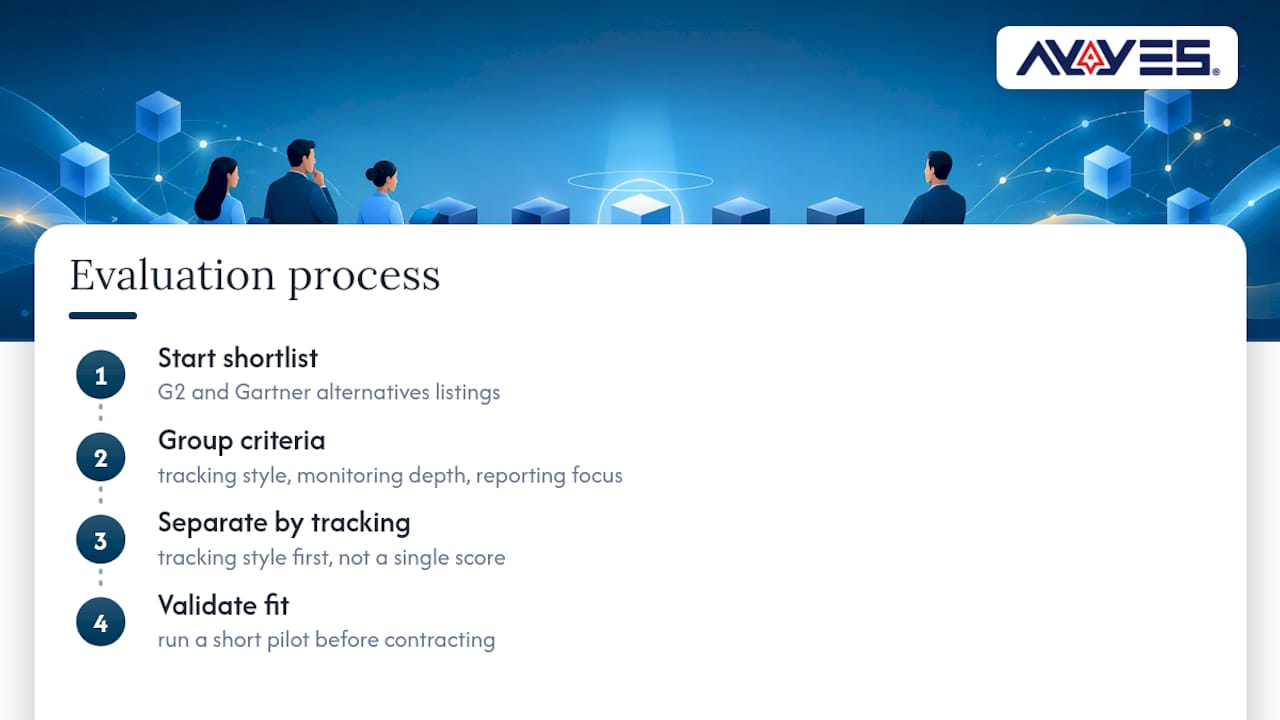
Balancing oversight with trust in monitoring software
Monitoring software earns its place in a business when it answers a real operational question, not when it simply watches for the sake of watching. The tools that hold up best over time are the ones that pair activity signals with context: a screenshot means little without a manager who understands what a busy afternoon actually looks like for that role. One tool was built around that idea, combining AI automation for reporting and task management with screenshot capture that includes privacy settings, so oversight does not have to come at the cost of trust. But no software substitutes for policy. A written monitoring policy, communicated clearly and paired with human review of flagged idle time or unusual activity, prevents a good tool from generating bad outcomes. The gap between what monitoring software promises and what it delivers usually comes down to this: the technology only supplies signals. Judgment still belongs to people.
— Mark
Try AYYES for your next time-tracking pilot
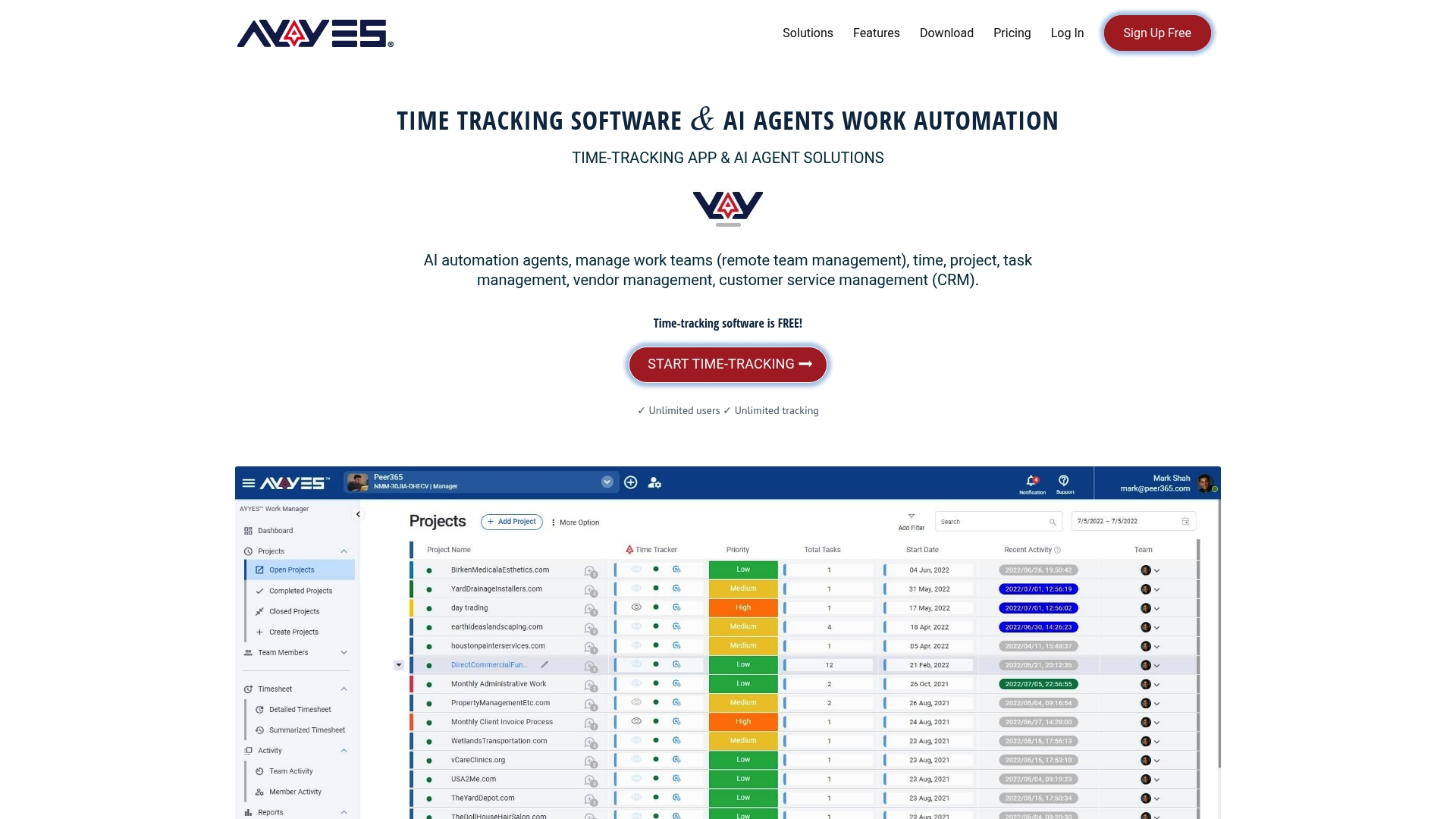 This tool gives you a way to start small and scale as your monitoring needs grow, without committing to enterprise pricing before you know what your team actually needs. The Free plan costs $0 per month, the Monthly plan runs $0.99 per seat, and the Annual plan brings that down to $0.88 per seat, all detailed on the AYYES pricing page. Its combination of AI automation, privacy-aware screenshot controls, and flexible deployment makes it a practical option for teams wanting reporting depth without heavy-handed surveillance. If you are ready to compare AYYES against your current DeskTime setup, here is where to start: AYYES offers a free plan for up to 12 team members.
- Start on the Free plan to test core time tracking and reporting with your own team.
- Schedule a demo to see the AI automation agents in action before committing to a paid seat.
- Request a pilot period to validate privacy controls and screenshot settings against your monitoring policy.
Visit the AYYES pricing page to pick the plan that fits your team’s size and start your evaluation today.
Sources for further research
- DeskTime competitors & alternatives: G2’s shortlist of commonly surfaced DeskTime alternatives.
- Hubstaff vs Time Doctor comparison: G2’s side-by-side ratings and review signals for two frequently compared tools.
- Top DeskTime alternatives: Gartner Peer Insights’ alternatives list and procurement guidance
- Clockify vs Toggl Track comparison: G2’s overlapping alternative sets and feature comparison data.
FAQ
1. What is the best free timesheet app?
Clockify is widely used for its generous free tier, which covers timesheets and basic project tracking without a seat limit. AYYES also offers a free plan for up to 12 team members at $0. Paid plans are $0.99 per seat per month, or $0.88 per seat per month billed annually. Screenshot capture and AI-driven reporting are paid features and are not included on the free plan.
2. Does DeskTime record your screen?
DeskTime includes screenshot capture as part of its monitoring features, a capability shared by several alternatives in this category, including Time Doctor and AYYES. Buyers should check each vendor’s specific privacy settings, such as blur options and capture frequency, before enabling this feature for their team.
3. What is the best employee tracking app?
The right choice depends on how much monitoring depth you need: ActivTrak and Insightful lean toward detailed behavioral analytics and session recording, while AYYES combines screenshot capture with AI automation and privacy controls for teams that want oversight without heavy surveillance. Reviewing G2’s alternatives listing alongside a short pilot is the most reliable way to confirm fit.
4. What is the best free app for tracking work hours?
Clockify and Toggl Track both offer free tiers built around manual time tracking, suited to freelancers and small teams that bill by the hour. AYYES has a free plan for up to 12 team members at $0. Paid plans are $0.99 per seat per month, or $0.88 per seat per month billed annually. Screenshot capture is a paid feature and is not included on the free plan.



