
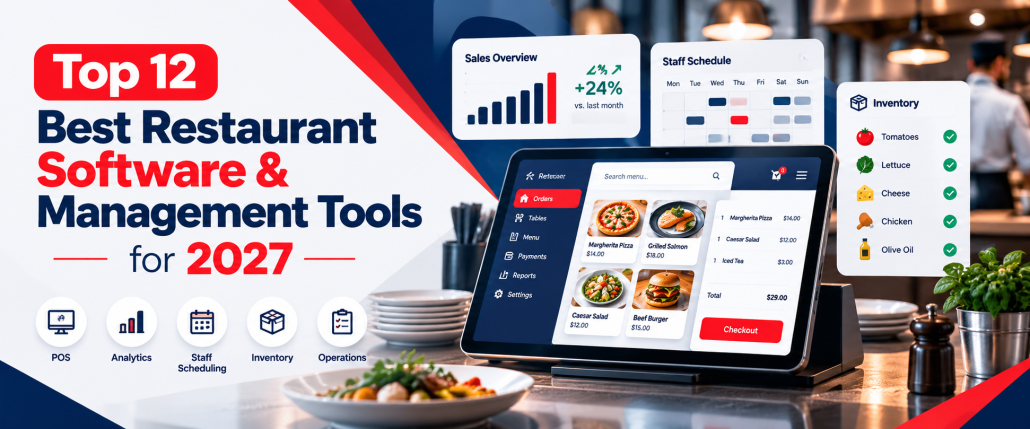
Top 12 Best Restaurant Software & Management Tools for 2027
Running a restaurant involves much more than taking orders and serving customers. Managers need to organize employees, control food costs, plan shifts, monitor inventory, complete daily tasks, process payments, and keep operations running smoothly. The right restaurant management software can simplify these responsibilities by bringing important business processes into a more organized workflow. In this guide, we compare 12 tools for restaurants, including POS, inventory, workforce, scheduling, and operational solutions. Whether you manage a café, full-service restaurant, quick-service location, or growing restaurant group, the goal is to help you understand which solution fits your requirements.
Best Restaurant Management Software at a Glance
Different platforms solve different restaurant problems. Some focus on POS and payments, while others specialize in inventory control, employee scheduling, accounting, time tracking, or daily operational tasks.
| Software | Best For | Main Focus |
| AYYES | Restaurant workforce management | Time tracking and tasks |
| Toast | Full-service restaurants | POS and restaurant operations |
| Square for Restaurants | Small restaurants and cafés | POS and payments |
| Lightspeed Restaurant | Multi-location restaurants | POS and reporting |
| MarketMan | Inventory control | Inventory and purchasing |
| Restaurant365 | Restaurant groups | Accounting and operations |
| 7shifts | Restaurant teams | Employee scheduling |
| Deputy | Shift-based teams | Scheduling and time tracking |
| Homebase | Small restaurant teams | Workforce management |
| Jolt | Operational consistency | Tasks and checklists |
| MarginEdge | Food cost management | Inventory and invoices |
| TouchBistro | Independent restaurants | POS and guest operations |
The best restaurant management software for your business depends on the operational problem you need to solve first. A restaurant struggling with food costs may need a strong inventory solution, while another business may need better scheduling or employee time tracking.
12 Best Restaurant Management Software for 2027
1. Toast – Best for Full-Service Restaurant Management
Toast is an all-in-one restaurant technology platform that combines POS, payments, online ordering, payroll, scheduling, inventory tools, reporting, and restaurant operations. Its restaurant point of sale software is designed for food-service businesses and supports dine-in, takeout, delivery, online orders, kitchen workflows, and payments from one connected ecosystem. Toast also offers more than 200 integrations for restaurants that need additional tools. Best for: Full-service restaurants, quick-service restaurants, cafés, bars, and growing multi-location restaurant businesses. Key Features:
- Restaurant POS and payment processing
- Online ordering and delivery management
- Kitchen display system
- Menu and order management
- Payroll and employee scheduling
- Inventory and food-cost tools
- Reservations and table management
- Reporting and analytics
- Customer loyalty and marketing
- 200+ third-party integrations
2. AYYES – Best for Restaurant Time Tracking and Workforce Management
AYYES is a workforce-focused solution for restaurants that want to manage employee hours, attendance, schedules, tasks, breaks, and timesheets more efficiently. Unlike a complete POS or inventory platform, AYYES can work alongside existing restaurant software and focus specifically on employee and workforce operations. Its restaurant time-clock kiosk can turn an internet-connected tablet, phone, or computer into a shared employee clock-in station. Staff can use personal PINs or QR codes, while managers can monitor hours, breaks, shifts, and timesheets. Best for: Restaurants, cafés, bars, food-service teams, and multi-location businesses that need better employee time tracking and workforce visibility. Key Features:
- Employee clock-in and clock-out
- Shared restaurant time-clock kiosk
- PIN and QR-code login
- Employee time tracking
- Break tracking
- Timesheet management
- Employee scheduling
- Task assignment and tracking
- Workforce activity monitoring
- Multi-location kiosk support
- Reporting and work-hour visibility
3. Square for Restaurants – Best for Small Restaurants and Cafés
Square for Restaurants combines POS, payments, order management, menu tools, kitchen workflows, customer management, and restaurant reporting. The platform is particularly suitable for smaller food businesses that want an easy-to-use restaurant point of sale software solution with access to Square’s broader ecosystem. Square also supports online and delivery orders, customer profiles, loyalty tools, kiosks, and restaurant inventory integrations. Best for: Small restaurants, cafés, bakeries, food trucks, bars, and quick-service businesses. Key Features:
- Restaurant POS
- Payment processing
- Menu management
- Table and seat management
- Online order management
- Kitchen display system
- Customer profiles
- Loyalty and marketing tools
- Self-service kiosk
- Delivery integrations
- Restaurant reporting
- Inventory integrations
4. Lightspeed Restaurant – Best for Multi-Location Restaurants
Lightspeed Restaurant is a cloud-based POS and management platform designed for hospitality businesses. It combines ordering, payments, inventory, workforce tools, reporting, kitchen management, and multi-location controls within one system. Lightspeed can be useful for restaurant groups that want to centralize data while maintaining visibility across multiple venues. Best for: Restaurant groups, bars, full-service venues, hotels, and multi-location hospitality businesses. Key Features:
- Cloud-based restaurant POS
- Tableside ordering
- Menu management
- Floor-plan management
- Kitchen display system
- Ingredient-level inventory tracking
- Employee clock-in and clock-out
- Employee permissions
- Multi-location reporting
- Online ordering
- Integrated payments
- Payroll and workforce integrations
- Reporting and analytics
5. MarketMan – Best for Restaurant Inventory Management
MarketMan focuses on restaurant inventory, purchasing, recipe costing, supplier management, and food-cost control. It is one of the stronger options for businesses comparing the best restaurant inventory management software, particularly when reducing food waste and monitoring cost of goods sold are important priorities. MarketMan also connects with POS and accounting platforms to provide real-time reporting and purchasing visibility. Best for: Restaurants that need stronger inventory control, purchasing management, and food-cost reporting. Key Features:
- Real-time inventory tracking
- Ingredient-level inventory
- Recipe costing
- Menu profitability analysis
- Smart ordering
- Purchase-order management
- Vendor management
- Invoice scanning
- Waste and theft tracking
- COGS reporting
- Actual vs theoretical reporting
- POS integrations
- Accounting integrations
- Multi-location inventory controls
6. Restaurant365 – Best for Back-Office Restaurant Management
Restaurant365 combines accounting, inventory, purchasing, workforce management, payroll, scheduling, and reporting within a broader restaurant management platform. It is designed to connect restaurant financial and operational data with systems such as POS platforms, banks, and vendors. This makes it particularly relevant for restaurant groups that want centralized back-office control across several locations. Best for: Restaurant groups, franchises, multi-unit operators, and businesses requiring centralized accounting and operations. Key Features:
- Restaurant accounting
- Inventory management
- Purchasing
- Employee scheduling
- Workforce management
- Payroll and HR
- POS integrations
- Labor-cost tracking
- Sales reporting
- Financial reporting
- Vendor management
- Accounts payable automation
- Multi-location management
- Compliance tools
7. 7shifts – Best for Restaurant Employee Scheduling
7shifts is built specifically around restaurant workforce management and scheduling. Managers can create schedules, review employee availability, handle time-off requests, track labor requirements, and manage scheduling compliance from one system. It is particularly relevant for restaurants comparing the best restaurant scheduling software apps. Best for: Restaurants with hourly staff, frequently changing shifts, and complex scheduling requirements. Key Features:
- Employee scheduling
- Shift templates
- Employee availability
- Time-off requests
- Shift coverage tools
- PTO and sick-time tracking
- Labor-compliance alerts
- Break management
- Team communication
- Employee mobile app
- Overtime visibility
- Labor-cost management
8. Deputy – Best for Shift-Based Workforce Management
Deputy focuses on employee scheduling, time tracking, attendance, communication, and workforce administration. Restaurants can use it alongside their existing POS and payroll systems rather than replacing their entire restaurant technology setup. Businesses researching the best POS integrated scheduling software for restaurants should compare Deputy’s integrations with the specific POS and payroll products they already use. Best for: Restaurants, cafés, hospitality teams, and multi-location businesses managing shift-based workers. Key Features:
- Employee scheduling
- Time and attendance tracking
- Digital time clock
- Shift swapping
- Employee availability
- Leave management
- Break tracking
- Mobile scheduling
- Team communication
- Timesheets
- Labor-cost visibility
- Payroll integrations
9. Homebase – Best for Small Restaurant Teams
Homebase provides employee scheduling, time clocks, team communication, hiring, and workforce-management tools. It can help smaller restaurants organize hourly workers without implementing a larger enterprise workforce platform. Homebase is particularly relevant as restaurant employee management software for businesses focused on staff administration rather than inventory or POS functionality. Best for: Small restaurants, cafés, bars, bakeries, and businesses with hourly employees. Key Features:
- Employee scheduling
- Time clock
- Timesheets
- Attendance tracking
- Team messaging
- Shift changes
- Employee availability
- Hiring tools
- Employee onboarding
- Payroll support
- Labor-cost tracking
- Mobile employee access
10. Jolt – Best for Restaurant Tasks and Checklists
Jolt focuses on restaurant operations such as task management, digital checklists, food-safety processes, team accountability, and daily operational routines. It can be useful for businesses looking for a restaurant task management app rather than a traditional POS platform. Restaurants can use tools like Jolt to standardize opening procedures, cleaning routines, food-safety checks, and recurring operational duties. Best for: Restaurants, franchises, and multi-location food businesses that rely heavily on checklists and repeatable operating procedures. Key Features:
- Digital task lists
- Opening checklists
- Closing checklists
- Recurring task management
- Food-safety checklists
- Temperature monitoring
- Employee accountability
- Manager verification
- Scheduling tools
- Operational forms
- Team communication
- Multi-location process management
11. MarginEdge – Best for Food Cost and Inventory Control
MarginEdge focuses on back-office restaurant operations, including inventory, invoices, ordering, food costs, recipe costing, and financial reporting. Restaurants can send invoices through photos, email, uploads, or integrations, while the system extracts and organizes line-item information. For businesses comparing the best restaurant inventory management software, MarginEdge is particularly relevant when food-cost visibility and invoice automation are priorities. Best for: Independent restaurants and multi-location operators that need stronger food-cost, purchasing, and invoice management. Key Features:
- Restaurant inventory management
- Automated invoice processing
- Recipe costing
- Real-time food costs
- Order management
- Vendor price tracking
- Price alerts
- Food-usage reports
- Actual vs theoretical usage
- Daily controllable P&L
- Labor summaries
- Bill pay
- POS integrations
- Accounting integrations
- Multi-location inventory transfers
12. TouchBistro – Best for Independent Full-Service Restaurants
TouchBistro is an all-in-one POS and restaurant management system designed specifically for food-service businesses. The platform combines POS, payments, menu management, table management, online ordering, reservations, inventory, labor management, loyalty, and reporting. It can be particularly useful for independent restaurants that want both front-of-house and back-office functionality within one platform. Best for: Independent restaurants, cafés, bars, full-service restaurants, and fast-casual venues. Key Features:
- Restaurant POS
- Tableside ordering
- Menu management
- Floor-plan management
- Table management
- Integrated payments
- Online ordering
- Reservations and waitlists
- Kitchen display system
- Inventory management
- Labor management
- Staff scheduling
- Loyalty programs
- Gift cards
- Marketing tools
- Real-time reporting and analytics
What Does a Restaurant Management System Do?
A restaurant management system helps restaurant owners and managers organize daily operations, reduce manual work, and keep important business information in one place. Common functions include:
- Sales Monitoring: Track daily sales, order value, payment activity, and revenue trends.
- Menu Management: Update menu items, prices, modifiers, and product availability.
- Employee Scheduling: Create shifts, manage availability, and handle schedule changes.
- Time Tracking: Review employee hours, attendance, breaks, and timesheets.
- Inventory Management: Track ingredients, stock levels, food usage, and purchasing needs.
- Invoice Management: Organize supplier invoices, payments, and purchasing records.
- Task Management: Assign opening, closing, cleaning, and other daily responsibilities.
- POS Management: Process customer orders, payments, and table or counter transactions.
- Reporting and Analytics: Generate reports on sales, labor, inventory, and overall restaurant performance.
- Multi-Location Management: Monitor operations, employees, and reporting across multiple restaurant locations.
The exact features vary by provider, so restaurants should first identify which processes take the most time or create the biggest operational challenges before choosing a system.
Important Features to Compare in Restaurant Software
Before choosing a restaurant management system, focus on the features that directly support your daily operations. The right solution should make routine work easier for managers and staff while giving the business better control over labor, inventory, sales, and reporting. Key features to compare include:
- POS capabilities: Manage orders, payments, menus, tables, and customer transactions.
- Inventory tracking: Monitor ingredients, stock levels, food costs, waste, and purchasing.
- Employee scheduling: Create shifts, manage availability, handle time-off requests, and reduce scheduling conflicts.
- Time tracking: Record employee hours, breaks, attendance, and timesheets accurately.
- Task management: Assign opening, closing, cleaning, and recurring operational tasks.
- Online ordering: Manage pickup, delivery, and digital orders from connected channels.
- Reporting and analytics: Review sales, labor costs, inventory performance, and operational trends.
- Multi-location management: Control employees, reporting, permissions, and operations across several restaurant locations.
- Payroll integrations: Connect employee hours and timesheets with payroll systems.
- Mobile access: Allow managers and employees to check schedules, tasks, and work information from mobile devices.
- Third-party integrations: Connect the platform with POS, accounting, payroll, delivery, and other restaurant tools.
The most useful restaurant efficiency tools are the ones that reduce repetitive administrative work, improve visibility, and fit smoothly into the systems your restaurant already uses.
How Restaurant Management Software Improves Efficiency
Restaurant operations software can help restaurants organize daily work, reduce manual processes, and give managers better visibility into staffing, sales, inventory, and routine tasks. Instead of handling schedules, stock records, employee hours, and checklists separately, restaurants can use connected tools to manage these activities more efficiently. Key ways restaurant management software can improve efficiency include:
- Faster employee scheduling: Create shifts, manage availability, and handle schedule changes with less manual work.
- Better inventory control: Track stock levels, ingredient usage, waste, and purchasing more accurately.
- Improved labor management: Monitor employee hours, attendance, breaks, and labor costs in one place.
- Clearer task management: Assign opening, closing, cleaning, and food-safety duties and track completion.
- Centralized reporting: Review sales, workforce, inventory, and operational data without relying on multiple spreadsheets.
- Fewer manual errors: Automating routine processes can reduce mistakes in scheduling, time tracking, ordering, and reporting.
- Better multi-location visibility: Managers can monitor teams and operations across different restaurant locations.
- Stronger staff accountability: Digital records make it easier to see which tasks have been assigned and completed.
The most effective restaurant efficiency tools are those that solve specific operational problems and make everyday processes simpler for both managers and employees.
How to Choose the Best Restaurant Management Software
The best restaurant management software should fit the way your restaurant operates today while giving the business room to grow. Start by identifying your biggest operational challenges. Ask questions such as:
- Do we need a new POS or only additional workforce tools?
- Is food waste difficult to control?
- Are schedules taking too long to prepare?
- Are employee hours difficult to verify?
- Do managers need better reporting?
- Are we operating multiple locations?
- Which existing tools must remain?
- What integrations are essential?
Then evaluate implementation, employee usability, integrations, support, hardware requirements, scalability, and total cost.
Best Restaurant Software for Different Types of Restaurants
The right restaurant software depends on how a business operates, how many employees it manages, and which processes create the most daily work. A small café may only need simple POS and scheduling tools, while a larger restaurant group may need inventory, workforce, reporting, and multi-location controls.
1. Full-Service Restaurants
Full-service restaurants usually need software that supports both front-of-house and back-of-house operations. Important features may include table management, reservations, menu control, kitchen coordination, employee scheduling, customer management, and detailed reporting. A strong system should help servers, kitchen staff, and managers work together while giving restaurant owners better visibility into sales and daily operations.
2. Quick-Service Restaurants
Quick-service restaurants often prioritize speed, order accuracy, and consistent workflows. Useful tools may include fast POS systems, self-service ordering, kitchen display systems, online ordering, delivery integrations, labor scheduling, and real-time sales reporting. For busy QSR teams, automation can also help reduce delays during peak hours and improve coordination between the counter and kitchen.
3. Cafés and Coffee Shops
Cafés usually benefit from simple and easy-to-use systems that do not add unnecessary complexity. A good setup may include POS, payment processing, employee scheduling, time tracking, loyalty tools, online ordering, and basic inventory management. Smaller teams should look for software that is quick to learn and easy to manage during busy service periods.
4. Bars and Pubs
Bars and pubs often need fast transaction processing, flexible menu management, inventory visibility, and employee shift control. Useful features may include tab management, quick payment processing, drink inventory tracking, employee scheduling, time clocks, and end-of-shift reporting. The right system should make it easier to manage high-volume service without slowing down bartenders or floor staff.
5. Multi-Location Restaurants
Multi-location restaurants usually require more advanced management capabilities. A strong restaurant management system should provide centralized reporting, role-based permissions, inventory visibility, workforce management, scheduling, labor tracking, and consistent processes across every location. Managers should also look for tools that make it easy to compare location performance and maintain operational standards as the business grows.
6. Franchises
Franchise restaurants often need software that supports standardization across multiple owners or locations. Important features may include centralized reporting, approved menus, inventory controls, employee management, task checklists, compliance tracking, and location-level permissions. This can help franchise operators maintain consistent processes while still giving individual locations access to the tools they need.
How Much Does Restaurant Management Software Cost?
Pricing differs considerably between vendors. Common models include:
- Monthly subscriptions
- Per-user pricing
- Per-location pricing
- Transaction fees
- Payment-processing fees
- POS hardware costs
- Premium modules
- Setup or implementation fees
- Enterprise contracts
Restaurants should compare the total cost of the solution rather than focusing only on the advertised starting price. A lower monthly price may not represent better value if critical features require paid add-ons or additional third-party products.
Restaurant Management Software Implementation Checklist
Before implementing a new system:
- Document your existing technology.
- Identify which tools will remain.
- Decide which information needs to be migrated.
- Set up locations and departments.
- Add employees and permissions.
- Configure integrations.
- Import menus or inventory information where required.
- Set up employee schedules and tasks.
- Test important workflows.
- Train managers and employees.
- Review reports after launch.
- Adjust processes based on real usage.
A gradual implementation can be easier than changing every operational system at the same time.
Mistakes to Avoid When Selecting Restaurant Software
Choosing the wrong restaurant management software can create extra work instead of making operations easier. Restaurants should look beyond price and feature lists and consider how well a platform fits their existing systems, employees, and daily workflows.
1. Choosing Software Based Only on Price
A lower monthly price can look attractive, but it may not provide the features or integrations your restaurant actually needs. Always compare the total cost, including hardware, payment processing, add-ons, setup fees, and additional location charges.
2. Using Too Many Separate Tools
Using different platforms for POS, scheduling, inventory, payroll, and task management can make restaurant operations harder to manage. Too many disconnected tools may create duplicate data, extra logins, and more administrative work for managers.
3. Ignoring Employee Ease of Use
Even advanced restaurant software may fail if staff find it difficult to use during busy shifts. Look for a simple interface, mobile access, clear workflows, and features employees can learn without extensive training.
4. Not Checking POS Integrations
Scheduling, inventory, workforce, and ordering tools often depend on POS integrations. Before choosing a platform, confirm that it works with your existing restaurant point of sale software and other important systems.
5. Overlooking Hidden or Additional Costs
The advertised price may not include everything. Consider costs for payment processing, POS hardware, extra users, premium features, implementation, integrations, support, and additional restaurant locations.
6. Skipping Staff Training
A new system should be introduced with proper employee training. Managers should explain how to use the platform, complete common tasks, report problems, and follow updated workflows before the system becomes part of daily operations.
7. Choosing More Features Than You Need
A platform with a long feature list is not always the best option. Focus on the tools that solve your current operational problems rather than paying for advanced features your restaurant may never use.
8. Ignoring Future Growth
Software that works for one location may become limiting as the restaurant expands. Consider whether the platform can support additional employees, locations, permissions, integrations, and reporting needs as the business grows.
Why Choose AYYES for Restaurant Workforce Management?
AYYES can be a practical choice for restaurants that want better control over employee time, schedules, tasks, and daily workforce activity without replacing their existing POS or inventory systems. Instead of managing attendance, shifts, timesheets, and tasks through separate spreadsheets or manual processes, restaurant managers can keep workforce information organized in one place. AYYES also offers a free plan for teams of up to 12 members, making it suitable for smaller restaurants. For growing teams, paid plans start from approximately $0.88 per user per month when billed annually and $0.99 per user per month when billed monthly, giving restaurants an affordable way to scale workforce management as their team expands. Screenshot tracking and activity/app monitoring are paid features and are not included on the Free plan.
Key reasons to choose AYYES include:
- Employee Time Tracking: Record staff working hours, clock-ins, clock-outs, and breaks more accurately.
- Restaurant Time Clock Kiosk: Turn a shared tablet, phone, or computer into a simple clock-in station for restaurant employees.
- PIN and QR Clock-In: Employees can use individual PINs or QR codes to record their working time from shared devices.
- Employee Scheduling: Create and manage restaurant shifts, availability, and workforce schedules more efficiently.
- Task Management: Assign daily duties, recurring tasks, and operational responsibilities to team members.
- Timesheet Management: Review recorded hours and maintain clearer timesheet records for payroll-related workflows.
- Multi-Location Support: Manage employee activity across different restaurant locations or departments.
- Better Labor Visibility: Monitor working hours, team activity, and labor information from centralized dashboards and reports.
- Easy Workforce Organization: Keep employee schedules, time records, tasks, and attendance information together instead of using multiple disconnected tools.
AYYES works best as a workforce-management companion to existing restaurant management software, helping restaurants improve employee scheduling, time tracking, task management, and labor visibility.
Final Thoughts
The right restaurant management software should help solve practical business problems without creating unnecessary complexity. Some restaurants need a complete POS ecosystem. Others may already have a suitable POS and only need stronger inventory, scheduling, employee management, or task-tracking capabilities. The best restaurant management software therefore depends on restaurant size, service model, staff structure, locations, existing technology, and operational priorities. Instead of selecting the product with the longest feature list, focus on the system or combination of tools that makes everyday work easier for managers and employees.
Frequently Asked Questions on Restaurant Management Software
1. What is restaurant management software?
It is technology used to manage restaurant processes such as POS, inventory, employees, scheduling, orders, tasks, reporting, and other operational activities.
2. What is the difference between a POS and a restaurant management system?
A POS mainly processes customer orders, payments, and sales. A broader management solution can include additional functions such as employee scheduling, inventory, reporting, accounting, reservations, and workforce management.
3. What should restaurants look for when choosing software?
Restaurants should compare ease of use, integrations, features, pricing, implementation requirements, reporting, scalability, hardware needs, and compatibility with their existing systems.
4. Can restaurants use separate management tools?
Yes. Many restaurants combine specialist POS, inventory, scheduling, accounting, and workforce applications rather than relying on one provider for every function.
5. Can AYYES be used by restaurant teams?
Yes. AYYES provides features relevant to restaurant workforce management, including a shared-device kiosk, QR and PIN clock-ins, break tracking, timesheets, task management, scheduling, reporting, and multi-location kiosk support.


