
AYYES $0 Plan vs Clockify: Alternatives for Privacy Focused Teams
For teams that need AI-assisted reporting alongside configurable privacy controls, AYYES stands out as the strongest Clockify alternative in 2026, thanks to its automation agents and adjustable screenshot settings. Privacy-first teams tend to prefer Toggl Track, while consultants who bill by the hour usually gravitate toward Harvest for its built-in invoicing. Nearly every option on this list still offers a free tier, though the caps vary widely. AYYES offers a free plan for up to 12 team members.
TL;DR:
- Many Clockify alternatives now offer more predictable free-tier limits, with AYYES providing a free plan for up to 12 team members with AI reporting and configurable privacy at no cost.
- Teams needing built-in invoicing or compliance reporting should consider Harvest or My Hours, as they integrate billing and audit-ready exports respectively.
- Monitoring features like screenshots and app tracking vary widely and should align with team culture and legal requirements before use.
- Migration from Clockify mainly involves exporting data in common formats, but automations and custom settings may require additional effort.
- Support quality varies, with larger or paid plans generally receiving faster response times and dedicated channels, while community support dominates for smaller or open-source tools.
Table of Contents
- Best Clockify Alternatives at a Glance
- What Each Alternative Actually Delivers
- How Do You Choose the Right Clockify Alternative?
- How We Evaluated These Clockify Alternatives
- What Changed in Clockify’s Free Plan?
- Pricing and Free-Tier Comparison at a Glance
- Switching From Clockify: What Migration Actually Looks Like
- Support Quality: What to Expect Once You’re a Customer
- Platform Compatibility and Mobile App Quality
- Why AYYES Approaches Time Tracking Differently
- Ready to See AYYES in Action?
- Sources
- FAQ
Best Clockify Alternatives at a Glance
Clockify’s 2026 pricing changes, including tighter free-plan user caps and reduced API and webhook access, sent a wave of teams shopping for alternatives with more predictable limits. The shortlist below reflects the tools that repeatedly surface across G2, Capterra, and specialist reviews as credible substitutes, organized by what each one does best rather than by popularity alone. AYYES leads this list for teams that want AI-driven reporting paired with configurable screenshot privacy. It’s built for organizations that need accountability without turning time tracking into surveillance. Beyond that, the field splits into distinct categories:
- Toggl Track — best for privacy-first teams and freelancers who want a clean, fast timer with minimal friction.
- Harvest — best for freelancers and small agencies that need invoicing tied directly to tracked hours.
- My Hours — best for teams that require audit-ready, compliance-formatted timesheet exports.
- TimeCamp — best for teams needing desktop and mobile attendance tracking in one app.
- TMetric — best for small-to-medium teams that want project budgeting alongside time logs.
- Hubstaff — best for field teams needing GPS tracking and payroll-ready exports.
- Timely — best for knowledge workers who forget to start timers and want automatic capture instead.
- Everhour — best for teams already living inside a project management tool who want tighter budget tracking.
- DeskTime — best for managers who want activity analytics with optional, configurable screenshots.
- Jibble — best for large teams that need a generous free attendance and time-tracking tier.
- ClickUp — best for teams that want time tracking bundled into a full project management suite.
| Tool | Best for | Free tier | Monitoring level | Reporting depth |
|---|---|---|---|---|
| AYYES | Automated workflows, privacy-configurable monitoring | Free plan for up to 12 team members, no seat cost | Screenshots with blur, app/URL tracking | AI-assisted reports and dashboards |
| Toggl Track | Simplicity and integrations | Free for small teams | None (no screenshots) | Solid, exportable summaries |
| Harvest | Invoicing tied to hours | Limited free tier | None | Billing and budget reports |
| My Hours | Timesheet compliance | Free for unlimited users | None | Audit-ready exports |
| TimeCamp | Desktop/mobile attendance | Free tier available | Optional screenshots | Attendance and time reports |
| Hubstaff | GPS and payroll exports | Limited free tier | Screenshots, GPS, app tracking | Payroll-focused exports |
| Jibble | Free attendance tracking | Generous free tier for large teams | Facial recognition clock-in option | Basic attendance reports |
| ClickUp | Full PM suite with tracking | Free tier with limits | None built-in | PM-integrated reporting |
What Each Alternative Actually Delivers
Picking a Clockify alternative usually comes down to one question: what does your team actually need to prove, and to whom? Below is what each shortlisted tool brings to that question.
AYYES: Automated reporting with adjustable monitoring
AYYES combines time tracking with screenshot monitoring, app and website activity tracking, project management, and reporting. The Free plan costs $0/month for up to 12 team members and includes unlimited time tracking, projects, tasks, kiosk access, and basic activity history. Paid plans start at $0.88 per seat/month when billed annually or $0.99 per seat/month with monthly billing. Paid plans add screenshot tracking, idle detection, advanced analytics, longer activity logs, and other monitoring features. AI Agents are still in active development and are planned for paid plans when released. 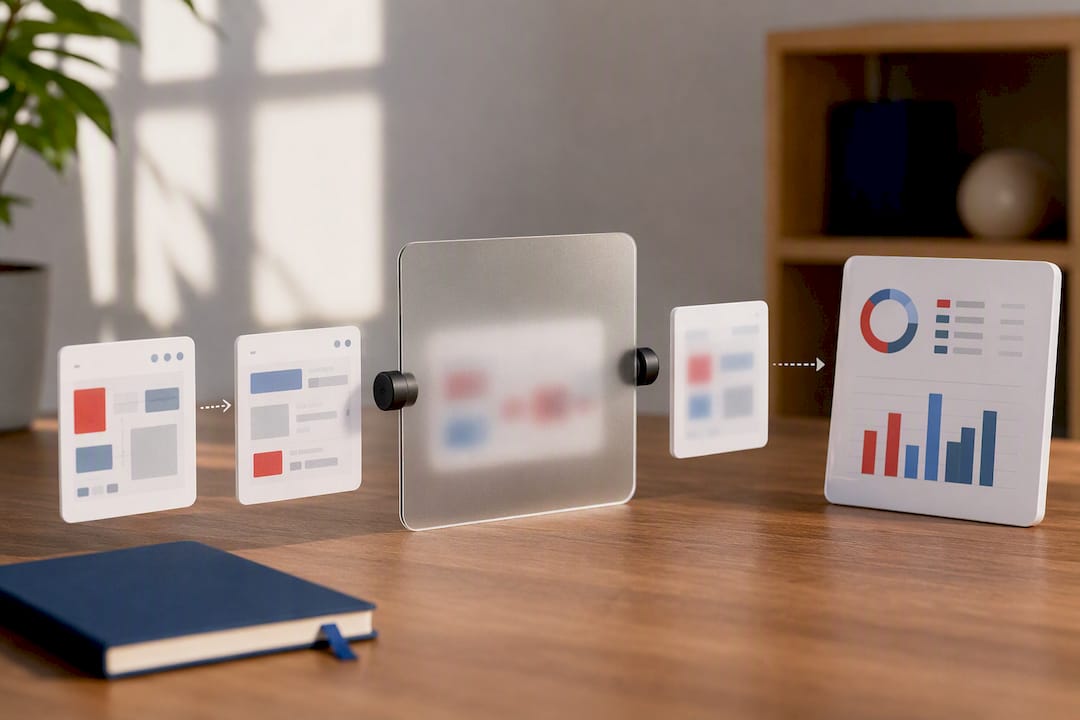
Toggl Track: fast, frictionless, and well-reviewed
Toggl Track built its reputation on doing one thing extremely well: starting and stopping a timer without friction. User reviews on G2 consistently praise its ease of use and integration ecosystem, and Capterra reviewers frequently highlight how well it suits freelancers and small teams that don’t want monitoring features at all. There’s no screenshot capture, no activity scoring. If your team culture leans toward autonomy over oversight, this is the profile to study.
Harvest: time tracking married to invoicing
Harvest exists at the intersection of time tracking and billing. Reviewers on G2 call out its invoicing tools and Stripe integration as reasons consultants pick it over a standalone tracker. If your business model runs on hourly billing and you’re currently exporting Clockify data into a separate invoicing tool, Harvest collapses that into one workflow.
My Hours: compliance-friendly timesheets
My Hours markets itself directly at teams that need structured, audit-ready timesheet exports, and its free tier supports unlimited users, a rarity among competitors that gate user counts. It lacks the automation depth of AI-driven tools, but for straightforward compliance reporting, it does the job without extra features getting in the way.
TimeCamp: attendance meets desktop tracking
TimeCamp positions itself around attendance-style tracking combined with desktop and mobile apps, which suits teams that need to reconcile clock-in data with project hours. Its free alternative positioning targets teams migrating away from Clockify’s tightened free tier specifically.
TMetric: budgeting for small teams
TMetric adds project budget controls on top of standard time logs, giving small-to-medium teams a way to see burn rate against estimates without upgrading to a full PM suite.
Hubstaff: built for distributed and field teams
Hubstaff’s GPS tracking and payroll exports make it a natural fit for construction crews, delivery teams, or any distributed workforce where “where were they” matters as much as “how long did it take.” Monitoring here is more intensive than most alternatives on this list, including optional screenshots and app tracking.
Timely: tracking without the timer
Timely flips the usual model by capturing activity automatically in the background rather than relying on a start/stop button. Knowledge workers who forget to track time tend to do better with this passive approach, though it trades some manual control for convenience.
Everhour: an extension of your PM stack
Everhour doesn’t try to replace your project management tool. It bolts onto Asana, Trello, or Basecamp and adds time tracking and budget reporting directly inside those interfaces, which appeals to teams that don’t want a separate app to check.
DeskTime: analytics for desk-based teams
DeskTime leans into productivity analytics, showing managers patterns in app usage and idle time. Screenshots are configurable rather than mandatory, giving teams a middle ground between full transparency and none at all.
Jibble: free at scale
Jibble’s free tier is unusually generous for larger teams, and its facial recognition clock-in option suits organizations running shift-based or hourly attendance models rather than project-based billing.
ClickUp: tracking as one feature among many
ClickUp bundles time tracking into a broader task and project management suite. Teams that already run their entire workflow through ClickUp get tracking for free as part of the package, though it’s not a specialized tool the way the others on this list are. Beyond these twelve, the field includes RescueTime, Beebole, Timesheet, solidtime, Timing, timeBuzzer, Timeular, Timeneye, Kimai, Tyme, Memtime, Clockodo, timr, Traqq, Cattr, TopTracker, Desklog, Kapow, Baralga, eHour, and Redmine. Several of these serve specific niches worth knowing about. For example, Clockodo is frequently cited in specialist EU reviews for its attendance mode and EU-hosted data, which matters for teams working under GDPR-driven audit requirements. Kimai and Redmine appeal to technically inclined teams that want self-hosted, open-source control over their data rather than a hosted SaaS product. Memtime and Timing both automate activity capture on desktop, similar in spirit to Timely but aimed at solo consultants tracking billable hours passively. Baralga, eHour, Kapow, and Kimai skew toward lightweight or open-source deployments for teams with in-house IT resources willing to self-manage a tracker rather than pay a subscription.
How Do You Choose the Right Clockify Alternative?
The right pick depends less on feature checklists and more on what your team actually does with the data once it’s collected. Start with a clear separation between what you can’t operate without and what would simply be nice. Must-have features usually include exportable reports, reliable mobile or offline timers, and a free or affordable entry tier that matches your team size. Nice-to-have features include AI-generated summaries, GPS tracking, and deep API access for custom integrations, valuable, but not dealbreakers for most small teams. Monitoring level deserves its own conversation before you commit. Aggregated reviews across Capterra’s product pages show that screenshot capture and app or URL tracking are among the most polarizing features in this category: some teams need them for payroll accuracy or compliance, while others avoid them entirely because they clash with a culture built on trust. There’s no universal right answer here. A useful rule: if your team already operates under formal attendance policies or client-billing audits, monitoring tools like Hubstaff or DeskTime will feel natural. If your team runs on autonomy and outcomes, a lighter tool like Toggl Track will fit better. Before signing anything, run these questions past a vendor during trial:
- Can we export all our historical data in a standard format if we leave?
- Does the platform maintain audit logs for compliance purposes?
- What are the API rate limits, and do they scale with our plan?
- Is data hosted in the EU, and does that affect GDPR compliance for our team?
- Does the free tier include attendance-mode reporting, or is that gated behind a paid plan?
Watch for red flags during evaluation: pricing pages that hide seat costs until checkout, no visible data export option, or monitoring features with no privacy or blur settings at all. Pro Tip: Run a structured 14-day trial instead of a casual test drive. Days 1 through 3 should cover onboarding and your core daily workflows. Days 4 through 7 should stress-test reporting and exports, the features you’ll actually depend on months later. Days 8 through 14 should confirm integrations hold up and the tool scales if your team grows. 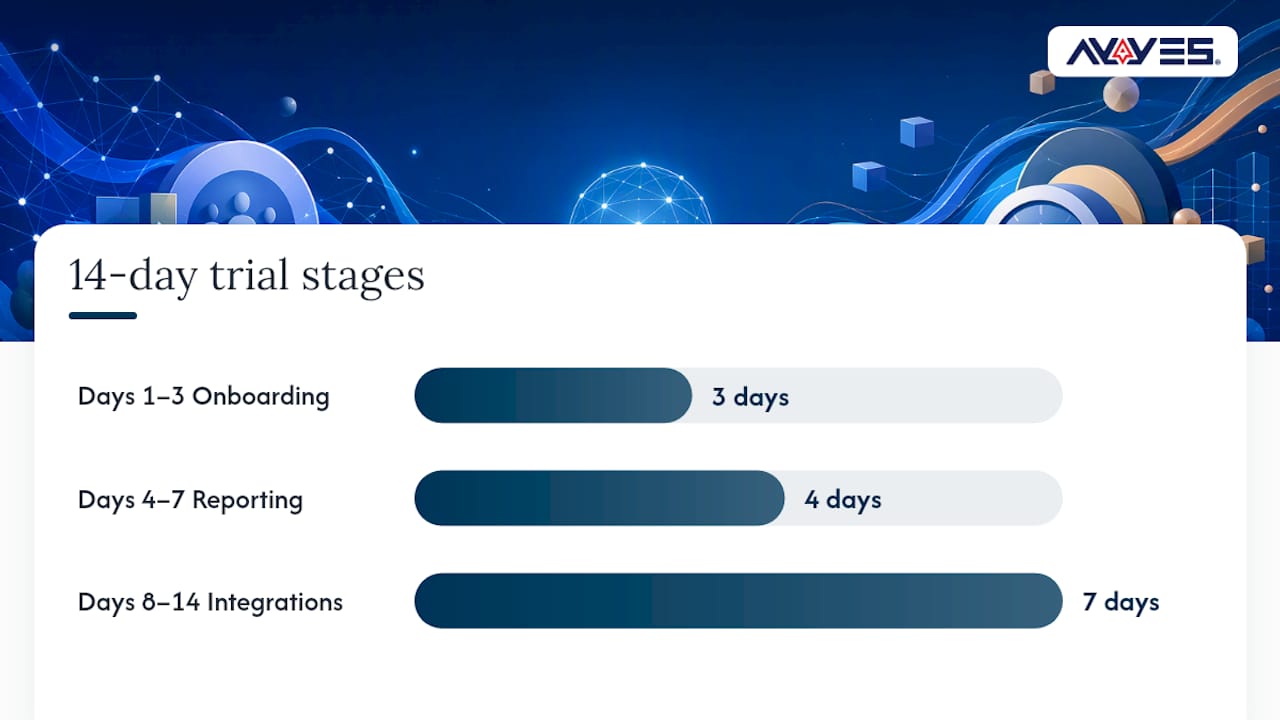
How We Evaluated These Clockify Alternatives
This roundup drew on three layers of evidence rather than a single source. First, direct feature comparisons across pricing pages and product documentation established what each tool actually offers today: free-tier limits, monitoring options, reporting depth, and integration breadth. Second, aggregated user sentiment from G2 and Capterra surfaced recurring praise and complaints, patterns that individual reviews alone tend to obscure. Third, specialist reviews focused on niche use cases, like Clockodo’s EU-hosting positioning and Insightful’s certification claims, filled in context that general comparison sites often skip. Tools were grouped by primary use case (privacy-first, invoicing-first, attendance-focused, PM-embedded) rather than ranked on a single composite score, because a five-star rating on a review site doesn’t tell you whether a tool fits your specific compliance or culture needs. Pricing and feature claims were checked against each vendor’s own published pages as of writing, since plan structures in this category change often enough that older reviews can mislead.
What Changed in Clockify’s Free Plan?
Clockify built its early reputation on a famously generous free tier, which is a large part of why it became a default recommendation for years. That changed in 2026. Recent reporting documents tightened free-plan user caps along with reduced API and webhook limits, changes that pushed report-range restrictions onto teams that previously ran unlimited historical queries at no cost. For a five-person team, this might mean little. For a twenty-person department relying on webhook integrations to sync tracked hours into a payroll system, it can mean rebuilding a workflow overnight. That’s the practical reason “Clockify alternatives” has become such a common search this year: it’s not that Clockify stopped working, it’s that the terms of using it for free shifted underneath established users. Teams that built processes around unlimited API calls or unrestricted user seats are now recalculating whether staying put still makes financial sense, or whether a tool with more predictable limits and pricing serves them better long term.
Pricing and Free-Tier Comparison at a Glance
Free tiers in this category are rarely apples-to-apples, even when every vendor calls their entry plan “free.” AYYES offers a free plan for up to 12 team members at $0. Paid plans are $0.99 per seat per month, or $0.88 per seat per month billed annually. AI reporting and screenshot tracking are paid features and are not included on the free plan. Toggl Track and My Hours both maintain free tiers aimed at smaller teams, though caps on users or features vary by plan year, so it’s worth checking current limits directly before migrating. Jibble stands out for extending its free tier to larger teams specifically for attendance tracking, a niche most competitors gate behind a paid plan. Harvest’s free tier is intentionally narrow, reflecting its positioning as an invoicing-first tool rather than a general free tracker. ClickUp bundles a free tracking feature inside its broader free PM plan, which works well if you’re already using ClickUp for tasks, but adds unnecessary complexity if time tracking is all you need. The pattern worth noticing: tools built specifically as time trackers (AYYES, Toggl Track, My Hours) tend to keep free tiers usable for real work, with AYYES supporting up to 12 team members, while tools where tracking is a bolt-on feature (ClickUp, Hubstaff’s basic tier) often gate the useful reporting behind a paid upgrade.
Switching From Clockify: What Migration Actually Looks Like
Moving off Clockify usually hinges on one factor: how cleanly your historical data exports. Most alternatives on this list, including AYYES, Toggl Track, and My Hours, support CSV exports of time entries, project names, and client tags, which covers the bulk of what teams need to preserve. Where migrations get messy is around custom fields, saved report templates, and any Zapier or webhook automations built on top of Clockify’s API. Those don’t transfer automatically. Budget a few hours to rebuild automations rather than expecting a one-click import, particularly if your team depended on Clockify’s webhook triggers for payroll or invoicing workflows. Teams that keep their setup simple, projects, tags, and basic time entries, tend to complete a full switch within a day. Teams with heavy integrations should treat migration as a small project, not a weekend task, and should run the old and new tool in parallel for at least one billing cycle before fully cutting over.
Support Quality: What to Expect Once You’re a Customer
Support responsiveness varies more across this category than most buyers expect going in. Tools built for larger organizations, including AYYES and Hubstaff, generally offer dedicated support channels and faster response times for paid plans, since enterprise and mid-market customers expect that level of service. Smaller or open-source tools like Kimai, Baralga, and eHour rely more heavily on community forums and documentation rather than live support staff, which suits technically confident teams but can frustrate a non-technical office manager troubleshooting an export issue alone. Free-tier users across almost every vendor should expect slower response times than paid customers; that’s a standard tradeoff in this category, not unique to any one tool. If responsive support during onboarding matters to your team, test it directly during your trial period by submitting a real question and timing the reply, rather than assuming a vendor’s marketing claims about support quality.
Platform Compatibility and Mobile App Quality
Nearly every tool on this list runs across web, desktop, and mobile, but execution quality differs meaningfully once you look closely. AYYES, Toggl Track, and TimeCamp all maintain dedicated mobile apps built for on-the-go clock-in and timer control, which matters for hybrid teams that split time between office and field work. Hubstaff’s mobile app leans further into GPS-based tracking, appropriate for teams managing physical job sites rather than desk-based knowledge work. Desktop-first tools like Timing and Memtime, by contrast, put less emphasis on mobile parity since their core value proposition, automatic background capture, works best on a stationary machine anyway. Browser extensions remain a common secondary option across the category, particularly for Toggl Track and Everhour, giving teams a lightweight way to track time without installing a separate desktop app. Before committing, check whether the mobile app supports offline tracking; spotty connectivity during travel or fieldwork exposes gaps in cheaper or less-maintained apps quickly.
Why AYYES Approaches Time Tracking Differently
AYYES was built around a specific tension in this category: teams need enough visibility to manage projects and payroll accurately, but heavy-handed monitoring erodes trust fast. Its AI automation agents handle the reporting grunt work, summarizing project progress and flagging anomalies, so managers spend less time assembling spreadsheets and more time acting on what the data actually shows. The configurable screenshot blur is a deliberate design choice, not an afterthought. It lets organizations maintain accountability records without exposing every detail of an employee’s screen, a middle ground that pure activity-monitoring tools rarely offer. Combined with kiosk clock-in, idle time detection, and compliance reporting, AYYES tends to fit best with remote-first teams and growing in-house departments that want data-driven insight into project progress without defaulting to surveillance as the baseline assumption. Freelancers logging solo hours and enterprise teams running distributed departments both find a use case here, though the sweet spot is teams large enough to need structured reporting but still cautious about monitoring culture.
— Mark
Ready to See AYYES in Action?
If the tools above solved half your problem, AYYES aims to close the other half: reporting that explains itself instead of raw timer data you have to interpret manually. Where Toggl Track keeps things simple and Harvest ties hours to invoices, AYYES adds AI automation agents that summarize project health automatically, paired with screenshot privacy settings you control rather than a fixed monitoring policy imposed on your whole team. 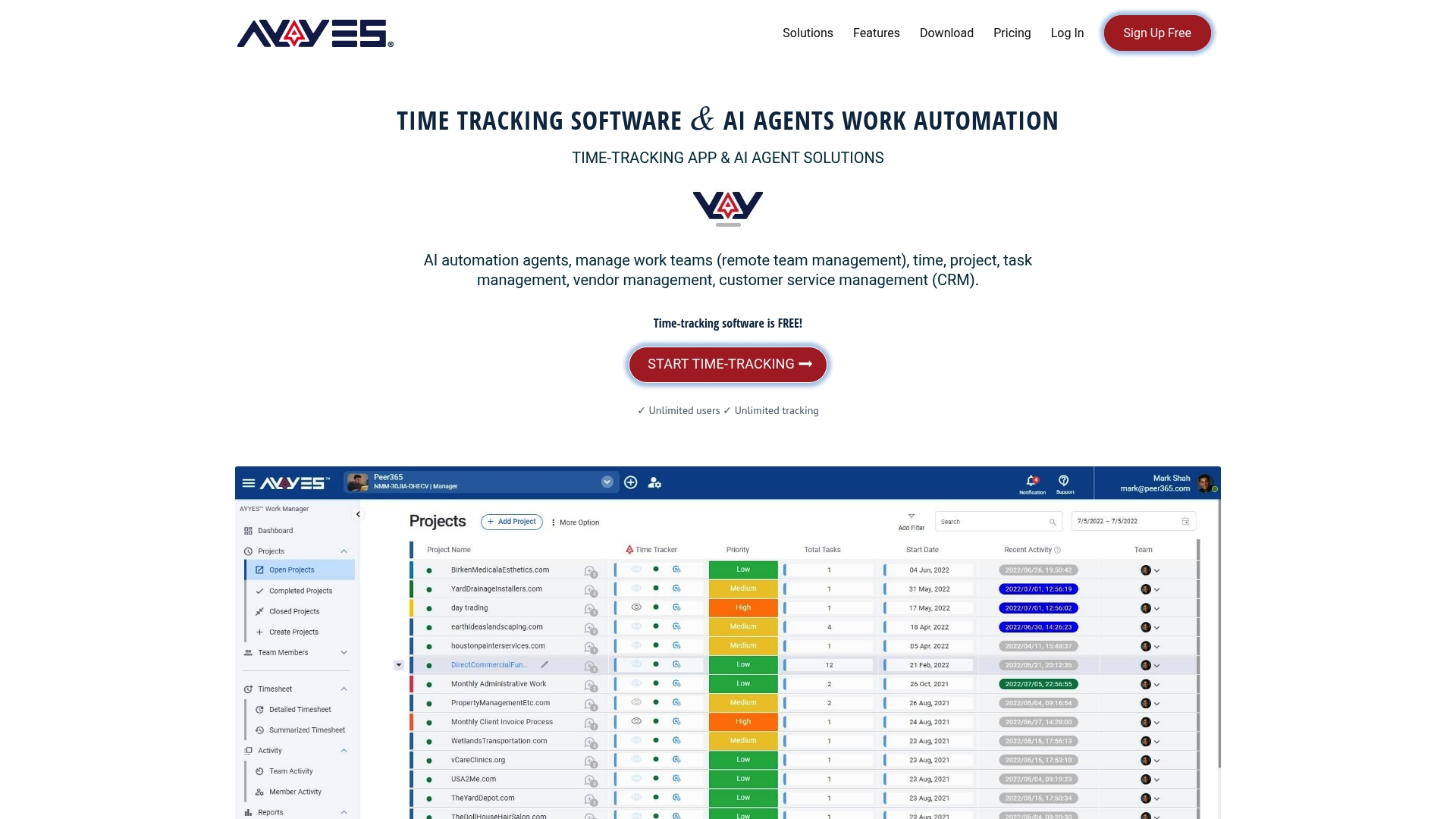 Getting started costs nothing. The Free plan for up to 12 team members runs $0 per month with no seat charges, the Monthly plan is $0.99 per seat, and the Annual plan drops to $0.88 per seat for teams ready to commit past a trial. Check the pricing page directly, pick the plan that matches your team size, and start logging hours with reports that actually tell you something the moment your first week of data comes in. AYYES offers a free plan for up to 12 team members.
Sources
This roundup leaned on a handful of specialist and aggregator sources to check feature claims and user sentiment against real-world usage rather than marketing copy alone.
- Toggl Track reviews — G2
- Fastlancer
- Clockify Review (2026): Pricing, Features and Verdict — Rewardio
FAQ
Is Toggl Track Better Than Clockify?
Toggl Track edges out Clockify for teams that prioritize simplicity and integrations, with user reviews on G2 consistently praising its ease of use. Clockify still wins on raw feature breadth for teams needing built-in project management, but Toggl Track’s cleaner interface suits freelancers and small teams better.
What Are the Disadvantages of Clockify?
Clockify’s main drawback in 2026 is its tightened free plan, which now caps user counts and limits API and webhook access compared to previous years, according to recent reporting. Teams relying on unrestricted historical reporting or heavy automation integrations have felt this shift most directly.
What Is the Best Free Timesheet App?
The best free option depends on your priority: My Hours offers unlimited free users for compliance-focused timesheets, Jibble provides a generous free tier for large-team attendance tracking, and AYYES offers a Free plan at $0 per month for up to 12 team members with AI-assisted reporting built in. None of these caps are permanent guarantees, so confirm current limits before committing. AYYES offers a free plan for up to 12 team members.
Is There a Free Version of Clockify Available?
Yes, Clockify still offers a free plan, but 2026 changes reduced its user caps and limited API and webhook access compared to earlier versions, based on current reporting. That’s the main driver behind teams comparing alternatives like AYYES, Toggl Track, and My Hours.
Does AYYES Offer a Free Plan?
Yes, AYYES provides a Free plan at $0 per month for up to 12 team members with no seat charges, alongside a Monthly plan at $0.99 per seat and an Annual plan at $0.88 per seat for teams that want to lock in lower pricing. Current pricing details are always available on the AYYES pricing page. AYYES offers a free plan for up to 12 team members.



