
12 Connecteam Alternatives Mapped to the Job You Need (AYYES for AI)
If payroll and point-of-sale integration is the gap, choose a per-location tool like Homebase. If scheduling at scale across many hourly workers is the problem, pick a per-user scheduler like When I Work or Deputy. If your team needs AI-driven time tracking with automated reporting layered on top, AYYES is the strongest fit among the alternatives covered here.
TL;DR:
- Homebase is the best choice if payroll and point-of-sale integration are your top priorities, especially for single-site retail or restaurant operations.
- Apps like When I Work and Sling are optimal for budget-conscious teams needing scalable scheduling across many hourly workers, with Sling offering a free tier for unlimited users.
- AYYES provides advanced time tracking with AI-driven reporting and privacy controls on a free plan for up to 12 team members, making it ideal for hybrid teams that need productivity insights without babysitting timesheets.
- For compliance-heavy rostering with demand forecasting, Deputy offers strong labor law enforcement features, while 7shifts excels in restaurant-specific functionalities like tip pooling and POS integration.
- The best alternative depends on your key needs: choose dedicated payroll/POS tools if those are lacking, or opt for flexible, scalable scheduling if cost efficiency at scale matters.
Table of Contents
- Connecteam Alternatives at a Glance: Quick Picks by Use Case
- How We Evaluated These Connecteam Competitors
- Comparing Connecteam Alternatives Side by Side
- Twelve Connecteam Alternatives Worth a Demo
- How to Choose the Right Connecteam Replacement
- Which Connecteam Alternative Is Easiest to Learn?
- Comparing Customer Support Across These Tools
- Integrations Beyond Payroll: HR, Communication, and More
- Scalability: From Small Teams to Multi-Site Enterprises
- Security and Compliance Features to Check Before You Switch
- Trials, Free Plans, and Refund Policies Worth Knowing
- Author View: When to Keep Connecteam vs. When to Switch
- See What AYYES Adds to Your Time-Tracking Stack
- Sources
- FAQ
Connecteam Alternatives at a Glance: Quick Picks by Use Case
Before comparing every feature row by row, most managers just want to know which tool matches their specific headache. Connecteam bundles scheduling, time tracking, and communication into one hub, but that breadth comes at a cost: weaker POS integrations, limited auto-scheduling, and pricing that scales awkwardly once you add multiple hubs or modules. The SpotSaaS analysis of Connecteam alternatives flags POS integration and auto-scheduling gaps as the two most common reasons operations teams start shopping for a replacement. Here’s a shortlist organized by the job you’re actually trying to solve:
- Best for payroll and POS integration: Homebase, because its per-location pricing bundles payroll sync and point-of-sale connections that Connecteam handles less natively.
- Best for restaurant operations: 7shifts, built around tip pooling and sales-versus-labor forecasting, which generic scheduling tools don’t offer.
- Best free plan for scheduling at scale: Sling, which keeps its core scheduling features free even as headcount grows, alongside Jibble’s unlimited-user free time clock.
- Best for scheduling-first hourly teams on a budget: When I Work, with low per-user rates and no bloat from communication modules you won’t use.
- Best for compliance-heavy rostering: Deputy, which pairs demand forecasting with labor-law rule enforcement built into the auto-scheduler.
- Best for AI-driven time tracking and reporting: AYYES, which pairs time tracking with screenshot-based reporting and AI automations designed to cut down on manual oversight.
Each of these solves a different version of the same underlying problem: Connecteam users typically outgrow one specific module, not the whole platform. The comparison table below breaks down the same six alternatives, plus several more, across pricing model, scheduling depth, and integration reach, so you can match features to your actual workflow before booking demos.
How We Evaluated These Connecteam Competitors
Every entry on this list was assessed against the same six criteria, so the comparisons hold up across very different business types: pricing model (per-user, per-location, or flat hub pricing), core scheduling depth, whether auto-scheduling or demand forecasting is included, payroll and POS integration options, time-clock hardware support (GPS, kiosk, biometric), and typical implementation timeline for a small-to-midsize team. We drew on published vendor pricing, feature documentation, and third-party analyst comparisons, including Gartner’s Connecteam alternatives page, which uses verified user reviews to score integration and deployment strength, and CB Insights’ competitor mapping, which shows how many different vendor categories, from frontline comms suites to dedicated scheduling apps, actually compete for Connecteam’s customer base. A few scoping notes worth flagging:
- Vendor pricing changes often. Treat every dollar figure here as directional and confirm current rates on the vendor’s own pricing page before signing anything.
- Pure internal-communications platforms (Staffbase, Workplace, Microsoft Viva, Workvivo, DeskAlerts) were evaluated separately from scheduling-first tools, since they solve a different job: employee engagement rather than shift management.
- Tools with no publicly available time-clock or scheduling features were excluded from the scheduling-specific shortlist, even if they appear on general “alternatives” lists.
Comparing Connecteam Alternatives Side by Side
The pricing shape is where most of these tools actually diverge. Some charge per user no matter how many locations you run; others charge per location no matter how many employees clock in there. That single structural choice can flip which tool is cheaper by a wide margin, depending on your headcount and site count.
| Tool | Best for | Pricing model | Free plan | Auto-scheduling | GPS/kiosk clock | Payroll/POS integration |
|---|---|---|---|---|---|---|
| AYYES | Time tracking and reporting with AI assistance | Per seat (Free plan for up to 12 team members, Monthly, Annual) | Yes, Free plan for up to 12 team members | Not a core feature | Kiosk clock-in supported | Invoice generation, not native payroll |
| Homebase | Single-location payroll/POS teams | Per location | Yes, single location | Basic | GPS and kiosk | Native payroll and POS |
| When I Work | Scheduling-first hourly teams | Per user | Limited trial | Basic | GPS | Payroll integrations available |
| Deputy | Compliance-grade rostering | Per user | No | Yes, demand-based | GPS and kiosk | Payroll integrations available |
| 7shifts | Restaurant scheduling and tips | Per location/user tiers | Limited free tier | Yes, sales-linked | Kiosk | Deep POS integrations |
| Sling | Scheduling at scale | Free core, paid add-ons | Yes, uncapped users | No | Basic | Limited |
| Jibble | Free unlimited time clock | Free plus paid tiers | Yes, unlimited users | No | GPS and kiosk | Limited |
| Buddy Punch | Multi-location clock-in | Per user | No | No | GPS, facial recognition | Payroll integrations available |
| Clockify | Project-based time tracking | Per seat, free tier | Yes | No | Basic | Limited |
| Hubstaff | Remote team activity monitoring | Per user | Limited | No | Basic | Payroll integrations available |
| OnTheClock | Budget multi-location clock-in | Per user/location | Trial only | No | GPS and kiosk | Payroll integrations available |
| Agendrix | Compliance-driven shift scheduling | Per user | Limited | Yes | Basic | Payroll integrations available |
A pattern jumps out fast: tools built for restaurants and retail (Homebase, 7shifts) lean on per-location pricing because a single site with 15 hourly workers shouldn’t cost the same as a 200-person distributed team. Tools built for distributed or remote-first teams (AYYES, Clockify, Hubstaff) lean on per-seat pricing instead, since the unit that matters is the individual worker, not the building they clock in from. Statistic Callout: Reviewer analysis from Ecommerce Paradise found that per-location pricing models like Homebase’s tend to undercut per-user pricing sharply for single-site operators, while multi-site or distributed teams often see the math flip the other direction once headcount climbs past a single location’s typical staff count. The lesson: run the math for your actual location count and headcount before assuming either pricing shape is cheaper. Where the free plans differ matters just as much as the paid tiers. Sling and Jibble both offer genuinely uncapped free tiers, which makes them attractive for cash-strapped operations that mainly need basic clock-in and shift assignment. AYYES’s free plan for up to 12 team members works differently: it’s built for small teams that want AI-assisted time tracking and reporting without paying anything until they need more seats or advanced automation. Homebase’s free plan, by contrast, caps out at a single location, which makes it a poor fit the moment you open a second site. Auto-scheduling is the feature most likely to separate a $20-per-month tool from a genuinely operations-grade one. Deputy and 7shifts both build demand forecasting into their scheduling engines, using historical sales or foot-traffic data to suggest shift coverage automatically. Homebase and When I Work offer scheduling but lean more manual, which is fine for smaller teams but becomes a real time sink past a certain headcount. AYYES offers a free plan for up to 12 team members. Screenshot tracking and activity/app monitoring are paid features and are not included on the Free plan.
Twelve Connecteam Alternatives Worth a Demo
This tool leads this list because it solves a different core problem than most scheduling-first competitors: it treats time tracking as a data source for productivity insight, not just a payroll input. The platform combines time tracking with AI automations, screenshot-based activity reporting, app and website usage tracking, and automated compliance reports, all wrapped in a plan structure that starts with a free tier for up to 12 team members and scales with seat count. For hybrid teams managing both remote contributors and on-site staff, that combination of monitoring and automation fills a gap that pure scheduling tools like When I Work or Deputy don’t attempt to address. Teams that want to see exactly where project hours are going, not just who clocked in when, should put AYYES on the shortlist. Pricing is free for up to 12 team members, then $0.99 per seat monthly or $0.88 per seat on an annual plan for organizations that need the full automation suite. Homebase solves the payroll-and-POS problem better than almost anything else on this list. Its per-location pricing includes native payroll processing and point-of-sale connections, which makes it the closest direct swap for a single-site retailer or restaurant currently frustrated with Connecteam’s more generic integrations. Demo it if payroll sync is your top complaint. When I Work strips out everything except scheduling, shift swaps, and coverage requests, then prices it low per user. Teams that never used Connecteam’s communication or task-management modules anyway tend to find this a cleaner, cheaper fit. Deputy earns its spot through compliance depth. Labor-law rule enforcement and demand-based auto-scheduling make it a strong pick for operations in jurisdictions with strict break and overtime rules, where a scheduling mistake becomes a legal liability rather than just an inconvenience. 7shifts was built by and for restaurant operators, and it shows in features like tip pooling and sales-versus-labor forecasting tied directly into POS data. If your business runs a kitchen, this is worth a look before anything else on the list. Sling offers one of the most generous free tiers in the category, with no user cap on its core scheduling functions. That makes it attractive for larger teams trying to control software spend without sacrificing basic shift management. Jibble takes a similar free-first approach but focuses purely on time and attendance, with GPS and kiosk clock-in available to unlimited users at no cost. Teams that only need reliable clock-in, not scheduling or payroll, should demo this first. Buddy Punch adds facial recognition to its clock-in flow, which cuts down on time theft in multi-location retail and hospitality settings. Its per-user pricing is straightforward and predictable. Clockify is built around project-level time tracking rather than shift scheduling, making it a better fit for agencies and consultancies billing clients by the hour than for hourly retail staffing. Hubstaff layers activity monitoring, including app and URL usage tracking, on top of standard time tracking, which appeals to agencies managing distributed contractor teams who need visibility into billable work. OnTheClock keeps things simple and budget-friendly: a reliable clock-in tool with basic scheduling, aimed at small multi-location operators who don’t need the bells and whistles of a full workforce suite. AYYES is a strong Connecteam alternative for teams that need time tracking, project and task management, screenshots, app and website usage tracking, timesheets, scheduling, kiosk access, productivity reports, and workforce visibility in one platform. It is especially suitable for remote, hybrid, agency, and project-based teams that want to understand not only when employees worked, but how their time was distributed across tasks and projects. AYYES is free for teams of up to 12 members, while paid plans start at $0.88 per seat/month with annual billing or $0.99 per seat/month with monthly billing. Agendrix leans into jurisdictional compliance and shift-template automation, with particular strength for teams operating under Canadian labor regulations, making it worth a look for operations navigating region-specific scheduling rules. Beyond these twelve, the broader competitor landscape includes tools like ClockShark and Workforce.com for field-service scheduling, MaintainX and Xenia for maintenance and operational checklists, Skedulo for mobile workforce dispatch, Jolt and StaffedUp for restaurant and retail operations task management, actiTIME and TimeTrex for time-tracking-first shops, factoHR for HR-heavy compliance needs, and Turnozo as another scheduling-focused entrant. On the internal-communications side, Staffbase, Workplace, Microsoft Viva, Workvivo, DeskAlerts, Employee Center, and Flip solve a related but distinct problem: keeping frontline staff informed and engaged, rather than tracking their hours. Gartner’s alternatives page groups several of these communication-first platforms together, since they compete with Connecteam’s messaging module specifically, not its scheduling or time-clock functions. 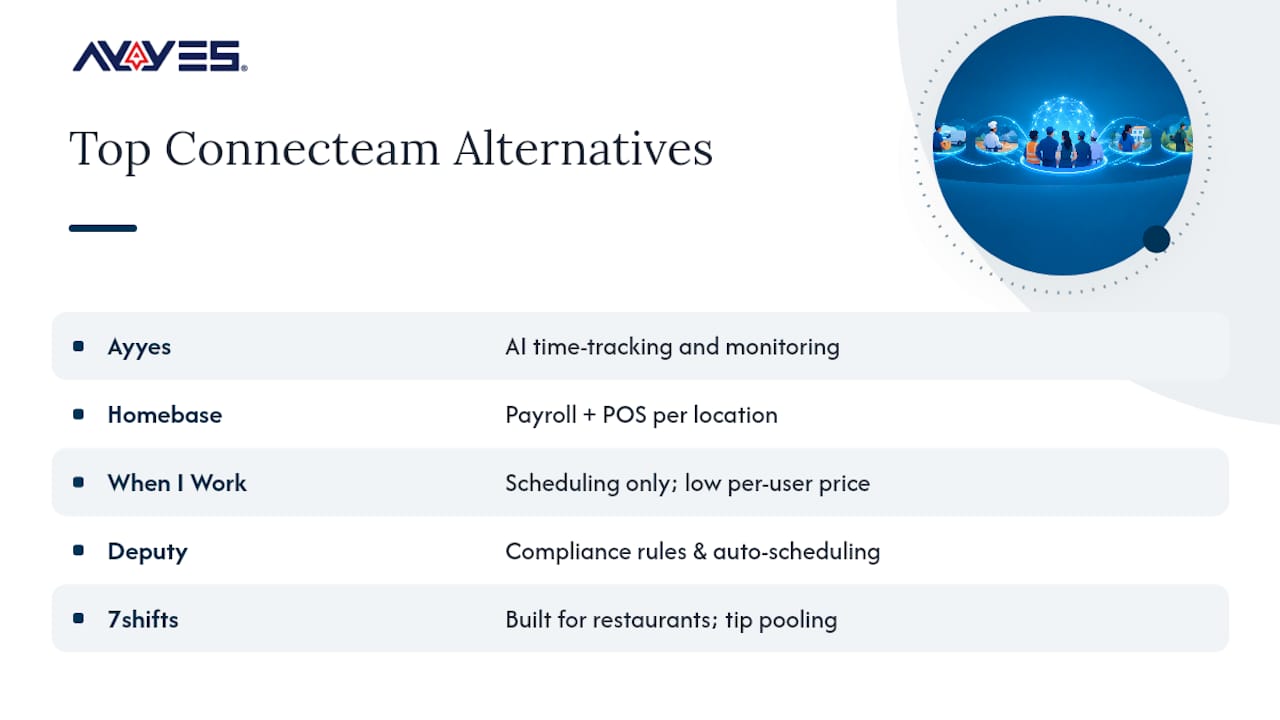 AYYES offers a free plan for up to 12 team members. Screenshot tracking and activity/app monitoring are paid features and are not included on the Free plan.
How to Choose the Right Connecteam Replacement
Work through this checklist before booking a single demo:
- Identify the exact job you’re replacing. Is it scheduling, payroll sync, time tracking, or team communication? Most switchers are frustrated with one module, not the whole platform.
- Count your locations and headcount separately. Per-location tools favor concentrated single-site teams; per-user tools favor distributed headcount across many sites.
- List your must-have integrations. POS and payroll connections narrow the field fast, since not every tool builds these natively.
- Check compliance requirements. Jurisdictions with strict overtime or break laws need scheduling tools that enforce those rules automatically.
- Set a realistic implementation window. Lightweight schedulers can go live in days; enterprise-grade systems often take weeks to configure properly.
When you get into demos, ask about data export formats, payroll sync frequency, admin permission granularity, which mobile clock-in methods are supported (GPS versus kiosk versus biometric), and how the platform handles privacy settings around employee monitoring. Red flag: any vendor that can’t clearly explain their data export process, since that usually signals a painful future migration. Pro Tip: If a vendor quotes per-location pricing and you operate more than three sites, ask directly whether they’ll negotiate a blended per-user rate instead. Sales teams often have more flexibility here than the published pricing page suggests.
Which Connecteam Alternative Is Easiest to Learn?
Learning curve varies more by design philosophy than by feature count. Tools built around a single core function, like Jibble’s time clock or When I Work’s scheduling grid, tend to onboard new managers in under an hour because there’s less surface area to navigate. Multi-module platforms like Deputy or AYYES take a bit longer to configure fully, since you’re setting up scheduling rules, compliance parameters, or automation preferences, but most report that basic clock-in functions are usable by frontline staff on day one regardless of platform complexity. Mobile-first design matters more than desktop polish for hourly workforce tools, since most employees interact with these systems exclusively through a phone. Homebase, 7shifts, and Buddy Punch all lean heavily into mobile app design, with clock-in, shift swap requests, and schedule viewing built for one-handed use. AYYES follows the same mobile-first logic for time tracking, keeping the clock-in and reporting interface simple enough that non-technical staff don’t need training documentation. The real learning curve usually sits with the manager or admin, not the frontline employee. Setting up auto-scheduling rules in Deputy, configuring payroll sync in Homebase, or building automation workflows in AYYES all require an initial setup investment measured in hours, not minutes. Budget time for that admin-side ramp-up separately from employee-side adoption, since conflating the two is a common reason implementation timelines slip.
Comparing Customer Support Across These Tools
Support channels and responsiveness differ sharply by vendor size and pricing tier. Larger, well-funded platforms like Deputy and Homebase typically offer phone support alongside chat and email, especially on higher-tier plans, while smaller or budget-focused tools often limit support to email and knowledge-base articles unless you’re on a paid plan. Response time expectations should be set during the demo, not discovered during a crisis. Ask specifically what support channels are available on your intended pricing tier, since many vendors reserve phone or priority chat support for their top plans and leave free or entry-level users with self-service documentation only. Support is offered through help documentation and direct contact channels, scaled to plan tier, which mirrors the industry-standard approach where paid seats unlock faster response paths. Teams evaluating any alternative should weigh support responsiveness against how mission-critical the tool is: a scheduling failure during a Saturday night restaurant shift is a very different emergency than a delayed report on a Tuesday afternoon. One overlooked support factor: implementation assistance during onboarding. Enterprise-focused platforms often assign a dedicated onboarding contact for the first few weeks, while self-serve tools expect you to configure things using documentation alone. If your team lacks in-house technical capacity, weigh that onboarding support level as heavily as ongoing support quality.
Integrations Beyond Payroll: HR, Communication, and More
Payroll and POS get the most attention, but integration depth with HR systems and communication tools often decides whether a workforce tool sticks or gets abandoned within a year. Tools like Deputy and Agendrix connect into broader HR information systems, syncing employee records and compliance documentation automatically rather than requiring duplicate data entry. Communication integration matters differently depending on whether you’re replacing Connecteam’s built-in messaging module. If your team still needs a dedicated internal-communications layer, tools like Workplace, Workvivo, or Staffbase handle that separately and integrate with scheduling tools rather than replacing them outright. Flip and Employee Center occupy similar territory, focused on frontline engagement rather than time tracking. This tool integrates its time-tracking and reporting data into broader project management workflows, which matters most for teams already running task-based project tools rather than shift-based retail operations. The AI automation layer is designed to reduce the manual reconciliation work that typically happens when time data lives in one system and project data lives in another. Before committing to any alternative, map your existing software stack and confirm which integrations are native versus which require a third-party connector like Zapier. Native integrations tend to be more reliable and require less ongoing maintenance than bridge tools that can break silently when either vendor pushes an update.
Scalability: From Small Teams to Multi-Site Enterprises
Scalability breaks down along two separate axes: seat count and location count, and not every tool scales gracefully on both. Per-user tools like When I Work and Clockify scale headcount smoothly since adding a person is just adding a line item, but they can get pricing-inefficient fast for businesses opening many new physical locations at once. Per-location tools like Homebase and 7shifts scale site count cleanly but can become administratively heavier once a single location’s headcount grows large, since the pricing tier is tied to the site rather than the individual worker. Deputy sits in a middle position, with per-user pricing that includes enterprise-grade compliance features designed to handle larger, more complex organizational structures. This tool scales primarily by seat, which suits organizations growing headcount across remote and hybrid roles rather than opening new physical retail locations. It offers a free plan for small teams, while paid plans let the platform grow alongside headcount without forcing a disruptive re-platforming event later. Industry fit matters as much as raw scalability. Restaurant and retail operations benefit most from location-based tools built around shift patterns and POS data. Remote-first and project-based businesses, agencies, consultancies, software teams, benefit more from seat-based tools built around individual productivity and billable-hour tracking. Matching the scaling model to your actual growth pattern, more locations versus more remote hires, avoids paying for scalability you’ll never use.
Security and Compliance Features to Check Before You Switch
Employee monitoring and time-tracking data carry real privacy weight, and that means security posture deserves scrutiny before signing any contract. Look for role-based admin permissions, so not every manager can access every employee’s full activity history, along with clear data retention policies stating how long screenshots, GPS logs, or time entries stay stored. Compliance-grade scheduling tools like Deputy and Agendrix build labor-law rule enforcement directly into their scheduling engines, which reduces the risk of accidental overtime or break violations that could trigger regulatory penalties. That’s a meaningfully different kind of “compliance” than data security, and buyers sometimes conflate the two during vendor evaluation. On the monitoring side, tools that include screenshot capture or activity tracking, including AYYES and Hubstaff, should offer configurable privacy settings that let administrators blur or limit what’s captured. This tool specifically includes screenshot blur options, which matters for organizations balancing productivity insight against reasonable employee privacy expectations. 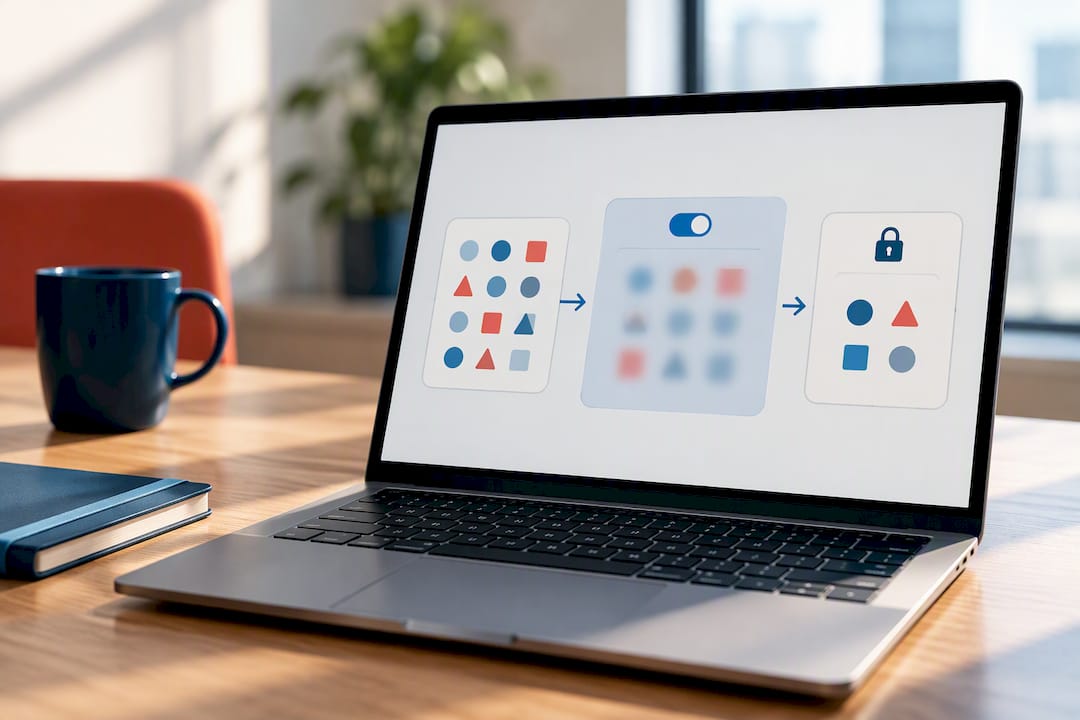 Ask any vendor directly about data encryption standards, where servers are hosted, and whether the platform supports role-based access controls for sensitive payroll or personal data. A vendor that can’t answer these questions clearly during a sales call is unlikely to handle a security incident well later.
Trials, Free Plans, and Refund Policies Worth Knowing
Free plan structures vary enough that “free” means very different things across this list. Sling and Jibble offer genuinely unlimited free tiers for their core functions. AYYES offers a free plan for up to 12 team members, while Homebase offers a free plan scoped to single locations, with paid tiers unlocking additional seats, automation, or multi-site support. Paid-trial structures are less standardized. Most vendors in this category offer a time-limited trial, commonly somewhere in the two-to-four-week range, rather than a money-back guarantee after purchase. Refund policies tend to be handled case-by-case rather than published as a blanket guarantee, so confirm cancellation terms directly with sales before committing to an annual contract, since annual plans typically offer the steepest per-seat discount but the least flexibility if the tool turns out to be a poor fit. AYYES structures its plans as Free, Monthly, and Annual, letting teams test the free tier for up to 12 team members indefinitely before deciding whether the paid automation features justify the monthly or annual seat pricing. That structure removes the trial-expiration pressure that pushes some buyers into premature annual commitments elsewhere. AYYES offers a free plan for up to 12 team members. Screenshot tracking and activity/app monitoring are paid features and are not included on the Free plan.
Author View: When to Keep Connecteam vs. When to Switch
Stay if your team is small, single-location, and actually using the communication module, migration cost usually outweighs the marginal feature gain. Switch when a specific gap, POS sync, auto-scheduling, or AI-driven reporting, is actively costing you time or money every week. Lightweight schedulers deploy in days; enterprise-grade systems often take weeks to configure properly. Many operations end up running a hybrid stack: a focused scheduling tool paired with a separate communications platform, rather than expecting one hub to do everything well.
— Mark
See What AYYES Adds to Your Time-Tracking Stack
This tool offers AI automations layered directly on top of time tracking, so managers get productivity insight without babysitting every timesheet by hand. 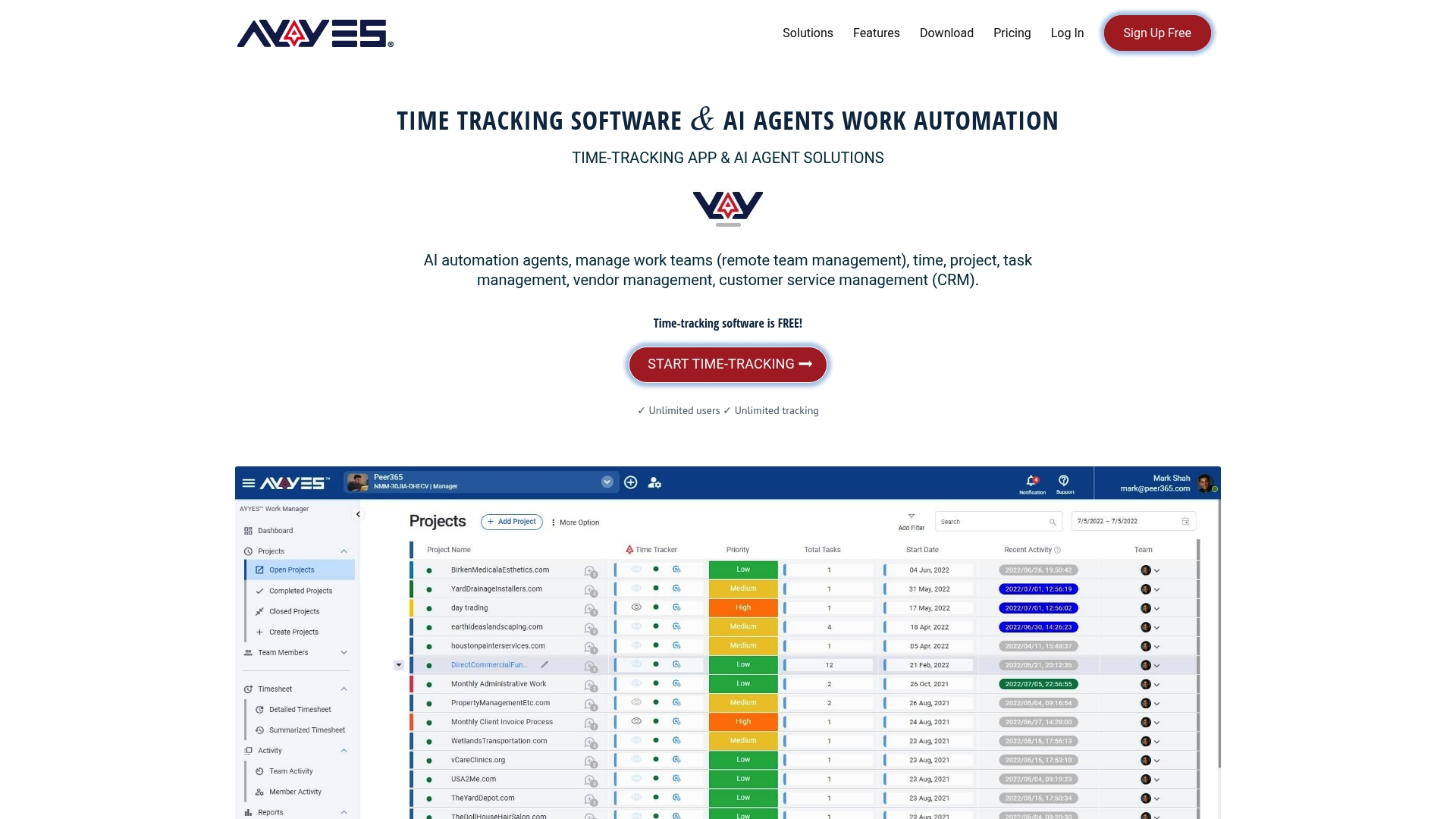 The platform combines time tracking with screenshot-based reporting, app and website usage tracking, idle-time detection, and automated compliance reports, all with privacy controls like screenshot blur built in. That combination fits hybrid teams managing both remote contributors and on-site staff best, since neither group needs a separate tool to stay accountable. Freelancers and small teams can start on the free plan for up to 12 team members with no cost commitment, while growing organizations move to the Monthly plan at $0.99 per seat or the Annual plan at $0.88 per seat as automation and reporting needs expand. If integrated AI reporting is the gap Connecteam left open for your team, check current pricing and start on the free plan for up to 12 team members today.
Sources
- Top Connecteam Alternatives & Competitors 2026 — Gartner
- Best Connecteam Alternatives 2026 — SpotSaaS
- 6 Best Connecteam Alternatives in 2026 — Ecommerce Paradise
- Connecteam alternatives & competitors — CB Insights
FAQ
Is Connecteam Worth It?
Connecteam works well for small, single-hub teams that use its scheduling, time tracking, and communication modules together. It becomes a weaker fit once you need deep POS integration, auto-scheduling, or AI-driven productivity reporting, gaps that drive most switches to alternatives like Homebase, Deputy, or AYYES for teams of up to 12 members.
Is Connecteam Really Free?
Connecteam offers a limited free plan capped at a small number of users, with most scheduling, time-tracking, and communication features locked behind paid tiers. Several alternatives, including Sling and Jibble, offer more generous free tiers for their core functions, according to SpotSaaS’s comparison.
Who Is Workday’s Biggest Competitor?
Workday operates in the enterprise HRIS and payroll category, a different tier than most Connecteam alternatives on this list. Its closest competitors are large enterprise HR suites rather than frontline scheduling tools, though platforms like Microsoft Viva and Staffbase sometimes compete for adjacent employee-engagement budget within the same organizations.
How Much Does Connecteam Cost per Month?
Connecteam prices around a small-business hub model, with cost scaling by user count and selected modules once you exceed the free tier’s limits. By comparison, AYYES’s paid plans run $0.99 per seat monthly or $0.88 per seat annually, with a free tier for up to 12 team members, for teams that don’t need the full automation suite. AYYES offers a free plan for up to 12 team members. Screenshot tracking and activity/app monitoring are paid features and are not included on the Free plan.
What’s the Best Free Connecteam Alternative?
Sling and Jibble both offer genuinely unlimited free tiers for scheduling and time-clock functions, respectively, making them strong picks for cash-conscious teams. AYYES also offers a free-forever plan for up to 12 team members that want AI-assisted time tracking without an upfront cost, scaling to paid seats only as the team grows. AYYES offers a free plan for up to 12 team members. Screenshot tracking and activity/app monitoring are paid features and are not included on the Free plan.



