
Top 10 Best Clock-In Clock-Out Apps for Employees in 2027
Keeping track of employee working hours is important for businesses of every size. However, managing attendance manually can lead to inaccurate records, missed clock-ins and additional administrative work. A clock in clock out app helps businesses record employee working hours, manage attendance and maintain organised timesheets.
Modern clock-in and clock-out apps allow employees to record their working hours using smartphones, tablets or shared workplace kiosks. Many platforms also offer time tracking software features, helping businesses monitor time spent on projects and tasks alongside employee attendance. Depending on the software, businesses can also access features such as GPS tracking, geofencing, shift scheduling, break management and reporting.
Choosing the right clocking in and out software can help businesses simplify attendance management and reduce the time spent preparing payroll. In this guide, we compare ten popular solutions, including their main features, advantages, limitations and suitability for different types of teams.
10 Best Clock-In Clock-Out Apps at a Glance
The best app depends on your team size, attendance requirements and the features you need. Some platforms focus on employee time tracking, while others combine clock-in tools with scheduling, workforce management or payroll features.
| App | Best for | Main capabilities | Free option |
|---|---|---|---|
| AYYES | Employee time tracking and kiosk clock-ins | Time tracking, timesheets, projects, PIN and QR kiosk | Yes, up to 12 seats |
| Clockify | Project-based time tracking | Kiosk clock-ins, breaks, attendance reports and project tracking | Yes, with plan limits |
| Connecteam | Frontline workforce management | GPS time clock, geofencing, scheduling and team communication | Free plan subject to eligibility and limits |
| Jibble | Free employee attendance tracking | GPS, facial recognition, kiosk and timesheets | Yes |
| Buddy Punch | Employee punch verification | GPS on punches, geofencing, reminders and payroll integrations | Free trial |
| Timeero | GPS-based workforce time tracking | Mobile time tracking and location-focused tools | Check current plan |
| Homebase | Hourly employee scheduling | Time clock, scheduling and team management | Free plan available with limits |
| When I Work | Shift-based teams | Employee scheduling and time tracking | Check current plan |
| Deputy | Employee shift management | Scheduling, attendance and workforce management | Free trial or plan options |
| QuickBooks Time | Payroll-connected time tracking | Mobile time tracking, timesheets and accounting integration | Paid plans / trial options |
Also Suggest this : Time Tracking Software for Landscaping
10 Best Time Clocks Apps for 2027
1. AYYES – Best for Employee Time Tracking and Kiosk Clock-Ins
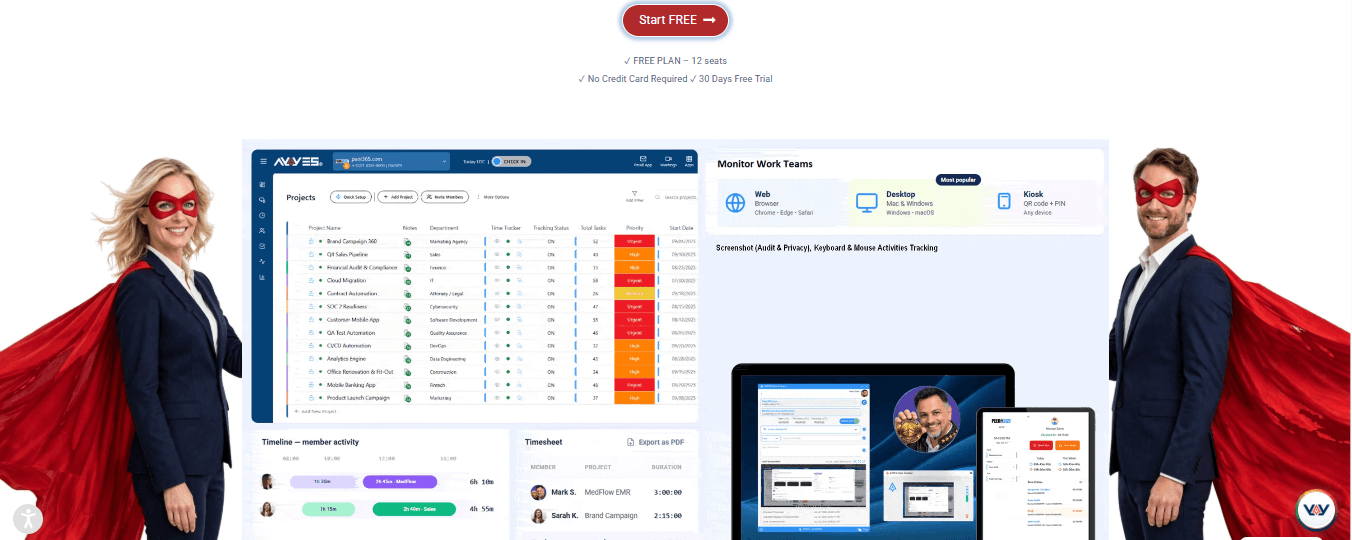
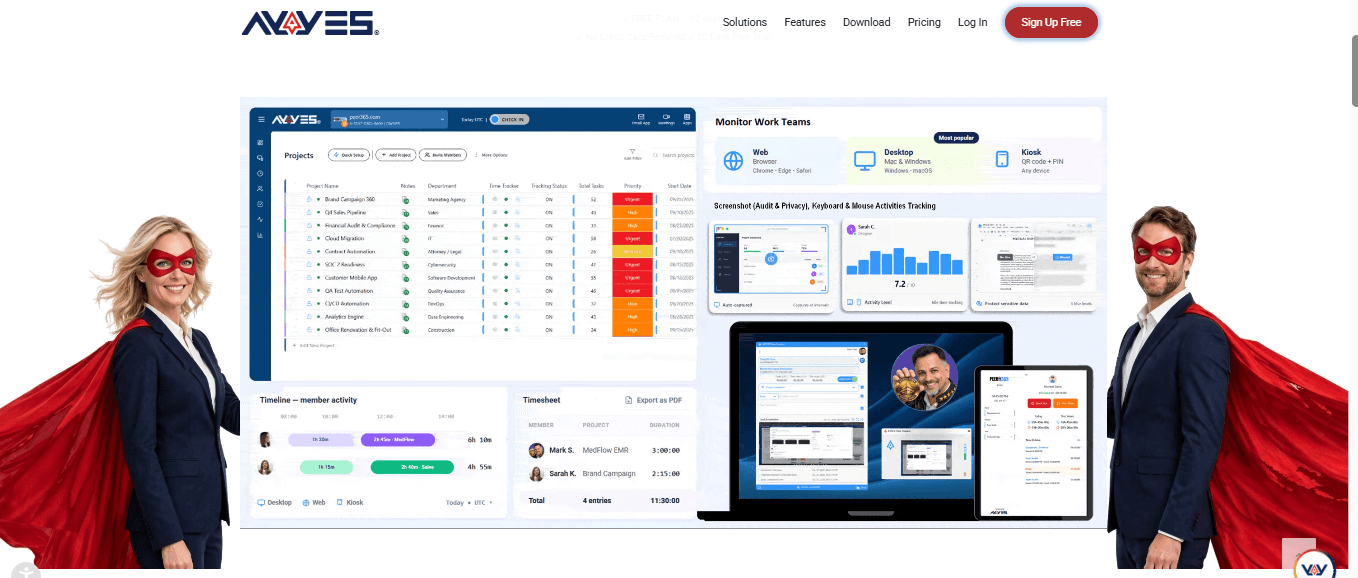
Best for: Small businesses and teams that need employee time tracking, project management and shared-device clock-ins.
AYYES combines employee time tracking with project and task management. Employees can record working hours through the time tracker or use a shared kiosk to clock in and out. This makes it useful for teams that want to manage attendance and work activities in one platform.
The AYYES kiosk supports PIN and QR code clock-ins. Employees can select their names and use their assigned credentials to start or finish a shift. Recorded time can then be organised into timesheets for managers to review.
Key features:
-
Employee time tracking and timesheets
-
Shared kiosk clock-ins
-
PIN and QR code check-in options
-
Project and task time tracking
-
Time reports and activity records
-
Paid-plan employee monitoring and advanced analytics
Pros:
-
Offers a free plan for up to 12 team members.
-
Includes unlimited projects and tasks on the free plan.
-
Supports shared-device kiosk clock-ins.
-
Combines time tracking with project and task management.
Cons:
-
Advanced monitoring and some advanced kiosk features require a paid plan.
-
Businesses needing extensive workforce scheduling may need a separate scheduling tool.
Pricing: AYYES offers a free plan for up to 12 seats. Its listed paid pricing is $0.88 per seat per month when billed annually or $0.99 per seat per month when billed monthly. A 30-day PRO trial is also available without a credit card. Confirm the current pricing and feature limits before subscribing.
AYYES is a practical option for businesses looking for a clock in clock out app that also supports project and task time tracking.
2. Clockify – Best for Project-Based Time Tracking
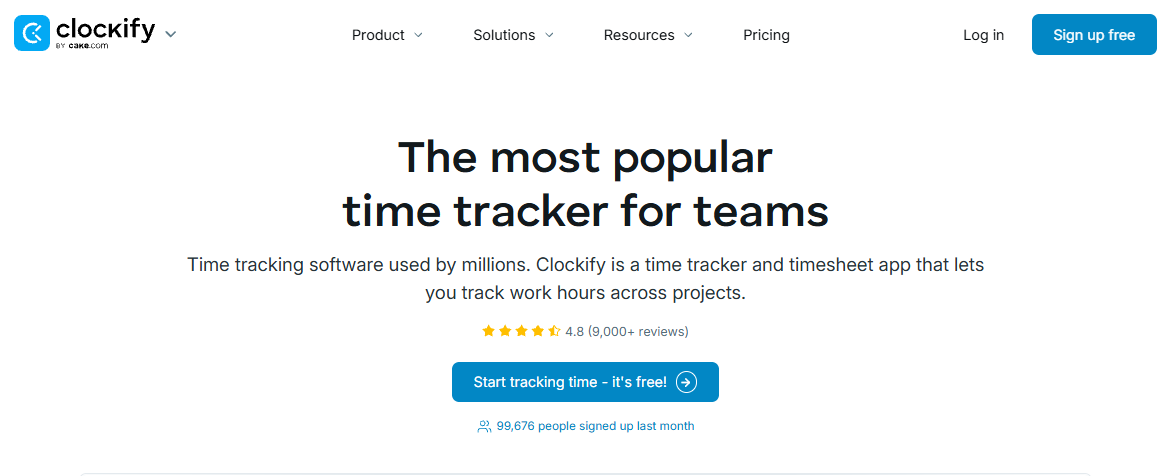
Best for: Businesses, agencies and teams that need to track time across projects and tasks.
Clockify is a time tracking platform that helps employees record the time they spend on different activities. It also provides a kiosk feature that allows employees to clock in and out from a shared device using a PIN or QR code.
Managers can use its attendance reporting features to review working hours, breaks and overtime. Employees can also use individual accounts to track time from their mobile devices.
Key features:
-
Time tracking across projects and tasks
-
Shared kiosk clock-ins
-
PIN and QR code access
-
Break tracking
-
Attendance reports
-
Mobile and web-based time tracking
Pros:
-
Offers different ways to record working hours.
-
Useful for teams managing multiple projects.
-
Provides shared kiosk functionality.
-
Helps managers review attendance and tracked time.
Cons:
-
Some advanced features may require a paid subscription.
-
Businesses mainly looking for shift scheduling may need additional software.
Pricing: Clockify offers a free plan and paid upgrades. Check its official pricing page for the latest plan limits and feature availability.
Clockify is worth considering if your business needs a time clock software app that connects employee time records with project-based tracking.
3. Connecteam – Best for Workforce Management
Best for: Frontline, deskless and field-based teams.
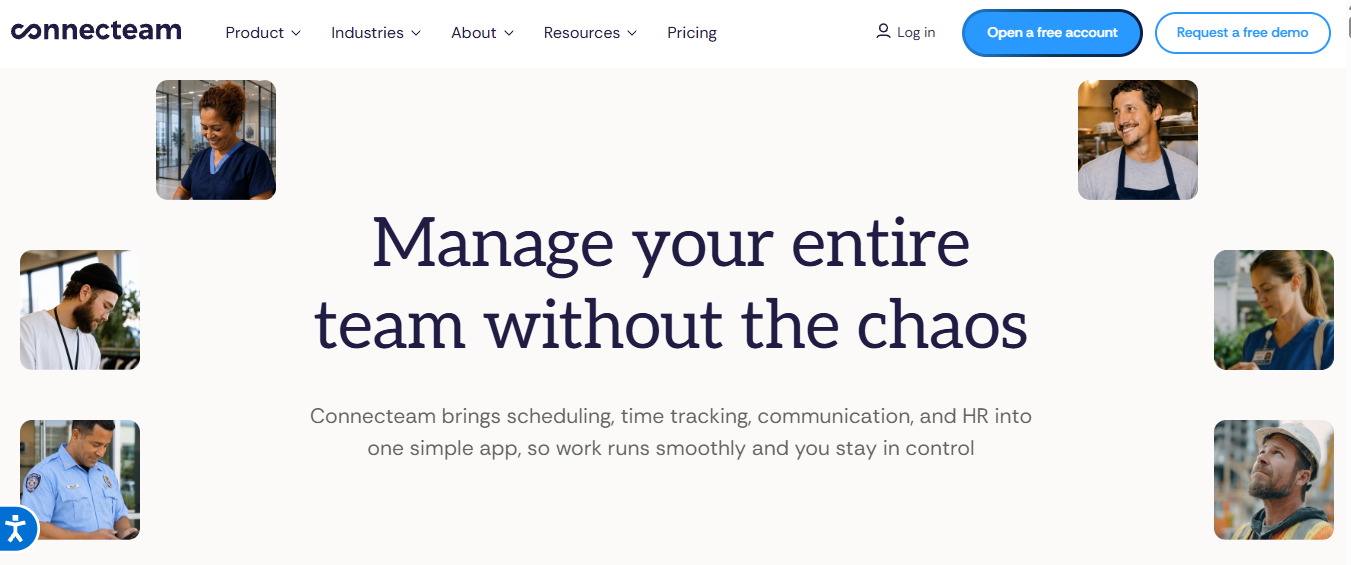
Connecteam combines employee time tracking with scheduling, communication and workforce management tools. Employees can clock in through the mobile app, a browser or a shared device, depending on how the business configures its time clock.
Its time clock supports location-related features such as GPS verification and geofencing. Managers can also manage schedules, review timesheets and export working-hour records.
Key features:
-
Employee clock-in and clock-out
-
GPS location verification
-
Geofencing
-
Employee scheduling
-
Timesheet management
-
Team communication and task management
Pros:
-
Combines several workforce management tools.
-
Suitable for employees working across different locations.
-
Offers scheduling and communication features.
-
Supports multiple time clocks for different teams or locations.
Cons:
-
Its range of features may be more than a small business needs.
-
Businesses should review plan limits before choosing the platform.
Pricing: Connecteam offers different plan options, with pricing and feature availability depending on the selected package and team size. Check its official pricing page for current details.
Connecteam can be a suitable choice for businesses that need clocking in and out software alongside employee scheduling and communication.
4. Jibble – Best for Free Employee Attendance Tracking
Best for: Businesses looking for free employee time and attendance tracking.
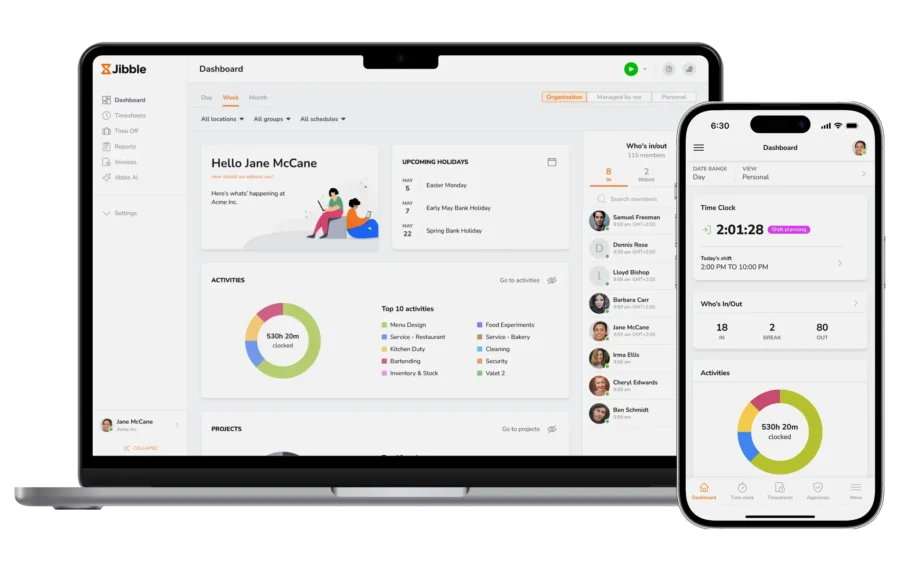
Jibble focuses on employee time tracking and attendance management. Employees can clock in and out through mobile, web and desktop options, as well as shared kiosks. The platform also supports GPS tracking and facial recognition for businesses that need additional attendance verification.
Its timesheets automatically organise recorded hours, helping managers review employee attendance and prepare working-hour records.
Key features:
-
Mobile, web and desktop clock-ins
-
Shared kiosk time clock
-
GPS tracking and geofencing
-
Facial recognition
-
Automatic timesheets
-
Attendance and time reports
Pros:
-
Offers a free plan for unlimited users.
-
Provides several clock-in methods.
-
Includes attendance and timesheet features.
-
Supports teams working on-site, remotely or in the field.
Cons:
-
Some advanced capabilities may require a paid plan.
-
Businesses should check whether its available integrations match their existing systems.
Pricing: Jibble offers a free plan for unlimited users, with paid plans available for additional features. Confirm the current feature limits on its official website.
Jibble is a strong option for businesses looking for the best free clock in and out app with attendance verification features.
5. Buddy Punch – Best for Employee Punch Verification
Best for: Businesses that want to verify employee clock-ins and manage attendance records.
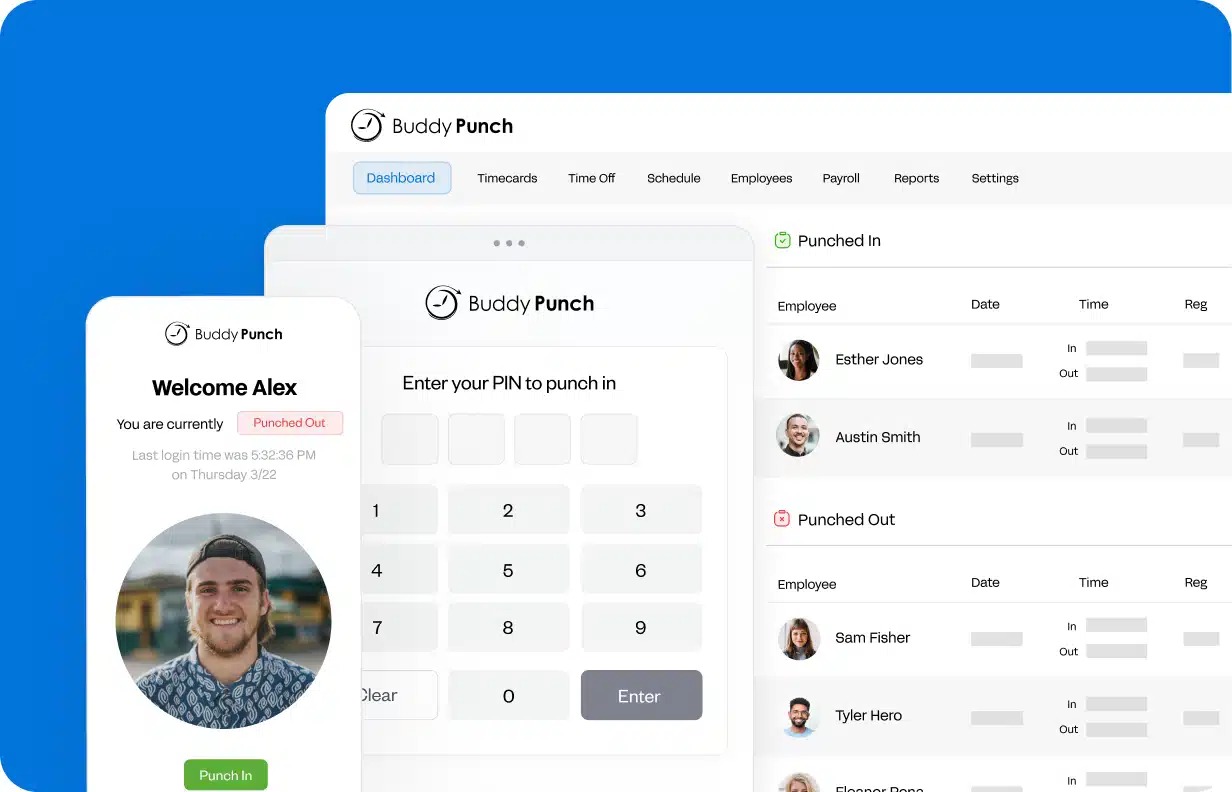
Buddy Punch is an employee time clock platform that helps businesses record working hours and review employee punches. Its mobile apps allow employees to clock in and out while recording GPS coordinates at the time of the punch.
Depending on the plan, businesses can also use geofencing, QR code scanning, shared kiosk punching and webcam verification. Managers can review timesheets, set reminders and connect working-hour records with payroll systems.
Key features:
-
Mobile clock-in and clock-out
-
GPS location on punches
-
Geofencing on supported plans
-
PIN and kiosk punching on supported plans
-
Break and time-off tracking
-
Payroll integrations
Pros:
-
Provides location information with employee punches.
-
Offers reminders for missed punches and breaks.
-
Supports attendance reporting.
-
Provides payroll integration options.
Cons:
-
Pricing includes a monthly base fee as well as a per-user charge.
-
Some verification and scheduling features are restricted to specific plans or add-ons.
Pricing: Buddy Punch lists several paid plans, with additional charges depending on the selected package and add-ons. Check the official pricing page for the latest rates.
Buddy Punch may suit employers who need a best app for employees to clock in and out with additional ways to verify when and where employees record their hours.
6. Timeero – Best for GPS-Based Employee Time Tracking
Best for: Field-service businesses and teams whose employees work across different locations.
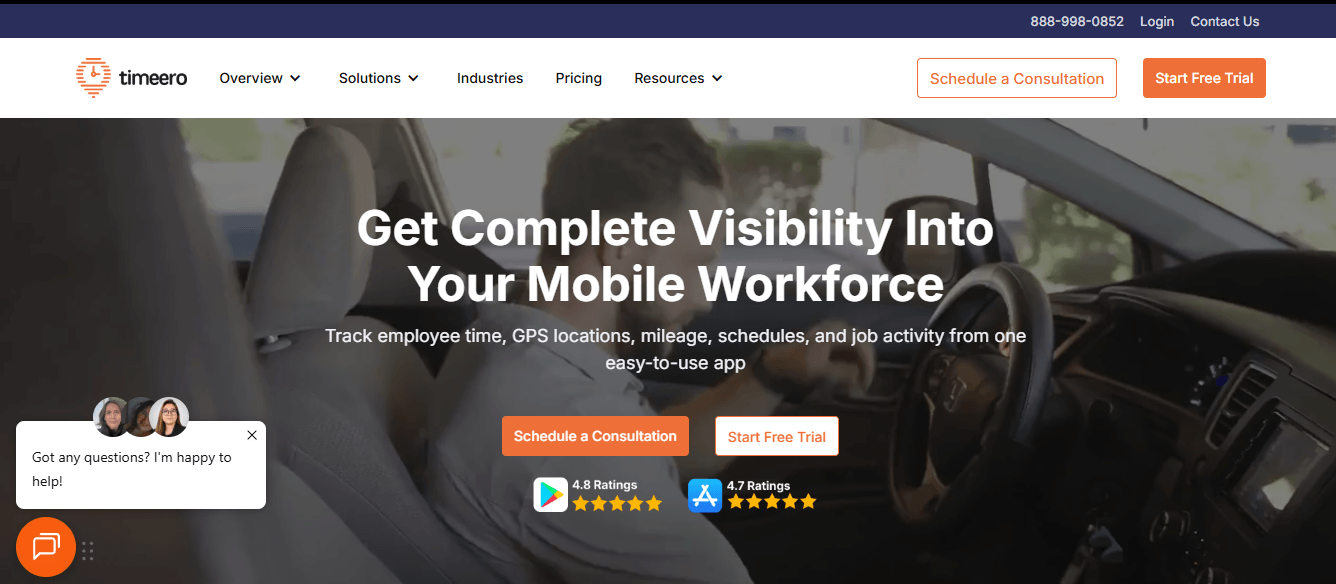
Timeero is designed for businesses that need to manage mobile employees and track working hours away from a fixed workplace. Its location-focused approach can help managers understand when employees start work and where their shifts take place.
It is particularly relevant to organisations with field teams, travelling staff and employees who visit multiple customer sites. Businesses should compare its GPS and reporting capabilities with their actual location-tracking requirements before choosing a plan.
Key features to evaluate:
-
Mobile employee time tracking
-
GPS-based clock-in and clock-out
-
Location and route tracking
-
Timesheet management
-
Employee attendance reporting
-
Tools for managing field teams
Pros:
-
Designed with mobile and field-based teams in mind.
-
Location-focused tracking can support field workforce management.
-
Helps businesses bring employee time records into one system.
Cons:
-
May be more specialised than necessary for businesses with a single fixed workplace.
-
Check which location and reporting features are included in each plan.
Pricing: Timeero offers paid plans. Visit its official website for current pricing and feature details.
Timeero is worth comparing if your business needs a clock in clock out online solution for employees who regularly travel between job sites.
7. Homebase – Best for Hourly Employee Scheduling
Best for: Small businesses with hourly employees and changing work schedules.
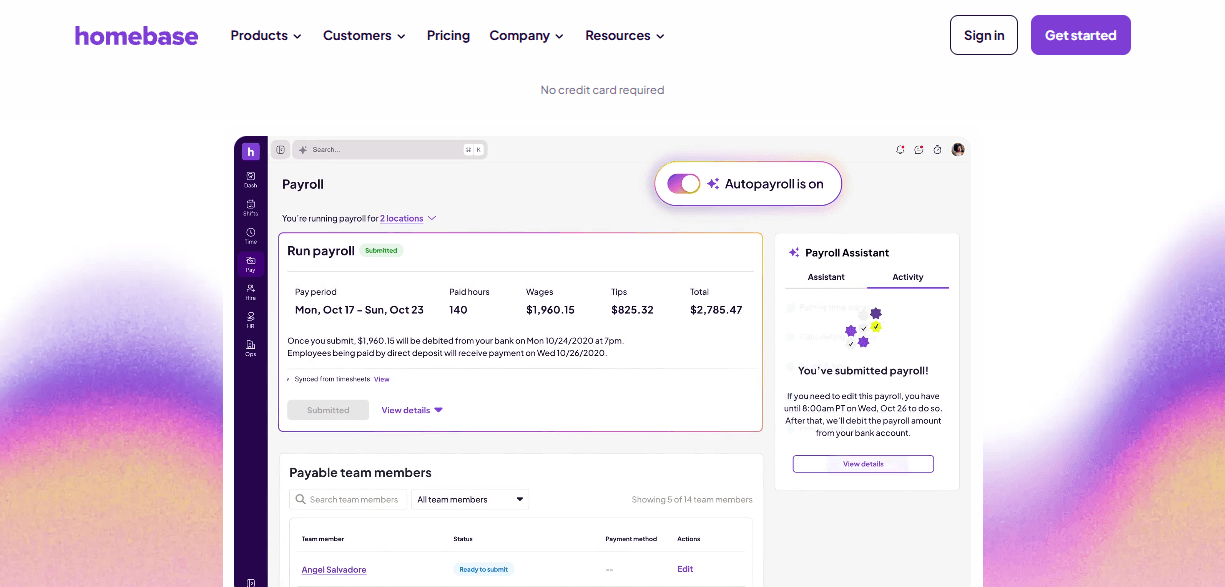
Homebase combines employee scheduling with time clock and team management tools. It is designed for businesses such as retail stores, restaurants and other workplaces that manage hourly staff.
Managers can use the platform to organise employee shifts and monitor working hours. Combining scheduling and time tracking can make it easier to compare planned shifts with actual attendance.
Key features to evaluate:
-
Employee time clock
-
Shift scheduling
-
Timesheet management
-
Attendance monitoring
-
Team communication
-
Payroll and reporting options
Pros:
-
Combines scheduling and time tracking.
-
Suitable for hourly and shift-based employees.
-
Helps managers organise staff availability and attendance.
Cons:
-
Some features may be limited by plan or business location.
-
Businesses should check whether the available payroll integrations suit their needs.
Pricing: Homebase offers different plans, including a free option with limitations. Check the official pricing page for current availability and included features.
Homebase can be a useful scheduling and time clock app for businesses that need to manage employee shifts and attendance together.
8. When I Work – Best for Shift-Based Teams
Best for: Businesses managing employees who work scheduled shifts.
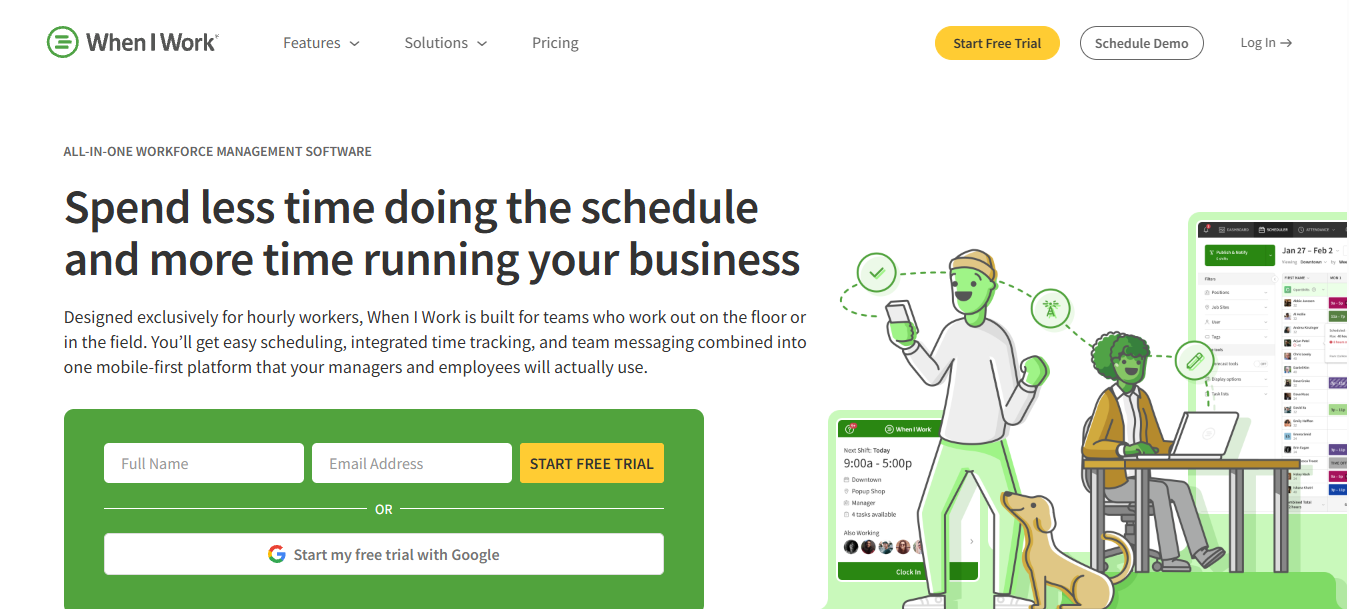
When I Work focuses on employee scheduling and workforce coordination. It can help managers create work schedules, communicate shift changes and manage employee time records.
For businesses with rotating shifts, the combination of scheduling and time tracking can help employees understand when they are expected to work and allow managers to review recorded hours.
Key features to evaluate:
-
Employee scheduling
-
Time and attendance tracking
-
Shift notifications
-
Employee availability management
-
Team communication
-
Timesheet and payroll workflows
Pros:
-
Designed for shift-based workforce management.
-
Helps managers organise employee schedules.
-
Supports communication around shift changes.
-
Brings scheduling and time records into one workflow.
Cons:
-
Businesses with more complex project-based tracking may need another tool.
-
Check the available time clock features and plan restrictions before subscribing.
Pricing: When I Work offers paid options. Review its official pricing page for current plans and features.
When I Work may be suitable for businesses that need an app for clocking in and out as part of a wider employee scheduling process.
9. Deputy – Best for Employee Shift Management
Best for: Businesses that need to coordinate employee shifts and attendance.
Deputy provides workforce management tools for businesses that rely on scheduled shifts. Its platform combines employee scheduling with time and attendance management, helping managers organise working hours and monitor staff attendance.
Businesses can use scheduling and time records together to manage shift coverage and review employee hours. It may be particularly useful for organisations with multiple teams or changing staffing requirements.
Key features to evaluate:
-
Employee shift scheduling
-
Time and attendance tracking
-
Timesheet management
-
Shift notifications
-
Workforce management
-
Payroll integrations
Pros:
-
Combines scheduling and attendance tools.
-
Helps managers coordinate shift coverage.
-
Suitable for businesses with changing staffing needs.
-
Supports workforce management processes.
Cons:
-
Businesses only needing a basic clock-in tool may not require its wider feature set.
-
Pricing and feature availability depend on the selected plan and location.
Pricing: Deputy offers paid plans and trial options. Check the official website for current pricing.
Deputy is a relevant choice for businesses looking for the best app for clocking in and out for employees while also managing shift schedules.
10. QuickBooks Time – Best for Payroll-Connected Time Tracking
Best for: Businesses that use QuickBooks and want to connect employee time records with payroll and accounting workflows.
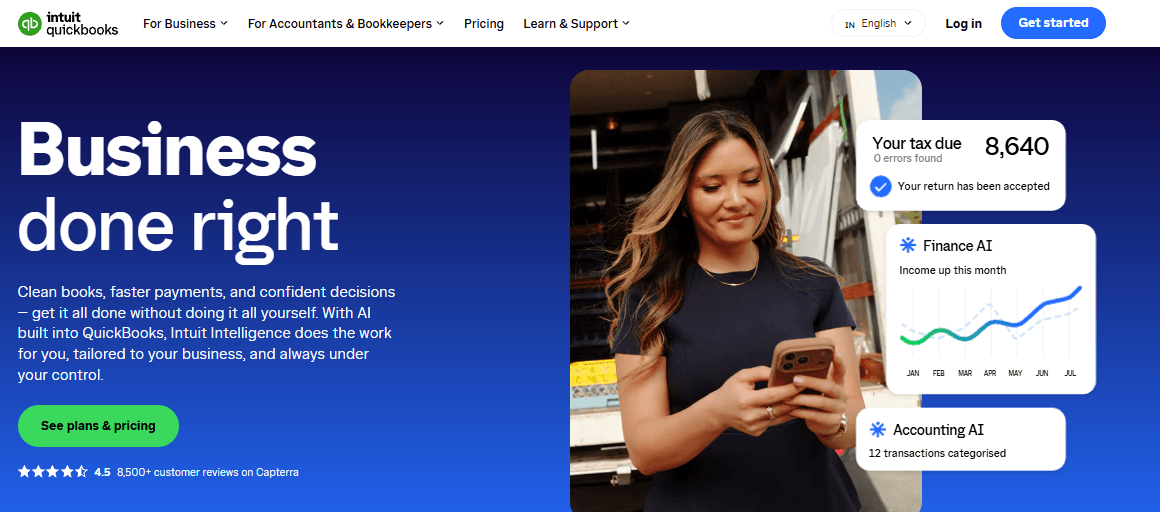
QuickBooks Time helps businesses record employee working hours and manage timesheets. It is particularly relevant to organisations that already use QuickBooks products and want to connect time records with their wider financial processes.
Employees can record time through supported devices, while managers can review timesheets and use the available reporting and integration options.
Key features to evaluate:
-
Mobile employee time tracking
-
Clock-in and clock-out records
-
Timesheet management
-
GPS-related tracking features
-
Payroll and accounting workflows
-
Employee time reports
Pros:
-
Useful for businesses already using QuickBooks.
-
Connects employee time records with wider accounting workflows.
-
Helps managers organise working-hour information.
-
Supports mobile time tracking.
Cons:
-
May not be the most cost-effective choice for businesses that do not use QuickBooks.
-
Businesses should review subscription requirements and integration availability.
Pricing: QuickBooks Time is offered through paid subscription options. Check the official QuickBooks website for current pricing and package details.
QuickBooks Time can be a suitable time clock software app for businesses that want employee time tracking connected to their accounting and payroll processes.
How We Selected the Best Clock-In Clock-Out Apps
We compared these tools based on the features businesses commonly need when managing employee attendance and working hours. Our selection considered:
-
Ease of use: Employees should be able to clock in and out without a complicated process.
-
Clock-in methods: We considered mobile apps, web-based time clocks and shared kiosks.
-
Attendance management: The software should help managers review attendance records and identify missing or incorrect entries.
-
Timesheet management: We looked for tools that organise recorded hours into timesheets.
-
Location features: GPS tracking and geofencing can be useful for businesses with employees working at different locations.
-
Reporting: Managers should be able to review working hours and export relevant records.
-
Pricing and free plans: We considered whether businesses can test the software or use a free plan before committing.
The most suitable solution will depend on how your employees work. A business with a fixed workplace may need a shared kiosk, while a field-service company may prioritise GPS-based clock-ins.
Benefits of Using a Clock-In Clock-Out App
Using a digital time clock can make employee attendance management easier and more organised. Instead of relying on paper registers or spreadsheets, businesses can record working hours through a central system.
1. Improve Employee Attendance Tracking
A clock-in and clock-out system gives managers a clearer record of when employees start and finish their shifts. This can make it easier to review attendance, identify missed punches and maintain consistent records.
Employees can use their phones, computers or a shared workplace device, depending on the software. This flexibility is useful for businesses with office-based, remote and on-site teams.
2. Reduce Manual Timesheet Errors
Manually recording employee working hours can lead to mistakes, including incorrect entries and missing information. A digital time clock records clock-in and clock-out activity and organises the information into timesheets.
Managers can review these records and correct missing or inaccurate entries before processing payroll.
3. Save Time on Payroll Preparation
Accurate working-hour records make it easier to calculate regular hours, overtime and breaks. Instead of collecting attendance information from different sources, managers can review timesheets in one place.
Some platforms also provide payroll integrations or export options, helping businesses transfer approved time records into their payroll process.
4. Improve Workforce Productivity
A centralised time tracking system helps managers understand how working hours are distributed across employees, projects and tasks. This information can support better workload planning and help identify areas where additional resources may be needed.
It also reduces the administrative effort involved in maintaining attendance records manually.
5. Provide Flexible Clock-In Options
Different businesses have different attendance requirements. Office employees may prefer mobile or desktop clock-ins, while retail, manufacturing and warehouse teams may find a shared kiosk more convenient.
The best app for clocking in and out should offer methods that suit the way your employees work, rather than forcing everyone to follow the same process.
Key Features to Look for in a Clock-In Clock-Out App
Not every time clock application offers the same capabilities. Before choosing a platform, consider which features are necessary for your business.
1. Mobile Clock-In and Clock-Out
A mobile time clock allows employees to record their working hours using smartphones. This can be useful for remote workers, field employees and teams that do not always work from a fixed location.
Check whether the app supports both Android and iOS devices and whether employees can view their recorded hours.
2. GPS Tracking and Geofencing
GPS tracking can record an employee’s location when they clock in or out. Geofencing allows businesses to define approved work locations and apply location-based clock-in rules.
These features can be useful for construction companies, field-service teams and businesses with employees working at multiple sites. Employers should also establish clear location-tracking policies and inform employees how their location data is used.
3. PIN and QR Code Verification
PIN and QR code clock-ins can make shared time clock kiosks easier to use. Employees enter a personal PIN or scan a QR code to record their attendance.
This method can be suitable for workplaces where several employees start and finish their shifts at the same location. Check whether these verification methods are included in the plan you intend to purchase.
4. Employee Timesheet Management
Timesheets organise recorded working hours into daily or weekly records. Managers can use them to review attendance, check total hours and identify entries that need correction.
Look for software that allows managers to review, edit and export timesheets where required.
5. Break and Overtime Tracking
Businesses with scheduled breaks or overtime requirements should check whether the software records these activities separately. Clear break and overtime records can make attendance reviews and payroll preparation easier.
The rules should be configured according to the organisation’s policies and applicable employment requirements.
6. Reporting and Payroll Integrations
Reporting tools help managers understand employee working hours and attendance patterns. Payroll integrations and export options can also reduce the need to transfer information manually.
Before choosing a platform, check whether it connects with your existing payroll, accounting or workforce management systems.
Best Free Clock-In and Clock-Out Apps: What Do You Get?
A free clock-in and clock-out app can be a useful starting point for small businesses that want to digitise attendance without immediately paying for a subscription. However, free plans do not always include every feature.
Some platforms limit the number of users, while others reserve advanced reporting, scheduling, GPS or verification features for paid subscriptions.
| Software | Free option | What to check |
|---|---|---|
| AYYES | Free plan for up to 12 seats | Basic time tracking, projects, tasks and kiosk access; check availability of advanced kiosk features |
| Clockify | Free plan available | User limits and access to advanced attendance or kiosk features |
| Jibble | Free plan for unlimited users | Which advanced workforce management features require an upgrade |
| Homebase | Free plan available with limits | Location, team and feature restrictions |
| Connecteam | Free plan options subject to eligibility and limits | Team size and included workforce management features |
AYYES offers a free plan for up to 12 team members, including time tracking, unlimited projects and tasks, and basic kiosk access. Businesses can also try PRO features for 30 days without providing a credit card. Advanced features, including employee monitoring and some kiosk capabilities, should be checked against the selected plan.
When comparing the best free clock in and out app options, do not look only at the number of free users. Check whether the plan includes the clock-in methods, reports and integrations your business actually needs.
How to Choose the Best App for Clocking In and Out
Choosing a suitable time clock application starts with understanding how your employees work. Consider the following factors before making a decision.
1. Consider Your Team Size
Start by identifying how many employees will use the system. Some apps offer free plans for small teams, while others charge a monthly fee per user.
If your business is growing, check whether the software allows you to add employees without changing platforms or facing unexpected costs.
2. Identify Your Attendance Requirements
Think about where employees work and how they should record their hours. A fixed workplace may only need a shared kiosk, whereas a field-service business may need mobile clock-ins and GPS verification.
Choose a system that supports your actual attendance process.
3. Compare Time Tracking and Project Management
Some businesses only need to record employee attendance. Others also need to understand how much time employees spend on particular projects or tasks.
If project-level reporting matters, consider a platform that combines employee time tracking with project and task management.
4. Review Pricing and Free-Plan Limitations
Compare the total subscription cost, including per-user fees, base charges and optional add-ons. A low starting price does not necessarily mean that all the required features are included.
Review the free plan carefully and consider whether its limits will affect your business as the team grows.
5. Check Reporting and Integration Options
Look at how the software organises timesheets and whether managers can export the records. If your business already uses payroll or accounting software, check whether the time clock platform supports the required integration.
The right choice should fit into your existing workflow rather than create additional administrative work.
How Do Employees Clock In and Out Using an App?
Most clock-in applications follow a straightforward process. The exact steps depend on the software and the method selected by the employer.
-
Open the App: Employees open the time tracking application on their phone, computer or workplace kiosk.
-
Record Clock-In: They select the relevant option to start their shift. Depending on the system, they may use a personal account, PIN, QR code or another verification method.
-
Record Breaks and Working Hours: If supported, employees record the start and end of their breaks during the shift.
-
Clock Out: At the end of the working day, employees use the app or kiosk to record their finishing time.
-
Review Timesheets: The recorded hours are organised into timesheets that employees or managers can review, depending on the software permissions.
A consistent process helps businesses maintain clearer attendance records and makes it easier to review working hours.
Why Choose AYYES as the Best App for Employees to Clock In and Out?
AYYES combines employee time tracking, project management and kiosk-based attendance in one platform. It helps businesses record working hours and organise time spent on different projects and tasks.
For teams that need the best app for employees to clock in and out, AYYES provides a choice of time tracking methods, including a shared kiosk for on-site employees.
1. Simple Employee Clock-In and Clock-Out
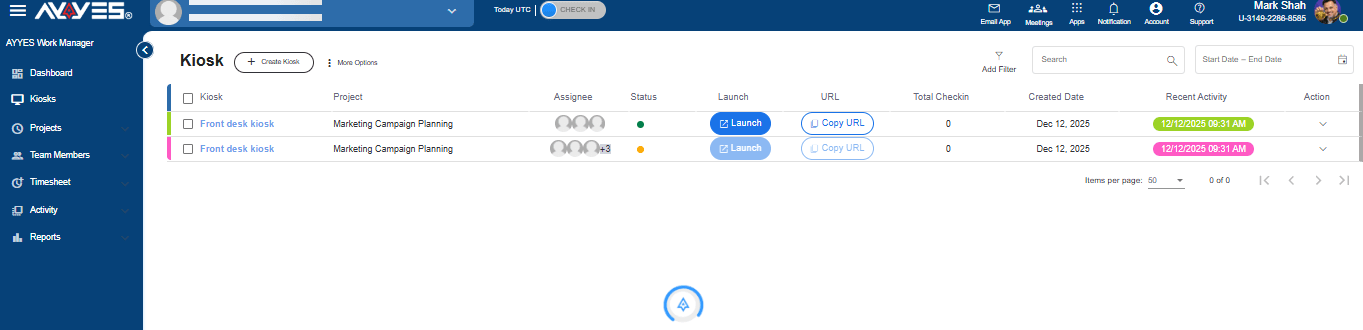
The AYYES Kiosk allows employees to record attendance from a shared tablet or another supported device. Employees can select their names and use the available check-in method to start or finish their shifts.
The kiosk supports PIN and QR code clock-ins, helping teams record attendance without requiring every employee to use an individual device. Feature availability should be checked against the selected plan.
2. Organised Employee Timesheets
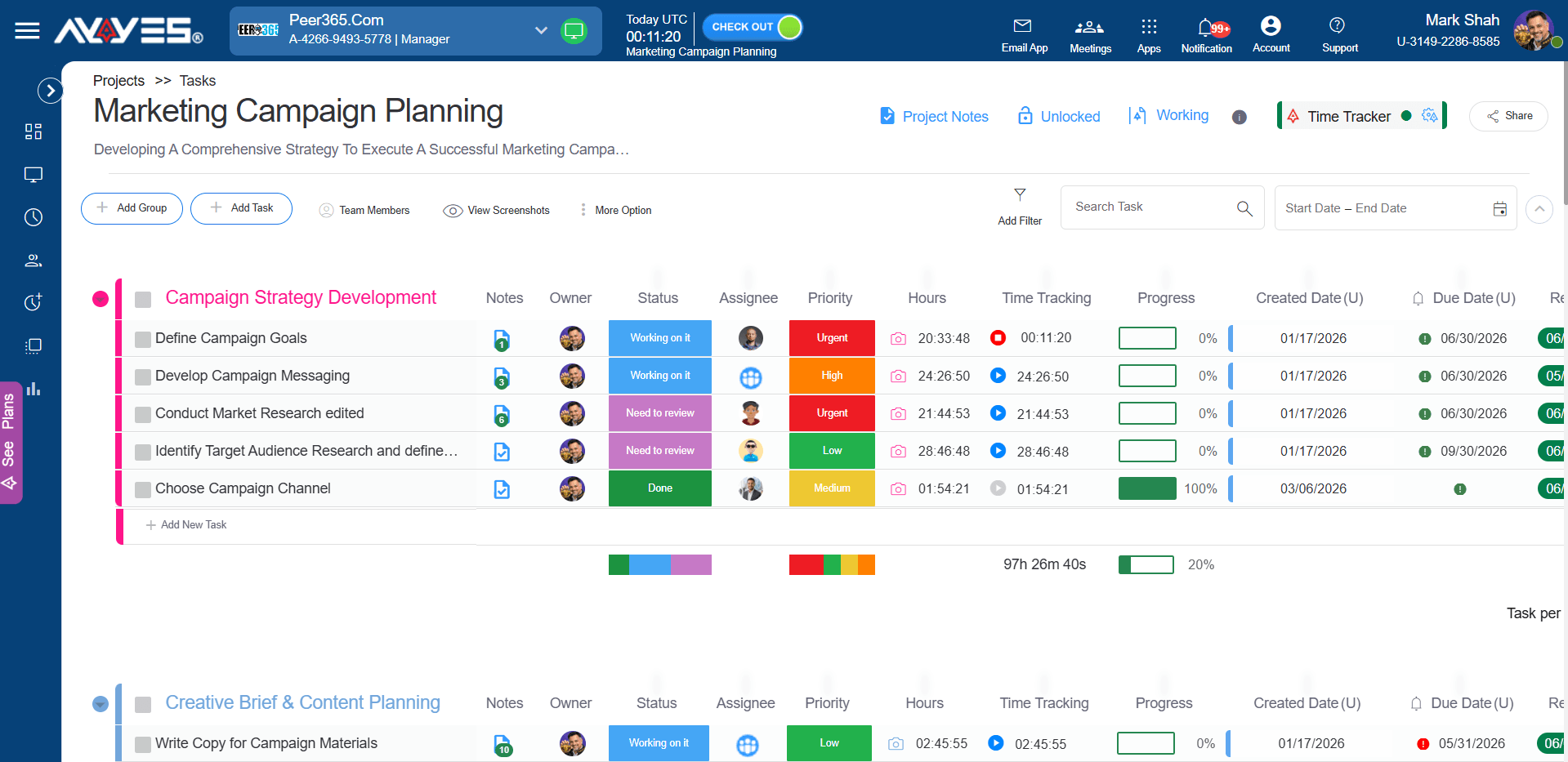
AYYES organises tracked working hours into timesheets, giving managers a central place to review employee time records. This can help businesses check recorded hours and maintain more organised attendance information.
3. Project and Task Time Tracking
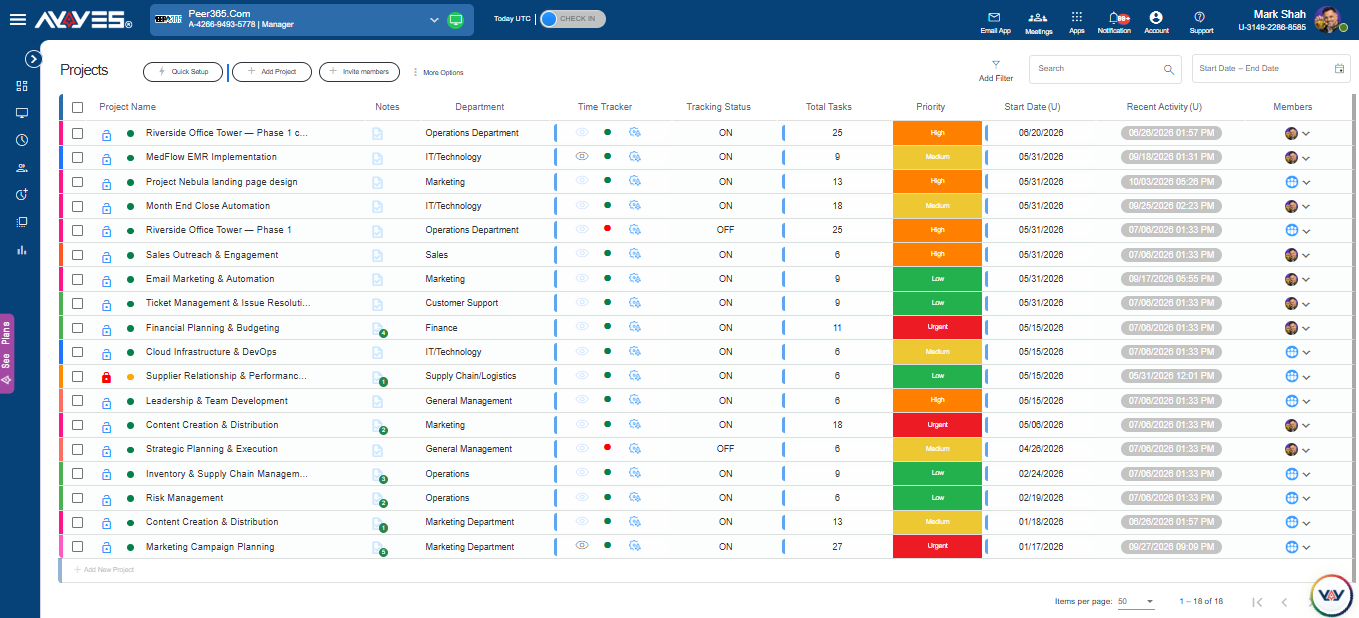
In addition to recording employee working hours, AYYES allows teams to track time across projects and tasks. This helps managers understand how working time is distributed across different activities.
The combination of time tracking and project management can be useful for businesses that need more than a basic attendance register.
4. Detailed Reports and Employee Activity
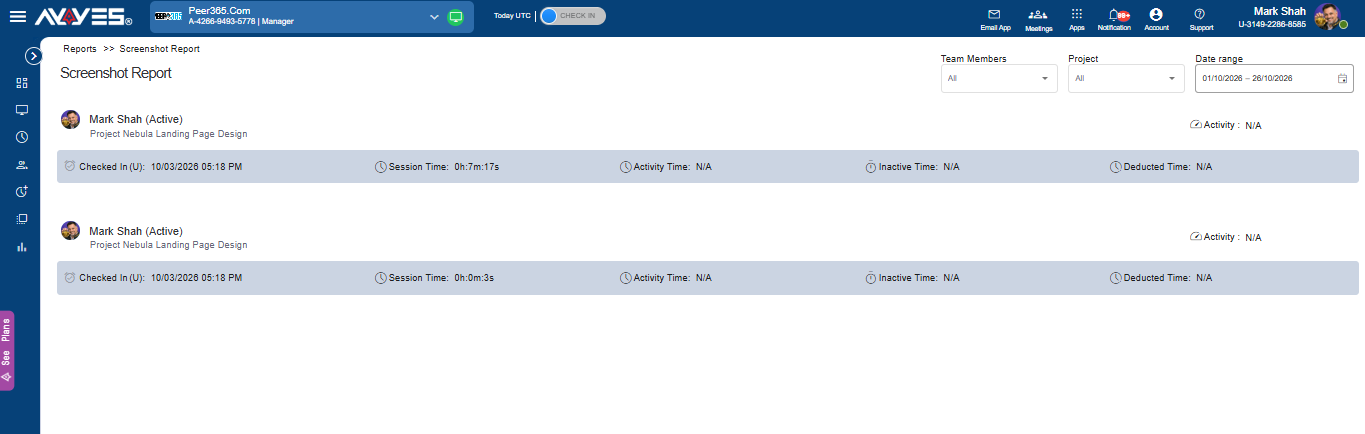
Businesses can use reports to review tracked time and understand how employees spend their working hours. AYYES also offers advanced analytics and employee monitoring features through its paid plans and PRO trial.
Features such as screenshots and activity monitoring are not included in the free plan, so businesses should review the plan comparison before enabling them.
Clock-In Clock-Out Software: Which One Should You Choose?
The right software depends on the features your business needs most. A basic time clock may be enough for a small office, while a business with field employees may need GPS tracking and a company with rotating shifts may prioritise scheduling.
Use this comparison to narrow down your options:
| Business requirement | Software to consider | Why |
|---|---|---|
| Employee time tracking and kiosk clock-ins | AYYES | Combines time tracking, timesheets, projects and kiosk access |
| Project-based time tracking | Clockify | Supports time tracking across projects and shared kiosk clock-ins |
| Frontline workforce management | Connecteam | Combines time clock, scheduling and team communication |
| Free attendance tracking | Jibble | Offers a free plan for unlimited users |
| Employee punch verification | Buddy Punch | Provides GPS on punches and additional verification options |
| GPS-based field time tracking | Timeero | Focuses on mobile and location-based workforce tracking |
| Hourly employee scheduling | Homebase | Combines time clock and employee scheduling |
| Shift-based workforce management | When I Work | Supports employee scheduling and time management |
| Employee shift management | Deputy | Combines scheduling and attendance tools |
| Payroll-connected time tracking | QuickBooks Time | Suits businesses using QuickBooks workflows |
Before choosing, compare the available features, plan limits and total cost. The best app for clocking in and out is the one that supports your team’s daily attendance process without adding unnecessary complexity.
For small businesses looking for time tracking, project management and shared kiosk access, AYYES is an option worth considering. Teams with more specialised requirements may prefer a platform focused on GPS tracking, scheduling or payroll integration.
Frequently Asked Questions on Clock-In and Clock-Out App
1. What Is a Clock-In and Clock-Out App?
A clock-in and clock-out app is software that allows employees to record when they start and finish work. It can be used through a mobile phone, computer or shared workplace kiosk. The recorded information is usually organised into timesheets that managers can review for attendance and payroll purposes.
2. What Is the Best Free Clock-In and Clock-Out App for Employees?
The best option depends on your team size and required features. AYYES offers a free plan for up to 12 team members, with time tracking, unlimited projects and tasks, and basic kiosk access. Jibble offers a free plan for unlimited users. Compare their feature limits before deciding which one suits your business.
3. Can Employees Clock In and Out Using Their Phones?
Yes. Many time clock applications allow employees to record their working hours through Android and iOS apps. Depending on the software, employees may also be able to use GPS verification, view their timesheets and record breaks.
4. How Do Clock-In Apps Help Businesses Track Employee Working Hours?
Clock-in apps record employee start times, finish times and, where supported, breaks. They organise this information into timesheets, helping managers review attendance, check working hours and prepare payroll records. Some platforms also provide reporting and location-based features.
5. Can Employees Clock In and Out Using a Shared Kiosk?
Yes. Some applications support shared kiosks that can run on a tablet or another workplace device. Employees use an available method, such as a personal PIN or QR code, to record their attendance. A shared kiosk can be useful in offices, warehouses, retail stores and manufacturing workplaces.


