Landscaping businesses often manage employees across multiple outdoor job sites, customer properties and changing work schedules. Keeping track of employee working hours, managing crew attendance and recording time spent on individual projects can become challenging as a business grows.
Using reliable time tracking software for landscaping helps businesses record employee hours, organise crew schedules and maintain accurate timesheets. These tools can also help managers understand how labour hours are distributed across different properties and assignments.
However, not every platform offers the same capabilities. Some applications focus on basic employee time tracking, while others provide GPS geofencing, facial recognition, job costing, payroll integrations and workforce scheduling.
Choosing the right solution depends on your team size, number of job sites, seasonal staffing requirements and budget.
In this guide, we compare eight popular platforms, including their features, advantages, limitations and pricing considerations, to help you find a suitable solution for your landscaping business.
Best Landscaping Time Tracking Software at a Glance
Finding suitable landscaping time tracking software can help businesses maintain accurate attendance records and coordinate field employees. Different platforms provide different capabilities depending on their intended users and business requirements.
The following table compares eight tools based on their main features and suitability for landscaping businesses:
Software
Best For
Main Capabilities
AYYES
Team time tracking and project management
Time tracking, projects, tasks, timesheets and reports
Truein
Multi-site and seasonal crews
Face recognition, GPS geofencing, offline tracking and attendance
ClockShark
GPS tracking and crew communication
GPS clock-in, geofencing, job tracking and crew messaging
BusyBusy
Job costing and field documentation
GPS tracking, cost codes, equipment hours and photos
Aspire
Complete landscaping management
Time tracking, estimating, scheduling, CRM and invoicing
QuickBooks Time
Businesses using QuickBooks
GPS tracking, scheduling, timesheets and payroll integration
Hubstaff
Multi-crew scheduling
GPS tracking, geofencing, work orders and reporting
Connecteam
Employee scheduling and workforce management
Time clocks, shift scheduling, communication and attendance
Choosing the best time tracking software for landscaping involves more than finding an application that records employee working hours. Businesses should consider mobile access, GPS capabilities, job-based tracking, attendance management, payroll integrations and reporting.
Here are eight platforms worth considering:
1. AYYES – Best for Landscaping Team Time Tracking and Project Management
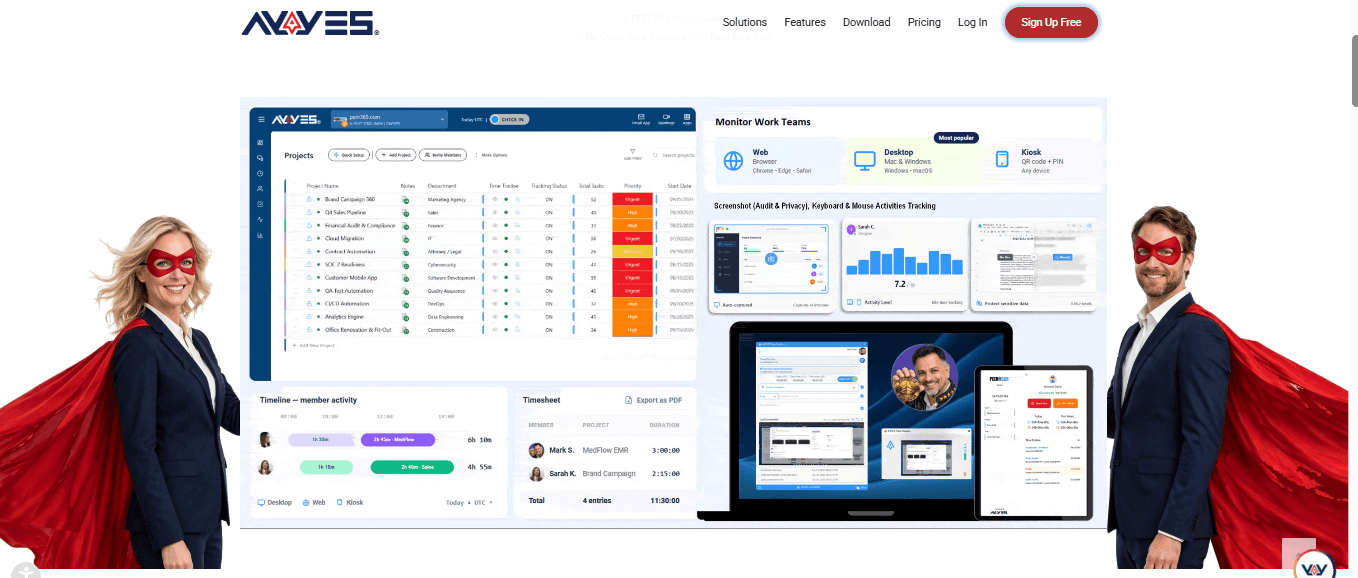
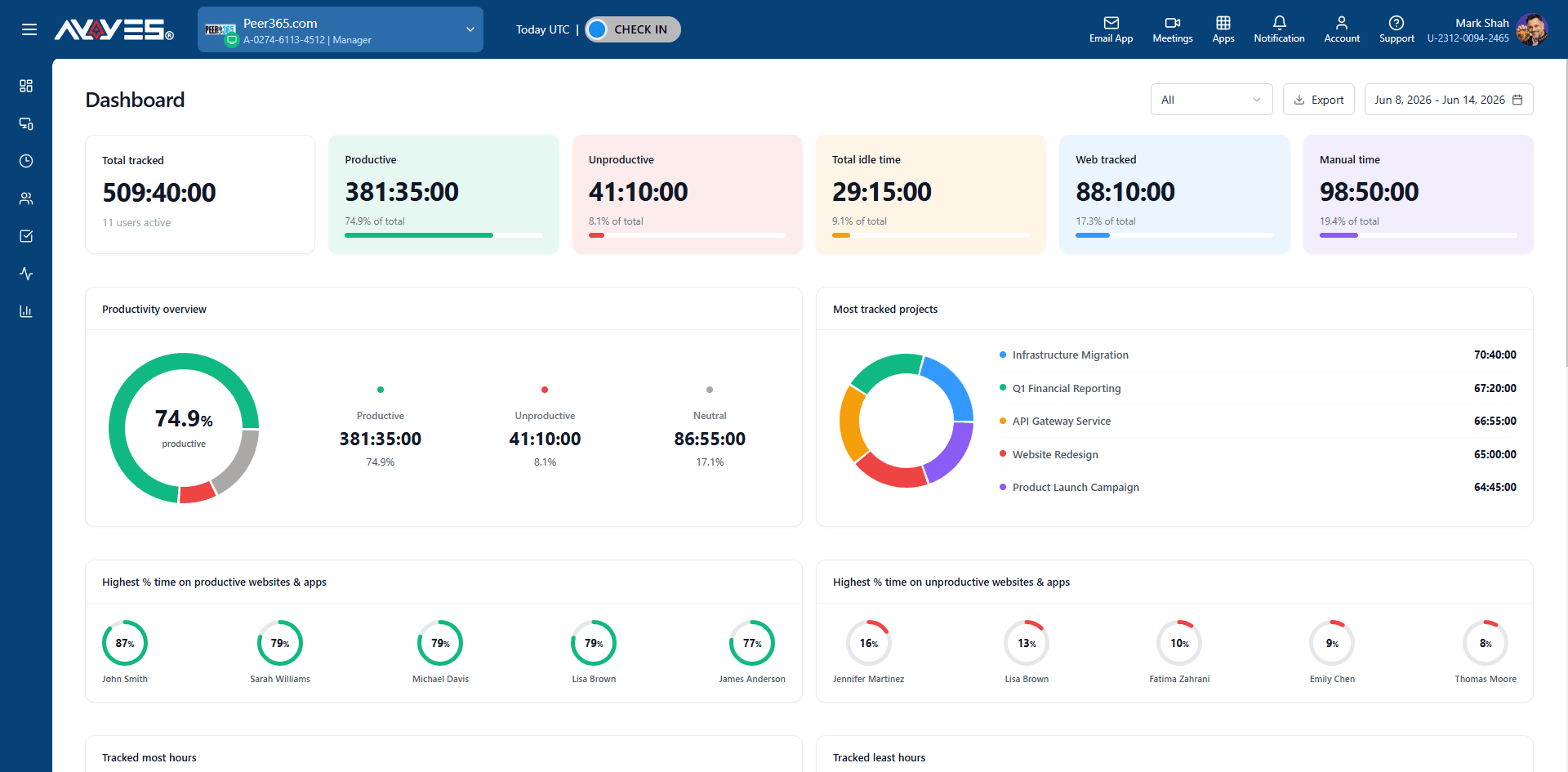
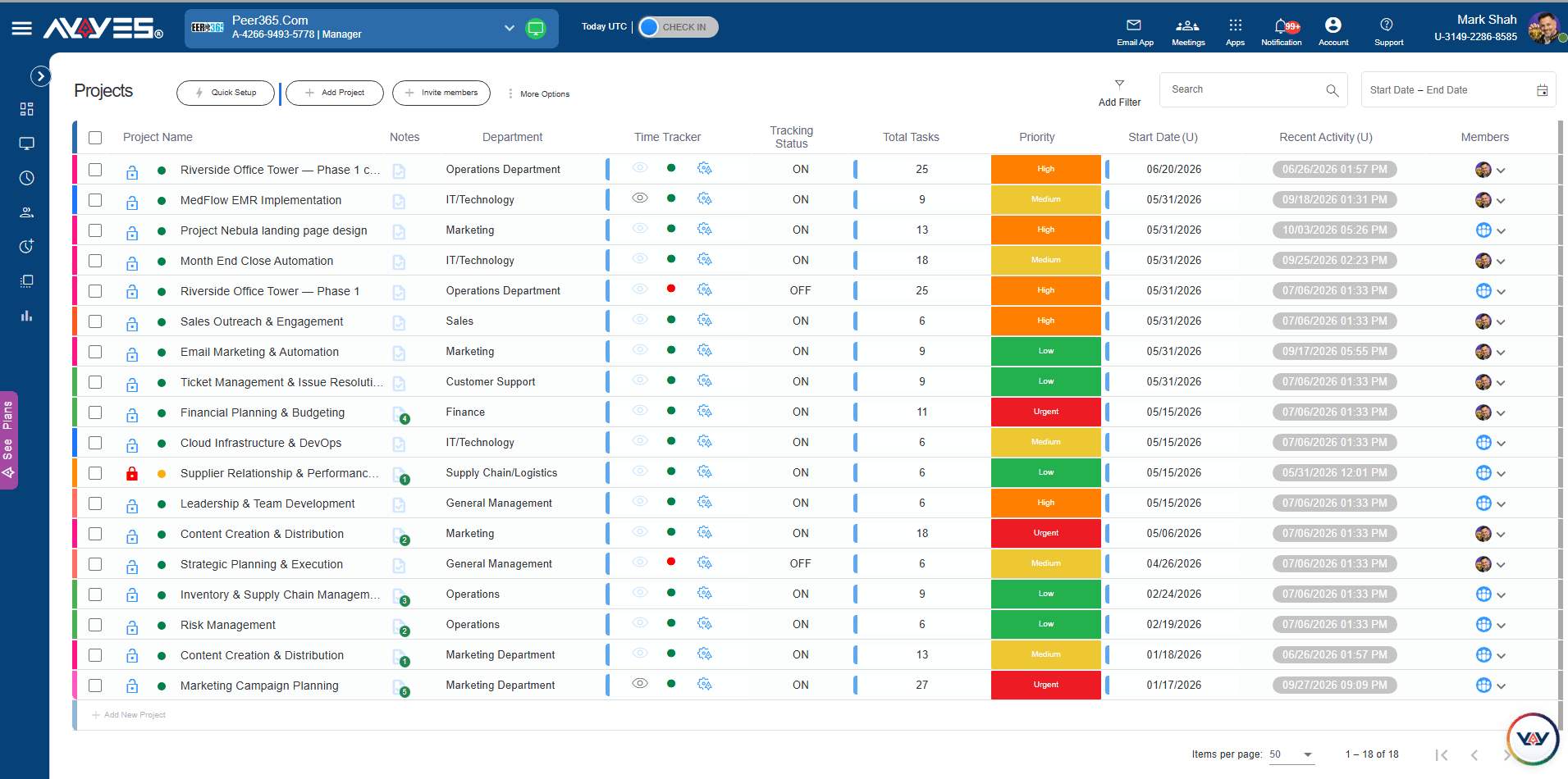
AYYES combines employee time tracking with project and task management, helping landscaping businesses organise working hours and manage team assignments in one platform. Employees can record their time, manage tasks and associate working hours with relevant projects.
For businesses looking for time tracking software for landscaping, AYYES offers a central platform for managing employee hours, timesheets and project-related activities. Managers can review recorded time and understand how work is distributed across different assignments.
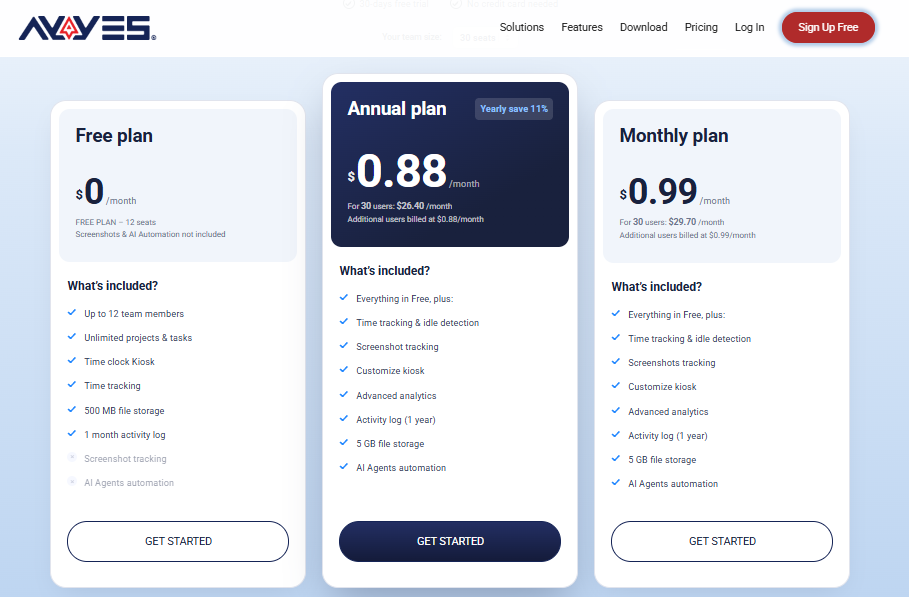
Its free plan supports up to 12 team members, making it a practical starting point for smaller landscaping companies. Businesses that require additional capabilities can explore paid subscriptions and the 30-day PRO trial without a credit card.
Key Features
Time Tracking: Record employee working hours using supported time tracking methods.
Project Management: Organise landscaping projects and associate working hours with relevant assignments.
Task Management: Create and manage tasks to organise daily employee responsibilities.
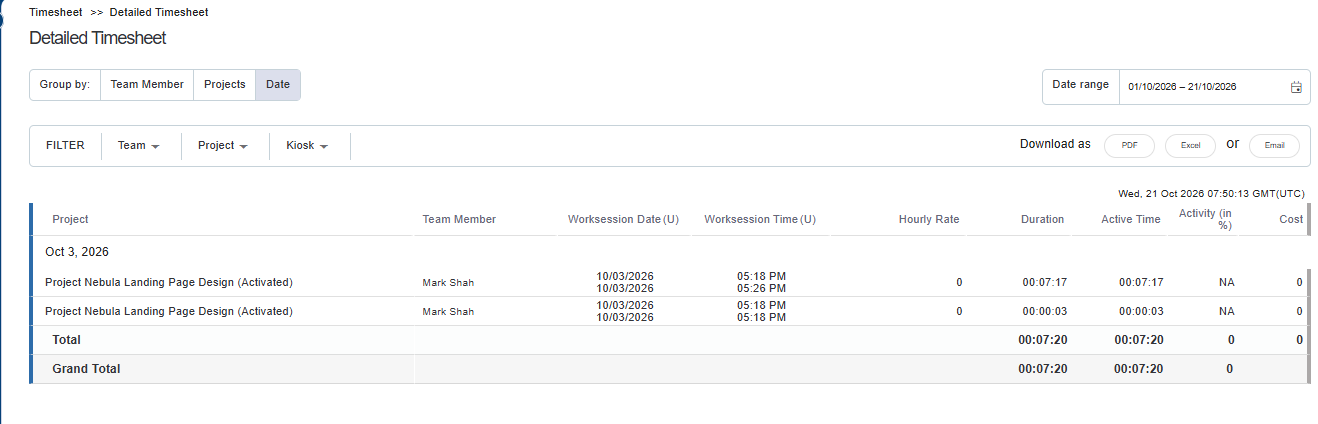
Timesheet Management: Review recorded working hours and maintain structured time records.
Reports and Exports: Generate reports and export available time information.
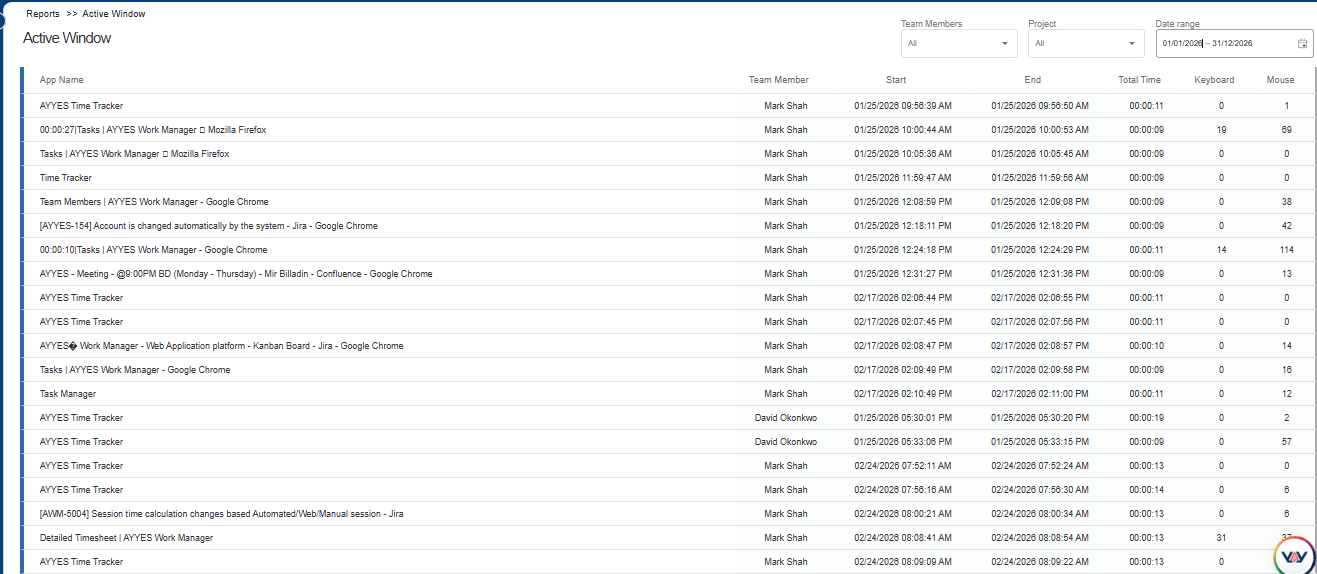
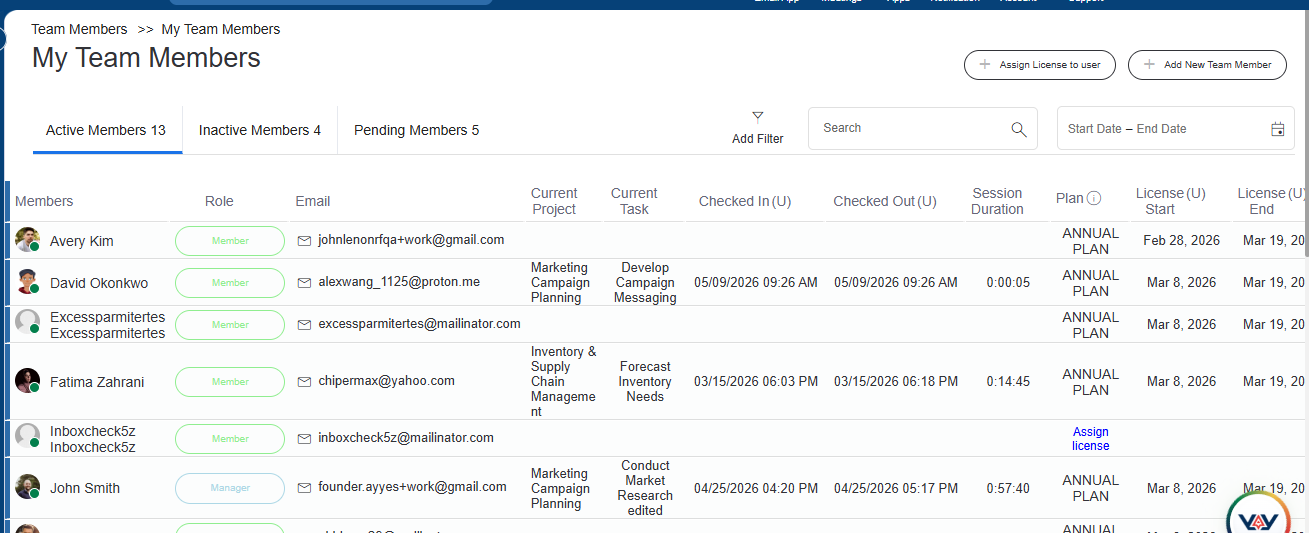
Team Activity Visibility: Access eligible employee activity features through supported paid plans.
Pros
Combines time tracking with project and task management.
Limitation : Advanced monitoring features, including screenshots and application activity tracking, are available only through paid plans. Businesses requiring GPS geofencing or specialised field crew tracking should evaluate their additional requirements.
AYYES Pricing
AYYES offers a free plan for up to 12 team members, alongside paid subscriptions and a 30-day PRO trial.
Plan
Price
What’s Included
Free
$0
Up to 12 team members, time tracking, unlimited projects and tasks, basic kiosk access
Monthly
$0.99/seat/month
Paid features according to the selected plan
Annual
$0.88/seat/month
Annual billing at the stated monthly equivalent
PRO Trial
$0
30 days of PRO features without a credit card
For example, a 30-seat team costs $29.70 per month with monthly billing or $26.40 per month at the annual monthly equivalent.
The free plan is suitable for teams that need basic time tracking and project organisation. Businesses requiring advanced monitoring capabilities should review the paid-plan features before subscribing.
Best For: Small and growing landscaping businesses that want employee time tracking, project organisation, task management and reporting in one platform.
2. Truein – Best for Multi-Site and Hourly/Seasonal Landscaping Workforce
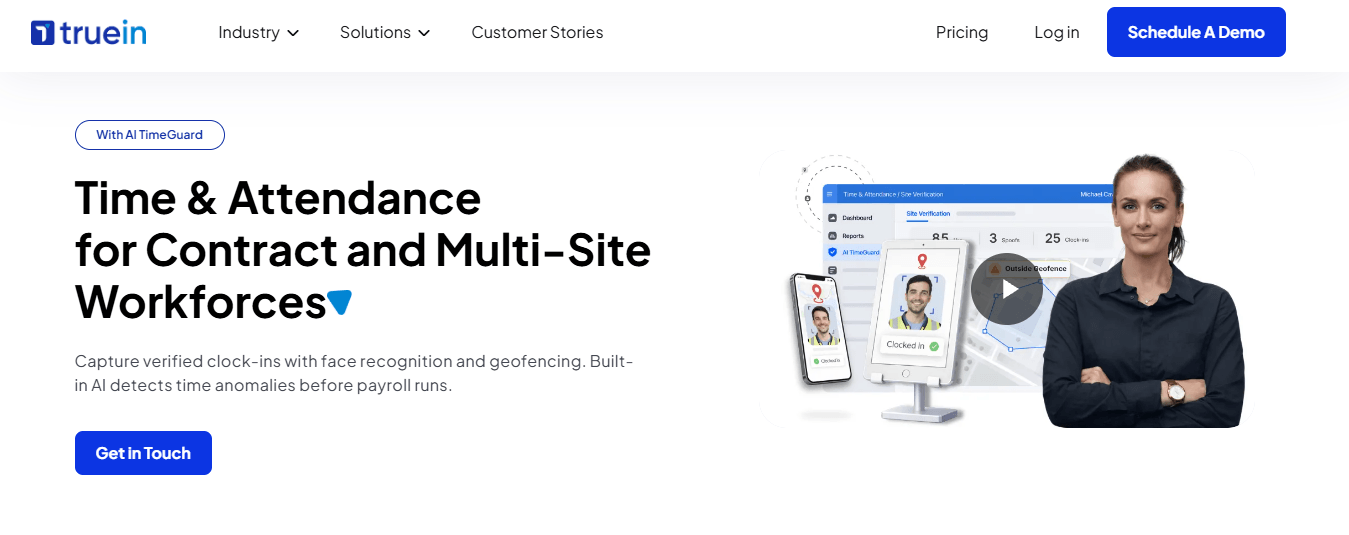
Truein is a face recognition-based landscaping time tracking software solution designed for businesses managing hourly and seasonal employees across multiple job sites. It verifies employee identity during clock-in, helping prevent buddy punching and maintain more reliable attendance records.
Landscaping companies often hire additional workers during busy seasons and manage crews across different customer properties. Truein helps managers organise these employees through mobile attendance tracking, GPS geofencing and a centralised workforce dashboard.
The platform works on Android and iOS devices without requiring dedicated attendance hardware. Its offline tracking functionality also allows employees to record attendance when internet connectivity is unavailable.
Key Features
Face Recognition: Verify employee identity during clock-in and clock-out.
GPS Geofencing: Restrict attendance recording to designated job-site locations.
Offline Time Tracking: Record attendance without an active internet connection and synchronise data later.
Bulk Employee Onboarding: Add seasonal and hourly employees through supported mobile or kiosk workflows.
Multi-Site Dashboard: Review attendance information across different job locations.
Payroll Reports: Generate attendance reports and connect with supported payroll and HRMS solutions.
Pros
Supports facial recognition for employee verification.
Provides centralised attendance visibility across multiple sites.
Limitation : Truein focuses primarily on hourly and multi-site workforce time tracking. Businesses needing estimating, invoicing or comprehensive job scheduling may require additional software.
Pricing
Plan
Price
Time Capture
$3/user/month
Advanced
$4.50/user/month
Free Trial
Available
Best For: Small and mid-sized landscaping companies managing hourly or seasonal employees across multiple job sites.
3. ClockShark – Best for GPS Tracking with Built-In Crew Communication
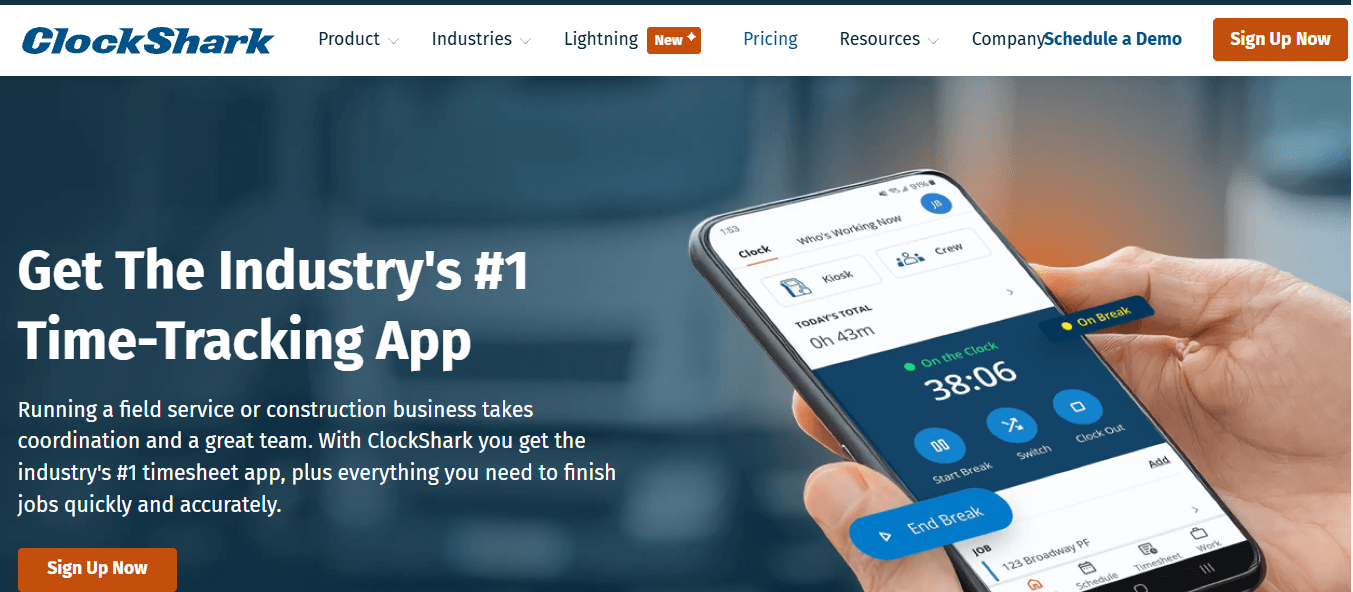
ClockShark is a mobile time tracking platform designed for field service businesses, including landscaping companies. It combines GPS-based attendance recording with crew communication, helping office managers and field employees stay connected.
For businesses comparing a landscaping time tracker, ClockShark offers job-based time recording that allows employees to associate their working hours with specific customers, properties and assignments.
Its built-in communication tools also help managers share job instructions, discuss updates and keep conversations organised around individual projects. This can be useful when landscaping crews work at different locations throughout the day.
Key Features
GPS Clock-In: Record employee attendance with GPS location information.
Geofencing: Restrict clock-ins to designated job-site boundaries.
Job-Based Tracking: Record working hours against specific customers and projects.
Crew Communication: Keep job-related conversations and updates within the platform.
Crew Scheduling: Organise employee schedules and communicate changes.
Kiosk Mode: Allow supervisors to clock in multiple employees through a shared device.
Payroll Integrations: Connect with supported systems such as QuickBooks, Xero and Sage.
Pros
Combines GPS time tracking with crew communication.
Supports job and task-based time recording.
Helps managers coordinate field employees.
Offers geofencing capabilities.
Supports payroll integrations.
Limitation : Facial recognition is available through kiosk mode on a shared device rather than individual mobile clock-ins.
Pricing
Plan
Price
Standard
$40/month base + $9/user/month
Pro
$60/month base + $11/user/month
Free Trial
14 days
Best For: Small landscaping companies that need GPS-based job-site tracking and built-in communication between field crews and office teams.
4. BusyBusy – Best for Job Costing and On-Site Documentation
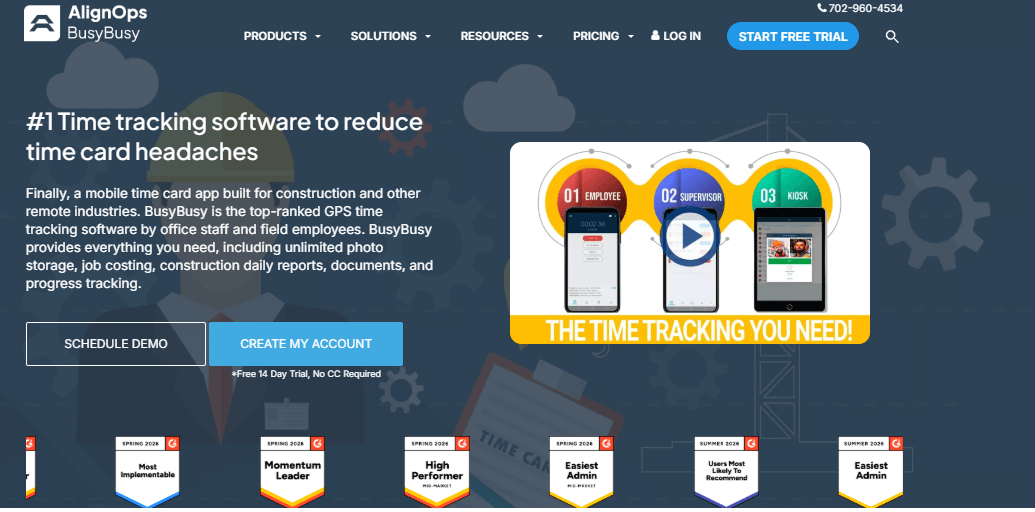
BusyBusy is a mobile time tracking application designed for field service businesses. It combines employee attendance, job costing and on-site documentation, making it useful for landscaping companies that need more detailed information about labour hours and project expenses.
Employees can record working hours against specific jobs and cost codes, while managers can review labour information and compare actual hours with project estimates.
For companies evaluating landscaping time tracking software, BusyBusy offers additional capabilities beyond basic attendance records. Employees can also capture photos, add field notes and record equipment hours directly through supported mobile features.
Key Features
GPS Time Tracking: Record employee working hours with location information.
Job Costing: Review labour hours and costs against project budgets.
Equipment Tracking: Record equipment hours alongside employee time.
Photo Documentation: Capture photos and attach field information to job records.
Offline Tracking: Record working hours without internet access and synchronise later.
Timecard Signatures: Allow employees and supervisors to approve timecards.
Payroll Integrations: Connect with supported payroll systems, including QuickBooks and ADP.
Pros
Combines employee tracking with job costing.
Supports equipment-hour tracking.
Provides field photo and note documentation.
Offers offline time recording.
Helps managers review labour information against project budgets.
Limitation: BusyBusy does not provide facial recognition or biometric identity verification at clock-in.
Pricing
Plan
Price
Free
$0
Pro
$11.99/user/month + $40 admin licence fees
Premium
$17.99/user/month + $40 admin licence fees
Best For: Small landscaping businesses that need job costing, equipment tracking and on-site documentation alongside employee time tracking.
5. Aspire – Best for End-to-End Landscaping Business Management
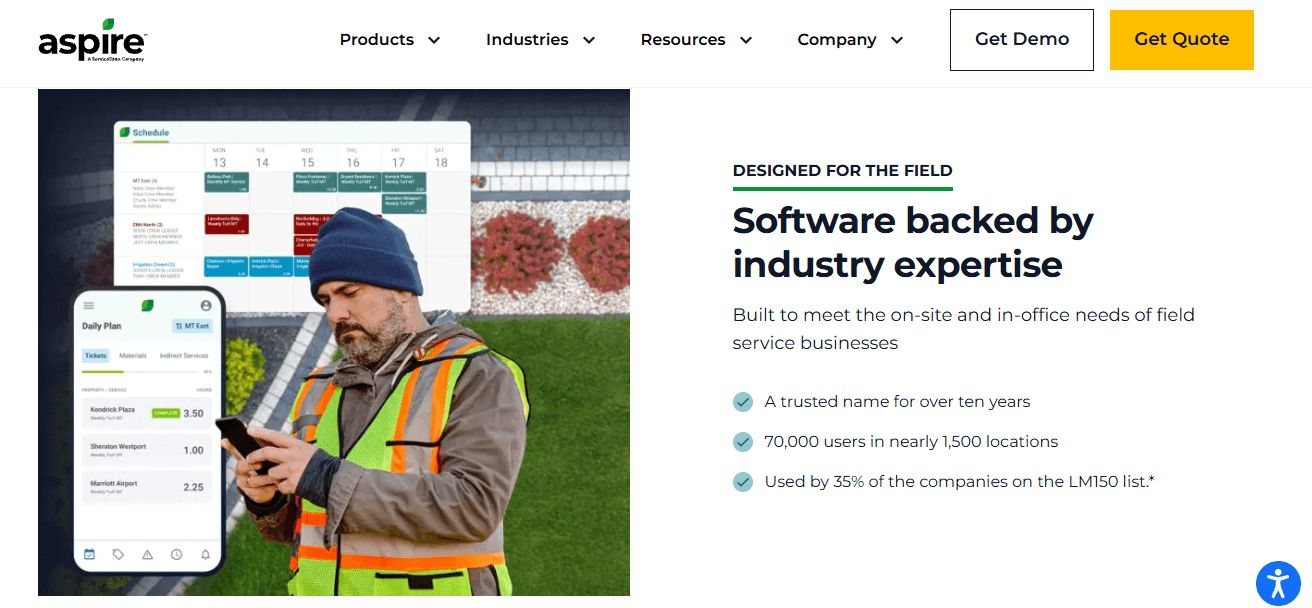
Aspire is a cloud-based business management platform developed specifically for landscaping and lawn care companies. Unlike standalone time tracking applications, it combines workforce management with estimating, scheduling, customer relationship management, invoicing and reporting.
For companies looking beyond basic time tracking for landscaping, Aspire offers a broader approach to managing daily business operations. Its job costing capabilities help businesses review labour, materials and other project expenses.
Aspire also offers Crew Control, a lighter solution for smaller and growing landscaping businesses that need scheduling and crew management without the full enterprise platform.
Key Features
Time Tracking: Connect employee working hours with landscaping jobs.
Crew Scheduling: Organise employees and assign work across different locations.
Job Costing: Review labour, material and supply costs associated with work orders.
Estimating: Prepare project estimates for landscaping services.
Customer Management: Maintain customer information and service histories.
Invoicing: Manage customer billing through supported workflows.
Reporting: Review operational and financial information.
Crew Control: Access a lighter crew scheduling and management solution.
Pros
Designed specifically for landscaping businesses.
Combines time tracking with wider operational management.
Supports job costing and estimating.
Includes customer and invoicing workflows.
Provides options for different business sizes.
Limitation: Aspire may be more complex and expensive than necessary for businesses looking only for employee time tracking. It does not offer facial recognition or biometric identity verification at clock-in.
Pricing
Aspire uses customised pricing based on business size, operational complexity and selected functionality. Its licensing model includes selected functionality and unlimited users.
Best For: Mid-sized and enterprise landscaping companies that want an integrated platform for workforce management, job costing, scheduling, CRM and invoicing.
6. QuickBooks Time – Best for Businesses Already Using QuickBooks
QuickBooks Time is an employee time tracking platform from Intuit that connects working-hour records with QuickBooks accounting and payroll workflows.
Landscaping businesses can use its mobile time tracking and GPS functionality to record employee attendance across different job sites. Managers can review timesheets, organise schedules and approve recorded working hours.
For companies looking for the best landscaping payroll apps, QuickBooks Time is worth considering because of its connection with QuickBooks payroll and accounting. Approved time records can be transferred into supported workflows, helping reduce manual data entry.
Key Features
Mobile Time Tracking: Record working hours through supported iOS and Android applications.
GPS Tracking: Access location information for employee time records.
Employee Scheduling: Organise shifts and manage schedule changes.
Job Tracking: Associate working hours with relevant customers and projects.
Timesheet Approval: Review and approve employee working-hour records.
Payroll Integration: Connect time records with QuickBooks payroll.
Reporting: Review employee hours and project-related labour information.
Pros
Integrates with QuickBooks accounting and payroll.
Supports mobile employee time tracking.
Provides GPS-related tracking features.
Offers employee scheduling.
Helps organise timesheets and payroll preparation.
Limitation: QuickBooks Time provides the most value to businesses already using QuickBooks. Companies using other accounting platforms may find its integration advantages less relevant.
Pricing (With QuickBooks Online Account)
Plan
Price
Time Premium
$10/month base + $8/user/month
Time Elite
$20/month base + $10/user/month
Free Trial
30 days
Best For: Small and mid-sized landscaping businesses already using QuickBooks for accounting and payroll that want connected employee time tracking.
7. Hubstaff – Best for Multi-Crew Scheduling and Location Oversight
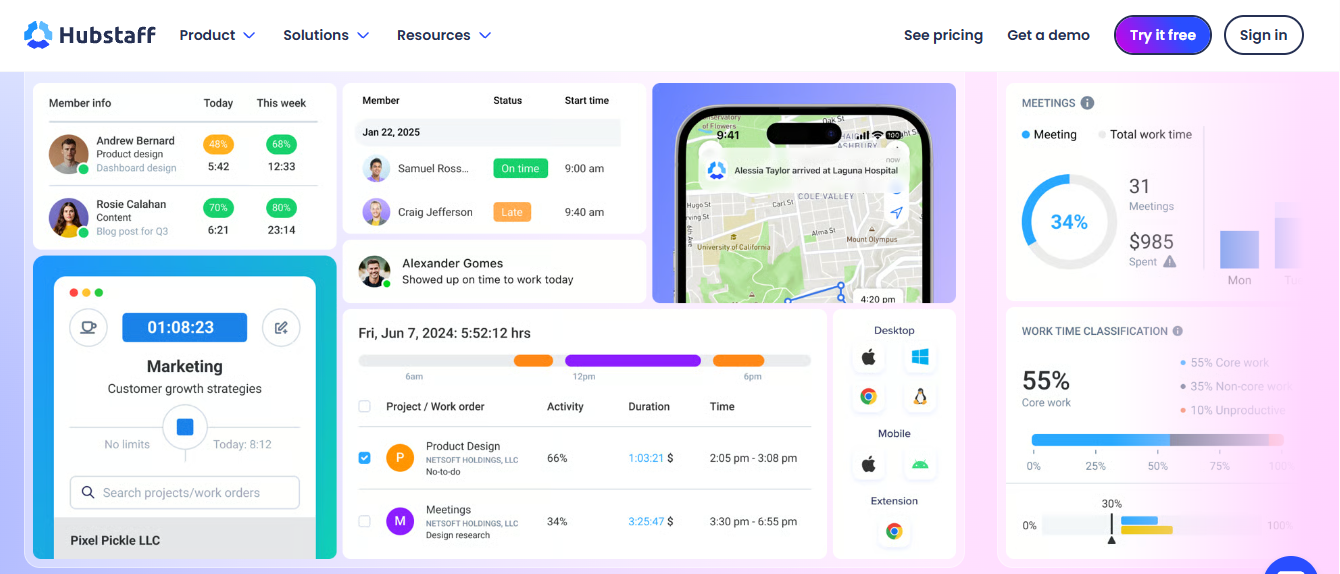
Hubstaff combines employee time tracking with workforce management and scheduling capabilities. It can help landscaping companies manage multiple crews working across different job sites and maintain visibility into employee attendance.
Its GPS tracking and geofencing features provide location-related information for field employees. Managers can also organise recurring schedules, review timesheets and access reports covering working hours and labour costs.
For businesses searching for the best app for landscape time tracking, Hubstaff offers a combination of time recording, crew scheduling and workforce reporting.
Key Features
Employee Scheduling: Create recurring weekly, bi-weekly or monthly shifts.
GPS Time Tracking: Record employee working hours with location information.
Geofencing: Support location-based clock-in and clock-out workflows.
Live Location Map: Review available crew location information.
Work Order Management: Organise assignments with customer information and deadlines.
Timesheet Approval: Review and approve employee time records.
Workforce Reporting: Access reports covering hours, labour costs and project information.
Integrations: Connect with supported applications such as QuickBooks, Deel and Asana.
Pros
Combines employee tracking with crew scheduling.
Supports GPS and geofencing features.
Provides workforce reporting.
Helps managers coordinate multiple teams.
Offers integrations with business applications.
Limitation : Hubstaff does not provide facial recognition or biometric identity verification at clock-in. Scheduling and attendance capabilities depend on the subscription plan.
Pricing
Plan
Price
Starter
$7/seat/month
Grow
$9/seat/month
Team
$12/seat/month
Enterprise
$25/seat/month
Free Trial
14 days
Best For: Landscaping businesses managing multiple crews and job sites that need scheduling, GPS tracking and workforce visibility.
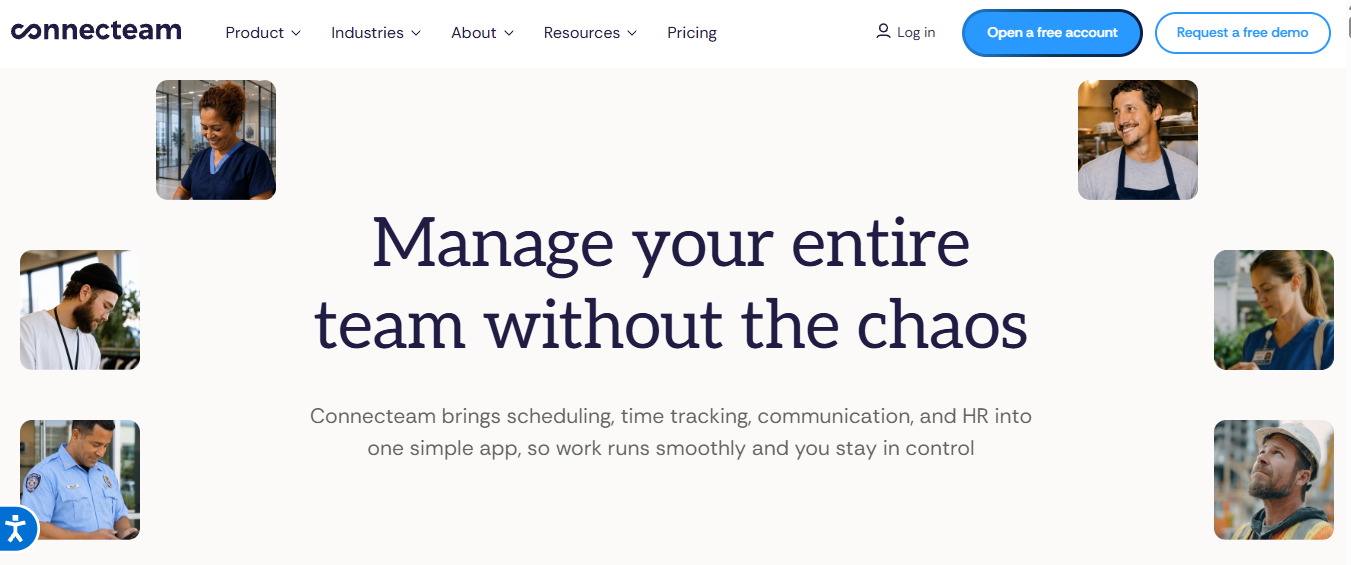
8. Connecteam – Best for Landscaping Employee Scheduling and Workforce Management
Connecteam is a workforce management platform designed for businesses with employees working across different locations and schedules. It combines employee time tracking, shift scheduling, communication and operational management features.
Landscaping businesses can use Connecteam to organise crew schedules, record employee attendance and communicate important updates. Its mobile application also makes it easier for field employees to access schedules and manage their work-related responsibilities.
For companies comparing the best landscaping time tracking software, Connecteam is worth considering when employee scheduling and team coordination are important requirements.
Key Features
Employee Time Clock: Record employee clock-in and clock-out information.
Shift Scheduling: Create and manage employee work schedules.
Timesheets: Maintain structured employee working-hour records.
Team Communication: Share announcements and updates with employees.
Limitation: Some advanced capabilities depend on subscription plans and user limits. Businesses should review the available plans and integrations before subscribing.
Best For: Small and growing landscaping businesses that need employee scheduling, attendance management and communication tools in one platform.
Benefits of Using Time Tracking Software for Landscaping Businesses
Using time tracking software for landscaping helps businesses organise field employees, maintain accurate attendance records and manage working hours across multiple customer properties.
Since landscaping crews often travel between job sites and work on different assignments, having a structured time tracking process can make workforce management easier.
Here are some important benefits:
1. More Accurate Employee Working Hours
Digital time tracking allows employees to record their working hours through mobile applications, timers or time clocks. Managers can review attendance records, identify missing entries and maintain more accurate timesheets.
2. Better Landscaping Crew Management
Landscaping businesses often manage several crews working at different locations. Suitable software helps managers organise employee schedules, assign responsibilities and review attendance information across teams.
3. Improved Job Cost Tracking
Recording employee hours against individual landscaping projects helps businesses understand how much labour time is allocated to different customer properties. This information can support project budgeting and help managers review actual labour hours against estimates.
4. Easier Payroll Preparation
Accurate timesheets make it easier to review regular working hours, overtime and employee attendance. Some platforms also integrate with payroll systems, helping businesses transfer approved time records into their payroll workflows.
5. Better Scheduling and Workforce Planning
Time tracking and scheduling features help managers organise employee availability and allocate workers according to project requirements. This is particularly useful for businesses managing seasonal workloads and multiple landscaping assignments.
6. Improved Visibility Across Job Sites
GPS tracking and geofencing features available in selected applications can help managers review location-related attendance information. These capabilities are useful when crews work across different properties and outdoor locations.
Overall, suitable software can help landscaping businesses organise employee hours, improve workforce coordination and maintain better records of daily operations.
How to Track Employee Time Effectively in Landscaping Businesses
Implementing a consistent time tracking process helps landscaping companies manage employees working across different properties, customer locations and outdoor projects.
Here are six practical steps to organise employee time records:
Step 1: Organise Landscaping Crews and Employees
Create separate employee groups according to their responsibilities, such as lawn maintenance, garden installation, irrigation and landscaping design. This helps managers organise workforce information and assign employees to relevant activities.
Step 2: Assign Employees to Job Sites
Associate employees with their assigned customer properties and projects. Maintaining clear job assignments helps businesses understand where employees are scheduled to work and which projects require additional workforce support.
Step 3: Record Employee Working Hours
Use mobile applications, digital time clocks or supported GPS-based attendance tools to record employee clock-in and clock-out information. Encourage employees to record their working hours regularly rather than relying on manual estimates.
Step 4: Review Employee Timesheets
Managers should regularly check employee timesheets for missing entries, incorrect hours and attendance inconsistencies. Reviewing records helps maintain accurate information before payroll preparation.
Step 5: Monitor Labour Hours and Job Costs
Review the hours recorded against individual landscaping projects. This helps businesses understand how labour time is distributed across customer properties and whether additional resources are required.
Step 6: Prepare Payroll Records
Use approved timesheets to organise employee working hours and overtime information. If your chosen platform supports payroll integration, connect it with your existing payroll system to reduce manual administration.
Using a reliable landscaping time tracker can make these processes easier by keeping employee time records organised in one place.
Essential Features of Landscaping Time Tracking Software
Not every time tracking application provides the same functionality. Landscaping companies should evaluate their workforce requirements and select software that supports their daily operations.
Here are the most important features to consider:
1. Mobile Time Tracking and GPS
Landscaping employees frequently work outdoors and travel between customer properties. Mobile time tracking allows employees to record working hours using their smartphones.
Some applications also provide GPS tracking and geofencing, helping managers verify location-related attendance information and restrict clock-ins to designated job sites.
2. Employee Scheduling and Attendance
Employee scheduling helps managers organise shifts, assign crews and manage changing work requirements. Attendance features provide records of employee clock-in and clock-out times, making it easier to review working hours.
3. Job and Project Tracking
Job-based time tracking allows employees to associate their working hours with specific landscaping projects, customers or properties. This can help businesses review labour allocation and understand how much time is spent on individual assignments.
4. Timesheets and Payroll Integration
Digital timesheets provide structured records of employee working hours, attendance and overtime. Businesses should also check whether their chosen platform integrates with existing payroll or accounting applications.
5. Reporting and Labour Cost Visibility
Reporting tools help managers review working hours, employee attendance and project-related time records. Some platforms provide job costing features that allow businesses to compare labour hours against project estimates.
How to Choose the Best Time Tracking Software for Landscaping
Selecting the right platform depends on your workforce size, job-site requirements, operational processes and budget.
When comparing the best time tracking software for landscaping companies, consider the following factors:
Ease of Use: Choose software with a straightforward interface that employees can use without extensive training.
Mobile Accessibility: Make sure employees can record their working hours through supported mobile devices.
GPS and Geofencing: Consider location-based attendance features if your crews work across multiple customer properties.
Employee Scheduling: Look for tools that help managers organise shifts and assign employees to different jobs.
Job Costing: Check whether the platform can associate employee hours with specific projects and cost codes.
Timesheet Management: Review available options for timesheet approval, overtime records and reporting.
Payroll Integration: Check compatibility with your existing payroll and accounting applications.
Pricing and Scalability: Compare employee limits, subscription costs, free plans and available features before choosing.
The right platform should support your current workforce requirements while allowing your business to accommodate additional employees and landscaping projects as it grows.
Common Time Tracking Mistakes Landscaping Businesses Should Avoid
Introducing digital time tracking can improve workforce record-keeping, but inconsistent processes may reduce its effectiveness.
Here are some common mistakes to avoid:
Missing Clock-In Records: Employees may forget to record their working hours. Establish clear clock-in and clock-out procedures.
Incorrect Job Assignments: Recording time against the wrong customer property can affect project reports and labour cost calculations.
Ignoring Overtime: Maintain clear procedures for recording additional working hours.
Skipping Timesheet Reviews: Managers should regularly review entries to identify missing hours and inconsistencies.
Choosing Software Without GPS Considerations: Businesses managing multiple job sites should evaluate whether location-based attendance features are necessary.
Overlooking Seasonal Employees: Choose a platform that can accommodate changing workforce sizes and seasonal onboarding requirements.
Ignoring Employee Privacy: Explain how location tracking and other monitoring features are used, and establish clear workplace policies.
A consistent time tracking process, supported by suitable software, can help landscaping businesses maintain accurate records and organise daily workforce activities.
Why Choose AYYES for Landscaping Time Tracking?
Managing landscaping projects involves coordinating employees, assigning daily tasks and keeping track of working hours across different jobs. AYYES brings these activities together through its time tracking, project management and task management features.
With AYYES, landscaping businesses can record employee hours, organise project-related tasks and maintain structured timesheets. Managers can review working-hour records and access reports to understand how time is allocated across different assignments.
For companies looking for landscaping time tracking software that also supports project organisation, AYYES provides a practical solution without requiring separate tools for basic time and task management.
AYYES also offers a free plan for up to 12 team members, making it a suitable starting point for small landscaping businesses. Teams can explore its 30-day PRO trial without a credit card before choosing a paid subscription.
Key Benefits of Using AYYES
Employee Time Tracking: Record working hours and maintain organised time entries for your landscaping team.
Project Management: Create and manage landscaping projects while keeping related work organised.
Task Management: Assign tasks and organise daily responsibilities to help employees stay focused on their work.
Timesheet Management: Review recorded employee hours and maintain structured timesheet records.
Timesheet Ayyes
Reports and Exports: Access available reports and export time-related information for business review.
Team Activity Visibility: Use supported employee activity features available through eligible paid plans.
Flexible Pricing: Start with a free plan for up to 12 team members and explore additional capabilities through the PRO trial.
By combining time tracking with project and task management, AYYES helps landscaping businesses keep employee hours and project activities organised in one platform.
Manufacturing Time Tracking Software: Which One Should You Choose?
Choosing the right manufacturing time tracking software depends on your workforce size, production requirements, operational processes and budget. Manufacturing businesses need a reliable solution to record employee working hours, manage timesheets, organise tasks and maintain visibility into workforce activities.
If you are looking for a platform that combines employee time tracking with project and task management, AYYES is worth considering. It offers a free plan for up to 12 team members, unlimited projects and tasks, timesheets and reporting capabilities, along with a 30-day PRO trial without a credit card.
For businesses with different operational requirements, Clockify is suitable for basic time tracking, Connecteam supports employee scheduling and workforce management, while Hubstaff offers GPS tracking and workforce monitoring features.
Before making a decision, consider the following recommendations:
AYYES: Best for manufacturing teams looking for time tracking, project management and task organisation in one platform.
Clockify: Suitable for businesses that need straightforward employee time tracking and timesheet management.
Connecteam: A suitable option for manufacturers prioritising employee scheduling, attendance and team communication.
Hubstaff: Worth considering for businesses requiring workforce visibility, GPS tracking and employee activity reporting.
QuickBooks Time: A practical choice for businesses already using QuickBooks for accounting and payroll.
Ultimately, the best manufacturing time tracking software is the one that fits your production workflow, workforce requirements and budget. Compare the available features and pricing before selecting a platform that can support your business as it grows.
Frequently Asked Questions About Landscaping Time Tracking Software
1. What is the best time tracking software for landscaping companies?
The best solution depends on your workforce size and operational requirements. AYYES is suitable for teams needing time tracking and project management, while Truein supports facial recognition and multi-site attendance. ClockShark is useful for GPS tracking and crew communication, and Aspire provides broader landscaping business management.
2. How do landscaping companies track employee working hours?
Landscaping companies can track employee hours using mobile applications, digital time clocks, GPS-based attendance systems and manual timesheets. Employees record their working hours, while managers review attendance and project-related time records.
3. Is there a free time tracking app for landscaping businesses?
Yes. Some platforms offer free plans or trial periods. AYYES provides a free plan for up to 12 team members, including time tracking, unlimited projects and tasks, and basic kiosk access. BusyBusy also offers a free plan. Compare their feature restrictions before choosing.
4. Can landscaping time tracking software track employees across multiple job sites?
Yes. Selected platforms, including Truein, ClockShark and Hubstaff, provide GPS-based attendance features and geofencing. These capabilities can help managers review employee attendance across different job locations.
5. What are the best landscaping payroll apps?
QuickBooks Time is worth considering for businesses already using QuickBooks payroll and accounting. Truein also offers payroll-ready attendance reports and integrations with supported payroll and HRMS solutions. The right option depends on your existing payroll system and reporting requirements.
6. What features should I look for in a landscaping time tracking app?
Look for mobile time tracking, GPS geofencing, employee scheduling, job-based tracking, timesheet management, payroll integrations and reporting. Businesses managing seasonal workers should also consider employee onboarding and flexible workforce management.
https://ayyes.com/wp-content/uploads/2026/11/Time-Tracking-Software-for-Landscaping.png8091942Mark Shahhttps://ayyes.com/wp-content/uploads/2024/01/ayyes-logo-210x42-1.pngMark Shah2026-11-03 06:52:322026-11-03 11:06:15Top 8 Best Time Tracking Software for Landscaping Companies in 2027
To provide the best experiences, we use technologies like cookies to store and/or access device information. Consenting to these technologies will allow us to process data such as browsing behavior or unique IDs on this site. Not consenting or withdrawing consent, may adversely affect certain features and functions.
Functional
Always active
The technical storage or access is strictly necessary for the legitimate purpose of enabling the use of a specific service explicitly requested by the subscriber or user, or for the sole purpose of carrying out the transmission of a communication over an electronic communications network.
Preferences
The technical storage or access is necessary for the legitimate purpose of storing preferences that are not requested by the subscriber or user.
Statistics
The technical storage or access that is used exclusively for statistical purposes.The technical storage or access that is used exclusively for anonymous statistical purposes. Without a subpoena, voluntary compliance on the part of your Internet Service Provider, or additional records from a third party, information stored or retrieved for this purpose alone cannot usually be used to identify you.
Marketing
The technical storage or access is required to create user profiles to send advertising, or to track the user on a website or across several websites for similar marketing purposes.