
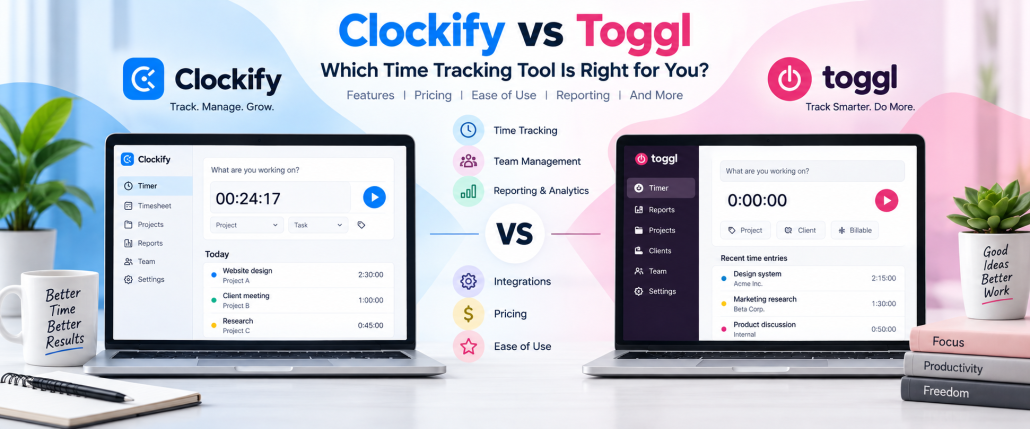
Clockify vs Toggl: Which Time Tracking Tool Is Better in 2027?
Clockify and Toggl are popular time tracking platforms designed to help individuals and teams record work hours, organize projects, create timesheets, and understand where working time goes. Both provide web, desktop, and mobile tracking options, but their approaches to team management and workforce visibility differ.
This time tracking software comparison examines Clockify vs Toggl across pricing, time tracking, reporting, projects, integrations, employee management, monitoring, and usability. The goal is to help freelancers, small businesses, remote teams, agencies, and growing organizations identify which platform better fits their workflow.
Clockify vs Toggl at a Glance
Clockify and Toggl both cover core time tracking needs, but they differ in pricing, workforce controls, privacy, reporting, and team management. The table below gives a quick side-by-side overview to help you compare the main features before reviewing each area in more detail.
| Feature | Clockify | Toggl Track |
| Free Plan | Yes, up to 5 users | Yes, up to 5 users |
| Real-Time Timer | Yes | Yes |
| Manual Time Entry | Yes | Yes |
| Automatic Tracking | Yes | Yes |
| Timesheets | Yes | Yes |
| Calendar Tracking | Yes | Yes |
| Approvals | Standard plan and above | Premium plan |
| Invoicing | Available | Available |
| Billable Rates | Available | Starter and above |
| GPS Tracking | Pro plan | No employee GPS monitoring |
| Screenshots | Pro plan | No employee screenshots |
| Attendance | Available | Limited workforce-attendance focus |
| Project Tracking | Yes | Yes |
| Reporting | Yes | Yes |
| Integrations | Multiple tracking integrations | 100+ tools through extensions and integrations |
| Mobile Apps | iOS and Android | iOS and Android |
| Best For | Teams needing broader workforce controls | Teams prioritizing simple, privacy-focused tracking |
Clockify currently limits its free plan to five users, while Toggl’s recent 2027 material also lists its free plan for up to five users. Clockify adds GPS, screenshots, attendance, scheduling, and other controls through paid tiers, while Toggl emphasizes productivity and business insights.
How Does Toggl Compare to Clockify for Teams Looking to Buy a Time Tracking Solution?
Teams evaluating Clockify and Toggl should look beyond basic timers. The stronger choice depends on team size, budget, employee work location, reporting requirements, project billing, management style, and whether workforce monitoring is necessary.
- Team structure: Clockify is attractive for organizations managing office, remote, hourly, or field employees because it combines time tracking with attendance, scheduling, kiosks, GPS, and workforce-management controls.
- Management approach: Toggl may better suit knowledge-work teams that want employees to track time without screenshots or location surveillance while still giving managers useful project and productivity information.
- Scalability: Consider the features you may need as the team expands, including approvals, permissions, project budgets, workload planning, reporting, security, integrations, and enterprise administration.
- Long-term value: The best time tracking tools for teams comparison should measure the cost of the plan containing the features your business actually needs rather than comparing only entry-level prices.
Also Suggest this : Hubstaff vs Time Doctor
Clockify vs Toggl: Key Differences
| Area | Clockify | Toggl Track |
| Product Approach | Time tracking plus broader workforce management | Time tracking focused on productivity and business insights |
| Monitoring | Screenshots, GPS and activity monitoring available | No employee screenshots or location surveillance |
| Field Teams | Strong GPS, kiosk and attendance options | Better suited to traditional or knowledge-work tracking |
| Scheduling | Built-in employee and project scheduling on higher plans | Workload and planning capabilities available |
| Project Finance | Budgets, costs, expenses, estimates and profitability | Revenue, billable rates, labor costs and profitability |
| Privacy Approach | Monitoring controls can be enabled when required | Strong non-surveillance positioning |
| Administration | Extensive attendance and workforce controls | Strong project, reporting and organization controls |
| Ideal Fit | Operational, field and mixed-workforce teams | Agencies, consultants, remote and knowledge-work teams |
Clockify’s Pro tier includes GPS tracking, activity monitoring and other workforce functions, while Toggl focuses more strongly on productivity, profitability and private desktop activity tracking.
Why Teams Switch From Toggl to Clockify
Some teams consider moving from Toggl to Clockify when simple time tracking is no longer enough. The decision usually relates to workforce administration, monitoring, attendance, field operations, or the need to consolidate more functions into one platform.
- Workforce controls: Clockify combines tracked hours with attendance, time off, overtime, manager roles, approvals, scheduling and related administrative functions for teams needing structured oversight.
- Field workforce tracking: GPS location tracking, routes, kiosk access and photo capture can make Clockify more appropriate for businesses with technicians, contractors, construction teams or mobile employees.
- Monitoring requirements: Organizations that require screenshots or activity monitoring for specific remote-work arrangements can access these capabilities through Clockify’s higher paid plans.
- Operational consolidation: Businesses may switch when they want time tracking, invoicing, expenses, scheduling, budgets and workforce administration handled within fewer separate applications.
Clockify vs Toggl Pricing Comparison
Pricing varies based on team size, required features, and billing cycle. Clockify generally offers lower-cost entry plans with additional workforce management tools on higher tiers, while Toggl focuses more on streamlined tracking, reporting, and premium team features.
| Plan | Clockify | Toggl Track |
| Free | $0 — up to 5 users | $0 — up to 5 users |
| Entry Paid Plan | Basic: $3.99/seat/month annually | Starter: $9/license/month annually |
| Mid-Level | Standard: $5.49/seat/month annually | — |
| Advanced | Pro: $7.99/seat/month annually | Premium: standard annual price $18/license/month |
| Enterprise | $11.99/seat/month annually | Custom pricing |
| Clockify Trial | 7-day Pro trial | — |
| Toggl Trial | — | 30-day Premium trial |
Clockify’s current published annual prices are $3.99 for Basic, $5.49 for Standard, $7.99 for Pro, and $11.99 for Enterprise per seat per month. Toggl lists Starter from $9 annually and Premium at a standard annual price of $18, although temporary promotions may lower the first-year rate.
Which Offers Better Value: Clockify or Toggl?
Value depends on the features a team will actually use. Clockify generally provides more workforce-management options at lower starting paid-plan prices, while Toggl places greater emphasis on simple tracking, reporting, revenue analysis, profitability, and employee-friendly adoption.
- Budget-focused teams: Clockify’s paid plans start at a lower per-seat rate, making it worth considering when a growing business requires administrative controls without moving immediately to a premium-priced plan.
- Knowledge-work teams: Toggl can justify its price for teams that prioritize clean tracking, revenue analysis, utilization, project profitability and detailed reports rather than employee surveillance.
- Operational teams: Clockify may provide stronger value when attendance, scheduling, kiosk tracking, GPS, expenses and employee management would otherwise require several separate applications.
- Feature value: Avoid comparing price alone. Calculate which plan contains every required feature and multiply that cost by the number of employees who actually need paid licenses.
Clockify vs Toggl: Time Tracking Features
Both platforms provide multiple ways to capture working hours instead of forcing employees to use one tracking method. Teams can combine live timers, manual entries, timesheets, calendars, desktop applications, mobile apps, and automatic tracking.
1. Manual Time Tracking
Clockify and Toggl both let employees start a timer or manually enter work completed earlier. Hours can be organized by projects and tasks, making either platform suitable for meetings, client work, research, and offline activities.
2. Automatic and Background Tracking
Both tools can record desktop activity to help users reconstruct forgotten work. Toggl keeps its desktop activity private until the user creates a time entry, while Clockify also provides an automatic activity timeline.
3. Timesheets and Approvals
Both platforms support structured timesheets. Clockify adds approvals from its Standard tier, while Toggl includes timesheet approvals in Premium for organizations that need managers to verify submitted working hours.
4. Calendar-Based Time Tracking
Both Clockify and Toggl let users connect calendar activity with tracked work. This makes it easier to convert meetings, scheduled tasks, and planned work blocks into accurate time entries.
5. Idle Time Detection
Both platforms include idle-detection options that help prevent inactive computer time from being counted as productive work, improving the accuracy of recorded hours and timesheets.
6. Mobile Time Tracking
Clockify and Toggl offer mobile apps for tracking time away from a desktop. Employees can start timers, review entries, manage projects, and record work from smartphones or tablets.
7. Desktop Time Tracking
Both platforms provide desktop applications for employees who want quick access to timers, automatic tracking, reminders, and activity history without keeping a browser tab open.
8. Reminders and Tracking Notifications
Clockify and Toggl can remind employees to start or stop timers and complete missing entries. These notifi
Clockify vs Toggl: Pros and Cons
| Platform | Pros | Cons |
| Clockify | Lower starting paid price; up to 5 free users; GPS; screenshots; attendance; kiosk; scheduling; invoicing; expenses; approvals | Advanced features require higher plans; broader interface may require setup; monitoring may not suit privacy-focused teams |
| Toggl Track | Simple tracking; up to 5 free users; strong reporting; profitability insights; 100+ integrations; privacy-focused approach | Higher paid starting price; no employee screenshots; no employee GPS monitoring; some advanced controls require Premium |
The platforms are therefore not direct copies of one another. Clockify is stronger when time tracking must connect with workforce operations, while Toggl stands out for straightforward tracking, business insights, integrations, and a non-surveillance philosophy.
Which Is Better for Different Types of Teams?
The winner changes depending on how a team works. A field-service company has very different tracking requirements from an agency, freelancer, software team, or fully remote company, so use case matters more than a universal feature score.
1. Best for Freelancers and Solo Professionals
Toggl suits freelancers wanting quick tracking, reporting and project visibility. Clockify is attractive when freelancers also need invoicing, expenses, client budgets or a platform that can expand as they hire.
2. Best for Small Businesses
Clockify may appeal to cost-conscious small teams because of its lower paid-plan entry point and workforce controls. Toggl can suit small professional teams prioritizing easy adoption and reporting.
3. Best for Remote Teams
Toggl fits autonomy-focused remote teams because it avoids screenshots and location surveillance. Clockify is stronger where remote businesses require approvals, activity monitoring or structured attendance controls.
4. Best for Agencies and Consultants
Both are strong for agencies. Toggl emphasizes revenue, billable work and profitability insights, while Clockify combines client tracking with invoicing, expenses, project budgets and workforce management.
5. Best for Field and Hourly Teams
Clockify has an advantage for field teams because higher plans include GPS, routes and workforce controls, while kiosk functionality supports employees who need shared-device clock-in and clock-out workflows.
6. Best for Growing and Distributed Teams
Clockify can scale toward operational workforce management, while Toggl can scale toward advanced reporting, workload analysis and enterprise administration for distributed professional and knowledge-work teams.
Clockify vs Toggl: Which One Should You Choose
Choosing between Clockify and Toggl depends on your team structure, budget, management style, and the level of workforce visibility you need. Clockify is stronger for operational control, while Toggl focuses more on simple tracking, reporting, and privacy.
1. Why Choose Clockify?
Choose Clockify when your business needs time tracking combined with broader workforce management tools, especially for remote, field, hourly, or distributed teams.
- Workforce management: Manage attendance, time off, approvals, schedules, and employee work hours from one platform.
- GPS tracking: Monitor location-based work when managing field employees, technicians, contractors, or mobile teams.
- Screenshots and activity monitoring: Higher plans support screenshots and activity tracking for businesses that require additional work visibility.
- Kiosk tracking: Shared-device clock-in and clock-out options can help businesses manage hourly or location-based employees.
- Invoicing and expenses: Connect tracked hours with billing, expenses, and client work to simplify financial management.
- Project controls: Use budgets, estimates, assignments, forecasting, and profitability tools to monitor project performance.
2. Why Choose Toggl?
Choose Toggl when your team values simple time tracking, strong reporting, project profitability, employee adoption, and a privacy-focused approach.
- Easy time tracking: Employees can quickly track work using timers, manual entries, calendars, desktop apps, and mobile apps.
- Privacy-focused tracking: Toggl avoids employee screenshots and GPS monitoring, making it suitable for autonomy-focused teams.
- Detailed reporting: Analyze tracked time, billable hours, utilization, revenue, projects, and team performance through flexible reports.
- Project profitability: Compare labor costs, billable rates, project revenue, and tracked hours to understand which projects generate better returns.
- Strong integrations: Connect Toggl with popular project management, calendar, communication, and productivity platforms.
- Good for knowledge-work teams: Agencies, consultants, software teams, and remote professionals may prefer Toggl’s lighter and less intrusive tracking approach.
Switching From Toggl to Clockify: What Teams Should Know
Migrating between time tracking tools should be treated as a workflow change rather than simply opening a new account. Historical records, project structures, employee permissions, integrations and reporting requirements need to be reviewed before the switch.
- Export important data: Preserve historical time entries, reports, client records, projects, billing information and other data required for financial reporting, audits, payroll or future reference.
- Rebuild project structure: Review projects, clients, tasks, billable rates and employee assignments before recreating them so outdated categories are not transferred into the new workspace.
- Configure permissions: Set administrators, managers, members, approval workflows and privacy controls before employees begin tracking to prevent unnecessary access or inconsistent time records.
- Test the migration: Let a smaller group use Clockify first. Test timers, mobile apps, reports, integrations and permissions before moving the entire company to reduce disruption during rollout.
Looking for an Alternative to Clockify and Toggl? Consider AYYES
Clockify and Toggl are not the only options. Teams that need time tracking combined with employee activity visibility, project organization, screenshots, timesheets and productivity reporting can also evaluate AYYES as an alternative time tracking platform.
- Flexible tracking: AYYES supports a web timer, desktop tracking, manual entries, offline tracking and kiosk workflows, allowing office, remote and field employees to record time through different methods.
- Proof of work: Its desktop application can capture screenshots, application usage and activity levels, helping managers review tracked sessions when evidence of completed work is required.
- Project management: Teams can create projects and tasks, assign work, organize priorities and connect tracked hours with specific client work or project deliverables.
- Timesheets and reports: AYYES provides detailed and summarized timesheets, productivity information and export options that can support client billing, payroll review and internal reporting.
- Pricing: AYYES supports up to 12 team members on its free plan. Paid plans start at $0.88 per user/month with annual billing or $0.99 per user/month with monthly billing. Screenshot tracking, activity logs, app and website monitoring, and AI automation are paid features and are not included in the free plan.
Clockify vs Toggl: Final Verdict
Clockify and Toggl both handle core time tracking well, but they solve different management problems. Clockify extends further into workforce operations, while Toggl focuses on making time data easy to capture and useful for projects, profitability, and decision-making.
- Choose Clockify when: Your organization needs attendance, schedules, kiosks, GPS, screenshots, expenses, invoicing or more structured workforce-management controls alongside time tracking.
- Choose Toggl when: Your team values straightforward tracking, flexible reporting, profitability insights, broad integrations and a privacy-conscious approach without employee screenshots or GPS monitoring.
- Choose based on workflow: Field and hourly organizations may lean toward Clockify, while agencies, consultants and knowledge-work teams may find Toggl’s lighter tracking philosophy more suitable.
- Compare required plans: Build a list of essential features first, identify the plan containing them on each platform, and then compare total annual cost for your actual number of users.
FAQs on Clockify vs Toggl
These frequently asked questions cover the main issues businesses consider before choosing between the two platforms, including pricing, privacy, projects, remote teams, integrations, employee monitoring, and scalability.
1. Is Clockify or Toggl Better for Teams?
Clockify can be better for teams needing workforce administration, attendance, GPS or monitoring. Toggl may suit teams prioritizing simple tracking, project reporting, profitability and employee autonomy.
2. Which Is More Affordable: Clockify or Toggl?
Clockify currently starts at $3.99 per seat monthly on annual billing, while Toggl Starter begins at $9 per license monthly annually, making Clockify’s entry paid tier less expensive.
3. Does Clockify or Toggl Have the Better Free Plan?
Both currently support up to five users on their free offering. The better option depends on required functionality, so compare tracking, reporting, integrations and the paid upgrade path rather than user count alone.
4. Which Time Tracking Platform Is Better for Small Businesses
Clockify fits small businesses needing broader administration at a lower starting paid price. Toggl is attractive for professional teams wanting simple tracking, reporting and productivity insights.
5. Which Is Better for Remote Teams: Clockify or Toggl
Toggl can suit autonomy-focused remote teams because it avoids screenshots and location monitoring. Clockify better fits organizations requiring additional workforce visibility or attendance controls.
6. Does Clockify or Toggl Offer Better Project Management Features
Clockify combines projects with budgets, scheduling, forecasting and expenses. Toggl combines project tracking with estimates, billable rates, revenue analysis and profitability information.
7. Which Platform Provides Better Reporting and Analytics
Both provide detailed reporting. Toggl focuses strongly on productivity, billability, revenue and profitability, while Clockify connects reporting with time, costs, attendance and workforce operations.
8. Does Clockify or Toggl Offer Employee Monitoring
Clockify Pro includes activity monitoring, GPS and screenshots. Toggl focuses on time tracking without employee screenshots or location monitoring, creating significantly different privacy approaches.
9. Which Has Better Integrations: Clockify or Toggl
Both integrate with common workplace applications. Toggl explicitly supports tracking from 100+ tools through browser extensions and integrations, plus native connections and automation options.
10. Can Teams Easily Switch From Toggl to Clockify
Teams can switch, but they should first export important historical data, rebuild projects and permissions, configure integrations, test reports and train employees before fully replacing Toggl.
11. Which Is Easier to Use: Clockify or Toggl
Toggl emphasizes a streamlined tracking experience, while Clockify exposes a wider range of workforce controls. Ease of use therefore depends on whether a team prefers simplicity or broader administration.
12. What Is the Main Difference Between Clockify and Toggl
Clockify extends time tracking into attendance, monitoring and workforce operations. Toggl places greater emphasis on straightforward tracking, project insights, profitability and privacy-focused use.
13. Which Time Tracking Platform Is Better for Growing Teams
Clockify suits teams growing into scheduling, attendance and operational management. Toggl suits organizations scaling their reporting, profitability, workload analysis and knowledge-work tracking.



