

Top 10 Best Time Tracking Software for Startup Teams in 2027
Startups often work with small teams, multiple projects and changing priorities. Managing employee working hours, assigning tasks and understanding how time is spent can become difficult as the business grows. Using reliable time tracking software for startups helps businesses organise work, maintain timesheets and review project progress in one place.
A suitable time tracking solution can also help founders understand team workloads, monitor project hours and make better decisions about resource allocation. For startups working with clients, tracking billable and non-billable hours is equally important for maintaining organised project records.
However, choosing the right tool depends on your team’s size, budget and working requirements. Some platforms focus on simple time recording, while others combine time tracking with project management, reporting and employee activity features.
In this guide, we compare the top 10 time tracking tools for startups, including their features, advantages, limitations and pricing considerations, to help you find a suitable solution for your business.
Best Time Tracking Software for Startups at a Glance
Finding the right startup tracker can help businesses maintain accurate working-hour records and organise project activities. However, different platforms offer different capabilities depending on their intended users and business requirements.
The following table compares ten popular tools based on their main capabilities and suitability for startup teams.
| Software | Best For | Main Capabilities |
|---|---|---|
| AYYES | Startup team time tracking | Time tracking, projects, tasks, timesheets and reports |
| Productive | Agency and project management | Project budgets, resource planning and financial reporting |
| TMetric | Client and project tracking | Timers, manual entries and billable time reports |
| Beebole | Detailed time reporting | Timesheets, approvals and custom reports |
| Harvest | Client billing workflows | Time tracking, expenses, budgets and invoicing |
| Clockify | Budget-conscious teams | Timers, timesheets and project reports |
| Toggl Track | Simple time tracking | Project tracking, timers and integrations |
| Paymo | Project and task management | Tasks, timesheets and project workflows |
| Memtime | Automatic time capture | Activity capture and time reconstruction |
| Hubstaff | Team activity visibility | Time tracking, timesheets and activity reports |
Also Suggest this : Time Tracking Software for Billable Hours
10 Best Time Tracking Software for Startups
Choosing suitable time tracking software for startups involves more than finding an application that records working hours. Businesses should consider project organisation, timesheet management, reporting, ease of use and the ability to support a growing team.
Here are ten platforms worth considering:
1. AYYES – Best for Startup Team Time Tracking and Project Management
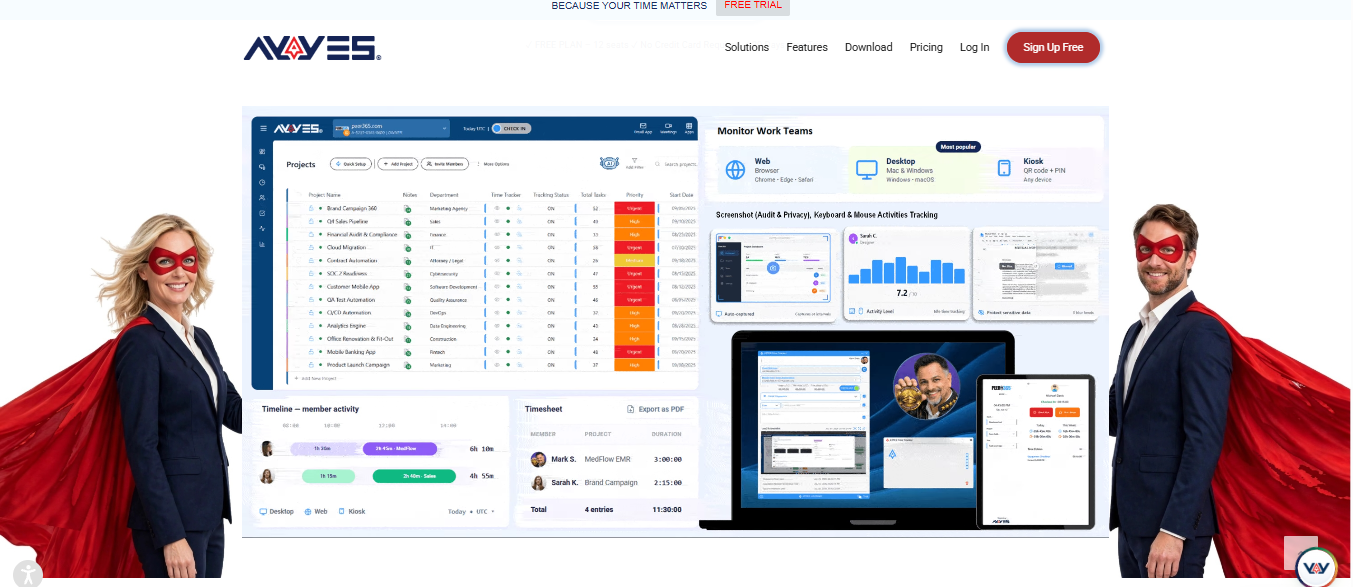
AYYES combines time tracking with project and task management, helping startups organise employee activities and maintain visibility into working hours. Teams can record time, manage assignments, review timesheets and generate reports through one platform.
For businesses looking for startup time tracking software, AYYES provides features that support everyday team coordination. Employees can associate their working hours with relevant projects and tasks, while managers can review recorded information to understand how work is distributed.
AYYES also offers a free plan for up to 12 team members, making it an option for small startups that want to introduce organised time tracking without an initial subscription cost. Businesses that need additional capabilities can explore its paid plans and 30-day PRO trial.
Key Features
-
Time Tracking: Record employee working hours using supported time tracking methods.
-
Project Management: Organise projects and associate time entries with relevant assignments.
-
Task Management: Create and manage tasks to help teams organise daily responsibilities.
-
Timesheet Management: Review recorded working hours and maintain structured time records.
-
Reports and Exports: Generate reports and export available information for business analysis.
-
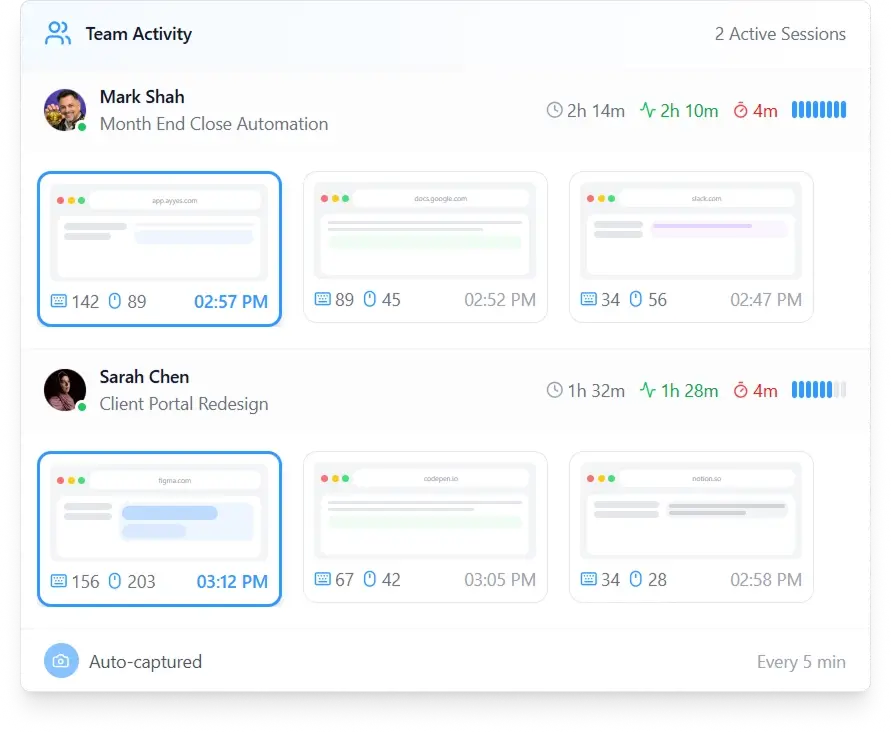
Team Activity Visibility: Access eligible employee activity features through supported paid plans.
Pros
-
Combines time tracking with project and task management.
-
Offers a free plan for up to 12 team members.
-
Provides timesheets and reporting capabilities.
-
Supports teams managing multiple projects.
-
Offers a 30-day PRO trial without requiring a credit card.
Limitations: Advanced monitoring features, including screenshots and application activity tracking, are paid-plan features. Businesses should review the available plans before selecting the features they need.
Best for: Startups, small businesses and growing teams that want time tracking, project organisation and reporting in one platform.
2. Productive – Best for Startup Project and Resource Management
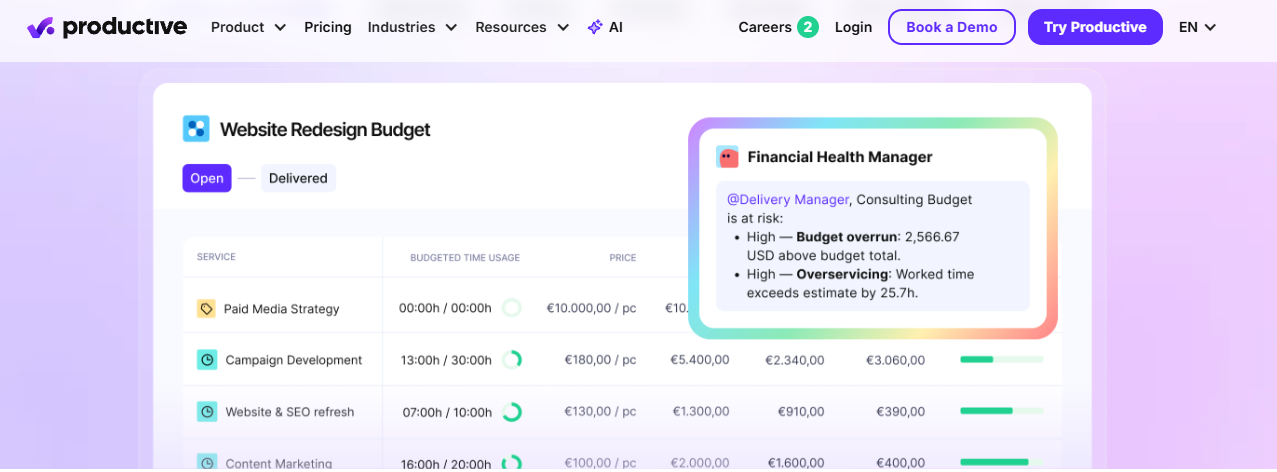
Productive is designed for agencies and professional service businesses that need to coordinate projects, resources and financial performance. It combines time tracking with project planning and budgeting features, helping managers understand how work is distributed across clients and teams.
For startups evaluating software for managing startups, Productive offers a broader approach to project and resource management. Businesses can organise assignments, review project budgets and monitor resource allocation through its management features.
Its functionality can be particularly useful for service-based startups handling several client projects at once. However, smaller teams looking for basic time recording may find its wider feature set more than they need.
Key Features
-
Project Management: Organise client projects and business assignments.
-
Time Tracking: Record working hours against relevant projects.
-
Budget Management: Monitor project budgets and financial performance.
-
Resource Planning: Review team workloads and allocate resources.
-
Reporting: Analyse project and financial information.
Pros
-
Combines project management with resource planning.
-
Supports project budgeting and financial visibility.
-
Helps agencies coordinate multiple projects.
-
Provides broader operational management capabilities.
Limitations: The platform may require more setup than a basic time tracker. Businesses should compare pricing and available features against their operational requirements.
Best for: Agencies and growing startups that need project budgeting, resource planning and financial visibility.
3. TMetric – Best for Client and Project Time Tracking
TMetric helps freelancers, consultants and businesses record working hours across clients, projects and tasks. Its timer-based and manual time entry options provide flexibility when employees need to record different types of work.
Startups providing consulting, development or other client services may find its billable hours software capabilities useful for maintaining project-level time records. Reporting features help teams review recorded hours and understand how time is distributed across assignments.
The platform also supports integrations with selected business applications, allowing teams to connect time tracking with their existing workflows.
Key Features
-
Time Entry Options: Record working hours using timers or manual entries.
-
Project Tracking: Associate recorded time with specific projects and tasks.
-
Client Management: Organise time records around different clients.
-
Reporting: Review working hours and project activity.
-
Integrations: Connect with supported productivity and business applications.
Pros
-
Provides flexible time recording options.
-
Helps organise time by client and project.
-
Offers reports for reviewing working hours.
-
Supports integrations with selected applications.
Limitations: Some capabilities may require paid subscriptions. Businesses should check the available billing features, integrations and plan restrictions.
Best for: Freelancers, consultants and service-based startups that need client-level time tracking and reporting.
4. Beebole – Best for Startup Timesheet Reporting
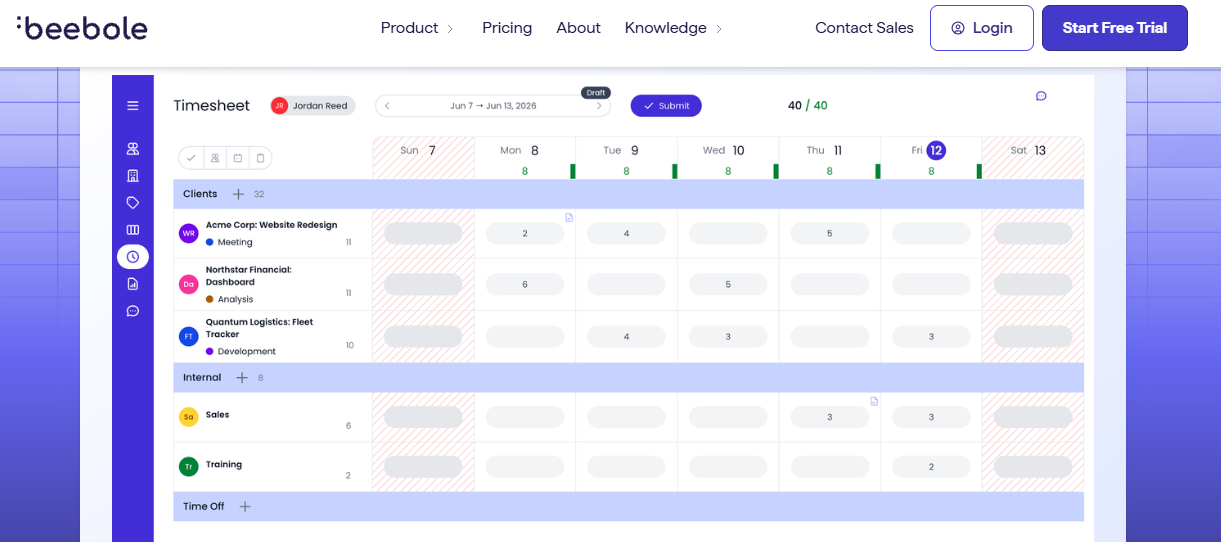
Beebole focuses on business time tracking, timesheets and reporting for organisations that need detailed records across employees, projects and departments.
For startups that need better visibility into team activities, the platform provides configurable reporting capabilities that help managers understand how working hours are distributed. Its timesheet management and approval options can also support a consistent process for reviewing employee entries.
When evaluating tools for tracking startup working hours, businesses should consider whether they need basic time recording or more detailed reporting across multiple teams and projects.
Key Features
-
Configurable Timesheets: Organise working-hour records according to business requirements.
-
Project Tracking: Maintain time records for different projects and tasks.
-
Custom Reports: Review time information using available reporting options.
-
Approval Workflows: Support timesheet review processes.
-
Business Reporting: Analyse working hours across employees and projects.
Pros
-
Provides detailed time reporting.
-
Supports project and department-level records.
-
Offers configurable reporting options.
-
Helps organise timesheet review processes.
Limitations: Initial configuration may require planning. Businesses should compare pricing and confirm the availability of specific reporting and approval features.
Best for: Startups and organisations that need structured timesheets and detailed project reporting.
5. Harvest – Best for Startup Billing and Invoicing
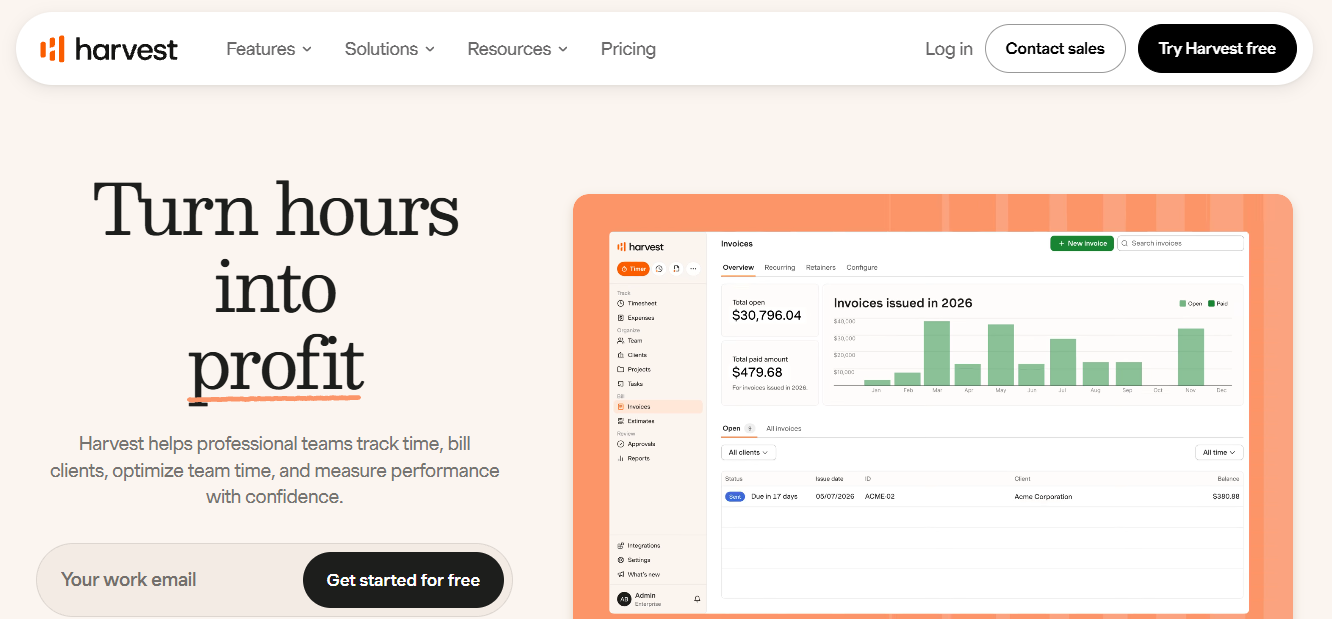
Harvest combines time tracking with project budgets, expense management and invoicing capabilities. It is designed for freelancers, consultants and agencies that want to connect recorded working hours with their client billing workflows.
For service-based startups, billable hours software can help maintain organised records of client work and make it easier to review project hours before preparing invoices. Harvest brings these activities together through its time tracking and financial management features.
Teams can also review project budgets and expenses to understand how resources are being used.
Key Features
-
Time Tracking: Record working hours using timers and manual entries.
-
Project Budgets: Monitor time against project budgets.
-
Expense Tracking: Maintain expense records associated with projects.
-
Invoicing: Use supported invoicing features to connect time records with client charges.
-
Reports: Review project time, expenses and budget information.
Pros
-
Connects time tracking with invoicing.
-
Helps monitor project budgets.
-
Supports expense management.
-
Provides reports for reviewing project performance.
Limitations: Some features may require paid plans. Businesses should check current subscription limits and invoicing integrations.
Best for: Consultants, freelancers and startups that want time tracking, project budgets and invoicing in one workflow.
6. Clockify – Best Free Time Tracking App for Startups
Clockify provides time tracking, timesheets and project reporting for individuals, freelancers and businesses. Users can record working hours through timers or manual entries, organise time by clients and projects, and review reports to understand how time is being spent.
For startups searching for the best app for startups, Clockify is worth considering because it offers a free plan for basic time tracking. This can help small teams introduce a structured recording process without immediately committing to a paid subscription.
As the business grows, teams should compare its subscription plans to determine whether additional reporting, administration and management capabilities are required.
Key Features
-
Timer-Based Tracking: Start and stop timers while working on assignments.
-
Manual Time Entries: Add working hours when a timer has not been used.
-
Project Management: Organise time records by projects and tasks.
-
Timesheets: Review working hours in a structured format.
-
Reporting: Analyse recorded time across projects and reporting periods.
Pros
-
Offers a free plan for basic time tracking.
-
Supports timers and manual entries.
-
Helps organise working hours by project.
-
Provides reporting options.
Limitations: Advanced features and administration capabilities may require paid subscriptions. Check current plan limits before selecting a subscription.
Best for: Freelancers, small businesses and startups looking for accessible time tracking.
7. Toggl Track – Best for Simple Startup Time Tracking
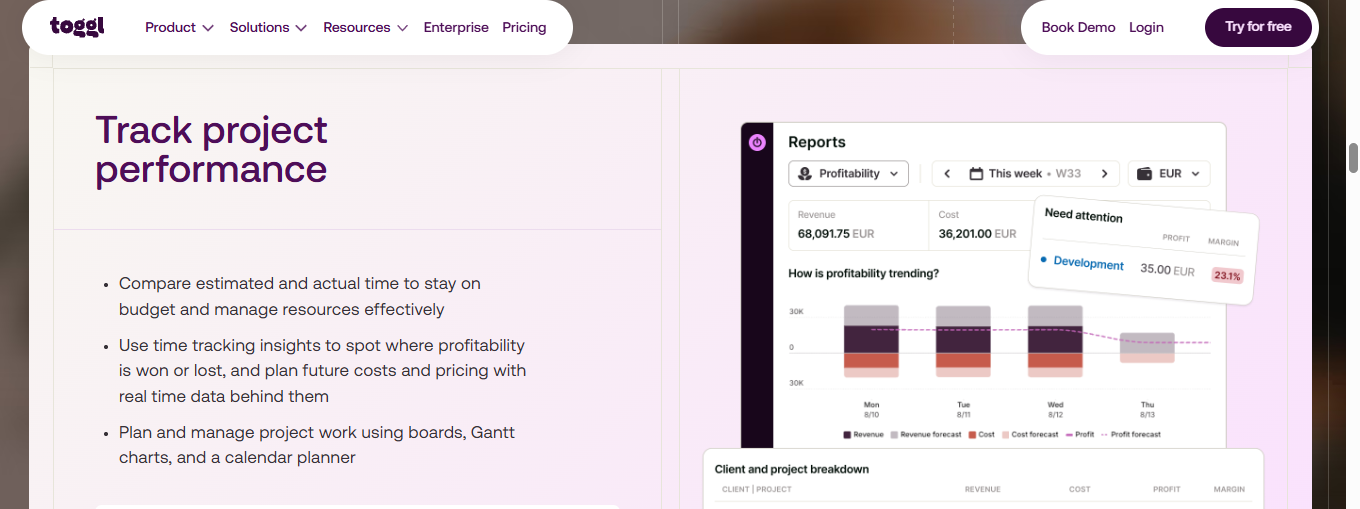
Toggl Track focuses on straightforward time recording for individuals and teams. Users can track working hours across projects and tasks, add manual entries where necessary and review time summaries through available reports.
For businesses looking for an easy-to-use app for startups, Toggl Track offers a relatively straightforward way to introduce time tracking into daily workflows. Supported integrations can also help connect time recording with other productivity applications.
Its reporting, administration and team management capabilities should be compared with the startup’s specific requirements before choosing a plan.
Key Features
-
Time Tracking: Record working hours using timers.
-
Manual Entries: Add or adjust time records where supported.
-
Project Tracking: Organise hours by project and task.
-
Reports: Review recorded time and project activity.
-
Integrations: Connect with supported productivity tools.
Pros
-
Offers a straightforward time tracking experience.
-
Helps users review time across projects.
-
Provides reporting features.
-
Supports selected integrations.
Limitations: Feature availability varies by subscription. Advanced reporting and administration options may require a paid plan.
Best for: Startups and small teams that prioritise simple time recording and project visibility.
8. Paymo – Best for Startup Project and Task Management
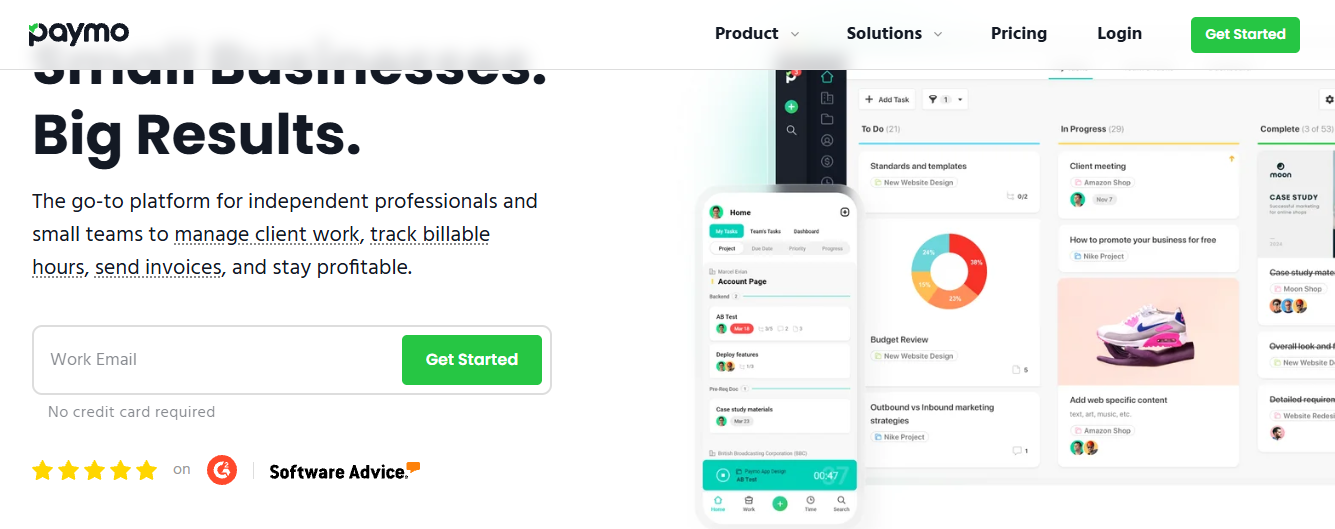
Paymo combines project management, task organisation and time tracking, helping businesses coordinate work while recording the hours spent on assignments.
For startups looking for software for managing startups, Paymo provides a broader workflow for organising projects and tracking employee activities. Teams can manage tasks, review project progress and connect recorded working hours with their assignments.
Its combination of project and time management can be useful for businesses that prefer to manage these activities through one platform instead of separate applications.
Key Features
-
Project Management: Organise client assignments and project activities.
-
Task Management: Structure work into tasks and monitor progress.
-
Time Tracking: Record hours spent on specific activities.
-
Timesheets: Review recorded working hours.
-
Reporting: Analyse project time and activity.
Pros
-
Combines project organisation with time tracking.
-
Helps teams connect tasks with working hours.
-
Provides project reporting.
-
Supports broader business workflows.
Limitations: The platform may offer more features than a startup needs for basic time tracking. Compare available plans and billing functionality before subscribing.
Best for: Small businesses and startups that need project management, task organisation and time tracking together.
9. Memtime – Best for Automatic Time Tracking
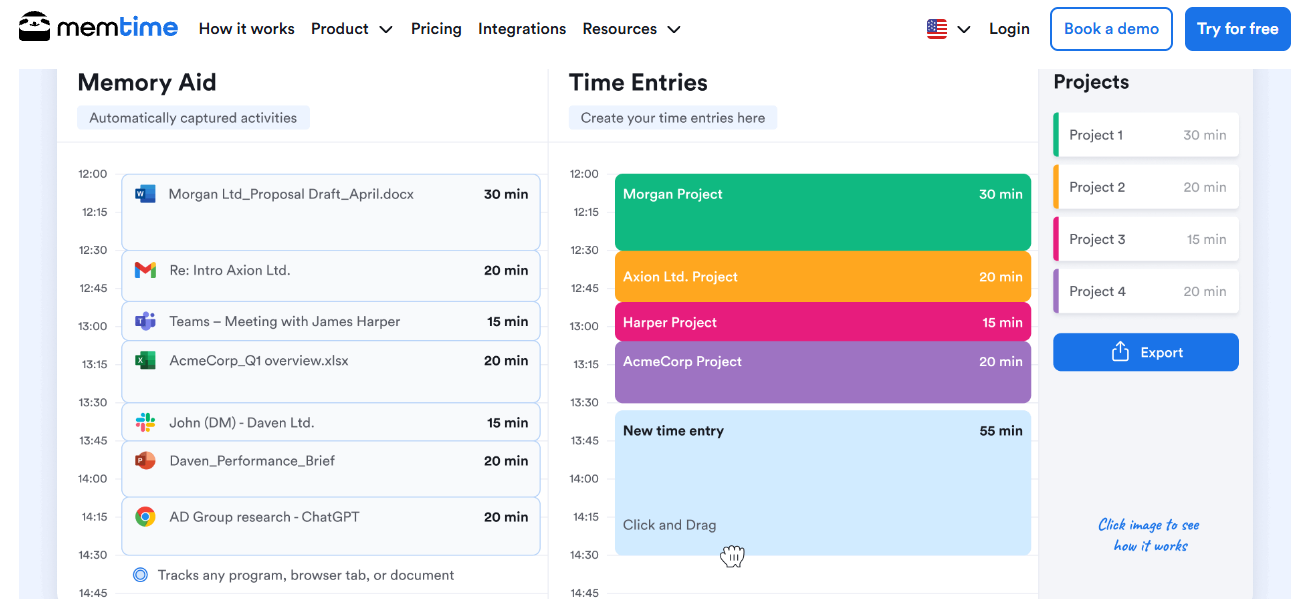
Memtime focuses on automatically capturing computer activity to help users reconstruct their working day. Rather than relying entirely on memory, professionals can review captured activity and use relevant information to prepare time entries.
This approach may help startup employees who frequently switch between applications or forget to start a timer. It can also reduce the effort involved in remembering which activities were completed throughout the day.
However, automatic activity capture does not determine whether recorded time is billable or whether a task was completed for a particular client. Users still need to review and classify their records.
Key Features
-
Automatic Activity Capture: Capture computer activity to support time reconstruction.
-
Activity Review: Examine captured information to identify relevant work.
-
Time Entry Preparation: Use reviewed activity to help complete time records.
-
Integration Support: Check compatibility with supported applications.
-
Time Reconstruction: Review activities that may have been missed during manual tracking.
Pros
-
Reduces reliance on memory when recording time.
-
Helps identify activities that might otherwise be overlooked.
-
Can be useful for employees switching between tasks.
-
Supports more complete time records.
Limitations: Captured activity requires user review. Activity records do not automatically establish billability or completed work.
Best for: Consultants, freelancers and startup professionals who want assistance reconstructing their working day.
10. Hubstaff – Best for Startup Team Activity Monitoring
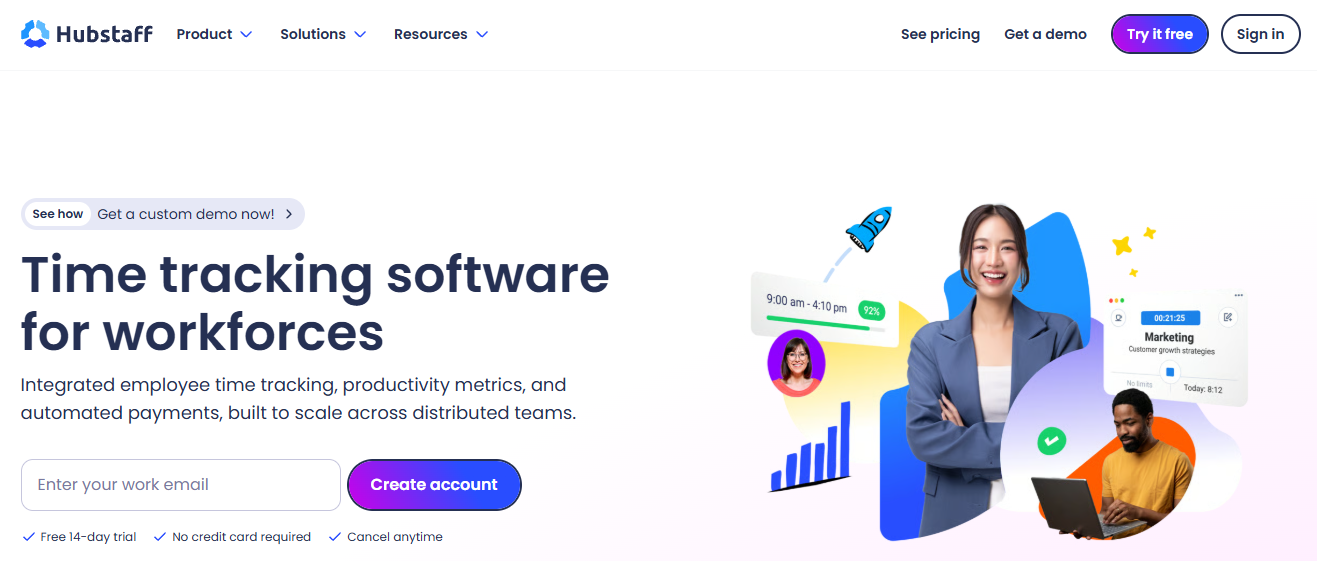
Hubstaff combines time tracking with team activity and workforce management features. It can help distributed startups maintain working-hour records and review project activity across employees and locations.
Its timesheets, reports and supported integrations provide options for managing time information within wider team workflows. Businesses can use these capabilities to review recorded hours and understand how employee time is distributed.
When evaluating a startup tracker, teams should also consider their approach to employee privacy. Monitoring features should be implemented with clear communication and appropriate workplace policies.
Key Features
-
Time Tracking: Record employee working hours across assignments.
-
Timesheets: Maintain and review time records.
-
Team Activity Features: Access available workforce visibility and monitoring tools.
-
Project Reporting: Review working-hour and activity information.
-
Integrations: Connect with supported business applications.
Pros
-
Combines time tracking with workforce management.
-
Provides options for reviewing team working hours.
-
Supports distributed team workflows.
-
Offers reporting and integration capabilities.
Limitations: Monitoring features may raise privacy considerations. Available capabilities vary by plan, and businesses should establish clear employee policies.
Best for: Distributed startups and businesses that need employee time tracking alongside workforce activity visibility.
How to Track Time Effectively in a Startup
Implementing time tracking for startups requires a consistent process that employees can follow without spending too much time on administration. A structured approach helps founders understand how working hours are distributed, monitor project progress and identify areas where workflows can improve.
Here are six steps to establish an effective time tracking process:
Step 1: Set Up Projects
Create separate projects for different clients, products, departments or internal activities. A clear project structure helps employees associate their working hours with the correct assignments.
Step 2: Assign Tasks and Responsibilities
Divide projects into manageable tasks and assign responsibilities to team members. This helps everyone understand their daily priorities and makes it easier to review project progress.
Step 3: Record Working Hours
Encourage employees to record their working hours using timers or manual time entries. Recording activities regularly can help reduce forgotten tasks and incomplete timesheets.
Step 4: Review Employee Timesheets
Managers should regularly review submitted timesheets to identify missing entries, incorrect project allocations and inconsistencies in recorded hours.
Step 5: Generate and Analyse Reports
Use time reports to understand how employees distribute their working hours across projects and tasks. These insights can help founders review workloads and make informed resource allocation decisions.
Step 6: Improve Team Workflows
Use the information collected through time tracking to identify delays, review project requirements and improve how work is assigned across the team.
Using billable hours software can also help service-based startups organise client work, separate billable activities from internal tasks and maintain reliable records for billing preparation.
How to Choose the Best Time Tracking Software for Startups
Selecting the best app for startups depends on the team’s size, working style, budget and project management requirements. A suitable platform should make recording working hours straightforward while providing the tools needed to organise projects and review team performance.
Consider these factors before making a decision:
1. Ease of Use: Choose a platform with a straightforward interface that employees can use without extensive training. Simple time entry methods can encourage consistent usage across the team.
2. Team Size and User Limits: Check how many employees can access the platform under each subscription plan. Startups should consider both their current team size and expected growth.
3. Project and Task Management: Look for tools that allow employees to organise assignments, manage tasks and associate working hours with relevant projects.
4. Timesheet and Reporting Capabilities: Check whether managers can review working hours, analyse project time and export relevant reports for business records.
5. Billable Hours Management: If your startup provides services to clients, consider whether the platform supports billable and non-billable time classification and the reporting required for billing workflows.
6. Integrations: Review compatibility with your existing business applications, project management tools and accounting systems.
7. Pricing and Scalability: Compare free plans, paid subscriptions, team member limits and feature restrictions. Select a platform that meets your current requirements without making future expansion unnecessarily difficult.
Ultimately, the right software should support your team’s daily workflow and provide enough flexibility to accommodate changing business requirements.
Essential Features of Startup Time Tracking Software
When evaluating startup time tracking software, it is important to consider more than basic working-hour records. Startups often manage several projects, changing responsibilities and limited resources, so the right features can make everyday operations easier to organise.
Here are the essential capabilities to consider:
1. Automated and Manual Time Tracking
Reliable time tracking software for startups should provide practical ways to record working hours. Timer-based tracking allows employees to start and stop a timer while completing assignments, while manual entries help them add working hours when they were unable to track activities in real time.
Having suitable time entry options can help teams maintain organised records without making the process unnecessarily complicated.
2. Project and Task Management
Startups frequently handle product development, client assignments, internal operations and other business activities simultaneously. Project and task management features help organise this work and assign responsibilities to team members.
When evaluating software for managing startups, look for the ability to organise projects, create tasks and associate recorded working hours with relevant activities. This makes it easier to review project progress and understand how time is being distributed.
3. Billable and Non-Billable Hours Tracking
For consulting firms, agencies and service-based startups, maintaining separate records for billable and non-billable activities is important.
Suitable billable hours software should help employees record client-related work and distinguish it from internal meetings, administration and other activities that are not charged to clients.
These records can support timesheet reviews, project cost analysis and billing preparation. Always check whether your chosen platform provides the specific billing functionality your business requires.
4. Timesheet Management and Approval
Timesheets provide a structured way to review employee working hours across different projects and reporting periods.
A useful startup tracker should make it easy to review recorded hours, identify missing entries and maintain consistent time records. Approval workflows can also help managers check submitted information before using it for internal reporting or billing preparation.
5. Productivity Reports and Team Insights
Reporting capabilities help founders and managers understand how working hours are distributed across projects, employees and tasks.
When tracking startup activities, reports can provide useful information about recorded hours, project workloads and time allocation. This information can support better planning and help managers identify areas that may require additional attention.
However, recorded working hours should not be treated as the only measure of employee productivity. Project outcomes, completed tasks and work quality also matter.
Common Time Tracking Mistakes Startups Should Avoid
Introducing time tracking for startups can improve record-keeping, but inconsistent processes may reduce its effectiveness. Employees and managers should understand how time entries are recorded, reviewed and organised.
Here are some common mistakes to avoid:
1. Recording Time Too Late: Waiting until the end of the week can lead to forgotten activities and inaccurate time estimates. Encourage employees to record their working hours regularly.
2. Using Unclear Task Descriptions: Entries such as “project work” or “general tasks” provide limited information. Use clear descriptions that explain the activity completed.
3. Assigning Hours to the Wrong Projects: Incorrect project allocation can affect reporting and create confusion during project reviews. Employees should check their project selections before submitting timesheets.
4. Ignoring Non-Billable Activities: Treating every recorded hour as billable can result in inaccurate client records. Establish clear rules for separating client work from internal activities.
5. Skipping Timesheet Reviews: Unchecked entries may contain missing hours, duplicate records or incorrect allocations. Managers should review timesheets regularly.
6. Choosing Software Without Comparing Features: Not every platform supports the same workflows. Before choosing a startup tracker, compare time entry methods, project management, reporting, pricing and team limits.
7. Overlooking Employee Privacy: If your software includes monitoring features, explain what information is collected and establish clear employee policies.
A consistent tracking process, supported by suitable software, can help startups maintain accurate records and organise their daily operations more effectively.
Why Choose AYYES for Startup Time Tracking?
AYYES combines time tracking, project management, task organisation, timesheets and reporting in one platform. It helps businesses organise employee working hours and maintain visibility into how time is allocated across different projects and tasks.
For businesses comparing time tracking software for startups, AYYES offers a combination of time management and work organisation capabilities. Instead of maintaining separate records for every project and employee, teams can use the platform to record working hours and review relevant project information.
Its free plan supports up to 12 team members, making it an option for smaller teams that want to introduce organised time tracking.
Key Benefits of AYYES
1. Time Tracking: Record working hours using supported tracking methods and maintain structured time records.
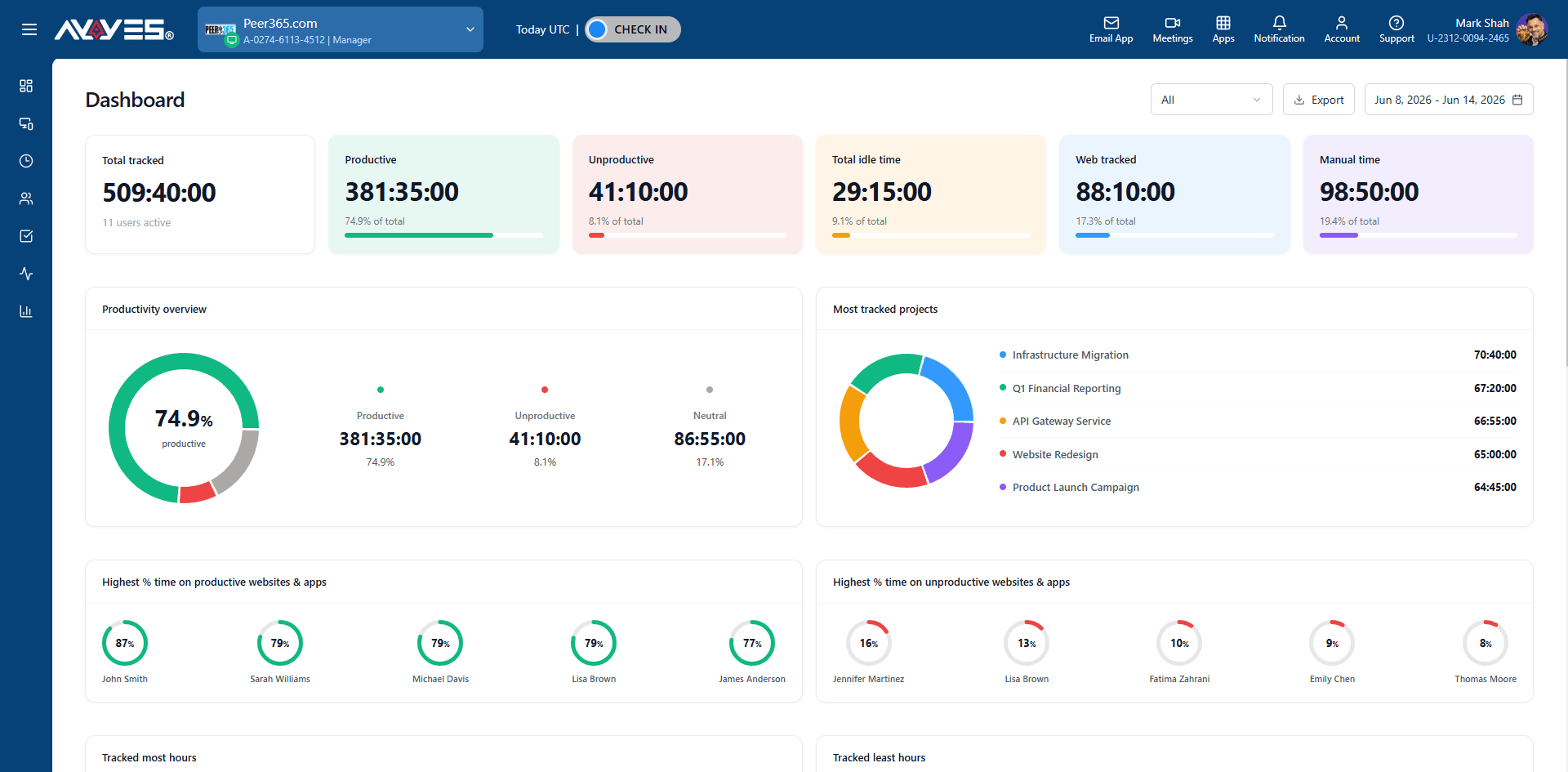
2. Project and Task Management: Organise assignments and connect recorded hours with relevant projects and tasks.
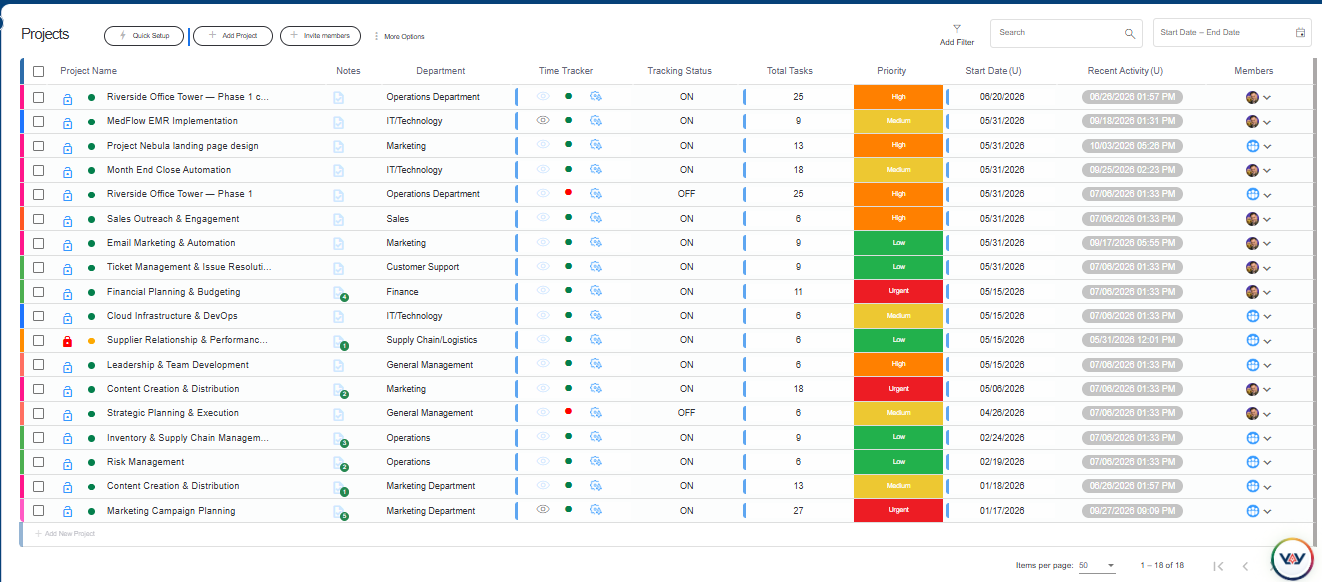
3. Timesheet Management: Review recorded working hours and maintain timesheets for project and team analysis.
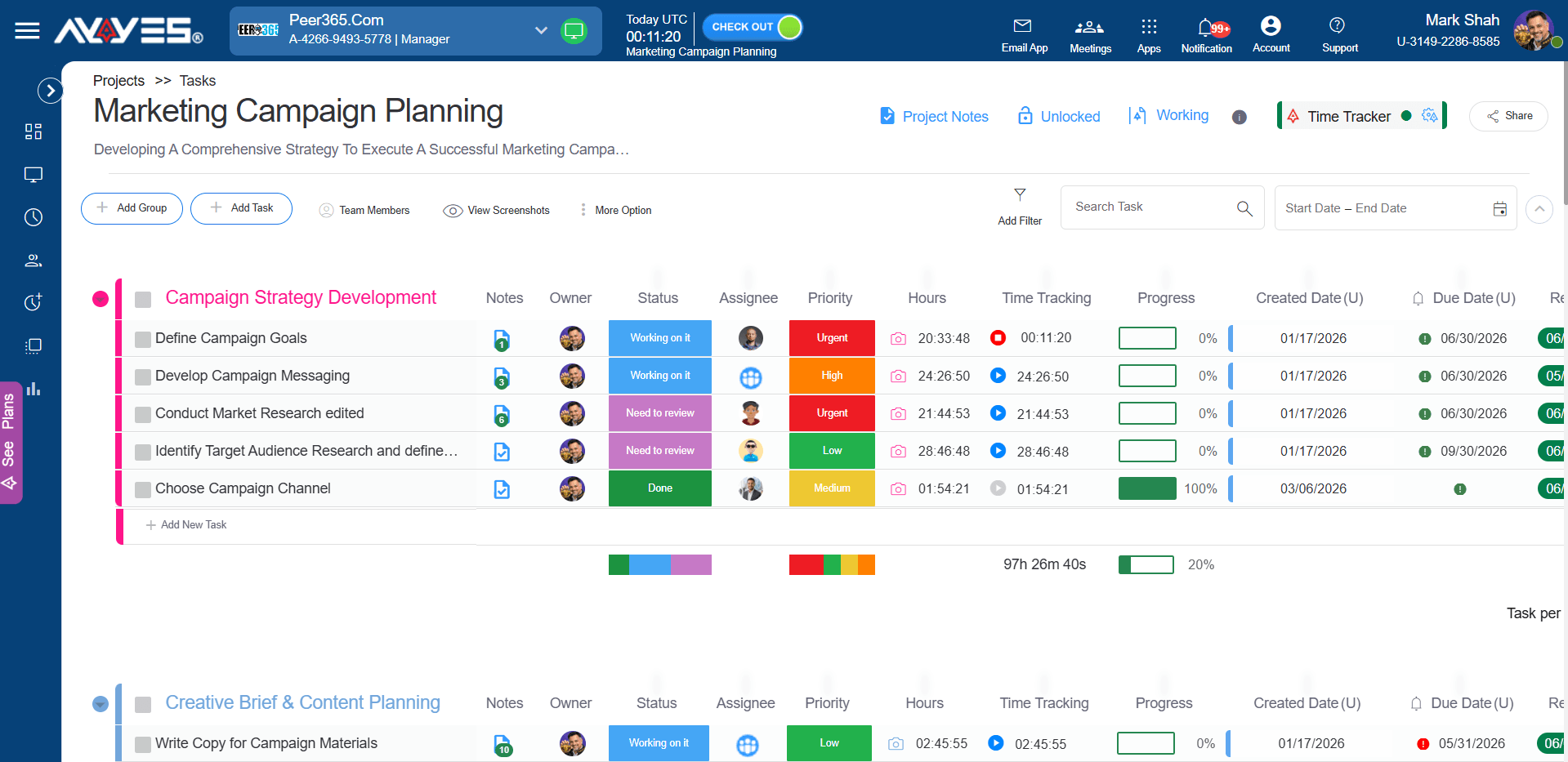
4. Reports and Exports: Generate reports and export available time information for further analysis and business reporting.
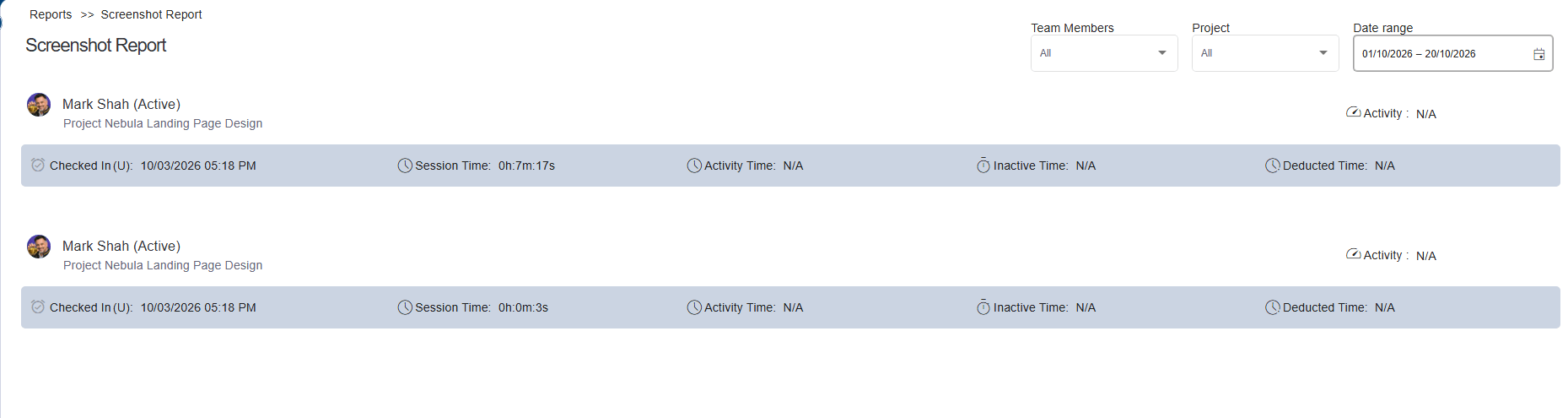
5. Team Activity Visibility: Access supported employee activity features through eligible paid plans. Advanced features such as screenshots and application activity tracking are not included in the free plan.
6. Flexible Team Access: Choose from the available plans according to your team size and feature requirements.

AYYES Pricing Plans for Startups
Pricing is an important consideration when choosing an app for startups, particularly for businesses managing expenses carefully during their early stages.
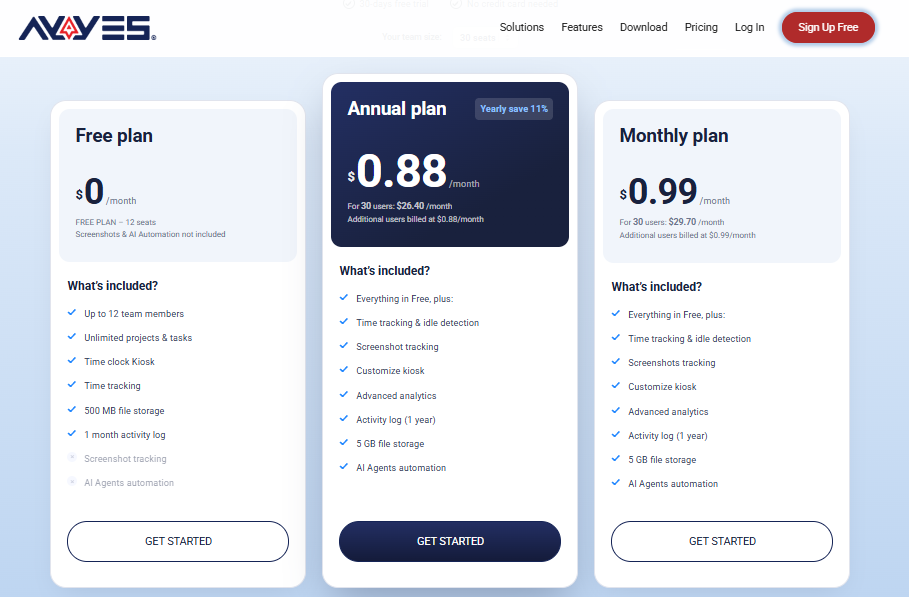
AYYES offers a free plan Up to 12 team members , alongside paid subscriptions and a 30-day PRO trial.
| Plan | Price | What’s Included |
|---|---|---|
| Free Plan | $0 | Up to 12 team members, time tracking, unlimited projects and tasks, basic kiosk access |
| Paid Plan – Monthly | $0.99/seat/month | Paid features according to the selected plan |
| Paid Plan – Annual | $0.88/seat/month | Annual billing at the stated monthly equivalent |
| 30-Day Free Trial | $0 | Access to PRO features for 30 days without a credit card |
For example, a 30-seat team costs $29.70 per month on monthly billing or $26.40 per month at the annual monthly equivalent.
The free plan is suitable for teams that need basic time tracking and project organisation. Businesses requiring additional monitoring and reporting capabilities should review the paid-plan features before subscribing.
Organise Your Startup’s Time and Projects with AYYES
Running a startup means managing multiple tasks, projects and team responsibilities while making the most of limited time. AYYES brings time tracking, project management, task organisation and timesheet records together in one platform. Your team can record working hours, organise daily activities and keep project progress visible, helping you manage work more efficiently as your business grows.
Whether you are managing a small team or expanding your startup, AYYES gives you a central place to organise work and understand how time is being spent. Explore its time tracking and project management features with a 30-day PRO trial, with no credit card required.
Frequently Asked Questions About Startup Time Tracking
1. What is the best time tracking software for startups?
The best solution depends on your team’s requirements, budget and project workflows. AYYES combines time tracking, project and task management, timesheets and reporting. Other options include Clockify for basic time tracking, Harvest for invoicing workflows and Productive for project and resource management.
2. Is there free time tracking software for startups?
Yes. Several platforms offer free plans or trial periods. AYYES offers a free plan for up to 12 team members, including time tracking, unlimited projects and tasks, and basic kiosk access. Always compare the available features and plan limitations before choosing.
3. How do startups track employee working hours?
Startups can track employee working hours using timers, manual time entries and timesheets. Employees record their working hours against relevant projects and tasks, while managers review the entries and generate reports to understand time allocation.
4. Can startups use time tracking software to manage billable hours?
Yes. Startups providing consulting, development or other client services can use time tracking tools to record project hours and distinguish billable activities from internal work. Some platforms also provide invoicing features, while others focus on timesheets and reporting.
5. What features should startups look for in a time tracking app?
Startups should consider time tracking, project and task management, timesheets, reporting, integrations, pricing and team member limits. Businesses working with clients should also evaluate billable and non-billable time tracking capabilities.


