
Top 10 Best Time Tracking Software for Billable Hours in 2027
Accurate time records are essential for businesses that charge clients by the hour. From tracking project tasks to reviewing employee timesheets, the right system helps teams understand how their working hours are spent and maintain reliable billing records. Choosing the right time tracking software for billable hours can also reduce manual work and make project reporting more organised.
However, recording every working hour is only part of the process. Businesses also need to distinguish billable from non-billable activities, allocate time to the correct projects and review entries before preparing invoices.
This guide compares ten popular time tracking tools, explores their features and limitations, and explains how to choose a solution that fits your team’s workflow.
Best Time Tracking Software for Billable Hours at a Glance
Not every time tracking tool offers the same features. Some are designed for simple time entries, while others support project budgets, client billing and detailed reporting. Comparing their main capabilities can help you choose a solution that matches your team’s needs and budget.
Here is a quick comparison of ten popular tools for tracking billable hours.
| Software | Best for | Main capabilities to evaluate |
| AYYES | Team time tracking and project reporting | Time entries, tasks, timesheets and reports |
| Productive | Agency management | Project budgets, resources and financial planning |
| TMetric | Client and project time tracking | Timers, billable entries and reporting |
| Beebole | Detailed time reporting | Timesheets, approvals and custom reports |
| Harvest | Client billing workflows | Time tracking, project budgets and invoicing |
| Clockify | Budget-conscious teams | Timers, timesheets and project reports |
| Toggl Track | Straightforward time tracking | Timers, project tracking and integrations |
| Paymo | Project and time management | Tasks, timesheets and project workflows |
| Memtime | Automatic time capture | Activity capture and timesheet preparation |
| Hubstaff | Team activity visibility | Time tracking, activity features and reports |
Also Suggest this : Manual vs Automated Time Tracking
Best time tracking software for billable hours
1. AYYES – Best for Team Time Tracking and Project Reporting
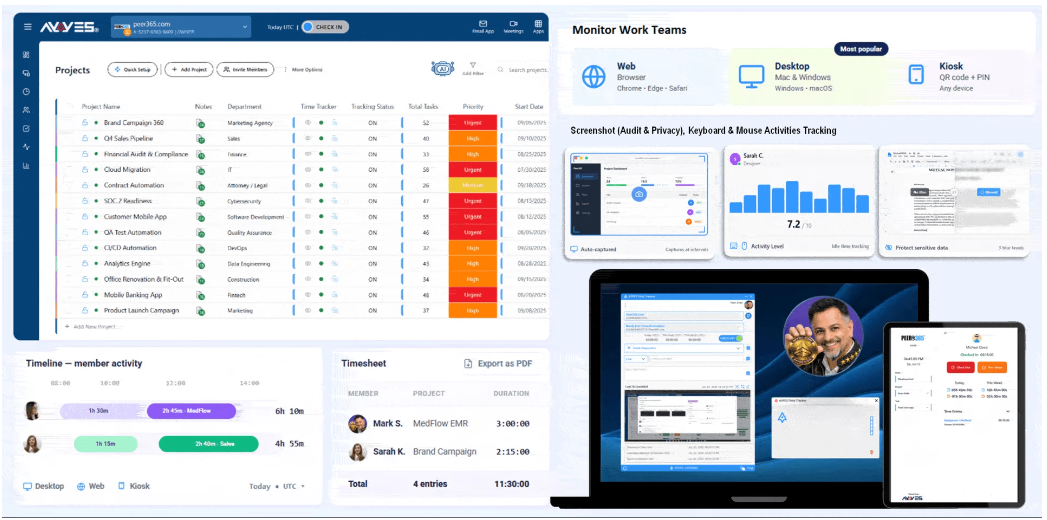
AYYES combines time tracking with project and task management, helping businesses organise work and understand how employees spend their working hours. Teams can maintain timesheets, review recorded time and generate reports to analyse project activity. For agencies and service businesses, these capabilities can support more organised time records and make it easier to review hours before using them in billing workflows. AYYES also offers a free plan for up to 12 team members, making it worth considering for small businesses and growing teams.
Key features
- Time tracking: Record working hours using supported tracking methods and maintain structured time entries.
- Project and task management: Organise assignments and associate recorded hours with relevant projects and tasks.
- Timesheet management: Review time entries and maintain records for team and project analysis.
- Reports and exports: Generate reports and export available data for further analysis and administrative workflows.
- Team activity visibility: Use the available team activity features to review work-related information.
Pros
- Combines time tracking with project and task management.
- Provides timesheets and reporting capabilities.
- Offers a free plan for up to 12 team members.
- Can support teams that want project information and time records in one platform.
Limitations: Direct invoice generation should be verified, available reporting and monitoring features may depend on the plan, businesses should confirm that exports meet their billing requirements.
Best for: Agencies, small businesses and growing teams that want time tracking, project organisation and reporting in one platform.
2. Productive – Best for Agency Management
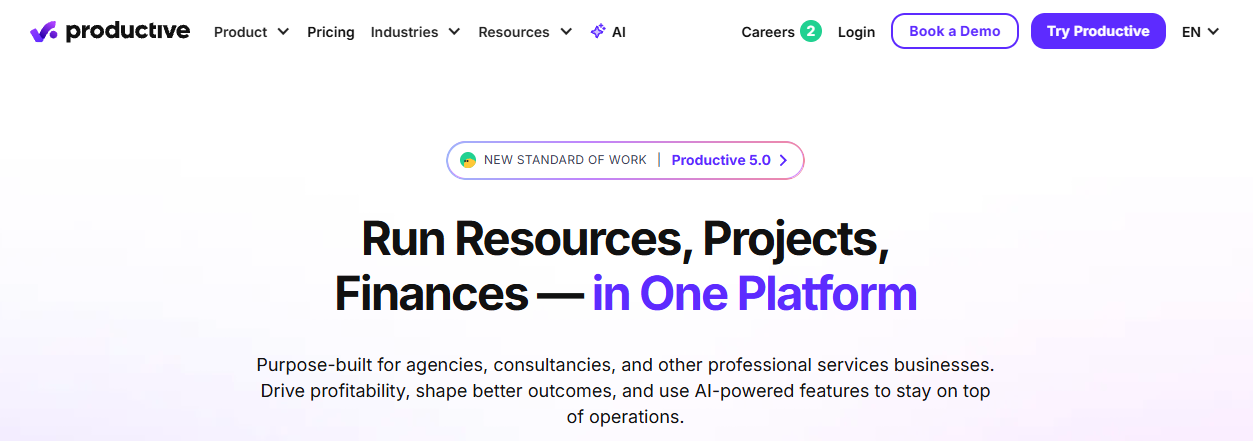
Productive is designed for agencies and professional service businesses that need to coordinate projects, resources, budgets and financial performance. Its broader management capabilities connect time tracking with project planning and resource allocation, helping managers understand how work is distributed across clients and teams. Businesses can evaluate its budgeting and reporting functions to assess project performance and identify where resources are being used. Productive is particularly relevant for agencies managing multiple projects, although its wider feature set may be more than a small team needs for basic time recording.
Key features
- Project management: Organise client work, projects and related activities.
- Time tracking: Record time spent on assignments and review project hours.
- Budget management: Monitor project budgets and evaluate financial performance.
- Resource planning: Review workload and allocate resources across projects.
- Reporting: Analyse project and financial information to support business decisions.
Pros
- Combines project management with resource and budget planning.
- Helps agencies review project performance and profitability.
- Supports businesses managing multiple clients and teams.
- Provides a broader operational view than a standalone timer.
Limitations: May be more complex than necessary for simple time tracking, costs should be evaluated against team size, feature availability depends on the current plan.
Best for: Agencies and professional service firms that need project budgeting, resource planning and financial visibility alongside time tracking.
3. TMetric – Best for Client and Project Time Tracking
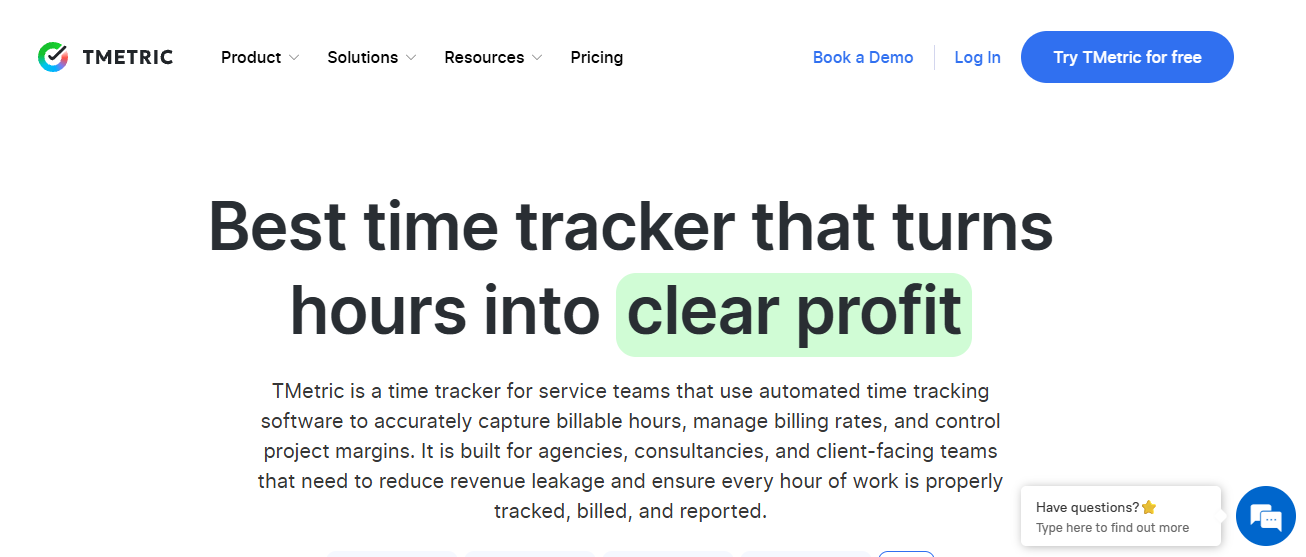
TMetric helps freelancers, consultants and teams record working hours and organise time entries across clients, projects and tasks. Its timer-based and manual tracking options give users flexibility when recording different types of work. Reporting features help businesses review recorded hours, while supported integrations can connect time tracking with other productivity and business tools. TMetric is worth considering for service providers that need structured time records and visibility into project activity. Before choosing a plan, businesses should confirm which billing-related features and integrations are available.
Key features
- Time entry options: Record working hours using timers or manual entries.
- Project and task tracking: Associate time records with specific assignments and clients.
- Reporting: Review time data and examine how hours are distributed.
- Billing-related capabilities: Evaluate available options for tracking billable work and project rates.
- Integrations: Connect with supported applications to fit existing workflows.
Pros
- Offers flexible methods for recording working hours.
- Helps organise time by client, project and task.
- Provides reports for reviewing project time.
- Can suit freelancers and teams with different tracking requirements.
Limitations: Some capabilities may require paid plans, integration availability varies, billing workflows should be checked before adoption.
Best for: Freelancers, consultants and service teams that need structured client-level time tracking and reporting.
4. Beebole – Best for Detailed Time Reporting
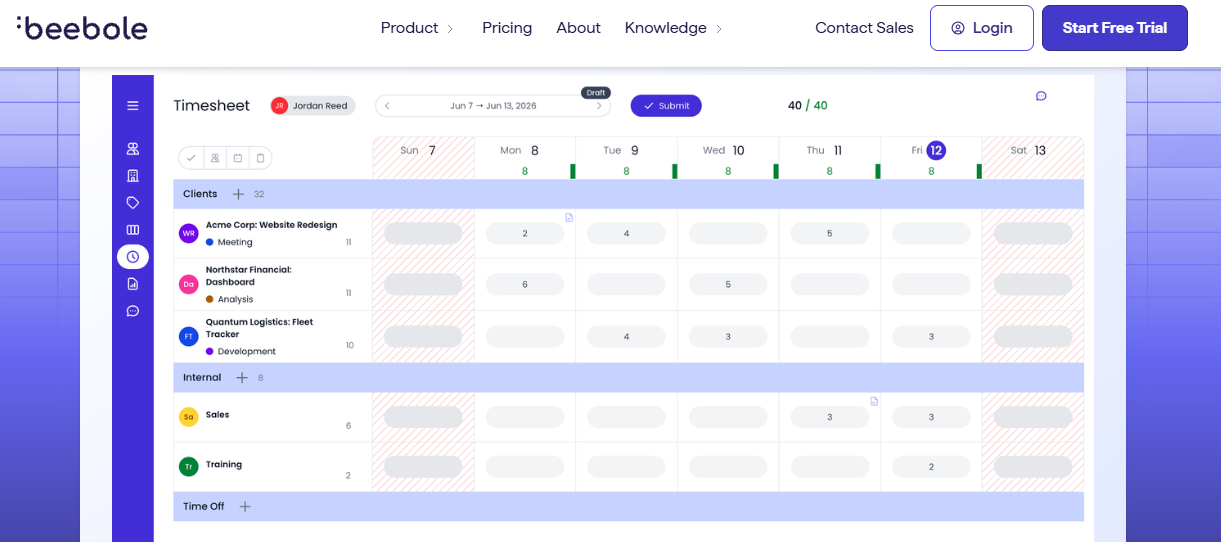
Beebole focuses on business time tracking, timesheets and reporting for organisations that need detailed records across employees, projects and departments. Its configurable reporting capabilities can help managers review time allocation and understand how work is distributed throughout the organisation. Timesheet review and approval options can also support a consistent process for checking entries before using the information in internal reports or billing workflows. Beebole is worth evaluating for businesses with more detailed reporting requirements, particularly where managers need to analyse time across multiple projects or teams.
Key features
- Configurable timesheets: Organise time entries according to business and project requirements.
- Project-level tracking: Maintain records of hours associated with different projects and tasks.
- Custom reports: Review time information using available reporting and analysis options.
- Approval workflows: Evaluate timesheet review features for checking submitted records.
- Business reporting: Analyse working hours across employees, projects and departments.
Pros
- Supports detailed time reporting and analysis.
- Helps businesses organise records across projects and departments.
- Offers configurable reporting options.
- Can support more structured timesheet review processes.
Limitations: Configuration may require initial setup, pricing needs comparison with alternatives, integration and approval features should be verified against requirements.
Best for: Organisations that need detailed timesheets, configurable reports and structured oversight of project hours.
5. Harvest – Best for Client Billing Workflows
Harvest combines time tracking with project budgets, expense tracking and invoicing features. This makes it relevant for freelancers, consultants and agencies that want to connect recorded hours with their client billing process. Teams can record time against projects, review budgets and use relevant time and expense records within supported invoicing workflows. By bringing these activities together, Harvest can help businesses reduce the need to manage time data separately from billing administration. Businesses should still compare available plans and integrations to ensure the software fits their client contracts and accounting processes.
Key features
- Time tracking: Record working hours using timers and manual entries.
- Project budgets: Monitor time against project budgets and review progress.
- Expense tracking: Maintain expense records associated with relevant work.
- Invoicing: Use supported invoicing features to connect tracked time with client charges.
- Reports: Review project time, expenses and budget information.
Pros
- Connects time tracking with client invoicing.
- Helps monitor project budgets and recorded hours.
- Supports time and expense reporting.
- Can simplify billing workflows for service businesses.
Limitations: Some capabilities may require paid plans, available integrations should be checked, businesses should confirm that invoicing options meet their accounting requirements.
Best for: Freelancers, consultants and agencies that want time tracking, project budgets and invoicing in a connected workflow.
6. Clockify – Best for Budget-Conscious Teams
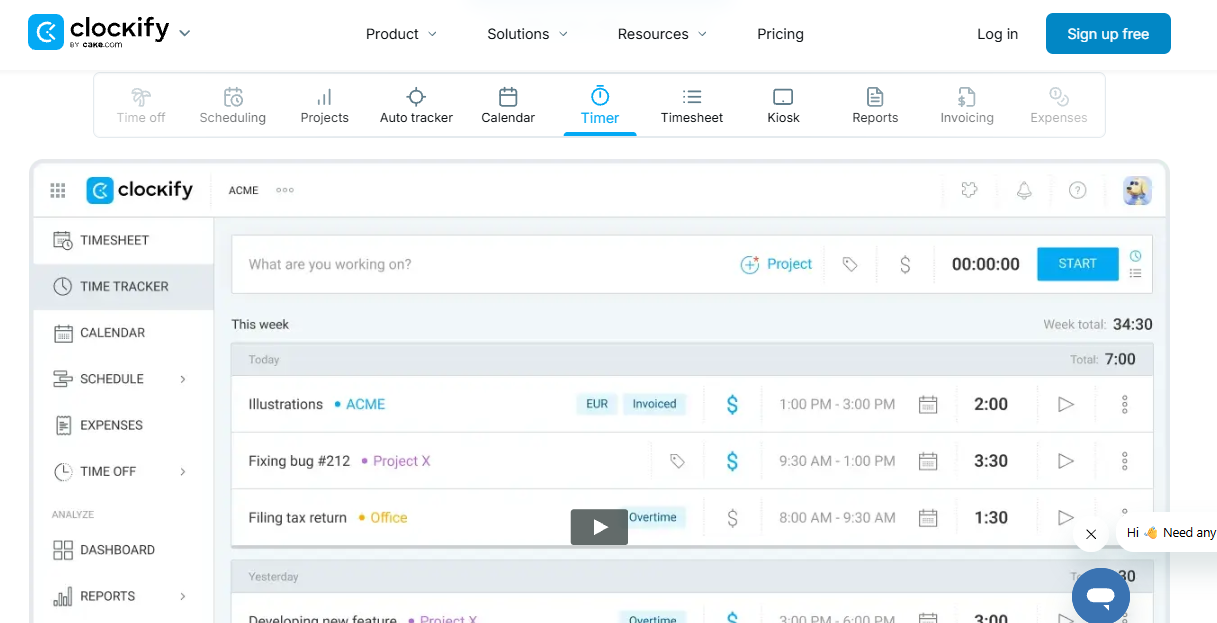
Clockify provides time tracking, timesheets and project reporting for individuals, freelancers and businesses. Users can record working hours through timers or manual entries, organise time by client, project and task, and review reports to understand how time is being spent. Its free plan makes it worth considering for businesses introducing a formal tracking process without immediately committing to a paid subscription. As teams grow, they should compare the available plans to determine whether additional reporting, administration and management features are required.
Key features
- Timer-based tracking: Start and stop timers while working on different assignments.
- Manual time entries: Add working hours when a timer was not used.
- Project and task organisation: Categorise time records for easier reporting.
- Timesheets: Review recorded working hours in a structured format.
- Reporting: Analyse time records across available projects and reporting periods.
Pros
- Offers a free plan for basic time tracking.
- Supports both timers and manual entries.
- Helps organise working hours by project and task.
- Provides reporting options for reviewing recorded time.
Limitations: Advanced features may require a subscription, plan limits should be checked, some reporting and administration requirements may need paid functionality.
Best for: Freelancers, small businesses and teams looking for accessible time tracking with flexible entry options.
7. Toggl Track – Best for Straightforward Time Tracking
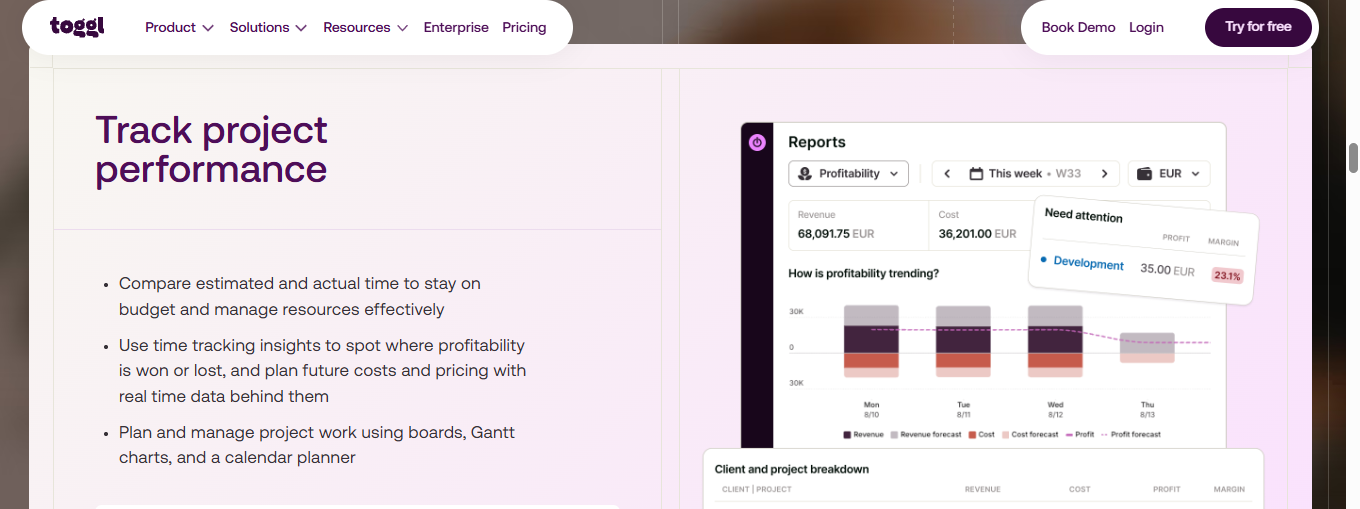
Toggl Track focuses on making time recording straightforward for individuals and teams. Users can track working hours across projects and tasks, add manual entries when necessary and review time summaries through available reports. Supported integrations can help connect tracking with other productivity tools, making it easier to fit time recording into an existing workflow. Toggl Track may suit businesses that value ease of use and want employees to maintain consistent time records. Its available reporting, administration and billing-related capabilities should be compared with the team’s specific requirements.
Key features
- Time tracking: Record working hours through timers.
- Manual entries: Add or adjust time records where supported.
- Project tracking: Organise working hours by project and task.
- Reports and summaries: Review recorded time and project activity.
- Integrations: Connect with supported productivity and project management tools.
Pros
- Offers a straightforward time tracking experience.
- Helps users review time across projects and tasks.
- Provides reports for understanding working hours.
- Supports integrations with selected business applications.
Limitations: Features vary by plan, advanced reporting may require a subscription, verify billing-related functionality and team management options.
Best for: Individuals and teams that prioritise simple time recording, project visibility and integrations.
8. Paymo – Best for Project and Time Management
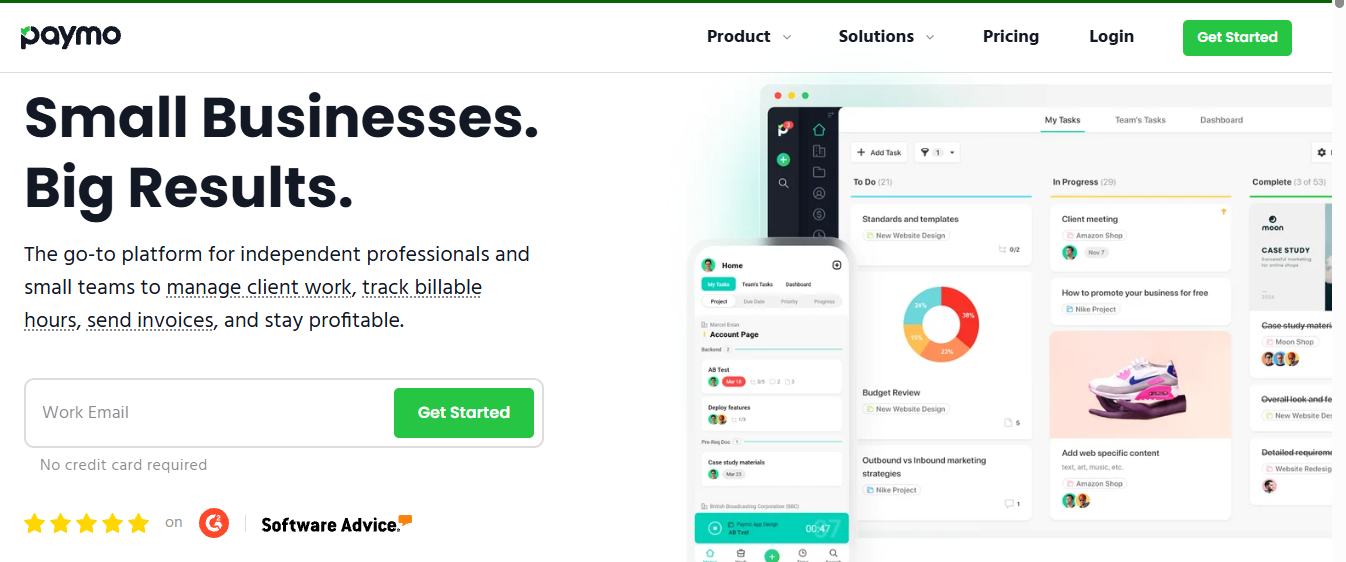
Paymo combines project management, task organisation and time tracking, helping businesses coordinate work while recording the hours spent on assignments. Teams can use its project and timesheet capabilities to review time allocation and understand how working hours relate to project progress. Its broader workflow can be useful for agencies and small businesses that want to manage tasks and time records together instead of relying on separate systems. Businesses should assess its available reporting, billing functionality and pricing to determine whether it fits their operational needs.
Key features
- Project management: Organise client assignments and project activities.
- Task management: Structure work into tasks and monitor progress.
- Time tracking: Record hours spent on specific activities.
- Timesheets and reports: Review recorded time and project information.
- Billing-related functionality: Evaluate available options for managing project charges and billing workflows.
Pros
- Combines project organisation with time tracking.
- Helps teams connect tasks with recorded working hours.
- Provides reporting for reviewing project activity.
- Can suit businesses seeking a broader project workflow.
Limitations: May include more features than basic tracking requires, pricing and plan restrictions should be reviewed, billing options and integrations need verification.
Best for: Small businesses and agencies that want project management, task tracking and time recording in one system.
9. Memtime – Best for Automatic Time Capture
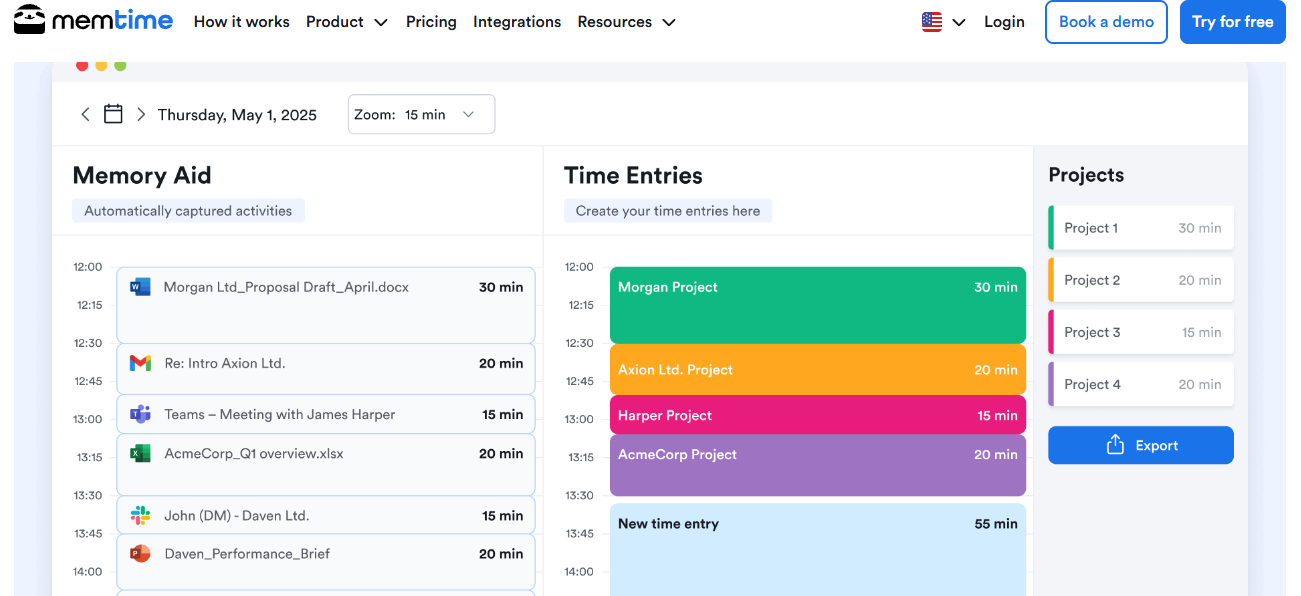
Memtime focuses on automatically capturing computer activity to help users reconstruct their working day. Rather than relying entirely on memory, professionals can review captured activity and use relevant information to prepare time entries. This approach may help people who switch frequently between tasks or forget to start a timer. However, automatic activity capture does not determine whether time is billable or whether a task was completed for a specific client. Users still need to review records and classify their time appropriately.
Key features
- Automatic activity capture: Record computer activity to support time reconstruction.
- Activity review: Examine captured information to identify relevant work.
- Time entry preparation: Use reviewed activity to help complete time records.
- Integration support: Check compatibility with supported time tracking and project tools.
- Time reconstruction: Review the working day to identify activities that may have been missed.
Pros
- Can reduce reliance on memory when recording time.
- Helps identify activities that might otherwise be overlooked.
- May be useful for professionals who frequently switch tasks.
- Supports the preparation of more complete time records.
Limitations: Captured activity requires user review, activity does not automatically establish billability, supported integrations should be confirmed.
Best for: Consultants, freelancers and professionals who want assistance reconstructing their working day.
10. Hubstaff – Best for Team Activity Visibility
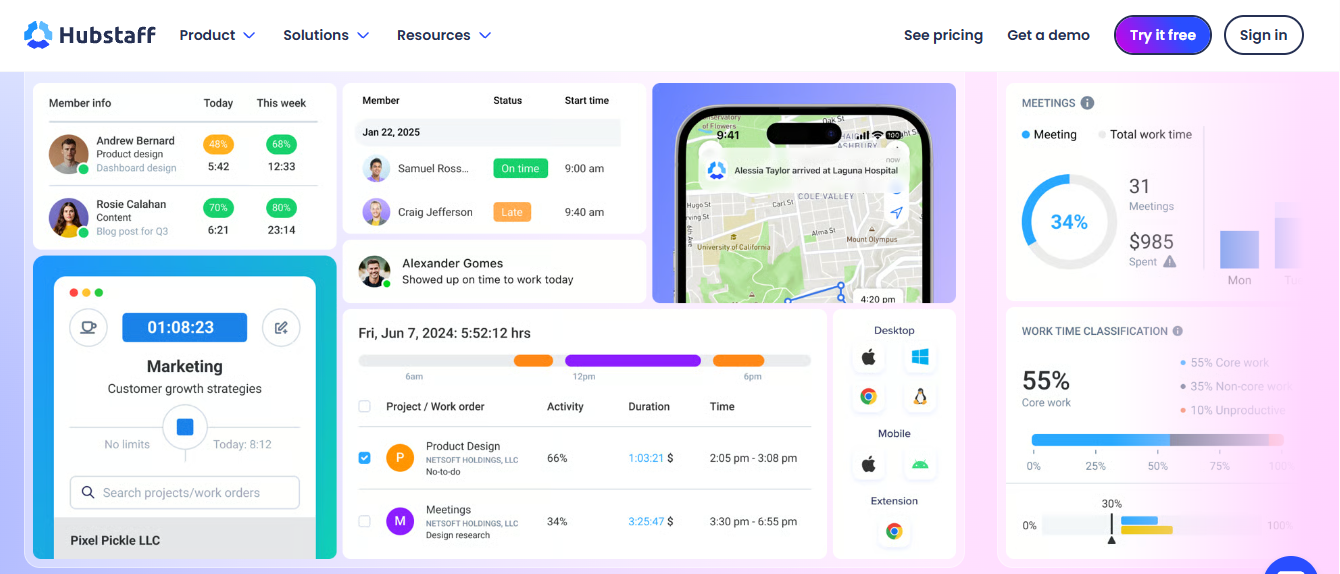
Hubstaff combines time tracking with team activity and workforce management features. It can help distributed businesses maintain working-hour records and review project activity across employees and locations. Its timesheets, reports and supported integrations provide options for managing time information within wider team workflows. Businesses considering Hubstaff should evaluate whether its monitoring capabilities are appropriate for their working environment, communicate policies clearly to employees and review available plan features before implementation.
Key features
- Time tracking: Record working hours across team assignments.
- Timesheets: Maintain and review time records.
- Team activity features: Access available workforce visibility and monitoring tools.
- Project reporting: Review time and activity information.
- Integrations: Connect with supported business and project management applications.
Pros
- Combines time tracking with workforce management.
- Provides options for reviewing team working hours.
- Supports distributed team workflows.
- Offers reporting and integration capabilities.
Limitations: Monitoring features may raise privacy concerns, capabilities vary by plan, configuration and employee policies require careful consideration.
Best for: Distributed teams and businesses that need time tracking alongside workforce activity visibility.
How to Track Billable Hours Step by Step
An effective tracking process begins with clear billing rules and consistent time recording. The following steps can help businesses create a more reliable workflow.
Step 1: Set up clients and projects
Create a separate record for each client and organise work into relevant projects. This helps employees allocate their time accurately and makes reporting easier.
Step 2: Define tasks and billing rules
Identify the activities that can be charged to clients. Document agreed hourly rates, fixed-fee arrangements and any rules concerning meetings, revisions or administrative work.
Step 3: Record time consistently
Employees can use timers or manual entries, depending on the available tools and the nature of their work. Encourage them to record time close to when tasks are completed.
Step 4: Review timesheets
Managers should check entries for missing hours, incorrect project assignments and unclear descriptions before approving the records.
Step 5: Prepare reports
Generate reports for the relevant client, project and billing period. Review the recorded hours and confirm that the entries follow the agreed billing rules.
Step 6: Use the records in your billing workflow
Transfer approved information into your invoicing or accounting process. Confirm rates, contract terms and any adjustments before issuing an invoice.
How to Choose the Best Billable Hours Tracker
Choosing the right billable hours tracker depends on your business model, team size, project requirements and client billing process. The best solution should make it easy to record working hours, organise project data and review timesheets without adding unnecessary administrative work. Consider the following factors before selecting a tool.
- Time Entry Methods: Look for timers and manual time entries that allow employees to record their working hours accurately, whether they track tasks in real time or update timesheets later.
- Client and Project Organisation: Choose software that lets your team assign hours to the correct clients, projects and tasks, making it easier to review time spent on individual assignments.
- Billable and Non-Billable Time: Check whether the platform can separate billable activities from internal meetings, administration and other non-billable work to support more accurate client billing.
- Reporting and Timesheets: Look for reports that summarise recorded hours by employee, project, client or date range, helping managers review time entries and prepare billing records.
- Timesheet Approval Workflows: Approval features can help managers identify missing entries, correct allocation errors and verify recorded hours before using them for client billing.
- Integrations: Consider whether the software connects with your existing accounting, invoicing or project management tools to reduce duplicate data entry and keep workflows organised.
- Pricing and Scalability: Compare subscription costs, team member limits, reporting features and plan restrictions to ensure the software meets your current needs and can support future growth.
Ultimately, the best billable hours tracker should fit your team’s existing workflow, provide reliable time records and make it easier to manage client projects and billing information as your business grows.
Essential Features of Software for Managing Billable Hours
The right software for managing billable hours should do more than record time. It should help businesses organise project work, review timesheets, maintain accurate records and prepare reliable information for client billing. When comparing solutions, look for the following essential features.
- Project and Task-Level Tracking: Employees should be able to assign recorded hours to specific clients, projects and tasks. This makes it easier to understand how much time each assignment requires and review project progress.
- Billable and Non-Billable Time Classification: The software should help distinguish client-chargeable work from internal meetings, administration and other non-billable activities. Clear classifications support more consistent billing records.
- Timesheet Review and Approval: Managers should be able to review submitted timesheets, identify missing entries and correct errors before recorded hours are used for billing or reporting.
- Reporting and Data Exports: Detailed reports should allow teams to analyse hours by employee, client, project and date range. Export options can also make it easier to share records and prepare billing documentation.
- Integration with Business Tools: Connections with accounting, invoicing and project management platforms can reduce repetitive data entry and help keep business information organised across different systems.
- User Access and Privacy Controls: Role-based permissions help ensure employees, team leaders and administrators can access the time records and reports relevant to their responsibilities.
- Flexible Time Entry Options: Timers and manual time entries give employees practical ways to record work according to their daily routines, helping teams maintain more complete time records.
Before choosing a solution, consider your main business requirements. Some teams need straightforward time recording, while others require project-level reporting, timesheet approvals or integrations with existing billing systems. Select software that supports your current workflow and offers the features your business needs as it grows.
What Is the Best Way to Track Billable Hours?
The best way to track billable hours is to use a consistent time tracking process that records work against the correct client, project and task. For businesses that charge by the hour, accurate records make it easier to review completed work, prepare billing information and understand how time is spent across projects.
Follow these steps to improve your billable hours tracking process:
- Set Up Clients and Projects: Create separate records for each client, project and task so employees can assign their working hours correctly.
- Record Time Consistently: Use a timer while working or enter hours manually when necessary. Recording time regularly can help reduce forgotten tasks and inaccurate estimates.
- Classify Billable Hours: Mark client-chargeable work separately from internal meetings, administration and other non-billable activities.
- Review Timesheets: Check entries for missing hours, duplicate records and incorrect project assignments before using them for billing.
- Generate Time Reports: Review recorded hours by client, employee, project or date range to understand workload and support billing calculations.
- Use Time Tracking Software: A dedicated billable hours tracker can centralise time entries, project records and reports, reducing reliance on spreadsheets and manual calculations.
For teams managing multiple clients or projects, time tracking software for billable hours can make the process more organised and consistent. Choose a tool that suits your team’s workflow, supports reliable reporting and makes it easy to review recorded hours before preparing invoices.
How to Calculate Billable Hours and Client Charges
Calculating billable hours accurately helps businesses charge clients according to the agreed rates and work completed. The process involves recording working time, separating billable activities from non-billable tasks and applying the correct billing rate under the client agreement.
Use this simple formula:
Client charges = Billable hours × Agreed hourly rate
For example, suppose a consultant records eight hours of work in one day. Two hours are spent on internal administration, leaving six potentially billable hours. If the agreed hourly rate is £80, the calculation is:
- Total hours worked: 8 hours
- Non-billable time: 2 hours
- Billable hours: 6 hours
- Agreed hourly rate: £80
- Total client charges: 6 × £80 = £480
The £480 represents the amount before any applicable taxes, discounts, contract adjustments or additional charges.
To maintain accurate billing records, businesses should assign time entries to the correct client and project, review timesheets for errors and confirm that recorded activities qualify as billable under the agreement. Using time tracking software for billable hours can make it easier to organise these records, distinguish billable from non-billable time and generate reports for review.
It is also important to consider the client’s pricing arrangement. Hourly contracts calculate charges based on approved billable time, while fixed-fee projects, retainers and other agreements may use different billing methods. Therefore, recorded working hours do not always translate directly into additional client charges.
Common Mistakes When Tracking Billable Hours
Accurate billable hours tracking requires more than recording the time employees spend working. Inconsistent entries, incorrect project allocations and missed reviews can affect billing records, project reports and client communication. Understanding common mistakes can help businesses establish a more reliable tracking process.
- Recording Time Too Late: Waiting until the end of the day or week can lead to forgotten tasks and inaccurate time estimates. Encourage employees to record hours as they work or update their timesheets regularly.
- Using Vague Time Entry Descriptions: Descriptions such as “project work” or “admin tasks” provide limited context. Employees should use clear, specific descriptions that explain the activity completed and make entries easier to review.
- Assigning Hours to the Wrong Project: Incorrect project or client selections can distort reports and create confusion during billing. Use a consistent project structure and ask employees to verify assignments before submitting timesheets.
- Ignoring Non-Billable Activities: Treating all recorded hours as billable can lead to inaccurate billing calculations. Separate client-chargeable tasks from internal meetings, administration and other non-billable work.
- Skipping Timesheet Reviews: Unchecked time entries may contain missing hours, duplicate records or incorrect allocations. Regular reviews help managers identify and resolve issues before billing records are finalised.
- Overlooking Client Contract Terms: Not every working hour is automatically chargeable. Check the agreed hourly rates, billing rules, included services and any limits specified in the client contract.
- Relying Entirely on Manual Records: Spreadsheets and separate timesheets can make it harder to maintain consistent records across multiple projects. A suitable billable hours tracker can centralise time entries and simplify reporting and review.
To avoid these mistakes, establish clear time recording guidelines, review entries regularly and ensure employees understand how to classify their work. Consistent processes, supported by appropriate time tracking software, can help businesses maintain dependable records and make client billing more organised.
Why Choose AYYES for Managing Billable Hours?
AYYES combines time tracking, project management and reporting tools to help teams organise working hours and understand how time is allocated across projects and tasks. For businesses comparing time tracking software for billable hours, it offers a central place to record time, review timesheets and analyse team work.
Key Benefits of AYYES
- Time Tracking: Record working hours using supported tracking methods, helping teams maintain organised time records.
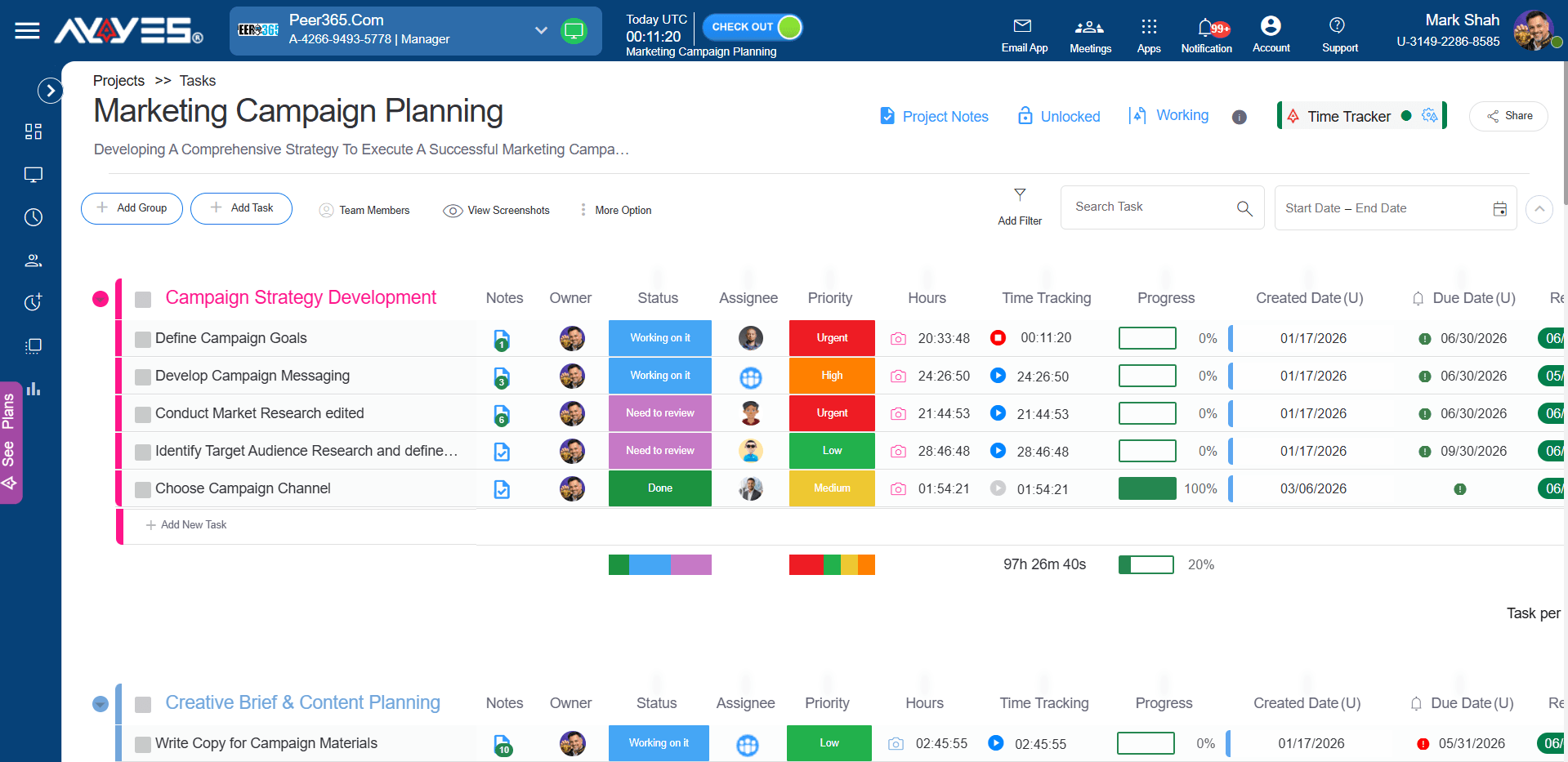
- Project and Task Management: Organise assignments and associate time entries with the relevant projects and tasks.
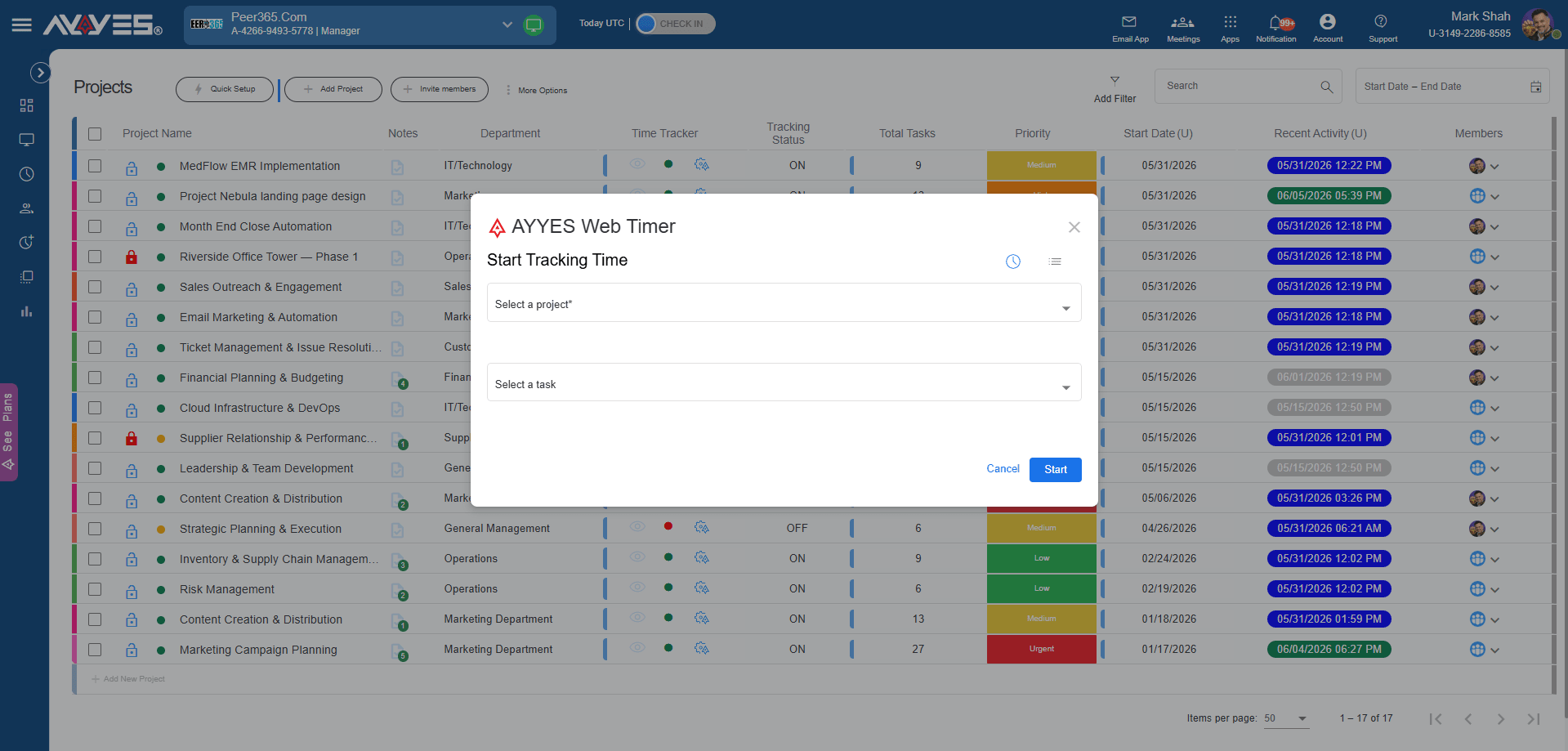
- Timesheet Management: Review recorded hours and maintain structured timesheets for internal checks and billing preparation.
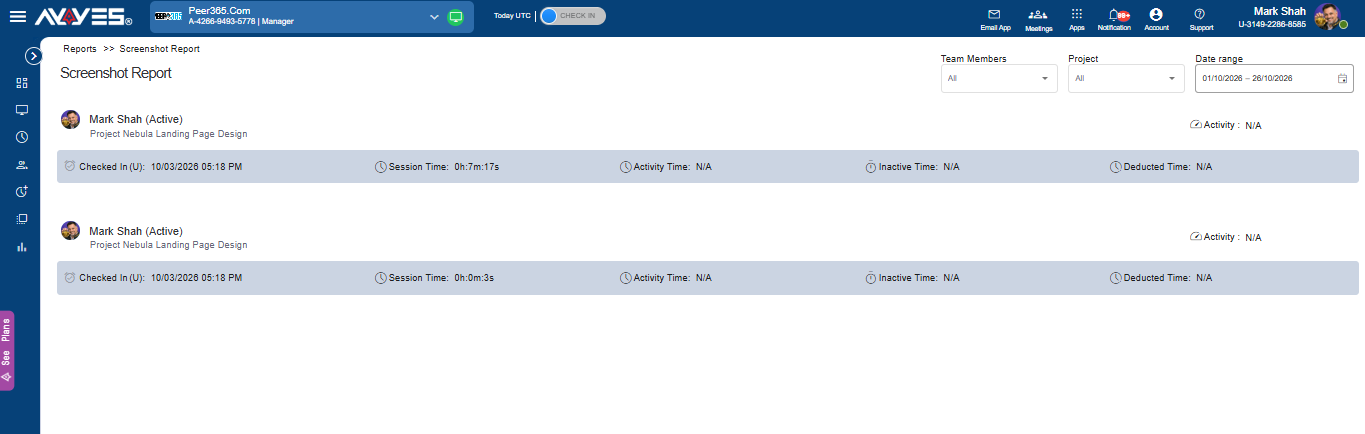
- Reporting and Exports: Analyse time data and export reports for further review and business reporting.
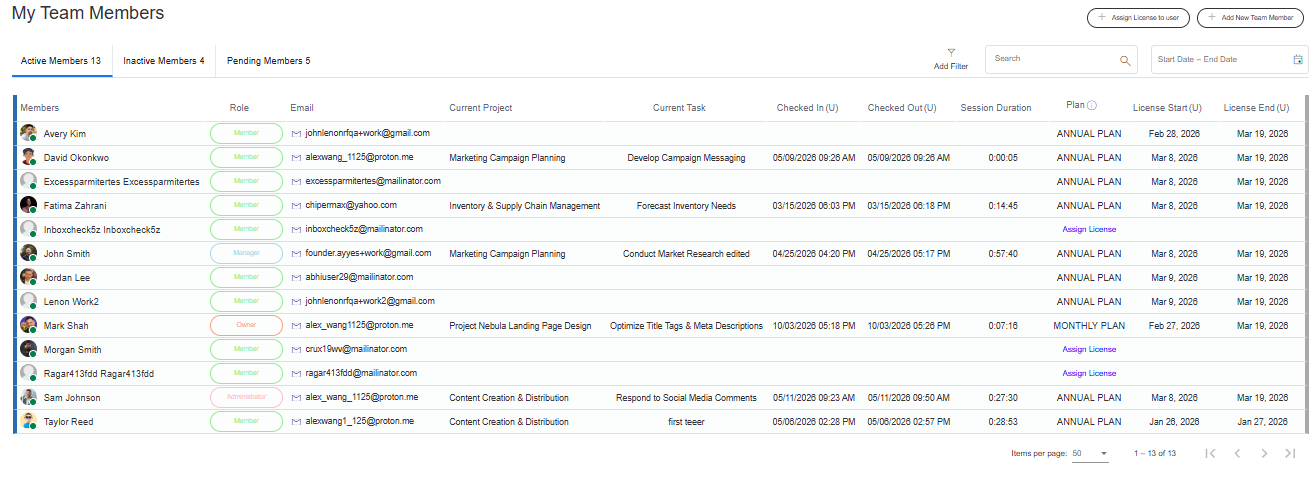
- Team Activity Visibility: Access team activity monitoring features available under eligible paid plans.
- Flexible Team Access: Choose a plan that suits your team size and requirements.
AYYES Pricing Plans
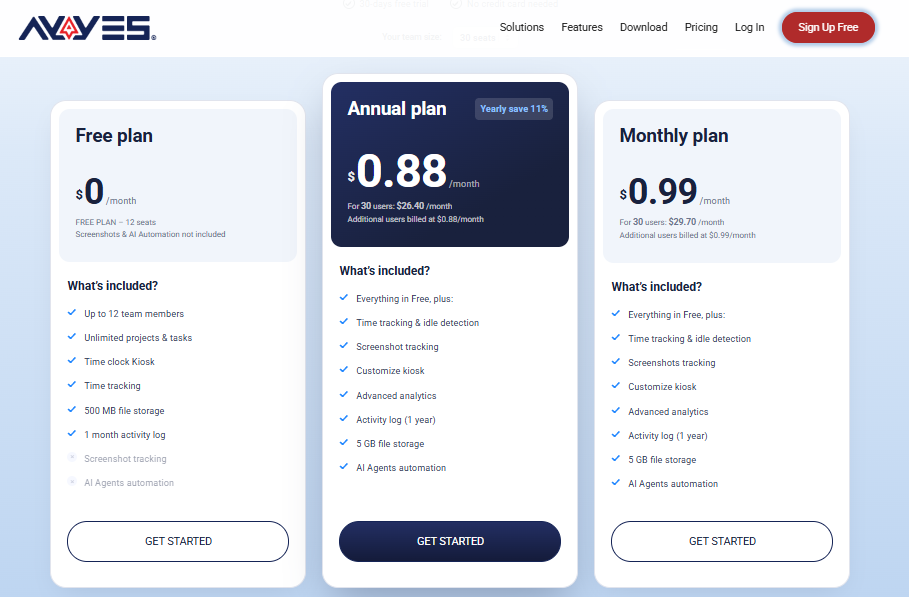
AYYES offers a free plan and paid options for businesses that need additional capabilities. The following pricing provides a starting point for comparing plans.
| Plan | Price | What to Know |
|---|---|---|
| Free Plan | $0 | Supports up to 12 team members, with time tracking, unlimited projects and tasks, and basic kiosk access. |
| Paid Plan – Monthly | $0.99 per seat/month | For teams that prefer monthly billing. A 30-seat team costs $29.70 per month. |
| Paid Plan – Annual | $0.88 per seat/month | For teams choosing annual billing. A 30-seat team costs $26.40 per month at the stated monthly equivalent. |
| 30-Day Free Trial | $0 | Try PRO features for 30 days without a credit card. |
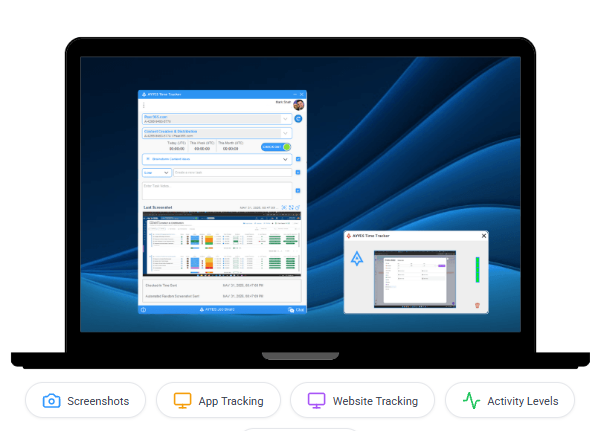
Pricing and feature availability may change. Confirm the latest details on the official AYYES website before subscribing. Advanced monitoring features, including screenshots and application activity tracking, are paid-plan features and are not included in the free plan.
Frequently Asked Questions on Billable Hours Software
1. What is the best app to track billable hours?
The right app depends on your workflow. Harvest may suit businesses that prioritise invoicing, Clockify offers flexible time tracking, and AYYES combines time tracking with project and task management. Compare reporting, integrations, pricing and billing requirements before deciding.
2. Can small businesses use free billable-hours software?
Yes. Several providers offer free plans or trials. Check the limits on team members, reporting, integrations and advanced features to make sure the free option supports your needs.
3. How do businesses improve the accuracy of billable time records?
Encourage employees to record time promptly, use clear task descriptions, allocate hours to the correct projects and review timesheets regularly. Written billing rules also help maintain consistency.
4. Does time tracking software automatically create invoices?
Not always. Some platforms offer invoicing features, while others focus on recording hours and generating reports. Confirm whether the software supports direct invoice creation or whether you will need to transfer approved records into a separate accounting tool.
5. What should I look for in a billable hours tracking app?
Look for easy time entry, project and task organisation, billable classifications, timesheets, reports, integrations and suitable pricing. If you work with clients, make sure the records can support your invoicing process.
Final Thoughts
The right tracking solution helps businesses understand where working hours go, maintain more consistent records and review client projects with greater clarity. Before choosing a platform, consider your team’s size, project structure, reporting needs and billing workflow.
AYYES is worth evaluating if you want time tracking alongside project and task management, timesheets and reporting. Compare its current capabilities with the alternatives in this guide, then choose the solution that fits your team’s everyday work.


