
Choose by Workflow: TSheets Alternatives for SMBs and 1–4 Week Pilots
The best TSheets alternative depends entirely on how your team works, not a single “best overall” pick. Desk-based teams do well with free or low-cost project trackers, field crews need GPS and offline sync, shift businesses need scheduling built in, and teams wanting both accountability and automation should look at AYYES, a direct alternative built for remote and on-site work alike. Match your workflow to a category below, then start a trial with your top pick. AYYES offers a free plan for up to 12 team members.
TL;DR:
- Basic tracking tools are suitable for small teams with simple hours and billing needs, but lack compliance reports and payroll integration.
- GPS and offline sync features are essential for field crews, with tools like ClockShark offering geofencing and photo verification for location accuracy.
- Shift-based businesses should prioritize scheduling features such as roster management and attendance alerts over detailed project tracking.
- When evaluating vendors, ensure live demos cover your specific use case, and confirm data export and integration capabilities before signing a contract.
- AYYES offers an all-in-one platform with AI automation, monitoring, and flexible clock-in options, making it a versatile choice for remote and on-site teams.
Table of Contents
- At-a-Glance Picks by Use Case
- What to Check Before You Sign a Contract
- Which Category Fits Your Business Type?
- A Feature Checklist You Can Use in Any Demo
- How Should You Choose Between These Options?
- AYYES as a Direct Alternative Worth Testing
- Does It Connect to More Than Just QuickBooks?
- What Support Can You Expect After You Switch?
- How Long Should a Trial or Demo Take?
- How Hard Is It to Move Your Data Off TSheets?
- Why the Feature War Misses the Real Decision
- Try AYYES Before You Commit to Anything Else
- Sources
- FAQ
At-a-Glance Picks by Use Case
QuickBooks Time (the product formerly called TSheets) works fine for straightforward hourly tracking, but plenty of businesses outgrow it or never needed its full feature set to begin with. Here’s how the main alternative categories break down and who each one actually serves.
- Free or basic tracking: Unlimited timers, simple project hierarchies, and invoice export cover small teams that just need accurate hours and clean billing. You give up advanced compliance reporting and deep payroll rules, which is fine if you have five people and one project list.
- Field and GPS-driven tools: Geofencing, offline mode, and job costing matter most when crews move between sites. These tools trade simplicity for location accuracy, so expect a steeper setup than a basic timer app.
- Shift and scheduling-first platforms: Built around rosters, shift swaps, and attendance rules, these fit hourly retail, hospitality, and healthcare teams better than project-based businesses.
- Contractor all-in-one suites: Estimating, scheduling, and job costing combine in one system, aimed at construction and trade businesses managing multiple crews and bids at once.
- Monitoring and productivity platforms: Screenshot capture, activity tracking, and AI automation suit remote or hybrid teams where output visibility matters more than physical location. AYYES sits here and overlaps into contractor and desk-based use, since it supports both remote monitoring and flexible clock-in for on-site staff.
Team size matters less than workflow. A ten-person remote agency and a ten-person landscaping crew need entirely different tools despite the identical headcount.
What to Check Before You Sign a Contract
Every time-tracking vendor demo looks polished. The gap between the pitch and daily reality shows up in three places: how time entries feed payroll, how compliance reports get generated, and how invoices pull from logged hours. Test all three before you commit, not after. Pricing shapes vary more than they first appear. Some vendors charge a base platform fee plus a per-seat add-on; others bundle everything into one per-user price but gate GPS or job costing behind a higher tier. Ask about the exact definition of a “seat,” since some platforms count anyone who ever logs in, including admins who never clock hours.
- Does the free tier or entry plan include mobile clock-in, or is that a paid add-on?
- What happens to historical data if we cancel or downgrade?
- Is QuickBooks Online sync included, or does it require a separate integration fee?
- How does the platform handle overtime rules across different states or regions?
- Can we export raw timesheet data, not just summary reports?
Pro Tip: Ask for a live demo of the exact report your bookkeeper will use every pay period. If the sales rep hesitates or shows a generic screenshot instead, treat that as a red flag.
Which Category Fits Your Business Type?
Matching your business to a category saves weeks of trial-and-error migration. Here’s how the fit typically breaks down by workflow. Desk-based and project teams rarely need GPS or job costing. What they need is a clean project hierarchy, time entries that roll into invoices without manual reformatting, and a free tier generous enough to run a small team without a monthly bill. Tools like My Hours are built around exactly this simplicity, and Harvest leans further into project billing with invoicing and expense capture baked in. Field crews live or die by location accuracy. Geofencing that actually enforces clock-in radius, offline sync that doesn’t lose entries in a dead zone, and photo verification for job sites all matter more than reporting polish. ClockShark markets itself squarely at this segment, with job costing tied directly to GPS-verified hours. Contractors running multiple bids at once need more than a timer. Estimating tied to scheduling, job costing that updates in real time, and QuickBooks Online sync that doesn’t require manual reconciliation are the baseline. Platforms like BigTime target consulting and project-accounting workflows where billable accuracy drives revenue. Shift-based hourly businesses need rostering first, time tracking second. Shift swaps, attendance alerts, and built-in labor rule support matter more than granular project tracking. When I Work and Boomr both build from the scheduling side outward, adding attendance and payroll features on top of a shift calendar. Remote and hybrid teams need visibility without micromanagement. Optional screenshot capture, activity tracking with privacy controls, and AI-assisted reporting fit this group best, since the goal is accountability data, not surveillance for its own sake. 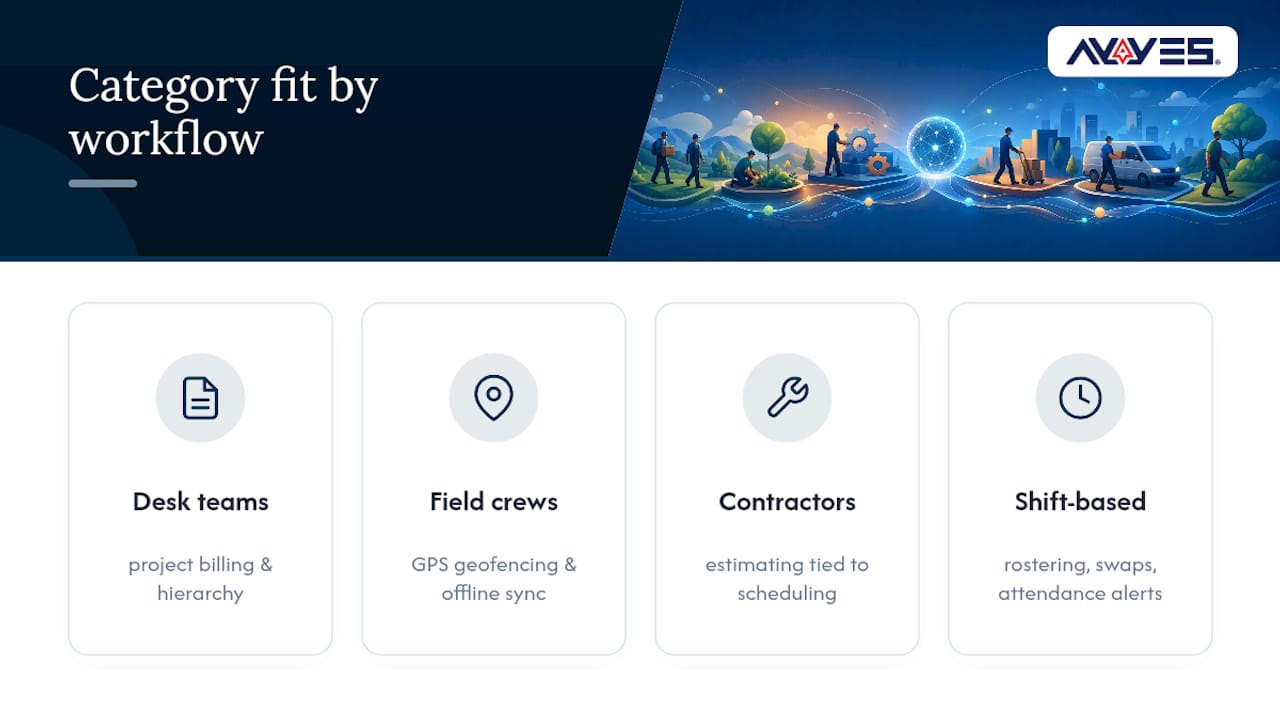
A Feature Checklist You Can Use in Any Demo
Score each vendor against the same table during a trial, and insist on seeing every row demonstrated live rather than described in a slide deck.
| Feature | What “pass” looks like |
|---|---|
| Time entry methods | Web, mobile, and kiosk all log to the same record without manual sync |
| GPS and geofencing | Clock-in is blocked or flagged outside a defined radius |
| Offline sync | Entries logged without signal upload automatically once reconnected |
| Job costing | Hours tie directly to a project or client code without a second export step |
| Scheduling | Shifts, swaps, and coverage gaps are visible in one calendar view |
| PTO and overtime rules | Rules apply automatically based on hours worked, not manual flags |
| Kiosk or device clock-in | A shared tablet or terminal supports multiple employees securely |
| QuickBooks export | Timesheet data maps to QuickBooks Online categories without reformatting |
| Reporting and export formats | Reports export as CSV or PDF without losing detail |
| Free tier available | A no-cost plan exists for small teams, even if limited in seats |
Weight the rows differently depending on your business. A field crew should treat GPS and offline sync as non-negotiable, while a project team should weight job costing and QuickBooks export higher than kiosk support.
How Should You Choose Between These Options?
Run the same evaluation sequence for every vendor, so you’re comparing apples to apples instead of trusting whichever sales deck was most polished.
- Book a 30 to 60 minute demo and bring your own sample payroll period to test, not a canned example.
- Walk through the feature checklist table live, row by row, and note any feature the rep can’t demonstrate on screen.
- Confirm the contract’s billing definition of a “seat,” data export rights on cancellation, and onboarding support included in the price.
- Run a one to four week pilot with your core crew before rolling out company-wide, focusing on offline and GPS behavior if that applies to your team.
- Set success metrics before the pilot starts: entry accuracy, payroll processing time, and staff adoption rate.
Red flags that should stop a deal: vague answers about data export, GPS features that only work with a constant signal, or pricing that changes once you ask about job costing or compliance reporting. Pro Tip: Run your pilot during a normal pay period, not a slow week. Edge cases like overtime and split shifts are exactly what expose a weak platform.
AYYES as a Direct Alternative Worth Testing
AYYES combines time tracking with AI-driven automation agents, screenshot capture with adjustable privacy settings, project and task management, and flexible clock-in options for both remote and on-site staff. The platform is free forever for up to 12 team members and scales into paid tiers as headcount and feature needs grow, which makes it a realistic option whether you’re a five-person agency or a fifty-person operation split across office and field. Where AYYES differs from a pure field tool or a pure scheduling platform is the automation layer. Instead of just logging hours, it generates reports automatically and reduces the manual reconciliation that eats up a manager’s Friday afternoon. To evaluate it properly, treat the same checklist above as your test script: confirm kiosk clock-in works on your actual hardware, check how screenshot privacy settings apply to your team’s preferences, and verify report exports match what your bookkeeper needs. Case studies, third-party reviews, and specific customer results aren’t detailed here, so verify current proof points and user feedback directly on the AYYES site before rolling out company-wide. AYYES offers a free plan for up to 12 team members.
Does It Connect to More Than Just QuickBooks?
QuickBooks Online sync gets the most attention because it’s the most common accounting platform among SMBs, but it’s rarely the only system a growing business runs. Payroll providers, HR platforms, and project management tools all need clean data flowing in and out of your time tracker, or you end up re-entering the same hours three times a week. When you evaluate alternatives, ask specifically about payroll integrations beyond QuickBooks, since many platforms support ADP, Gusto, or similar providers through direct connections rather than manual CSV uploads. HR software integration matters most for businesses tracking PTO accrual or onboarding data alongside hours worked. If your project management lives in a separate tool, check whether time entries can tie back to specific tasks without duplicate data entry. The practical test is simple: ask the vendor to show you a live sync, not a list of integration logos on a marketing page. A logo on a website doesn’t confirm the integration handles edge cases like retroactive time edits or multi-currency payroll. Reviewers on marketplaces like G2 frequently flag integration friction as the difference between a smooth switch and a frustrating one, so read recent reviews specifically for integration complaints before you commit.
What Support Can You Expect After You Switch?
Support quality varies more across time-tracking vendors than almost any other factor, and it rarely shows up until something breaks during a live payroll run. Basic and free-tier tools often limit support to email or a help center, with no phone line and slower response windows measured in days rather than hours. Mid-tier and field-focused platforms typically add live chat and faster email response, since their customers depend on real-time GPS accuracy that can’t wait a week for a fix. Contractor all-in-one suites and enterprise scheduling platforms tend to offer dedicated onboarding support, recognizing that a botched rollout across multiple job sites costs far more than a support ticket. Before you sign anything, ask what channel handles urgent issues, like a kiosk that stops accepting clock-ins mid-shift. Ask about response time commitments in writing, not just verbally during the sales call. Marketplace reviews on platforms like Capterra often mention support responsiveness directly, and a pattern of complaints about slow replies is worth weighing against a lower price tag.
How Long Should a Trial or Demo Take?
Most alternatives offer some combination of a free trial, a free tier, or a scheduled demo, and the right approach depends on how complex your workflow is. A desk-based team switching from basic hourly tracking can usually evaluate a new tool in a single week using a free trial alone. Field crews and contractors need longer, since GPS accuracy and offline sync only reveal their weaknesses under real conditions like a job site with poor signal. A pilot running one to four weeks with your actual crew tends to surface issues a fifteen-minute demo never will, particularly around offline behavior and GPS reliability that vendor claims alone can’t verify. Ask specifically whether the demo includes a live walkthrough of your actual use case or a generic canned script. A rep who can only show scripted screens, rather than answering questions about your specific payroll cycle or crew size, is a sign the platform may not flex to your needs. AYYES offers a free tier for up to 12 team members that lets small teams test core time tracking and reporting features directly, without waiting on a sales call to get started. AYYES offers a free plan for up to 12 team members.
How Hard Is It to Move Your Data Off TSheets?
Migration friction is usually smaller than business owners expect, but it depends heavily on what you’re trying to preserve. Most platforms let you export historical timesheets from QuickBooks Time as a CSV file, which covers basic hours, project codes, and employee names cleanly enough to import elsewhere. What gets messy is anything tied to custom fields, like specific job codes or approval workflows unique to your setup. Those rarely map one-to-one into a new system, so budget time to manually recreate custom categories rather than expecting a perfect import. Ask any vendor you’re evaluating exactly which fields their import tool supports before you export a single file. Run your migration in parallel for at least one full pay period rather than cutting over all at once. Keep your old QuickBooks Time account active and exportable during that window, since discovering a missing field two weeks after cancellation is a much harder problem to fix. Confirm your new platform’s own export rights too, so a future switch never leaves you locked into a system that won’t hand your data back.
Why the Feature War Misses the Real Decision
Most comparisons of TSheets alternatives read like spec sheets, stacking feature against feature until every platform looks interchangeable. That’s backwards. The real decision isn’t which tool has the longer checklist. It’s which category of tool matches how your team actually works day to day. 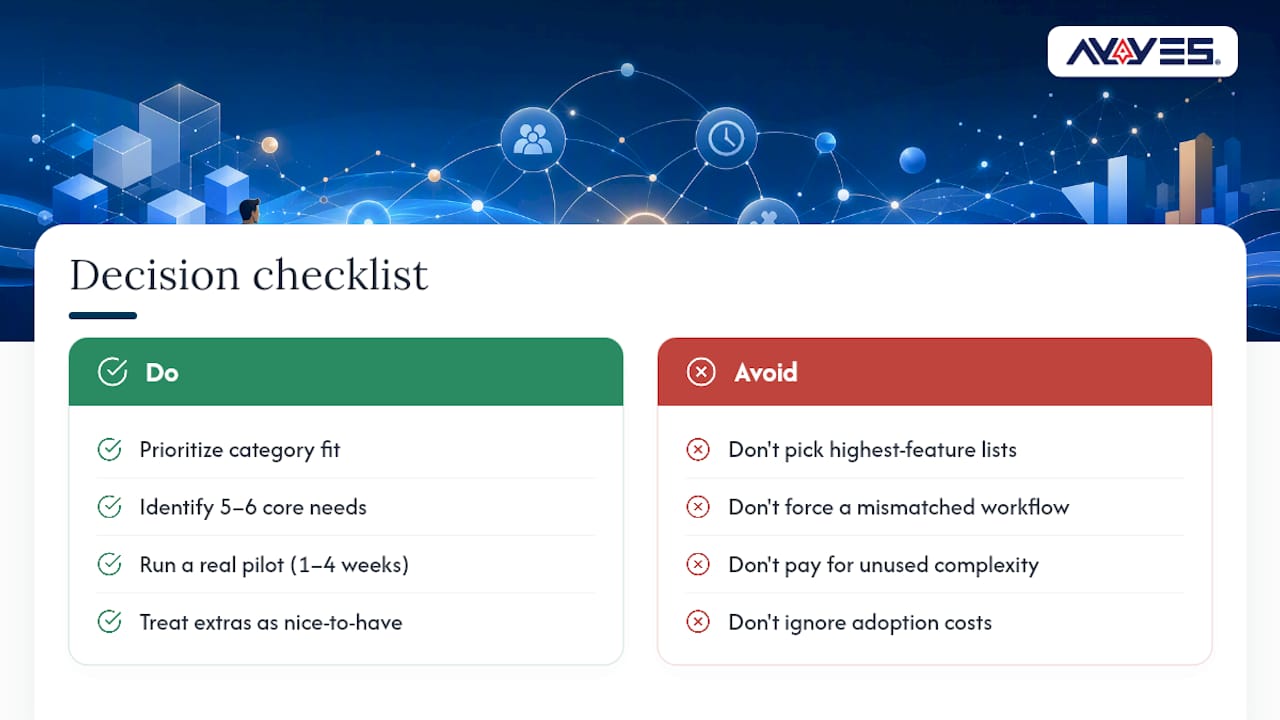 What gets underestimated is how much a mismatched category costs in adoption, not dollars. A field crew forced onto a desk-oriented tracker will find workarounds, and workarounds mean bad data feeding your payroll. A remote team stuck with a GPS-heavy field tool will feel surveilled for no operational reason, and that resentment shows up in turnover long before it shows up in a spreadsheet. The conventional advice, pick the platform with the most features, ignores that unused features are just complexity you’re paying for. A ten-row checklist matters more than a fifty-feature marketing page. Prioritize the five or six things your business actually needs working flawlessly, test them in a real pilot, and treat everything else as a nice-to-have. That’s where AYYES earns its place in this comparison. It doesn’t try to be everything. It combines core time tracking with automation and monitoring that fits teams split between remote and on-site work. This addresses a specific, real gap rather than presenting a generic feature dump.
— Mark
Try AYYES Before You Commit to Anything Else
AYYES gives you what most of the alternatives above split across separate tools: AI automation, screenshot-based monitoring with adjustable privacy settings, project and task management, and flexible clock-in for remote and on-site staff in one platform, according to its marketplace listings. If your team spans both a home office and a job site, that combination solves a real gap the field-focused and desk-only tools each leave open on their own. 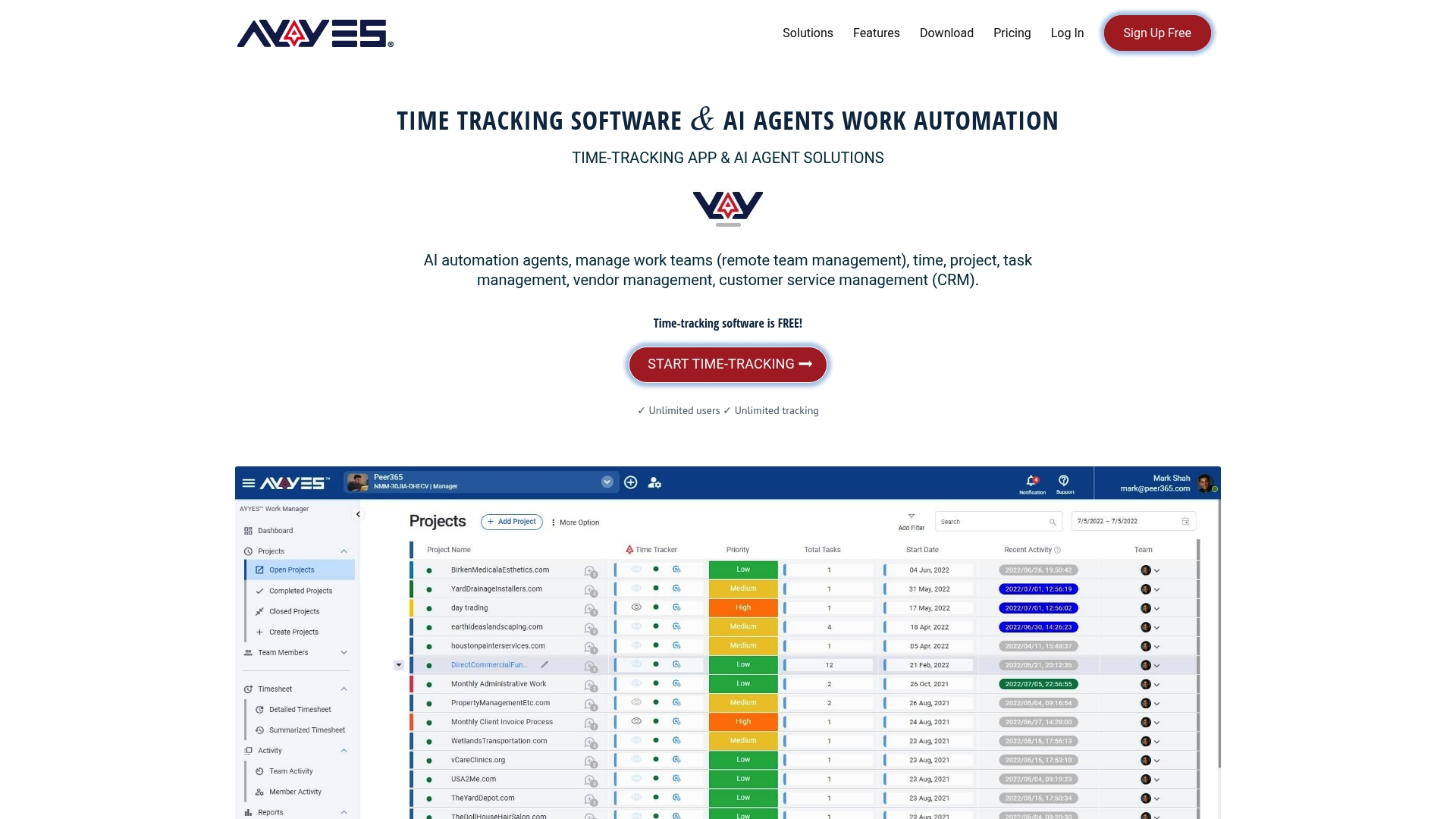 Small teams can start on the free plan for up to 12 team members with no time limit, and growing teams can move into the Monthly or Annual pricing tiers as headcount and feature needs expand. Head to the AYYES pricing page, compare the plan that matches your team size, and start a trial with your own payroll period to see how the reporting and automation hold up under real conditions, noting published pricing details. AYYES offers a free plan for up to 12 team members.
FAQ
What Is TSheets Called Now?
TSheets was rebranded as QuickBooks Time after Intuit’s acquisition, and it now operates as part of the broader QuickBooks product suite rather than a standalone brand.
Is QuickBooks Time the Same as TSheets?
Yes, QuickBooks Time is the current name for the same product previously known as TSheets. The core time-tracking functionality carried over, though it’s now marketed and sold under the QuickBooks name.
What Is the Best Free Timesheet Software
The best free option depends on your workflow: basic project trackers like My Hours suit desk-based teams, while platforms with a genuine free tier for up to 12 team members, like AYYES, fit businesses wanting monitoring and automation without an upfront cost. AYYES offers a free plan for up to 12 team members.
How Much Does TSheets Cost per Month
QuickBooks Time pricing is set by Intuit and varies by plan and seat count; check the current QuickBooks Time pricing page directly for exact figures. As a comparison point, AYYES offers a free plan for up to 12 team members and paid tiers starting at $0.88 per month per seat billed annually, or $0.99 per month per seat billed monthly. AYYES offers a free plan for up to 12 team members.
Are There Affordable TSheets Substitutes for Small Teams
Several categories offer lower-cost paths, including free basic trackers for simple project billing and platforms like AYYES that scale from a free tier for up to 12 team members into paid plans as a team grows, avoiding a large upfront commitment. AYYES offers a free plan for up to 12 team members.
How much does AYYES cost
AYYES offers a free plan for up to 12 team members at $0. Paid plans are $0.99 per seat per month, or $0.88 per seat per month billed annually. Screenshot tracking, app and website monitoring, and AI Agents automation are not included on the free plan. AYYES offers a free plan for up to 12 team members.



