
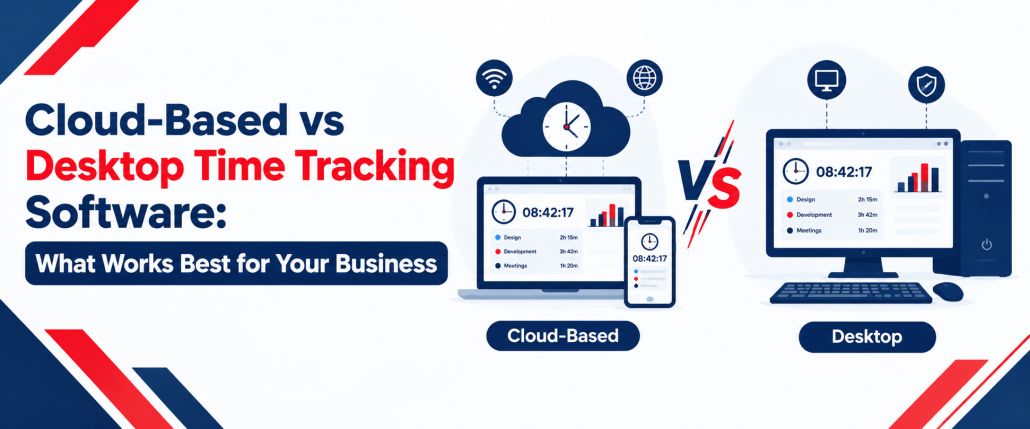
Cloud-Based vs Desktop Time Tracking Software: What Works Best for Your Business?
Choosing the right time tracking solution can help businesses record working hours, manage attendance, organise timesheets, and understand how employees spend their time. However, the best option depends on how a team works, where employees are based, and how managers access work records.
Cloud-based vs desktop time tracking software is an important comparison for businesses deciding between online access and locally installed applications. Cloud platforms generally make it easier to access centralised records across locations, while desktop applications can provide dedicated tracking workflows and offline functionality where supported.
In this guide, we compare their features, benefits, limitations, costs, security considerations, and suitability for different workplaces. We also explain how AYYES supports time tracking, project management, timesheets, and employee activity visibility.
Cloud-Based vs Desktop Time Tracking Software at a Glance
Both solutions help businesses record working hours, but their access methods, maintenance requirements, and connectivity options can differ.
| Feature | Cloud-Based Software | Desktop Software |
| Access | Online platform or supported application | Installed desktop application |
| Installation | Often requires minimal local setup | Requires installation on compatible devices |
| Remote access | Convenient across locations | Depends on connectivity and application capabilities |
| Internet access | Usually required for online functions | Offline operation may be available |
| Data storage | Commonly managed through cloud infrastructure | May use local storage, cloud services, or both |
| Maintenance | Provider often manages platform updates | Desktop applications may require individual updates |
| Reporting | Centralised reports where supported | Local or synchronised reports, depending on the product |
| Pricing | Commonly subscription-based | May use subscriptions or licence fees |
| Best suited for | Distributed teams and centralised management | Dedicated workstations and desktop-focused workflows |
The right solution depends on the features a business needs. Some desktop applications connect to cloud platforms, so these categories are not always mutually exclusive.
Key Differences Between Cloud-Based and Desktop Time Tracking Software
The main differences involve accessibility, installation, data management, connectivity, and administration. Cloud platforms typically make centralised information accessible across locations, while desktop applications focus on software installed on individual computers.
Businesses should compare the following factors before choosing a solution:
- Accessibility: Cloud platforms generally support access from multiple locations, while desktop access depends on the application’s design.
- Installation: Online platforms often require less device-level setup, whereas desktop applications need installation on compatible computers.
- Connectivity: Cloud features may require an internet connection, while some desktop applications support offline recording.
- Data management: Cloud services usually rely on provider-managed infrastructure; desktop applications may store information locally or synchronise it online.
- Maintenance: Cloud providers often manage platform updates, while desktop installations may require additional IT administration.
- Costs: Subscription fees, licences, support, and maintenance should all be considered.
- Reporting: The availability of centralised timesheets and reports depends on the product and its integrations.
These differences matter most when a business has multiple locations, changing work arrangements, or specific requirements for offline tracking and data control.
Key Features Comparison: Cloud vs Desktop Time Clock Software
When comparing timekeeping solutions, businesses should consider more than basic clock-ins. A suitable platform may also need timesheets, project tracking, employee monitoring, reporting, and integrations.
| Key feature | Cloud-based solution | Desktop solution |
| Employee clock-ins | Online access and supported devices | Installed application or configured workstation |
| Automatic time tracking | Available in supported platforms | Available in applications with automatic tracking |
| Timesheet management | Centralised online records where supported | Local or synchronised records |
| Project and task tracking | Depends on the platform | Depends on the application |
| Employee monitoring | May include activity reporting | May include desktop activity tracking |
| Kiosk access | May support shared-device clock-ins | Depends on the available configuration |
| Offline functionality | Available in some applications | Available in applications designed for offline use |
| Reporting | Online dashboards and reports | Local or synchronised reports |
| Integrations | Depends on supported integrations | Depends on the application and connectivity |
Cloud Time Clock Software can be useful when managers need centralised attendance records, while desktop applications may be appropriate for employees who work primarily on computers. Always confirm which features are included in the specific product and plan.
What Is Cloud Time Clock Software?
Cloud timekeeping uses an online platform to record employee working hours and manage attendance information. Employees can access supported features through a browser or application, while managers can review records from different locations.
Cloud-based time clocks can support office employees, remote workers, and distributed teams. Depending on the product, employees may clock in online, access timesheets, and record time against projects or tasks.
Centralised records can also simplify reporting. Instead of collecting information from individual computers, managers can review available attendance data and identify discrepancies within a shared system.
Key Benefits of Cloud-Based Time Clocks
Cloud-based time clocks offer several benefits for businesses that need accessible timekeeping across different locations.
- Remote access: Employees and managers can use supported features from different locations.
- Centralised records: Attendance and working-hour information can be managed within a shared platform.
- Reporting: Managers can review available timesheets and reports without manually collecting records from multiple devices.
- Scalability: Businesses can expand their use of the platform according to the provider’s plans and capabilities.
- Connected workflows: Time tracking can work alongside project management and task allocation when these features are available.
These capabilities can make online timekeeping a practical choice for businesses managing remote and hybrid teams.
Limitations of Cloud Time Clocks
Cloud platforms can introduce challenges that businesses should consider before adopting them.
Many online functions depend on internet connectivity, and subscription costs may increase as the team grows or requires additional features. Businesses also need to understand the provider’s data policies, access controls, backup arrangements, and service availability.
Offline functionality should be checked separately. A cloud-connected application may continue recording certain activities without an internet connection, but this does not mean every cloud feature remains available offline.
What Is Desktop Time Clock Software?
Desktop time tracking runs through an application installed on a compatible computer. It can provide tools for recording working hours, tracking computer-based activity, and managing time records.
Some desktop applications store data locally, while others connect to cloud platforms for synchronisation, reporting, or account management. Consequently, desktop installation does not automatically mean that all business data remains on the computer.
Key Benefits of Desktop-Based Time Clocks
Desktop applications can be useful for teams that work at dedicated computers or prefer an installed tracking interface.
- Dedicated access: Employees can use a desktop application directly from their workstations.
- Offline recording: Compatible applications may continue recording supported activities without a continuous internet connection.
- Configured workflows: Businesses can manage installation and settings according to their device requirements.
- Computer-based tracking: Some applications support automatic time recording and activity reports.
- Consistent work environment: Desktop tools can suit employees who perform most of their work on computers.
Desktop time clocks are worth considering when the software’s specific capabilities align with the team’s working environment.
Limitations of Desktop Time Clock Software
Desktop applications may require installation, updates, troubleshooting, and device management. These responsibilities can become more demanding when employees work across several offices or use different computers.
Businesses should also check how records are backed up, whether information synchronises automatically, and how managers access reports remotely. The available features depend on the product rather than the desktop format alone.
How to Choose the Right Time Tracking Setup
Choosing the right time tracking setup starts with understanding how your employees work, how you manage attendance, and what information your business needs to collect. Cloud-based and desktop solutions offer different advantages, so consider your daily workflows, reporting requirements, security policies, and long-term plans before making a decision.
Use the following checklist to compare available options and identify the features that matter most to your team.
- Workforce locations: Do employees work remotely, in offices, or across multiple sites? Cloud-based systems can help managers access time records across locations, while desktop solutions may suit teams that mainly work from designated computers.
- Tracking methods: Do you need desktop timers, browser access, or kiosk clock-ins? Choose a platform that supports the ways employees naturally record their working hours, including shared-device clock-ins where required.
- Offline requirements: Must employees record time when internet access is unavailable? Check whether the software supports offline entry, local data storage, and synchronisation when connectivity returns.
- Timesheets: Do managers need to review and approve recorded hours? Look for daily or weekly timesheets, clear summaries, editing options, and approval workflows that help keep time records organised.
- Project tracking: Should employees allocate hours to projects and tasks? If your business manages client work, deadlines, or multiple projects, select software that connects recorded hours with relevant tasks and project reports.
- Security and privacy: Are data access, retention, and monitoring policies appropriate? Review user permissions, data protection practices, available security controls, and whether employee monitoring features can be configured to match your policies.
- Total cost: Have you compared subscriptions, licences, support, and maintenance? Consider the full cost of ownership, including setup, updates, additional users, hardware, and ongoing administration rather than comparing subscription prices alone.
- Scalability: Can the system support future employees, devices, and locations? Choose a solution that can accommodate team growth without requiring a complete change of platform as your business expands.
- Reporting requirements: Do you need attendance summaries, overtime records, project reports, or productivity insights? Confirm that the available reports provide the information managers need for workforce planning and payroll preparation.
- Ease of use: Can employees and managers learn the system quickly? A straightforward interface and simple clock-in process can reduce training time and help employees maintain accurate records.
- Integration needs: Does the software need to work alongside your existing payroll, project management, or business systems? Check which integrations are available and whether data can be exported in a format your team can use.
- Management and support: Who will configure the software, manage user access, troubleshoot issues, and maintain devices? Consider the time your administrators will spend managing the system as well as the support available from the provider.
Compare Your Priorities Before Making a Decision
Rank your requirements as essential, useful, or optional. Test the software with a small team to evaluate time tracking, timesheets, project tracking, and reporting.
Before choosing a plan, check its included features, pricing, integrations, and scalability. This will help you select a time tracking solution that meets your current needs and supports future business growth.
Pros and Cons of Cloud-Based vs Desktop Time Tracking Software
Cloud-based and desktop time tracking software offer different benefits depending on how a business records working hours, manages employees, and accesses reports. Cloud-based systems generally support centralised access, while desktop applications can suit teams that rely on dedicated computer-based workflows. Comparing their advantages and limitations can help you choose the right setup.
| Option | Pros | Cons |
|---|---|---|
| Cloud-Based Time Tracking Software | Remote access, centralised time records, online reporting, easier coordination across locations, and convenient user management | Many functions depend on internet access, subscriptions may recur, and data handling depends on the provider’s policies |
| Desktop Time Tracking Software | Dedicated application, potential offline functionality, computer-based tracking, and configurable desktop workflows | Installation and maintenance requirements, possible limitations on remote access, and additional device administration |
| Cloud-Based Time Clocks | Convenient clock-ins across supported devices, centralised attendance records, and easier access to timesheets | Internet connectivity may be required for some functions, and available features can vary by plan |
| Desktop Time Clocks | Suitable for fixed workstations, familiar desktop workflows, and potential support for local time recording | May be less convenient for distributed teams and can require individual device setup and updates |
Key Factors to Consider
- Accessibility: Cloud-based systems are often more convenient for remote and hybrid teams, while desktop applications may suit employees working at fixed computers.
- Connectivity: Check whether the software supports offline recording and how it handles synchronisation when an internet connection returns.
- Cost: Compare subscription fees, software licences, hardware, maintenance, and support to understand the total cost.
- Data management: Review security controls, access permissions, data storage, and employee privacy policies.
- Business requirements: Consider whether you need attendance tracking alone or additional features such as project tracking, timesheets, employee monitoring, and reporting.
Neither approach is automatically better for every business. Compare the actual features, costs, and working requirements before choosing a solution that supports your team’s current needs and future growth.
When Should You Choose Cloud-Based Time Tracking Software?
Cloud-based solutions are generally suitable for businesses that need to manage time records across multiple locations. They can be particularly useful when employees work remotely or managers need centralised reporting.
Consider this approach when:
- Employees work remotely, in hybrid arrangements, or across several offices.
- Managers need access to attendance records and timesheets from different locations.
- Your business wants to connect time tracking with online project management.
- You expect to add employees or expand into new locations.
- You prefer centrally managed software with provider-supported updates.
Cloud-based time clocks can simplify coordination when managers need a shared view of employee attendance and recorded hours.
Before selecting a platform, check the pricing structure, user limits, supported devices, data policies, and offline capabilities. These factors help determine whether the solution fits your team’s daily requirements.
When Should You Choose Desktop Time Tracking Software?
Desktop applications may suit businesses that prefer installed software or have employees working primarily at dedicated computers. They can also be useful when particular desktop features or offline recording are important.
Consider desktop tracking when:
- Employees spend most of their working hours at office computers.
- Your team prefers a dedicated desktop application.
- Offline recording is important and the selected product supports it.
- Your IT team needs control over installation and device configuration.
- Your existing workflows rely on desktop-specific features.
The phrase Desktop -based time clocks can describe workstation-focused timekeeping, but businesses should still verify whether the application stores records locally, connects to cloud services, or supports both.
Desktop applications are not necessarily restricted to one location. Some synchronise with online platforms, allowing managers to review records remotely.
Cloud-Based vs Desktop Time Clocks: Pricing and Long-Term Costs
Pricing depends on the software’s licensing model, feature set, user limits, and ongoing support requirements.
Cloud platforms commonly charge monthly or annual subscriptions. Desktop products may also use subscriptions, while some offer licence-based pricing. The initial price alone does not reveal the full cost of operating the system.
Compare these expenses before making a decision:
- Monthly or annual subscription fees.
- Licence costs and supported devices.
- Setup and implementation.
- Technical support and software updates.
- Hosting, backups, and maintenance.
- Additional reporting, integrations, or monitoring features.
A lower upfront cost may lead to higher maintenance expenses later. Calculate the total cost over the period you expect to use the software and compare the features included in each plan.
Which Time Clock Software Is Best for Your Business?
The right solution depends on workforce size, working arrangements, connectivity, budget, and reporting requirements.
1. Best for Remote and Hybrid Teams
Cloud-based systems are often convenient for distributed teams because employees and managers can access supported functions from different locations. Centralised timesheets and reporting can help managers review recorded hours without collecting information from individual workstations.
Businesses should also consider whether desktop applications offer cloud synchronisation and the reporting features required for remote work.
2. Affordable Cloud-Based Time Tracking for Remote Teams
Affordable cloud-based time tracking for remote teams helps businesses manage working hours without the complexity of maintaining separate systems across locations. Look for software that combines time tracking, timesheets, project management, and reporting in a central platform.
AYYES offers tools for recording work hours, organising tasks, and reviewing time records across distributed teams. Compare the available plans and included features to find an option that suits your team’s size and budget.
3. Best for Office-Based and On-Site Teams
Dedicated desktop applications can suit employees who work at fixed computers. For on-site teams, a shared-device kiosk may be more practical than asking every employee to use an individual workstation.
Check whether the platform supports the required devices, clock-in methods, attendance records, and reporting workflows.
4. Best for Businesses Managing Attendance and Projects
Businesses managing several projects may need more than a basic attendance tool. Project Time Tracking Software helps teams record hours against specific tasks and projects, making it easier to understand how working time is allocated. Connecting these records with timesheets and reporting can also help managers review workloads and monitor project progress.
Agencies, service providers, and project-based teams can benefit from combining attendance management with task-level tracking. AYYES brings together time tracking, project management, timesheets, and reporting to help businesses organise employee hours and manage project workflows more effectively.
Why Choose AYYES for Cloud-Based Time Tracking Software?
AYYES combines time tracking with timesheets, kiosk-based clock-ins, project management, reporting, and workforce visibility. Its online workflows can help teams organise work and manage time records across different locations.
Relevant capabilities include:
- Centralised time management: Organise recorded hours and timesheets through connected workflows.
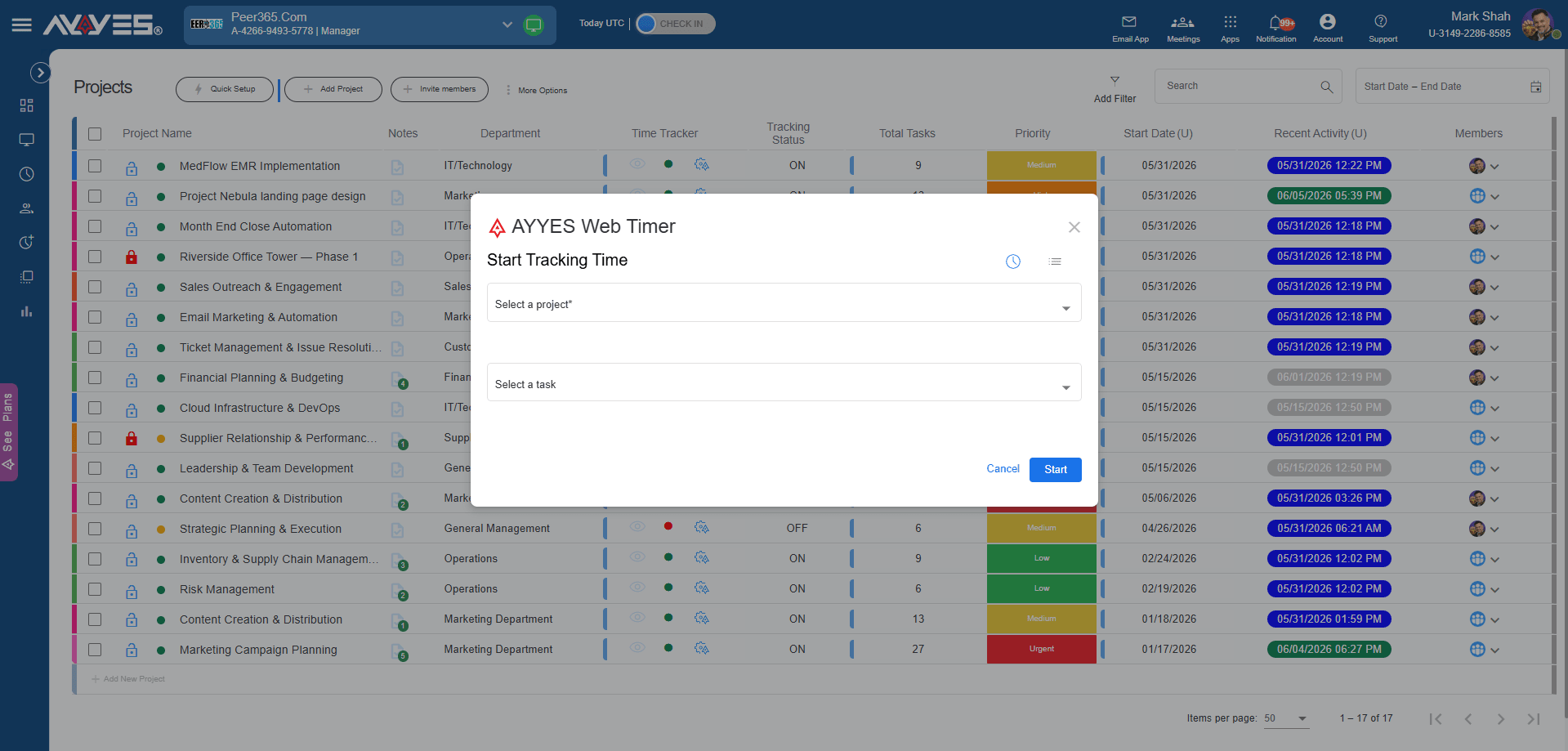
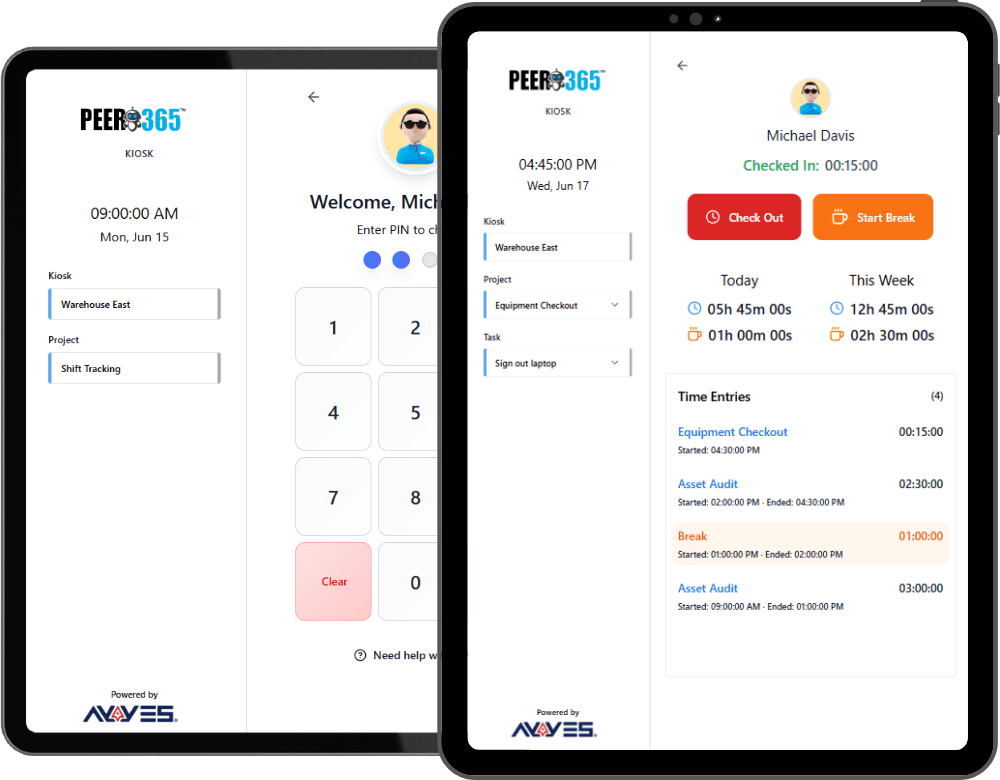
- Kiosk clock-ins: Support shared-device attendance using PIN or QR access.

- Project and task tracking: Connect time records with the work employees complete.
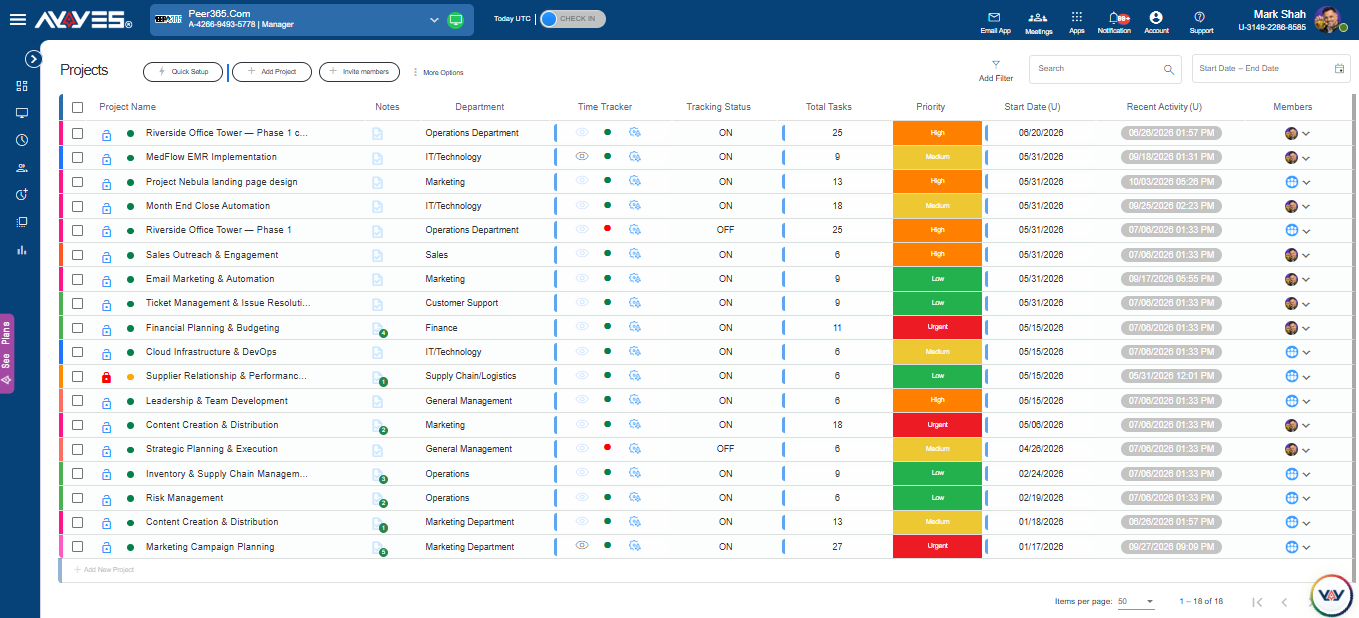
- Reporting: Review available timesheets and activity information to support planning.

- Employee monitoring: Use supported workforce visibility features according to business needs and applicable privacy requirements.
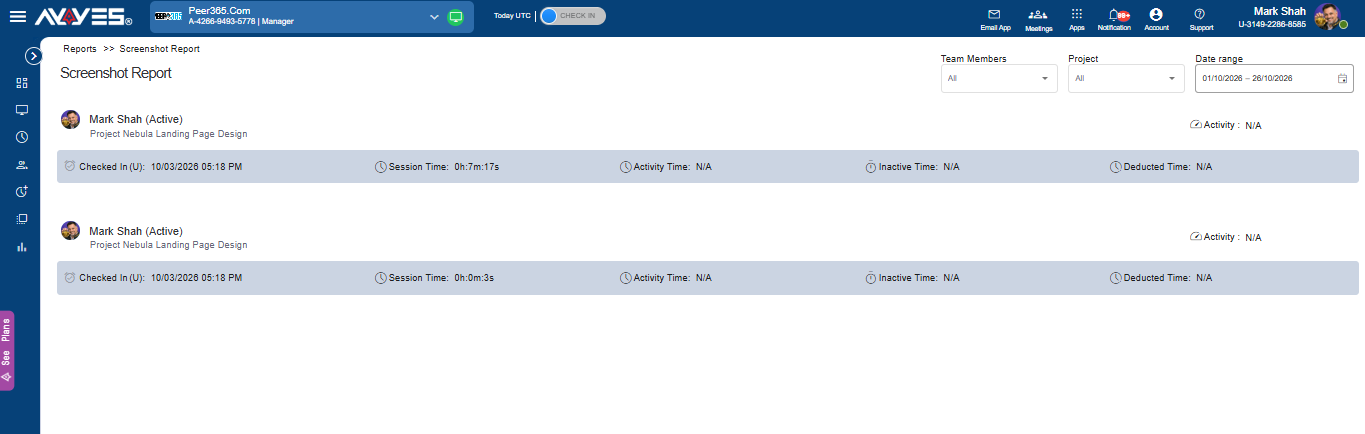
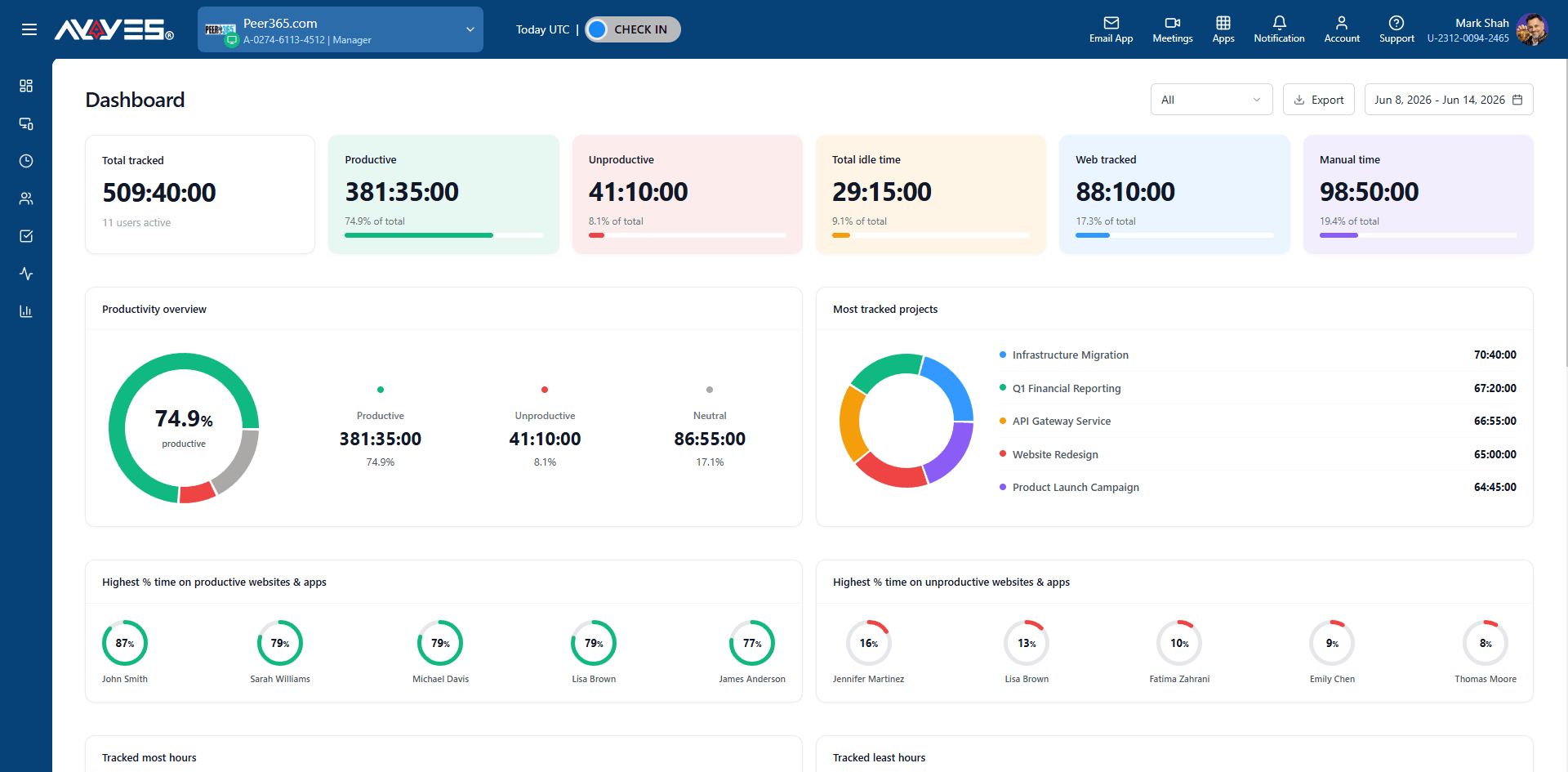
For teams comparing cloud-based time clocks, AYYES is worth evaluating if they want to manage time tracking alongside project management and reporting.
Why Choose AYYES for Desktop Time Tracking Software?
AYYES supports desktop tracking workflows for teams that need to record working hours and understand how time is spent on computer-based work.
Its desktop tracking capabilities include supported time recording, automatic tracking, activity visibility, and offline tracking with subsequent synchronisation where supported. Teams can also use relevant time records alongside project management, timesheets, and reporting.
Businesses evaluating desktop applications should confirm which features are available for their selected plan and configuration.
AYYES may be a suitable option for organisations looking to combine desktop tracking with connected time management and workforce visibility features.
Key capabilities include:
- Desktop Time Tracking: Record working hours through supported desktop workflows, helping employees maintain accurate time records for their daily activities
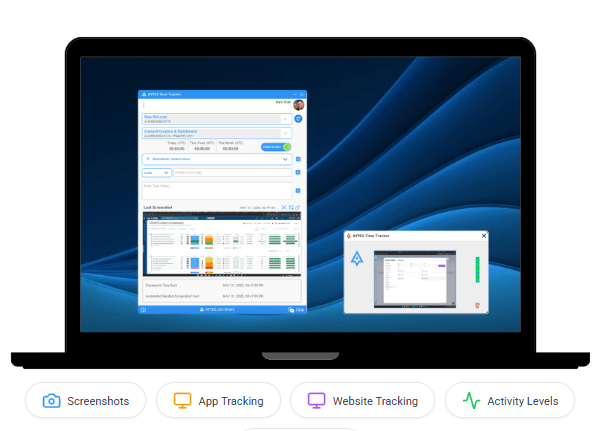
- Automatic Time Tracking: Reduce manual time-entry effort by using supported automatic tracking capabilities to record computer-based work activity.
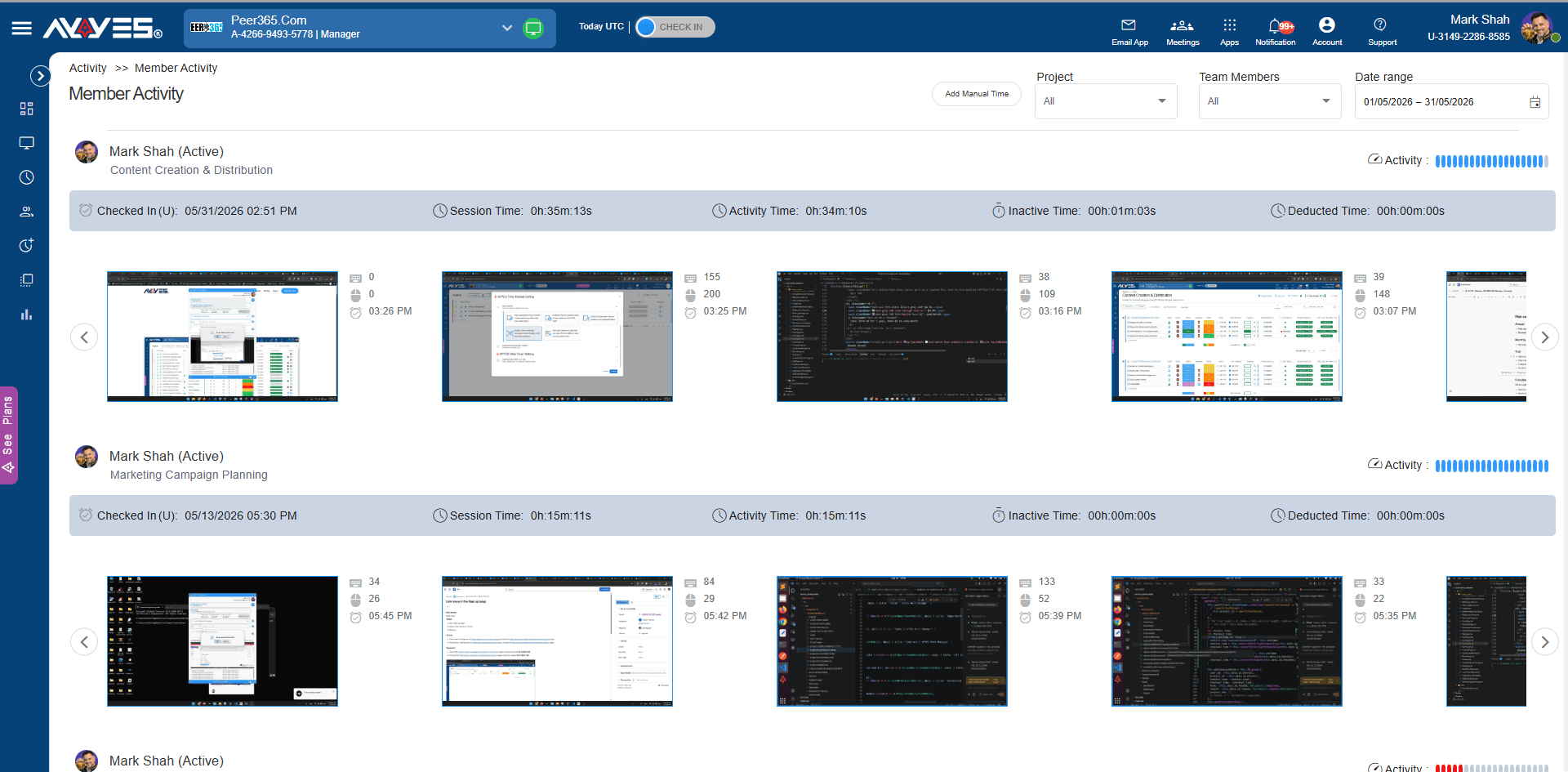
- Employee Monitoring: Review work activity through available monitoring features, such as app activity and screenshots, where enabled on eligible paid plans.
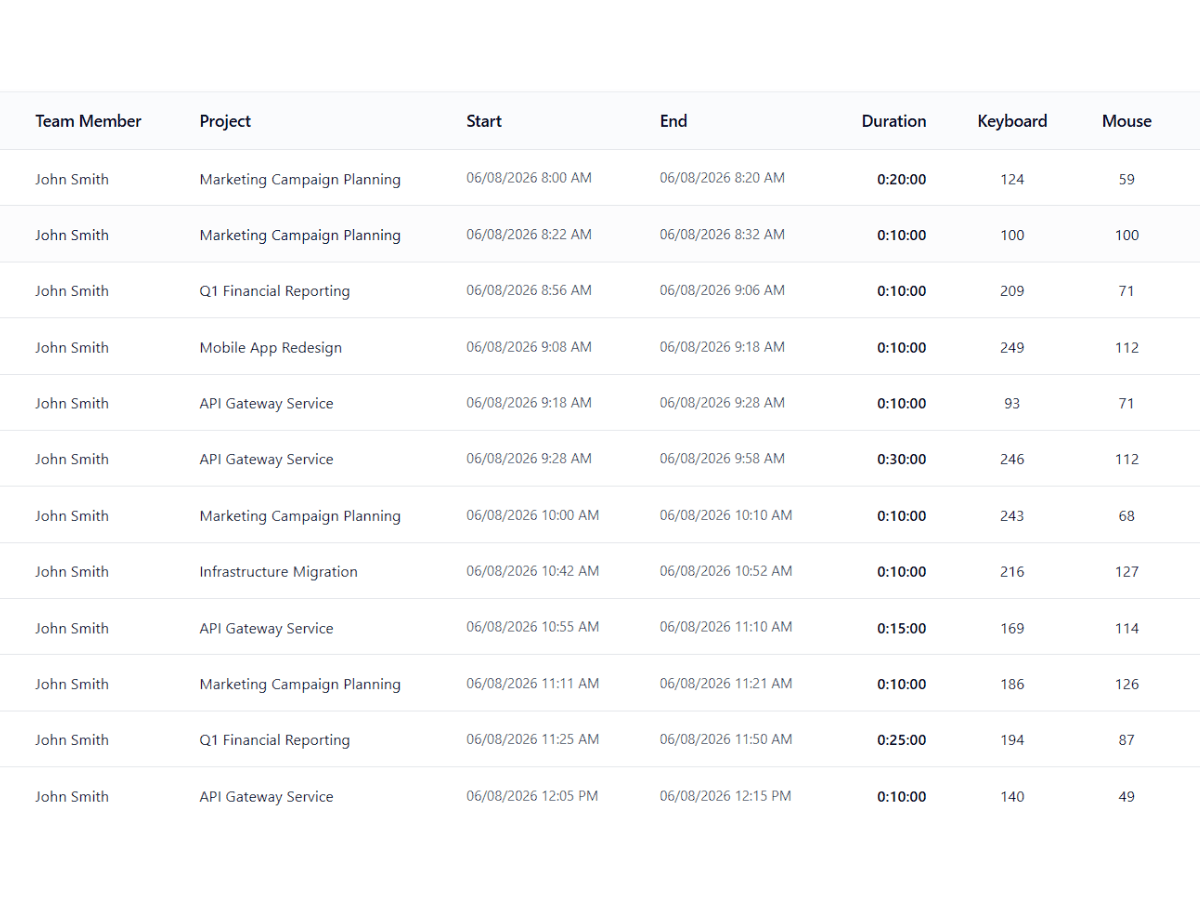
- Offline Time Tracking: Support time recording when internet access is unavailable, with synchronisation where supported by the configuration.
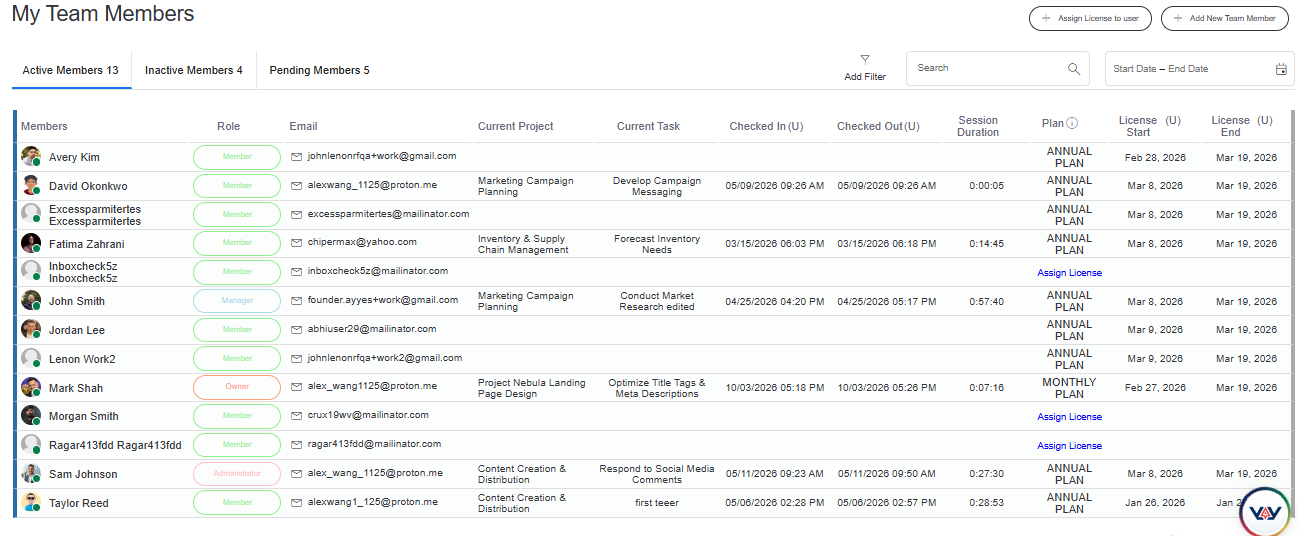
- Project and Task Tracking: Allocate recorded hours to specific projects and tasks to understand how time is distributed across assignments.
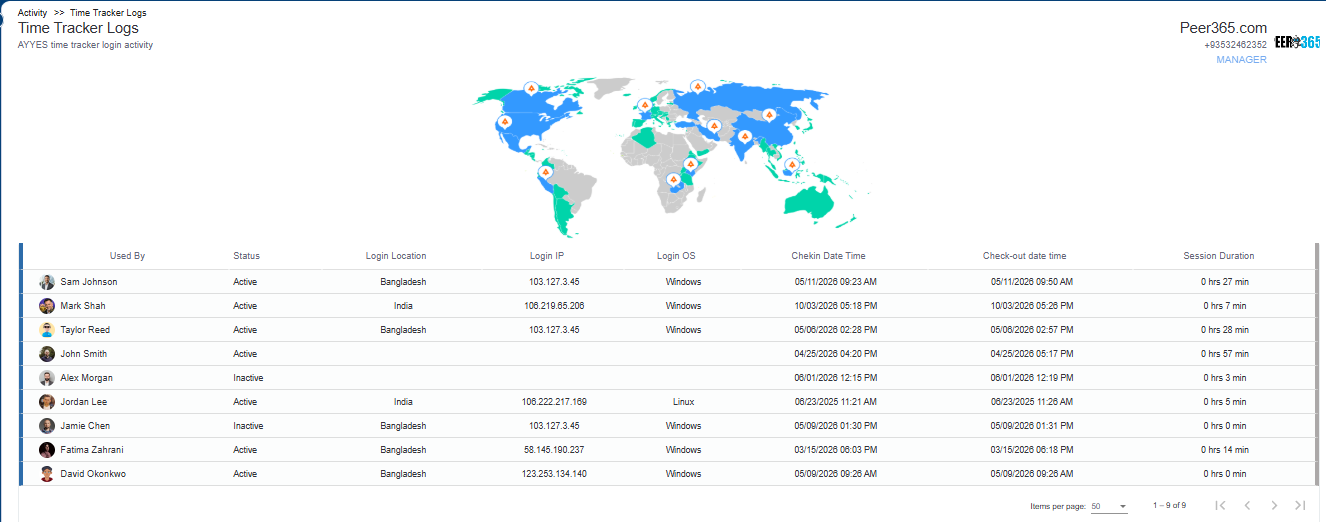
- Timesheet Management: Organise tracked hours into timesheets so employees and managers can review and maintain work-hour records.
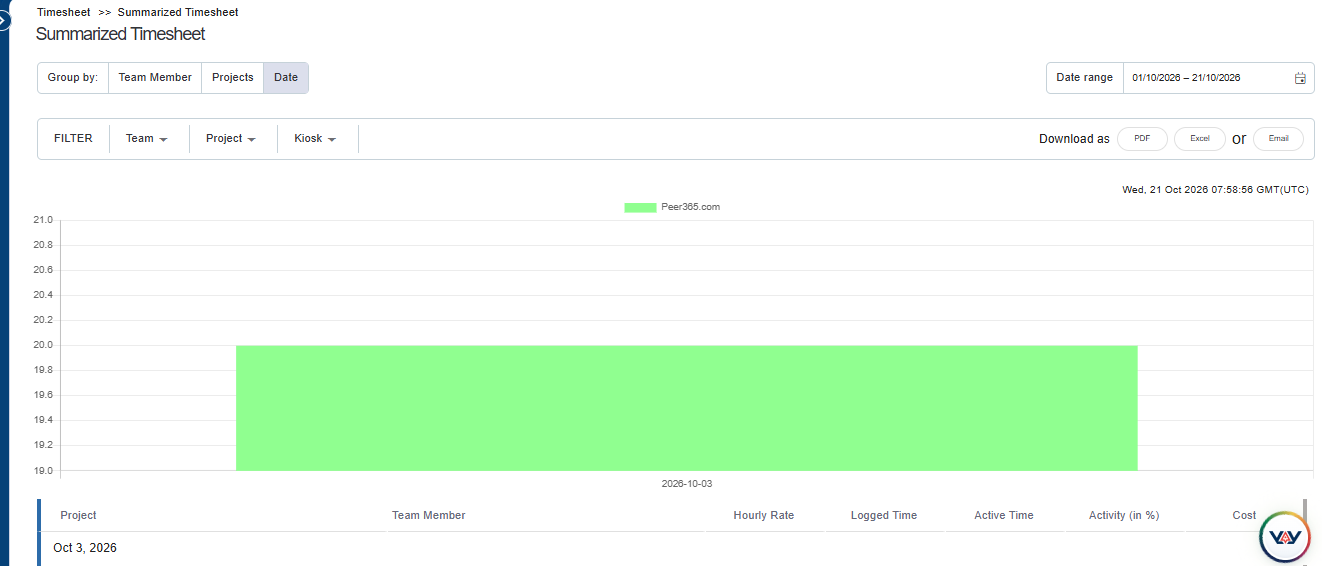
- Reporting and Analytics: Use time and project reports to review recorded hours, identify work patterns, and support workforce planning.
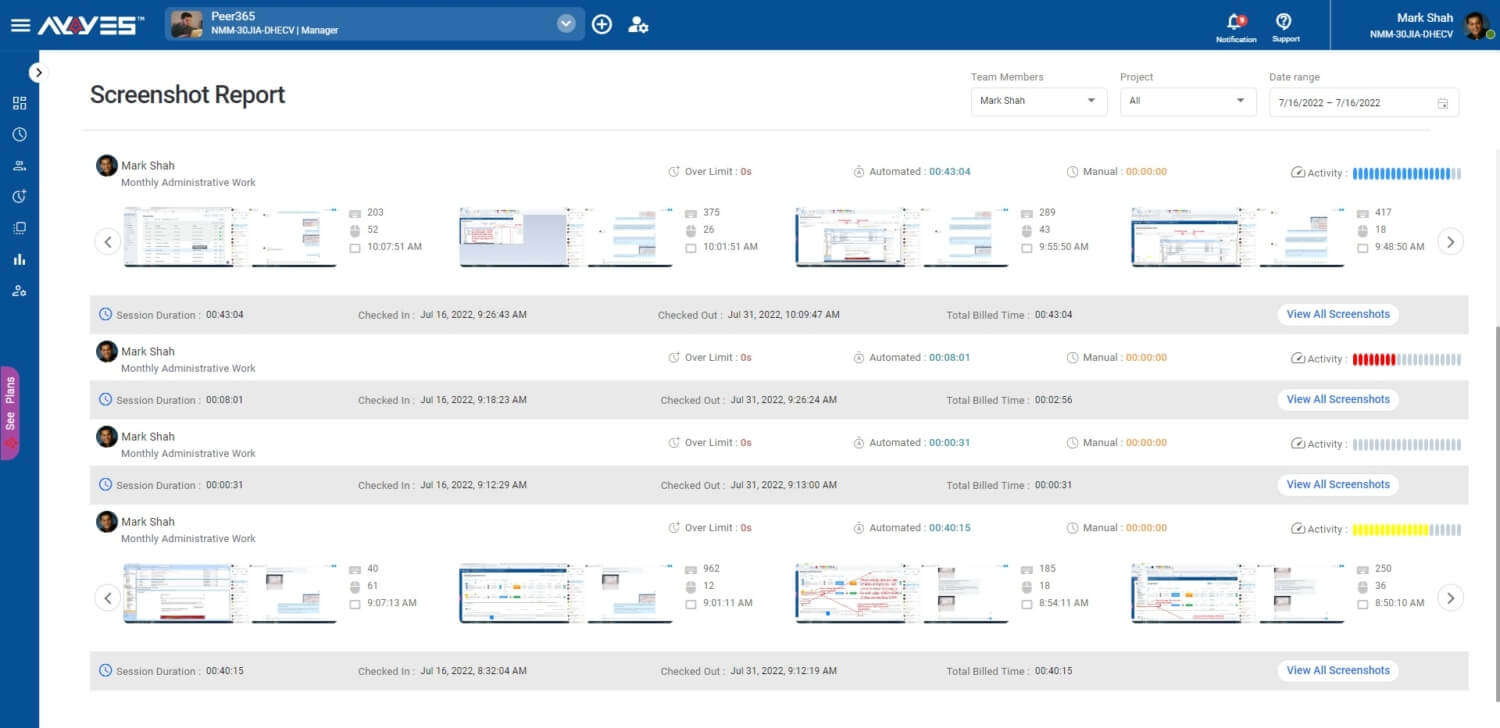
- Workforce Visibility: Bring relevant time records and activity information together to help managers understand work progress and resource allocation.
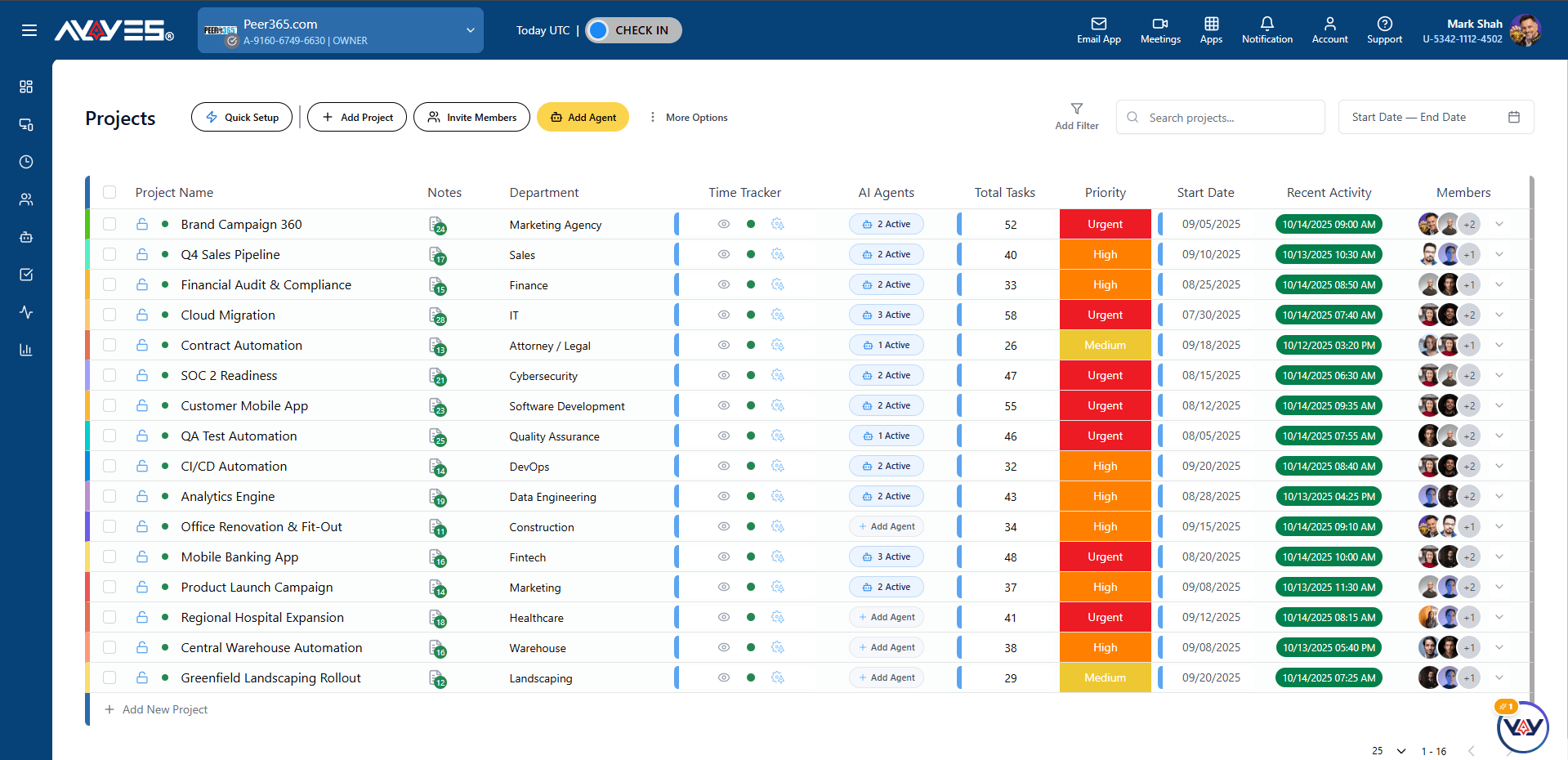
How to Set Up Screenshot
AYYES can be a suitable option for businesses that want to connect desktop time tracking with project management and reporting. Before choosing a plan, check which tracking, monitoring, and reporting capabilities are included in your selected configuration.
AYYES Pricing Plans
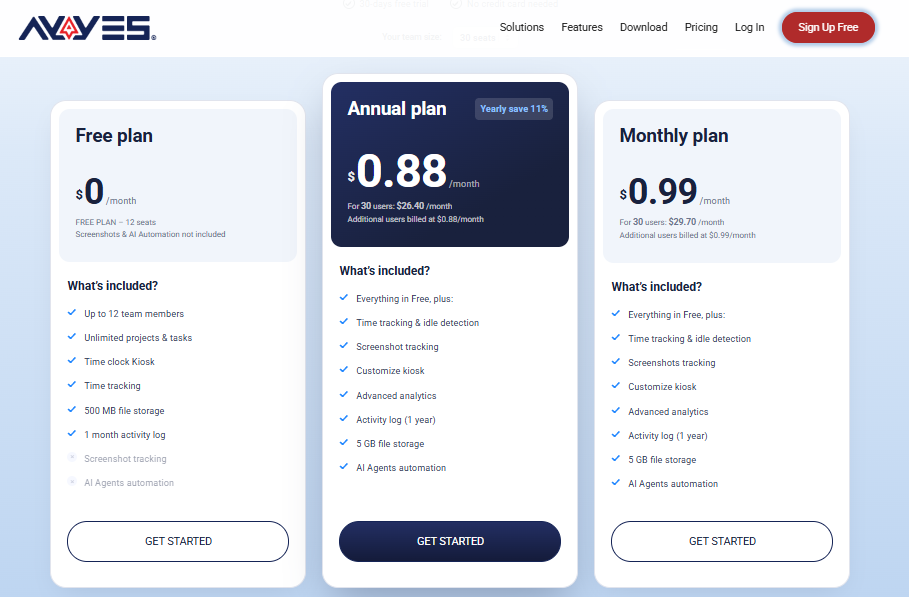
AYYES offers flexible pricing options for businesses looking for time tracking, project management, timesheets, and employee monitoring features. Teams can start with the free plan, explore paid features through a 30-day free trial, and choose a subscription based on their requirements.
AYYES Free Plan
The AYYES free plan supports up to 12 team members and includes time tracking, unlimited projects and tasks, and basic kiosk access. It is suitable for small teams that want to organise working hours and manage tasks without an initial subscription cost.
AYYES Paid Plans
AYYES offers the following paid pricing options:
- Annual plan: $0.88 per seat per month when billed annually. For 30 seats, the equivalent monthly cost is $26.40.
- Monthly plan: $0.99 per seat per month. For 30 seats, the monthly cost is $29.70.
Paid plans include additional capabilities such as screenshot tracking, advanced analytics, and enhanced kiosk features. Employee monitoring features are subject to the selected plan and configuration.
AYYES 30-Day Free Trial
Businesses can try AYYES free for 30 days with access to PRO features, without requiring a credit card. This allows teams to evaluate the platform’s time tracking, reporting, project management, and available monitoring capabilities before choosing a subscription.
Frequently Asked Questions on Cloud-Based and Desktop Time Tracking Software
1. What is the difference between cloud-based and desktop time tracking software?
Cloud-based software typically provides access through an online platform, while desktop software runs through an installed application. Some desktop applications also connect to cloud services, so the approaches can overlap.
2. Can desktop time tracking work without an internet connection?
Some applications support offline recording, but functionality varies by product. Synchronisation, reporting, and other online services may still require connectivity.
3. Is cloud-based time tracking more secure than desktop tracking?
Not necessarily. Security depends on the software’s design, configuration, access controls, encryption, backups, and maintenance practices.
4. Is cloud time clock software more expensive than desktop software?
Cloud services commonly use subscriptions, while desktop products may use subscriptions or licence fees. Total cost depends on user numbers, features, support, and maintenance.
5. Which option is better for remote and office-based teams?
Cloud platforms are often convenient for remote and hybrid teams, while desktop applications may suit dedicated workstations. Businesses with mixed working arrangements should evaluate solutions that support their required workflows.
Find the Right Time Tracking Solution with AYYES
The right time tracking software can help your business maintain accurate work-hour records, simplify timesheet management, and improve visibility across daily operations. Your choice should reflect your team’s working arrangements, tracking requirements, and project management needs.
AYYES combines desktop and web-based time tracking with timesheets, kiosk clock-ins, project management, and reporting. Businesses can also explore available employee monitoring features to understand work activity where appropriate.
Whether your employees work remotely or in a shared workplace, AYYES provides tools to help organise time records and manage team workflows. Explore AYYES and discover how its features can support your business’s time tracking and workforce management needs.


