
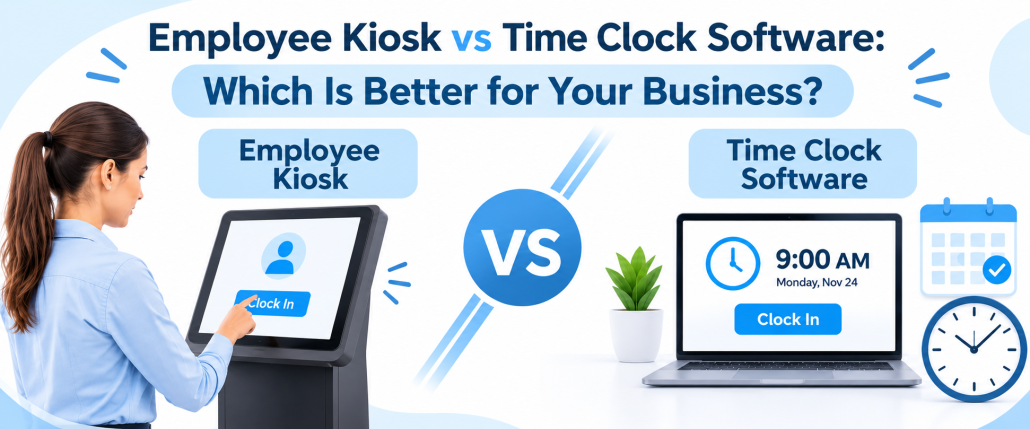
Employee Kiosk vs Time Clock Software: Which Is Better for Your Business?
Managing employee attendance becomes challenging when businesses have different shifts, multiple work locations, and employees working remotely or on-site. Traditional attendance methods can create unnecessary administrative work, inaccurate timesheets, and difficulties tracking employee working hours.
Employee kiosk, time clock software, and time tracking software offer different ways to simplify this process. An employee kiosk allows workers to clock in and out using a shared device, while time clock software provides digital attendance tracking through web browsers, desktop applications, or other supported devices. Time tracking software goes further by helping businesses monitor working hours, track time spent on projects and tasks, and organize employee timesheets.
However, choosing between an employee kiosk, time clock software, and time tracking software depends on your workforce structure, attendance requirements, and business operations.
In this guide, we will compare employee kiosk vs time clock software vs time tracking software, explore their features, advantages, and limitations, and explain how businesses can use AYYES to manage employee attendance, working hours, and projects through one platform.
Employee Kiosk vs Time Clock Software: A Quick Comparison
| Feature | Employee Kiosk | Time Clock Software |
|---|---|---|
| Main Purpose | Records employee attendance through a shared device | Tracks employee working hours across different devices |
| Clock-In Method | Employees clock in using a shared tablet or kiosk | Employees clock in through a web browser, desktop app, or mobile app |
| Accessibility | Usually set up at a fixed workplace location | Accessible from multiple locations and devices |
| Employee Attendance | Suitable for tracking on-site attendance | Suitable for on-site, remote, and hybrid employees |
| Break Tracking | Employees can record break start and end times | Breaks can be tracked through supported software features |
| Employee Management | Helps managers manage attendance at a shared location | Supports broader employee and timesheet management |
| Time Records | Records clock-in, clock-out, and break times | Collects working hours and organizes them into timesheets |
| Payroll Preparation | Provides attendance records for payroll calculations | Helps review and export employee timesheets for payroll |
| Best For | Retail stores, warehouses, factories, and offices | Businesses managing on-site, remote, and distributed teams |
An employee kiosk is ideal for businesses where employees work at a fixed location and need a shared device to record attendance. Time clock software is more suitable for businesses that need flexible employee time tracking, timesheet management, and reporting across different locations.
Tools like AYYES combine kiosk-based clock-ins with web and desktop time tracking, allowing businesses to manage employee working hours in one system.
Also Suggest this : Free Time Tracking Invoice Software
What Is an Employee Kiosk?
An employee kiosk is a shared digital attendance station that allows multiple employees to record their working hours from a common device. Businesses typically use a tablet, computer, or other internet-connected device as a centralized time clock.
Instead of requiring every employee to install an application on their personal device, an employee kiosk provides a common location for clocking in, clocking out, and recording breaks.
Modern employee kiosk software can also include employee authentication, attendance records, timesheet management, and reporting features. These capabilities help managers organize employee working hours without depending on paper attendance sheets.
For example, a warehouse can place a tablet near its employee entrance. Workers can select their names, enter their personal PINs or scan QR codes, and start their shifts.
How Does an Employee Kiosk Work?
An employee kiosk works as a centralized attendance station where employees can record their working hours using a shared device, such as a tablet or computer. Instead of using individual devices, workers access the kiosk to clock in, clock out, and record breaks. The process generally involves the following steps:
1. Set Up the Kiosk: Open the employee kiosk software on a compatible tablet, computer, or other supported device. Configure the kiosk according to your workplace attendance requirements.
2. Register Employees: Add employee profiles to the system and assign individual identification details, such as PINs or QR codes, for attendance tracking.
3. Employee Identification: When employees arrive at work, they access the kiosk and identify themselves using their assigned PIN or QR code.
4. Clock In: Employees record their arrival by selecting the clock-in option. The system captures their attendance time and associates it with their employee profile.
5. Record Breaks: When employees take breaks, they use the kiosk to record their break start and end times. This helps maintain accurate working-hour records.
6. Clock Out: At the end of their shifts, employees return to the kiosk and record their clock-out time to complete their attendance session.
7. Review Attendance Records: Managers can access recorded attendance information through the software dashboard. They can review employee working hours, check timesheets, and monitor attendance records.
Key Features of Employee Kiosk Software
A suitable employee kiosk software solution should offer practical features that make attendance tracking easier, improve employee accountability, and help managers maintain accurate working-hour records.
– Shared Device Clock-In and Clock-Out: Allows multiple employees to use a common tablet or computer to record their attendance. Employees can select their names and clock in or out without needing individual devices.
– PIN Authentication: Allows each employee to use a personal PIN to verify their identity before recording attendance. This helps prevent unauthorized clock-ins and reduces buddy punching.
– QR Code Clock-In: Enables employees to scan a unique QR code to record their working hours. It provides a quick, convenient, and contactless alternative to manually entering a PIN.
– Employee Break Tracking: Allows employees to record when they start and finish their breaks. Managers can review break records alongside working hours to maintain more accurate timesheets.
– Digital Timesheet Management: Automatically organizes clock-in, clock-out, and break records into digital timesheets. Managers can review employee hours, identify missing entries, and prepare records for payroll processing.
– Attendance Reports and Monitoring: Provides managers with an overview of employee attendance, recorded working hours, and shift activity. These reports help businesses review attendance patterns and identify discrepancies.
– Kiosk Customization and Branding: Allows businesses to customize the kiosk interface with their company name, logo, and other supported settings. This creates a consistent experience across different departments or workplace locations.
– Multi-Location Kiosk Management: Helps businesses set up attendance kiosks at different offices, warehouses, stores, or job sites. Managers can manage employee time records from a centralized platform.
What Is Time Clock Software?
Time clock software is a digital solution that records employee working hours, attendance, breaks, and other work-related activities. It allows employees to track their time using supported devices such as smartphones, computers, tablets, and web browsers.
Unlike a traditional physical time clock, modern time clock software stores attendance information digitally. Managers can review working hours, organize timesheets, monitor team activity, and generate reports from a centralized dashboard.
Employee time clock software is useful for organizations with office-based, remote, hybrid, and field-based employees.
For example, an employee working from an office can use a desktop timer, while another team member can record working hours through a browser-based time tracker.
How Does Time Clock Software Work?
Time clock software records employee working hours digitally and organizes the information into timesheets. Depending on the platform, employees can track their time through a web browser, desktop application, mobile app, or shared attendance kiosk. Managers can then review the recorded hours, monitor attendance, and prepare payroll or project reports.
Most time clock software follows these steps:
1. Employee Accesses the Platform: Employees open the time clock software through a supported device, such as a computer, tablet, or smartphone. Some systems also allow employees to clock in through a shared workplace kiosk.
2. Employee Selects a Project or Task: Depending on the software, employees can select the project, task, department, or activity they are working on. This helps businesses understand how working hours are distributed across different activities.
3. Employee Starts the Timer: The employee clicks the clock-in or start-tracking option to begin recording working hours. The software captures the start time automatically.
4. Software Records Working Sessions: The platform tracks the employee’s working session and maintains a digital record of the time spent. Some solutions also provide automated tracking and idle-time detection.
5. Employee Stops Tracking or Clocks Out: When the employee finishes work or takes a break, they can stop the timer, clock out, or record their break, depending on the available features.
6. Working Hours Are Organized into Timesheets: The software collects recorded sessions and organizes them into daily or weekly timesheets. Employees and managers can review the recorded hours and check for missing or incorrect entries.
7. Managers Review and Export Records: Managers can approve timesheets, generate attendance reports, and export working-hour information in supported formats for payroll preparation, billing, or business reporting.
Some advanced platforms also provide activity monitoring, automatic time tracking, idle detection, project-based reporting, and employee performance insights.
Common Features of Employee Time Clock Software
Employee time clock software offers more than basic clock-in and clock-out functionality. Modern solutions combine attendance management, digital timesheets, project tracking, and reporting tools to help businesses manage employee working hours efficiently.
1. Digital Clock-In and Clock-Out
Digital clock-in and clock-out allow employees to record their working hours through a web browser, desktop application, mobile device, or shared time clock kiosk. Instead of using traditional punch cards or paper attendance registers, employees can record their start and finish times digitally. This helps businesses maintain consistent attendance records and reduces manual data entry.
2. Automated Timesheet Management
Automated timesheet management collects employee working sessions and organizes them into daily, weekly, or monthly records. Managers can review total working hours, check attendance entries, identify missing time records, and make corrections when necessary. This feature saves time compared with manually preparing employee timesheets.
3. Employee Attendance Monitoring
Attendance monitoring gives managers a centralized view of employee clock-in times, clock-out times, working hours, and attendance history. Depending on the software, businesses can also review attendance across different teams, departments, and work locations. This makes it easier to identify attendance patterns and manage employee schedules.
4. Break and Overtime Tracking
Break and overtime tracking helps businesses record employee rest periods and working hours beyond regular shifts. Employees can start and end breaks through the software, while managers can review the recorded information in timesheets. This supports more accurate working-hour calculations and helps businesses monitor overtime.
5. Project and Task Time Tracking
Project and task tracking allows employees to associate their working hours with specific projects, clients, or tasks. Managers can understand how much time employees spend on individual activities, compare project timelines, and estimate labor costs. This feature is particularly useful for agencies, service businesses, construction companies, and teams handling multiple projects.
6. Reporting and Analytics
Reporting and analytics turn recorded time data into useful business information. Managers can generate reports showing employee working hours, attendance history, project time, and labor costs. These insights help businesses review team workloads, monitor project progress, and make better workforce management decisions.
7. Payroll Data Export
Payroll data export allows businesses to download approved timesheet information in supported file formats, such as PDF, CSV, or Excel. Managers can use these records to calculate employee wages, verify working hours, and prepare payroll documents. However, exporting timesheets does not necessarily mean the software provides direct payroll processing or integration.
8. Automated Time Tracking and Idle Detection
Some employee time clock software solutions include automated tracking features that record computer activity during working sessions. Idle detection can identify periods of inactivity and help managers review whether recorded time accurately reflects working activity. These features are generally more relevant to computer-based and remote teams than employees who work entirely on-site.
9. Multiple Time Tracking Methods
Businesses may need different clock-in options depending on their work environment. Some platforms support web timers, desktop applications, manual time entries, and shared kiosk attendance. Offering multiple methods allows office employees, remote workers, and on-site staff to record their working hours through a suitable option.
Employee Kiosk vs Time Clock Software: What Are the Main Differences?
Although both solutions help businesses record employee working hours, their main difference is how employees access the attendance system.
An employee kiosk generally uses a shared device at a workplace, while time clock software provides additional ways to track time through individual devices and online platforms.
Here is a comparison of their main features.
| Comparison Factor | Employee Kiosk | Time Clock Software |
|---|---|---|
| Clock-in method | Shared device | Web, desktop, mobile, or kiosk |
| Device requirement | Compatible shared device | Supported individual or shared devices |
| Accessibility | Usually workplace-based | Flexible, depending on tracking method |
| Authentication | PIN or QR code | Account login and supported authentication |
| Attendance records | Centralized | Centralized digital records |
| Remote tracking | Requires another supported method | Supports remote tracking options |
| Break tracking | Available in supported systems | Available in supported systems |
| Timesheets | Depends on software | Commonly available |
| Best suited for | On-site and shift-based teams | Office, remote, and distributed teams |
Clock-In and Clock-Out Methods
An employee kiosk allows workers to record attendance through a shared tablet or computer. Employees identify themselves and register their working hours at the designated station.
A time clock software app offers more flexibility. Depending on the platform, employees can use a web browser, desktop application, or mobile application to record time.
Device Requirements
A traditional kiosk setup requires a shared device that employees can access at the workplace.
Modern kiosk solutions can make this process easier by allowing businesses to use existing internet-connected tablets or computers rather than purchasing specialized time clock hardware.
Time clock software can support several device types, depending on the provider. This makes it useful for businesses with employees working in different environments.
Employee Accessibility
Employee kiosks are generally suitable for workplaces where employees report to a common location.
Online time clock software is more flexible for employees working remotely, visiting customer locations, or moving between job sites.
Attendance and Timesheet Management
Both systems can maintain digital attendance records. However, a kiosk focuses on collecting attendance through a shared station, while broader time clock software can combine records from multiple tracking methods.
Which Solution Is Better?
Neither solution is automatically better for every business.
-
Choose an employee kiosk when most employees work at a fixed location and need a shared clock-in station.
-
Choose time clock software when employees need to record working hours from different devices or locations.
-
Consider a combined platform when your business has both on-site and remote employees.
This third option can eliminate the need to maintain separate attendance systems for different employee groups.
Employee Kiosk Software vs Time Clock Software App: Pros and Cons
Before choosing an attendance solution, businesses should understand the advantages and limitations of each option. The right system should match employee working arrangements, device availability, and attendance management requirements.
| Software Type | Pros | Cons |
|---|---|---|
| Employee Kiosk Software | Simple clock-in and clock-out process. | Requires access to a shared device. |
| No personal device required. | Not ideal for remote employees. | |
| Supports PIN and QR code authentication. | Requires kiosk device maintenance. | |
| Centralized employee attendance records. | Employees may experience queues during shift changes. | |
| Suitable for on-site and shift-based teams. | Limited flexibility for employees working at different locations. | |
| Time Clock Software App | Flexible time tracking through supported devices. | Employees may need training to use advanced features. |
| Supports remote and office-based employees. | Requires compatible devices. | |
| Automates timesheet creation. | Some tracking features require an internet connection. | |
| Tracks time across projects and tasks. | Advanced features may require a paid subscription. | |
| Offers reporting and employee monitoring features. | Monitoring features may require additional configuration. | |
| Supports offline desktop time tracking. | Offline functionality may have feature limitations. |
Advantages of Employee Kiosk Software
-
Simple Attendance Process: Employees can record working hours through a shared device.
-
No Individual Device Required: Workers do not necessarily need personal smartphones to clock in.
-
Centralized Attendance: Managers can collect attendance records through one system.
-
Suitable for Shift-Based Teams: Employees working in factories, warehouses, and retail stores can use a common attendance station.
-
Consistent Authentication: PIN and QR code options help identify employees during clock-ins.
Disadvantages of Employee Kiosk Software
-
Shared Device Dependency: Employees need access to the kiosk to record attendance.
-
Workplace Limitations: A shared station alone is not suitable for employees working remotely.
-
Device Maintenance: Businesses need to keep their kiosk device available and operational.
-
Shift Change Congestion: Large teams may experience queues when many employees clock in simultaneously.
Advantages of a Time Clock Software App
-
Flexible Access: Employees can use supported devices to record working hours.
-
Remote Workforce Support: Workers can track time without visiting a central attendance station.
-
Automated Timesheets: Recorded working hours can be organized digitally.
-
Project Tracking: Some applications allow businesses to track time against individual projects and tasks.
-
Centralized Reporting: Managers can review employee time records through one dashboard.
Disadvantages of a Time Clock Software App
-
Learning Requirements: Employees may need training to use advanced features.
-
Device Compatibility: Businesses must check supported operating systems and devices.
-
Internet Requirements: Some tracking functions require an active internet connection.
-
Additional Costs: Advanced reporting, monitoring, or management features may require a paid subscription.
Digital Time Clock Software vs Employee Kiosk: Feature Comparison
When comparing a digital time clock software solution with an employee kiosk, businesses should look beyond basic clock-in functionality.
The right system should support accurate time recording, employee identification, attendance management, and reporting.
1. Employee Clock-In and Clock-Out
An employee kiosk provides a shared location where workers can record their attendance. Digital time clock software offers additional options, such as web timers and desktop applications.
2. PIN and QR Code Authentication
PIN and QR code authentication help identify employees when they record their working hours.
For example, AYYES supports personal PINs and QR code scanning for kiosk check-ins. Personal authentication is designed to reduce buddy punching, where one employee attempts to clock in for another.
3. Break Tracking
Businesses need to maintain accurate records of employee breaks.
A suitable time tracking system should allow employees to record break start and end times. AYYES supports break recording directly through its kiosk, with tracked hours reflected in timesheets.
4. Automated Time Tracking
Some time clock systems offer more than manual clock-ins.
Automated tracking can record working sessions, detect idle time, and organize activity information. These features can help businesses understand how time is spent across projects and tasks.
5. Timesheet Management
A time clock system software solution should provide daily and weekly timesheets that managers can review.
Look for capabilities such as:
-
Total tracked hours.
-
Employee-wise time records.
-
Project-wise timesheets.
-
Manual time entry.
-
Time record exports.
-
Working-hour summaries.
6. Reporting and Productivity Monitoring
Reporting features help managers understand employee attendance and project performance.
Some platforms also offer application tracking, website usage reports, activity levels, and screenshots. These features should be evaluated according to workplace requirements and employee privacy policies.
7. Multi-Location Management
Businesses operating several offices, stores, or job sites need a way to manage attendance across different locations.
Multiple kiosk stations and centralized timesheets can help managers maintain consistent attendance records.
Employee Kiosk Payroll: How Does It Work?
Managing employee payroll manually can become complicated for businesses with multiple employees, rotating shifts, overtime, and different break schedules. Managers need accurate attendance records to calculate working hours, review overtime, and prepare employee payments.
Employee kiosk software simplifies this process by recording employee attendance through a shared device and organizing clock-in, clock-out, and break information into digital timesheets. Managers can review these records, verify working hours, calculate labor costs, and export timesheet data for payroll preparation.
How Does Employee Kiosk Payroll Work?
An employee kiosk payroll process generally follows these steps:
Step 1: Record Employee Attendance
Employees arrive at the workplace and use a shared kiosk to identify themselves through their assigned PIN or QR code. Once they clock in, the system records their attendance time.
Step 2: Track Employee Working Hours
The software records employees’ working sessions from clock-in to clock-out. These time entries help businesses calculate the total hours worked during each shift.
Step 3: Record Break Times
Employees use the kiosk to record the beginning and end of their breaks. This helps managers distinguish working hours from break periods when reviewing attendance records.
Step 4: Record Employee Clock-Outs
At the end of their shifts, employees return to the kiosk and clock out. The system records their finishing time and completes the attendance session.
Step 5: Review and Verify Timesheets
Managers review employee timesheets to check recorded working hours, missing entries, break records, and potential overtime. They can address discrepancies before using the information for payroll preparation.
Step 6: Calculate Employee Labor Costs
Businesses can use recorded working hours and configured employee pay rates to calculate labor costs. Managers can also review overtime and other applicable wage adjustments.
Step 7: Export Timesheets for Payroll Preparation
After reviewing the records, businesses can export timesheet information in supported formats, such as PDF or CSV. These records can then be used in their existing payroll software to prepare employee payments.
Benefits of Connecting Employee Attendance with Payroll
Connecting attendance tracking with payroll preparation offers several advantages:
-
Reduces Manual Calculations: Automatically recorded clock-in, clock-out, and break times reduce repetitive working-hour calculations.
-
Improves Attendance Accuracy: Individual PINs and QR codes help associate attendance entries with the correct employees.
-
Simplifies Overtime Tracking: Managers can review additional working hours before calculating employee wages.
-
Saves Administrative Time: Digital timesheets reduce paperwork and manual attendance entry.
-
Improves Labor Cost Visibility: Businesses can review employee working hours and associated labor expenses.
-
Simplifies Record Keeping: Centralized attendance records make payroll reviews and internal reporting easier.
-
Supports Payroll Preparation: Organized timesheets provide useful working-hour information for employee payments and client billing.
How AYYES Helps Businesses Manage Employee Time Records
AYYES provides employee kiosk functionality and time-tracking features that help businesses organize attendance information through centralized timesheets.
With AYYES, businesses can:
-
Record employee clock-ins, clock-outs, and breaks through a shared kiosk.
-
Identify employees using individual PINs or QR codes.
-
Review detailed and summarized employee timesheets.
-
Calculate costs using recorded working hours and configured rates.
-
Export timesheet information in PDF and CSV formats.
These capabilities help managers review employee attendance, organize working hours, and prepare records for payroll processing.
Important: Attendance tracking and payroll processing are two different functions. Exporting timesheets does not automatically process salary payments or calculate all statutory deductions. Businesses should verify whether their selected software offers direct integration with their existing payroll provider.
When Should Businesses Choose an Employee Kiosk?
An employee kiosk is a practical attendance solution for businesses where most employees report to a shared workplace. It provides a centralized location where workers can record their working hours without needing to install an application or use their personal smartphones.
Businesses with factories, warehouses, retail stores, healthcare facilities, and hospitality teams can benefit from this approach, particularly when employees work in different shifts.
However, an employee kiosk may not be the best choice for every workforce. Businesses should consider employee locations, shift schedules, device availability, and attendance management requirements before selecting a solution.
Industries That Benefit from Employee Kiosk Software
1. Manufacturing
Manufacturing facilities often have large teams working in rotating shifts. A kiosk placed near the staff entrance allows factory workers to clock in before starting their shifts and clock out when finishing work.
2. Warehousing and Distribution
Warehouse employees can use a shared kiosk to record attendance when arriving at or leaving the workplace. This helps managers organize working-hour records across different warehouse teams and shifts.
3. Retail Stores
Retail businesses can place a tablet or computer in a staff room or designated employee area. Store employees can use the shared device to record their attendance without relying on personal smartphones.
4. Healthcare Facilities
Hospitals, clinics, and healthcare centers can use designated attendance stations for doctors, nurses, administrative staff, and other employees. This helps maintain centralized working-hour records across different departments and shifts.
5. Hospitality and Restaurants
Hotels, restaurants, and hospitality businesses often manage employees with different working schedules. A shared kiosk provides a convenient way for staff to record clock-ins, clock-outs, and breaks.
6. Construction Sites
Construction companies can set up a shared kiosk at a site entrance or designated work area. Workers can use it to record attendance when arriving at and leaving the site, provided the device remains accessible.
When Is an Employee Kiosk the Right Choice?
An employee kiosk may be suitable for your business if:
-
Employees Work at Fixed Locations: Most workers report to the same office, factory, warehouse, or retail store.
-
Multiple Employees Share an Entry Point: Workers need a common place to record attendance at the beginning and end of their shifts.
-
Personal Devices Are Not Required: Your business prefers a shared attendance station instead of requiring employees to use individual smartphones.
-
Your Workforce Has Different Shifts: Employees follow rotating or scheduled shifts and need a consistent clock-in and clock-out process.
-
Managers Need Centralized Records: Your business wants to organize employee attendance and review timesheets through one dashboard.
-
You Need a Simple Attendance Process: Employees should be able to record their working hours using a straightforward identification method, such as a PIN or QR code.
How AYYES Employee Kiosk Supports Different Workplaces
AYYES offers an employee kiosk solution that businesses can access through a dedicated kiosk URL on a compatible shared device, such as a tablet or computer. A separate application installation is not required on the kiosk device.
Employees can identify themselves using their assigned PINs or QR codes to record clock-ins, clock-outs, and breaks. Their recorded time entries are then available for centralized timesheet management.
This setup makes AYYES a practical option for businesses managing on-site and shift-based employees across manufacturing, warehousing, retail, hospitality, and other workplace environments.
Managers can review recorded working hours through digital timesheets, calculate costs, and export attendance information for reporting and payroll preparation.
Best Time Clock Software: When Should Businesses Use Online Time Clock Software?
Businesses with remote, hybrid, field-based, or distributed employees often need a more flexible way to track working hours than a shared attendance station can provide. When employees work from different locations or follow flexible schedules, managing attendance through a physical kiosk may not always be practical.
Online time clock software provides a digital solution that allows employees to record their working hours through supported web, desktop, or mobile applications. Managers can access centralized timesheets, monitor work sessions, review project hours, and generate reports without requiring employees to visit a common attendance station.
Unlike traditional punch clocks, online time tracking systems give businesses greater flexibility in managing employee attendance and working hours across different locations.
Businesses That Benefit from Online Time Clock Software
Different types of businesses can benefit from online time clock software depending on their workforce structure and time-tracking requirements.
1. Remote Teams
Businesses with remote employees can use online time clock software to record working hours without requiring employees to visit an office. Team members can start and stop timers through supported web or desktop applications, while managers review their recorded hours through a centralized dashboard.
2. Field Service Companies
Plumbing, maintenance, construction, and other field service companies often have employees working at different job sites. Time clock software helps workers record their time and associate working hours with specific projects or tasks.
3. Hybrid Workplaces
Companies with hybrid working arrangements need a consistent way to manage employees who divide their time between office and remote work. Online time clocks allow employees to record working hours regardless of where they perform their duties.
4. Consulting Agencies
Consulting firms often need to track billable and non-billable hours across different clients and projects. Online time tracking software helps employees record time against specific tasks, making it easier to review project costs and prepare client invoices.
5. Multiple-Location Businesses
Businesses operating across several offices, branches, or work locations can use centralized time clock software to manage employee working hours. Managers can review attendance information from different locations through one platform.
6. Freelancers and Project-Based Teams
Freelancers, agencies, and project-based teams can use time clock software to understand how much time they spend on individual assignments. This information helps them manage workloads, estimate project costs, and prepare accurate client billing records.
When Should You Choose Online Time Clock Software?
Online time clock software may be the right choice when your business has the following requirements:
-
Employees Work from Different Locations: Your workforce includes remote employees, field workers, or distributed teams who cannot access a shared kiosk.
-
Flexible Working Schedules: Employees follow different working hours and need the flexibility to record time when they start and finish their work.
-
Browser and Desktop Tracking: Your business wants employees to track working hours through supported web browsers or desktop applications.
-
Project-Based Time Tracking: Employees need to record time against specific projects, tasks, or clients.
-
Detailed Timesheet Management: Managers need access to individual employee timesheets, working-hour summaries, and time reports.
-
Centralized Workforce Management: Your business needs one dashboard to review employee time records across different departments or locations.
-
Employee Productivity Insights: Managers want additional visibility into work sessions, application usage, and other activity information where supported.
How AYYES Time Clock Software Helps Businesses Track Working Hours
AYYES provides online time-tracking capabilities that help businesses manage employee working hours, projects, and timesheets through a centralized platform.
Depending on the selected tracking method, employees can use the available web or desktop applications to record their working hours and manage time entries.
Some useful capabilities include:
-
Online Time Tracking: Employees can record working hours through supported digital platforms.
-
Project and Task Tracking: Teams can organize time entries according to specific projects and tasks.
-
Automated Timesheets: Recorded work sessions are organized into digital timesheets for easier review.
-
Employee Monitoring: Supported desktop tracking features provide insights into application usage, website activity, screenshots, and activity levels.
-
Offline Time Tracking: The desktop application supports offline time tracking, helping employees record work sessions without a continuous internet connection.
-
Reporting and Exports: Managers can review working-hour reports and export timesheet information in PDF or CSV formats.
These features make AYYES useful for businesses that need more than basic attendance recording and want better visibility into employee working hours and project time.
Online Time Clock Software vs Traditional Time Clocks
| Comparison Factor | Traditional Time Clock | Online Time Clock Software |
|---|---|---|
| Clock-In Method | Physical clock or attendance terminal. | Web, desktop, or mobile application, depending on software support. |
| Location Flexibility | Primarily workplace-based. | Supports employees working from different locations. |
| Time Recording | Physical punch or manual entry. | Digital time entries and timers. |
| Project Tracking | Usually limited. | Available in project-based tracking solutions. |
| Timesheet Management | Often requires manual processing. | Digital timesheets and automated time records. |
| Reporting | Basic attendance reports. | Detailed working-hour and project reports. |
| Remote Workforce | Limited suitability. | Suitable for remote and distributed teams. |
| Accessibility | Requires access to a physical device. | Accessible through supported digital devices. |
5 Best Time Clock Kiosk Apps and Free Time Clock Software for Businesses
Choosing the best time clock kiosk app requires more than comparing basic clock-in and clock-out features. Businesses should also consider device compatibility, employee authentication, break tracking, timesheet management, reporting capabilities, and pricing.
Some organizations need a simple free time clock kiosk app to record employee attendance through a shared device. Others require a complete time-tracking platform that supports remote employees, project management, employee monitoring, and detailed reporting.
The right solution depends on your workforce size, workplace arrangements, and attendance management requirements.
Here are five time clock software solutions worth considering.
1. AYYES
AYYES combines employee kiosk attendance with web-based and desktop time tracking. Businesses can turn a shared tablet or computer into an attendance station without installing a separate application on the kiosk device.
Employees can clock in, clock out, and record breaks using personal PINs or QR codes. The platform also provides project tracking, automated time tracking, and timesheet reporting.
Key Features:
-
Shared-device employee kiosk.
-
Personal PIN and QR code authentication.
-
Employee break tracking.
-
Web and desktop time tracking.
-
Automated time tracking.
-
Detailed and summarized timesheets.
-
Project and task management.
-
Labor cost calculations.
-
PDF and CSV exports.
Pricing: AYYES advertises a 30-day free trial without requiring a credit card for its kiosk solution. Check its current plans for ongoing free access and employee limits.
Best For: Businesses that want to combine shared-device attendance, employee time tracking, project management, and timesheet reporting in one platform.
2. Connecteam
Connecteam provides employee time tracking and workforce management tools for businesses with mobile and deskless teams. It allows employees to clock in and out while managers manage schedules, attendance, and timesheets.
Its kiosk functionality also allows multiple employees to use a shared device for attendance recording.
Key Features:
-
Employee time clock.
-
Shared-device kiosk.
-
GPS-based time tracking.
-
Employee scheduling.
-
Digital timesheets.
-
Break and overtime tracking.
-
Team communication.
-
Workforce management tools.
Pricing: Offers a free Small Business Plan for up to 10 users. Other plans and feature limits depend on the selected subscription.
Best For: Small and medium-sized businesses managing field workers, mobile employees, and deskless teams.
3. Clockify
Clockify is a time-tracking platform that helps businesses record employee working hours and understand how time is spent across projects and tasks.
Its kiosk feature allows multiple employees to clock in and out through a shared device using PINs or QR codes. Managers can also review attendance reports and track employee breaks.
Key Features:
-
Shared-device time clock kiosk.
-
PIN and QR code authentication.
-
Employee clock-in and clock-out.
-
Break tracking.
-
Project and task tracking.
-
Digital timesheets.
-
Attendance reports.
-
Exportable time reports.
Pricing: Clockify offers a free time-tracking plan, but its kiosk functionality is a paid feature. Some kiosk options, including QR authentication and customization, require higher-tier subscriptions.
Best For: Businesses, freelancers, and project-based teams that need to track time across different projects and clients.
4. Homebase
Homebase provides employee scheduling, time tracking, and workforce management features for businesses with hourly employees. It is particularly useful for restaurants, retail stores, and other businesses managing shift-based teams.
Employees can use shared tablet, web, and point-of-sale time clocks to record their working hours.
Key Features:
-
Employee time clock.
-
Tablet and web-based clock-in.
-
Unique employee PINs.
-
Shift scheduling.
-
Break and overtime tracking.
-
Automatic timesheets.
-
Labor cost tracking.
-
Payroll-ready timesheet exports.
Pricing: Homebase offers a free plan for one business location with up to 10 employees. Additional locations and advanced capabilities may require paid plans.
Best For: Restaurants, retail stores, and small businesses managing hourly employees and rotating shifts.
5. Buddy Punch
Buddy Punch is an employee time clock solution designed to help businesses manage attendance, working hours, and employee schedules.
It supports shared-device kiosk functionality, allowing employees to clock in and out using individual PINs or QR codes. Businesses can also use GPS tracking and attendance reports to improve workforce visibility.
Key Features:
-
Employee clock-in and clock-out.
-
Shared-device kiosk mode.
-
PIN and QR code authentication.
-
GPS-based attendance tracking.
-
Employee scheduling.
-
Break tracking.
-
Time-off management.
-
Attendance reports.
Pricing: Buddy Punch offers a free trial. Continued access requires a paid subscription, with pricing depending on the selected plan and features.
Best For: Businesses that need employee attendance tracking, shared-device clock-ins, and workforce scheduling.
Comparison of the Best Time Clock Kiosk Apps
The following table compares the main features and free-plan availability of these five solutions.
| Software | Kiosk Support | Authentication | Timesheets | Free Option |
|---|---|---|---|---|
| AYYES | Yes | PIN and QR | Yes | Free trial; check ongoing plan limits |
| Connecteam | Yes | Employee kiosk access | Yes | Free plan for up to 10 users |
| Clockify | Yes | PIN and QR | Yes | Free time tracking; kiosk requires paid plan |
| Homebase | Yes | Employee PIN | Yes | Free plan for up to 10 employees at one location |
| Buddy Punch | Yes | PIN and QR | Yes | Free trial; paid subscription afterward |
How to Choose the Right Free Time Clock Software
Before selecting a free time clock software solution, businesses should compare the features included in each plan. A tool may offer free basic time tracking but charge extra for kiosk attendance, employee limits, or advanced reporting.
Consider these important factors:
| Feature | What to Evaluate |
|---|---|
| Free Plan | Check whether the software offers a permanent free plan or only a free trial. |
| Employee Limits | Find out how many employees can use the free subscription. |
| Kiosk Support | Check whether shared-device clock-in functionality is included. |
| Authentication | Look for PIN, QR code, or other employee identification options. |
| Timesheets | Check whether the software generates daily and weekly timesheets. |
| Break Tracking | Verify whether employees can record break start and end times. |
| Reporting | Review available attendance reports and export options. |
| Project Tracking | Check whether employees can allocate working hours to specific projects and tasks. |
| Device Compatibility | Confirm support for tablets, computers, browsers, and mobile devices. |
| Upgrade Costs | Compare paid subscription prices and additional feature charges. |
Which Time Clock Software Should You Choose?
The best time clock software depends on your business requirements, workforce size, and attendance management needs.
-
Choose AYYES if you want shared kiosk attendance alongside web and desktop time tracking, project management, and detailed timesheets.
-
Choose Connecteam if you manage deskless employees and need scheduling, communication, and workforce management tools.
-
Choose Clockify if your primary requirement is tracking time across projects, tasks, and clients.
-
Choose Homebase if you manage hourly employees and need scheduling, attendance, and payroll-ready timesheets.
-
Choose Buddy Punch if you need employee attendance tracking with shared kiosk access, PINs, QR codes, and scheduling.
Also Suggest this : kiosk time clock
How AYYES Combines Kiosk Time Clock Software and Employee Time Tracking
Businesses do not always need to choose between a shared employee kiosk and individual time tracking applications. A platform that supports both methods can make attendance management easier for teams working in different environments.
AYYES combines kiosk time clock software with web-based and desktop time tracking, allowing businesses to manage on-site employees and office-based teams through one platform.
1. Shared Employee Kiosk for On-Site Teams
AYYES allows businesses to turn an internet-connected tablet or device into a time clock kiosk. Employees can select their names and check in or out using personal PINs or QR codes.
The kiosk does not require a separate application installation on the shared tablet. Businesses can open the kiosk URL and keep the device running at the workplace.
2. Personal PIN and QR Code Authentication
AYYES provides individual PIN and QR code authentication options.
Personal PINs help prevent buddy punching by associating clock-ins with individual employees. QR codes provide another convenient way to record attendance without manually entering access codes.
3. Break Tracking and Attendance Records
Employees can record break start and end times directly through the kiosk.
AYYES organizes these records with tracked working hours, helping managers review employee attendance and break information through timesheets.
4. Web and Desktop Time Tracking
Employees who do not work at a shared kiosk can use other supported tracking methods.
AYYES provides:
-
Web-based time tracking.
-
Desktop time tracking.
-
Manual time entry.
-
Automated time tracking.
-
Project and task-based tracking.
Its desktop applications support Windows, macOS, and Linux.
5. Timesheets and Reporting
Managers can review tracked hours through detailed and summarized timesheets. AYYES also supports PDF and CSV exports, making it easier to prepare working-hour reports for payroll and project billing.
6. Project and Task Management
Beyond attendance, AYYES allows businesses to organize projects, assign tasks, track working hours, and review project progress.
This is useful for companies that want to understand not only when employees work but also how their time is distributed across different activities.
One Platform for Different Employee Tracking Requirements
Instead of maintaining a separate employee time clock software app for on-site teams and another tracking system for remote employees, businesses can use AYYES to combine kiosk, web, and desktop tracking.
This gives managers a centralized way to review employee time records and project-related information.
How to Choose the Right Employee Time Tracking Solution
Selecting the right employee time tracking software requires evaluating your workforce, attendance requirements, and business operations. Consider these six important factors before choosing a solution.
1. Understand Your Workforce Structure
Identify where and how your employees work before selecting a time tracking solution. On-site teams may benefit from shared kiosk attendance, while remote employees and field workers need flexible web or desktop time tracking options.
2. Check Device Compatibility
Choose software that supports the devices your employees already use. Check compatibility with shared tablets, desktop computers, and web browsers to ensure employees can record working hours without additional hardware or installation difficulties.
3. Evaluate Authentication Options
Select a time tracking system with reliable employee identification methods. PINs and QR codes simplify shared kiosk attendance, while individual account logins allow employees to record working hours through supported web and desktop applications.
4. Review Timesheet and Reporting Features
Look for software that organizes employee working hours into detailed timesheets and accessible reports. Check for daily and weekly records, attendance history, project-wise time entries, manual adjustments, and PDF or CSV export options.
5. Consider Pricing and Employee Limits
Compare free and paid subscriptions before choosing a platform. Check employee limits, available kiosk features, reporting restrictions, project tracking capabilities, and additional subscription costs to ensure the software fits your current budget and future requirements.
6. Look for Additional Workforce Management Features
Consider whether your business needs additional tools beyond attendance tracking. Features such as project management, employee activity monitoring, idle detection, work scheduling, productivity reports, and labor cost calculations can simplify workforce management.
Why Choose AYYES for Employee Time Tracking?
Businesses need an efficient way to manage employee working hours, monitor attendance, and keep timesheets organized.
AYYES combines employee kiosk, web-based tracking, desktop tracking, and project management features in one platform. It is a suitable choice for businesses looking for more than a basic attendance tracking solution.
Here are the main reasons to consider AYYES.
1. Multiple Employee Time Tracking Methods
AYYES supports kiosk, web, desktop, and manual time tracking. Businesses can choose suitable methods for on-site, remote, and hybrid employees while keeping work hours organized.
2. Easy Kiosk Setup
Businesses can open the AYYES kiosk URL on a compatible tablet or device without installing an app. Employees can quickly clock in and out using their personal PINs or QR codes.
3. Better Attendance and Break Management
AYYES records employee check-ins, check-outs, and breaks through its kiosk feature. Managers can review these attendance records in timesheets and monitor employees’ working hours more easily.
4. Automated Time Tracking
AYYES offers desktop-based automated tracking with features such as idle detection, application and website tracking, and screenshots on applicable paid plans. This helps managers review work activity.
5. Project and Task Tracking
AYYES allows businesses to create projects, assign tasks, and track time spent on different activities. Managers can review project progress, understand time allocation, and calculate labor costs.
6. Centralized Timesheets and Reports
AYYES organizes recorded working hours in a centralized timesheet system. Managers can review employee time records and export PDF or CSV reports for payroll preparation and project billing.
7. Affordable Plans for Small and Growing Businesses
AYYES offers a free plan for up to 12 team members, with time tracking and unlimited projects and tasks. Paid plans add advanced features, with pricing starting at $0.99 per user monthly.
Frequently Asked Questions About Employee Kiosk VS Time Clock Software
1. What Is the Difference Between an Employee Kiosk and Time Clock Software?
An employee kiosk is a shared digital station where employees record their attendance using a common device. Time clock software offers broader tracking options through web browsers, desktop applications, and other supported devices.
2. What Is the Best Employee Kiosk Software for Small Businesses?
The best employee kiosk software depends on your team size, attendance requirements, and budget. Look for shared-device clock-ins, PIN or QR code authentication, break tracking, and timesheet reporting. AYYES offers a free plan for up to 12 team members.
3. Can an Employee Information Kiosk Track Working Hours?
A basic employee information kiosk may only display workplace information. However, a time clock-enabled kiosk can record employee check-ins, check-outs, and breaks and organize the information into attendance records.
4. What Is the Best Free Time Clock Kiosk App?
The best free time clock kiosk app depends on your required features and employee limits. Compare shared-device support, authentication options, break tracking, and timesheet functionality before choosing a provider.
5. Is Free Time Clock Software Suitable for Small Businesses?
Yes. Free time clock software can be suitable for small businesses that need basic attendance recording and timesheet management. However, check employee limits, reporting options, and restrictions on advanced features before selecting a plan.
6. Can Online Time Clock Software Track Remote Employees?
Yes. Online time clock software can allow remote employees to record working hours through supported web or desktop applications. Some platforms also offer activity tracking, project tracking, and automated time recording.
7. What Features Should the Best Time Clock Software Include?
The best time clock software should offer employee clock-ins, automated timesheets, attendance reports, break tracking, and convenient access across supported devices. Additional features such as project tracking and payroll exports can also be useful.
8. What Is the Difference Between a Time Clock Kiosk App and a Regular Time Tracking App?
A time clock kiosk app is designed for shared-device attendance recording, allowing multiple employees to clock in and out from one station. A regular time tracking app generally allows individual users to record their working hours through their own devices.
9. Does Kiosk Time Clock Software Require Special Hardware?
Not always. Some kiosk time clock software solutions allow businesses to use existing tablets, computers, or internet-connected devices instead of purchasing dedicated time clock terminals.
10. Can Employee Kiosk Software Help with Payroll?
Yes. Employee kiosk software can organize attendance records and working hours into timesheets. Businesses can review and export this information for payroll preparation, depending on the software’s available features.
Employee Kiosk vs Time Clock Software: Final Verdict
Choosing between an employee kiosk and time clock software depends on your business structure and how employees record their working hours.
An employee kiosk is suitable for businesses with on-site employees who need a shared attendance station. It provides a centralized way to record clock-ins, clock-outs, and breaks.
Time clock software offers greater flexibility for organizations managing office-based, remote, hybrid, and field employees. It can provide digital time tracking, automated timesheets, reporting, and project-based time records.
However, businesses with different employee groups do not necessarily need to choose only one approach.
AYYES combines shared-device kiosk attendance with web-based and desktop time tracking. It also provides project management, task tracking, automated tracking, and timesheet reporting.
For businesses looking for a platform that supports both kiosk-based attendance and broader workforce time tracking, AYYES is worth considering.


