Best Time Management Calendar Tools for Productivity in 2027
Managing time effectively is not only about adding meetings to a calendar. The best time management calendar tools help you organize tasks, protect focus time, plan realistic workloads, and understand where your working hours actually go. Modern time management tools now combine calendars with task management, automatic scheduling, time blocking, reminders, and productivity insights. Some are designed for individuals, while others help teams coordinate projects, schedules, and workloads. The right tool depends on whether you need simple calendar planning, automated scheduling, task management, team coordination, or actual time tracking.
What Are Time Management Calendar Tools and How Do They Improve Productivity?
Time management calendar tools help users plan tasks, meetings, deadlines, and focused work within a structured schedule. Unlike a basic calendar, they can combine time blocking, task management, reminders, automatic scheduling, and productivity tracking. These tools improve productivity by helping individuals and teams see what needs to be done, when it should happen, and how much time is available. They can also reduce missed deadlines, prevent overbooking, and make daily priorities easier to manage. For teams, the most useful tools can also connect schedules with projects, tasks, time tracking, and reports, giving managers a clearer view of planned work and actual time spent.
Best Apps for Time Management Comparison
Different time management apps are built around different working styles.
| Tool | Best For | Main Time Management Approach |
| AYYES | Teams managing time, projects, and productivity | Time tracking, tasks, scheduling, and reporting |
| Google Calendar | Everyday scheduling | Calendar events and time blocking |
| Motion | Automatic scheduling | AI-based task and calendar planning |
| Reclaim | Protecting focus time | Automatic scheduling around calendars |
| Sunsama | Structured daily planning | Tasks, daily planning, and time blocking |
| Todoist | Task organization | Priorities, tasks, deadlines, and planning |
| Notion Calendar | Notion-based workflows | Calendar planning connected with Notion |
| Outlook Calendar | Microsoft-based workplaces | Meetings, schedules, and Microsoft integration |
The best apps for time management depend on how much automation you want. If you mainly need meetings and time blocks, a traditional calendar may be enough. If your schedule changes frequently, automated planning may be more useful. Teams that need to understand how time is actually spent should consider tools that combine planning with time tracking and reporting. Also Suggest this : Best Contractor Time Tracking App
8 Best Time Management Calendar Apps for 2027
The best time management calendar apps help users organize meetings, tasks, deadlines, and focused work while reducing scheduling conflicts. Some focus on simple calendar planning, while others add automatic scheduling, task management, time tracking, and team coordination.
1. AYYES – Best for Team Time Tracking and Productivity
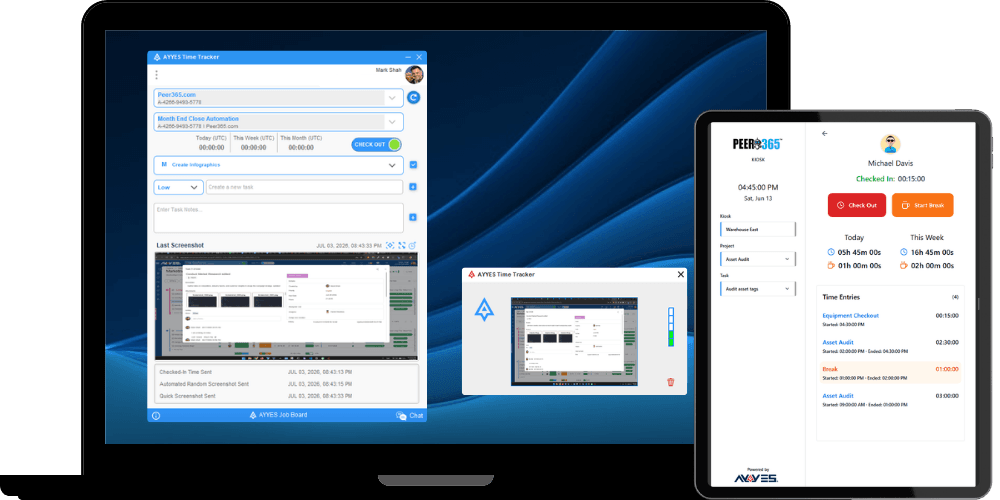
AYYES combines time tracking, projects, tasks, scheduling, timesheets, and reporting in one workspace. Teams can connect planned work with actual working hours, making it easier to understand how much time projects and tasks really require. Pasted markdown Best For: Remote teams, agencies, project-based teams, small businesses, growing teams Key Features: Time tracking, project management, task tracking, scheduling, timesheets, kiosk access, productivity reports, team reporting Pricing: Pricing: Teams can start with AYYES for free for up to 12 members, including unlimited time tracking, projects, tasks, kiosk access, and timesheets. Paid plans start at $0.88 per user/month annually or $0.99 per user/month monthly. Screenshot tracking and activity/app monitoring are paid features and are not included on the Free plan.
2. Google Calendar – Best for Everyday Scheduling
Google Calendar is a straightforward option for organizing meetings, appointments, deadlines, and time blocks. It works well for individuals and teams that mainly need a familiar calendar for planning their day and coordinating schedules. Best For: Individuals, professionals, small teams, Google Workspace users Key Features: Calendar events, recurring events, reminders, time blocking, shared calendars, meeting scheduling
3. Motion – Best for Automatic Scheduling
Motion focuses on automatically planning tasks and meetings around available calendar time. It can help users with busy or frequently changing schedules reduce the amount of manual planning required. Best For: Busy professionals, managers, entrepreneurs, changing schedules Key Features: Automatic scheduling, task planning, calendar management, priority scheduling, deadline planning
4. Reclaim – Best for Protecting Focus Time
Reclaim helps users protect time for focused work while automatically fitting tasks and routines around existing meetings. It can be useful for professionals whose calendars regularly become overloaded. Best For: Knowledge workers, managers, remote teams, meeting-heavy professionals Key Features: Focus-time scheduling, automatic calendar planning, task scheduling, recurring habits, calendar coordination
5. Sunsama – Best for Structured Daily Planning
Sunsama combines task planning with calendar-based time blocking, helping users build a realistic daily schedule. It is particularly useful for people who prefer to intentionally plan each workday rather than rely entirely on automation. Best For: Professionals, freelancers, individual contributors, daily planners Key Features: Daily planning, task organization, time blocking, calendar integration, workload planning
6. Todoist – Best for Task Organization
Todoist focuses primarily on organizing tasks, deadlines, priorities, and recurring work. It can support time management by helping users structure what needs to be completed before placing those tasks into their schedule. Best For: Individuals, freelancers, small teams, task-focused users Key Features: Task management, priorities, deadlines, recurring tasks, subtasks, project organization
7. Notion Calendar – Best for Notion-Based Workflows
Notion Calendar connects calendar planning with Notion-based workflows, making it useful for people already managing projects, notes, and tasks within the Notion ecosystem. Best For: Notion users, content teams, project teams, knowledge workers Key Features: Calendar planning, Notion integration, scheduling, event management, workflow coordination
8. Outlook Calendar – Best for Microsoft-Based Workplaces
Outlook Calendar helps Microsoft users manage meetings, schedules, appointments, and shared workplace calendars. It is particularly suitable for businesses already working within Microsoft 365. Best For: Microsoft 365 users, office teams, enterprises, corporate workplaces Key Features: Meeting scheduling, calendar sharing, recurring events, reminders, Microsoft integration, availability management
Key Features to Look for in Time Management Apps
A useful time management app should make your schedule easier to control rather than adding another system that requires constant maintenance.
1. Calendar and Time Blocking
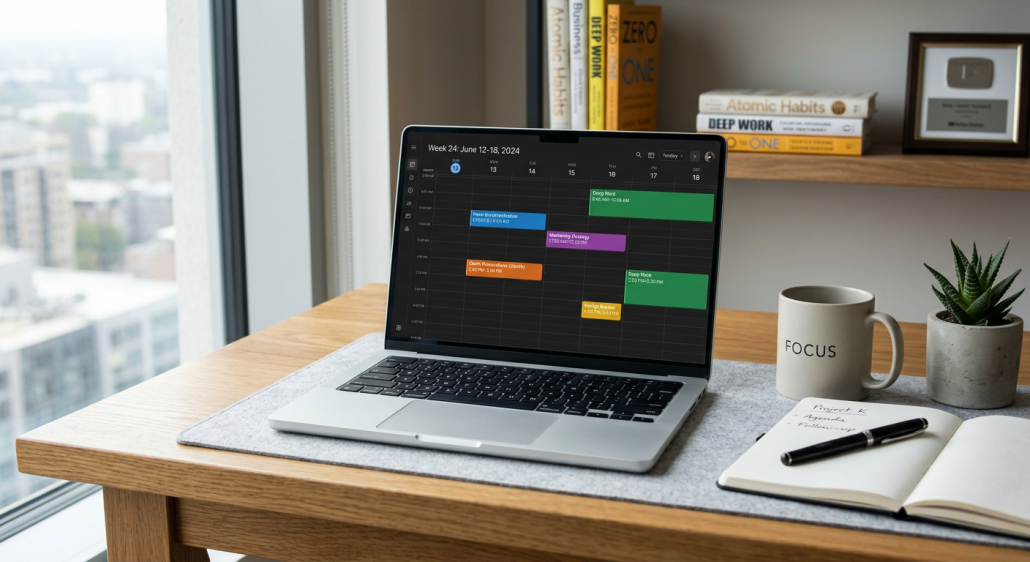
Time blocking turns available calendar space into planned working periods. Instead of simply creating a task called “prepare presentation,” you can reserve a specific block of time to complete it. This helps make daily plans more realistic because meetings, focused work, breaks, and deadlines compete for the same limited hours.
2. Task and Priority Management
A good time management tool should help users decide what needs attention first. Look for priorities, deadlines, recurring tasks, subtasks, project grouping, and easy ways to move unfinished work. These features help prevent urgent but low-value activities from consuming the entire day.
3. Automatic Scheduling
Automatic scheduling tools can place tasks into available calendar time and move them when priorities or meetings change. This can be useful for busy professionals whose schedules change frequently. However, automation should remain easy to override. A time management system becomes frustrating if users constantly fight against the schedule created by the software.
4. Time Tracking and Reporting
Planning tells you how you intend to use your day. Time tracking shows what actually happened. Comparing planned and actual time can help identify:
- Tasks that regularly take longer than expected
- Too much meeting time
- Workflow bottlenecks
- Underestimated projects
- Unbalanced workloads
- Repeated distractions
AYYES provides time tracking along with detailed reports that can group working time by team member, project, or date.
5. Integrations and Calendar Sync
A time management app should connect with the tools you already use. Calendar synchronization can help prevent double-booking, while integrations with task, project, communication, and accounting systems reduce manual updates. Before choosing a platform, check whether the integrations are one-way or two-way and whether important information updates automatically.
How to Choose the Best Time Management Tool
The best time management tool is not necessarily the one with the most features. It is the one that solves the problem that currently wastes the most time.
1. Choose Based on Your Main Time Management Problem
Start by identifying what you actually need to improve. If you regularly forget appointments, focus on calendar management. If tasks constantly compete for attention, prioritize task and priority management. If meetings consume your entire day, look for scheduling and focus-time protection. If you do not know where your working hours go, choose a tool with time tracking and reporting. Teams may need a combination of these capabilities rather than a single-purpose calendar.
2. Compare Calendar and Task Features
Look at how easily tasks can be converted into scheduled work. A useful system should make it simple to see deadlines, priorities, meetings, and available focus time without constantly switching between applications. For project-based teams, also check whether tasks can be assigned to employees and connected with tracked working hours.
3. Check Integrations and Cross-Platform Support
Your time management system should work wherever you work. Check availability across web, desktop, and mobile devices and confirm that important information remains synchronized. Also review integrations with the calendars, project-management tools, communication platforms, or accounting systems your business already uses.
4. Compare Free and Paid Plans
Free time management apps can work well for individuals and small teams, but important features may be limited. Compare user limits, automation, calendar integrations, reporting, project management, storage, and team features before choosing based only on price. AYYES currently provides a free plan for up to 12 team members with unlimited time tracking, projects, tasks, kiosk access, and timesheets. Screenshot tracking and activity/app monitoring are paid features and are not included on the Free plan.
Why Choose AYYES for Time Management?
AYYES combines time management with actual work tracking, helping teams understand both what was planned and how working hours were used.
1. Time Tracking and Task Management
AYYES allows employees to track working hours while connecting that time with projects and tasks. Users can start timers directly from projects or tasks, helping reduce the gap between planning work and recording it.
2. Projects and Team Planning
Projects and tasks give teams a structured place to organize work, assign responsibilities, and monitor progress. Connecting project work with tracked time also helps managers identify which projects consume the most resources and where estimates may need adjustment.
3. Timesheets and Productivity Reports
AYYES turns tracked sessions into timesheets and reports. Managers can group and review time by team member, project, or date and export reports when needed. Productivity reports can also provide additional context about where working time is being spent.
4. One Workspace for Managing Work and Time
Using separate tools for time tracking, projects, schedules, timesheets, and reporting can create unnecessary administrative work. AYYES brings these functions into one work-management environment, helping teams manage time without constantly moving information between disconnected platforms.
Manage Your Time More Effectively With AYYES
Good time management is about more than keeping a busy calendar. Teams need to understand what should be done, when it should happen, and how much time the work actually requires. AYYES combines time tracking, projects, tasks, scheduling, timesheets, and productivity reporting so teams can turn working-hour data into better planning decisions. Start managing your projects, tasks, and working time with AYYES from one connected workspace.
FAQs About Time Management Tools and Apps
1. What Is the Most Effective Method for Organizing a Calendar?
Time blocking is a useful method for organizing a calendar because it assigns specific periods to focused work, meetings, tasks, and breaks. It turns a basic calendar into a realistic plan for how you intend to use the day.
2. How Can I Ensure My Calendar Tool Improves Productivity?
Choose a tool that connects your schedule with actual tasks and priorities. Regularly review planned versus completed work and adjust future time blocks based on how long activities really take.
3. Do I Need a Separate Task Management System?
Not always. Many modern time management apps combine tasks and calendar planning. If you use separate systems, choose tools with reliable integrations so you do not need to update the same information manually in several places.
4. What Are the Best Apps for Time Management?
The best app depends on your needs. Google Calendar works well for basic scheduling, Todoist for task management, Sunsama for daily planning, Motion and Reclaim for automated scheduling, and AYYES for teams combining time tracking, projects, tasks, and reports.
5. What Is a Time Management Calendar?
A time management calendar organizes meetings, tasks, deadlines, and focused work into specific periods. Instead of only recording appointments, it helps users actively plan how available hours will be spent.
6. What Is the Best Time Management Tool for Work?
The best tool depends on your workflow. Individuals may need simple task and calendar planning, while teams often benefit from project management, scheduling, time tracking, timesheets, and reporting in one system.
7. Are There Free Time Management Apps?
Yes. Many calendar, task, and time management platforms provide free plans or basic versions. Check user limits, integrations, automation, reporting, and team features before deciding whether a free plan meets your needs.
8. What Is the Difference Between Time Management and Time Tracking?
Time management focuses on planning how you intend to use your available hours. Time tracking records how those hours were actually spent. Using both together can improve estimates, workload planning, and productivity decisions.