
Top 12 Best Marketing Project Management Software for Marketing Agencies in 2027
Managing multiple marketing campaigns, content calendars, client projects and team responsibilities can become difficult without an organised workflow. Marketing teams need a reliable way to assign tasks, manage deadlines, track project progress and understand how working hours are being used.
Marketing project management software helps businesses organise these activities in one place. It allows teams to plan projects, monitor assignments, coordinate work and keep track of important deadlines. When combined with time tracking software, it also helps businesses record working hours, monitor time spent on projects and understand how team resources are being used. For marketing agencies, these platforms can help manage multiple client projects, track billable hours and improve visibility into team workloads.
However, not every platform offers the same capabilities. Some focus on campaign planning and collaboration, while others provide advanced project tracking, resource management and time tracking.
In this guide, we compare 12 popular marketing project management software options for 2027, including their key features, suitability, advantages and limitations. Whether you manage a small marketing team or a growing agency, this comparison will help you find a suitable platform.
Top 12 Best Marketing Project Management Software at a Glance
Choosing between different project management platforms can take time. The following comparison provides an overview of 12 options and the types of businesses they may suit.
Software |
Best For |
Main Capabilities |
| AYYES | Project and employee time tracking | Projects, tasks, timesheets and attendance |
| Asana | Marketing task management | Campaign planning, workflows and collaboration |
| ClickUp | Customisable project workflows | Tasks, dashboards and multiple project views |
| Wrike | Marketing workflow management | Resource planning, approvals and reporting |
| Monday.com | Visual project planning | Boards, timelines and workflow automation |
| Productive | Marketing agency management | Project budgets, resources and time tracking |
| Teamwork | Client project management | Client tasks, billable hours and reporting |
| Trello | Simple project tracking | Boards, cards and checklists |
| Basecamp | Team communication | To-do lists, discussions and schedules |
| Ravetree | Agency operations | Projects, CRM and resource planning |
| Notion | Marketing documentation and planning | Databases, documentation and task organisation |
| Zoho Projects | Structured project management | Milestones, task dependencies and reporting |
The right choice depends on your team’s size, project complexity, budget and required features. Some platforms are better suited to campaign collaboration, while others are more useful for tracking employee hours and managing project resources.
Also Suggest this : Best Clock-In Clock-Out Apps
Top 12 Best Marketing Project Management Software in 2027
1. AYYES – Best for Project and Employee Time Tracking
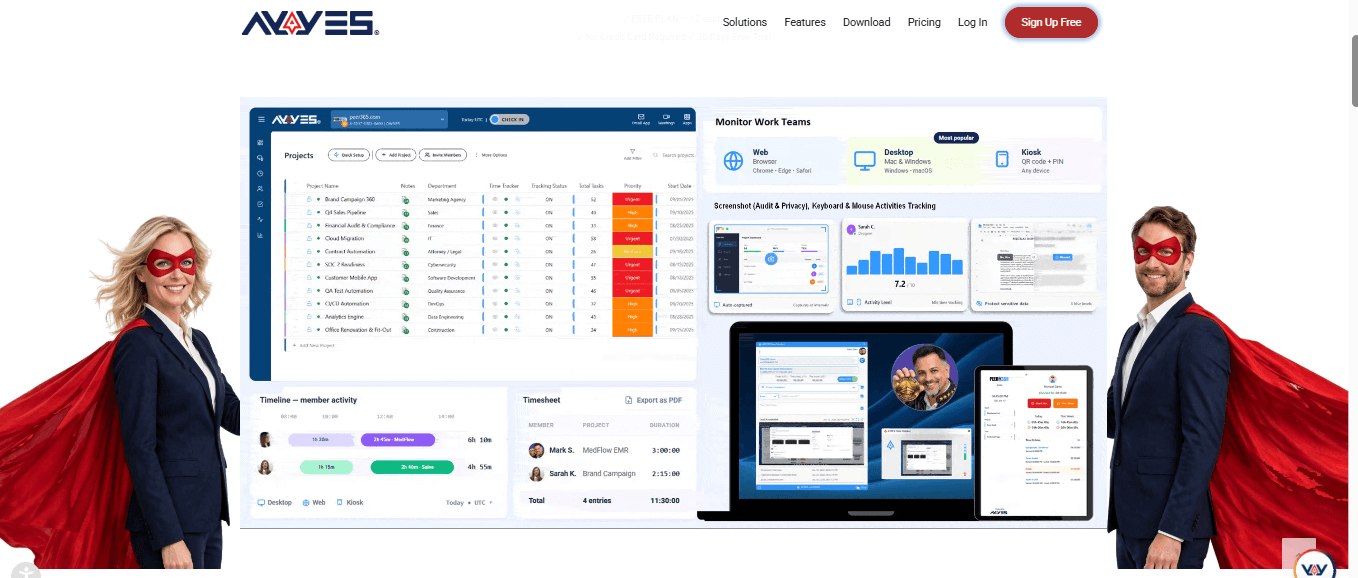
AYYES is a project and time management platform that helps businesses organise projects, assign tasks and record employee working hours. It combines project management with employee time tracking, allowing managers to monitor work progress, review timesheets and understand how much time teams spend on different projects.
Marketing agencies often manage several client projects simultaneously, making time tracking for marketing agencies important. AYYES allows employees to record working hours against specific projects and tasks, while managers can review timesheets, monitor team workloads and understand how much time is spent on SEO, content production, website development and social media activities. This helps agencies maintain clear time records, improve project visibility and manage employee working hours from one platform.
Key Features
- Project Management: Create and manage multiple projects, organise work by department, set priorities and update project statuses.
- Task Management: Create tasks and task groups, assign work to employees and monitor task activity.
- Time Tracking: Record working hours using the web timer, desktop application, manual time entries or kiosk.
- Project Notes: Add project information, guidelines and relevant links to keep important details accessible.
- Timesheet Reports: Review working hours by employee, project or date and export time records.
- Team Management: Manage team members, roles and project access.
- Project Templates: Reuse project structures to reduce repetitive setup work.
AYYES also provides dashboards and reporting features that help managers review project activity and tracked time.
Pricing: AYYES offers a free plan for up to 12 users, with unlimited projects and tasks and time tracking. Businesses can also access a 30-day trial of PRO features without a credit card.
Pros
- Combines project and task management with time tracking.
- Supports multiple time tracking methods.
- Provides project-based timesheets and reports.
- Includes a free plan for small teams.
Cons
- Teams looking for specialist campaign calendars, creative approval workflows or marketing automation may need additional tools.
Best For: Marketing agencies, small businesses and teams that want to organise projects, assign tasks and track employee working hours together.
2. Asana – Best for Marketing Task Management
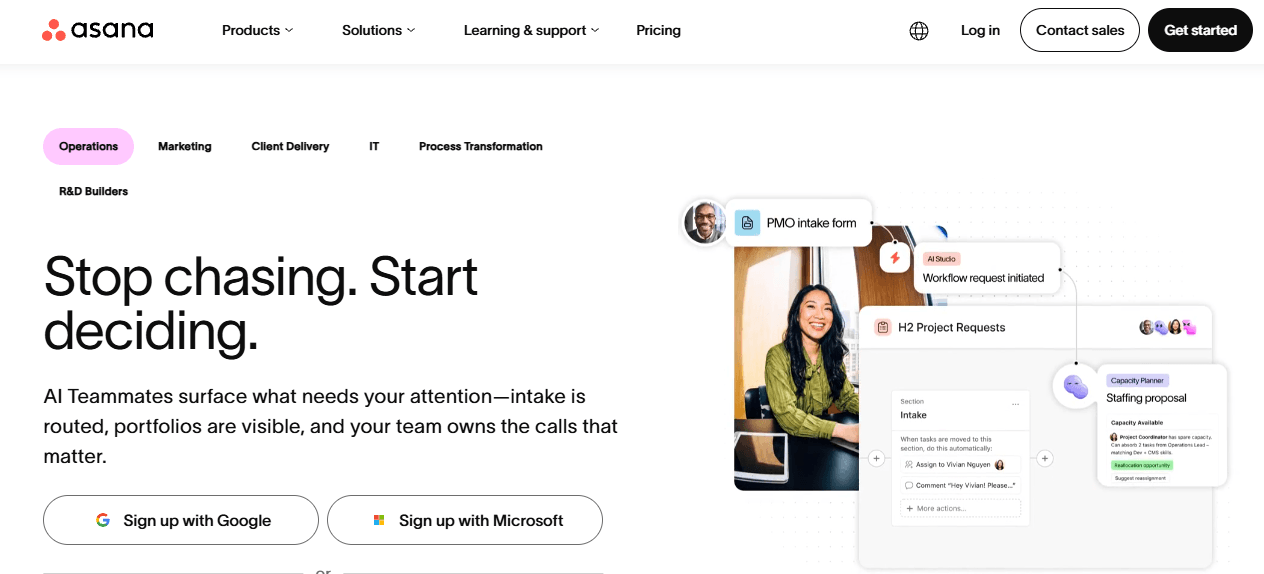
Asana is a project management platform that helps marketing teams coordinate campaigns, organise tasks and manage responsibilities. It provides different project views that allow employees and managers to understand what needs to be completed and when.
Marketing teams can use Asana to manage content production, advertising campaigns, social media activities and creative projects. Tasks can be assigned to specific employees with deadlines and supporting information.
Key Features
- Task Management: Create tasks, subtasks and assignments for different marketing activities.
- Project Views: Organise work using lists, boards, timelines and calendars.
- Campaign Planning: Monitor campaign owners, timelines and project status.
- Workflow Automation: Automate repetitive assignments and notifications.
- Collaboration: Share project updates and coordinate work across departments.
- Reporting: Review project progress and identify tasks that need attention.
Asana can be useful for teams that handle multiple campaigns and need a structured way to coordinate responsibilities. Its marketing-specific workflows also support creative processes and stakeholder reviews.
Pricing: Asana provides a free personal plan and paid plans with additional collaboration, reporting and workflow capabilities. Check its current pricing page for plan limits.
Pros
- Suitable for organising marketing campaigns.
- Offers multiple project views.
- Supports task assignments and workflow automation.
- Provides collaboration features.
Cons
- Some advanced capabilities require paid plans.
- Teams may need time to configure larger workflows.
Best For: Marketing teams that need structured task management, campaign planning and team collaboration.
3. ClickUp – Best for Customisable Project Workflows
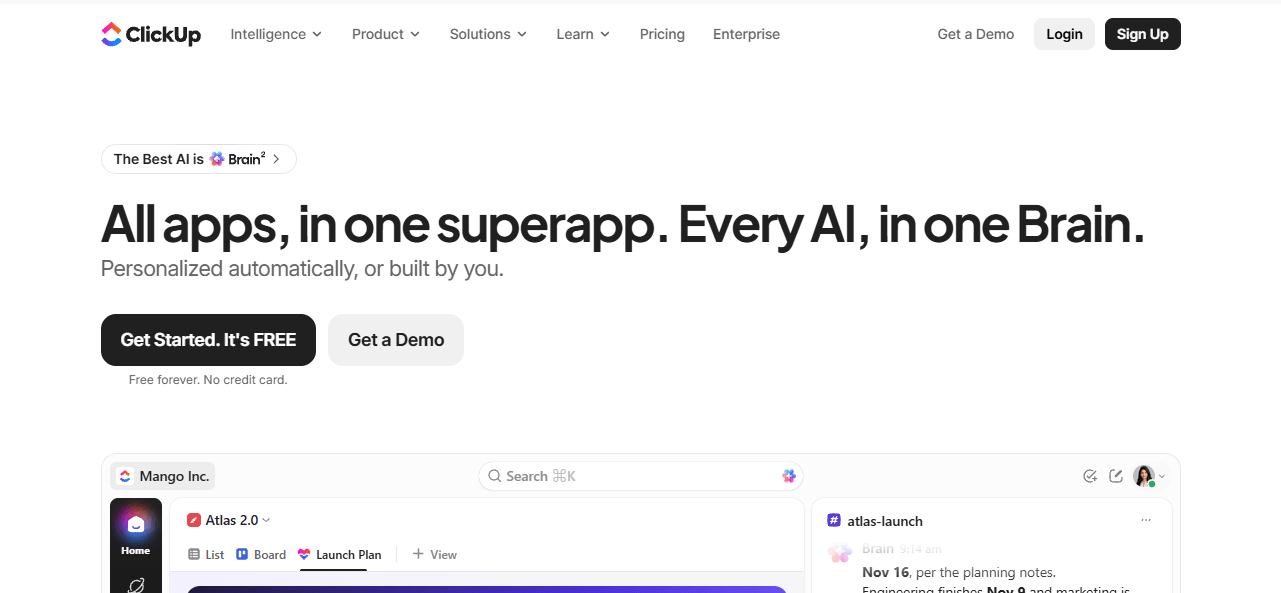
ClickUp is a flexible project management platform that brings tasks, documents, dashboards and team collaboration into one workspace. It allows marketing teams to organise projects according to their working processes.
Agencies can create separate workspaces or project structures for SEO, content marketing, paid advertising and social media campaigns. Team members can then manage their assignments and update progress as work moves forward.
Key Features
- Task and Subtask Management: Break larger marketing projects into smaller assignments.
- Custom Project Views: Use lists, boards, calendars and timelines to organise work.
- Dashboards: Monitor tasks, workload and project progress.
- Time Tracking: Record time spent on tasks and projects.
- Documents: Store project information and internal documentation.
- Automation: Reduce repetitive workflow activities.
ClickUp offers flexibility for teams that want to customise their project management environment. However, the number of available options may require an initial learning period.
Pricing: ClickUp offers a free plan and several paid options. Features and usage limits vary by subscription.
Pros
- Highly customisable workspace.
- Multiple project and task views.
- Combines tasks, documents and dashboards.
- Supports time tracking.
Cons
- Its wide feature range can feel complex for new users.
- Advanced functionality may require paid plans.
Best For: Marketing teams that need flexible workflows and want to manage different project activities in one platform.
4. Wrike – Best for Marketing Workflow Management
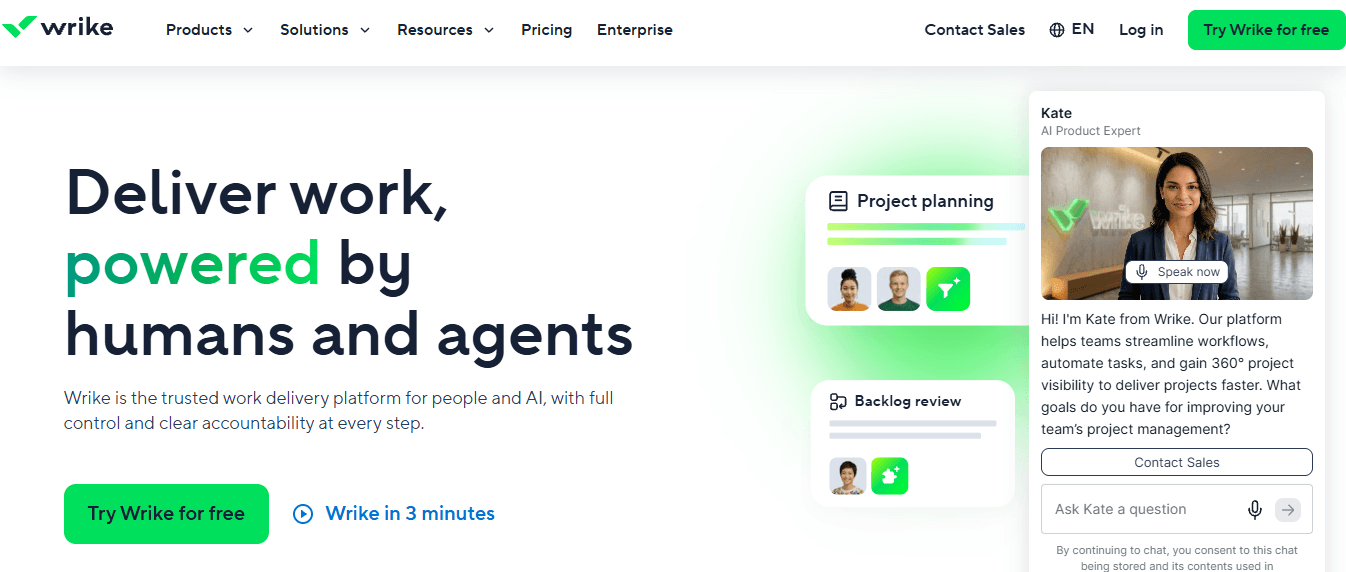
Wrike is a work management platform designed to help teams organise projects, coordinate tasks and monitor resources. It can support marketing departments that manage several campaigns and creative projects simultaneously.
Marketing teams can use Wrike to organise campaign requests, assign work, manage deadlines and monitor project progress. Its reporting and workflow capabilities can also help managers understand how work moves between departments.
Key Features
- Project Planning: Organise campaigns and projects with clear responsibilities.
- Task Management: Assign tasks and monitor completion.
- Resource Management: Review workloads and team availability.
- Workflow Management: Structure processes for different marketing activities.
- Approvals: Coordinate reviews and feedback for creative work.
- Reporting: Monitor project progress and performance.
Wrike is particularly relevant to marketing departments that need more structured workflows and visibility across multiple projects.
Pricing: Wrike offers different subscription plans, including options for teams and larger organisations. Some advanced features are plan-dependent.
Pros
- Supports structured marketing workflows.
- Provides resource management capabilities.
- Includes project reporting.
- Suitable for larger teams with multiple projects.
Cons
- Some advanced capabilities may require higher-tier plans.
- Initial configuration can take time.
Best For: Marketing departments and agencies that manage complex workflows and multiple projects.
5. Monday.com – Best for Visual Project Planning
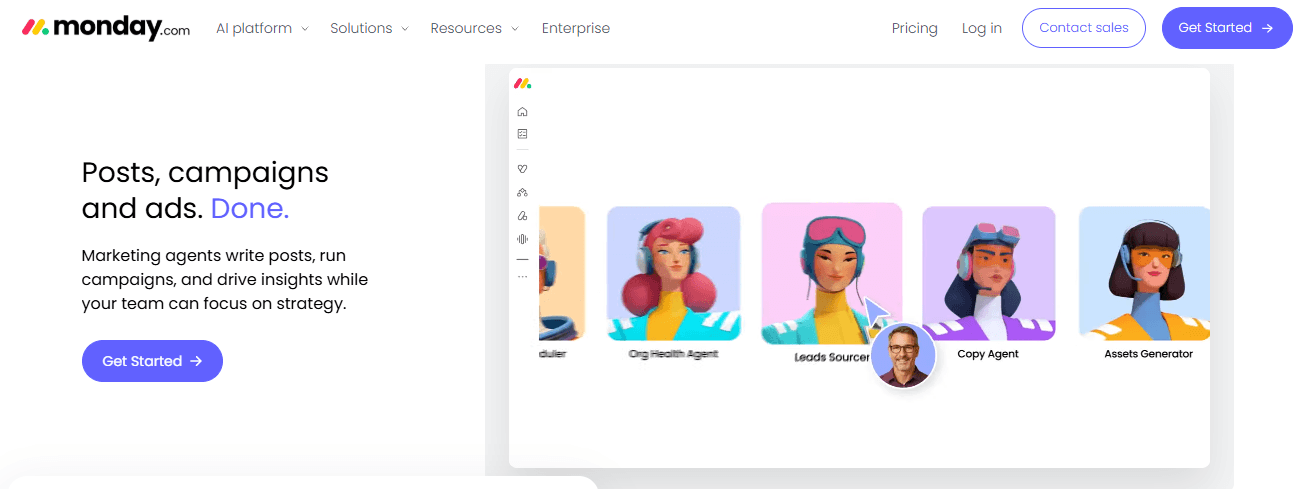
Monday.com is a work management platform that uses visual boards to help teams organise tasks, projects and workflows. Its interface makes it easier to see assignment status, deadlines and project responsibilities.
Marketing teams can use it to plan social media calendars, content production, advertising campaigns and other activities. Different boards can be created for individual campaigns or departments.
Key Features
- Visual Boards: Organise projects and tasks using customisable boards.
- Timeline Views: Monitor project schedules and deadlines.
- Task Assignment: Allocate responsibilities to team members.
- Workflow Automation: Automate selected repetitive processes.
- Dashboards: Review project information and progress.
- Integrations: Connect with supported business and productivity tools.
Monday.com can help marketing teams maintain visibility across ongoing work. However, organisations should compare the available plans before choosing features for larger teams.
Pricing: Monday.com offers different plans, including a free option with restrictions and paid subscriptions with additional capabilities.
Pros
- Visual and easy-to-understand project boards.
- Supports task tracking and deadlines.
- Provides workflow automation.
- Offers different project views.
Cons
- Some advanced features are available only on paid plans.
- Costs can increase as teams add users.
Best For: Marketing teams that prefer visual project planning and want to monitor several campaigns.
6. Productive – Best for Marketing Agency Management
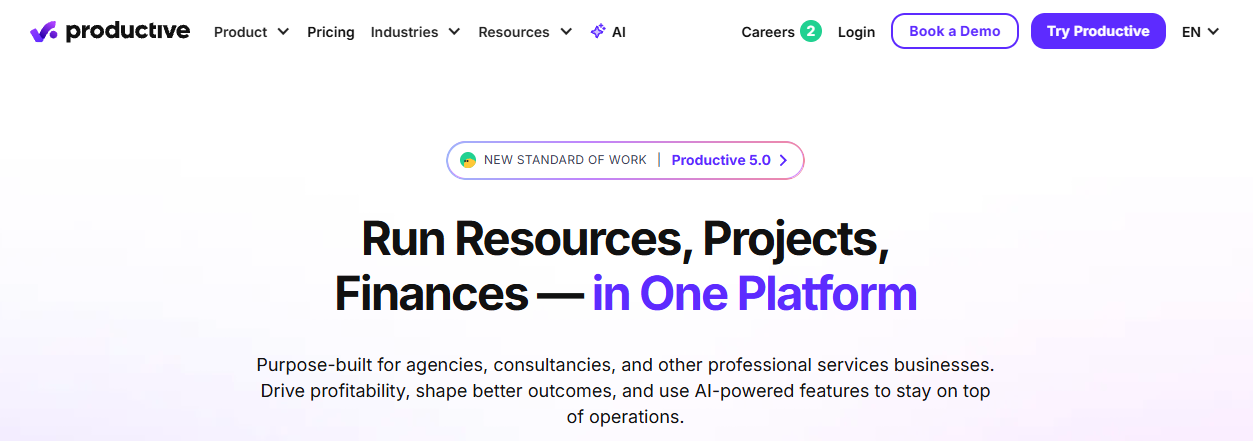
Productive is an agency management platform designed for businesses that need to manage projects, resources, budgets and financial operations. It can be useful for marketing agencies handling multiple client accounts and ongoing service projects.
The platform helps agencies connect project delivery with resource planning and financial information. This can make it easier for managers to understand how much work is being completed and how resources are allocated.
Key Features
- Project Management: Organise client and internal projects.
- Task Management: Divide projects into manageable assignments.
- Resource Planning: Review team capacity and allocate resources.
- Time Tracking: Record working hours against projects.
- Budget Management: Monitor project budgets and financial performance.
- Reporting: Review project and business performance.
Productive is particularly relevant to agencies that need project management alongside budgeting, resource planning and financial visibility.
Pricing: Productive offers paid subscription plans. Check its pricing page for current plan details and available features.
Pros
- Designed for agency operations.
- Combines project and financial management.
- Provides resource planning.
- Supports time tracking and reporting.
Cons
- May be more than a small team needs.
- Teams with simple task management requirements may prefer a lighter platform.
Best For: Marketing agencies and professional service businesses managing client projects, resources and budgets.
7. Teamwork – Best for Client Project Management
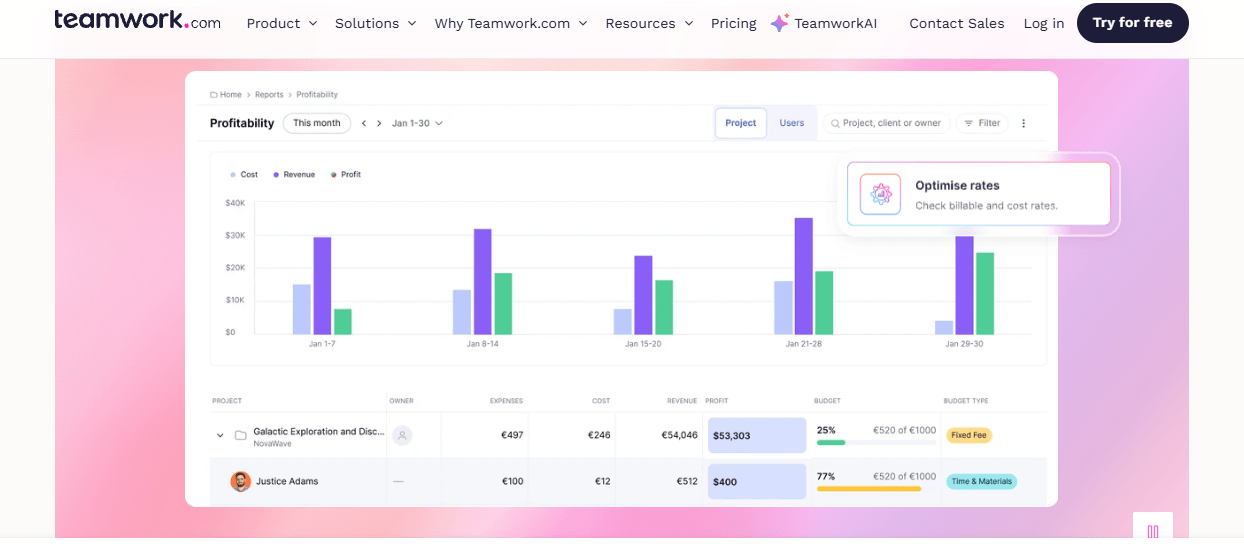
Teamwork is a project management platform designed to help businesses coordinate tasks, manage client projects and track work. It can be useful for marketing agencies that handle multiple customers and need visibility into project delivery.
Agencies can create projects for individual clients, assign responsibilities and organise activities around deadlines. Managers can also review project progress and track the time spent on client work.
Key Features
- Client Project Management: Organise projects according to clients and services.
- Task Management: Assign responsibilities and monitor completion.
- Time Tracking: Record time spent on different activities.
- Workload Management: Review team capacity and assignments.
- Project Reporting: Monitor project progress and performance.
- Collaboration: Share updates and coordinate work.
Teamwork can help agencies maintain a clearer overview of their client commitments and ongoing projects.
Pricing: Teamwork offers multiple plans with different project management and resource management capabilities.
Pros
- Useful for client-based projects.
- Supports time tracking.
- Includes workload management.
- Provides project reporting.
Cons
- Some advanced capabilities require paid subscriptions.
- Smaller teams may not need all its agency-focused features.
Best For: Marketing agencies that manage multiple clients and need to monitor project delivery and working hours.
8. Trello – Best for Simple Project Tracking
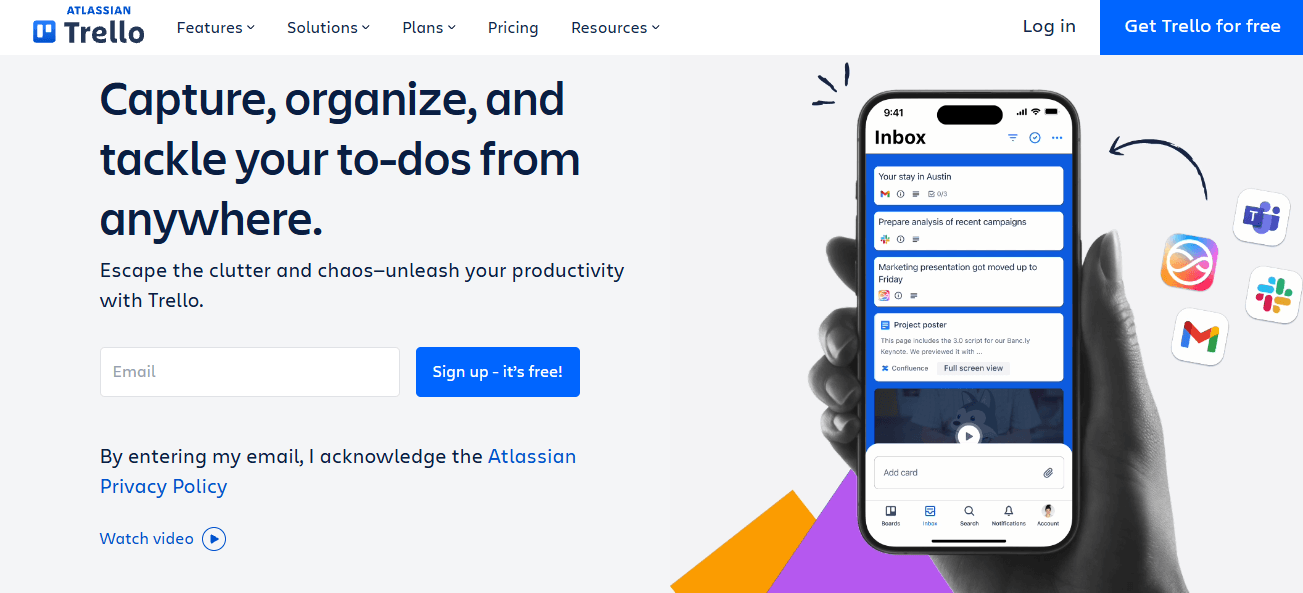
Trello is a visual project management tool based on boards, lists and cards. It helps teams organise work and understand the status of individual tasks without using a complicated project structure.
Marketing teams can create separate boards for content production, social media campaigns, SEO activities and advertising projects. Each task can be represented by a card that moves between workflow stages.
Key Features
- Boards and Cards: Organise marketing tasks visually.
- Lists: Separate work into stages such as planned, in progress and completed.
- Checklists: Break assignments into smaller activities.
- Due Dates: Add deadlines to individual cards.
- Collaboration: Assign members and share task information.
- Power-Ups: Extend functionality through supported integrations and add-ons.
Trello is suitable for teams that prefer a simple way to organise and track assignments. However, agencies managing complicated projects may require additional reporting and resource management tools.
Pricing: Trello offers a free plan and paid options with additional features and workspace capabilities.
Pros
- Simple visual interface.
- Easy task organisation.
- Suitable for smaller projects.
- Free plan available.
Cons
- Advanced project reporting may require additional tools.
- Complex resource planning is not its main strength.
Best For: Freelancers and small marketing teams that need straightforward project tracking.
9. Basecamp – Best for Team Communication
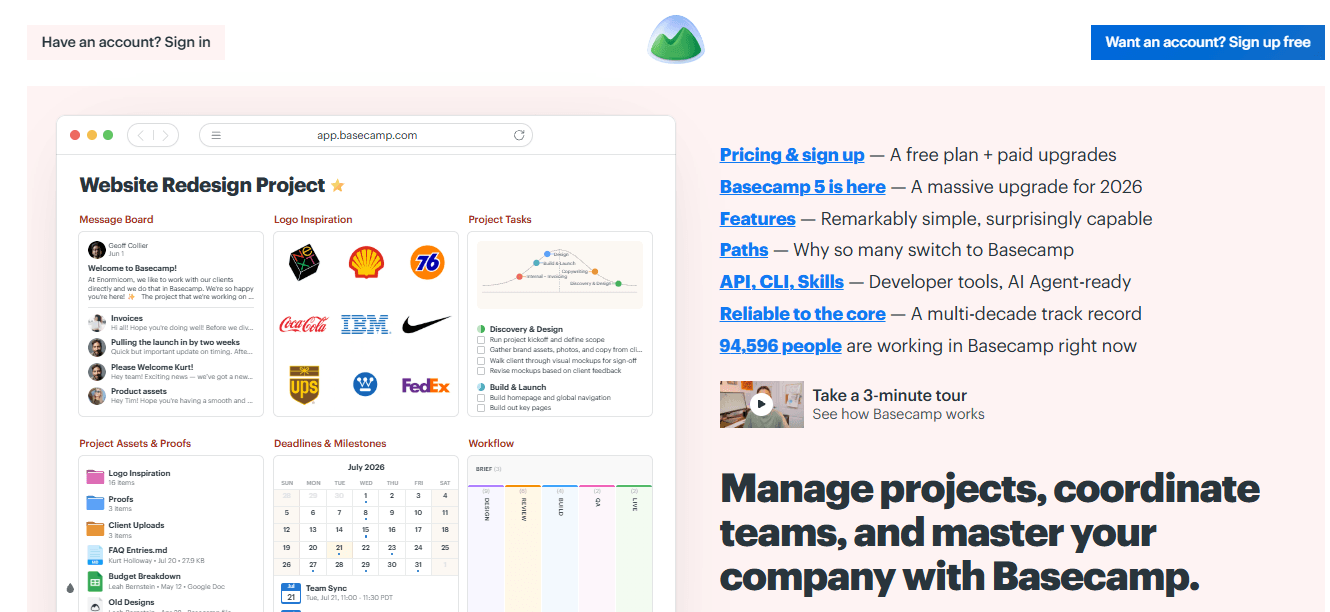
Basecamp is a project management and team collaboration platform that brings project discussions, task lists, schedules and shared files together.
Marketing teams can use Basecamp to keep project information organised and reduce the need to communicate across multiple disconnected channels. It is particularly useful for teams that want a central place for project updates and discussions.
Key Features
- To-Do Lists: Organise tasks and responsibilities.
- Message Boards: Keep project discussions in one place.
- Schedules: Track important project dates and deadlines.
- File Sharing: Store and share project documents.
- Team Communication: Coordinate updates and discussions.
- Project Organisation: Keep information separated by project.
Basecamp focuses strongly on communication and straightforward project organisation rather than advanced resource management.
Pricing: Basecamp offers subscription options for different business requirements. Check its current plans for available pricing and limits.
Pros
- Centralises team communication.
- Organises project discussions and tasks.
- Provides shared schedules and files.
- Straightforward project structure.
Cons
- Advanced project reporting is limited compared with specialist platforms.
- Teams requiring detailed resource planning may need another solution.
Best For: Marketing teams that prioritise communication and simple project coordination.
10. Ravetree – Best for Agency Operations
Ravetree is a work management platform designed for professional service businesses and agencies. It brings project management, resource planning, time tracking and other business operations into a shared environment.
Marketing agencies can use it to organise client projects, manage team responsibilities and review the resources required to complete work.
Key Features
- Project Management: Organise client and internal projects.
- Task Management: Assign activities and monitor progress.
- Resource Planning: Manage team workloads and availability.
- Time Tracking: Record time spent on projects.
- CRM: Manage customer and business relationship information.
- Financial Management: Support project budgets and business operations.
- Reporting: Review project and resource information.
Ravetree can be useful for agencies that want more than a basic task management platform and need a broader view of their operations.
Pricing: Check Ravetree’s current subscription options for pricing and feature availability.
Pros
- Combines several agency management functions.
- Supports project and resource planning.
- Includes time tracking capabilities.
- Provides CRM and financial management features.
Cons
- May be more complex for smaller teams.
- Some businesses may not require its full range of capabilities.
Best For: Marketing agencies and professional service businesses managing projects, resources and client operations.
11. Notion – Best for Marketing Documentation and Planning
Notion is a workspace platform that combines documentation, databases and task organisation. It can help marketing teams maintain campaign information, content plans, project notes and internal documentation in one place.
Teams can build databases to organise blog content, social media schedules and marketing activities. Pages can also be used to document campaign guidelines, research and project requirements.
Key Features
- Databases: Organise marketing tasks and content information.
- Project Views: Display information using different database layouts.
- Documentation: Maintain campaign briefs and internal guidelines.
- Task Organisation: Track responsibilities and project activities.
- Templates: Reuse structures for recurring marketing processes.
- Collaboration: Work on shared pages and documents.
Notion offers flexibility for teams that want to connect project information with documentation. However, businesses with complex resource management requirements may need a dedicated project management platform.
Pricing: Notion provides a free plan and paid subscriptions with additional collaboration and workspace features.
Pros
- Flexible documentation and databases.
- Useful for content planning.
- Supports shared workspaces.
- Customisable templates.
Cons
- Complex workflows may require manual configuration.
- Advanced resource management is not its main focus.
Best For: Marketing teams that need a central workspace for documentation, content planning and task organisation.
12. Zoho Projects – Best for Structured Project Management
Zoho Projects is a project management platform that helps businesses organise tasks, schedules and project activities. It can support marketing teams that need structured planning and visibility into project progress.
Marketing agencies can use Zoho Projects to manage campaign-related assignments, create milestones and monitor work across different team members.
Key Features
- Task Management: Create tasks, subtasks and assignments.
- Milestones: Organise projects around important delivery stages.
- Task Dependencies: Manage relationships between different activities.
- Time Tracking: Record time spent on project work.
- Project Reporting: Review progress and project information.
- Collaboration: Support team discussions and project updates.
Zoho Projects is a practical option for businesses that want a structured approach to project planning and task management.
Pricing: Zoho Projects offers free and paid plans, with features and usage limits depending on the subscription.
Pros
- Structured task and milestone management.
- Supports project time tracking.
- Provides reporting capabilities.
- Suitable for different project types.
Cons
- Marketing-specific campaign features may require integrations or additional tools.
- Some advanced capabilities are plan-dependent.
Best For: Marketing teams and businesses that need structured project tracking and task management.
Why Do Marketing Teams Need Project Management Software?
Marketing teams often work on several activities at the same time, including search engine optimisation, social media management, content creation, email campaigns and paid advertising. Managing all these activities manually can create confusion, particularly when multiple employees are involved.
Project management software provides a structured way to organise work, assign responsibilities and monitor progress. It helps marketing managers understand which activities are completed, which tasks are still in progress and where additional attention is needed.
Here are some important reasons marketing teams use project management software.
1. Manage Multiple Marketing Campaigns
Marketing teams frequently handle campaigns across different channels. Each campaign may involve content writers, designers, SEO specialists and advertising managers.
Project management software allows teams to organise these activities into separate projects, assign tasks and maintain a clear overview of campaign progress.
2. Keep Tasks and Responsibilities Organised
When responsibilities are not clearly defined, employees may overlook assignments or duplicate work. Project management platforms help managers assign tasks to specific team members and establish clear deadlines.
This makes it easier for everyone to understand their responsibilities.
3. Improve Deadline Management
Marketing projects often involve several connected activities. For example, a blog publication may require keyword research, content writing, editing, graphic design and publishing.
Project management software helps teams organise these activities and monitor deadlines so that work can move through each stage efficiently.
4. Improve Team Coordination
Marketing projects often require cooperation between different departments. A shared project workspace helps team members access relevant task information, updates and project documents.
This can reduce unnecessary communication and make collaboration easier.
5. Monitor Project Progress
Managers need to understand how projects are progressing without repeatedly asking employees for updates. Project tracking features provide visibility into task statuses, completed assignments and outstanding work.
This helps teams identify delays and make adjustments when required.
Key Features to Look for in Marketing Project Management Software
The best marketing project management software should support your team’s daily activities without making workflows unnecessarily complicated. Before selecting a platform, consider the features that are most relevant to your campaigns and business requirements.
1. Task Assignment and Deadline Management
Task management is one of the most important features of any project management platform. It allows managers to divide larger projects into smaller assignments and allocate responsibilities to employees.
Look for software that supports:
- Task creation and assignment.
- Individual task deadlines.
- Priority settings.
- Task statuses.
- Subtasks and task groups.
- Progress monitoring.
These capabilities help marketing teams maintain an organised workflow and understand what needs to be completed.
2. Campaign Planning and Project Tracking
Marketing campaigns involve multiple activities that need to be completed in a specific order. Project tracking management software helps managers organise campaign tasks and monitor their progress.
For example, an SEO campaign may include keyword research, competitor analysis, content creation, on-page optimisation and performance reporting.
A project tracking platform can help teams organise these activities, assign responsibilities and review their completion status.
3. Team Collaboration and Communication
Marketing projects often involve writers, designers, SEO professionals and campaign managers. Collaboration features help these employees coordinate their work.
Useful capabilities include:
- Shared project information.
- Task comments and updates.
- File attachments.
- Team notifications.
- Project notes.
- Communication and collaboration integrations.
Choose online project management tools that allow employees to access relevant information without repeatedly switching between different platforms.
4. Time Tracking and Timesheet Management
Time tracking helps businesses understand how employees spend their working hours across different projects and tasks.
For marketing agencies, this can be particularly useful when managing client work, reviewing project costs and understanding the time required to complete different activities.
Look for a project management app that supports:
- Start and stop timers.
- Manual time entries.
- Project-based time tracking.
- Employee timesheets.
- Working-hour reports.
- Billable and non-billable time records, where required.
Platforms such as AYYES combine project and task management with different time tracking methods, helping managers review project activity and employee working hours together.
5. Reporting and Performance Monitoring
Reporting features help managers understand project activity and identify areas that need improvement.
Useful reporting capabilities may include:
- Task completion reports.
- Project progress summaries.
- Employee time reports.
- Workload information.
- Project cost reports.
- Exportable timesheets.
These reports help businesses make informed decisions about project planning, resource allocation and workflow improvements.
How to Use Project Management Software for Marketing Teams
Choosing project management software is only the first step. Marketing teams also need a clear process for organising their work and using the available features effectively.
The following steps explain how businesses can use project management software to manage marketing activities.
Step 1: Create Marketing Projects and Campaigns
Start by creating separate projects for different marketing activities. For example, an agency may create individual projects for SEO, content marketing, social media management and paid advertising.
Add relevant project information, objectives and important deadlines. This gives employees a clear understanding of the work involved.
Step 2: Divide Projects into Smaller Tasks
Once a project is created, divide it into manageable tasks.
For example, an SEO project may include:
- Keyword research.
- Competitor analysis.
- Website content optimisation.
- Technical SEO improvements.
- Link-building activities.
- Performance reporting.
Breaking projects into smaller tasks makes responsibilities easier to manage.
Step 3: Assign Tasks and Set Deadlines
Assign each task to the appropriate employee based on their role and responsibilities.
For example, keyword research may be assigned to an SEO specialist, while blog writing may be assigned to a content writer.
Set deadlines and priorities to help employees organise their workload.
Step 4: Track Working Hours and Project Progress
Use the available project tracking and time tracking features to monitor completed work and record employee hours.
This helps managers understand how much time different activities require and whether projects are progressing according to schedule.
Step 5: Review Reports and Improve Workflows
Review project reports and task updates regularly. Identify delayed activities, uneven workloads and tasks that require additional support.
Use these insights to improve future campaign planning and allocate resources more effectively.
Benefits of Using Marketing Project Management Software
Using marketing project management software can improve how teams organise their activities, coordinate responsibilities and monitor ongoing projects.
Instead of relying entirely on spreadsheets, separate task lists and manual updates, businesses can use a centralised workspace to manage important project information.
Here are some key benefits.
1. Better Marketing Campaign Organisation
Project management software helps teams organise different marketing campaigns in a structured environment.
Managers can create separate projects, divide activities into tasks and assign responsibilities to employees. This makes it easier to manage several campaigns without losing track of important activities.
2. Improved Team Collaboration
A shared project workspace gives employees access to relevant tasks, updates and project information.
This can help marketing teams coordinate work between content writers, designers, SEO specialists and campaign managers.
3. Better Deadline and Task Management
Clear task assignments and deadlines help employees understand their priorities.
Managers can review task statuses, identify outstanding work and follow up on activities that require attention.
4. Improved Time and Resource Management
Time tracking helps businesses understand how working hours are distributed across projects.
For marketing agencies, this information can help managers review the time spent on client projects, understand resource requirements and plan future assignments more effectively.
5. Easier Project Monitoring and Reporting
Project dashboards and reports help managers review ongoing work without manually collecting updates from every employee.
They can identify completed tasks, review tracked hours and understand which projects need additional attention.
6. Better Project Visibility
When project information is scattered across spreadsheets, emails and separate applications, managers may struggle to understand overall progress.
Centralised project management platforms make important information easier to access and review.
How to Choose the Best Marketing Project Management Software
Selecting the best marketing project management software depends on your business requirements, team size and the type of projects you manage.
A small marketing team may need simple task management, while a larger agency may require resource planning, reporting, time tracking and client project management.
Consider the following factors before making your decision.
1. Understand Your Marketing Team’s Requirements
Start by identifying the activities your team needs to manage.
For example:
- SEO agencies may need task assignments and project tracking.
- Content teams may need content planning and editorial workflows.
- Social media teams may need campaign schedules and task coordination.
- Advertising agencies may need project reporting and resource management.
- Full-service agencies may need client project management and time tracking.
Choose software that supports your actual working processes rather than paying for features your team will rarely use.
2. Compare Free and Paid Plans
Many platforms offer free project management software plans with restrictions on users, storage, project limits or advanced functionality.
Before choosing a platform, compare:
- Number of available users.
- Project and task limits.
- Time tracking availability.
- Reporting capabilities.
- Integration options.
- Paid-plan features.
A free plan may be sufficient for a small team, while a growing agency may require additional functionality.
3. Check Integrations and Ease of Use
Your project management platform should fit into your existing business workflow.
Check whether the software supports the tools your team already uses for communication, file sharing, marketing activities and reporting.
Ease of use is equally important. Employees should be able to understand the platform, update tasks and access project information without unnecessary complexity.
4. Evaluate Time Tracking and Reporting
If your business manages client projects or monitors employee working hours, consider platforms with built-in time tracking and reporting.
These capabilities can help managers understand project effort, review working hours and maintain accurate timesheets.
5. Consider Scalability
Your software should be able to support your business as the team grows.
Consider whether it allows you to add employees, create additional projects, manage different departments and handle more complex workflows.
Why Choose AYYES for Project and Time Management?
AYYES is a practical option for businesses that want to manage projects, organise tasks and track employee working hours from one platform.
Marketing agencies often need to monitor several client projects while understanding how employees distribute their working time. Managing these activities through separate tools can create additional administrative work.
AYYES brings project management, task management and time tracking together, helping businesses maintain a clearer view of their work.
1. Manage Projects and Tasks in One Workspace
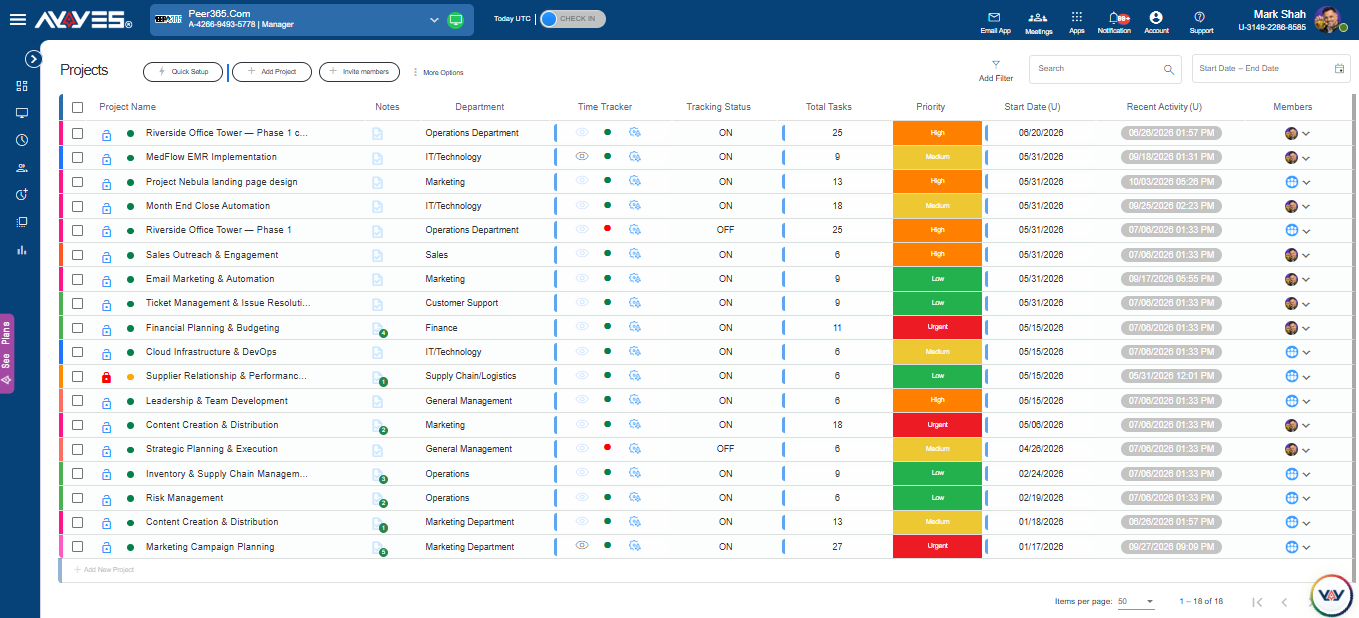
AYYES allows managers to create projects, organise tasks and assign responsibilities to team members.
You can divide projects into task groups, set priorities, update statuses and add project notes. This helps employees understand their assignments and gives managers better visibility into ongoing work.
2. Track Employee Working Hours
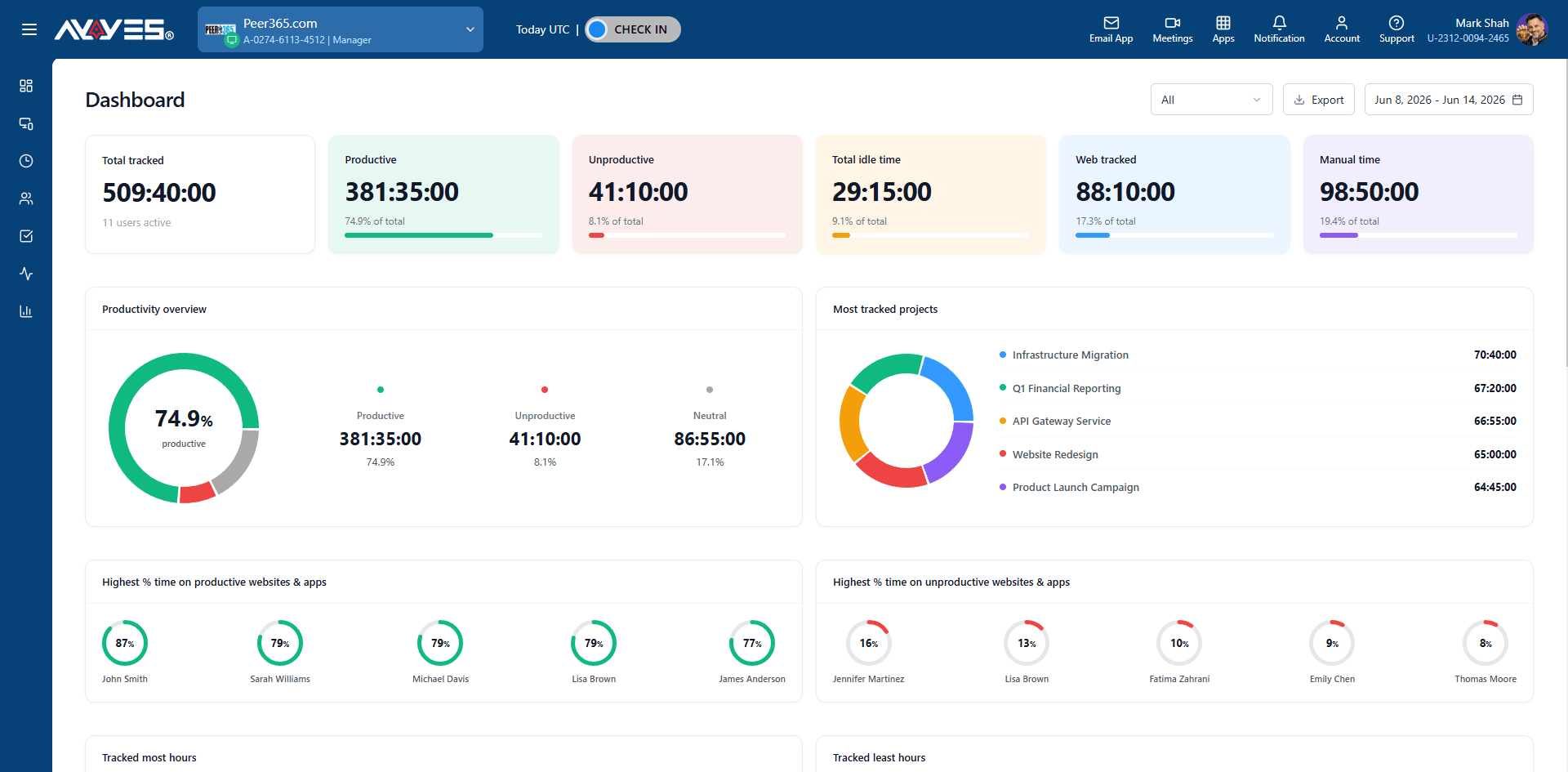
With AYYES, employees can record working hours using the web timer, desktop application, manual time entries or kiosk.
These options allow businesses to choose a time tracking method according to their working environment.
3. Monitor Project-Based Time
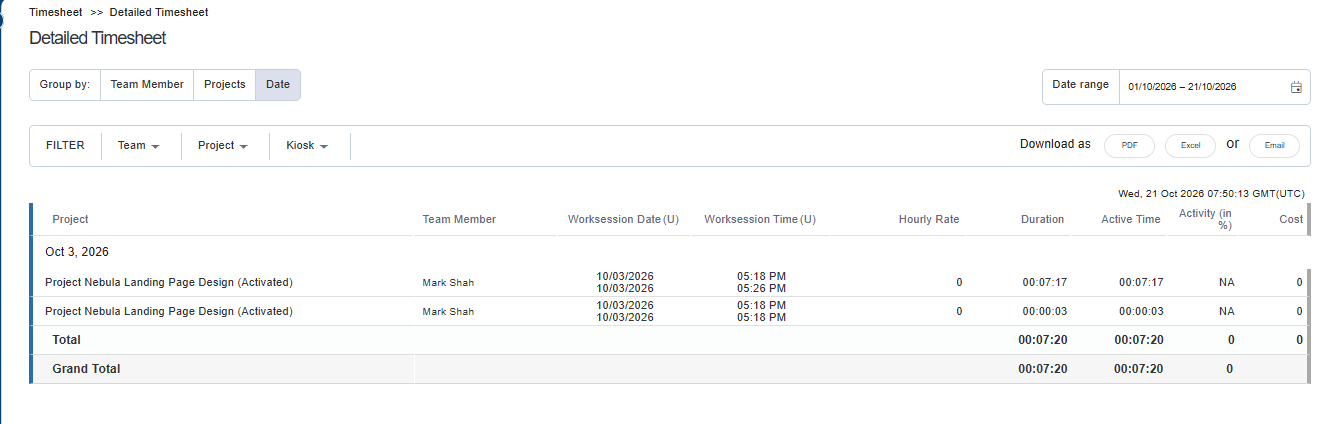
Employees can record time against specific projects and tasks. Managers can review how working hours are distributed across different assignments.
This is useful for agencies that want to understand the effort involved in completing client work.
4. Generate Timesheets and Reports
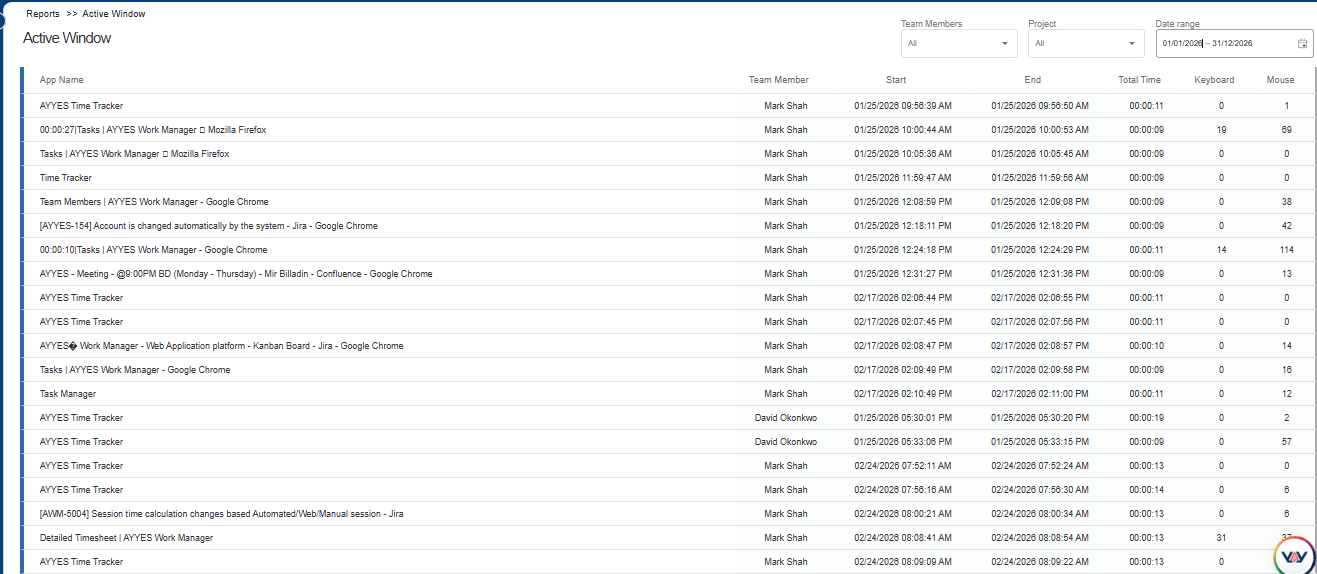
AYYES provides timesheet and reporting capabilities that help businesses review working hours and project activity.
Managers can filter records by employee, project or date and export relevant reports for internal reviews and administrative requirements.
5. Manage Teams and Project Access
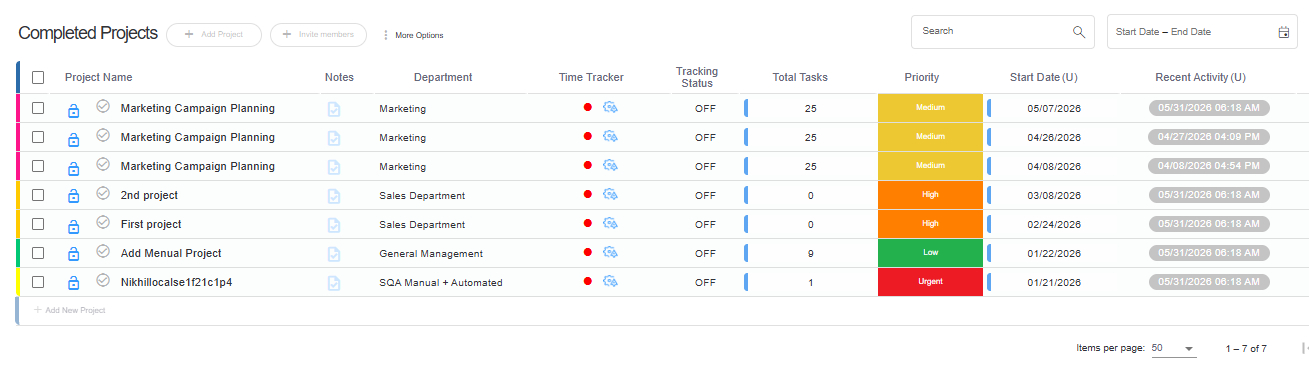
AYYES supports team and role management, allowing businesses to organise project access and assign responsibilities.
Managers can add team members, manage roles and control access to relevant project information.
Get Started with AYYES at Affordable Pricing
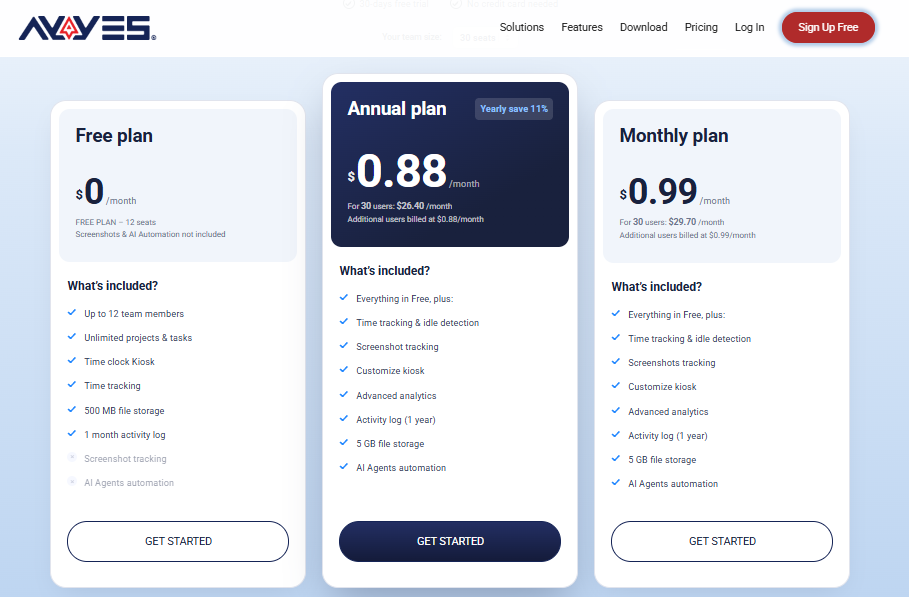
AYYES offers flexible pricing options for businesses of different sizes.
- Free Plan: $0 for up to 12 users, including unlimited projects, unlimited tasks and time tracking.
- Annual Plan: $0.88 per user per month.
- Monthly Plan: $0.99 per user per month.
- 30-Day Free Trial: Access PRO features for 30 days without providing a credit card.
For businesses managing multiple employees and projects, AYYES provides an affordable way to organise tasks, track working hours and manage attendance.
Choose AYYES to simplify project management and employee time tracking while keeping costs manageable.
Marketing Project Management Software: Which One Should You Choose?
The best software for project management depends on the type of work your business handles and the features your team needs.
There is no single platform that is ideal for every marketing agency. Some businesses prioritise campaign planning, while others need detailed task management, client project tracking or employee time records.
Here is a quick guide to help you decide.
| Your Requirement | Recommended Software | Reason |
| Project and employee time tracking | AYYES | Combines projects, tasks, time tracking and timesheets. |
| Marketing task management | Asana | Provides structured tasks, campaign planning and workflows. |
| Customisable project workflows | ClickUp | Offers flexible project views and task organisation. |
| Marketing workflow management | Wrike | Supports structured workflows and resource management. |
| Visual project planning | Monday.com | Uses visual boards and timelines. |
| Agency operations | Productive | Combines project, resource and financial management. |
| Client project management | Teamwork | Supports client projects and time tracking. |
| Simple task tracking | Trello | Provides straightforward boards and cards. |
| Team communication | Basecamp | Centralises discussions and project updates. |
| Agency resource planning | Ravetree | Combines project management and agency operations. |
| Documentation and content planning | Notion | Provides flexible databases and shared documentation. |
| Structured project management | Zoho Projects | Supports milestones, dependencies and reporting. |
Which platform should you select?
- Choose AYYES if you want to manage projects and tasks while recording employee working hours.
- Choose Asana if your priority is organising marketing assignments and campaign workflows.
- Choose ClickUp if you need highly customisable project management.
- Choose Wrike if your team manages structured workflows and multiple projects.
- Choose Productive or Ravetree if your agency needs broader operational and resource management capabilities.
- Choose Trello or Notion if you prefer simpler task organisation and documentation.
Before making your final decision, compare the features, subscription limits and available integrations against your business requirements.
Frequently Asked Questions on Marketing Project Management Software
1. What Is the Best Marketing Project Management Software in 2027?
The best marketing project management software depends on your team’s requirements. AYYES is worth considering for project and employee time tracking, Asana for marketing task management, ClickUp for customisable workflows and Wrike for structured marketing operations.
Compare the available features and choose the platform that fits your working process.
2. Is There Free Project Management Software for Marketing Teams?
Yes. Several platforms offer free plans with limited or selected features. AYYES provides a free plan for up to 12 users, including unlimited projects, unlimited tasks and time tracking. Other platforms, including Trello, ClickUp and Zoho Projects, also offer free options with their own restrictions.
3. Which Project Management Software Is Best for Marketing Agencies?
The right option depends on the agency’s size and services. Agencies managing several clients may consider Productive, Teamwork or Ravetree for their agency management capabilities. AYYES is another option for agencies that need project and task management alongside employee time tracking.
4. What Features Should Marketing Teams Look for in Project Management Software?
Marketing teams should consider task assignment, deadline management, project tracking, collaboration, reporting, time tracking and workflow organisation.
Agencies managing client projects may also benefit from resource planning and project-based timesheets.
5. Can Project Management Software Track Employee Working Hours?
Yes. Some project management platforms include time tracking features that allow employees to record hours against projects and tasks.
AYYES supports web-based timers, desktop tracking, manual time entries and kiosk time tracking. Managers can review recorded hours through timesheets and reports.
Conclusion
Choosing the right marketing project management software can help businesses organise campaigns, manage assignments and maintain better visibility into project progress.
Platforms such as Asana, ClickUp, Wrike and Monday.com offer different approaches to project planning and team collaboration. Productive, Teamwork and Ravetree provide capabilities for agencies managing client projects and resources, while Trello and Notion can support simpler workflows.
If your business also needs to manage employee working hours alongside projects and tasks, AYYES is worth considering. Its project management, task management, time tracking and timesheet features help businesses organise work and review project activity from one workspace.
Compare the available options, identify your team’s priorities and select a platform that supports your busine


