
Top 12 Best Resource Management Tools for Businesses in 2027
Managing people, projects and workloads across a business can become challenging without the right systems in place. Teams need to know who is available, how work is distributed and whether projects have enough resources to meet deadlines. Resource management software helps businesses organise employees, manage project workloads, allocate resources and improve visibility across daily operations.
Many businesses also use time tracking software alongside resource management tools to understand how employees spend their working hours and how much time is assigned to different projects. Combining resource planning with time tracking helps managers review team capacity, monitor workloads and make better decisions about project schedules.
In this guide, we compare 12 of the best resource management software and tools for 2027, covering their key features, suitability and pricing to help businesses choose the right solution.
Best Resource Management Tools for Businesses at a Glance
| Software | Best For | Key Features | Pricing |
|---|---|---|---|
| AYYES | Project management and employee time tracking | Project management, task assignments, time tracking, timesheets | Free and paid |
| Teamwork.com | Professional services | Resource scheduling, workload planning, utilisation reporting | Free and paid |
| Float | Visual resource scheduling | Capacity planning, team scheduling, availability | Paid plans |
| Resource Guru | Employee and equipment scheduling | Resource booking, availability management | Paid plans |
| Productive | Marketing and creative agencies | Resource planning, budgeting, utilisation | Paid plans |
| Runn | Resource forecasting | Capacity planning, project forecasting | Paid plans |
| ClickUp | Project and workload management | Task management, workload views, time tracking | Free and paid |
| Wrike | Cross-functional teams | Workload management, project planning, collaboration | Free and paid |
| Scoro | Professional services businesses | Resource scheduling, reporting, project budgets | Paid plans |
| Saviom | Enterprise resource management | Resource allocation, forecasting, capacity planning | Custom pricing |
| Motion | AI-powered resource planning | Automated scheduling, task planning | Paid plans |
| Microsoft Planner | Microsoft 365 teams | Task assignments, project planning | Plan-dependent |
Managing employees, projects, equipment and working hours across multiple assignments can become challenging as a business grows. Without an organised system, managers may struggle to distribute workloads, identify available employees, track project progress and prevent scheduling conflicts.
Resource management software helps businesses organise these activities through centralised platforms. It allows managers to assign tasks, monitor availability, plan workloads and understand how resources are being used across different projects.
The right solution can improve project visibility, support better planning and help teams use their available resources more effectively.
In this guide, we compare 12 popular resource management tools in 2027, covering their features, pricing considerations, advantages and suitability for different businesses. We also explain how to choose the right platform for your team’s requirements.
Also Suggest this : Marketing Project Management Software
12 Best Resource Management Tools for Businesses in 2027
Choosing the right platform depends on your business size, team structure, project requirements and budget. Some solutions focus on visual scheduling, while others combine project management, employee tracking, financial reporting and forecasting.
Here are 12 resource management tools worth considering.
1. AYYES – Best for Project Management and Employee Time Tracking
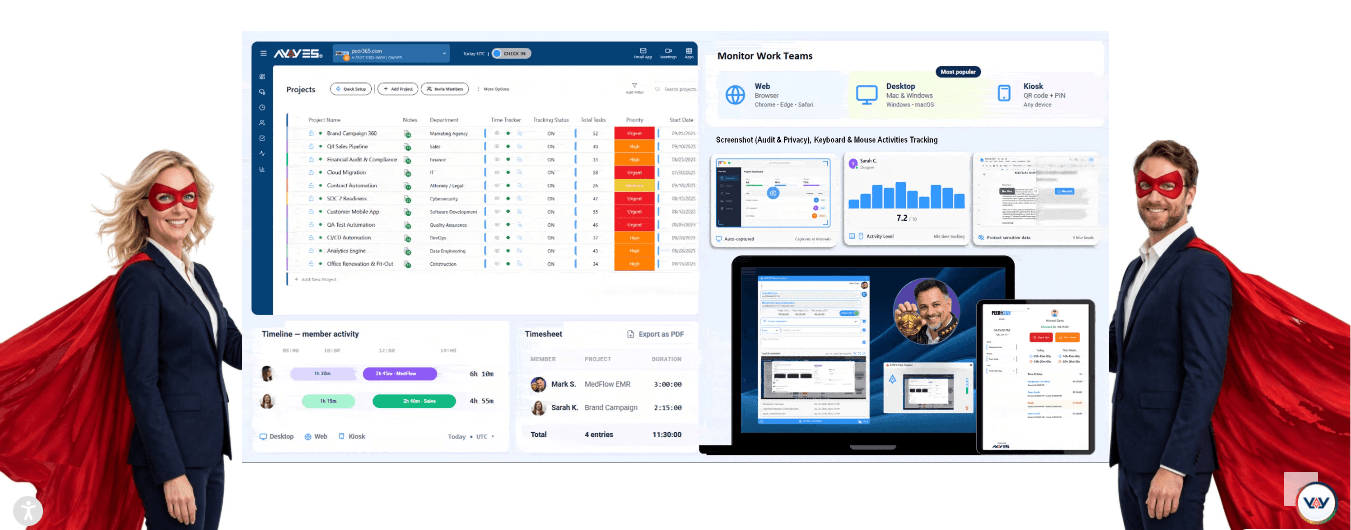
AYYES is a project management and employee time tracking platform that helps businesses organise projects, assign tasks and record working hours from one workspace.
It is suitable for businesses that want to manage project activities while maintaining clear records of employee working time.
Its features help managers organise work, assign responsibilities and review employee timesheets without relying entirely on manual attendance records.
Key Features
- Project and task management.
- Employee time tracking.
- Timesheet management.
- Employee working-hour records.
- PIN and QR code kiosk access.
- Project and task organisation.
- Basic reporting and team visibility.
Advantages
- Combines project organisation and employee time tracking.
- Helps managers maintain employee working-hour records.
- Supports task assignments and project coordination.
- Offers a free plan for small teams.
Pricing
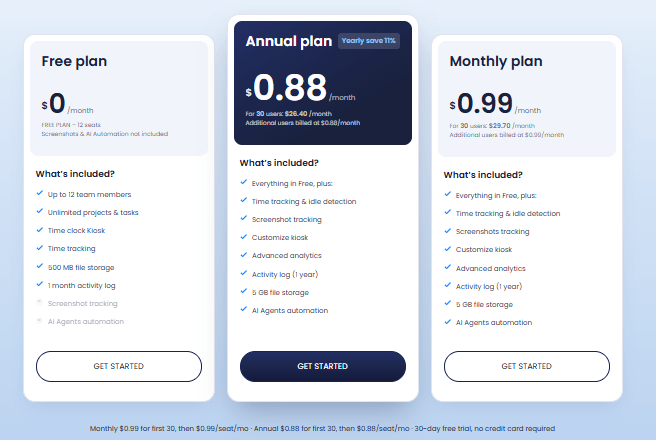
AYYES offers a free plan for up to 12 seats. Its paid plans start at $0.99 per seat per month for monthly billing or $0.88 per seat per month with annual billing. Businesses can also try PRO features through a 30-day free trial without providing a credit card.
Best For: Small businesses, agencies and growing teams that need project organisation and employee time tracking in one platform.
2. Teamwork.com – Best for Professional Services Resource Planning
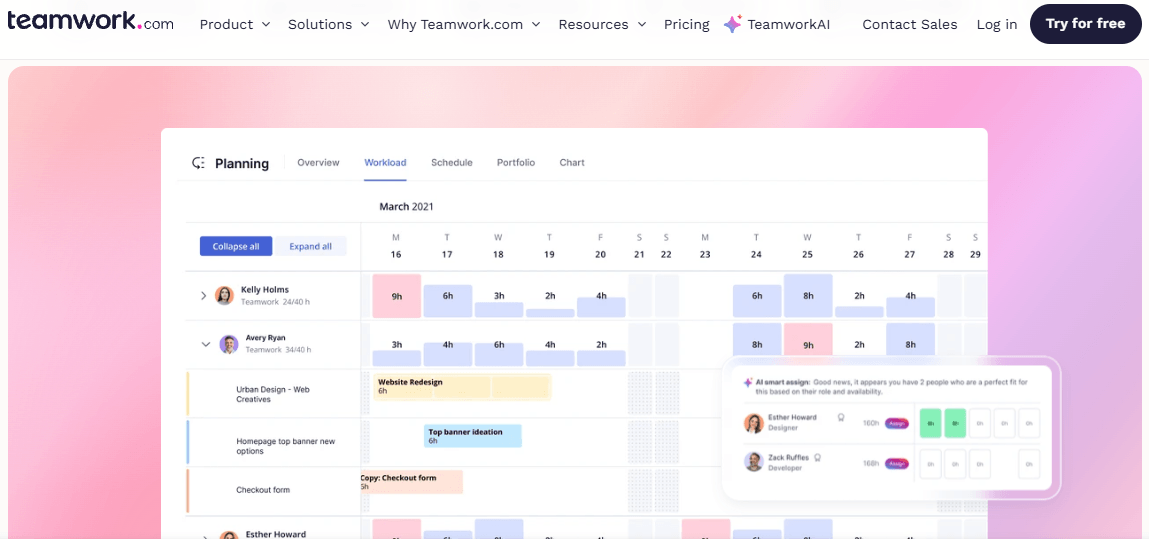
Teamwork.com is a project management platform designed to help professional services businesses organise projects, employees and client work.
It provides resource scheduling and workload management capabilities that allow managers to understand team availability and plan assignments according to project requirements.
Businesses can use the platform to monitor project progress, review resource utilisation and coordinate work across multiple clients.
Key Features
- Resource scheduling.
- Workload management.
- Project planning.
- Time tracking.
- Resource utilisation reporting.
- Project budgeting.
- Team collaboration.
Advantages
- Suitable for agencies and professional services teams.
- Provides project and resource visibility.
- Supports workload planning across multiple projects.
- Helps managers review project performance.
Pricing
Teamwork offers different subscription options, including free and paid plans. Advanced resource management capabilities depend on the selected plan.
Best For: Agencies, consultancies and professional services businesses managing multiple client projects.
3. Float – Best for Visual Resource Scheduling
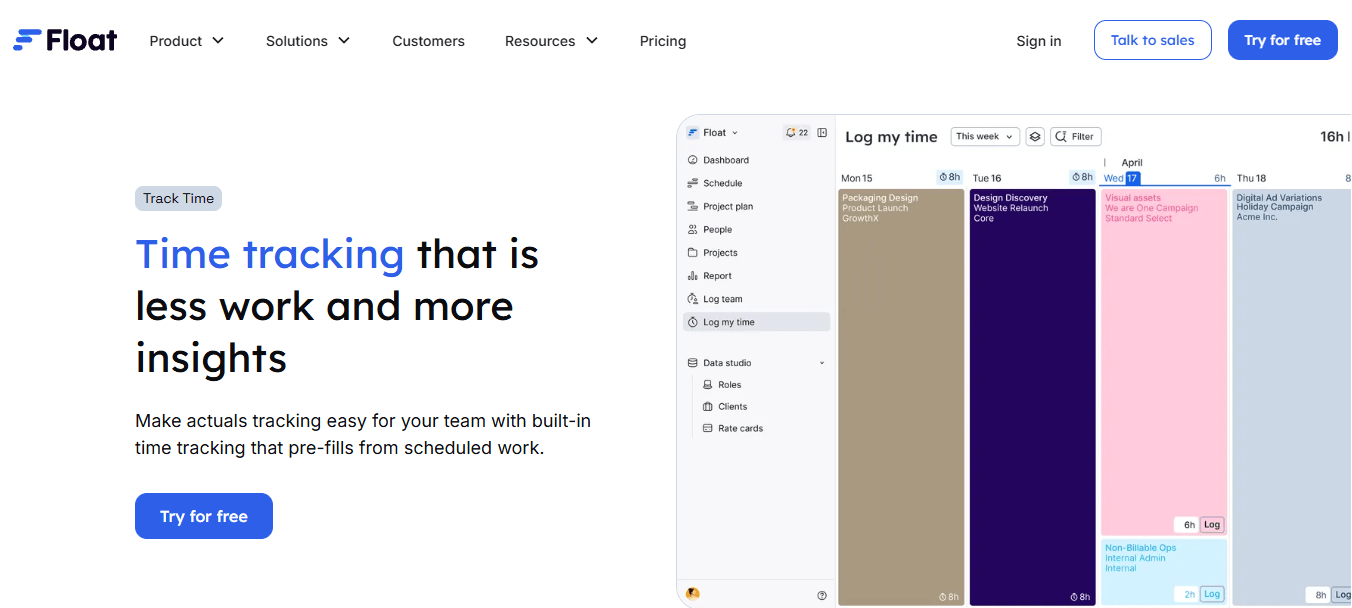
Float is a resource scheduling platform that helps businesses plan employee availability and distribute work across projects.
Its visual scheduling interface gives managers an overview of team assignments, making it easier to identify scheduling conflicts and available capacity.
Teams can use Float to organise project schedules, review workloads and adjust assignments when priorities change.
Key Features
- Visual resource scheduling.
- Team availability management.
- Capacity planning.
- Project forecasting.
- Workload visibility.
- Resource allocation.
- Integrations with other business tools.
Advantages
- Easy-to-understand scheduling interface.
- Helps managers review employee availability.
- Supports planning across multiple projects.
- Provides visibility into team workloads.
Pricing
Float offers paid subscription plans, with pricing depending on the selected package and billing arrangement.
Best For: Businesses that need visual employee scheduling and capacity planning.
4. Resource Guru – Best for Employee and Equipment Scheduling
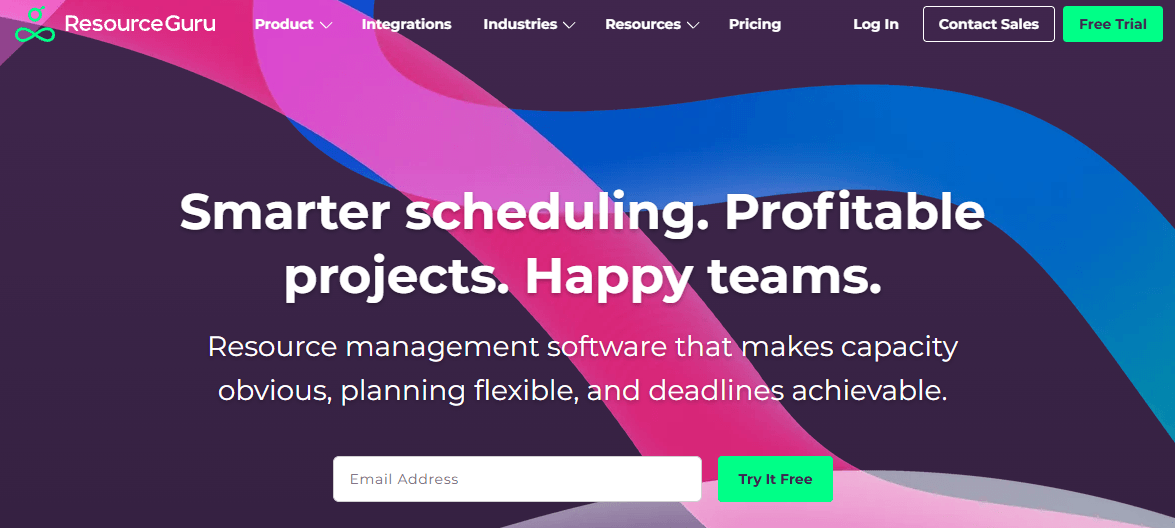
Resource Guru helps businesses organise employee schedules, equipment bookings and other resource requirements.
It provides a central scheduling system where managers can check availability, book resources and manage competing requests.
The platform is particularly useful for businesses that need to coordinate people and shared equipment across different projects.
Key Features
- Employee scheduling.
- Equipment booking.
- Resource availability.
- Booking conflict management.
- Leave management.
- Project scheduling.
- Reporting.
Advantages
- Supports people and equipment scheduling.
- Helps reduce booking conflicts.
- Provides a central view of resource availability.
- Useful for teams managing shared business assets.
Pricing
Resource Guru offers paid subscription options, with trial availability and features depending on its current plans.
Best For: Businesses managing employees, shared equipment and multiple bookings.
5. Productive – Best for Marketing and Creative Agencies
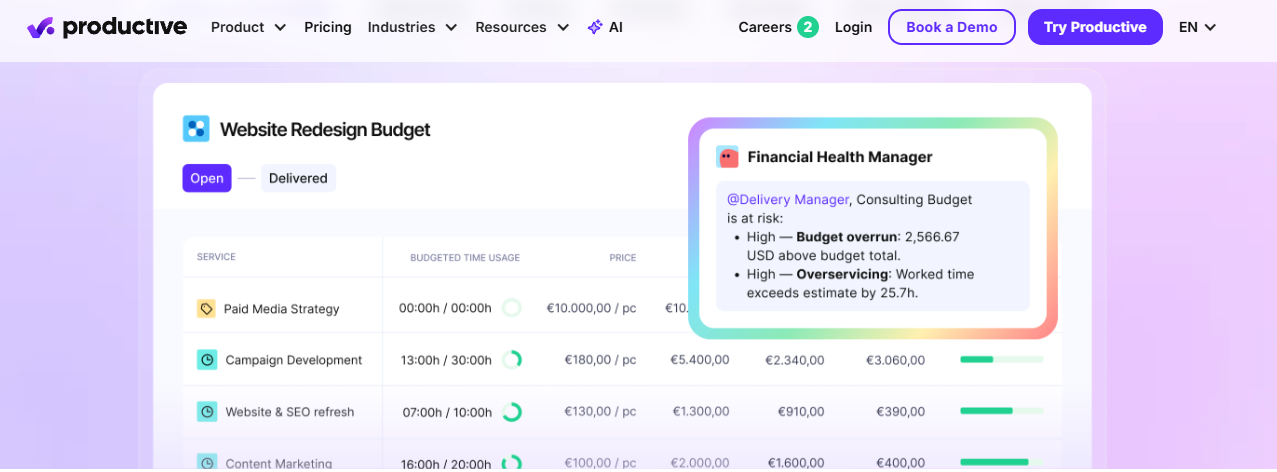
Productive is a business management platform designed for agencies and professional services companies.
It combines project management, resource planning, budgeting and reporting capabilities to help businesses manage client work.
Managers can use its resource planning features to review employee workloads, organise assignments and understand how resources are being used across projects.
Key Features
- Resource planning.
- Project management.
- Budget management.
- Time tracking.
- Employee utilisation reporting.
- Financial reporting.
- Project forecasting.
Advantages
- Combines project and financial management.
- Supports agency resource planning.
- Provides visibility into employee workloads.
- Helps monitor project budgets and utilisation.
Pricing
Productive offers paid plans with different capabilities and subscription options.
Best For: Marketing agencies, creative studios and professional services businesses.
6. Runn – Best for Resource Forecasting and Capacity Planning
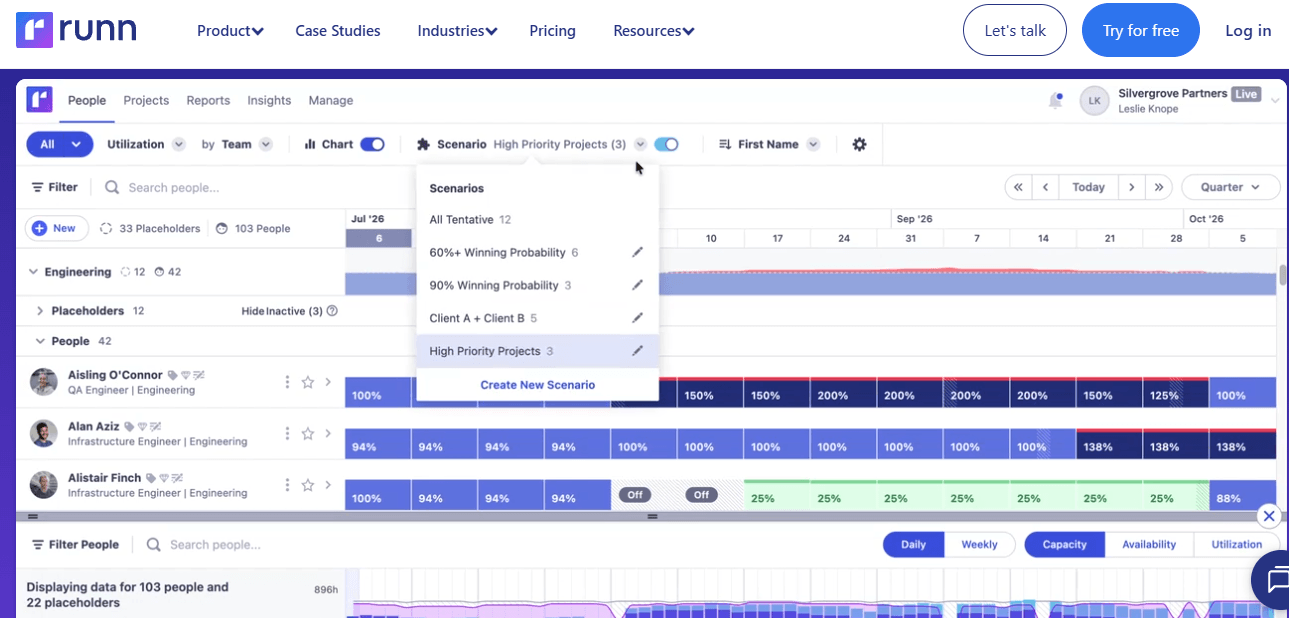
Runn is a resource planning platform that helps businesses understand current and future resource requirements.
It provides scheduling and forecasting capabilities that allow managers to review team capacity, plan upcoming projects and identify potential resource shortages.
Businesses can use Runn to understand whether they have enough available employees to handle future assignments.
Key Features
- Resource forecasting.
- Capacity planning.
- Project scheduling.
- Team utilisation.
- Workload visibility.
- Scenario planning.
- Project reporting.
Advantages
- Supports future resource planning.
- Helps identify capacity shortages.
- Provides project and team visibility.
- Useful for businesses managing changing project demand.
Pricing
Runn offers subscription options based on its current packages and business requirements.
Best For: Project managers and growing businesses that need resource forecasting and capacity planning.
7. ClickUp – Best for Project and Workload Management
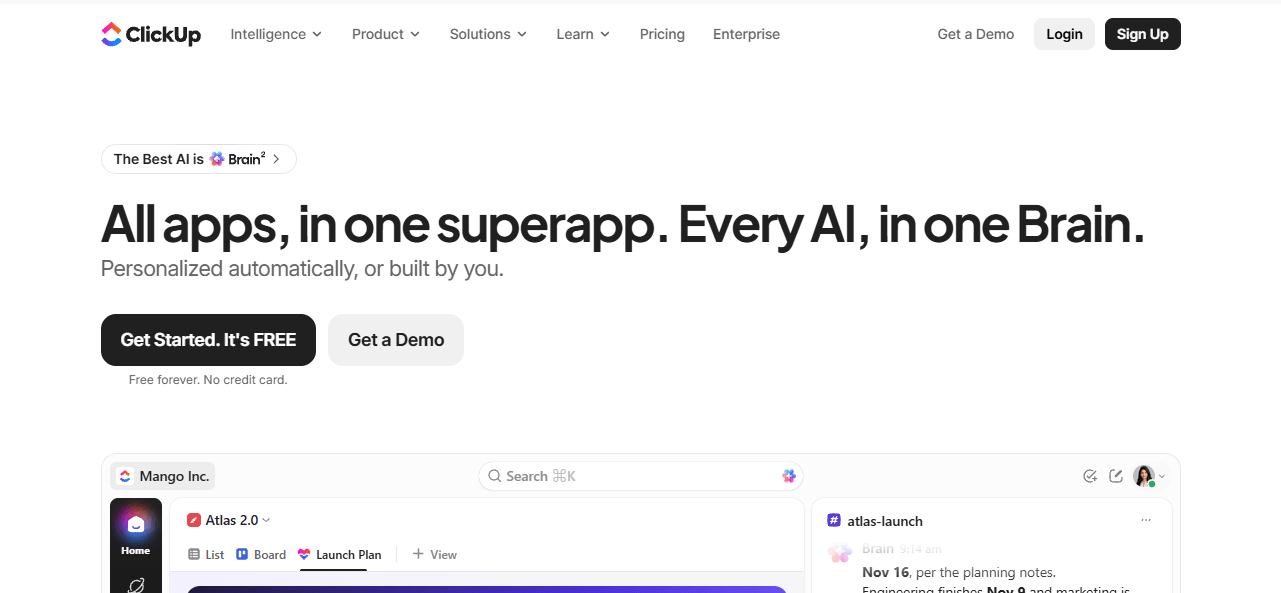
ClickUp is a project management platform that helps teams organise tasks, manage projects and collaborate across departments.
Its workload views allow managers to review assigned tasks and understand how responsibilities are distributed across team members.
Businesses can also use its task management, time tracking and reporting capabilities to coordinate project activities.
Key Features
- Task management.
- Workload views.
- Project scheduling.
- Time tracking.
- Team collaboration.
- Custom dashboards.
- Reporting.
Advantages
- Offers a wide range of project management features.
- Supports different team workflows.
- Provides workload visibility.
- Includes free and paid subscription options.
Pricing
ClickUp offers a free plan alongside paid subscriptions with additional features and usage limits.
Best For: Businesses that want project management, task organisation and team workload visibility in one platform.
8. Wrike – Best for Cross-Functional Resource Management
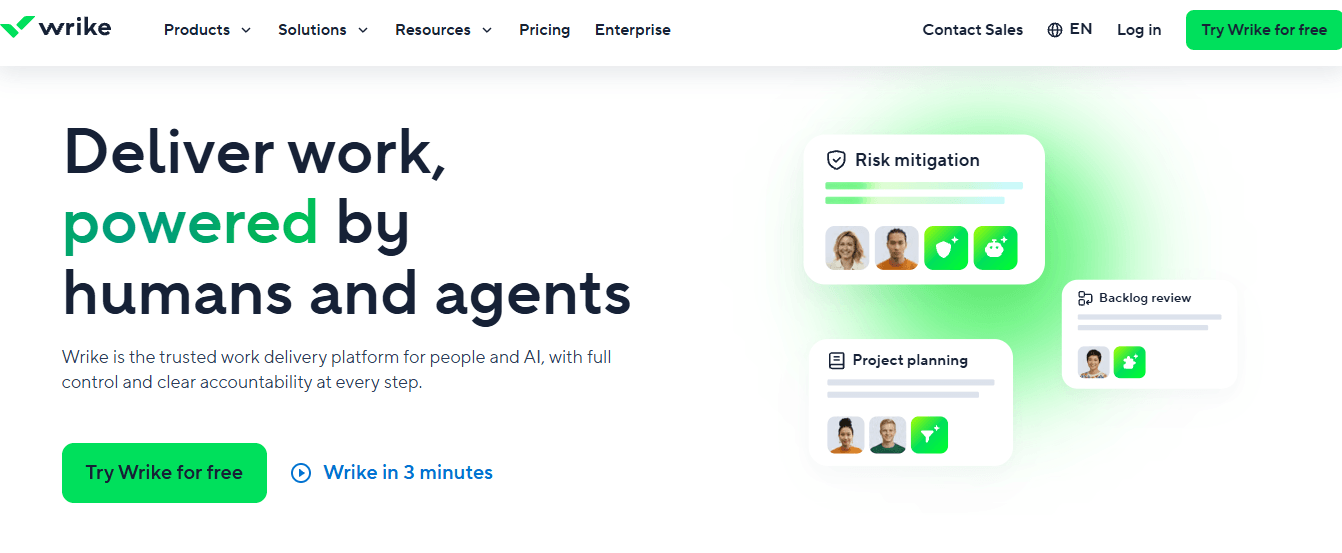
Wrike is a work management platform designed for businesses coordinating projects across multiple teams and departments.
It provides project planning, workload management and collaboration features that help managers organise assignments and monitor project activities.
Teams can use its dashboards and reporting capabilities to review progress and identify work that needs additional attention.
Key Features
- Workload management.
- Project planning.
- Task assignments.
- Team collaboration.
- Resource visibility.
- Reporting and dashboards.
- Workflow management.
Advantages
- Supports cross-functional project teams.
- Provides project and workload visibility.
- Helps coordinate multiple assignments.
- Offers different subscription options.
Pricing
Wrike offers free and paid plans, with advanced capabilities depending on the subscription tier.
Best For: Medium-sized and large businesses coordinating projects across departments.
9. Scoro – Best for Professional Services Businesses
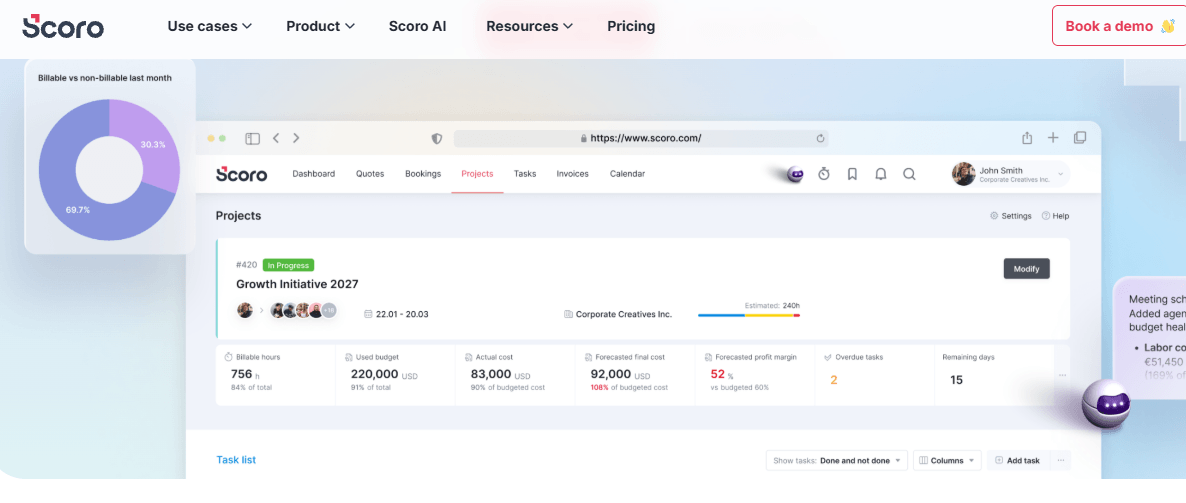
Scoro is a business management platform designed for professional services organisations.
It combines project management, resource scheduling, time tracking and financial management features.
Businesses can use Scoro to coordinate project assignments, review employee workloads and monitor financial performance.
Key Features
- Resource scheduling.
- Project management.
- Time tracking.
- Budget management.
- Employee utilisation.
- Reporting.
- Financial management.
Advantages
- Combines project and business management.
- Supports resource and financial planning.
- Provides project performance visibility.
- Useful for service-based organisations.
Pricing
Scoro offers paid subscription plans with different features depending on business requirements.
Best For: Consulting firms, agencies and professional services businesses.
10. Saviom – Best for Enterprise Resource Planning
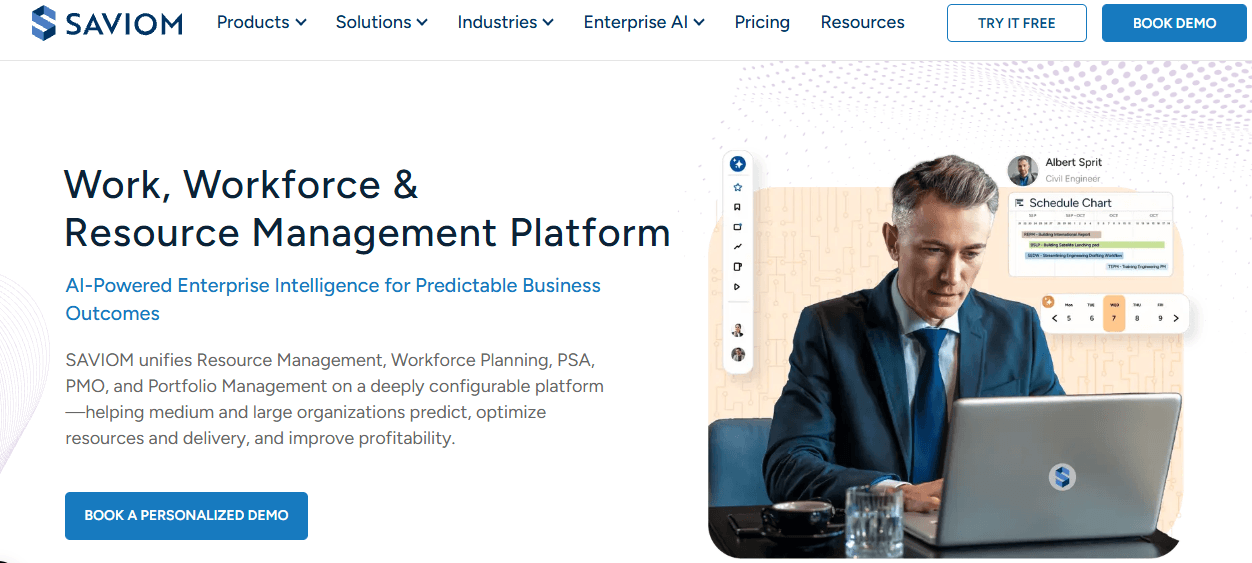
Saviom is an enterprise resource management platform that helps larger organisations plan workforce capacity and allocate resources across projects.
It focuses on resource forecasting, scheduling and utilisation management, helping businesses understand resource demand and availability.
The platform can support organisations with complex workforce planning requirements.
Key Features
- Enterprise resource planning.
- Resource allocation.
- Capacity forecasting.
- Workforce scheduling.
- Utilisation reporting.
- Demand planning.
- Resource management dashboards.
Advantages
- Supports complex enterprise resource requirements.
- Provides forecasting capabilities.
- Helps monitor resource utilisation.
- Supports workforce planning across projects.
Pricing
Saviom generally provides customised pricing based on organisational requirements and implementation needs.
Best For: Large organisations managing multiple projects and complex workforce requirements.
11. Motion – Best for AI-Powered Resource Planning
Motion is an AI-powered productivity and project planning platform that helps users organise tasks, schedules and priorities.
It uses automation to assist with scheduling and adjusting work according to deadlines and changing priorities.
Businesses can use its planning capabilities to coordinate individual tasks and improve day-to-day work organisation.
Key Features
- AI-assisted scheduling.
- Task management.
- Automated planning.
- Calendar management.
- Project organisation.
- Task prioritisation.
- Workflow automation.
Advantages
- Helps automate scheduling activities.
- Supports task prioritisation.
- Provides a central planning workspace.
- Reduces some manual scheduling work.
Pricing
Motion offers paid subscription options. Pricing depends on the selected plan and billing arrangement.
Best For: Teams and professionals who want AI-assisted task scheduling and productivity management.
12. Microsoft Planner – Best for Microsoft 365 Teams
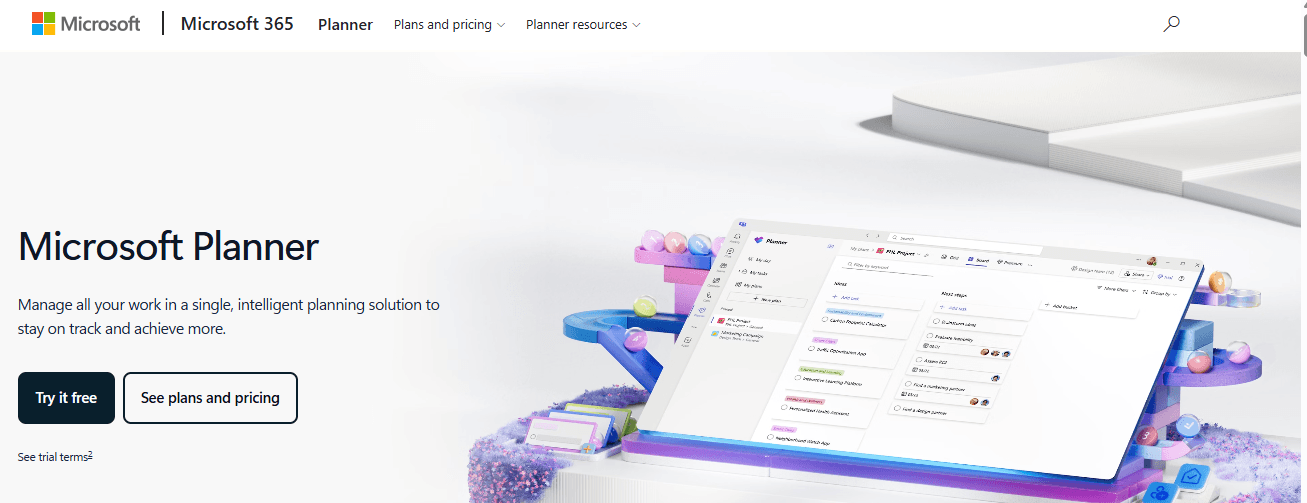
Microsoft Planner is a task and work management application that helps teams organise assignments and coordinate project activities.
It integrates with the Microsoft ecosystem, making it useful for businesses already using Microsoft 365.
Users can create plans, assign tasks and monitor progress through different task views. However, advanced resource scheduling and capacity management may require additional Microsoft products or subscription features.
Key Features
- Task assignments.
- Project planning.
- Team collaboration.
- Task progress tracking.
- Microsoft 365 integration.
- Planner boards.
- Work management.
Advantages
- Works within the Microsoft ecosystem.
- Supports team task organisation.
- Familiar interface for Microsoft users.
- Offers plan-dependent functionality.
Pricing
Availability and features depend on the Microsoft 365 subscription and applicable Planner plans.
Best For: Businesses already using Microsoft 365 that need task planning and team collaboration.
What to Look for in Free Resource Scheduling Software
Free resource scheduling software can help small businesses, startups and growing teams organise employee schedules, assign tasks and manage project workloads without adding immediate software costs.
However, free plans often come with limitations in user access, reporting, automation and advanced scheduling features. Before selecting a solution, businesses should consider the following factors:
- User limits: Check how many employees or team members can access the free plan.
- Scheduling features: Make sure the software supports basic employee scheduling and resource allocation.
- Project and task management: Look for tools that allow managers to create projects, assign tasks and organise responsibilities.
- Time tracking: Check whether employees can record working hours and access timesheets.
- Reporting: Review which reports are available and whether advanced reporting requires a paid subscription.
- Integrations: Consider whether the software connects with the other tools your business uses.
- Upgrade options: Understand the paid plans and additional features available as your team grows.
Some platforms offer ongoing free plans, while others provide only limited free trials. For example, AYYES offers a free plan for up to 12 seats, with time tracking, unlimited projects and tasks, and basic kiosk access. Businesses can also explore PRO features through its 30-day free trial without providing a credit card.
Choosing the right free solution depends on your team’s size, scheduling needs and the features required to manage daily work effectively.
Essential Features to Look for in Resource Management Software
Not every platform provides the same capabilities. Some focus on employee scheduling, while others combine project management, resource forecasting, time tracking and financial reporting.
Before selecting a solution, businesses should understand which features are most important for their operations.
1. Resource Allocation and Scheduling
Resource allocation helps managers assign available employees, equipment and other resources to specific projects and tasks.
A suitable platform should provide clear visibility into resource availability, existing assignments and upcoming deadlines.
Resource allocation tools are particularly useful for businesses managing several projects simultaneously because they help managers distribute responsibilities according to project requirements.
2. Capacity Planning and Workload Management
Capacity planning helps businesses understand how much work their teams can handle within a particular period.
Managers can compare available working hours with assigned tasks to identify overloaded employees and unused capacity.
Workload management also helps businesses adjust assignments when project priorities change.
3. Time Tracking and Timesheet Management
Time tracking records the number of hours employees spend working on projects and tasks.
Timesheets help managers review working hours, understand how time is distributed and maintain more organised project records.
For businesses managing several client assignments, project-based time tracking can also help them understand how much time different activities require.
4. Resource Forecasting and Utilisation Reporting
Resource forecasting helps businesses estimate future resource requirements based on upcoming projects and expected workloads.
Utilisation reporting provides information about how available resources are being used.
Together, these capabilities help managers identify potential shortages, review team capacity and make better planning decisions.
5. Project Management and Integration Capabilities
Project and resource management software should help teams coordinate project activities, tasks, schedules and responsibilities.
Integration capabilities are also important because businesses may already use separate platforms for communication, accounting, calendars and customer management.
Connecting relevant tools can reduce disconnected information and make project coordination easier.
How to Choose the Best Resource Management Software for Your Business
Selecting the best resource management software requires understanding your business requirements rather than choosing a platform simply because it offers the most features.
Consider the following factors before making a decision.
1. Identify Your Resource Planning Requirements
Start by identifying which resources your business needs to manage.
For example, a marketing agency may need employee scheduling, project assignments and timesheet management, while a construction business may need to coordinate employees, equipment and materials.
Your requirements will determine which platform is suitable.
2. Consider Your Business Size and Team Structure
Small businesses may only need basic project organisation, task assignments and time tracking.
Larger organisations may require advanced forecasting, capacity planning, resource utilisation reporting and integrations.
Choose a platform that supports your current operations without making everyday activities unnecessarily complicated.
3. Compare Features and Pricing
Compare subscription plans before selecting a platform.
Check whether important features such as scheduling, reporting, time tracking and workload management are included in the plan you intend to purchase.
Also consider user limits, additional charges and the availability of free trials.
4. Compare Free and Paid Resource Management Tools
Free plans can be useful for small teams that want to organise projects without committing to a subscription.
However, some platforms restrict the number of users, reporting options, automation features or advanced scheduling capabilities.
Businesses should compare these limitations before choosing free or paid resource management tools.
How to Manage Resources Effectively Across Multiple Projects
Effective resource management requires more than selecting the right software. Businesses also need a consistent process for planning, assigning and reviewing their available resources.
The following steps can help project managers maintain better control over team workloads.
1. Create a Resource Plan
Start by identifying the resources required to complete each project.
Document the employees, equipment, working hours, deadlines and other requirements associated with the project.
Project resource planning software can help managers organise these details and maintain a central record of project requirements.
2. Assign Resources According to Availability and Skills
Once the requirements are clear, assign resources according to availability, skills and project priorities.
For example, a website development project may require a designer, developer and content writer.
Managers should consider existing workloads before assigning additional responsibilities to avoid overloading employees.
3. Monitor Workloads and Adjust Resource Allocation
Resource requirements can change as projects progress.
Managers should regularly review task completion, employee availability and upcoming deadlines.
If one employee has too many assignments, responsibilities may need to be redistributed to maintain a manageable workload.
4. Track Working Hours and Project Progress
Recording working hours helps managers understand how much time employees spend on different projects.
Reviewing timesheets alongside project progress provides useful information about actual work completed and remaining assignments.
5. Review Resource Utilisation Regularly
Regular reviews help businesses identify unused capacity, resource shortages and scheduling problems.
Managers can use these findings to improve future project planning and make better decisions about resource allocation.
Online Resource Scheduling: How Does It Help Businesses?
Online resource scheduling allows businesses to organise employee availability, project assignments and resource bookings through a central digital platform.
Instead of maintaining separate calendars or spreadsheets, managers can use scheduling tools to view assignments and make adjustments when requirements change.
For example, an agency managing several client campaigns can use online scheduling to organise employee responsibilities, check available working hours and coordinate upcoming deadlines.
The main benefits include:
- Better availability visibility: Managers can review existing assignments and available capacity.
- Fewer scheduling conflicts: Teams can identify overlapping responsibilities and booking problems.
- Improved coordination: Employees can understand their assigned work and deadlines.
- Flexible planning: Managers can adjust schedules when project requirements change.
- Centralised information: Relevant scheduling details can be maintained in one platform.
These capabilities are particularly useful for businesses managing distributed teams or multiple projects.
Common Mistakes to Avoid When Choosing Resource Scheduling Software
Choosing resource scheduling software based only on price can lead to problems as your business grows. A free or low-cost platform may cover basic requirements but might not support your team’s long-term resource management needs.
Here are some common mistakes businesses should avoid:
- Ignoring user limits: Choosing a free plan without checking how many employees can access the platform may create problems when the team expands.
- Overlooking time tracking: Selecting software without time tracking can make it harder to understand employee working hours and project time records.
- Focusing only on scheduling: Resource management also involves task assignments, project organisation and workload visibility, not just creating schedules.
- Not checking reporting features: Limited reporting can make it difficult for managers to review team performance and recorded working hours.
- Ignoring ease of use: Complicated software can reduce employee adoption and make everyday resource planning more difficult.
- Not reviewing upgrade costs: Businesses should understand paid subscription prices and feature restrictions before committing to a platform.
- Choosing tools that do not scale: Software should support changing team sizes, projects and business requirements as the organisation grows.
To avoid these mistakes, compare the available features, pricing, user limits and time tracking capabilities before making a decision. Choosing a platform that supports both project organisation and employee time management can help businesses maintain a more organised workflow.
Why Choose AYYES for Project and Employee Time Management?
Managing projects and employee working hours through separate systems can make it difficult for businesses to maintain organised records.
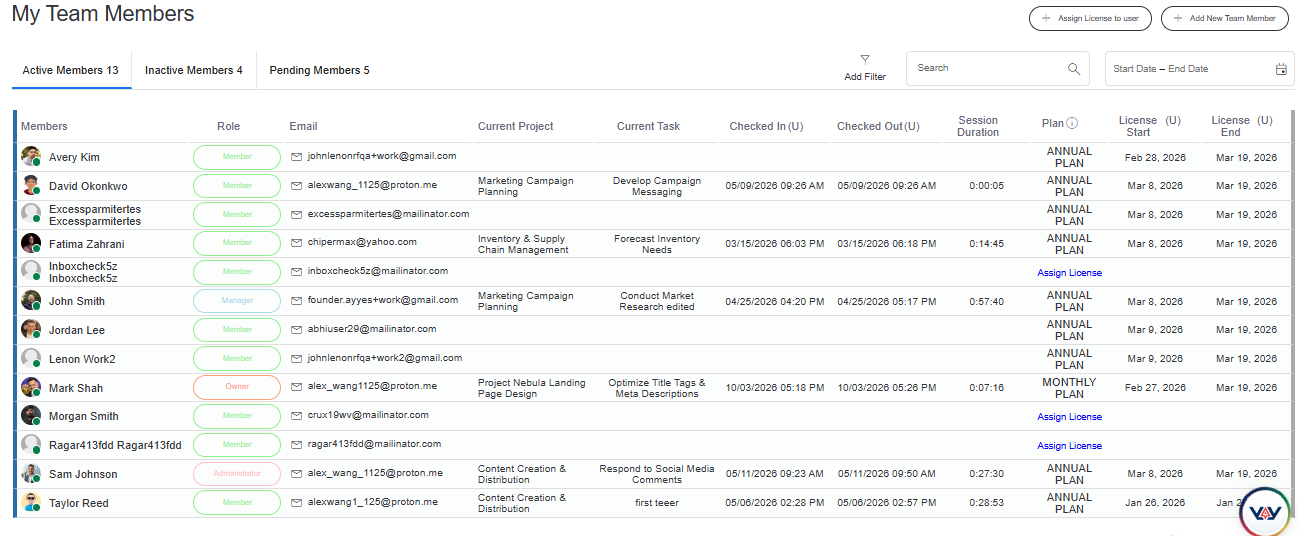
AYYES combines project organisation, task management and employee time tracking in one platform, helping managers coordinate daily work and review employee working-hour records.
It can support businesses that need to assign responsibilities, organise projects and understand how employees spend their working hours.
Key reasons to consider AYYES include:
- Project organisation: Create and organise projects and tasks according to business requirements.
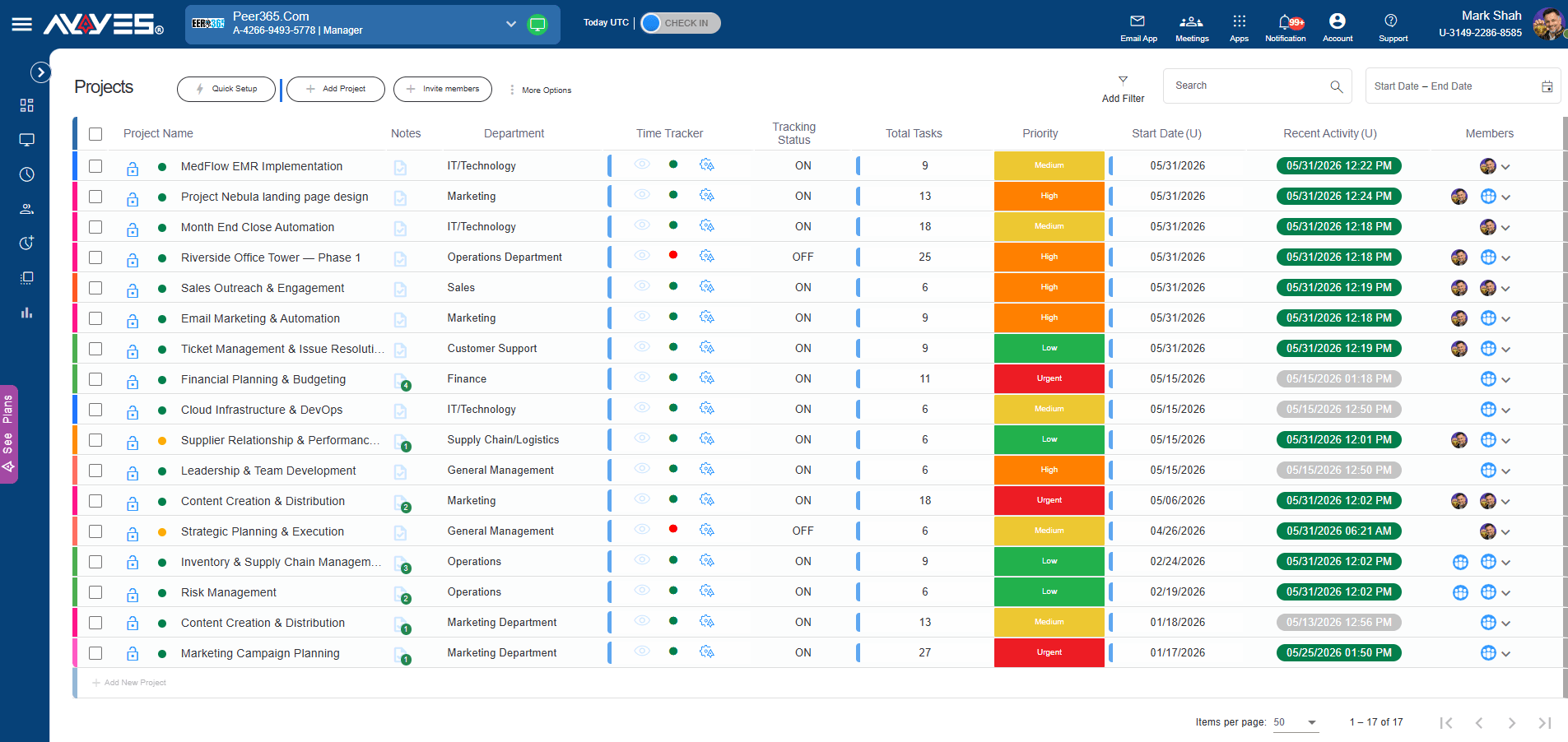
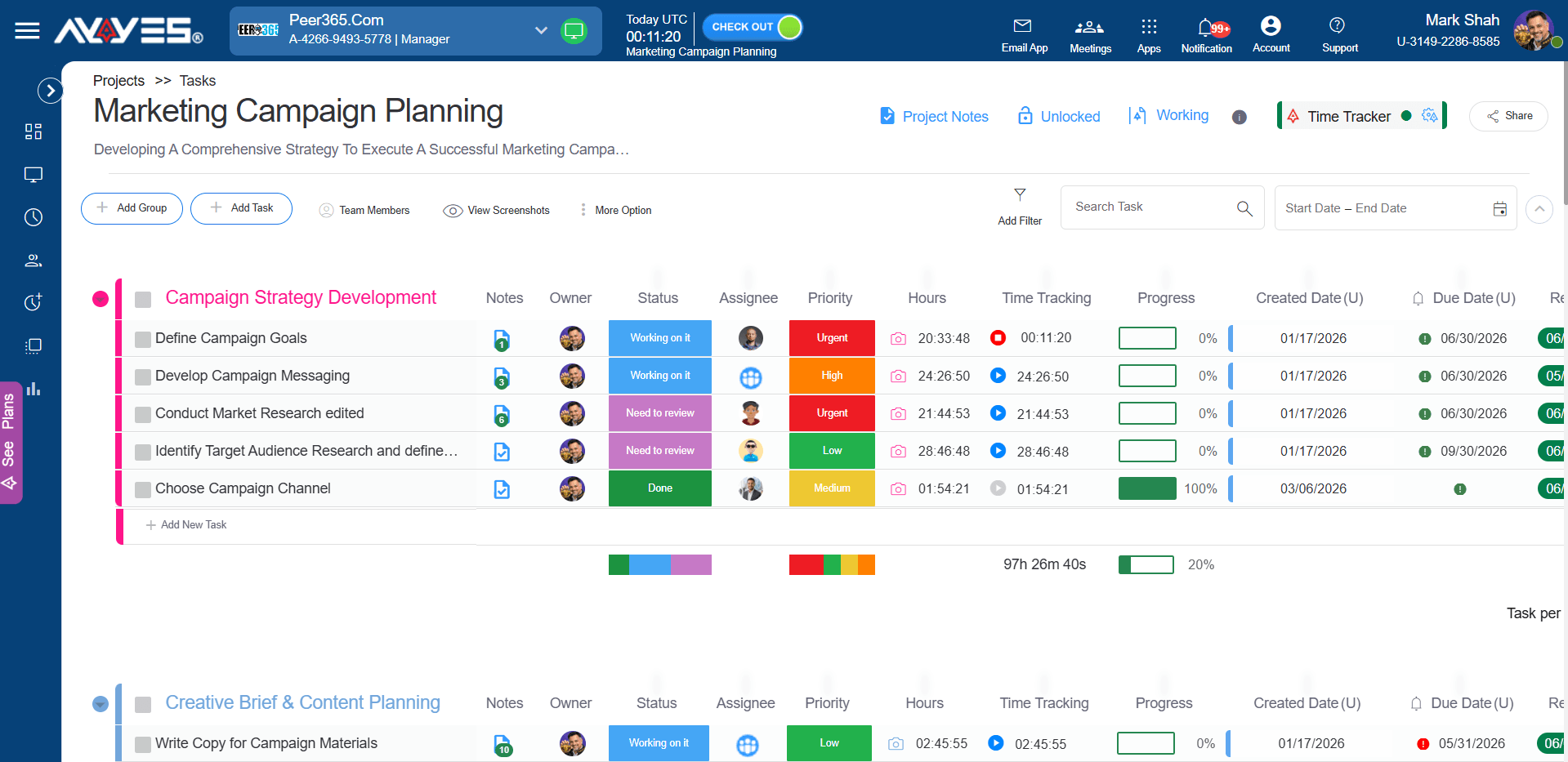
- Task assignments: Assign responsibilities to employees and maintain clearer records of project activities.
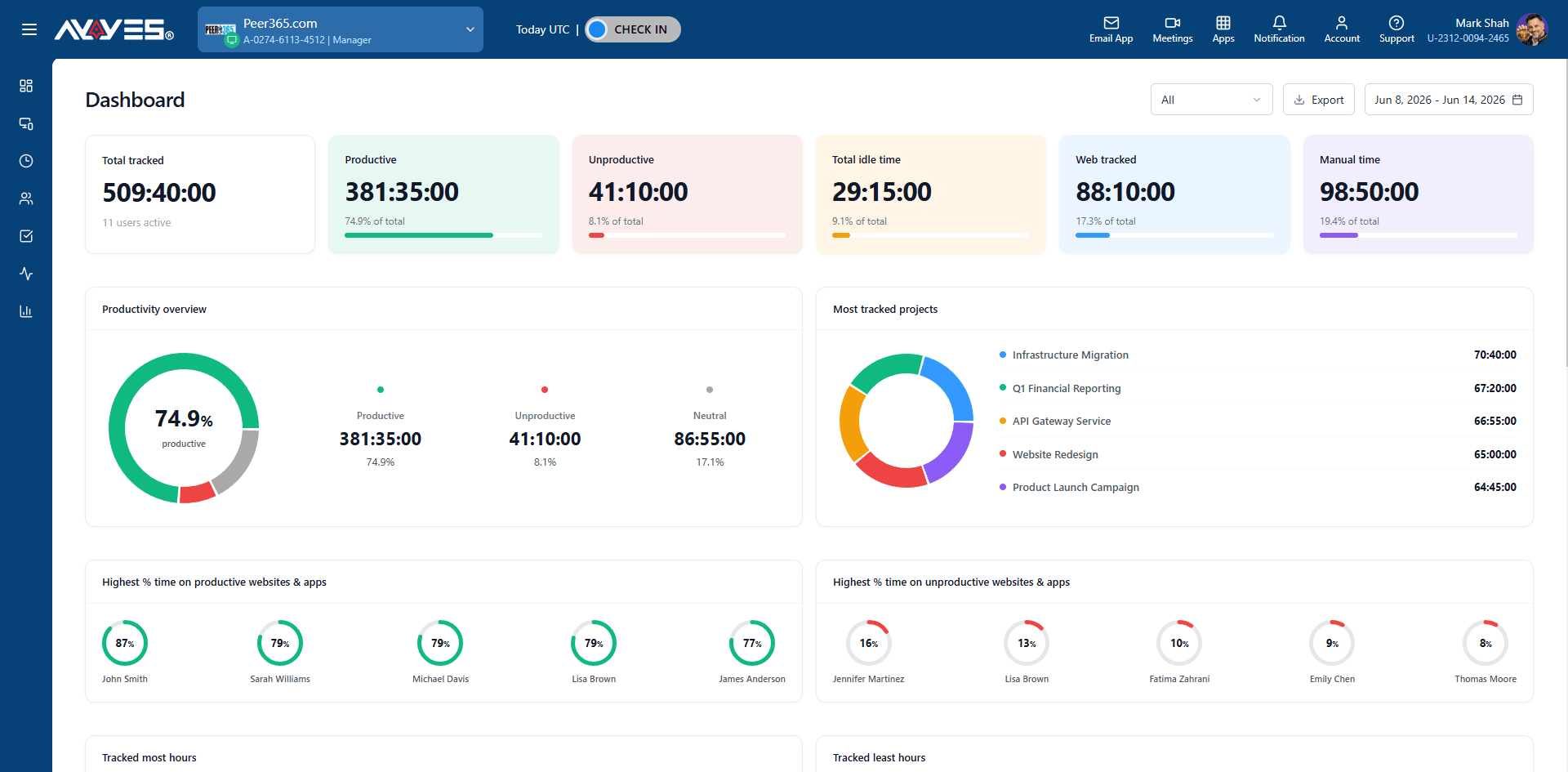
- Employee time tracking: Record employee working hours and review timesheets.
- Kiosk access: Support employee clock-in and clock-out through PIN and QR code access.

- Working-hour visibility: Help managers review recorded employee time and project-related work.
- Accessible pricing: Start with a free plan for up to 12 seats and explore advanced PRO features through a 30-day free trial.
For small businesses, agencies and growing teams, AYYES provides a practical way to organise projects and employee time records without relying entirely on manual processes.
Businesses can start with the free plan and evaluate the platform before choosing a paid subscription.
AYYES Pricing Plans
AYYES offers flexible pricing options for businesses with different team sizes and requirements.
| Plan | Pricing | Key Details |
|---|---|---|
| Free Plan | $0 | Up to 12 seats, time tracking, unlimited projects and tasks, and basic kiosk access |
| Monthly Plan | $0.99 per seat/month | Paid subscription with access to additional features |
| Annual Plan | $0.88 per seat/month | Lower per-seat pricing with annual billing |
AYYES also provides a 30-day free trial with PRO features and no credit card required, allowing businesses to evaluate the platform before choosing a subscription.
For example, a team of 30 employees would pay $29.70 per month on monthly billing or $26.40 per month with annual billing.
Frequently Asked Questions About Resource Management Software
1. What Is the Best Resource Management Software?
The best resource management software depends on your business size, project requirements and the resources you need to coordinate. AYYES is worth considering for project organisation and employee time tracking, while Teamwork.com, Float, Resource Guru and Runn offer different resource scheduling and planning capabilities.
2. What Are the Best Resource Management Tools for Small Businesses?
Small businesses should prioritise easy project organisation, task assignments, employee time tracking and affordable pricing. AYYES, ClickUp and Microsoft Planner are options worth evaluating, depending on the required features and subscription limitations.
3. Is There Any Free Resource Management Software?
Yes. Several platforms offer free plans or limited free access. AYYES provides a free plan for up to 12 seats with time tracking, unlimited projects and tasks, and basic kiosk access. ClickUp and other project management platforms also offer free plans with varying restrictions.
4. What Is the Difference Between Resource Planning and Resource Allocation?
Resource planning involves identifying the resources required to complete a project, including employees, equipment, time and budgets. Resource allocation involves assigning those available resources to specific projects and tasks. Planning identifies requirements, while allocation distributes resources according to project priorities and availability.
5. How Does Resource Management Software Improve Project Efficiency?
Resource management software improves project coordination by helping managers organise assignments, review employee availability, monitor workloads and track working hours. It also provides better visibility into resource usage, helping businesses identify scheduling conflicts and make more informed project planning decisions.
Final Thoughts on Choosing Resource Management Software
Choosing the right platform can make it easier for businesses to organise employees, coordinate projects and monitor available resources.
Some tools focus on advanced resource scheduling and forecasting, while others combine project management, task assignments, time tracking and reporting.
Before selecting a solution, compare the available features, pricing, integrations and limitations against your business requirements.
For businesses that need project organisation and employee time tracking together, AYYES offers a practical starting point with a free plan and a 30-day PRO trial.
Evaluate your team’s requirements and choose a platform that supports your current projects while allowing your business to manage future workloads effectively.


